当前位置:网站首页>[applet development] page navigation details
[applet development] page navigation details
2022-07-25 18:39:00 【Hua Weiyun】
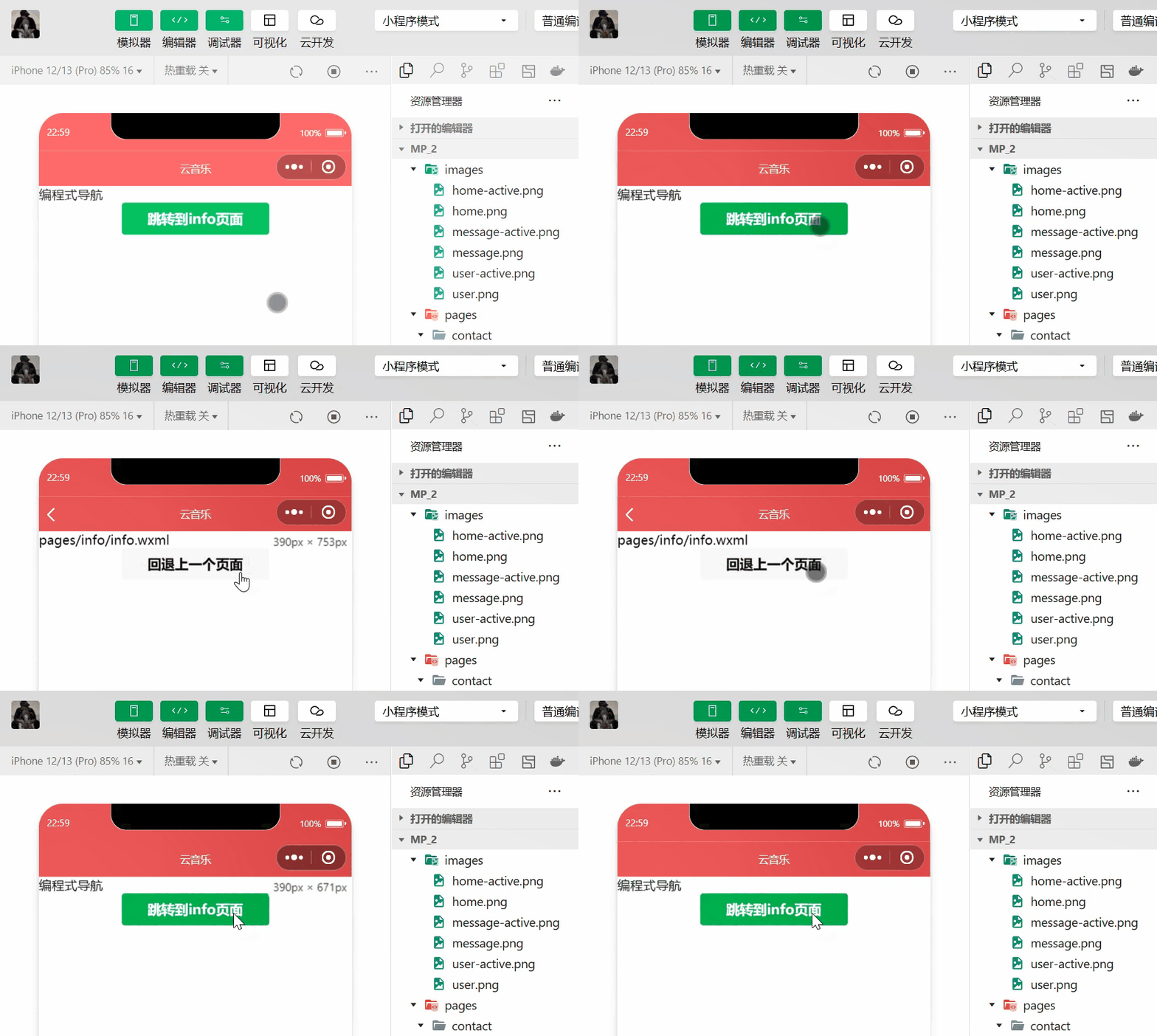
Learning objectives of this section :
Learn how to use the navigation jump between pages
@[toc]
One . Page navigation
What is page navigation
Page navigation It refers to the mutual jump between pages .
2. Two ways to realize page navigation
Page navigation has Two ways of implementation :
- Declarative navigation
Method : Declare a navigator Components , Click this component to jump to the page .
- Programming navigation
Method : Calling applet navigation API Realize page Jump .
Two . Declarative navigation
1. Navigate to tabBar page
tab Page fingers are configured as tabBar The page of , In the use of specified navigator When the component jumps to the specified page , Must specify url Properties and open-style attribute , among :
urlIndicates the page address to jump to , Must be / startopen-strleIndicates how to jump , This must beswitchTab
<navigator url="/pages/message/message" open-type="switchTab"> Jump to the message page </navigator>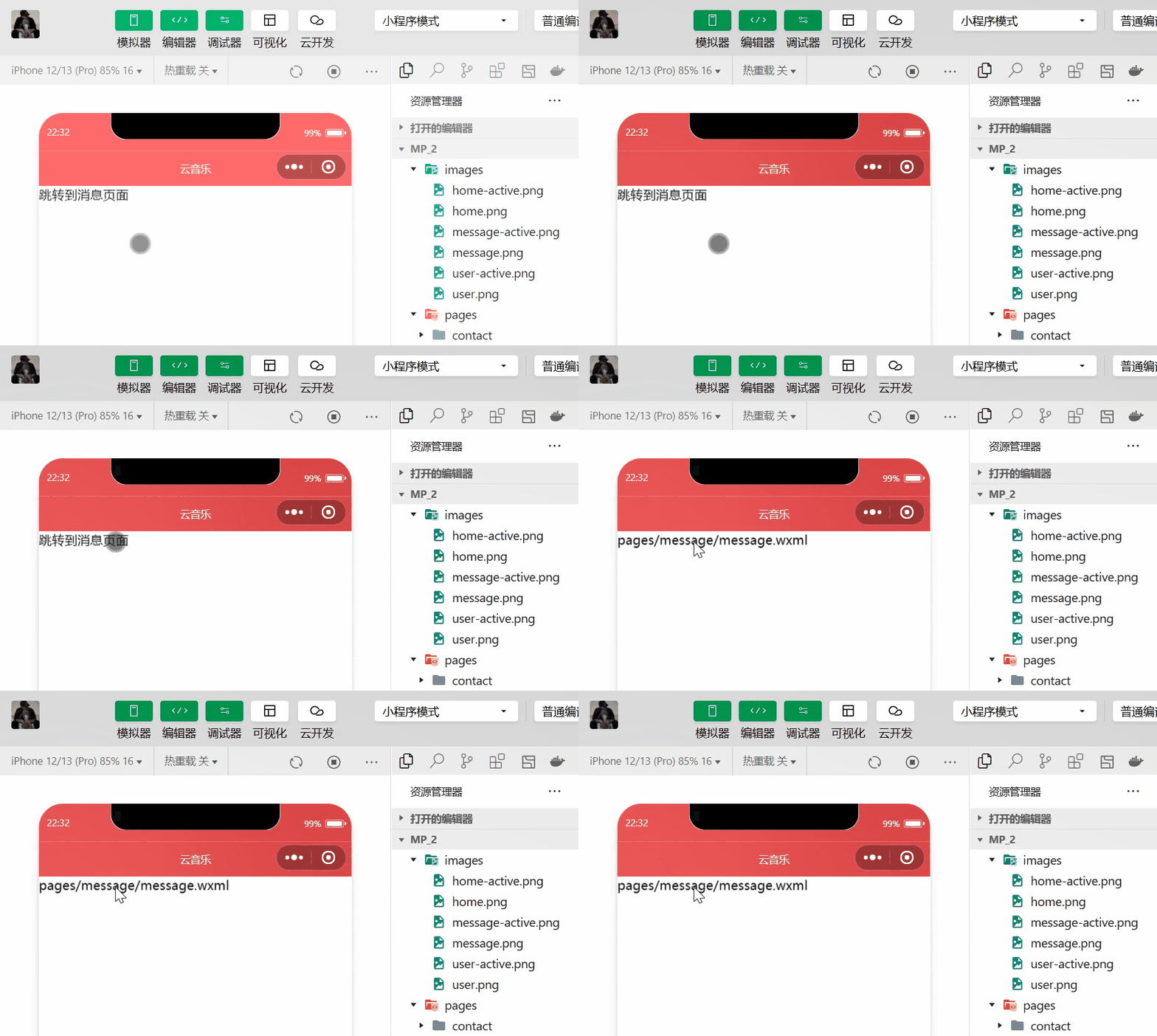
2. Navigate to non tabBar page
Not tabBar A page is one that is not configured to tabBar The page of . In the use of naxigator Component jump to non tabBar When the page is , You also need to specify url Properties and open-type attribute , among :
urlIndicates the page address to jump to , Must be / startopen-styleIndicates how to jump , This must benavigate, At this point, this attribute can be omitted
<navigator url="/pages/info/info" open-type="navigate"> Jump to info page </navigator>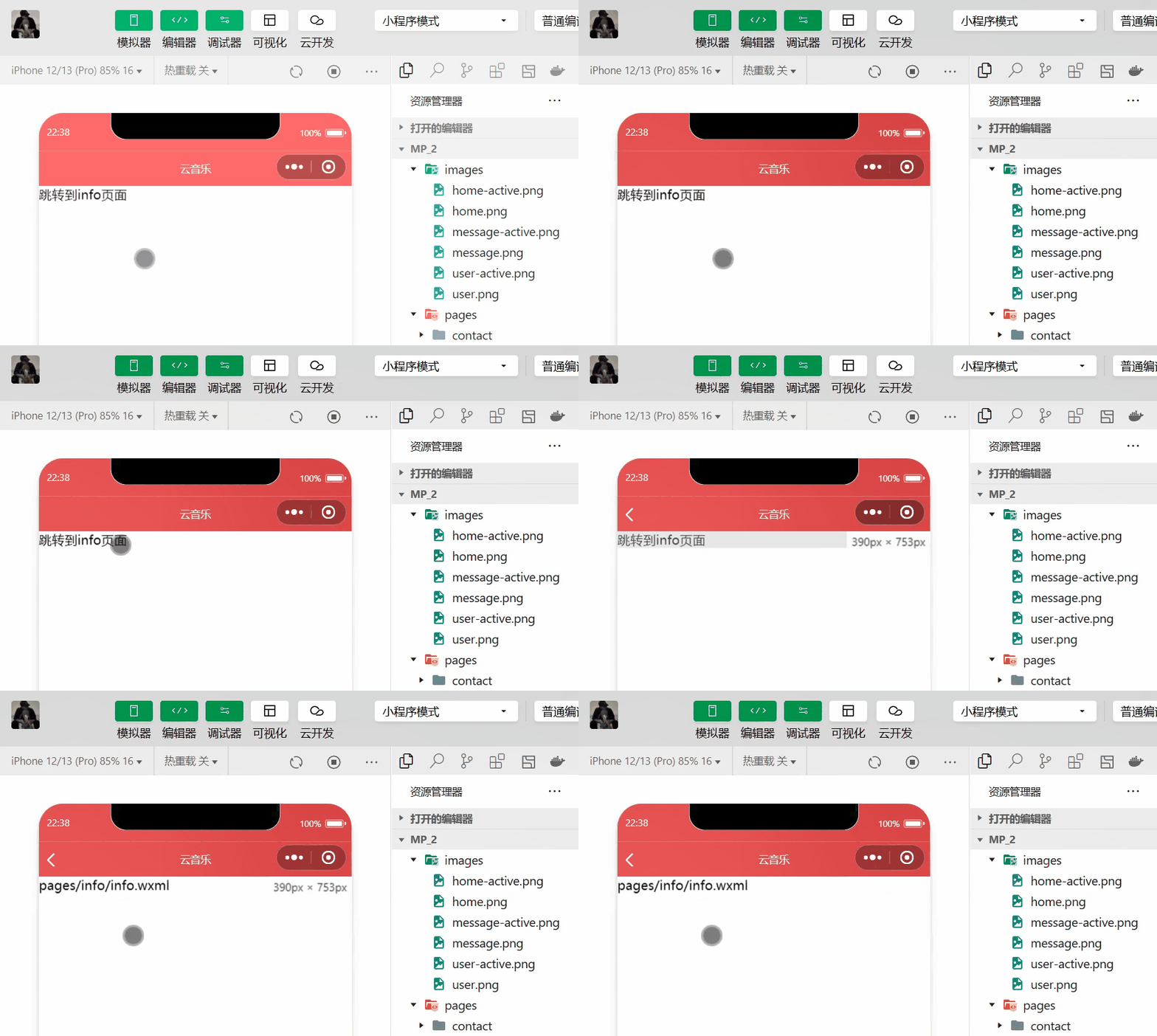
3. Back navigation
If you want to go back to the previous page or multi-level page , You need to specify open-type Properties and delta attribute , among :
open-typeThe value of must be navigateBack, Indicates that you want to perform back navigationdeltaThe value of must be a number , Indicates the level to go back , The default is 1
<navigator open-type="navigateBack" delta="1"> Go back to the previous page </navigator>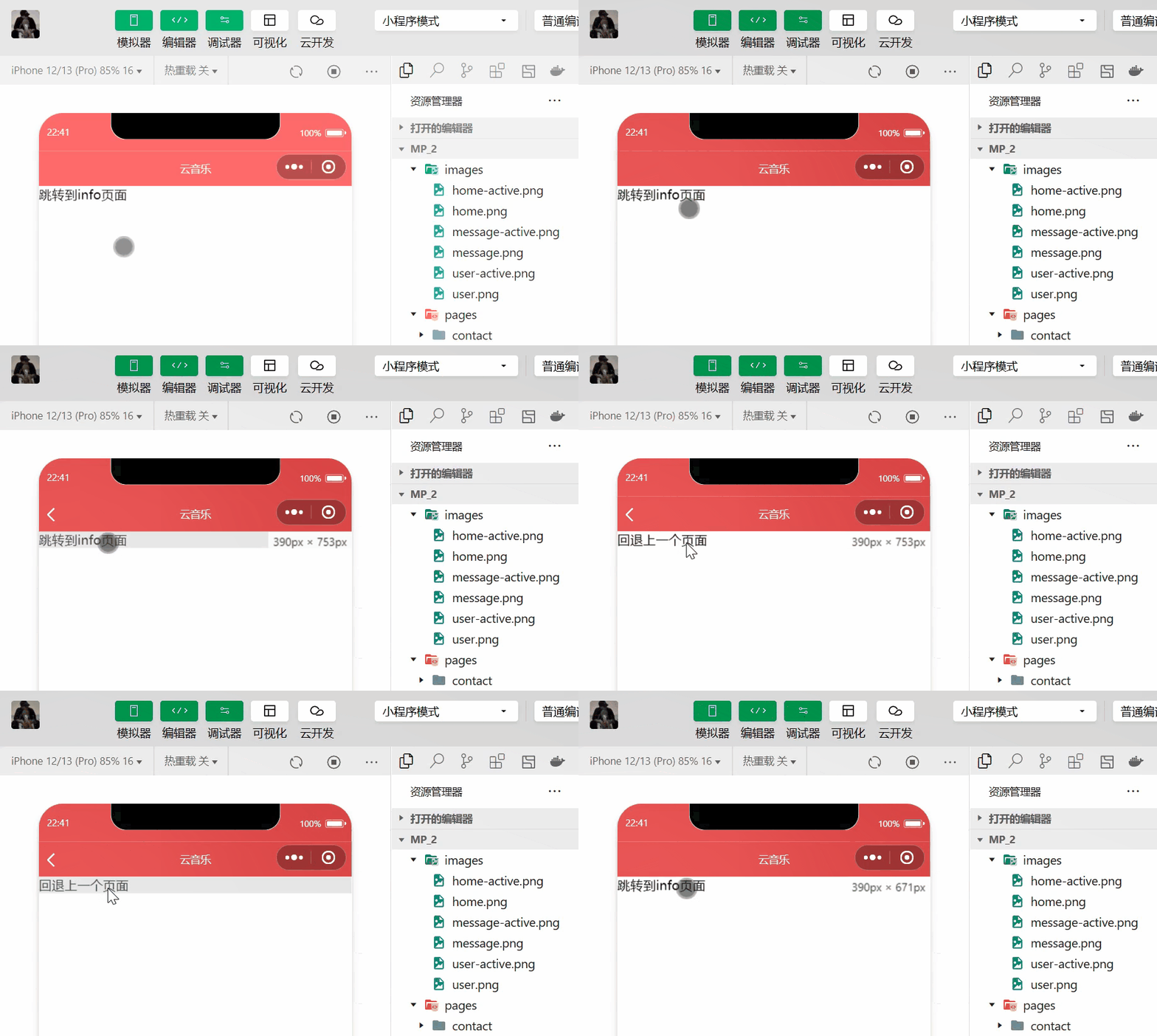
3、 ... and . Programming navigation
1. Navigate to tabBar page
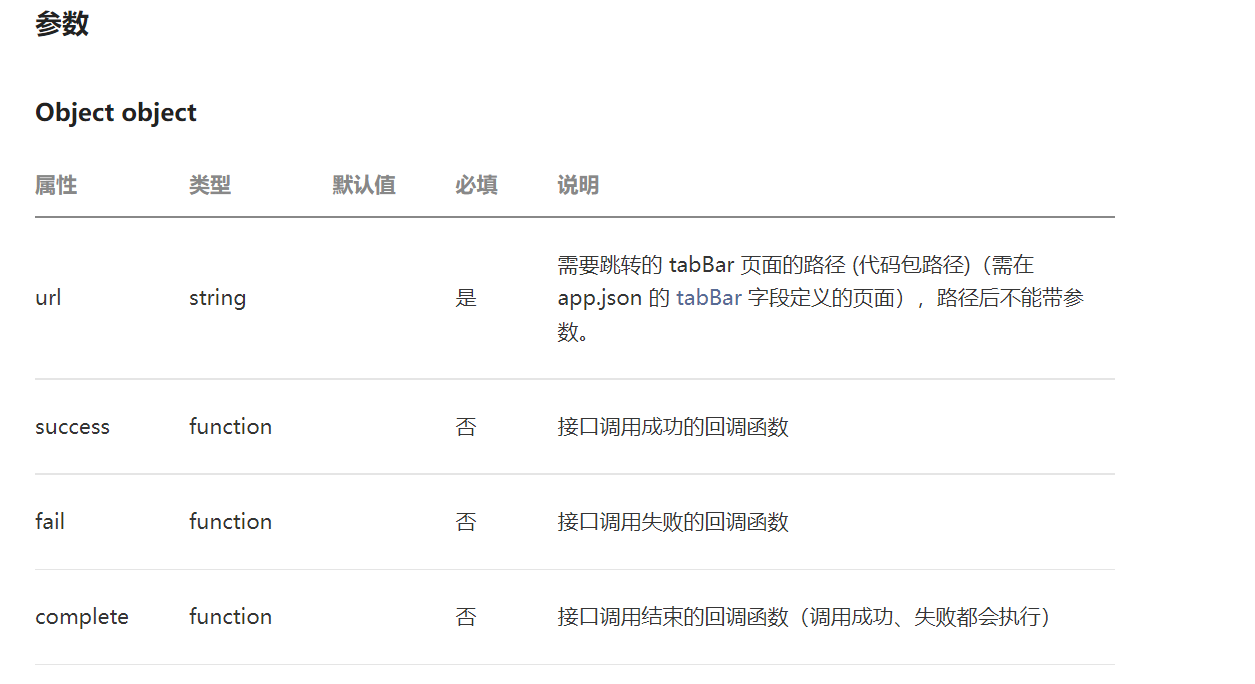
call ==wx.switchTab(Object object)== Method , You can jump to tabBar page . among Object The attribute list of the parameter object is explained in the official document as follows :
wxml Code :
<button bindtap="gotoMessage" type="primary"> Jump to the message page </button>js Code :
gotoMessage(){ wx.switchTab({ url: '/pages/message/message',}) },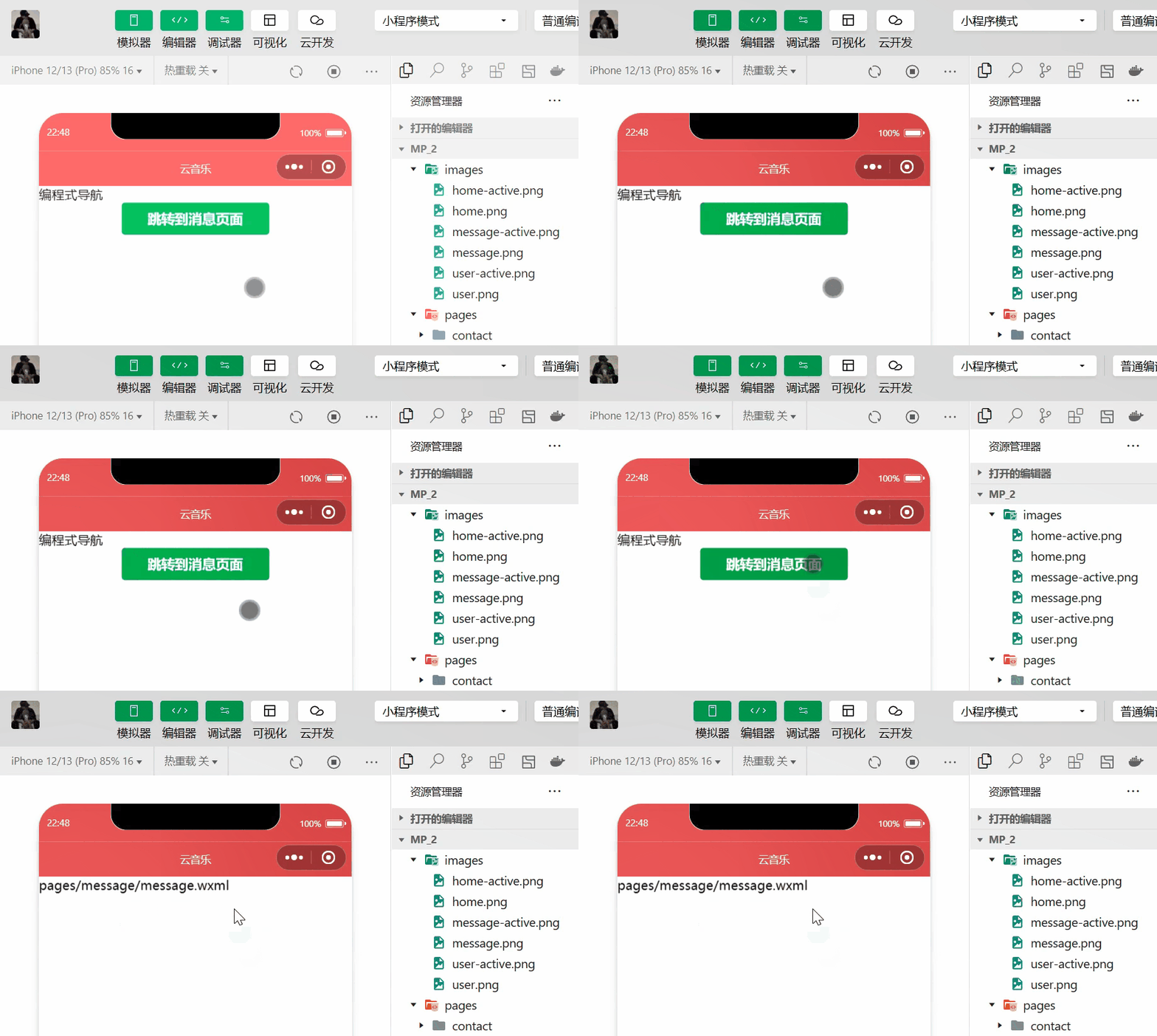
2. Navigate to non tabBar page
call ==wx.navigateTo(Object object)== Method , You can jump to non tabBar The page of . among Object The attribute list of the parameter object is explained in the official document as follows :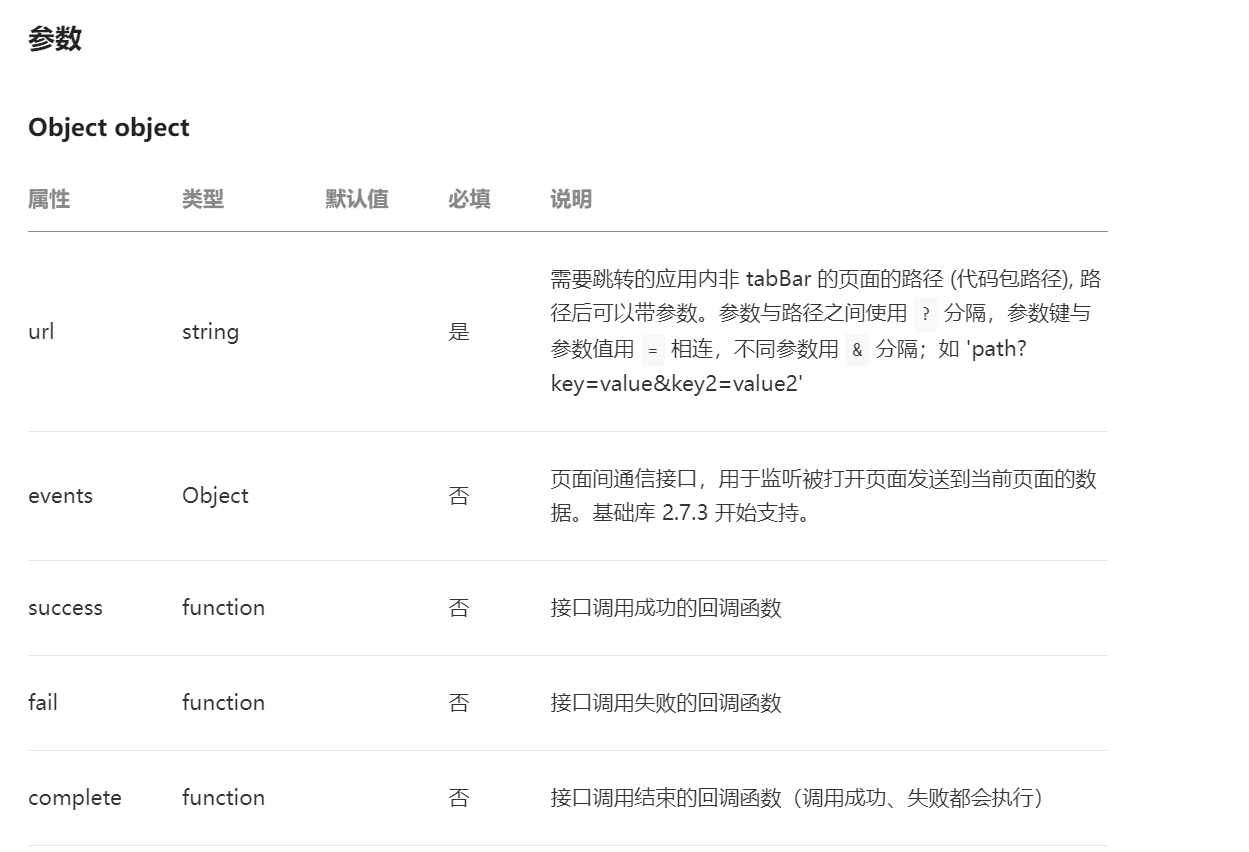
wxml\ Code :
<button bindtap="gotoinfo" type="primary"> Jump to info page </button>js Code :
gotoinfo(){ wx.navigateTo({ url: '/pages/info/info', }) },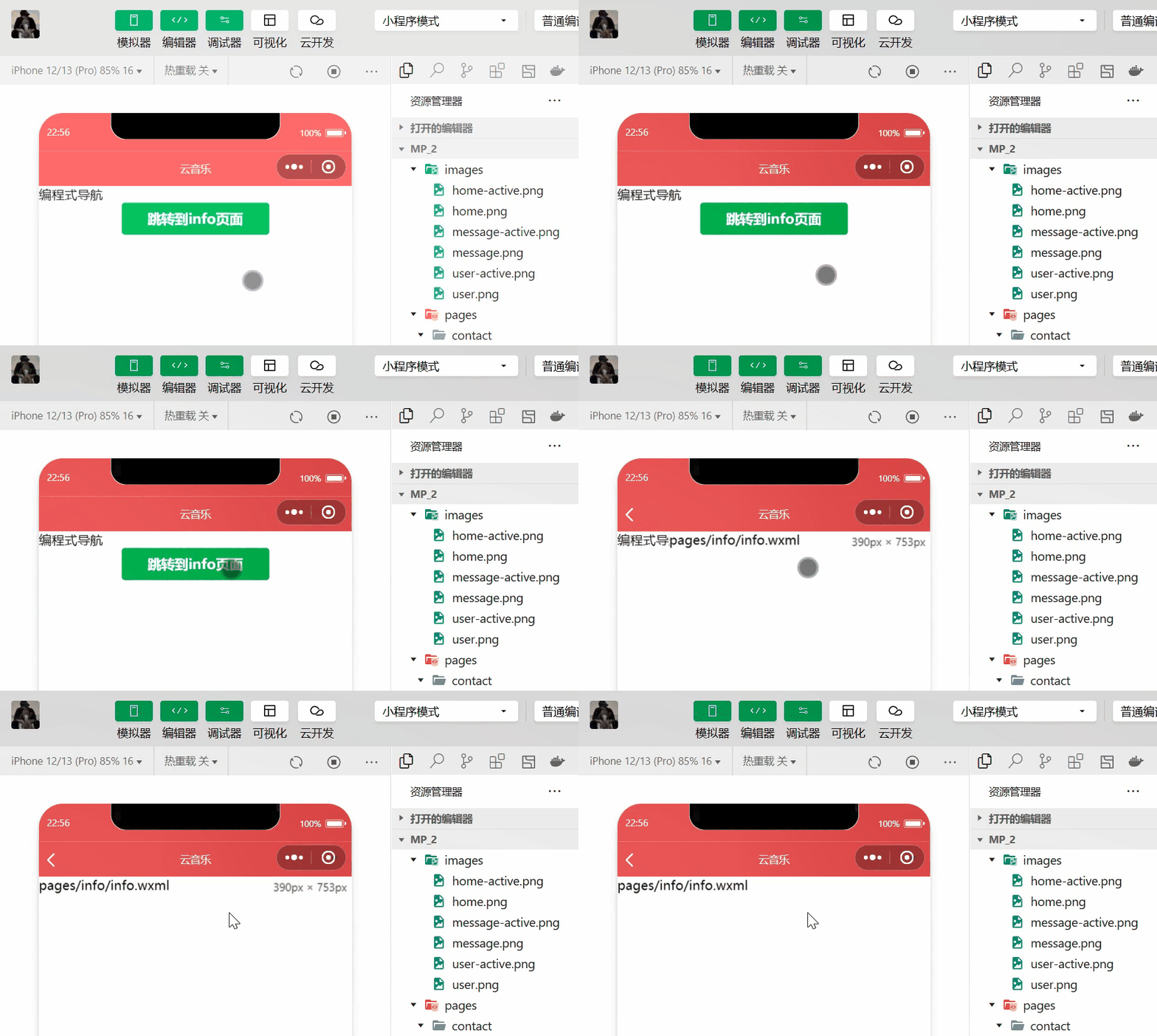
3. Back navigation
call ==wx.navigateBack(Object object)== Method , You can return to the previous page or multiple pages . among Object The optional attribute list of the parameter object is explained in the official document as follows :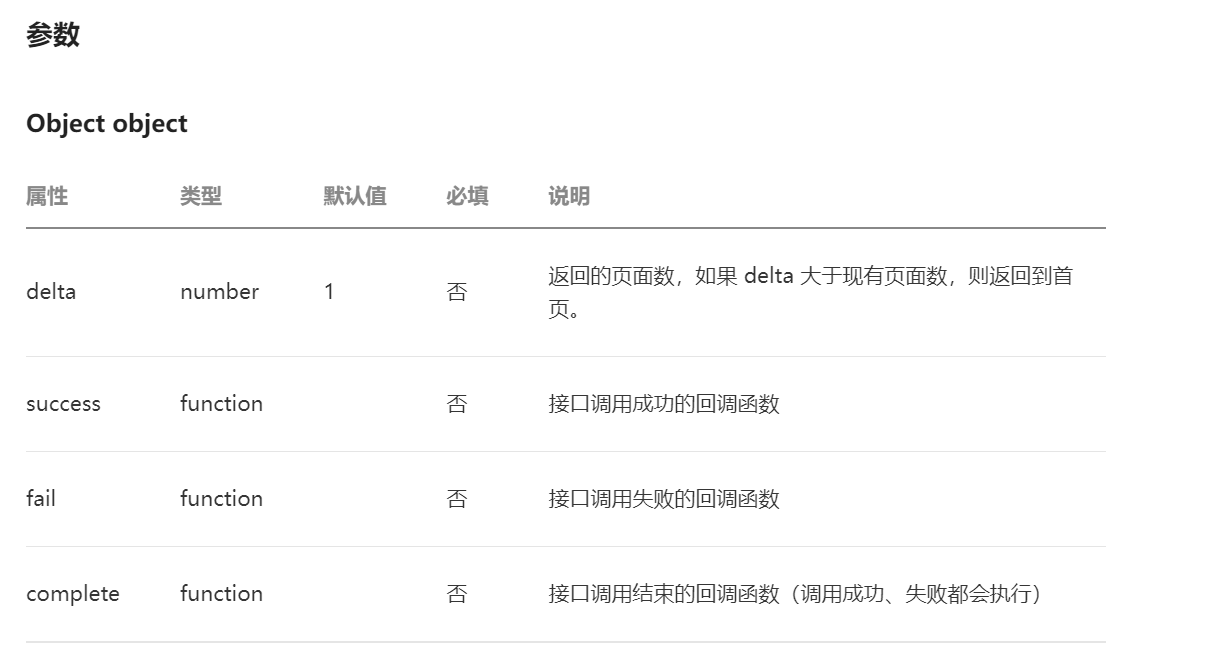
wxml Code :
<button bindtap="goBack"> Go back to the previous page </button>js Code :
goBack(){ wx.navigateBack({ delta: 1, }) },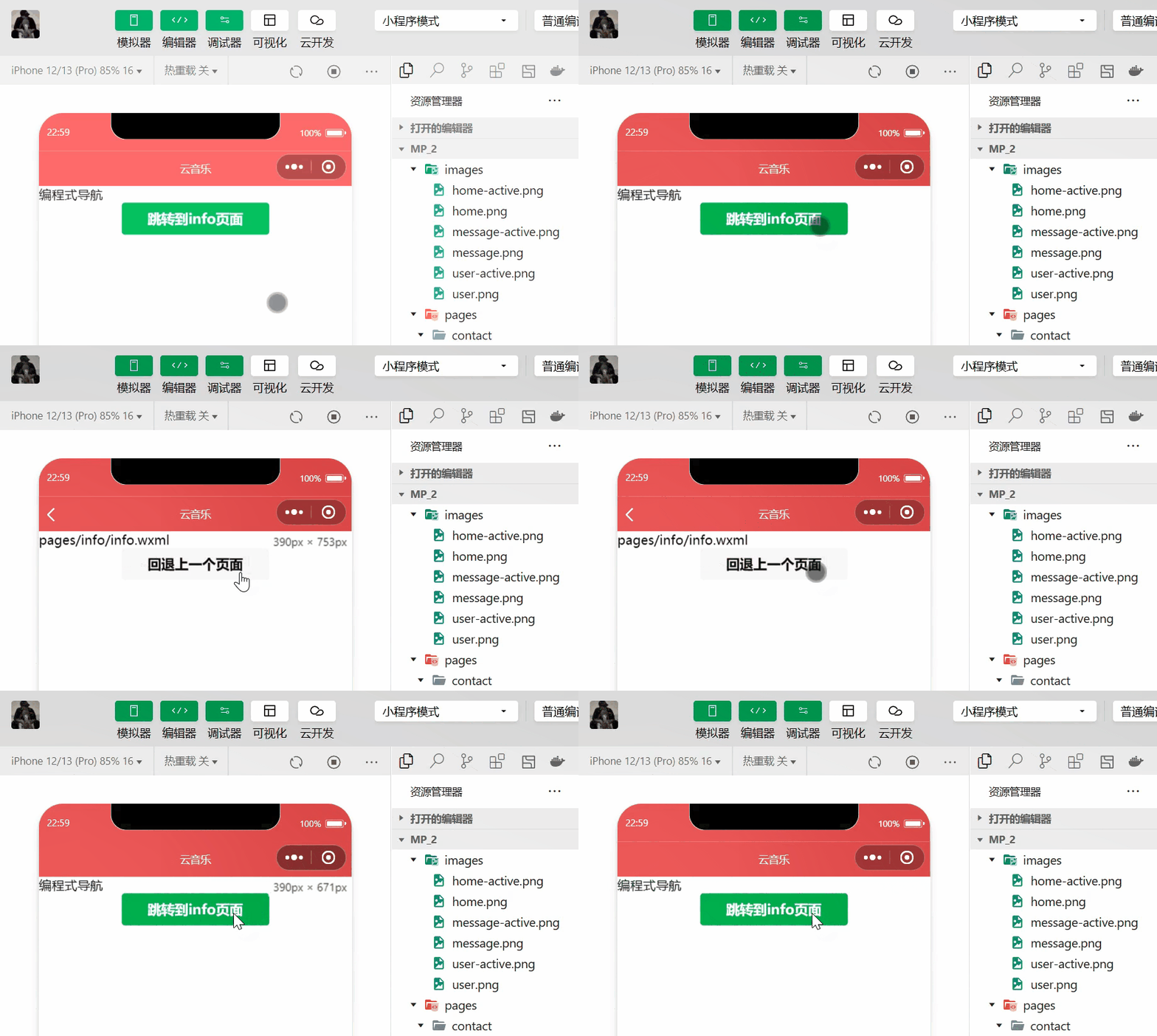
Four . Navigation parameters
1. Declarative navigation parameters
navigator Component's url Attribute is used to specify that <fonr color=blue> The path of the page to jump to . meanwhile , Parameters can also be carried behind the path :
- Use... Between parameters and paths ? Separate
- Parameter key and parameter value = Connected to a
- Use... For different parameters & Separate
<navigator url="/pages/info/info?name=zs&age=20" open-type="navigate"> Jump to info page </navigator>2. Programming navigation parameters
call ==wx.navigateTo(Object object)== Method to jump to the page , You can also carry parameters .
gotoinfo(){ wx.navigateTo({ url: '/pages/info/info?name=ls&age=22', }) },3. stay onLoad Receive navigation parameters in
Parameters carried by declarative navigation parameters or programmatic navigation parameters , Can be directly in onLoad Get directly from the event .
data: { // Navigate the parameter object passed : Define an empty array of objects quary:{} }, onLoad(options) { console.log(options) this.setData({ quary:options})5、 ... and . summary
This section learned two ways of page navigation and two ways of navigating to tabBar Page and non tabBar The way of the page , And the method of navigation and parameter transmission .
边栏推荐
- 【华为机试真题】字符串匹配
- 一周活动速递|深入浅出第8期;Meetup成都站报名进行中
- 华为年内二度招聘“天才少年”;540万Twitter账号信息泄露,卖价3万美元;谷歌解雇了相信AI有意识的工程师|极客头条
- Nc78 reverse linked list
- Safe operation instructions for oscilloscope probe that must be read by engineers
- TypeError: Unrecognized value type: <class ‘str‘> ParserError: Unknown string format
- JVM基础和问题分析入门笔记
- 单臂路由实验演示(Huawei路由器设备配置)
- 遍历数组的方法有哪些?for循环 forEach for/in for/of map的性能又有什么差别 该如何选择?
- 软件测试——常用的测试工具
猜你喜欢

Combined with GHS multi, use Reza E1 simulator to realize the simulation and debugging of Reza rh850 single chip microcomputer

Northeast people know sexiness best

推特收购舆论战,被马斯克变成了小孩吵架

软件测试——常用的测试工具

从目标检测到图像分割简要发展史

Trust multithread security count

Powell's function of Ceres

柔性电流探头选型指南
Visual model network connection

JVM基础和问题分析入门笔记
随机推荐
[QNX Hypervisor 2.2用户手册]9.4 dryrun
【小程序开发】页面导航详解
Remember those two sentences
工程师必看的示波器探头安全使用说明书
Experiment 2 goods purchase and sale management system
n-queens problem
这届年轻人,为“丑东西”有多上头?
SQL things
7/24 训练日志
Project: serial port receiving RAM storage TFT display (complete design)
【翻译】LFX 2022年春季导师资格开放--2月13日前申请CNCF项目!
1--- electronic physical cognition
Detailed explanation of super full mavan label
JVM基础和问题分析入门笔记
[Huawei machine test real question] string matching
CircleIndicator组件,使指示器风格更加多样化
[QNX Hypervisor 2.2用户手册]9.5 dump
浅析回归问题、建模、预测
With a financing of 200million yuan, the former online bookstore is now closed nationwide, with only 3 stores left in 60 stores
Dynamic memory management