当前位置:网站首页>DOM操作--操作节点
DOM操作--操作节点
2022-07-26 05:17:00 【H5_ljy】
1.创捷dom元素
使用document.createElement()方法创建元素节点
2.添加节点
1.appendChild ();给当前元素的内容之后进行追加(与运行过程有关)
2.insertBefore();将元素追加到旧元素之前。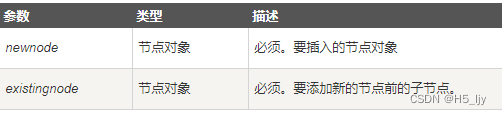
<body>
    <div id="div1">
        <div id="div2"></div>
    </div>
    <script>
        var div1 = document.getElementById('div1')
        var span = document.createElement('span')
        var div2 = document.getElementById('div2')
        div1.insertBefore(span,div2)
    </script>
</body>

使用insertBefore()方法改变节点的顺序
<body>
<ul id="myList"><li>1</li><li>2</li><li>3</li><li>4</li></ul>
<p id="demo">单击该按钮改变列表项的顺序</p>
<button onclick="fn()">点我</button>
<script>
function fn(){
    var list=document.getElementById("myList");
    var node=list.getElementsByTagName("li");
    list.insertBefore(node[3],node[0]);
}
</script>
</body>

3.inserAfter();将元素追加到旧元素之后,官方没有提供这个方法;
我们自己封装一个。
<body>
    <div id="div1">
        <div id="div2"></div>
    </div>
    <script>
        Object.prototype.insertAfter = function (newnode, existingnode) {
            if (this.lastChild == existingnode) {
                this.appendChild(newnode);
            } else {
                this.insertBefore(newnode, existingnode.nextSilbing);
            }
        }
        var span = document.createElement('span')
        var div1 = document.getElementById('div1')
        var div2 = document.getElementById('div2')
        div1.insertAfter(span, div2)

3.删除节点
1. removeChild()删除子元素
				var box=document.querySelector("#box")
				box.parentElement.removeChild(box)
2. remove()删除自身
                var box=document.getElementById("box");
                box.remove();
4.复制节点(克隆节点)
格式如下:
要复制的节点.cloneNode(); //括号里不带参数和带参数false,效果是一样的。
要复制的节点.cloneNode(true);
括号里带不带参数,效果是不同的。解释如下:
不带参数/带参数false:只复制节点本身,不复制子节点。
带参数true:既复制节点本身,也复制其所有的子节点。
5.设置节点的属性
1.获取节点的属性值
方式1:
元素节点.属性;
元素节点[‘属性名’];
方式2:
元素节点.getAttribute(“属性名称”);
<body>
<img src="../imgs/touxiang.webp.jpg" alt="图片加载失败" title="touxiang" id="img1" class="img_1">
<script>
let img=document.querySelector('.img_1')
console.log(img.src,img['src'])
console.log(img.alt,img['alt'])
console.log(img.title,img['title'])
console.log(img.id,img['id'])
console.log(img.className,img['className'])
console.log(img.getAttribute('src'))
</script>
</body>

2、设置节点的属性值
方式1:
元素节点.属性=‘修改的值’;
元素节点[‘属性名’]=‘修改的值’;
方式2:
元素节点.setAttribute(属性名, 新的属性值);
<body>
<img src="../imgs/touxiang.webp.jpg" alt="图片加载失败" title="touxiang" id="img1" class="img_1">
<script>
let img=document.querySelector('.img_1')
img.title='mao'
img.className='img_2'              //修改class名使用className
img.setAttribute('id','img2')
console.log(img.title)
console.log(img.className)
console.log(img.id)
</script>
</body>

class多类名的添加和删除方法:
方式一:
元素节点.className=‘类名1 类名2’
元素节点[‘className’]=‘类名1 类名2’
元素节点.className=元素节点.className+‘空格类名2’
方式二:
元素节点.classList.add(“要添加的类名”)
<body>
<img src="../imgs/touxiang.webp.jpg" alt="图片加载失败" title="touxiang" id="img1" class="img_1">
<script>
let img=document.querySelector('.img_1')
img.className='img_1 img_2'
img.className=img.className+' img_3'
img.classList.add("img_4")
img.classList.add("img_4")  //重复则不添加
</script>
</body>

6.修改节点文本内容
方法一:
元素节点.innerHTML=“<strong>内容<strong>” 会加粗显示
innerHTML会识别标签
方法二:
元素节点.innerText=“<strong>内容<strong>” 把里面引号里面当做字符串显示
innerText只能解析文本且去除空格和换行
小结:两个方法都会将原有内容和子标签一起替换,若想不替换原有内容可以:
元素节点.innerHTML+=“<strong>内容<strong>”
元素节点.innerText+=“<strong>内容<strong>”
<body>
<div><span>ljy</span></div>
<script>
var div=document.querySelector('div')
div.innerHTML='<strong>内容<strong>'
div.innerText+='<strong>内容<strong>'
</script>
</body>

7.修改节点CSS属性
方法一:
元素.style.样式名 = 样式值
注意:通过style属性设置和读取的都是内联样式,无法读取样式表中的样式
如果CSS的样式名中含有-,
这种名称在JS中是不合法的比如background-color
需要将这种样式名修改为驼峰命名法,
去掉-,然后将-后的字母大写
<style>
    div{
        width: 200px;
        height: 200px;
        background-color: aqua;
    }
</style>
<body>
<div><span>ljy</span></div>
<script>
var div=document.querySelector('div')
console.log(div.style.width,div.style.backgroundColor) //打印空,不能获取样式表中样式
console.log(div)

方法二:
通过js读取css属性(行内样式)
获取元素的当前显示的样式:
语法:元素.currentStyle.样式名
它可以用来读取当前元素正在显示的样式
如果当前元素没有设置该样式,则获取它的默认值
currentStyle只有IE浏览器支持,其他的浏览器都不支持
在其他浏览器中可以使用
getComputedStyle()这个方法来获取元素当前的样式
这个方法是window的方法,可以直接使用
需要两个参数
第一个:要获取样式的元素
第二个:可以传递一个伪元素,一般都传null
该方法会返回一个对象,对象中封装了当前元素对应的样式
可以通过对象.样式名来读取样式
如果获取的样式没有设置,则会获取到真实的值,而不是默认值
比如:没有设置width,它不会获取到auto,而是一个长度
但是该方法不支持IE8及以下的浏览器
<style>
    div{
        width: 200px;
        height: 200px;
        background-color: aqua;
    }

</style>
<body>
<div><span>ljy</span></div>
<script>
var div=document.querySelector('div')
let divStyle=getComputedStyle(div)
console.log(divStyle.width,divStyle.height,divStyle.backgroundColor)
</script>
</body>

边栏推荐
- C语言函数
- Go exceed API source code reading (VI) -- deletesheet (sheet string)
- Trend of the times - the rise of cloud native databases
- 517. 超级洗衣机
- Simulation of future air pollution changes
- 安装NCCL\mpirun\horovod\nvidia-tensorflow(3090Ti)
- Real scientific weight loss
- 10. 正则表达式匹配
- 攻防世界-FlatScience
- Date and time function of MySQL function summary
猜你喜欢
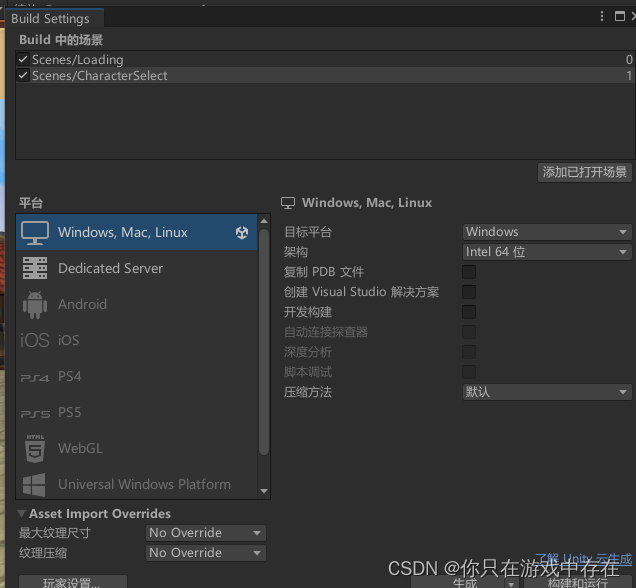
Unity scene jump script

pillow的原因ImportError: cannot import name ‘PILLOW_VERSION‘ from ‘PIL‘,如何安装pillow<7.0.0
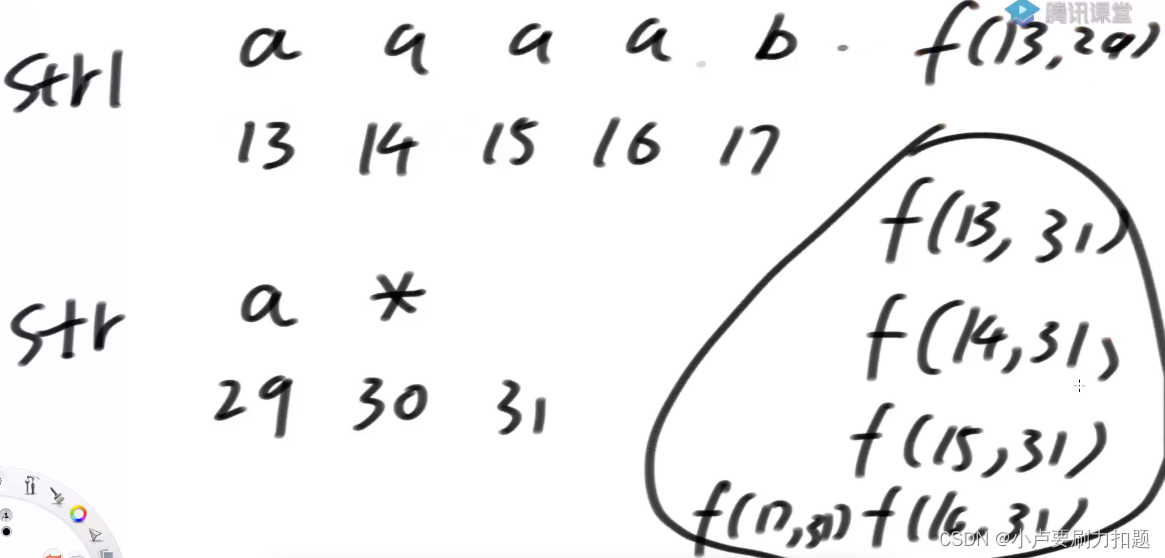
10. 正则表达式匹配
unity场景跳转脚本

提高shuffle操作中的reduce并行度

手把手教你用代码实现SSO单点登录

Excel VBA: summarize calculation output results by date (SUMIF)

Leetcode linked list problem - 203. remove the linked list elements (learn the linked list by one question and one article)

推荐必读:测试人员如何快速熟悉新业务?
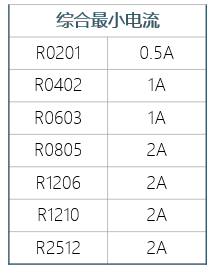
Embedded sharing collection 20
随机推荐
[acwing] 2983. Toys
Computable general equilibrium (CGE) model practice technology in resource environment under the goal of "double carbon"
Week 6 Learning Representation: Word Embedding (symbolic →numeric)
Security permission management details
Embedded development notes, practical knowledge sharing
嵌入式分享合集21
ALV program collection
JVM Lecture 5: how to deal with peak push of vertical and horizontal data
Embedded sharing collection 21
Go-Excelize API源码阅读(六)—— DeleteSheet(sheet string)
手把手教你用代码实现SSO单点登录
Okaleido上线聚变Mining模式,OKA通证当下产出的唯一方式
测试必备工具之Fiddler,你真的了解吗?
元宇宙为服装设计展示提供数字化社交平台
Excel vba: saving multiple worksheets as new files
TZC 1283: simple sorting - function method
Use flutter to adjust a color filter for the picture of my little sister
SQL注入
How to reproduce the official course of yolov5 gracefully (II) -- Mark and train your own data set
YOLOv5执行全过程----目录