当前位置:网站首页>Dmsetup command
Dmsetup command
2022-06-25 14:37:00 【qq_ forty-two million five hundred and thirty-three thousand tw】
A.2. DMSETUP command
dmsetup A command is a command used with Device Mapper Command line wrapper for communication (wrapper). You can use dmsetup Ordered info、ls、status and deps Options view LVM General information about the device , As described in the following sections .
of dmsetup Additional options and functions of the command , Please refer to dmsetup(8) man page.
A.2.1. dmsetup info command
dmsetup info device The order provides information about Device Mapper Equipment Overview . If no device name is specified , Then all currently configured Device Mapper Equipment information . If a device is specified , Then this command will only generate the device information .
dmsetup info The command provides the following classification information :
Name
Equipment name .LVM Devices are represented by volume group names and logical volume names separated by small horizontal lines . The small horizontal line in the source name will be converted to two small horizontal lines . In standard LVM In operation , This format should not be used LVM The device name is directly specified LVM equipment , It should use vg/lv Appoint .
name:raidVG-eph_d03ab0ae--09b6--43e5--a9e0--2dc4acf4dfd8
raidVG Express vg
eph_d03ab0ae--09b6--43e5--a9e0--2dc4acf4dfd8 Express lv
State
Possible device states are SUSPENDED、ACTIVE and READ-ONLY.dmsetup suspend The command sets the device status to SUSPENDED. When a device is suspended , Will stop all... To the device I/O operation . Use dmsetup resume The command restores the device state to ACTIVE.
Read Ahead
The number of read ahead data blocks of any open file being read by the system . By default , The kernel will automatically select an appropriate value . You can use dmsetup Ordered --readahead Option to change this value .
Tables present
The possible states of this type are LIVE and INACTIVE.INACTIVE Status indicates that the table has been loaded , And will be in dmsetup resume The command restores the state of a device to ACTIVE Switch when , At that time, the status of the form will be LIVE. For details, please refer to dmsetup man page.
Open count
The open reference count indicates the number of times the device was opened .mount The command will open a device .
Event number
Number of events received so far . Use dmsetup wait n The command allows the user to wait for the n Events , Block the call before receiving the event .
Major, minor
Main equipment number and auxiliary equipment number
Number of targets
The number of segments that make up a device . for example : A linear device that spans three disks has three targets . Linear devices start and end with a disk , Instead of intermediate linear devices, there are two goals .
UUID
Of the device UUID.
Here are dmsetup info Example of partial output of the command .
sudo dmsetup info raidVG-eph_d03ab0ae--09b6--43e5--a9e0--2dc4acf4dfd8
Name:              raidVG-eph_d03ab0ae--09b6--43e5--a9e0--2dc4acf4dfd8
State:             ACTIVE
Read Ahead:        256
Tables present:    LIVE
Open count:        1
Event number:      0
Major, minor:      253, 18
Number of targets: 1
UUID: LVM-4ovvx8eqezZ2or1OMqz0KUhyK8SZtTqdVLGvsPQd58pFUr8muAhxmaDYtEWN2NDG
A.2.2. dmsetup ls command
have access to dmsetup ls The command lists the device names of mapped devices . have access to dmsetup ls --target target_type The command lists devices that have at least one target of the specified type . of dmsetup ls Other options for , Please refer to dmsetup ls man page.
The following example demonstrates the command to list the currently configured mapped device names .
sudo dmsetup ls
raidVG-eph_3764d0aa--df56--478d--926c--e01dab91518a--linear	(253:8)
docker-253:0-12070-cbdbceb36eca043e9769c92d968e5fbb32d34743515f58d733bf1b1c16001171	(253:73)
raidVG-vm_data	(253:0)
raidVG-eph_0443b779--cb51--478a--9c4d--bc2a7c35c571--meta	(253:34)
docker-253:0-12070-7684cc6f46a62e77a48b0eefe1dfbc2aee4b86daffc3d9abf5272843385d51c2	(253:80)
docker-253:0-12070-pool	(253:70)
docker-253:0-12070-875c736f340ba4094c7e90aed5dedf212ee8a912f01b11be3268f41098209d6f	(253:120)
raidVG-eph_a6d5292a--bff4--49da--8a8c--7b2835c144c1	(253:2)
docker-253:0-12070-d04ca7fd6e5713e88dd444c20deac92f10dc231f3e451cc0eddcbfb9770824c5	(253:84)
raidVG-eph_3764d0aa--df56--478d--926c--e01dab91518a	(253:6)
docker-253:0-12070-e5c60544db49425174f99b8e9128f57254775d95f1990c9cb325f41b55c3dc9c	(253:104)
raidVG-eph_d19e6f31--4e59--4301--af75--d4d1aa576a2c	(253:129)
raidVG-eph_e4bc6c27--dfa5--402d--b7f3--54fe77e954ae--meta	(253:33)
docker-253:0-12070-61d574220dddbadc6752e16be782bc81a55ee4ca9171b60d39eacbb068742e92	(253:96)
The following example demonstrates the command used to list the currently configured image mapping device names .
In multipath or other device mapper Stacked in the unit LVM The configuration file may be too complex .dmsetup ls The order provides a --tree Options , The dependencies between devices can be displayed in tree form , As shown below .
sudo  dmsetup ls --tree
docker-253:0-12070-cbdbceb36eca043e9769c92d968e5fbb32d34743515f58d733bf1b1c16001171 (253:73)
 └─docker-253:0-12070-pool (253:70)
    ├─ (7:0)
    └─ (7:1)
raidVG-vm_data (253:0)
 ├─raidVG-vm_data--meta (253:1)
 │  └─ (8:4)
 └─raidVG-vm_data--linear (253:62)
    └─ (8:4)
raidVG-eph_0443b779--cb51--478a--9c4d--bc2a7c35c571--meta (253:34)
 └─ (8:4)
docker-253:0-12070-7684cc6f46a62e77a48b0eefe1dfbc2aee4b86daffc3d9abf5272843385d51c2 (253:80)
 └─docker-253:0-12070-pool (253:70)
    ├─ (7:0)
    └─ (7:1)
docker-253:0-12070-875c736f340ba4094c7e90aed5dedf212ee8a912f01b11be3268f41098209d6f (253:120)
 └─docker-253:0-12070-pool (253:70)
    ├─ (7:0)
    └─ (7:1)
raidVG-eph_a6d5292a--bff4--49da--8a8c--7b2835c144c1 (253:2)
 └─ (8:4)
docker-253:0-12070-d04ca7fd6e5713e88dd444c20deac92f10dc231f3e451cc0eddcbfb9770824c5 (253:84)
 └─docker-253:0-12070-pool (253:70)
    ├─ (7:0)
    └─ (7:1)
raidVG-eph_3764d0aa--df56--478d--926c--e01dab91518a (253:6)
 ├─raidVG-eph_3764d0aa--df56--478d--926c--e01dab91518a--meta (253:7)
 │  └─ (8:4)
 └─raidVG-eph_3764d0aa--df56--478d--926c--e01dab91518a--linear (253:8)
    └─ (8:4)
docker-253:0-12070-e5c60544db49425174f99b8e9128f57254775d95f1990c9cb325f41b55c3dc9c (253:104)
 └─docker-253:0-12070-pool (253:70)
    ├─ (7:0)
    └─ (7:1)
A.2.3. dmsetup status command
dmsetup status device The command provides status information for each target in the specified device . If no device name is specified , The output result is all currently configured device mapper device information . have access to dmsetup status --targettarget_type The command lists devices that have at least one target of the specified type .
The following example demonstrates the command used to list the target states in all currently configured mapping devices .
 sudo  dmsetup status
raidVG-eph_3764d0aa--df56--478d--926c--e01dab91518a--linear: 0 20971520 linear
docker-253:0-12070-cbdbceb36eca043e9769c92d968e5fbb32d34743515f58d733bf1b1c16001171: 0 20971520 thin 639488 20971519
raidVG-vm_data: 0 1551892480 ksc-linear
raidVG-eph_0443b779--cb51--478a--9c4d--bc2a7c35c571--meta: 0 8192 linear
docker-253:0-12070-7684cc6f46a62e77a48b0eefe1dfbc2aee4b86daffc3d9abf5272843385d51c2: 0 20971520 thin 753792 20971519
docker-253:0-12070-pool: 0 419430400 thin-pool 968 21495/524288 2001462/3276800 - rw discard_passdown queue_if_no_space -
docker-253:0-12070-875c736f340ba4094c7e90aed5dedf212ee8a912f01b11be3268f41098209d6f: 0 20971520 thin 252800 20971519
raidVG-eph_a6d5292a--bff4--49da--8a8c--7b2835c144c1: 0 20971520 linear
docker-253:0-12070-d04ca7fd6e5713e88dd444c20deac92f10dc231f3e451cc0eddcbfb9770824c5: 0 20971520 thin 2049024 20971519
raidVG-eph_3764d0aa--df56--478d--926c--e01dab91518a: 0 20971520 ksc-linear
Create a linear equipment
dmsetup create dm-name dm-table
dm-name Is the name of the device to be created . If successful, it will be in /dev/mapper/ Under the table of contents Generate a file with this name
dm-table Is to save this map device Of mapping table.
ordinary dm-table One example is :
starting sector The number of sectors Linear mapping Target device Start sector on target device
0 1025 linear /dev/sdb2 0
1025 1025 linear /dev/sdc2 0
Some block Of sector size , It can be used blockdev --getsize /dev/sdb2 To get .
If it is a newly partitioned disk , Need to use partprobe Let's update
sudo fdisk -l

Disk /dev/mapper/raidVG-eph_8efd7082--1128--465b--b42b--b59c659593b2: 10.7 GB, 10737418240 bytes, 20971520 sectors
Units = sectors of 1 * 512 = 512 bytes
Sector size (logical/physical): 512 bytes / 4096 bytes
I/O size (minimum/optimal): 4096 bytes / 4096 bytes


Disk /dev/mapper/raidVG-eph_8efd7082--1128--465b--b42b--b59c659593b2--meta: 4 MB, 4194304 bytes, 8192 sectors
Units = sectors of 1 * 512 = 512 bytes
Sector size (logical/physical): 512 bytes / 4096 bytes
I/O size (minimum/optimal): 4096 bytes / 4096 bytes


Disk /dev/mapper/raidVG-eph_8efd7082--1128--465b--b42b--b59c659593b2--linear: 10.7 GB, 10737418240 bytes, 20971520 sectors
Units = sectors of 1 * 512 = 512 bytes
Sector size (logical/physical): 512 bytes / 4096 bytes
I/O size (minimum/optimal): 4096 bytes / 4096 bytes
边栏推荐
- Getting started with numpy Library
- 挖财是正规的吗?股票开户安全吗?
- TSDB在民机行业中的应用
- Today in history: Netease was founded; The first consumer electronics exhibition was held; The first webcast in the world
- For the first time in China, Chinatelecom 5g underground personnel positioning project is officially commercial: it can track the position in real time to ensure operation safety
- Basic usage of markdown (plain text and grammar)
- Extend JS copy content to clipboard
- Ideal L9 in the eyes of the post-90s: the simplest product philosophy, creating the most popular products
- 第一次读 “Clean” 系列,并没有觉得这是一本多好的书
- About the problem of kicad stuck in win10 version, version 6 x
猜你喜欢

Heavyweight! The domestic IDE is released and developed by Alibaba. It is completely open source! (high performance + high customization)

shell 运算符

Using Sphinx to automatically generate API documents from py source files
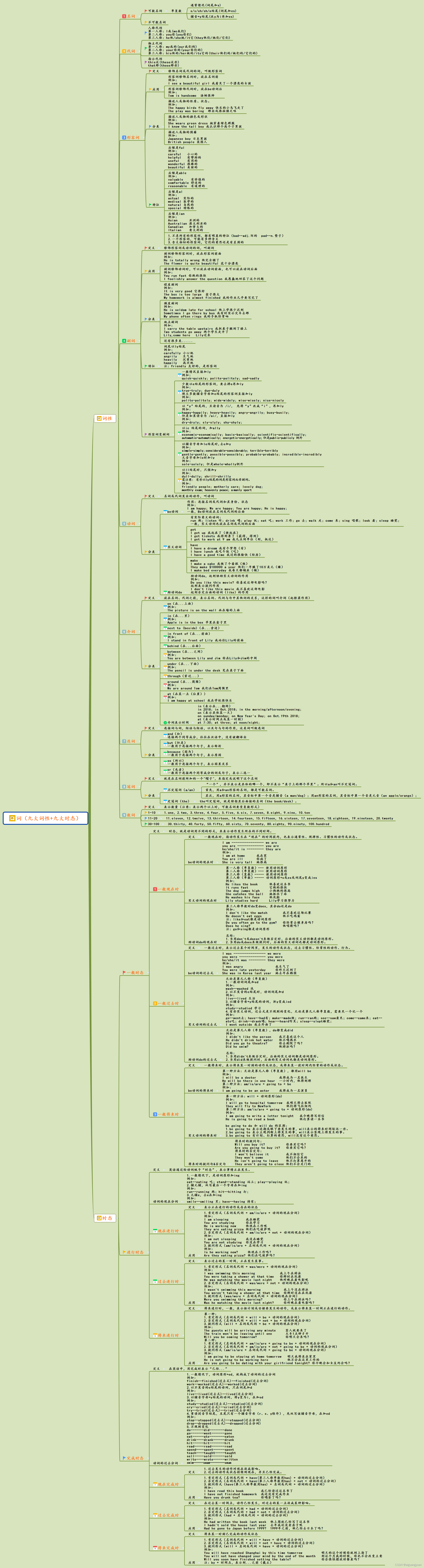
Nine parts of speech and nine tenses in English

To make pytorch faster, you need to master these 17 methods

JVM uses tools to analyze classic cases of OOM

JS to add elements to the header, or tail of an array

Preventing overfitting of deep neural networks (mysteries of neural networks Part II)

Logistic Regression VS Linear Regression

Uniapp cloud packaging app
随机推荐
None of the MLIR Optimization Passes are enabled (registered 2)解决办法
英语中的九大词性与九大时态
Does stream even have application advanced learning? As a programmer, you know what
Application of TSDB in civil aircraft industry
Discriminative v.s.Generative
Basic usage of markdown (plain text and grammar)
Remove interval (greedy)
Classifier and cross entropy loss function
Kubernetes understands kubectl/ debugging
Supplementary inheritance and strict mode
定位position(5种方式)
挖财是正规的吗?股票开户安全吗?
It's not easy to understand the data consistency of the microservice architecture for the first time after six years as a programmer
golang项目依赖管理工具go vendor,go mod
Why should programmers be softer?
The best time to buy and sell stocks
[untitled]
【Try to Hack】vulhub靶场搭建
What is the difference between escape, encodeuri and encodeuricomponent?
Variables, scopes, and variable promotion