当前位置:网站首页>Kubernetes understands kubectl/ debugging
Kubernetes understands kubectl/ debugging
2022-06-25 14:26:00 【Foxconn quality inspector zhangquandan】
understand kubectl /kubectl Command and kubeconfig

kubectl Allows us to communicate with... In a command-line fashion kuberneted Interact , This command line can give it some parameters and input files , These documents are prepared one by one kubernetes object , These files are read by it , In essence, it is equivalent to a converter , He will convert the object to rest call .(kubernetes apiserver It's a server),kubelctl Is to accept these instructions , And convert the instructions into rest Call passed to apiserver.
-v 9 On behalf of this order log The level of 9. You can see that it is loaded by default kubecobnfig
[[email protected] ~]# kubectl get pod -v 9
I0623 17:09:34.998578   73360 loader.go:375] Config loaded from file:  /root/.kube/config
I0623 17:09:35.013322   73360 round_trippers.go:423] curl -k -v -XGET  -H "Accept: application/json, */*" -H "User-Agent: kubectl/v1.19.0 (linux/amd64) kubernetes/e199641" 'https://192.168.111.6:6443/api?timeout=32s'
I0623 17:09:35.041788   73360 round_trippers.go:443] GET https://192.168.111.6:6443/api?timeout=32s 200 OK in 28 milliseconds
I0623 17:09:35.041813   73360 round_trippers.go:449] Response Headers:
This kubeconfig Itself is a configuration file , You can configure many cluster, Every cluster Have your own name , The most important thing is server.
- cluster:
    certificate-authority-data: LS0tLS1CRUdJTiBDRVJUSUZJQ0FURS0tLS0tCk1JSUM1ekNDQWMrZ0F3SUJBZ0lCQURBTkJna3Foa2lHOXcwQkFRc0ZBREFWTVJNd0VRWURWUVFERXdwcmRXSmwKY201bGRHVnpNQjRYRFRJeU1EUXhPREE1TURBeE9Gb1hEVE15TURReE5UQTVNREF4T0Zvd0ZURVRNQkVHQTFVRQpBeE1LYTNWaVpYSnVaWFJsY3pDQ0FTSXdEUVlKS29aSWh2Y05BUUVCQlFBRGdnRVBBRENDQVFvQ2dnRUJBS2dQClBZWXh3cWgrbklpTWJUeElkM1Y3NjBQS3VOQ3FzNDRHWGdUSEtWMWJBM3NpNzIrQXVlSFIyQ0piNWVvY2g0OHkKSFZkUkJRRmJNZnZPWTV3SC8yZFZnSFI0KzR6OWsxQk1STUh2dXZZUWxtWGFUNFl2SlIxNFRiOU5ESGdqdFcvZwpiYVJmcEV4UDl1WDR4NDU3MmJRTWhySWhOeldnUDdYdU1JbGtrQzhWNDFsVVNPSnU1Z2NiaE1xaERMSElpL1lJCmo1N1RmaDdUNkNxWjBmS3NQd2ZHeXM4MWFadWxoQ2RsVmE1Q3VTcFh1UHFDVjlxa2FZQm0xOGdQclFjcHFFNXkKd0lzUDlGUHhyWis5UzV1VWFCZEQ4L0VzZFlveTExbmdROG1kZm1CS2hPbkh4ekg5c1VOSVo3QldML0VETFEvbwo3U2QxV0xoUi9QZ3I3UzBOUEVNQ0F3RUFBYU5DTUVBd0RnWURWUjBQQVFIL0JBUURBZ0trTUE4R0ExVWRFd0VCCi93UUZNQU1CQWY4d0hRWURWUjBPQkJZRUZPL3FyYTJYbk00QmVqR3IraTFXN21nRjBON2ZNQTBHQ1NxR1NJYjMKRFFFQkN3VUFBNElCQVFBdktnOENGcSsxV25IVUszWVkyRHRuUm5CS0xJYnM3eVkrb0diN0czd1A0djBiYTl4WQp3ZEczZmp1czJwUFgwckhxNG5HZFVxejl0Tk85S05Xd3huNmpvK1lRZHJJMEMwTXZNdGdsaHpoc3BCWkdMaE5sCjdWekpDcVpxZUV4c3JJbGlSRHQ5M3M4dzExd1d2RDU2ZmpoeFI0enNMNWdQd29LZERMVmNWOGJheGdzd3Q5MlQKVXFEc2Z5UWtrK2c2RzlPTi9ZZmI1OUxoTi9NcW5xaUg3UElSNDNDb21UYjAya0tzWXVvanZsNXJBVVprSjFQSwo3WTRLMWtKMVVDNmhIanZaUWtxT3RJSlM3dTEwZ1Q1NlRLMU42VHlCU2RVTkNRMm5NbE92YUx1RXYzWmtHakQ3CnBwVXh1VkNOdXAxTDNaNnFSUEZDK1VndXVmSmpxQmRJR2Q5VgotLS0tLUVORCBDRVJUSUZJQ0FURS0tLS0tCg==
    server: https://192.168.111.6:6443
  name: kubernetes
context Is the context of the configuration , It specifies to connect k8s Which cluster among them , Because you can configure multiple cluster. Second, which user to use to access it , The user information is below user part , The second is context What's your name , Currently called [email protected]
contexts:
- context:
    cluster: kubernetes
    user: kubernetes-admin
  name: [email protected]
current-context: [email protected]
kind: Config
preferences: {}
User information
users:
- name: kubernetes-admin
  user:
    client-certificate-data: LS0tLS1CRUdJTiBDRVJUSUZJQ0FURS0tLS0tCk1JSURFekNDQWZ1Z0F3SUJBZ0lJRkVDa2hGazExU0F3RFFZSktvWklodmNOQVFFTEJRQXdGVEVUTUJFR0ExVUUKQXhNS2EzVmlaWEp1WlhSbGN6QWVGdzB5TWpBME1UZ3dPVEF3TVRoYUZ3MHlNekEwTVRnd09UQXdNakphTURReApGekFWQmdOVkJBb1REbk41YzNSbGJUcHRZWE4wWlhKek1Sa3dGd1lEVlFRREV4QnJkV0psY201bGRHVnpMV0ZrCmJXbHVNSUlCSWpBTkJna3Foa2lHOXcwQkFRRUZBQU9DQVE4QU1JSUJDZ0tDQVFFQXQyWVU5RGlNQWNYZWh6QjYKL3ZSMTVDenpaVzRQdmxUMGFZcTJuaVgzZmRYRkhwRlhLamVWVUZ1RGNnY3A5QzlmeFBqa2UwYVpjdEN4bGNycQp2a2xRbWZpNnRpMW5CVEk0SE4rQVdJNzdEMlo2ZEM5bTJ1bmxQRk5vU3RQQ1ZOTEdpU3BHayszS3pXbEU5ZFgzCkFzZGF0SnFJcHRSVG1mTFFHNG1ncXZHZzU1d3RaUFZ4VTU3YVFMbmsrK1NBRy9UZ1ZhUFZQNk9aeUZRakp4QmgKcjM1c1RyNUJEdTB6TWRUUFZzV2JvK09wQm4vUXdwdDV3aVo0azU1czR3Y1hqUXlLcDFvYVMxUnhPbEdZR2M1RwpJclFVOFNOTGUxZnZ5ZWRMWUhSOGVXMTlNM2hCUDRkWTBXbU12cXhvM3ZNWnp5QmYxTXhNM2RzMTdVN3RpbGcxCmZpU25ld0lEQVFBQm8wZ3dSakFPQmdOVkhROEJBZjhFQkFNQ0JhQXdFd1lEVlIwbEJBd3dDZ1lJS3dZQkJRVUgKQXdJd0h3WURWUjBqQkJnd0ZvQVU3K3F0clplY3pnRjZNYXY2TFZidWFBWFEzdDh3RFFZSktvWklodmNOQVFFTApCUUFEZ2dFQkFEdXFWeU93S2JqVGUya0FXOG9SU3JlUGFnQkNDOGhZSkZlazNIMDg4eGFadDhFckh5K2NNb3FRCmt6WnBuTlFuVFpDRHJxVEpJTkwyeWdXZTBjZGhZY1RDdG04SVdkbWVqRVVobmwvazR1b2FrTm1CdGY5Nzl6WEkKNEtHUCtPSm5OTWdzVk9KeEFZN1k3QWRCWXQ4aFJVYmdyT2U5TVRGRWFIaDQwMXNBWXc0Q1ZXYWNkRFRCYnFaTgpRWHZqdmtjOW9pakoyY05SdUd4ZndXeTJQVzlkQnI5MEtSSFVvNlR6WkJQKzBZeXg5SU14aktTQjdjdTRLSGRxCnlPOHFYVHZHeDN6VE1uUHkvYTUzbkxnY2JZdHREdCtzSVNocG1UZkdnclhIelEvd1dSM3ZkTWtPcHdqY3dOOGwKaUthRDdYQlZ2dlE5VllEaEI3UEtxamVhMGdRdG9QMD0KLS0tLS1FTkQgQ0VSVElGSUNBVEUtLS0tLQo=
Kubectl Common commands

Etcd In addition to being a database , It is also a message oriented middleware , It will push messages to apiserver,apiserver Inherited the same abilities , On the one hand is list watch etcd, It also provides the same service .
Other components include kubectl You can also go. watch apiserver,apiserver There is any change of events here , In fact, it can be notified .
[[email protected] ~]# kubectl get pod -w
NAME                           READY   STATUS    RESTARTS   AGE
dns-test                       1/1     Running   3          37d
nginx-74d69c5bbb-6478r         1/1     Running   3          35d
nginx-74d69c5bbb-mhmsc         1/1     Running   3          35d
nginx-web-0                    1/1     Running   4          37d
nginx-web-1                    1/1     Running   0          16h
web-mychart-7d8f9bd8d6-jfdc9   1/1     Running   0          38m
adopt watch You can know the changes of this object in real time , All components of the cluster operate through this mechanism .
Everybody go to watch apiserver, Please let me know if there is any incident .
Kubectl Debug command /describe

Want to know pod What happened? , Want to know pod Changes in events , This event contains the details of the container itself , And its related events event.
event stay k8s It's actually another object , This object is associated with a master object when it is created .
from You can see who sent the event , It is sent by the scheduler and bound with the node event, This is equivalent to me event Creating pod There is a relationship between them .
The second is kubelet Produced event, With event Create... Under formal records pod Log information , It's for this pod Create a event object .
describe When , First, it pulls down the main object , Secondly, it will pull the related... Of the main object event object , Then make an integrated presentation .
therefore describe You can see the events related to this object .
Events:
  Type    Reason     Age   From            Message
  ----    ------     ----  ----            -------
  Normal  Scheduled  57s                   Successfully assigned default/nginx-web-0 to node2
  Normal  Pulled     92s   kubelet, node2  Container image "nginx:1.11" already present on machine
  Normal  Created    92s   kubelet, node2  Created container nginx-test
  Normal  Started    92s   kubelet, node2  Started container nginx-test
Kubectl Debug command /exec

exec Whether you can use it depends on how you mirror the container and build it , What is the container base image , What debugging tools are provided , If it's a scrach, There's nothing in there , You can't run any command , Then you can only debug on the host .
Kubetcl Debug command /logs

If pod There are several containers in it , Then you can use -c To specify which container log to view .
边栏推荐
- TSDB在民机行业中的应用
- Partager les points techniques de code et l'utilisation de logiciels pour la communication Multi - clients socket que vous utilisez habituellement
- [world history] Episode II: Dawn of civilization
- As a software testing engineer, how do you think to ensure software quality?
- Renix perf: detailed explanation of IP network performance test tools and test case parameters
- PubSub JS library realizes "cross component" data transfer
- Hash table, hash conflict
- Supplementary inheritance and strict mode
- China has made major breakthroughs in battery technology. Japan, South Korea and the United States are lagging behind. China has consolidated its leading edge
- Classifier and cross entropy loss function
猜你喜欢

Complete and detailed compilation of experimental reports

Problems encountered in debugging botu TCP connection with debugging tool

测一测你的挣钱能力有多强?未来的你将从事什么职业?
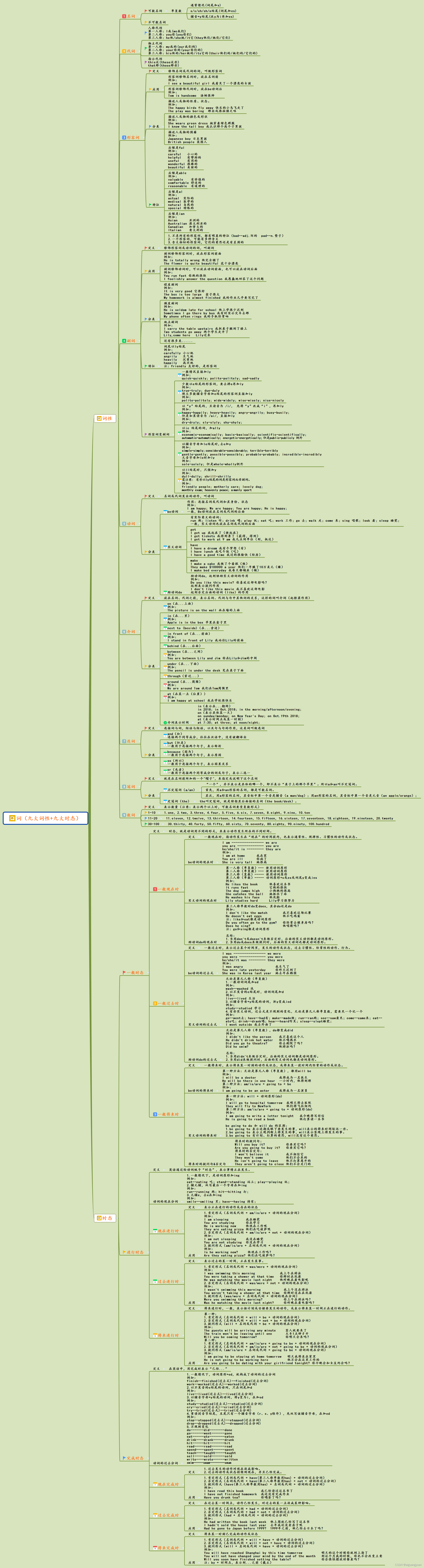
Nine parts of speech and nine tenses in English
Les neuf caractéristiques de la parole et les neuf temps en anglais

Solving error: creating window glfw error: glew initialization error: missing GL version

Explain the possible memory leaks caused by the handler at one time and the solutions | the developer said · dtalk

Settings the PC must be turned on

Classifier and cross entropy loss function
英語中的九大詞性與九大時態
随机推荐
Partager les points techniques de code et l'utilisation de logiciels pour la communication Multi - clients socket que vous utilisez habituellement
Why should programmers be softer?
深入理解深度神经网络背后的数学(Mysteries of Neural Networks Part I)
Mysql database compressed backup_ Summary of MySQL backup compression and database recovery methods
【世界历史】第二集——文明的曙光
[world history] Episode 1: people in the Stone Age
让PyTorch训练速度更快,你需要掌握这17种方法
Clinical Chemistry | 张建中/徐健开发幽门螺杆菌单细胞精准诊疗技术
Variables, scopes, and variable promotion
程序員為什麼要軟一點?
None of the MLIR Optimization Passes are enabled (registered 2)解决办法
Stream竟然还有应用进阶学习?作为程序员的你知道吗
Test your earning power? What will you do in the future?
H5 page graying source code, ie compatible (elegant downgrade provides download browser link)
Shell array
JS floating point multiplication and division method can not accurately calculate the problem
专家建议|8大措施加速你的创新职业规划和成长
Discriminative v.s.Generative
Two common ways for orcale to clear table data
阻止深度神经网络过拟合(Mysteries of Neural Networks Part II)