当前位置:网站首页>Fireshare for short video sharing
Fireshare for short video sharing
2022-07-23 09:50:00 【Yangpu Laosu】

RustDesk Additional instructions for
Thank you Xu Shier remind , stay RustDesk In the official website menu , There is a web client , The usage method is the same as that of other clients .

But only use http agreement , The author in https://github.com/rustdesk/rustdesk/issues/856 Explains why it is not enabled SSL Why .
Lao Su still wants to compile it into a self managed image , But the description on the official website is a little too simple , For non programmers like Lao Su , It's a little hard , But I still have a little clue , Everything along the way .
What is? Fireshare?
FireshareShare your game clips through unique links 、 Video or other media . All you have to do is put your videos in a folder ,FireshareWill take care of the rest .
The official demo site :https /v.fireshare.net/#/feed

install
On the group light with Docker Way to install .
Search the registry for fireshare , Select first shaneisrael/fireshare, Version selection latest.

volume
stay docker In the folder , Create a new folder , I'm going to call it fireshare, And build 3 Sub file , Namely data,processed and videos
| Folder | Loading path | explain |
|---|---|---|
docker/fireshare/data | /data | Store database |
docker/fireshare/processed | /processed | Store video metadata |
docker/fireshare/videos | /videos | Store video |

port
The local port does not conflict , If you're not sure, you can use the command to check
#  Check port usage
netstat -tunlp | grep  Port number
| Local port | Container port |
|---|---|
2480 | 80 |

Environmental Science
| variable | value |
|---|---|
ADMIN_PASSWORD | Administrator password |
find ADMIN_PASSWORD , value The default is admin, It can be changed to the password you want to use

Command line installation
If you are familiar with the command line , Possible docker cli Faster
#  New folder  fireshare  and   subdirectories
mkdir -p /volume2/docker/fireshare/{
    data,processed,videos}

#  Get into  fireshare  Catalog
cd /volume2/docker/fireshare

#  Run container
docker run -d \
   --restart unless-stopped \
   --name fireshare \
   -p 2480:80 \
   -v $(pwd)/data:/data \
   -v $(pwd)/processed:/processed \
   -v $(pwd)/videos:/videos \
   -e ADMIN_PASSWORD=admin \
   shaneisrael/fireshare:latest

It can also be used. docker-compose install , Save the following as docker-compose.yml file
services:

  fireshare:
    container_name: fireshare
    image: shaneisrael/fireshare:latest
    ports:
      - "2480:80"
    volumes:
      - ./data:/data
      - ./processed:/processed
      - ./videos:/videos
    environment:
      - ADMIN_PASSWORD=admin
Then execute the following command , stay portainer It is also possible to execute in
#  New folder  fireshare  and   subdirectories
mkdir -p /volume2/docker/fireshare/{
    data,processed,videos}

#  Entry directory
cd /volume2/docker/fireshare

#  take  docker-compose.yml  Put in the current directory

#  One button start
docker-compose up -d

function
Enter... In the browser http:// Synology IP:2480 You can see the main interface

Point to the top right login The login screen appears
The default user :
admin, The password forADMIN_PASSWORDSet the value of the ;

After logging in successfully, you will see more Scan Library Button

Uploaded two small videos

You can go through Scan Library Scan the video
There will be an initialization process for the first time
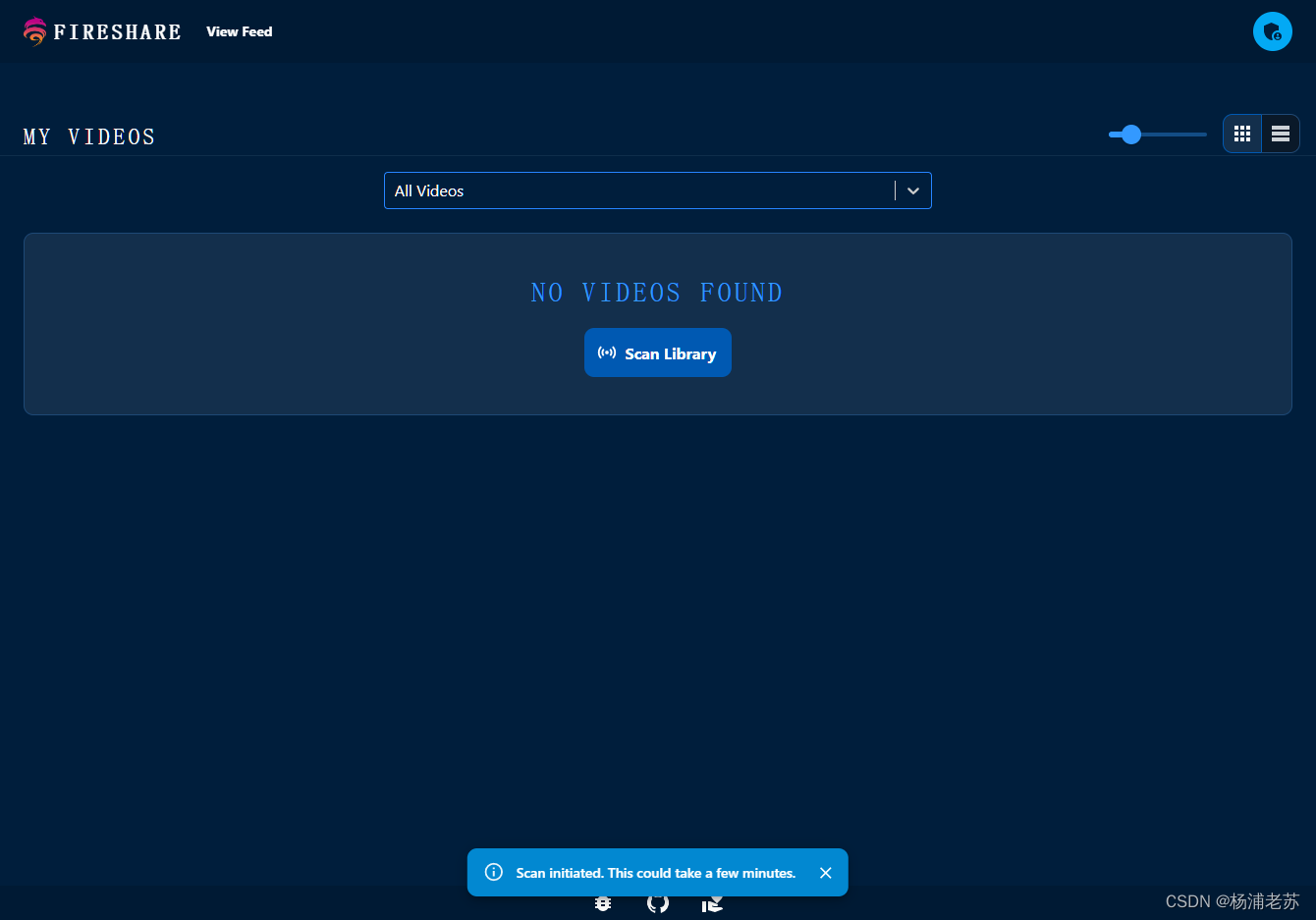
You can see it after the scan
If you can't see it, you can refresh the page

Switch views

Click to start playing
Press
ESCKey can return to the main interface


Click the copy link button , You can get the address of this video , Similar to the following :http://192.168.0.197:2480/w/04959a05ccf69173393a577cf3d21571
So if you want to share it with others , You need to pass the anti substitution first , Realize domain name access

Joined the Public feed In the video

You don't need to log in to see

Reference documents
GitHub - ShaneIsrael/fireshare: Self host your media and share with unique links
Address :https://github.com/ShaneIsrael/fireshare
边栏推荐
猜你喜欢

如何做好陪同翻译的工作

2022.7.22 js入门 常用数据类型及其方法

肽核酸偶联多肽Ile-Glu-Gly-Arg-pNA (S-2222)|Boc-Leu-Gly-Arg-PNA

BGP反射器,联邦,选路规则

Accumulation of FPGA errors
pycharm安装库的时候报错Try to run this command from the system terminal. Make sure that you use the correct

webshell管理工具及其流量特征分析

How to preserve peptide nucleic acid | peptide nucleic acid containing azobenzene unit (n-pna) | 99Tcm labeled c-myc mRNA

Installation, configuration and use of sentry

TDengine 助力西门子轻量级数字化解决方案 SIMICAS 简化数据处理流程
随机推荐
MySQL数据库提权学习
[ssm] exception handling
NN in pytorch Modulelist and nn.sequential
LEADTOOLS 20-22 Crack-DotNetCore!!!
【洛谷】P1318 积水面积
C——结构体
PNA肽核酸修饰多肽Bz-(DL)-Arg-pNA|Z-Ala-Ala-Leu-pNA|Suc-Ala-Ala-Ala-pNA
Animation demonstration of binary tree implemented by MFC
分库分表真的适合你的系统吗?聊聊分库分表和NewSQL如何选择
Redis 6.0源码学习 Simple Dynamic String
PNA modified polypeptide suc ala Pro ala PNA | suc ala Glu Pro Phe PNA
PNA肽核酸修饰多肽Pro-Phe-Arg-pNA (S-2302)|Dnp-Gly-X-L-Pro-Gly-pNA
申请炒股账户在手机开户安全吗?
肽核酸(PNA)偶联穿膜肽(CCPs)(KFF)3K形成CCPs-PNA|肽核酸的使用方法
外地人在华泰开户安全吗?会被骗吗
Liunx上杀死一进程
[SSM]异常处理
CANopen通信----PDO与SDO
多肽修饰PNA肽核酸Bz-D-Phe-Val-Arg-pNA|L-Phe-Val-Arg-pNA
Tidb 3.0安装