当前位置:网站首页>张小白教你使用OGG实现Oracle 19C到MySQL 5.7的数据同步(2)
张小白教你使用OGG实现Oracle 19C到MySQL 5.7的数据同步(2)
2022-06-10 09:39:00 【华为云】

(三)在MySQL端安装OGG for MySQL
卸载CentOS自带的mariadb:
rpm -qa | grep mariadb

rpm -e --nodeps mariadb-server-5.5.68-1.el7.x86_64 mariadb-5.5.68-1.el7.x86_64 mariadb-libs-5.5.68-1.el7.x86_64

安装MySQL:
cd /usr/local
wget https://cdn.mysql.com/Downloads/MySQL-5.7/mysql-5.7.37-el7-x86_64.tar.gz
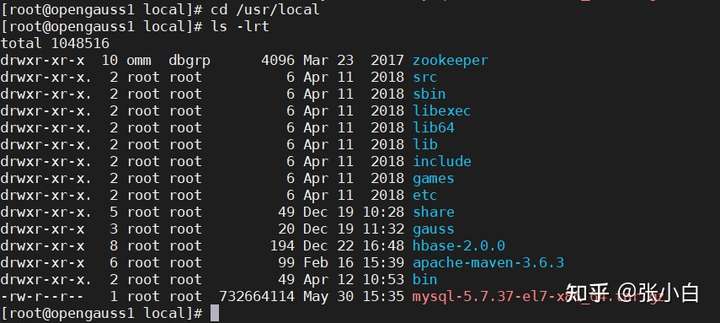
解压:
tar -zxvf mysql-*.gz
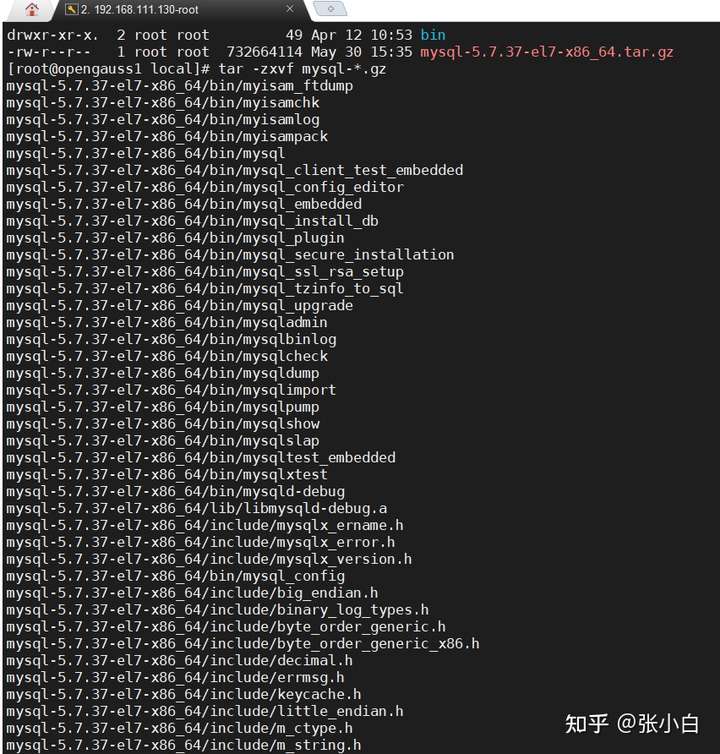
mv mysql-5.7.37-el7-x86_64 mysql
设置权限:
chown -R mysql:mysql /usr/local/mysql
chmod -R 755 /usr/local/mysql
mkdir -p /data/mysql/data
mkdir -p /data/mysql/logs
mkdir -p /data/mysql/tmp
chown -R mysql:mysql /data/mysql

编辑 /etc/my.cnf 文件:
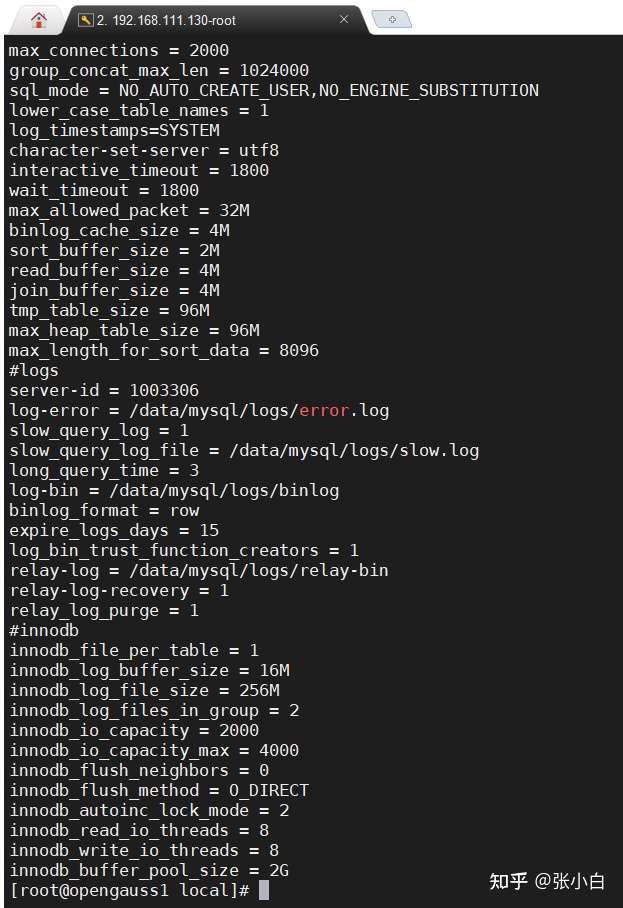
内容如下:
[client]port = 3306socket = /data/mysql/tmp/mysql.sock[mysqld]user = mysqlbasedir = /usr/local/mysql datadir = /data/mysql/data port = 3306 socket = /data/mysql/tmp/mysql.sockpid-file = /data/mysql/tmp/mysqld.pidtmpdir = /data/mysql/tmp skip_name_resolve = 1symbolic-links=0max_connections = 2000group_concat_max_len = 1024000sql_mode = NO_AUTO_CREATE_USER,NO_ENGINE_SUBSTITUTIONlower_case_table_names = 1log_timestamps=SYSTEMcharacter-set-server = utf8interactive_timeout = 1800 wait_timeout = 1800max_allowed_packet = 32Mbinlog_cache_size = 4Msort_buffer_size = 2Mread_buffer_size = 4Mjoin_buffer_size = 4Mtmp_table_size = 96Mmax_heap_table_size = 96Mmax_length_for_sort_data = 8096#logsserver-id = 1003306log-error = /data/mysql/logs/error.logslow_query_log = 1slow_query_log_file = /data/mysql/logs/slow.loglong_query_time = 3log-bin = /data/mysql/logs/binlogbinlog_format = rowexpire_logs_days = 15log_bin_trust_function_creators = 1relay-log = /data/mysql/logs/relay-binrelay-log-recovery = 1 relay_log_purge = 1 #innodb innodb_file_per_table = 1innodb_log_buffer_size = 16Minnodb_log_file_size = 256Minnodb_log_files_in_group = 2innodb_io_capacity = 2000innodb_io_capacity_max = 4000innodb_flush_neighbors = 0innodb_flush_method = O_DIRECTinnodb_autoinc_lock_mode = 2innodb_read_io_threads = 8innodb_write_io_threads = 8innodb_buffer_pool_size = 2G将mysql设置为linux服务:
cd /usr/local/mysql/support-files
cp mysql.server /etc/init.d/mysql
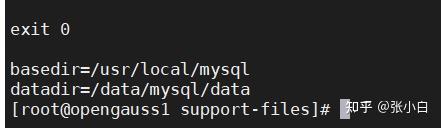
编辑 /etc/init.d/mysql 文件:
设置以下两行:
basedir=/usr/local/mysql
datadir=/data/mysql/data
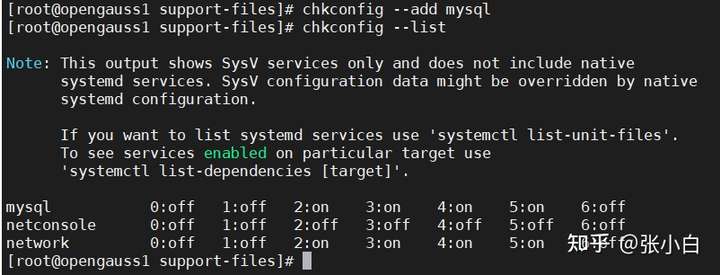
chkconfig --add mysql
chkconfig --list
编辑环境变量:
echo "PATH=$PATH:/usr/local/mysql/bin " >> /etc/profile
source /etc/profile

rpm -qa|grep libaio
如果没有,则需要安装:yum install libaio-devel.x86_64

/usr/local/mysql/bin/mysqld --initialize --user=mysql --basedir=/usr/local/mysql --datadir=/data/mysql/data
more /data/mysql/logs/error.log | grep password

重启MySQL:
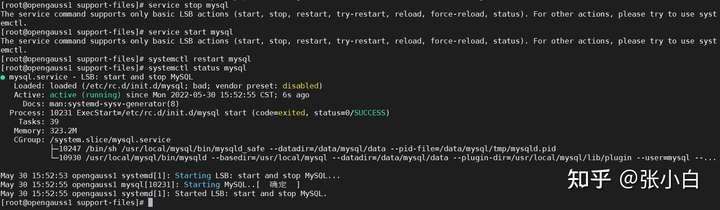
service stop mysql
service start mysql
得使用
systemctl restart mysql
systemctl status mysql
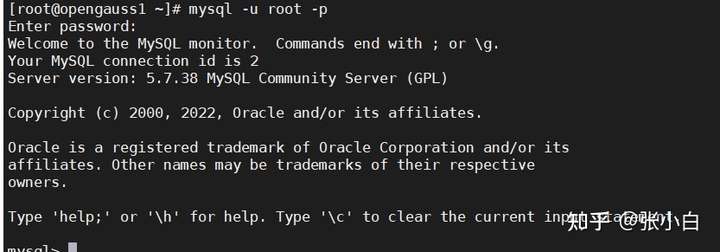
登录:
mysql -u root -p
输入前面的密码:BOc:CUr?S0aj
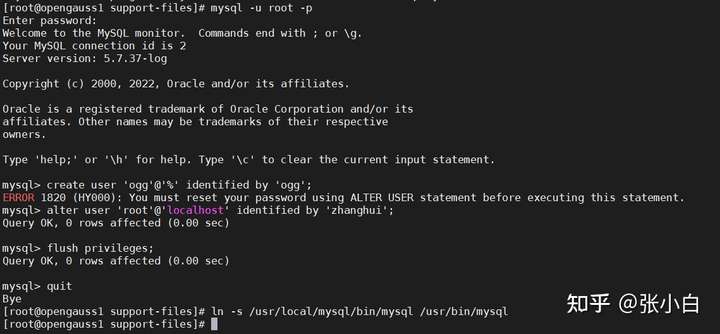
修改root密码:
alter user 'root'@'localhost' identified by 'zhanghui';
flush privileges;
quit退出命令行。
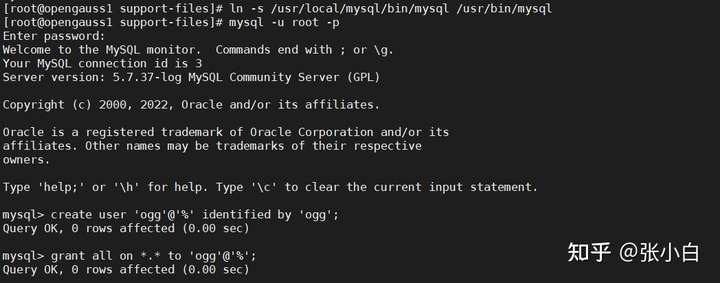
ln -s /usr/local/mysql/bin/mysql /usr/bin/mysql
使用新密码zhanghui登录:
mysql -u root -p
create user 'ogg'@'%' identified by 'ogg';
grant all on *.* to 'ogg'@'%';
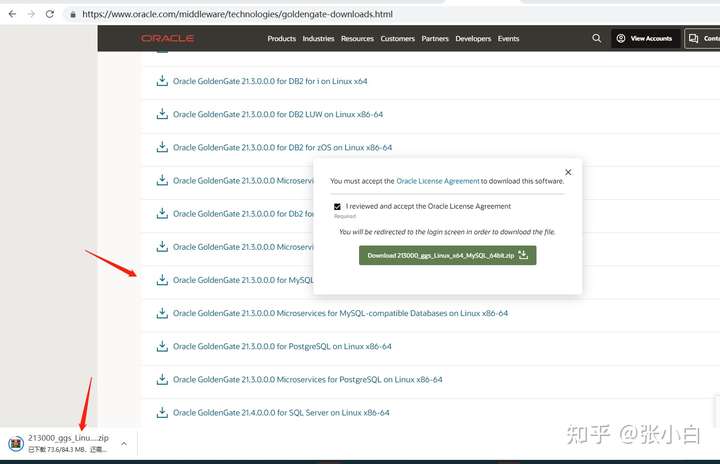
打开 https://www.oracle.com/middleware/technologies/goldengate-downloads.html
找到 Oracle GoldenGate 21.3.0.0.0 for MySQL-compatible Databases on Linux x86-64 下载:
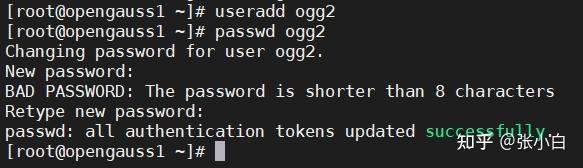
使用root登录
创建目的端ogg用户:ogg2
useradd ogg2
passwd ogg2
su - ogg2
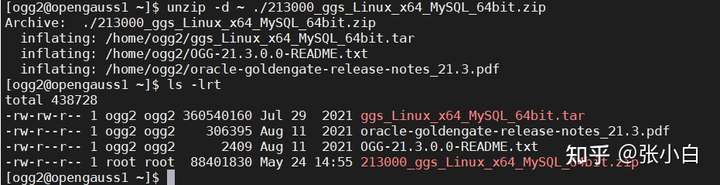
切换到ogg2用户:su - ogg2
将ogg for mysql安装包 传到/home/ogg2下:

unzip -d ~ ./213000_ggs_Linux_x64_MySQL_64bit.zip
切换到root用户
mkdir /opt/ogg/target_endpoint
chown -R ogg2 /opt/ogg/target_endpoint

切换回ogg2用户:
tar -xvf ggs_Linux_x64_MySQL_64bit.tar -C /opt/ogg/target_endpoint
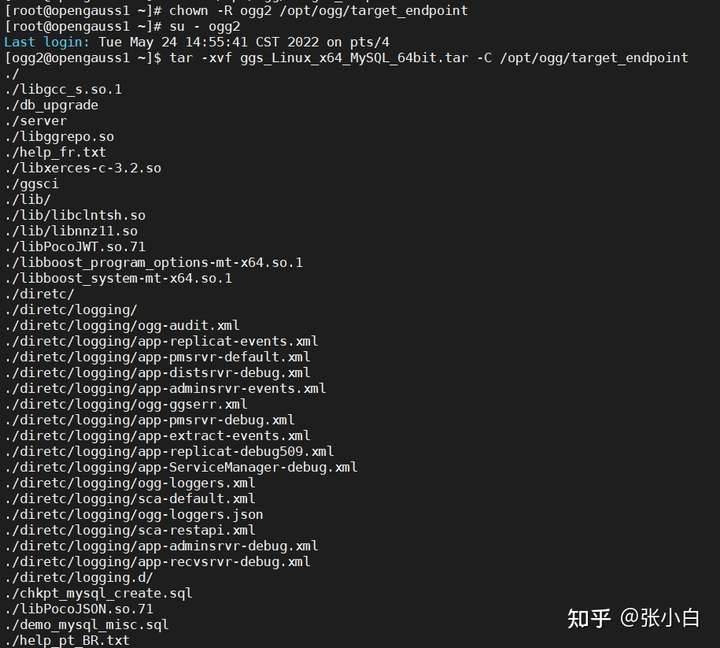
编辑 ~/.bashrc文件:
export JAVA_HOME=$HOME/jdk1.8.0_141export PATH=$JAVA_HOME/bin:$PATHexport OGG_HOME=/opt/ogg/target_endpointexport LD_LIBRARY_PATH=$JAVA_HOME/jre/lib/amd64:$JAVA_HOME/jre/lib/amd64/server:$JAVA_HOME/jre/lib/amd64/libjsig.so:$JAVA_HOME/jre/lib/amd64/server/libjvm.so:$OGG_HOME/lib:$HOME/libsexport PATH=$OGG_HOME:$PATHsource ~/.bashrc使其生效。

(未完待续)
边栏推荐
- 浏览器禁止缓存讲解
- Browser cache forbidden explanation
- 并发-创建线程
- Example 3 of lambda expression
- Talk about the trend of digital transformation in 2022
- PostMessage and SendMessage communicate across processes with different permissions
- Learning notes on panoramic segmentation of point cloud
- Mysql database (26): View
- Only this is the most true reason why leaders promote you. The rest is nonsense!
- Why is your next computer a computer? Explore different remote operations
猜你喜欢

四种最简单的防反接电路

Flutter:自定义单选按钮

Cf1304c air conditioner

Ce soir - là, j'ai battu mon collègue...

致广大、尽精微,曙光问道算力服务“神经系统”

Flutter 一行Row中显示RadioListTile

从0开始搭建生物信息学R环境(踩坑记录)

微软再曝“丑闻”:在办公室看 VR 黄片,“HoloLens 之父”即将离职!

When the SQL file exported from the PowerDesigner physical data model is executed, an error occurs?

MS COCO数据集
随机推荐
基于深度学习的商品推荐系统(Web)
A camera communication protocol verification CRC program
Example 5 of lambda expression
Basic process of program compilation
What should we pay attention to when developing, designing and building the reward task source code
怎么办理艺术品备案?办理艺术品备案要准备哪些材料?
Talk about the trend of digital transformation in 2022
Using requests library to crawl web pages to obtain data
R language plot visualization: plot visualization of stacked histograms and custom setting of the spacing between bars
P1387 最大正方形(dp)
Build a bioinformatics r environment from 0 (step on the pit record)
Huggingface使用过程中遇到的问题
795 D Max GEQ sum (monotone stack +rmq)
CF1304C Air Conditioner(思维)
MONGOREPLAY 的“坑”
R language uses lmperm package to apply to the replacement method (replacement test and permutation tests) of linear model, uses LM model to build polynomial regression model, and uses LMP function to
Scanpy downloading data is slow or fails to solve the problem
Lambda表达式例一
[Blue Bridge Cup training 100 questions] scratch apple is ripe blue bridge cup scratch competition special prediction programming question intensive training simulation exercise question 13
618 is coming. Is it too time-consuming to generate a large number of coupons? Threadpooltaskexecutor thread pool helps you