当前位置:网站首页>npm does not recognize the "npm" item as the name of a cmdlet, function, script file, or runnable program.Please check the spelling of the name, and if the path is included, make sure the path is corr
npm does not recognize the "npm" item as the name of a cmdlet, function, script file, or runnable program.Please check the spelling of the name, and if the path is included, make sure the path is corr
2022-08-02 06:44:00 【m0_67392931】
npm : 无法将“npm”项识别为 cmdlet、函数、脚本文件或可运行程序的名称.请检查名称的拼写,如果包括路径,请确保路径正确,然后再试一次.
目录
2、以管理员身份运行cmd,输入命令,初始化package.json文件
三、下载npm install @escook/request-miniprogram
一、报错:

npm : 无法将“npm”项识别为 cmdlet、函数、脚本文件或可运行程序的名称.请检查名称的拼写,如果包括路径,请确保路径正确,
然后再试一次.
所在位置 行:1 字符: 1
+ npm init -y
+ ~~~
    + CategoryInfo          : ObjectNotFound: (npm:String) [], CommandNotFoundException
    + FullyQualifiedErrorId : CommandNotFoundException
二、解决:
1、安装node.js
(1)进入官网下载 | Node.js 中文网
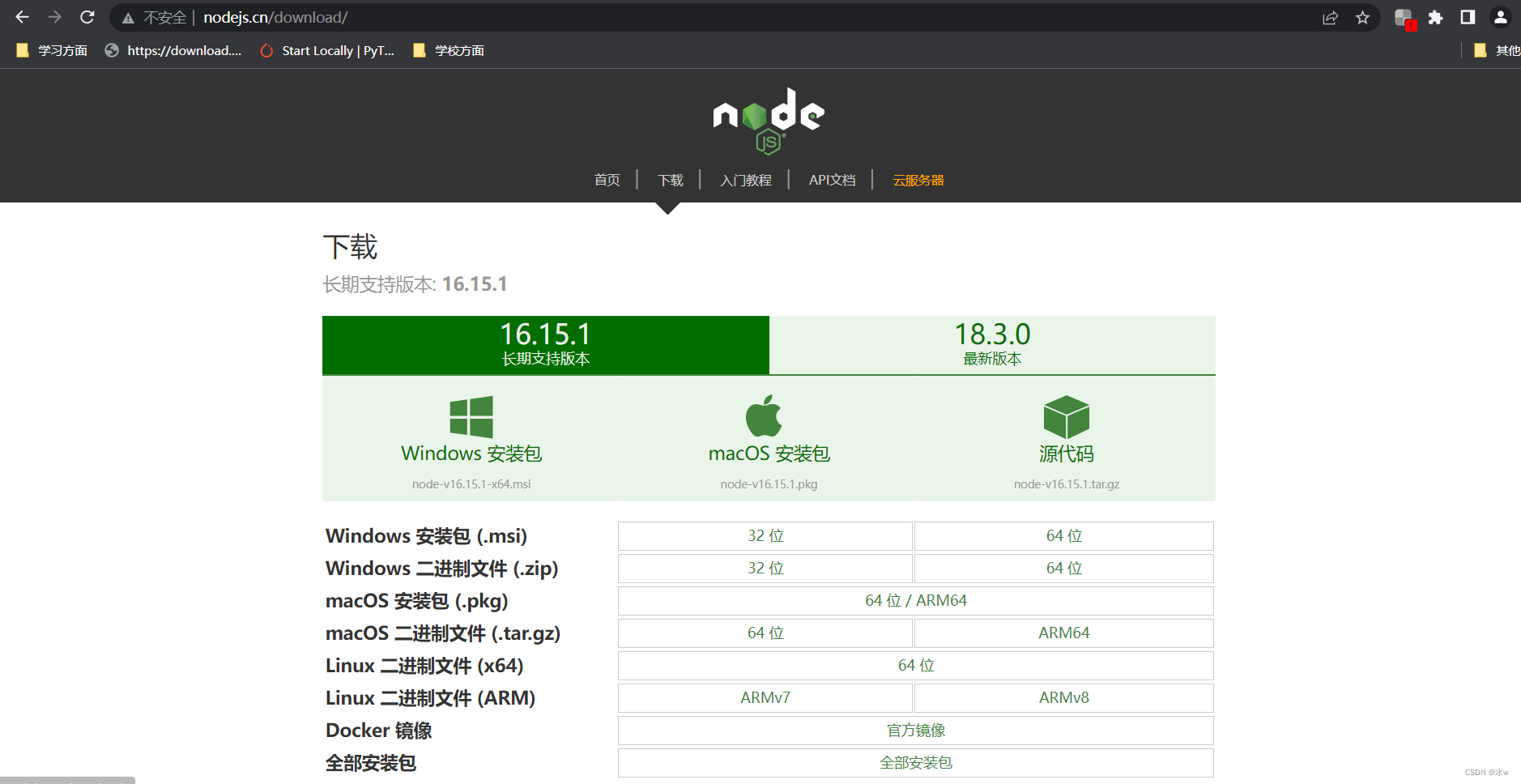
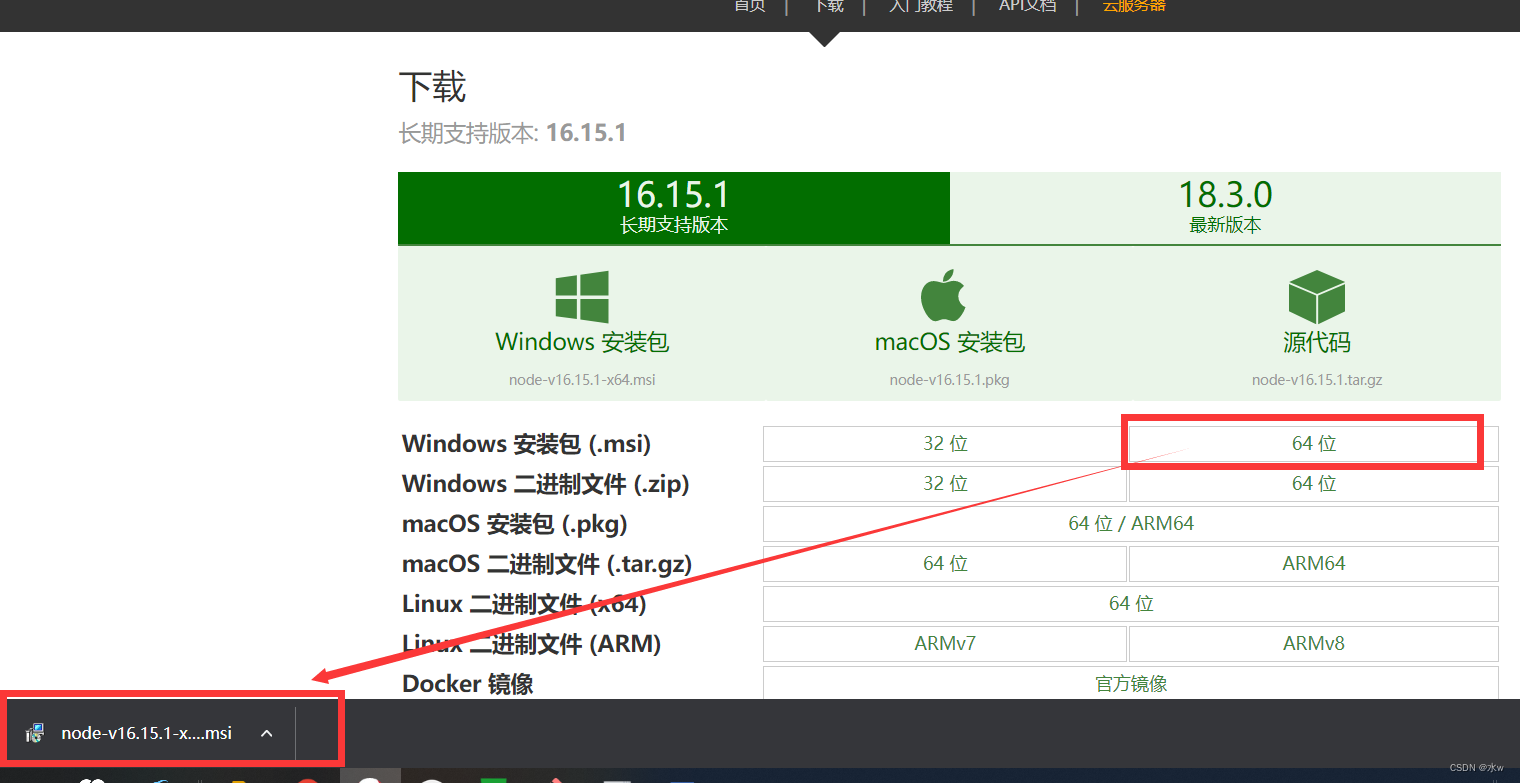
(2)按照自己电脑的位数进行下载,等待下载完成,
(3)运行刚刚下载的文件,会出现安装流程,按照安装流程一步步走,

点击“next”,
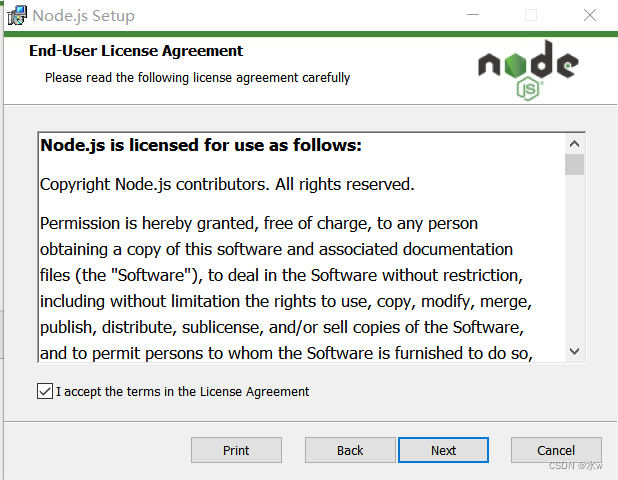
勾选“接收”,点击“next”,
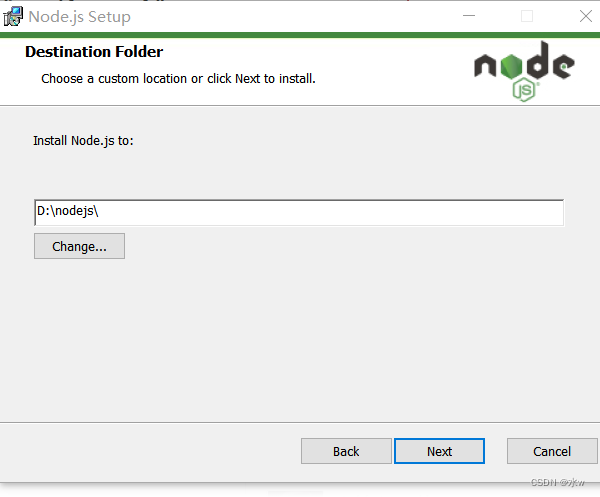
可以根据自己需要改变安装路径,此处我是安装到D盘上了,点击“next”,


点击“next”,
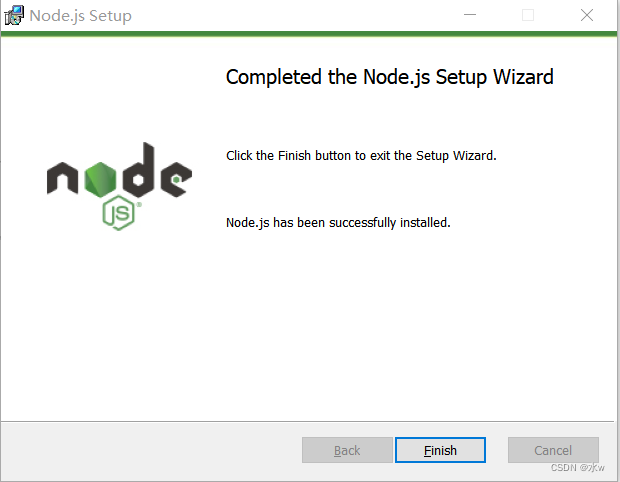
(4)在cmd中运行下列命令,检测node.js是否已经安装成功,
node -v


npm -v

node.js安装过程中的报错问题:
**注意:**我们可以看到第二个命令执行之后,报错了.
如何解决 npm WARN 配置全局'–global', '–local' 已弃用.使用“–location=global”代替“Error?
解决node.js安装过程中的报错问题:
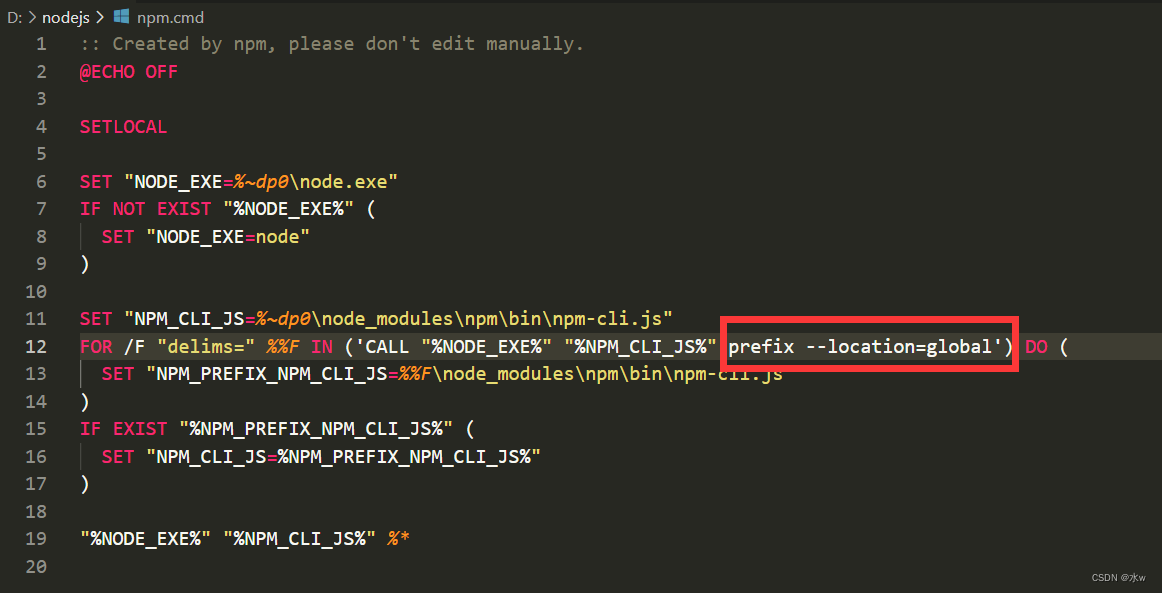
(1)首先找到刚刚安装路径下的node.js文件夹,找到“npm”和“npm.cmd”这2个文件,

(2)
- “npm”文件可以用记事本打开,
- “npm.cmd”文件可以用vscode打开,
找到这2个文件里面的prefix -g替换为
prefix --location=global
(3)“npm”文件修改前:

修改后,“npm”文件为:

(4) “npm.cmd”文件修改后为:
(5)修改完之后、关闭之前的cmd.我们重新打开一个新的cmd,在cmd中重新输入命令
可以看到没有报错了!!!
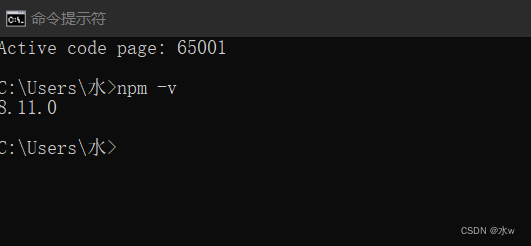
OK,问题已经解决.
2、以管理员身份运行cmd,输入命令,初始化package.json文件
npm init -y
可以看到cmd命令行没有报错了,
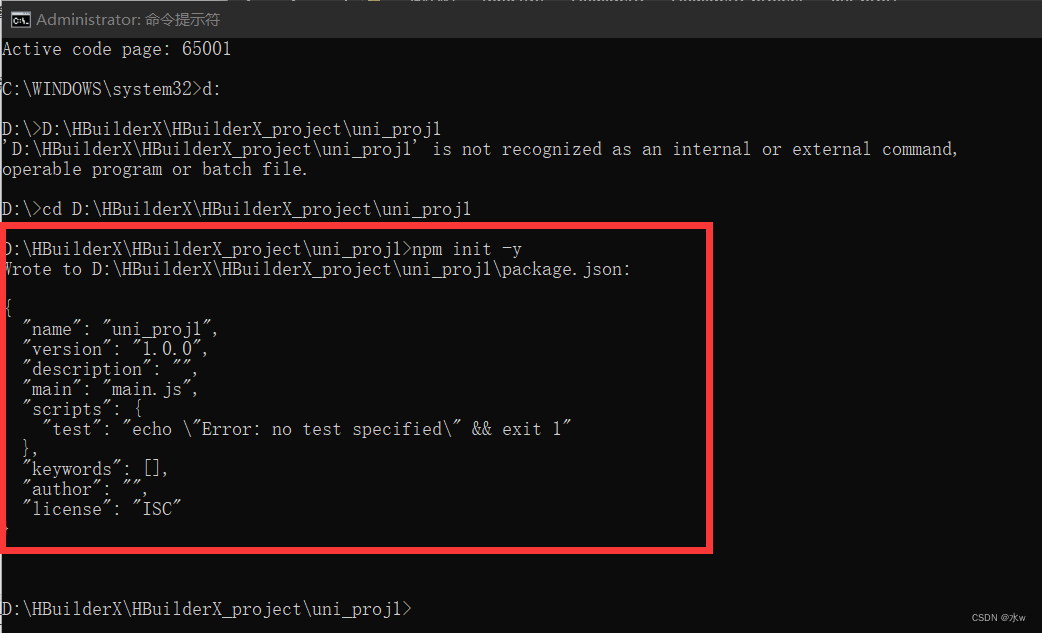
而且项目文件夹下也出现了一个新的文件“pachage.json”,
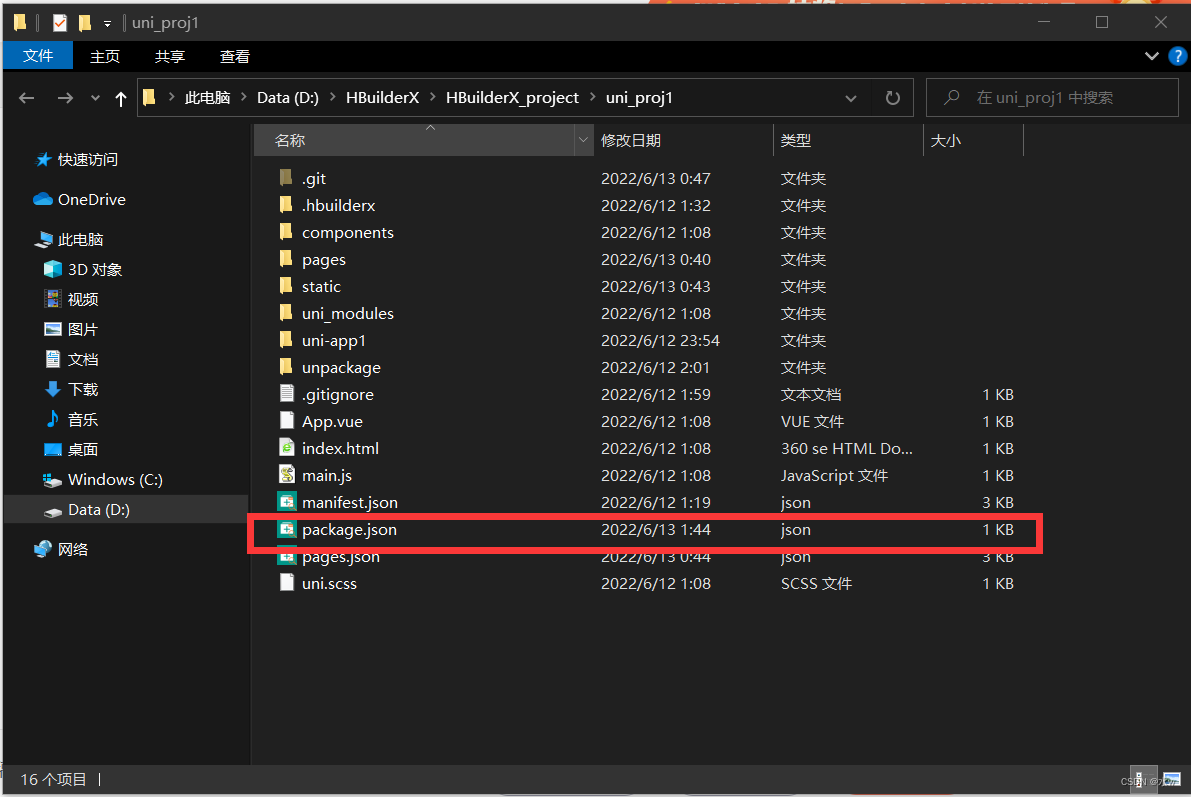
初始化package.json文件成功!!!
三、下载npm install @escook/request-miniprogram
npm install @escook/request-miniprogram
继续在cmd窗口输入下条命令,

OK.
先自我介绍一下,小编13年上师交大毕业,曾经在小公司待过,去过华为OPPO等大厂,18年进入阿里,直到现在.深知大多数初中级java工程师,想要升技能,往往是需要自己摸索成长或是报班学习,但对于培训机构动则近万元的学费,着实压力不小.自己不成体系的自学效率很低又漫长,而且容易碰到天花板技术停止不前.因此我收集了一份《java开发全套学习资料》送给大家,初衷也很简单,就是希望帮助到想自学又不知道该从何学起的朋友,同时减轻大家的负担.添加下方名片,即可获取全套学习资料哦
边栏推荐
猜你喜欢







随机推荐
C 竞赛——捕鱼
Automated operation and maintenance tools - ansible, overview, installation, module introduction
51 MCU Peripherals: Infrared Communication
点云旋转到参考坐标系方向(最小方向包围盒方法)
pytorch basic operations: classification tasks using neural networks
Say good woman programmers do testing have an advantage?More than a dozen interview, abuse of cry ~ ~ by the interviewer
Linux CentOS8安装Redis6
npm 和 yarn的区别
Important concepts of target detection - IOU, receptive field, hole convolution, mAP
Redis database
About the directory structure of the web application
Constructors, member variables, local variables
npm 无法将“npm”项识别为 cmdlet、函数、脚本文件或可运行程序的名称。请检查名称的拼写,如果包括路径,请确保路径正确,然后再试一次。
npm、nrm两种方式查看源和切换镜像
Double for loop case (use js jiujiu printing multiplication table)
Redis-----非关系数据库
C语言小游戏——扫雷小游戏
APP Bluetooth connection test of test technology
nacos安装配置和单机部署教程
深度学习——CNN实现MNIST手写数字的识别