当前位置:网站首页>Unity简单实现对话功能
Unity简单实现对话功能
2022-07-28 03:06:00 【MaNongSa】
提示:以下是本篇文章正文内容
简单说明
主要使用TextAsset组件
TextAsse相关使用
- 描述
- 文本文件资源。
- 您可以将项目中的原始文本文件用作资源,通过此类获取其 内容。此外,如果要从二进制文件访问数据,可将这种文件作为原始字节数组进行访问。请参阅 Text Asset 手册页,了解有关将文本和二进制文件作为文本资源导入项目的更多详细信息。
说明:可以使用的格式

- 变量
| 变量 | 作用 |
|---|---|
| bytes | 文本资源的原始字节。(只读) |
| text | 字符串形式的 .txt 文件的文本内容。(只读) |
- 构造函数
| 函数名 | 作用 |
|---|---|
| TextAsset | 使用指定文本内容创建一个新 TextAsset。此构造函数创建 TextAsset,它与纯文本文件不同。当使用 AssetDatabase 类保存到磁盘时,应使用 .asset 扩展名保存 TextAsset。 |
- 公共函数
| 函数名 | 作用 |
|---|---|
| ToString | 返回 TextAsset 的内容。 |
- 继承的成员
- 变量
| 变量 | 作用 |
|---|---|
| hideFlags | 该对象应该隐藏、随场景一起保存还是由用户修改? |
| name | 对象的名称。 |
- 公共函数
| 公共函数 | 作用 |
|---|---|
| GetInstanceID | 返回对象的实例 ID。 |
- 静态函数
| 函数名 | 作用 |
|---|---|
| Destroy | 移除 GameObject、组件或资源。 |
| DestroyImmediate | 立即销毁对象 /obj/。强烈建议您改用 Destroy。 |
| DontDestroyOnLoad | 在加载新的 Scene 时,请勿销毁 Object。 |
| FindObjectOfType | 返回第一个类型为 type 的已加载的激活对象。 |
| FindObjectsOfType | 返回所有类型为 type 的已加载的激活对象的列表。 |
| Instantiate | 克隆 original 对象并返回克隆对象。 |
协程的相关使用
MonoBehaviour.StartCoroutine
public Coroutine StartCoroutine (IEnumerator routine);
- 描述
- 启动协程。
- 可以使用 yield 语句,随时暂停协程的执行。使用 yield 语句时,协程会暂停执行,并在下一帧自动恢复。请参阅协程文档以了解更多详细信息。
- 协程非常适合用于在若干帧中对行为建模。StartCoroutine 方法在第一个 yield 返回时返回,不过可以生成结果,这会等到协程完成执行。即使多个协程在同一帧中完成,也不能保证它们按照与启动相同的顺序结束。
- 生成的任何类型(包括 null)都会导致执行在后面的帧返回,除非协程已停止或完成。
注意:可以使用 MonoBehaviour.StopCoroutine 和 MonoBehaviour.StopAllCoroutines 停止协程。销毁 MonoBehaviour 时,或是如果 MonoBehaviour 所附加到的 GameObject 已禁用,也会停止协程。 禁用 MonoBehaviour 时,不会停止协程。
相关素材
因为相关素材需要9.99$,这里就直接分享Github链接了
GitHub链接:点击跳转到GitHub下载素材
UI相关创建


创建TextAsset支持的格式对话文本
如:
1、 创建Dialogue脚本,按下R进行简单对话
using System.Collections.Generic;
using UnityEngine;
using UnityEngine.UI;

public class Dialogue : MonoBehaviour
{
    public Image image;
    public Text text;

    public TextAsset textAsset;

    public int index;

    private List<string> strings = new List<string>();

    private void Awake()
    {
        DialogueS(textAsset);
        index = 0;
    }

    private void OnEnable()
    {
        text.text = strings[index];
        index++;
    }

    private void Update()
    {
        if (Input.GetKeyDown(KeyCode.R) && strings.Count == index)
        {
            gameObject.SetActive(false);
            index = 0;
            return;
        }
        if(Input.GetKeyDown(KeyCode.R))
        {
            text.text = strings[index];
            index++;
        }
    }

    private void DialogueS(TextAsset textAsset)
    {
        strings.Clear();
        index = 0;

        var textList=textAsset.text.Split('\n');

        for (int i = 0; i < textList.Length; i++)
        {
            strings.Add(textList[i]);
        }
    }
}
效果如下:
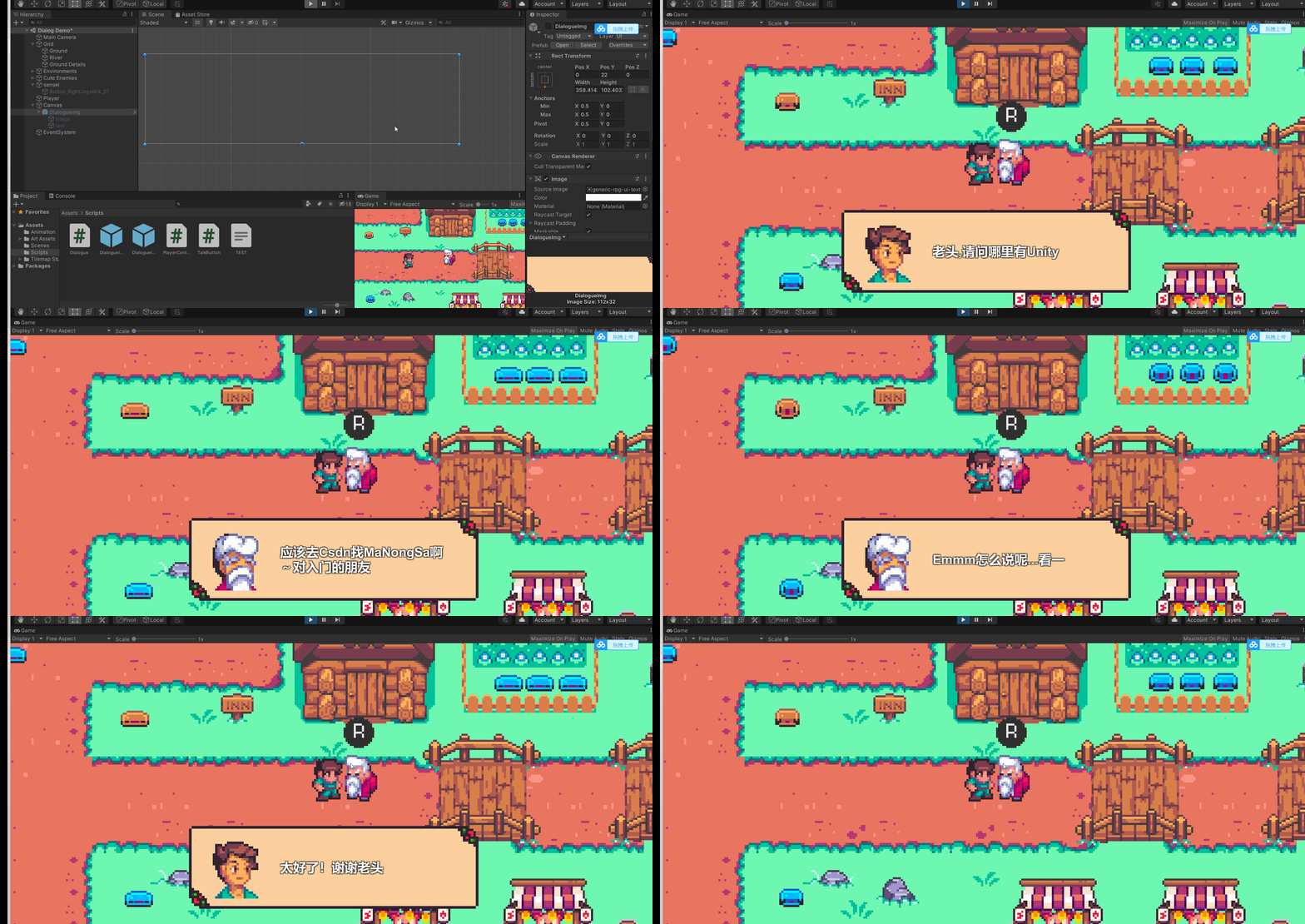
2、 通过协程使文章文本逐渐显示、快速显示、图片切换以及跳过。
using System.Collections;
using System.Collections.Generic;
using UnityEngine;
using UnityEngine.UI;

public class Dialogue : MonoBehaviour
{
    public Image image;
    public Text text;
    public TextAsset textAsset;
    public GameObject DialogueObj;

    public int index;
    public float showTextTimer;
    private bool isOnClickR;
    private bool isWhetherFast;

    public Sprite A_Img, B_Img;

    private List<string> strings = new List<string>();

    private void Awake()
    {
        DialogueS(textAsset);
    }

    private void OnEnable()
    {
        text.text = strings[index];
        index++;
        isOnClickR = true;
    }

    private void Update()
    {
        if (Input.GetKeyDown(KeyCode.R) && strings.Count == index)
        {
            gameObject.SetActive(false);
            index = 0;
            return;
        }
        //if(Input.GetKeyDown(KeyCode.R) && isOnClickR)
        //{
        //    //text.text = strings[index];
        //    //index++;
        //    StartCoroutine(GraduallyRevealed());
        //}
        if (Input.GetKeyDown(KeyCode.R))
        {
            if (isOnClickR && !isWhetherFast)
            {
                StartCoroutine(GraduallyRevealed());
            }
            else if (!isOnClickR)
            {
                isWhetherFast = !isWhetherFast;
            }
        }
    }

    private void DialogueS(TextAsset textAsset)
    {
        strings.Clear();
        index = 0;

        var textList=textAsset.text.Split('\n');

        for (int i = 0; i < textList.Length; i++)
        {
            strings.Add(textList[i]);
        }
    }

    IEnumerator GraduallyRevealed()
    {
        text.text = "";

        isOnClickR = false;

        switch (strings[index])
        {
            case "A":
                image.sprite = A_Img;
                break;
            case "B":
                image.sprite = B_Img;
                break;
        }

        //for (int i = 0; i < strings[index].Length; i++)
        //{
        //    text.text += strings[index][i];

        //    yield return new WaitForSeconds(showText);
        //}

        int letter = 0;

        while (!isWhetherFast && letter < strings[index].Length-1)
        {
            text.text += strings[index][letter];

            letter++;

            yield return new WaitForSeconds(showTextTimer);
        }

        text.text = strings[index];
        isOnClickR = true ;
        isWhetherFast = false;
        index++;
    }

    public void SkipDialogue()
    {
        text.text = "";
        index = 0;
        isWhetherFast = false;
        isOnClickR = false;
        StopAllCoroutines();
        DialogueObj.SetActive(false);
    }
}
效果如下: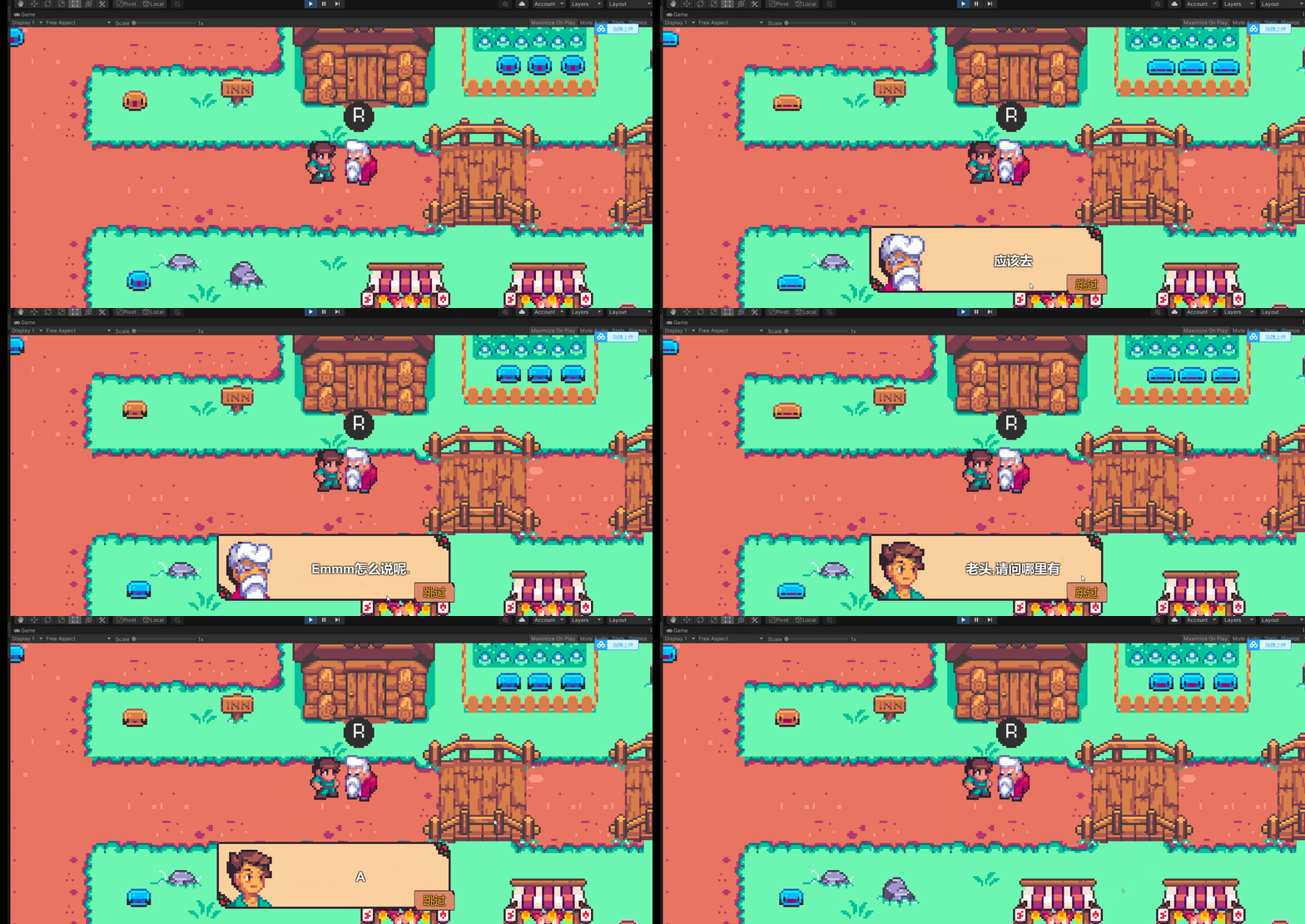
边栏推荐
- On weight decay and discarding method
- Brush questions every day to consolidate knowledge
- What are the fragments of MySQL
- mysql存储过程 使用游标实现两张表数据同步数据
- Softek Barcode Reader 9.1.5
- Alibaba cloud international email service package purchase process
- Win11黑色桌面背景如何解决?
- 力扣(LeetCode)208. 实现 Trie (前缀树)(2022.07.27)
- SSM integration (integrated configuration)
- [SAML SSO solution] Shanghai daoning brings you SAML for asp NET/SAML for ASP. Net core download, trial, tutorial
猜你喜欢

颜色的识别方法和探索 基于matlab

How does win11 display fixed applications?

Summary of redis classic interview questions

Redis实现分布式锁

机器人开发--丝杠与导轨

STM32之IO模拟串口篇

QT official example: Fridge Magnets example
Comprehensive comparative study of image denoising

Acid characteristics of MySQL transactions and example analysis of concurrency problems

When a dialog box pops up, the following form is not available
随机推荐
LeetCode 第二十九天
The digital twin smart building visualization platform realizes the integration of enterprise and public services in the park
版本兼容的问题
酒店vr全景展示拍摄提供更多合作和洽谈的机会
GNU 通用公共许可证 v2.0 GNU GENERAL PUBLIC LICENSE
[acwing 1064 little king] shaped pressure DP
Redis 5 kinds of data structure analysis
The object array is converted to string and then separated by strings, including the competition to select the children of a field, or the sum,
vi命令详解
20220726汇承科技的蓝牙模块HC-05的AT命令测试
c#——switch case语句
Uniapp——拨打电话、发送短信
More than 50 interviews have been summarized, and notes and detailed explanations have been taken from April to June (including core test sites and 6 large factories)
Uniapp - make phone calls and send text messages
IronOCR for .NET 2022.8
Summary of static blog building tools
Response to questions about the balanced beacon group of Hubei University of Arts and Sciences
How to use JDBC to operate database
vba批量读取sql的create文来创建表
Version compatibility issues