当前位置:网站首页>Linx link, first level directory, redirection, CP and MV
Linx link, first level directory, redirection, CP and MV
2022-07-24 00:55:00 【.98℃】
Catalog
4. Creation and deletion of files and directories
1. Hard links and soft links
Symbolic links are also called soft links
- And the original file is not a file for example Windows Shortcut to , If the original file is deleted , all
- The symbolic links pointing to it are also destroyed .
- Soft links have their own node, yes linux A kind of special document , As a document , Its data is the path of the file to which it is connected . Symbolic links can span file systems , You can also create a directory .
- Format :ln -s Source file Target file
Hard links
- Only files in the same file system can be referenced . It refers to the physical index of the file in the file system ( Also known as inode).
- When the original file is moved or deleted , Hard links will not be broken , Because it refers to the physical data of the file, not the location of the file in the component structure .
- Create format : ln The original document Target file

create a file file1 And create soft links for it soft_file1、 And hard links hard_file1
[[email protected] home]# touch file1
[[email protected] home]# ln -s file soft_file1
[[email protected] home]# ln file hard_file1
[[email protected] home]# ls -li
total 5
27446429 drwxr-xr-x.  2 root  root     6 Jul 14 10:46 data
27446447 -rw-r--r--.  2 root  root     0 Jul 14 18:15 file1
27446447 -rw-r--r--.  2 root  root     0 Jul 14 18:15 hard_file1
18732229 drwx------. 15 rhcsa rhcsa 4096 Jul 12 17:45 rhcsa
27446463 lrwxrwxrwx.  1 root  root     5 Jul 14 18:19 soft_file1 -> file1
 1875985 drwxr-xr-x.  2 root  root     6 Jul 14 10:46 sub_data
Delete file1 Then check the contents of each document
[[email protected] home]# echo "123456" > file1
[[email protected] home]# echo "999999" >> hard_file1
[[email protected] home]# cat file1
123456
[[email protected] home]# cat soft_file1
123456
[[email protected] home]# cat hard_file1
123456
999999

[[email protected] home]# rm file1
rm: remove regular file 'file1'? y
[[email protected] home]# cat file1
cat: file1: No such file or directory
[[email protected] home]# cat soft_file1
cat: soft_file1: No such file or directory
[[email protected] home]# cat hard_file1
999999
2. First level directory
- /bin/ Store system commands , Ordinary users and root Can be executed . Put it in /bin The command under can also be executed in single user mode
- /boot/ System boot directory , Save files related to system startup , Such as kernel files and boot loader (grub) Documents, etc.
- /dev/ Device file storage location
- /etc/ Where to save the configuration file . The default installation mode is adopted in the system (rpm install ) The service configuration files of are all saved in this directory
- /home/ Home directory for ordinary users ( Also known as home directory )
- /lib/ The function library of the system call is saved in
- /lib64 Deposit 64 Bit file
- /media/ Mount Directory . The system is recommended to mount media devices , Such as floppy disk and CD
- /mnt/ Mount Directory . The system suggests that this directory be used to mount additional devices , Such as U disc 、 Partition of mobile hard disk and other operating systems
- /opt/ Storage location of software installed by a third party . This directory is where other software is placed and installed , Manually installed source package software can be installed into this directory
- /proc/ Virtual file system . The data in this directory is stored in memory . It mainly stores the kernel of the system 、 process 、 External device status and network status etc
- /root/ root The home directory . The home directory of ordinary users is in /home/ Next ,root The home directory is directly in “/” Next
- /sbin/ Save commands related to system environment settings , Only root You can use these commands to set the system environment , There are also commands that allow ordinary users to view
- /srv/ Service data directory . After some system services are started , You can save the required data in this directory
- /sys/ Virtual file system . and /proc/ The catalog is similar to , The data in this directory is stored in memory , It mainly stores kernel related information
- /tmp/ Temporary directory . The directory where the system stores temporary files , Under the directory , All users can access and write
- /tmp This directory is where some temporary files are stored .
- /usr Its full name is Unix Software Resource, This directory is used to store system software resources
- /var Used to store dynamic data , For example, caching 、 Log files 、 Files generated during software operation, etc
3.I/O flow 、 Redirect
| Field | describe | File descriptor |
|---|---|---|
| stdin | Standard input stream | 0 |
| stdout | Standard output stream | 1 |
| stderr | Standard error output stream | 2 |
Redirection operator
- Redirection operators can redirect command input and output data streams from the default device to other locations . The redirection operator itself is not a command , It is a special symbol attached to the command that can change the input and output objects of the command .
- Output redirection operator : >( Cover ) 、 >>( Additional )
- Enter the redirection operator : < 、 <<( end )
Redirect standard output and standard error output to the same file
[[email protected] ~]# date &> file
[[email protected] ~]# cat file
Thu Jul 14 19:54:09 CST 2022
[[email protected] ~]# data &> file
[[email protected] ~]# cat file
bash: data: command not found...


[[email protected] ~]# date >& file
[[email protected] ~]# cat file
Thu Jul 14 19:55:16 CST 2022
[[email protected] ~]# data >& file
[[email protected] ~]# cat file
bash: data: command not found...

[[email protected] ~]# date 1> file 2>file
[[email protected] ~]# cat file
Thu Jul 14 19:56:19 CST 2022
[[email protected] ~]# data 1> file 2>file
[[email protected] ~]# cat file
bash: data: command not found...
take 1 Redirect to 2
[[email protected] ~]# date 2> file 1>&2
[[email protected] ~]# cat file
Thu Jul 14 20:00:36 CST 2022
[[email protected] ~]# data 2> file 1>&2
[[email protected] ~]# cat file
bash: data: command not found...

[[email protected] ~]# date 1>& file
[[email protected] ~]# cat file
Thu Jul 14 20:02:16 CST 2022
[[email protected] ~]# data 1>& file
[[email protected] ~]# cat file
bash: data: command not found...
take 2 Redirect to 1
[[email protected] ~]# data 1>file 2>&1
[[email protected] ~]# cat file
bash: data: command not found...
[[email protected] ~]# date 1>file 2>&1
[[email protected] ~]# cat file
Thu Jul 14 20:04:19 CST 2022
Redirect files to 0
[[email protected] ~]# ecoh "hello world" >data
[[email protected] ~]# sort <data
hello world

[[email protected] ~]# cat <<EOF
> 123
> 456
> 789
> hello world!
> EOF

[[email protected] ~]# cat > data <<EOF
> 111
> 222
> 777
> EOF
[[email protected] ~]# cat data
111
222
777
4. Creation and deletion of files and directories
Catalog :
Create directory (make directory)
- The grammar is : mkdir [-p] [/ route /] Directory name
- -p You can quickly create each directory specified in the directory structure , Existing directories will not be overwritten
- -v Displays the detailed process of creating a directory
Statistics of space occupation of directory and file ——du command
- function : View the amount of disk space occupied by subdirectories at all levels in a directory .
- Command format : du [ Options ] [ Directory name ]
-a Include all files when calculating disk space usage , It's not just catalogues .
-s Only count the total space occupied by each file , Instead of counting every subdirectory 、 File size .
-h With K,M,G Displays disk usage in units , To improve the readability of information .
[[email protected] data]# mkdir -p /home/data/cont1
[[email protected] cont1]# pwd
/home/data/cont1
[[email protected] cont1]# echo "hello world!">>cont1
[[email protected] cont1]# du -h cont1
4.0K	cont1
[[email protected] cont1]# mkdir -p cont2/cont3
[[email protected] data]# ls -R
.:
cont1

./cont1:
cont2

./cont1/cont2:
cont3
Delete directory files
Grammar format : rm -r [-f] Directory file name
[[email protected] data]# rm -r cont1/cont2/cont3
rm: remove directory 'cont1/cont2/cont3'? y
 Only deleted cont3

[[email protected] data]# rm -r cont1
rm: descend into directory 'cont1'? y
rm: descend into directory 'cont1/cont2'? y
rm: remove directory 'cont1/cont2/cont3'? y
rm: remove directory 'cont1/cont2'? y
rm: remove directory 'cont1'? y
 Deleted cont1、2、3
file
Create a normal file : touch [OPTION]... FILE...
touch In two ways :
- If the file already exists , Three times when the file will be updated , stat You can view the details of the file
- If the file doesn't exist , It means to create a file
Create multiple normal files :
- Method 1: touch file name 1 file name 2 file name 3
- Method 2: touch { file name 1, file name 2, file name 3}
Delete normal files : rm [-f] file name
[[email protected] data]# touch file11 file22 file33

[[email protected] data]# ls -l
total 0
-rw-r--r--. 1 root root 0 Jul 14 21:35 file11
-rw-r--r--. 1 root root 0 Jul 14 21:35 file22
-rw-r--r--. 1 root root 0 Jul 14 21:35 file33

[[email protected] data]# stat file33
  File: file33
  Size: 0         	Blocks: 0          IO Block: 4096   regular empty file
Device: fd00h/64768d	Inode: 27446851    Links: 1
Access: (0644/-rw-r--r--)  Uid: (    0/    root)   Gid: (    0/    root)
Context: unconfined_u:object_r:user_home_t:s0
Access: 2022-07-14 21:25:35.549327296 +0800
Modify: 2022-07-14 21:25:35.549327296 +0800
Change: 2022-07-14 21:25:35.549327296 +0800
 Birth: 2022-07-14 21:25:35.549327296 +0800

[[email protected] data]# touch file33
[[email protected] data]# stat file33
  File: file33
  Size: 0         	Blocks: 0          IO Block: 4096   regular empty file
Device: fd00h/64768d	Inode: 27446851    Links: 1
Access: (0644/-rw-r--r--)  Uid: (    0/    root)   Gid: (    0/    root)
Context: unconfined_u:object_r:user_home_t:s0
Access: 2022-07-14 21:32:28.028280247 +0800
Modify: 2022-07-14 21:32:28.028280247 +0800
Change: 2022-07-14 21:32:28.028280247 +0800
Birth: 2022-07-14 21:25:35.549327296 +0800[[email protected] data]# rm file11
rm: remove regular file 'file11'? y
[[email protected] data]# rm file22
rm: remove regular empty file 'file22'? y
[[email protected] data]# rm file33
rm: remove regular empty file 'file33'? y
[[email protected] data]# ls -l
total 0
5. Copy 、 Move
1、 Copy files or directories
Format : cp [ Options ] Source file Target file
- -a Usually used when copying directories , Keep all its contents . It retains links 、 File attribute , And copy directories recursively
- -d Keep links when copying
- -f Force copying of files or directories , Whether the target directory or file exists or not
- -i You will be prompted to confirm before overwriting the target file . answer y When the target file will be overwritten , It's an interactive copy
- -p -preserve, Keep its properties , In addition to copying the contents of the source file , It will also copy its modification time and access rights to the new file
- -r/g Recursive replication , Copy all the files in the specified directory together with the sub files
Copy files to the current directory rename ../ Represents the current directory
[[email protected] data]# cp file11 ./file11-1
[[email protected] data]# ls -l
total 16
-rw-r--r--. 1 root root 13 Jul 14 21:51 file11
-rw-r--r--. 1 root root 13 Jul 14 21:56 file11-1
Copy the file to the directory without changing the file properties
[[email protected] data]# cp -p file22 /home/data/cont2/Copy to the specified directory cont1
[[email protected] data]# cp file11 /home/data/cont1/

[[email protected] data]# ls -la cont1
total 4
-rw-r--r--. 1 root root  13 Jul 14 22:04 file11
Put the table of contents cont3 And the files under it are copied to cont4, If you only move the directory, remove cont3 hinder /*
[[email protected] data]# cp -r /home/data/cont3/* /home/data/cont4/
cp: overwrite '/home/data/cont4/cont3'? y
[[email protected] data]# ls -l cont4
total 4
-rw-r--r--. 1 root root 45 Jul 14 22:32 cont3
drwxr-xr-x. 2 root root  6 Jul 14 22:32 count3.3
drwxr-xr-x. 2 root root  6 Jul 14 22:22 count4.4
Copy, paste and rename under the current directory
[[email protected] data]# echo "hello world!" >>file11
[[email protected] data]# cp file11 file22
[[email protected] data]# cat file44
hello world!
Move files or directories
- Format : mv [ Options ] Source file name Target file name
- mv The command is used to cut or rename files
- The cut operation is different from the copy operation , Because it will delete the source file , Keep only the cut file . If you cut a file in the same directory and paste it into the current directory , In fact, the essence is to rename the file .
[[email protected] cont4]# mv /home/data/cont3 /home/data/cont5
[[email protected] cont4]# ls -l cont5
[[email protected] data]# ls -l cont5
total 0
drwxr-xr-x. 3 root root 35 Jul 14 22:27 cont3
边栏推荐
- Problem note - unable to open include file: "direct.h": no such file or directory
- 创建自签名证书, 对exe文件进行数字签名
- [QNX Hypervisor 2.2用户手册]9.1 配置变量
- Summary of polynomial commitment schemes
- Coloring old photos - deoldify get started quickly
- EFCore高级Saas系统下单DbContext如何支持不同数据库的迁移
- Scroll view realizes drop-down refresh (to avoid the drop-down problem triggered by the initial refresh triggered value of true when onload enters the page)
- 黑马程序员-接口测试-四天学习接口测试-第四天-Postman读取外部数据文件,读取数据文件数据,iHRM项目实战,员工管理模块,添加员工,批量运行测试用例,生成测试报告,
- Expérience du système réseau: résoudre les problèmes de ping
- Tutorial on the principle and application of database system (050) -- MySQL query (XII): analysis of the execution process of select command
猜你喜欢

Project scenario: NVIDIA SMI unable to datemine the device handle for GPU 0000:01:00.0: unknown error
Small farmers also have big goals in the test, and the latest big bat interview summary (constantly updating...)

Bean validation usage article ----05
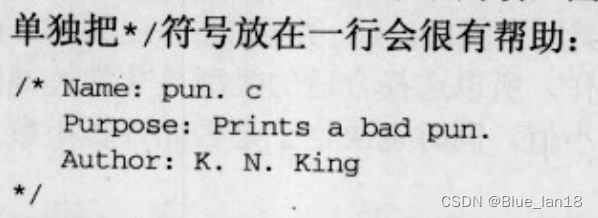
Method of C language annotation
![[video game training] non contact object size and shape measurement 2020 video game G](/img/b7/d70a702e52062e38176b589eb15415.jpg)
[video game training] non contact object size and shape measurement 2020 video game G
CA digital certificate

Graphic pipeline (I) post-processing stage alpha test template test depth test mix
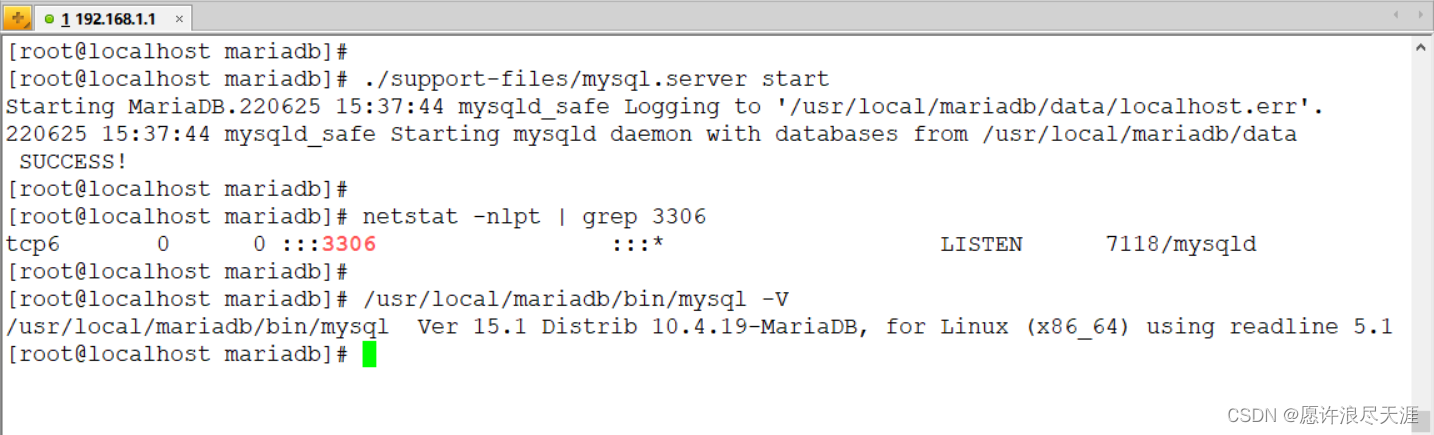
MariaDB database upgrade version

Centernet target detection model and centerfusion fusion target detection model

Introduction to several scenarios involving programming operation of Excel in SAP implementation project

随机推荐
Installation and use of appscan
Tutorial on principles and applications of database system (045) -- MySQL query (VII): aggregate function
C language writing specification
【数据挖掘工程师-笔试】2022年海尔 公司
What impact does the European "gas shortage" have on China?
Interviewer: if the order is not paid within 30 minutes after it is generated, it will be automatically cancelled. How to realize it?
C language macro definition
How to relieve the pillow quickly
[data mining engineer - written examination] Haier company in 2022
Classic example of C language - find the minimum number of banknotes
项目场景:nvidia-smi Unable to datemine the device handle for GPU 0000:01:00.0: Unknow Error
The salary of a tester who has worked for 3 years after job hopping is twice that of the original. The secret is
Are the top ten securities companies risky and safe to open accounts?
Dataframe.groupby learning materials
Image processing 1:rgb888_ YCbCr444
黑马程序员-接口测试-四天学习接口测试-第四天-Postman读取外部数据文件,读取数据文件数据,iHRM项目实战,员工管理模块,添加员工,批量运行测试用例,生成测试报告,
網絡系統實驗:ping不通的問題解决
《天幕红尘》笔记与思考(六)因缺而需
How to use mitmproxy to get data return in automated testing?
落枕如何快速缓解