当前位置:网站首页>zabbix邮件报警和微信报警
zabbix邮件报警和微信报警
2022-08-02 05:17:00 【掌九】
文章目录
配置zabbix邮件报警和微信报警。
一、邮件报警
1. 配置报警媒介类型


点击更新后,再次点击测试

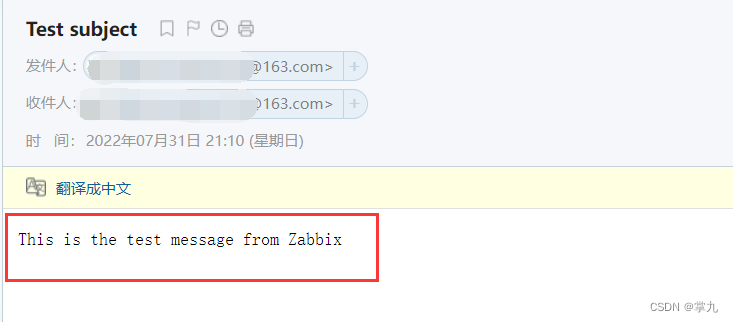
测试成功
2. 创建用户
创建用户组并设置权限

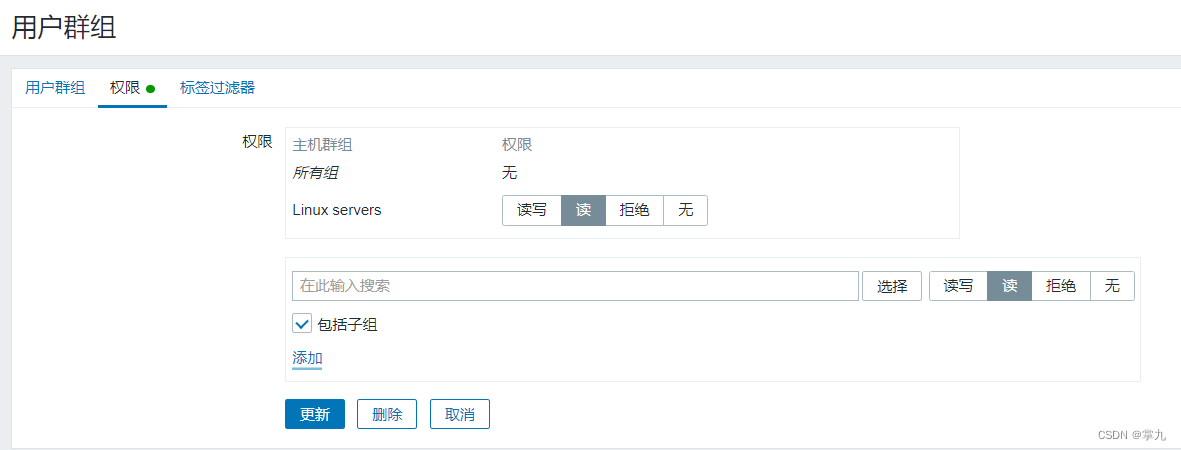
创建用户

添加报警媒介
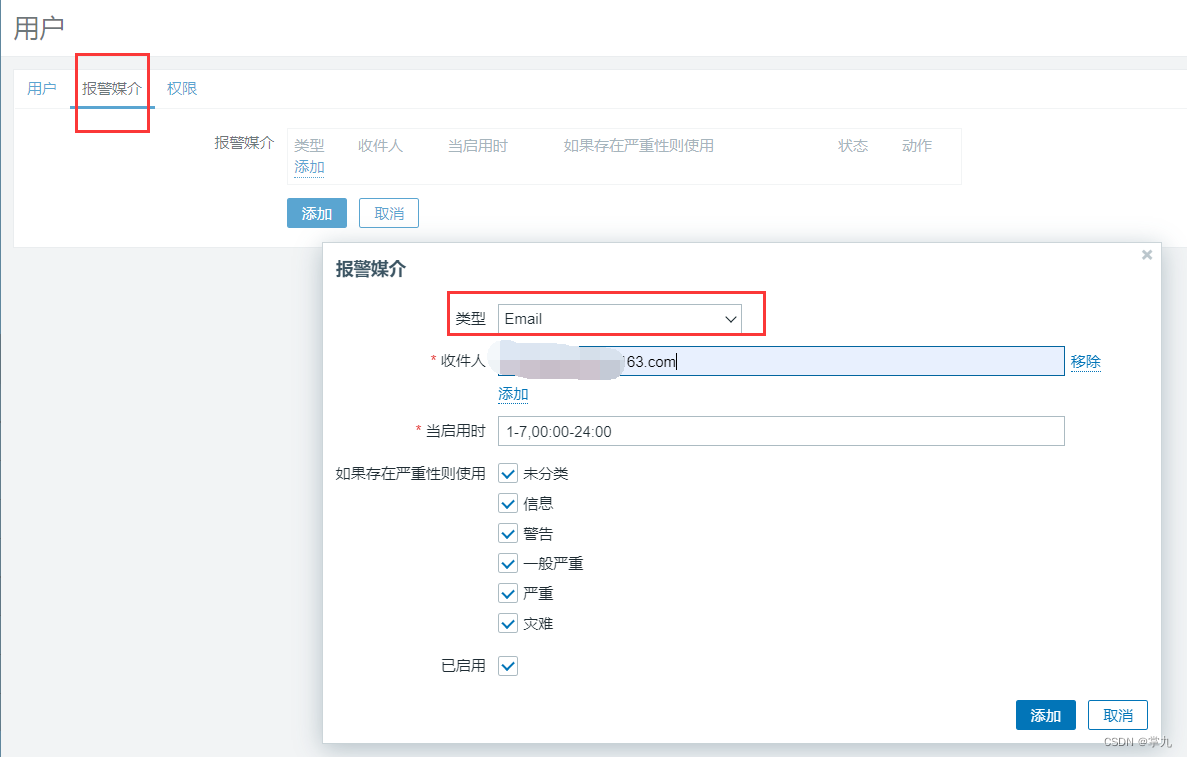
设置权限


3. 配置动作
1.创建主机组
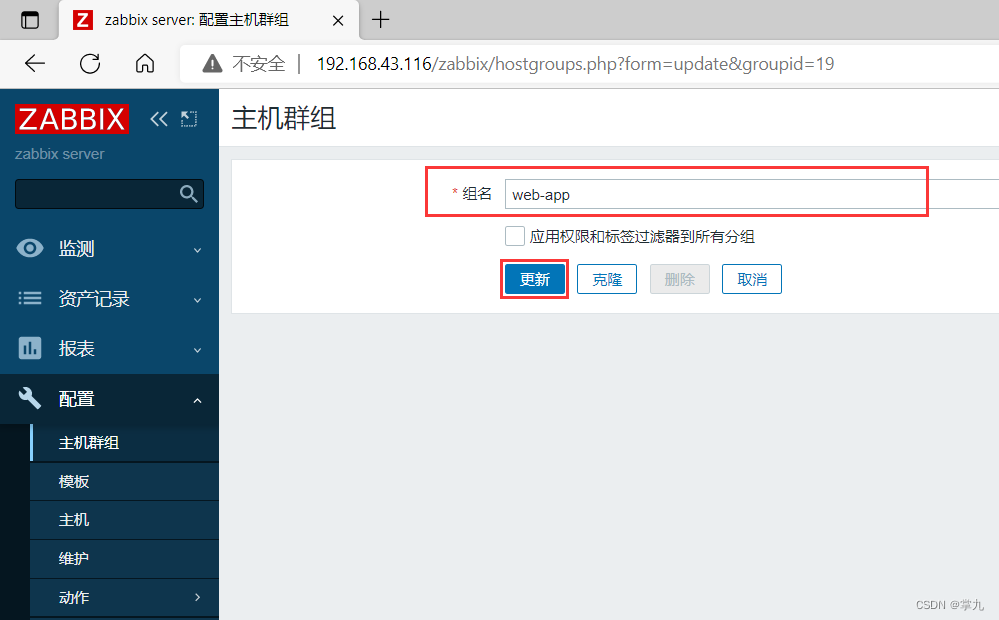
2.创建模板
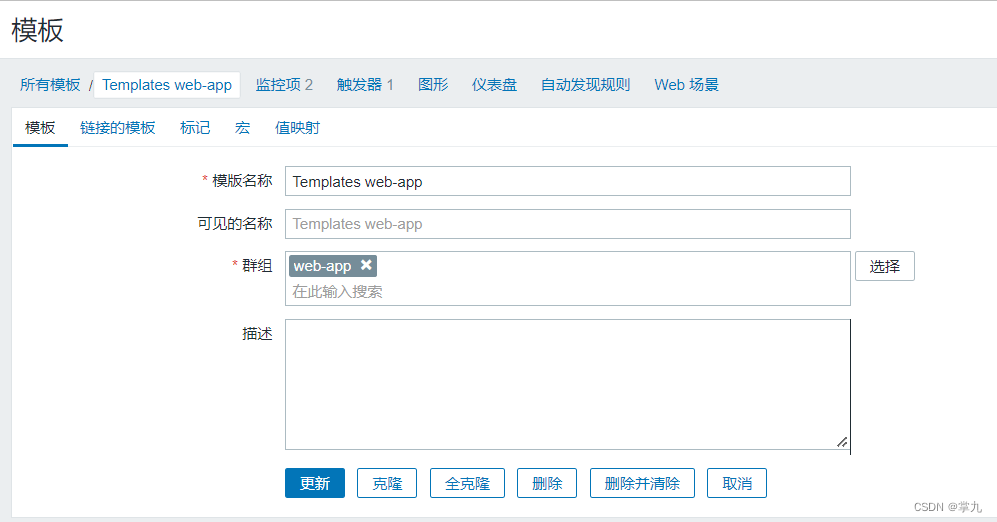
3.创建监控项
客户端
[[email protected] ~]# vim /etc/zabbix/zabbix_agent2.conf
###Option: UnsafeUserParameters
#Allow all characters to be passed in arguments to user-defined parameters.
#The following characters are not allowed:
#\ ' " ` * ? [ ] { } ~ $ ! & ; ( ) < > | # @
#Additionally, newline characters are not allowed.
#0 - do not allow
#1 - allow
#
#Mandatory: no
#Range: 0-1
#Default:
#UnsafeUserParameters=0
UnsafeUserParameters=1
###Option: UserParameter
#User-defined parameter to monitor. There can be several user-defined parameters.
#Format: UserParameter=<key>,<shell command>
#See 'zabbix_agentd' directory for examples.
#
#Mandatory: no
#Default:
#UserParameter=
UserParameter=os.login,who | wc -l

5.创建触发器

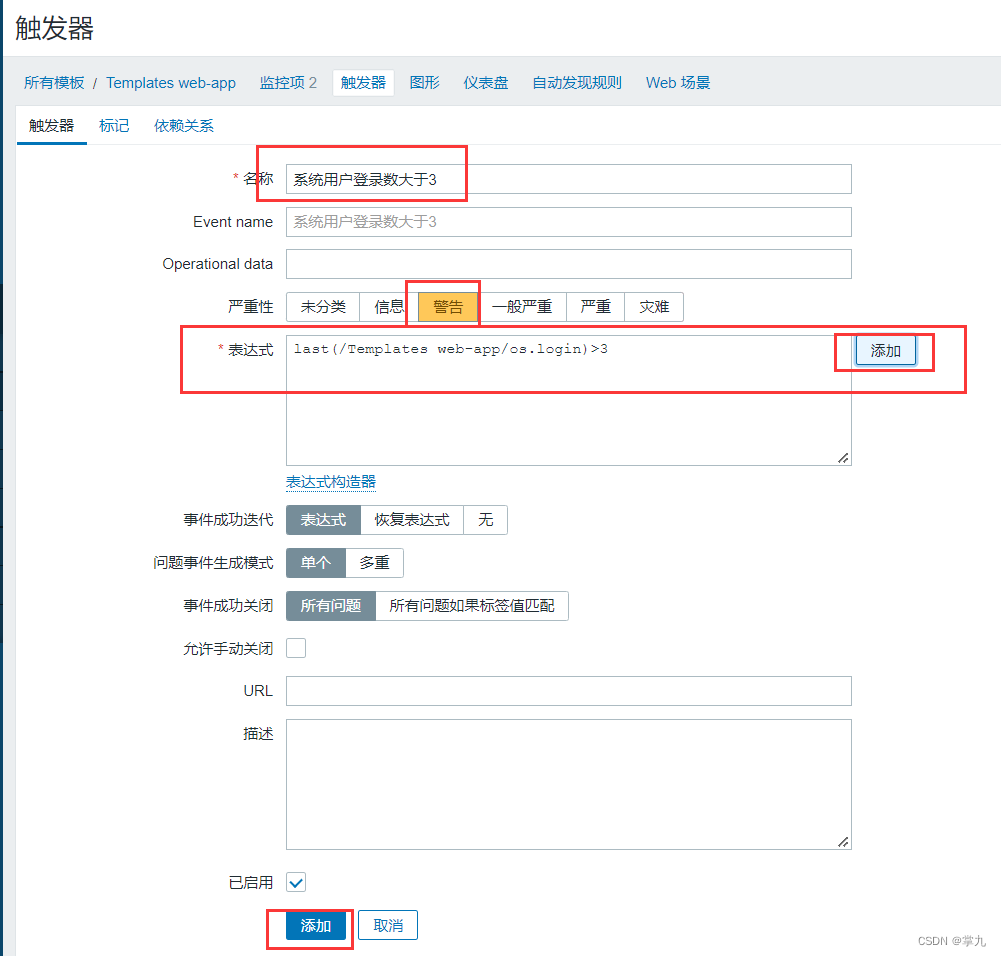
表达式: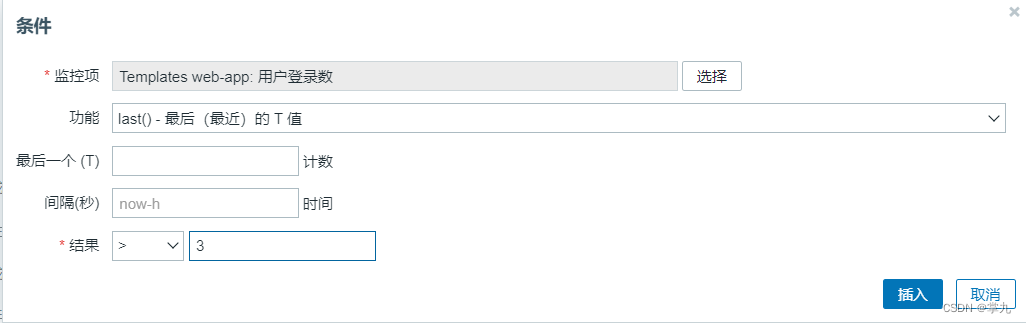
6.创建动作

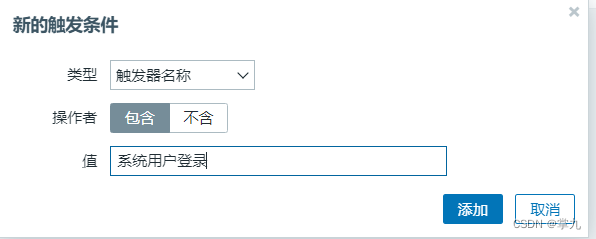
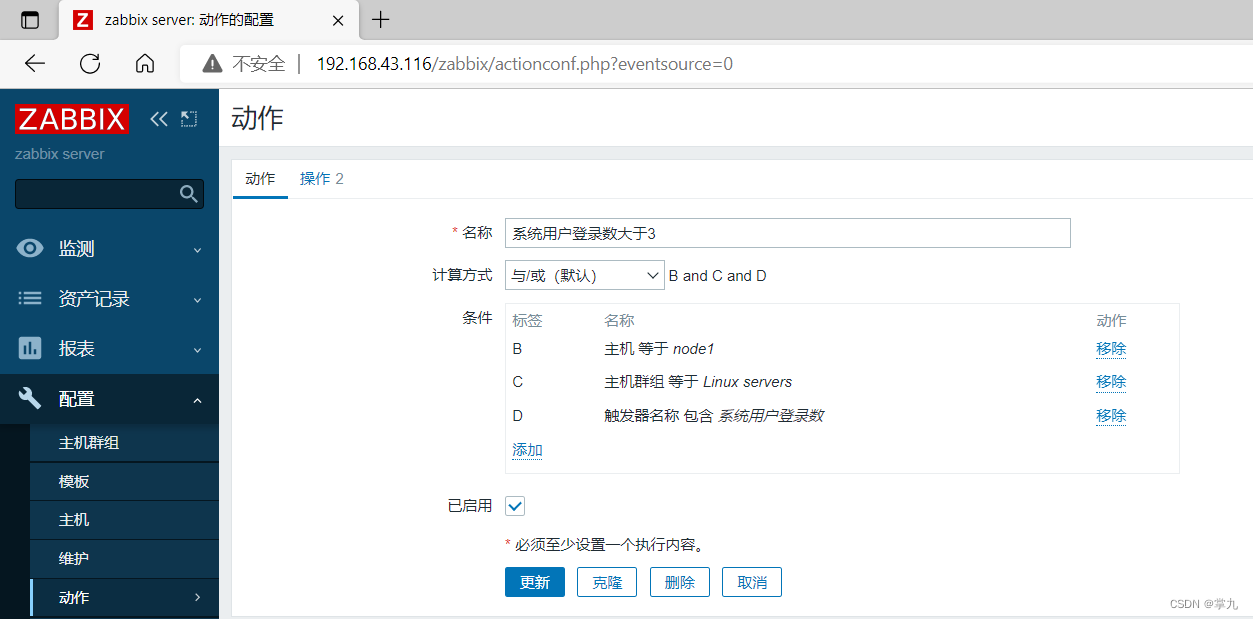
操作

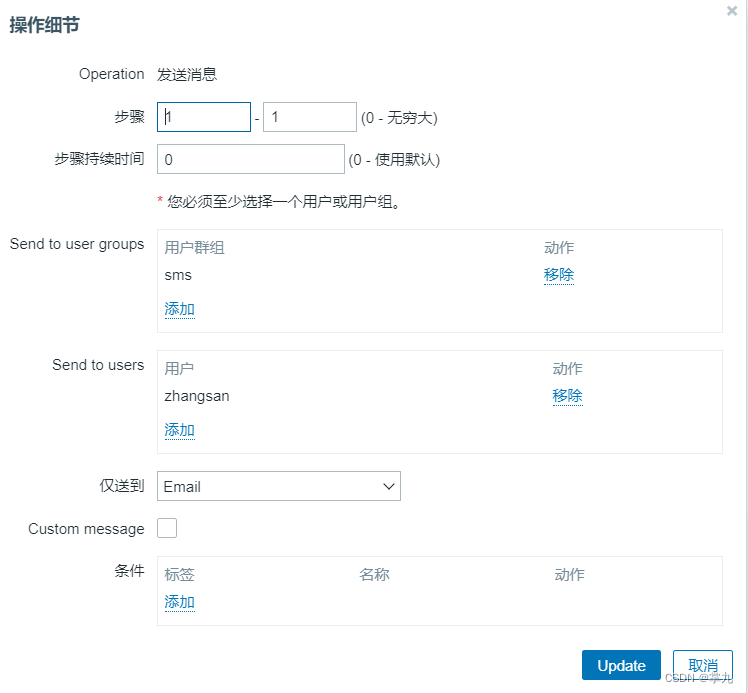


记得将模板给予node1主机
测试
复制会话数大于3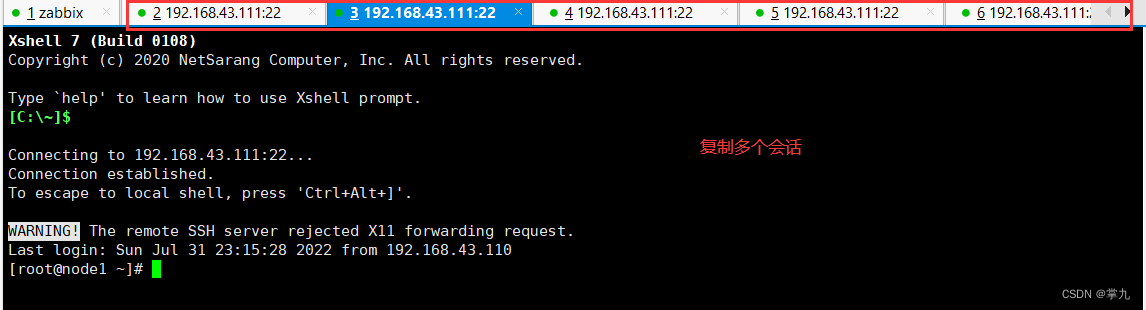
用用户zhangsan登录zabbix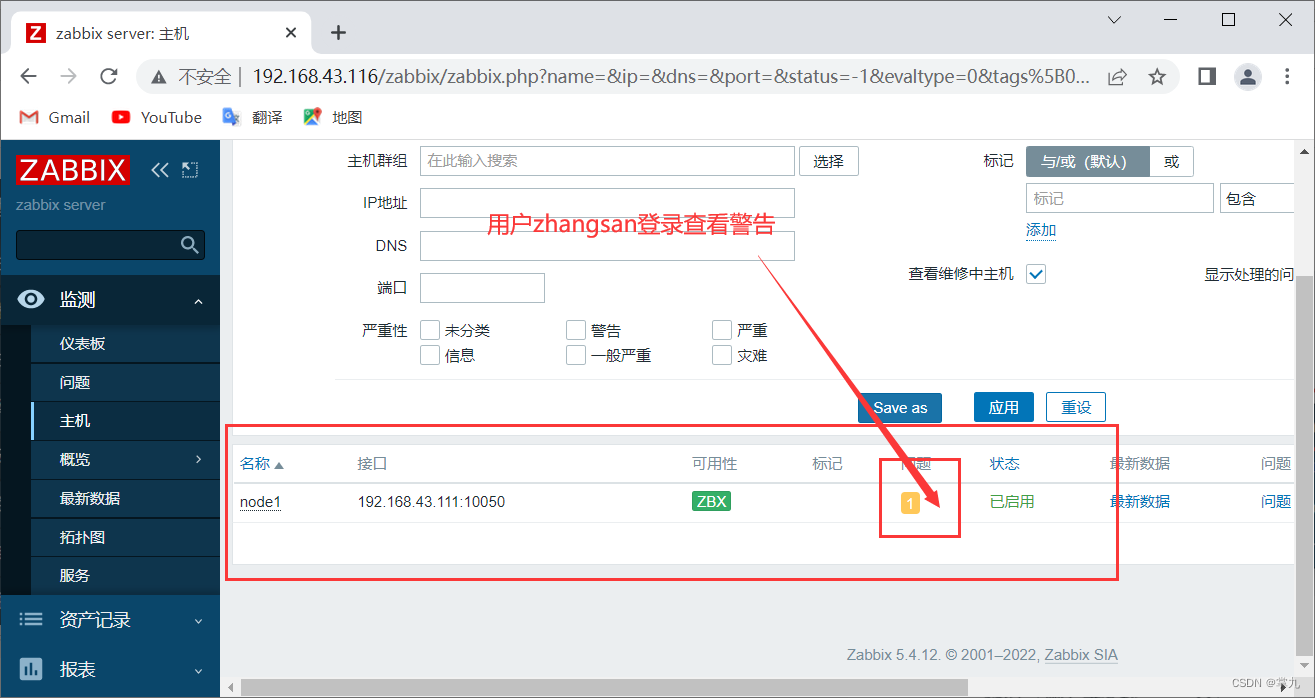
邮箱收件

删除复制的会话,警报解除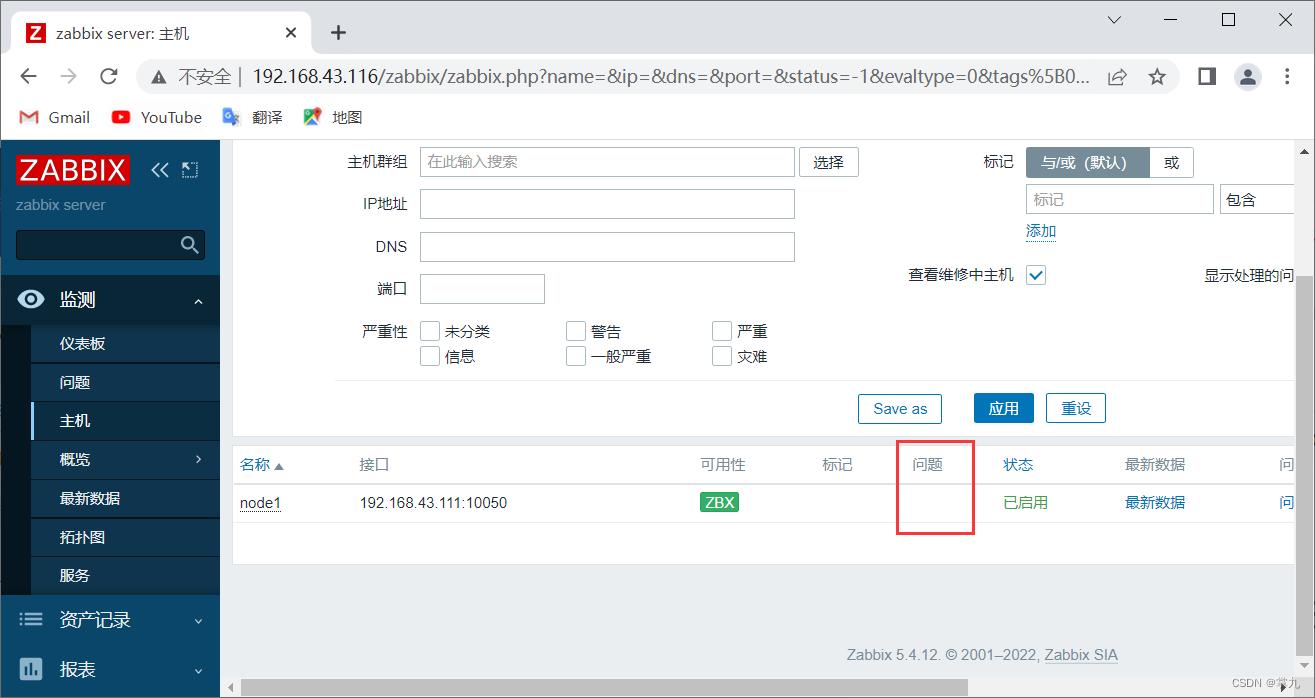
查看Admin用户
二、微信报警
1. 注册企业微信
链接: https://work.weixin.qq.com/

自测也可不添加成员
2. 添加一个部门
进入通讯录添加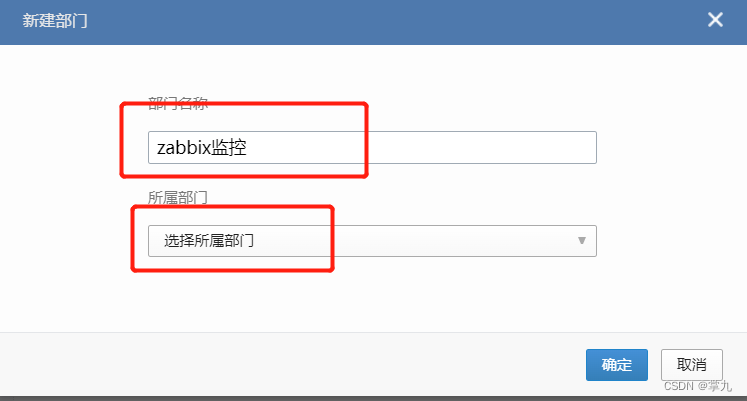
添加成员选择“其他部门导入”

3. 创建一个应用
进入应用管理
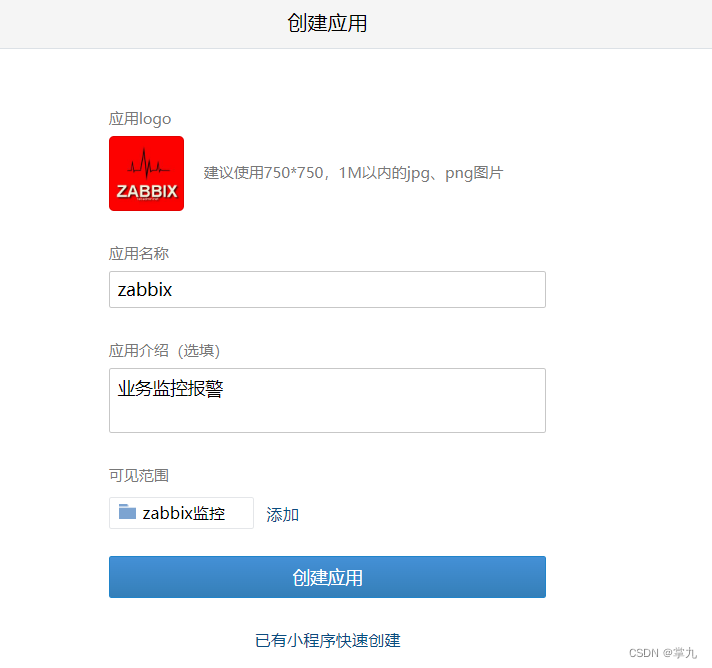
创建完记住AgentID和Secret:
记住企业ID:
4. 微信企业号接口调试工具
https://open.work.weixin.qq.com/wwopen/devtool/interface/combine
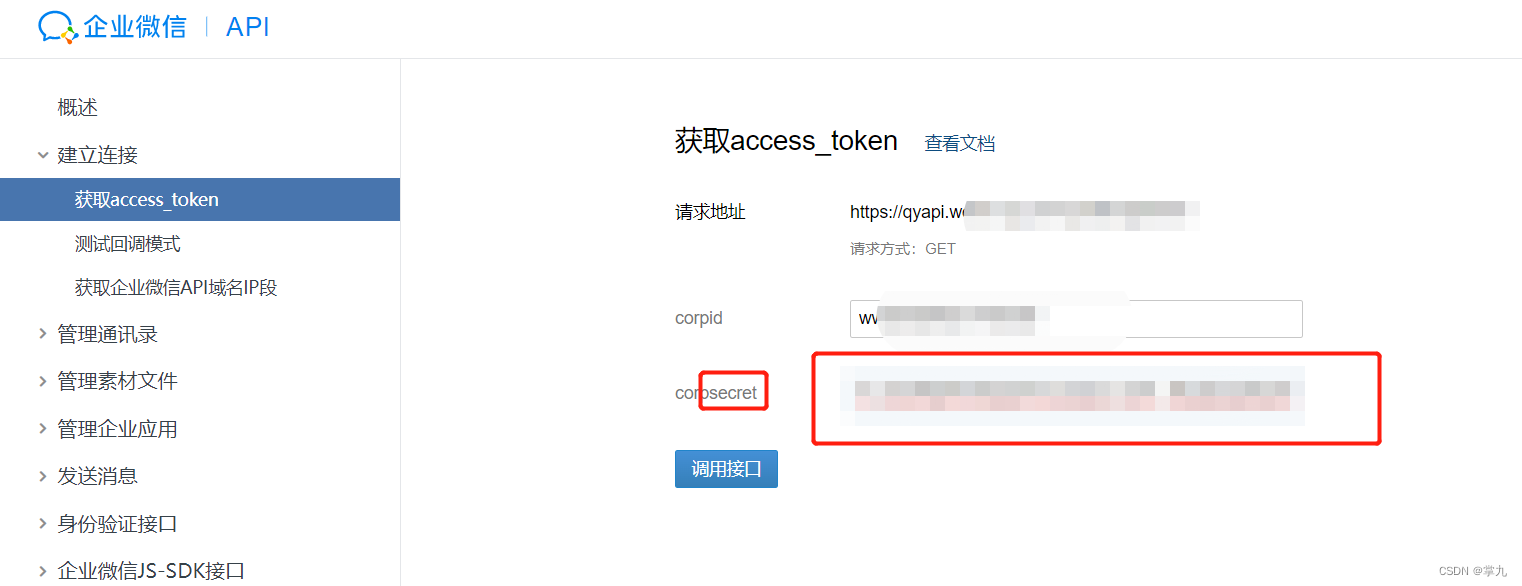
点击调用接口,显示OK即可
5. 配置脚本
服务端操作
[[email protected] ~]# dnf provides */pip3
Last metadata expiration check: 2:32:57 ago on Mon 01 Aug 2022 02:07:36 PM CST.
python3-pip-9.0.3-22.el8.rocky.0.noarch : A tool for installing and managing Python3 packages
Repo        : appstream
Matched from:
Filename    : /usr/share/bash-completion/completions/pip3

python36-3.6.8-38.module+el8.5.0+671+195e4563.x86_64 : Interpreter of the Python programming language
Repo        : appstream
Matched from:
Filename    : /usr/bin/pip3

python38-pip-19.3.1-5.module+el8.6.0+794+eba84017.noarch : A tool for installing and managing Python3 packages
Repo        : appstream
Matched from:
Filename    : /usr/bin/pip3

python39-pip-20.2.4-7.module+el8.6.0+795+de4edbcc.noarch : A tool for installing and managing Python3 packages
Repo        : appstream
Matched from:
Filename    : /usr/bin/pip3

[[email protected] ~]# dnf install python36-3.6.8-38.module+el8.5.0+671+195e4563.x86_64
进入指定目录下创建shell脚本
[ro[email protected] ~]# cd /usr/lib/zabbix/alertscripts/
[[email protected] alertscripts]# vim webchat.sh
[[email protected] alertscripts]# cat webchat.sh
#!/bin/bash
CorpID="wwd5931acb806b41890c" # 你的企业id
Secret="BbUbI_g_4zwvgYjlRinxBu5V_xK8R1VRT-QiNLYW5O0" #你的SecretID
GURL="https://qyapi.weixin.qq.com/cgi-bin/gettoken?corpid=$CorpID&corpsecret=$Secret"
Token=$(/usr/bin/curl -s -G $GURL |awk -F\": '{print $4}'|awk -F\" '{print $2}')
# echo $Token
PURL="https://qyapi.weixin.qq.com/cgi-bin/message/send?access_token=$Token"
function body(){
local int agentid=1000002 # 你的agentdid
local UserID="@all" # 发送的用户ID
local PartyID=1 # 部门ID
local Msg=$(echo "[email protected]" | cut -d" " -f3-) # 发送给所有人
printf '{\n'
printf '\t"touser": "'"$UserID"\"",\n"
printf '\t"toparty": "'"$PartyID"\"",\n"
printf '\t"msgtype": "text",\n'
printf '\t"agentid": "'"$agentid"\"",\n"
printf '\t"text": {\n'
printf '\t\t"content": "'"$Msg"\""\n"
printf '\t},\n'
printf '\t"safe":"0"\n'
printf '}\n'
}
/usr/bin/curl --data-ascii "$(body $1 $2 $3)" $PURL

[[email protected] alertscripts]# chmod +x webchat.sh
[[email protected] alertscripts]# chown zabbix.zabbix webchat.sh
[[email protected] alertscripts]# systemctl restart zabbix-server.service
[[email protected] alertscripts]# ./webchat.sh test123
{"errcode":60020,"errmsg":"not allow to access from your ip, hint
[1659346334640291099389903], from ip: 111.19.34.233, more info at
https://open.work.weixin.qq.com/devtool/query?e=60020"}[[email protected] alertscripts]#
发现错误60020
复制网址查看
https://open.work.weixin.qq.com/devtool/query?e=60020
进入应用管理>zabbix>企业可信IP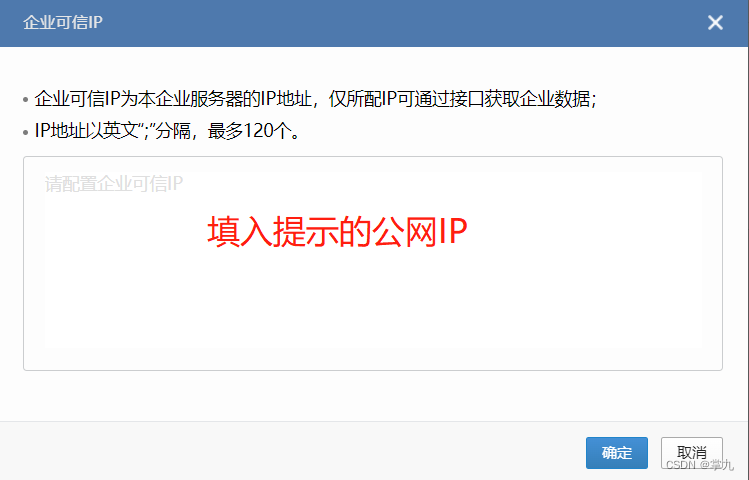
解决
[[email protected] alertscripts]# ./webchat.sh test123
{"errcode":0,"errmsg":"ok","msgid":"WpLDpQFMGSE843kRbNhgXXSkwRSv4Pitw4mtejX
IhGXxyByCLpHVi7TlK_didEkdb87tsQm5phjff8_ueWBWQ"}[[email protected] alertscripts]#
6. zabbix web界面中配置微信报警
进入:管理 > 报警媒介类型 > 创建媒体类型:
脚本参数
{ALERT.SENDTO}
{ALERT.SUBJECT}
{ALERT.MESSAGE}

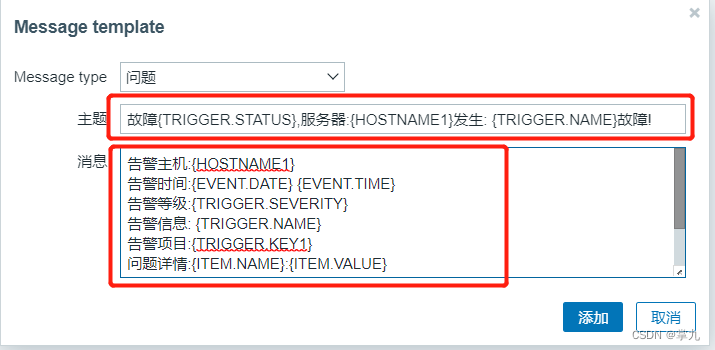
主题
故障{TRIGGER.STATUS},服务器:{HOSTNAME1}发生: {TRIGGER.NAME}故障!
消息
告警主机:{HOSTNAME1}
告警时间:{EVENT.DATE} {EVENT.TIME}
告警等级:{TRIGGER.SEVERITY}
告警信息: {TRIGGER.NAME}
告警项目:{TRIGGER.KEY1}
问题详情:{ITEM.NAME}:{ITEM.VALUE}
当前状态:{TRIGGER.STATUS}:{ITEM.VALUE1}
事件ID:{EVENT.ID}
再添加一个恢复
主题
恢复{TRIGGER.STATUS}, 服务器:{HOSTNAME1}: {TRIGGER.NAME}已恢复!
消息
告警主机:{HOSTNAME1}
告警时间:{EVENT.DATE} {EVENT.TIME}
告警等级:{TRIGGER.SEVERITY}
告警信息: {TRIGGER.NAME}
告警项目:{TRIGGER.KEY1}
问题详情:{ITEM.NAME}:{ITEM.VALUE}
当前状态:{TRIGGER.STATUS}:{ITEM.VALUE1}
事件ID:{EVENT.ID}

7. 用户和报警媒介关联

8.配置动作和操作


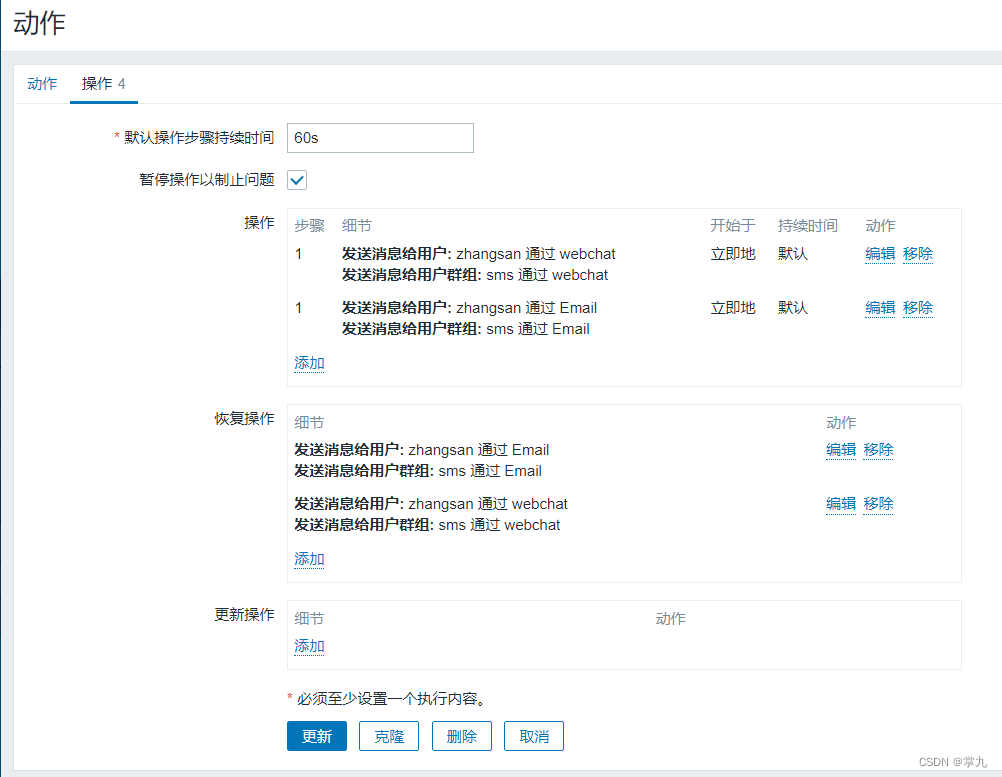

9.人为触发测试

恢复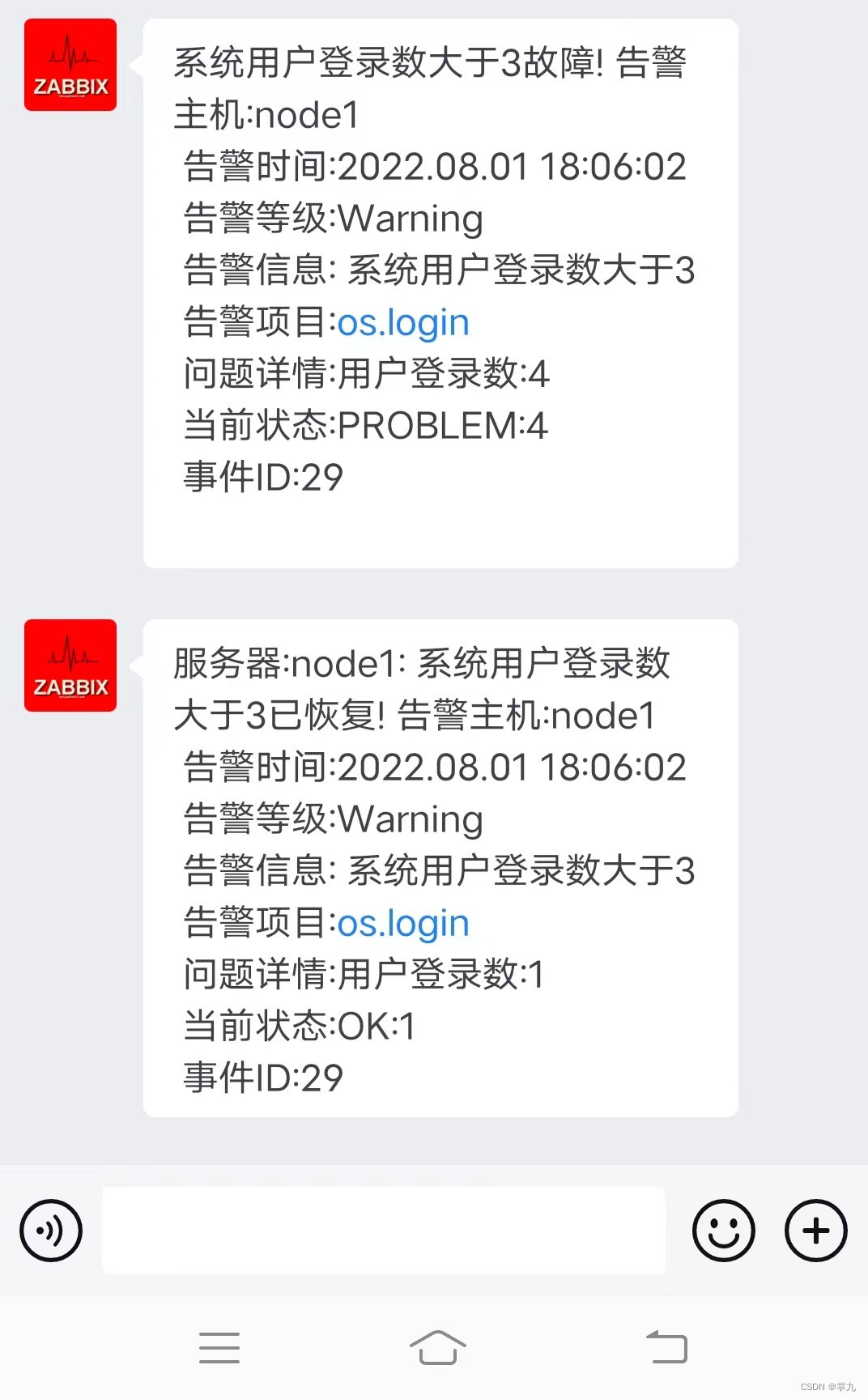
邮件
边栏推荐
- oracle 远程连接数据库
- C 竞赛——捕鱼
- Deep learning - CNN realizes the recognition of MNIST handwritten digits
- What are the ways to improve software testing capabilities?After reading this article, it will take you up a notch
- 淘系资深工程师整理的300+项学习资源清单(2021最新版)
- Redis集群模式
- Shuttle + Alluxio 加速内存Shuffle起飞
- How H5 realizes evoking APP
- Polar Parametrization for Vision-based Surround-View 3D Detection Paper Notes
- Mysql数据库 | 基于Docker搭建Mysql-8.0以上版本主从实例实战
猜你喜欢




随机推荐
go里面的基本知识
A list of 300+ learning resources compiled by senior engineers of the Tao Department (the latest version in 2021)
pytorch常用函数
非关系型数据库MongoDB的特点及安装
机器学习——支持向量机原理
The advantages of making web3d dynamic product display
There are more and more talents in software testing. Why are people still reluctant to take the road of software testing?
eggjs controller层调用controller层解决方案
Constructors, member variables, local variables
Detailed explanation of interface in Go language
5年在职经验之谈:2年功能测试、3年自动化测试,从入门到不可自拔...
驱动页面性能优化的3个有效策略
JUC(一)- JUC学习概览 - 对JUC有一个整体的认识
Integrate ssm (1)
制作web3d动态产品展示的优点
深度学习——CNN实现MNIST手写数字的识别
VMTK环境配置记录
双重for循环案例(用js打印九九乘法表)
Common functions of pytorch
coredns介绍