当前位置:网站首页>Member management applet actual development 07 page Jump
Member management applet actual development 07 page Jump
2022-07-01 00:26:00 【Low code preacher】
In the previous section, we introduced the life cycle functions and custom methods in low code , In this section, we introduce the page Jump in low code .
Page Jump
It is relatively simple to realize page Jump in low code , Add behavior directly to the component , Call the jump method of the platform . Open the editor of the application , Select the button component we set , Modify the text content of the component .
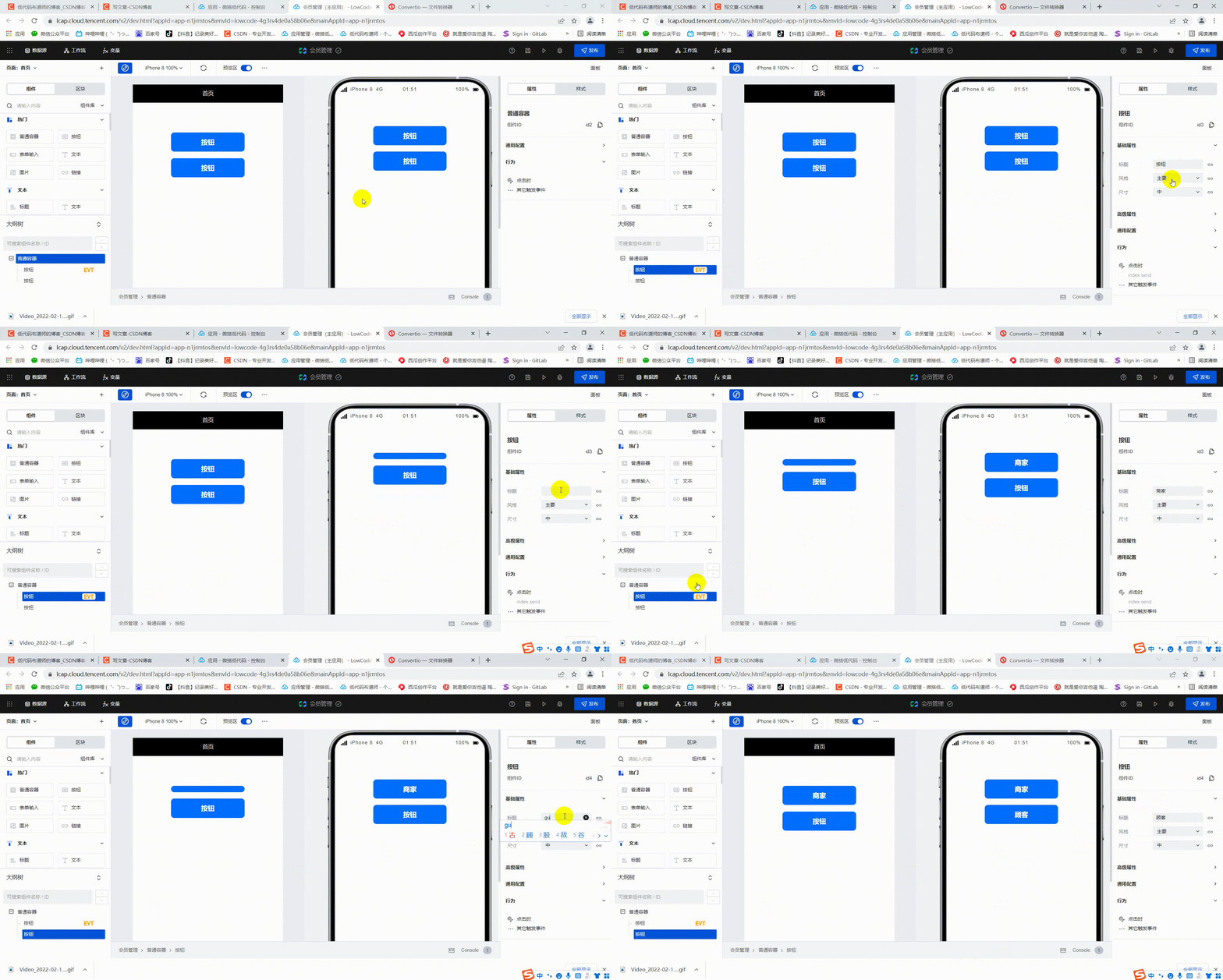
After the button text content is modified, we can add behavior to the button , Set it to jump to the page after clicking . In order to set the target page, we can first create two pages , The home page of the merchant side and the home page of the customer side . Click on the top left + No. create new page , Enter the page name and id .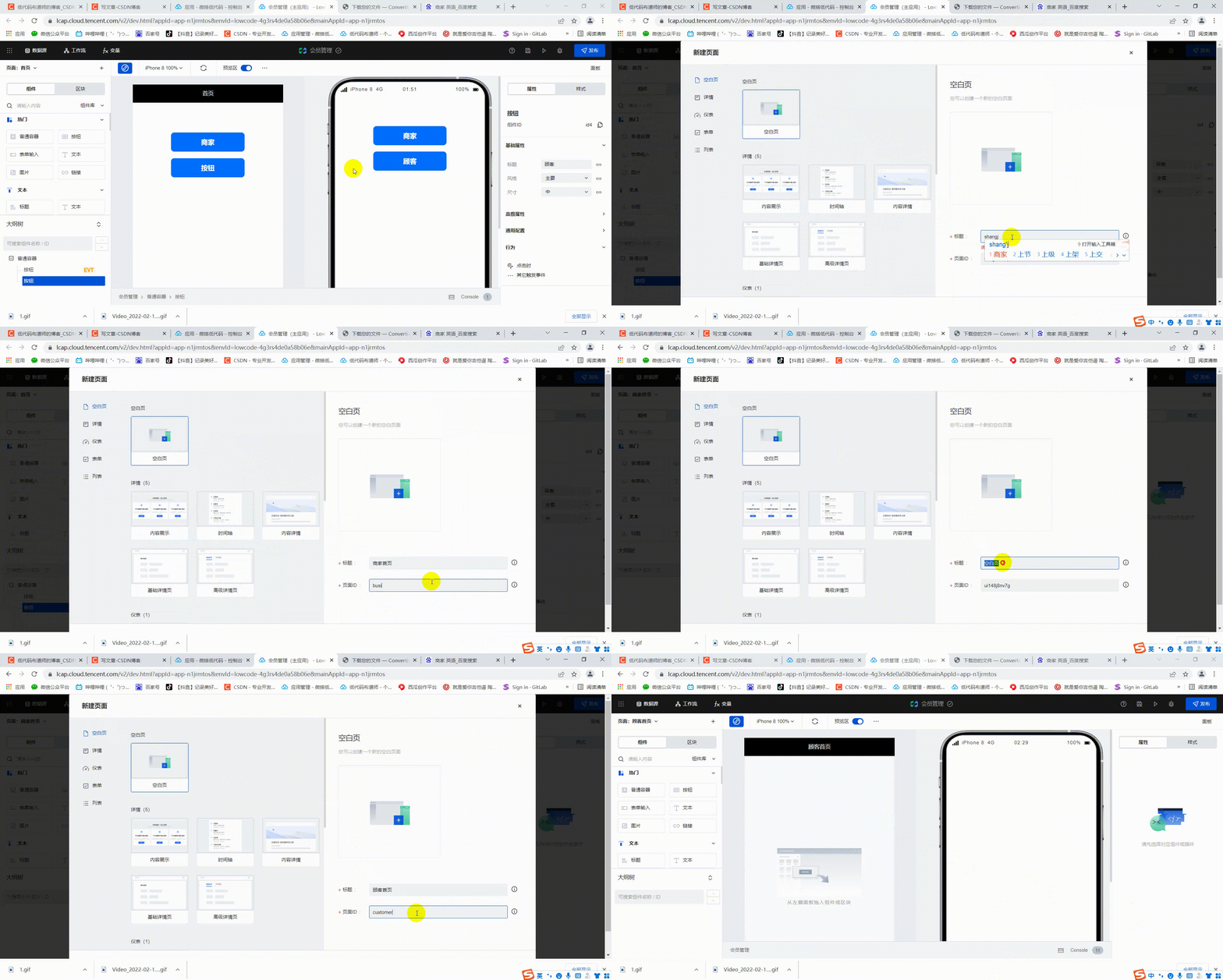
After the page is created, we can set the click event . Select the button component , Find the behavior in the property panel on the right . Click on Clicking time , In the pop-up interface, select the page to jump , Just set the page to jump 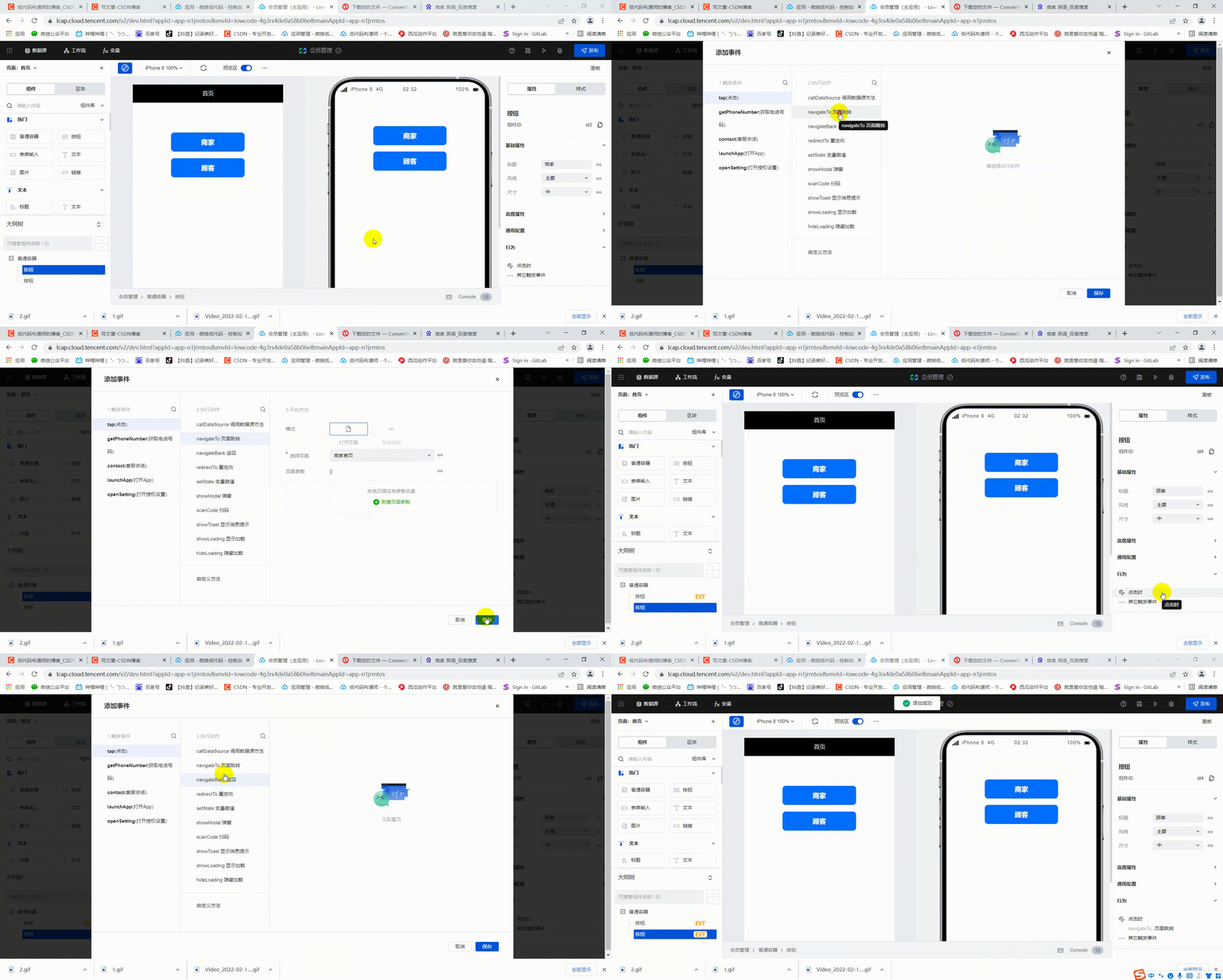
Get users openid
We just jump to the above page , Before jumping, we need to get the user's openid. Combined with the basic knowledge we introduced earlier , You need to call the custom connector when the applet starts to get openid.
Click on the menu bar in the upper left corner , Select low code editor 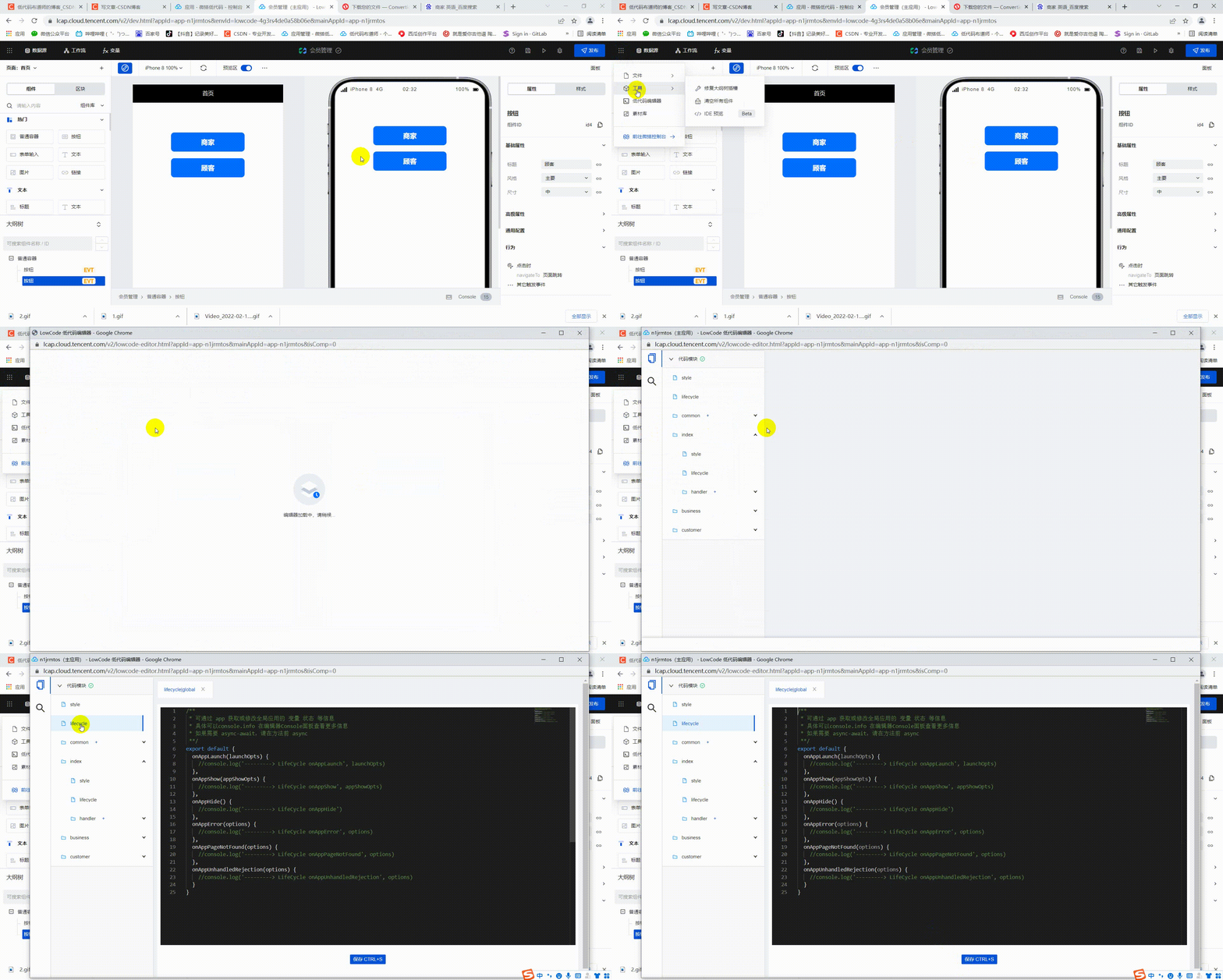 Paste the following code into the global lifecycle function
/** *  It can be done by  app  Get or modify the global application   Variable   state   Etc  *  The details can be console.info  In the editor Console Panel for more information  *  if necessary  async-await, Please before the method  async **/
export default {

  async onAppLaunch(launchOpts) {

    //console.log('---------> LifeCycle onAppLaunch', launchOpts)
    const result = await app.cloud.callConnector({

        name: 'getopenid_dopqiuw',
        methodName: 'getopenid',
        params: {
    }, //  Methods into the reference
    });
    console.log(result)
  },
  onAppShow(appShowOpts) {

    //console.log('---------> LifeCycle onAppShow', appShowOpts)
  },
  onAppHide() {

    //console.log('---------> LifeCycle onAppHide')
  },
  onAppError(options) {

    //console.log('---------> LifeCycle onAppError', options)
  },
  onAppPageNotFound(options) {

    //console.log('---------> LifeCycle onAppPageNotFound', options)
  },
  onAppUnhandledRejection(options) {

    //console.log('---------> LifeCycle onAppUnhandledRejection', options)
  }
}
After the save , We can see that the console has output appid,openid It needs to take effect in the applet 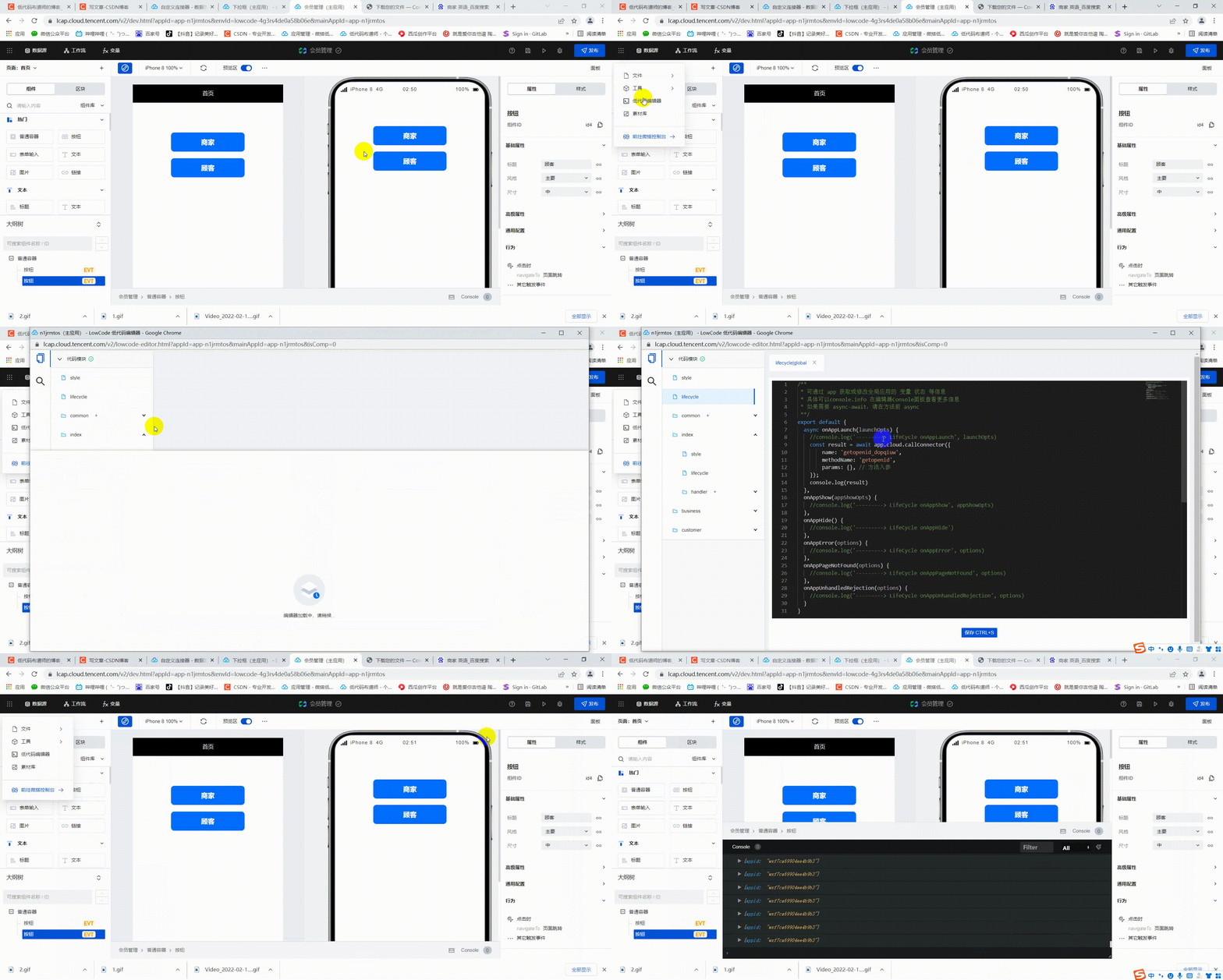
Now there's a problem with getting openid Where do you want to deposit it ? We can define a global variable to store . Click the variable in the navigation bar , Create a global variable openid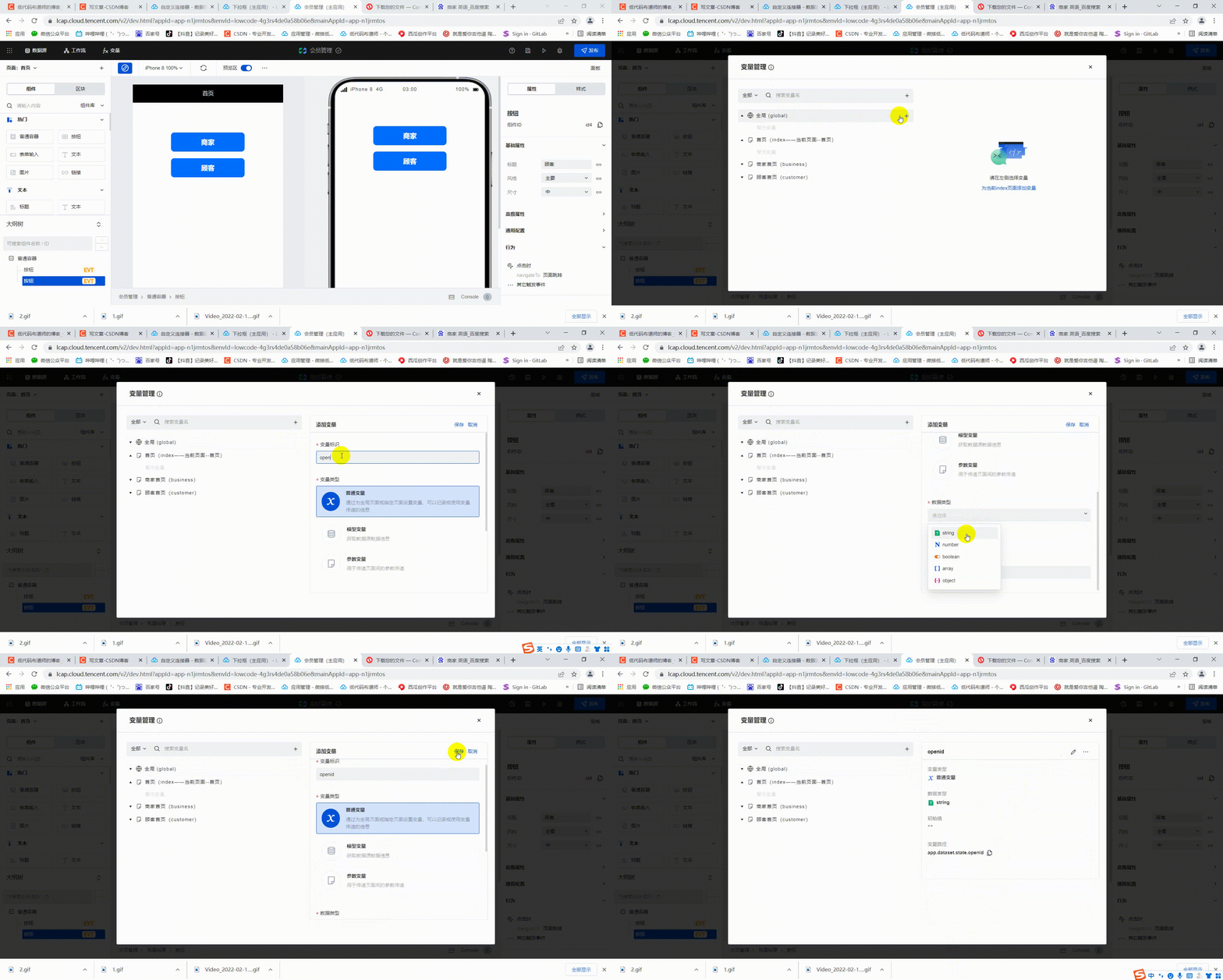
After the variable is defined, we can copy the path of the variable , Assign value in the life cycle function 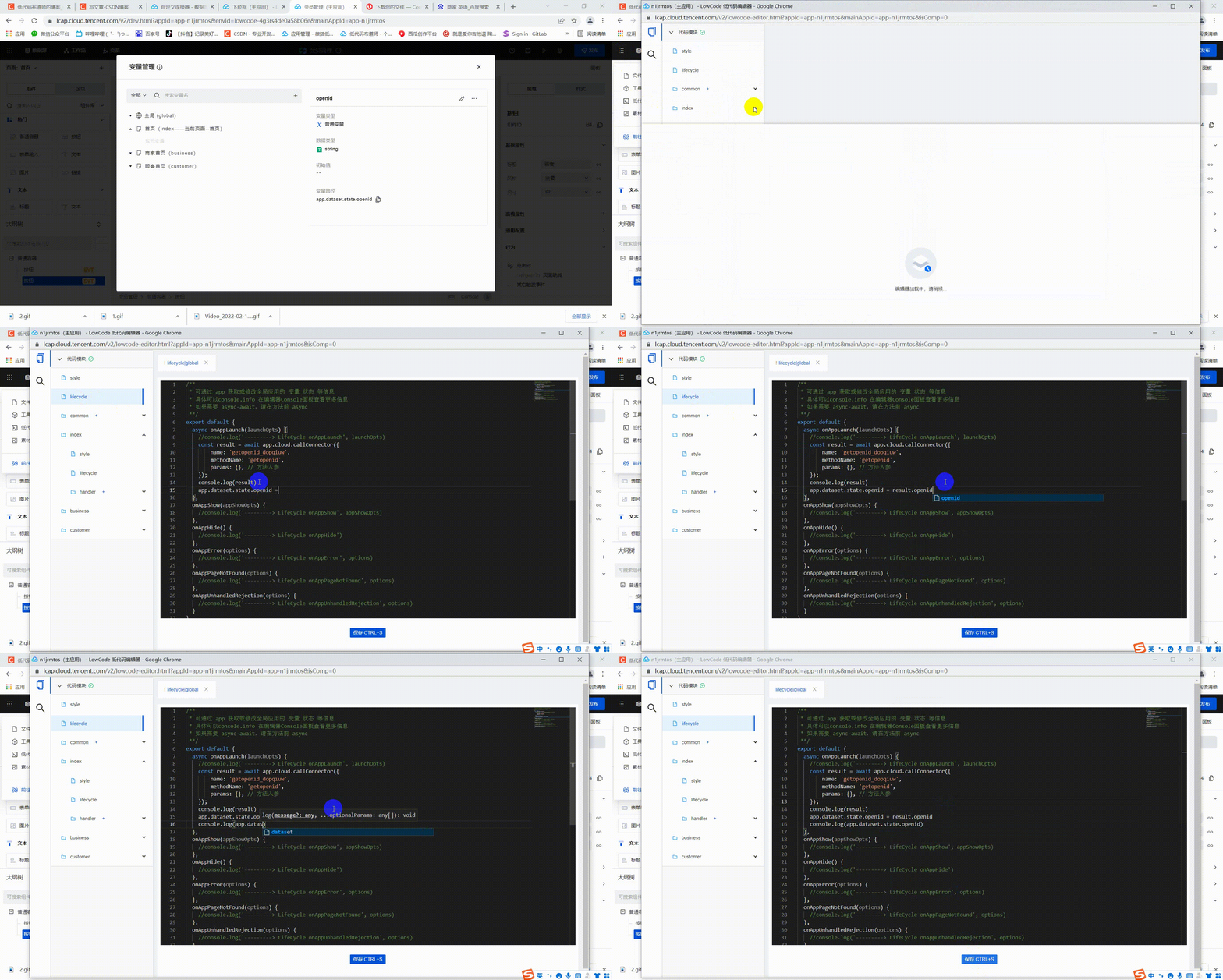
Final code :
/** *  It can be done by  app  Get or modify the global application   Variable   state   Etc  *  The details can be console.info  In the editor Console Panel for more information  *  if necessary  async-await, Please before the method  async **/
export default {

  async onAppLaunch(launchOpts) {

    //console.log('---------> LifeCycle onAppLaunch', launchOpts)
    const result = await app.cloud.callConnector({

        name: 'getopenid_dopqiuw',
        methodName: 'getopenid',
        params: {
    }, //  Methods into the reference
    });
    console.log(result)
    app.dataset.state.openid = result.openid
    console.log(app.dataset.state.openid)
  },
  onAppShow(appShowOpts) {

    //console.log('---------> LifeCycle onAppShow', appShowOpts)
  },
  onAppHide() {

    //console.log('---------> LifeCycle onAppHide')
  },
  onAppError(options) {

    //console.log('---------> LifeCycle onAppError', options)
  },
  onAppPageNotFound(options) {

    //console.log('---------> LifeCycle onAppPageNotFound', options)
  },
  onAppUnhandledRejection(options) {

    //console.log('---------> LifeCycle onAppUnhandledRejection', options)
  }
}
How to check the specific effect ? Click the Publish button on the navigation bar , Select the applet to be published as an experience version 
How to debug small programs ? First open your applet , Click the icon of three points in the upper right corner 
In the pop-up window, select the development and debugging menu 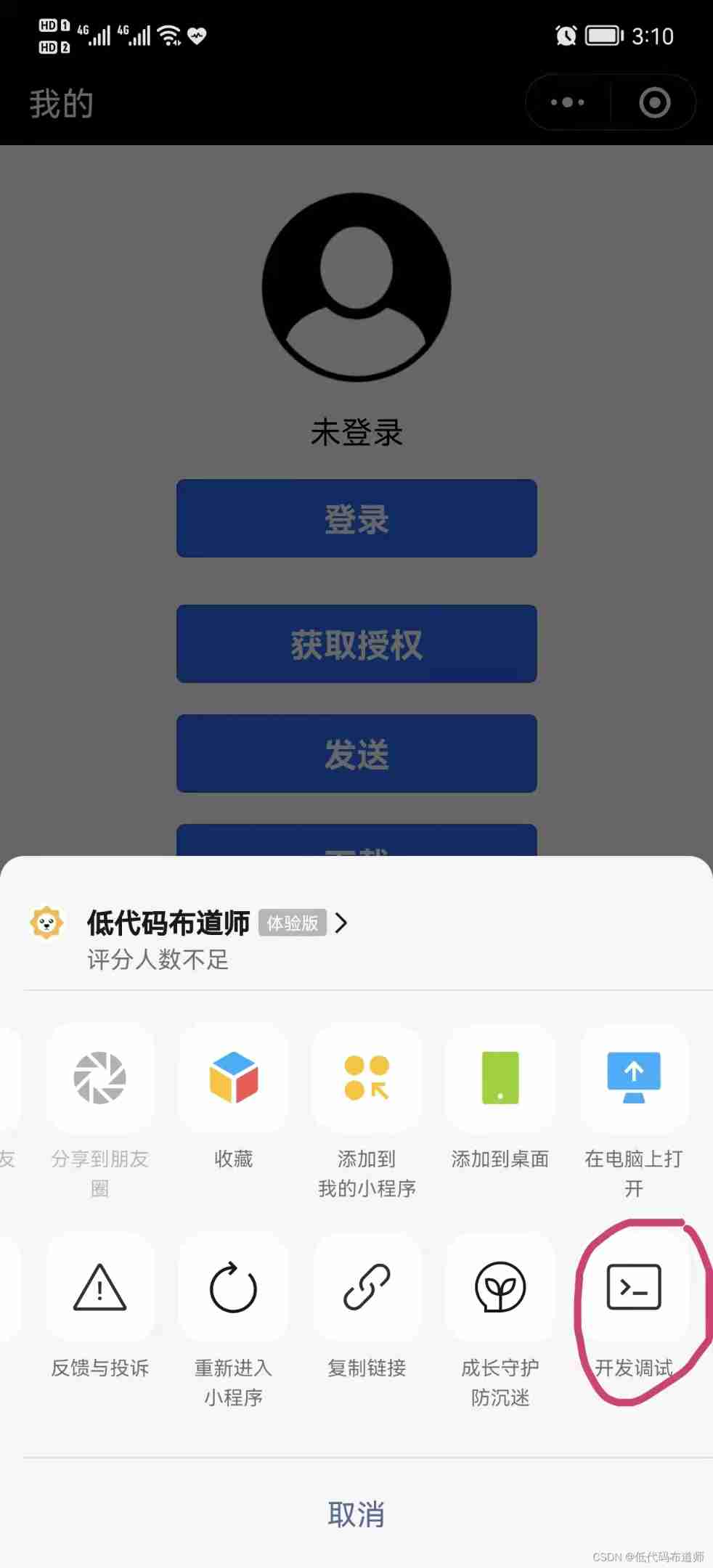
After clicking, a... Will appear in the lower right corner of the applet vConsole The icon 
Click this icon to see the debugging window , We usually use in our code console.log The printed information will appear here . Skillfully use console.log Printing variable information is also the basic skill of development , Basically, you can solve most problems by printing information .
Well, that's all for this section , Follow the above steps to try it for yourself . If you feel useful, remember to praise 、 Follow and comment . See you next time .
边栏推荐
- Error 2059 when Navicat connects to MySQL
- 2022-2028 global carbon fiber room scraper system industry research and trend analysis report
- Solving the weird problem that the query conditions affect the value of query fields in MySQL query
- C# /platform:anycpu32bitpreferred 只能与 /t:exe、/t:winexe 和 /t:appcontainerexe 一起使用
- 20220216 misc buuctf another world WinHex, ASCII conversion flag zip file extraction and repair if you give me three days of brightness zip to rar, Morse code waveform conversion mysterious tornado br
- [leetcode] [SQL] notes
- Teach you how to use Hal library to get started -- become a lighting master
- Detailed explanation of conv2d -- use in arrays and images
- MySQL variables, stored procedures and functions
- Longest valid bracket
猜你喜欢

MySQL variables, stored procedures and functions

To tell you the truth, ThreadLocal is really not an advanced thing

深入理解 Jetpack Compose 内核:SlotTable 系统
How to edit special effects in VR panorama? How to display detailed functions?

Detailed explanation of conv2d -- use in arrays and images

New trend of embedded software development: Devops

Gateway service gateway

2022-2028 global retro glass industry research and trend analysis report

C WinForm program interface optimization example

Software engineering best practices - project requirements analysis
随机推荐
Thoughts on the future of data analysis in "miscellaneous talk"
2022-2028 global PTFE lined valve industry research and trend analysis report
Mysql database query optimization
2022-2028 global rotary transmission system industry research and trend analysis report
Using Excel to quickly generate SQL statements
Teach you how to use Hal library to get started -- become a lighting master
ABAQUS 2022 latest edition - perfect realistic simulation solution
[NLP] [textcnn] text classification
2022-2028 global electric yacht industry research and trend analysis report
Plot size and resolution with R markdown, knitr, pandoc, beamer
Can SQL execution be written in tidb dashboard
2022-2028 global rampant travel industry research and trend analysis report
1. crawler's beautifulsoup parsing library & online parsing image verification code
Implementation of OSD on Hisilicon platform (1)
2022-2028 global encrypted external hard disk industry research and trend analysis report
VR panorama adds contrast function to make the display of differentiation effect more intuitive!
Arthas debugging problem determination Toolkit
What is SRM system and how to standardize the internal procurement process of the company
Why did kubernetes win? The changes in the container circle!
高等数学建模