当前位置:网站首页>MySQL 8.0.29 decompressed version installation tutorial (valid for personal testing)
MySQL 8.0.29 decompressed version installation tutorial (valid for personal testing)
2022-07-30 21:36:00 【front end cry】
For friends who cannot install Mysql Install without Visual C++ 2019.exe on their computer, this detailed step will be more clear~
1. Download (official website: MySQL) Click "MySQL" in bracketsjump.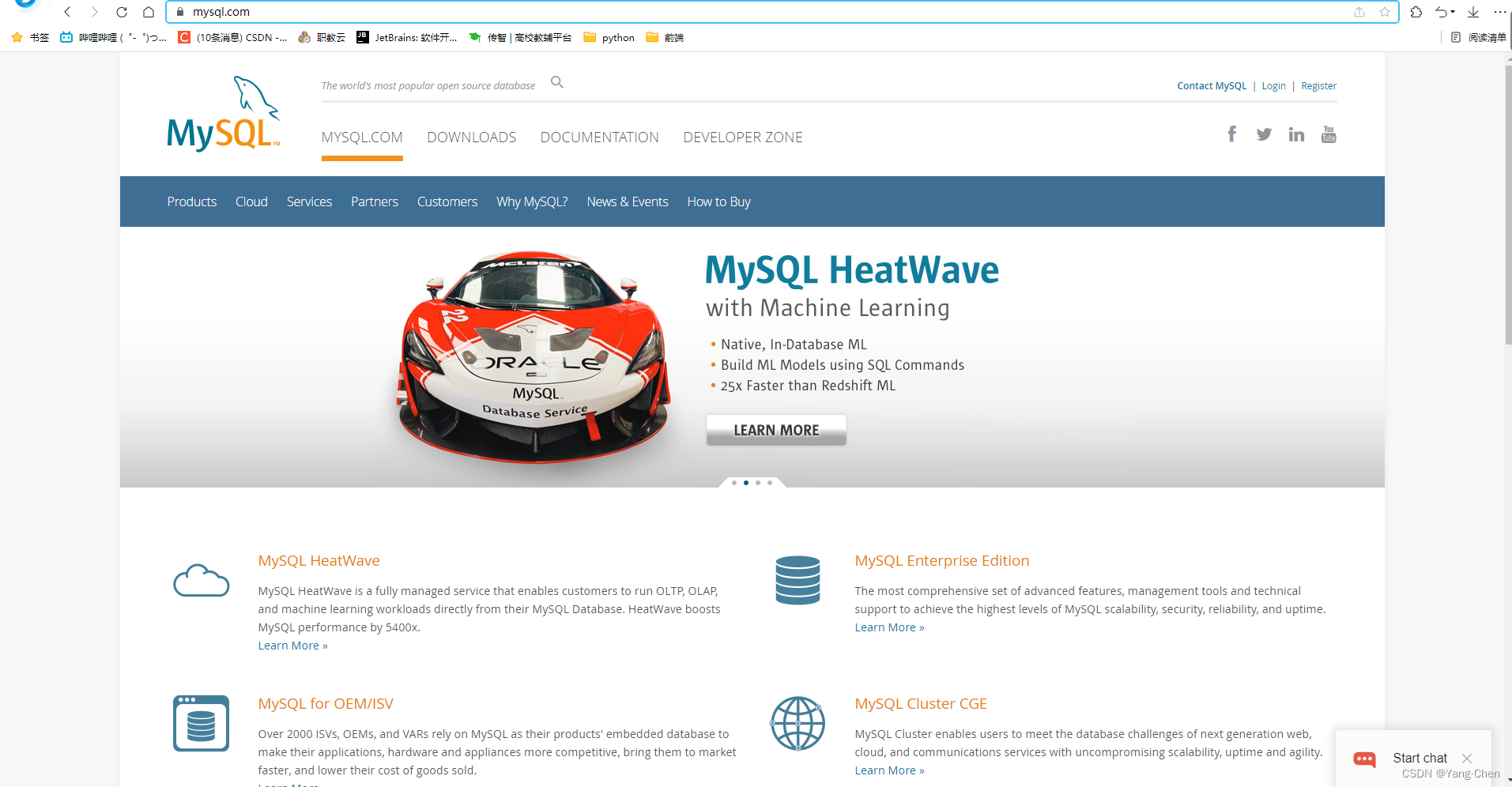
Slide the page to the bottom and click on the image.

Click: Download to download

Click on the picture and it's ok, you can start downloading!

Second, unzip, here are some operations: (Unzip the downloaded file and place it in your favorite location, the location of the author's file: C:Program FilesMySQLmysql-8.0.29-winx64) ProvidedLearn from
(1) Create a file named "my.ini" and edit it (if the file cannot be created in the C drive, it can be created on the desktop):
[mysql]# Set the default character set of the mysql clientdefault-character-set=utf8[mysqld]# set port 3306port=3306# Set the installation directory of mysqlbasedir = C:\Program Files\MySQL\mysql-8.0.29-winx64\# Set the storage directory for the data of the mysql databasedatadir = C:\Program Files\MySQL\mysql-8.0.29-winx64\data# maximum number of connections allowedmax_connections=20# The character set used by the server defaults to the 8-bit encoded latin1 character setcharacter-set-server=utf8# The default storage engine that will be used when creating new tablesdefault-storage-engine=INNODB# create schemasql_mode = NO_ENGINE_SUBSTITUTION,STRICT_TRANS_TABLESC:\Program Files\MySQL\mysql-8.0.29-winx64\ This directory must be "\", don't make it "" or an error will be reported,
Mysq installation directory and data storage directory must beModify it to the directory you set yourself, unless the directory you set is the same as above.
(2) Drag the edited "myini" file into the decompressed file (in line with bin and other directories)
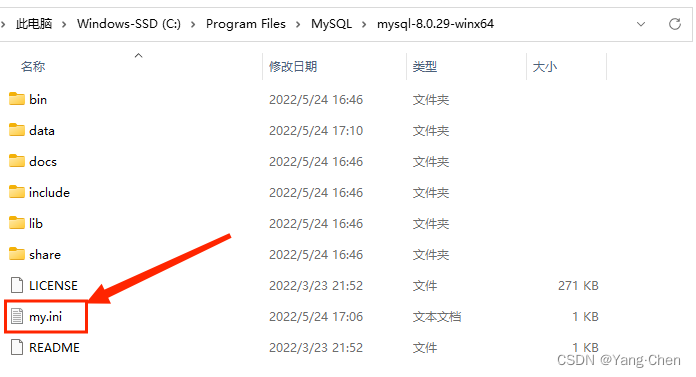
(3) Configure MySQL environment variables:

Create a new system variable in the system variable, fill in the corresponding information, and click OK.
MYSQL_HOMEC:Program FilesMySQLmysql-8.0.29-winx64 # This is the upper level directory of bin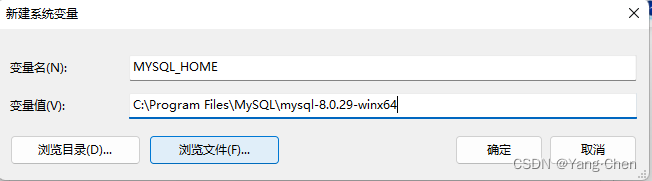
Then, look for Path in the system variables, click Edit, add it at the bottom, click OK, and exit the next time.
%MYSQL_HOME%bin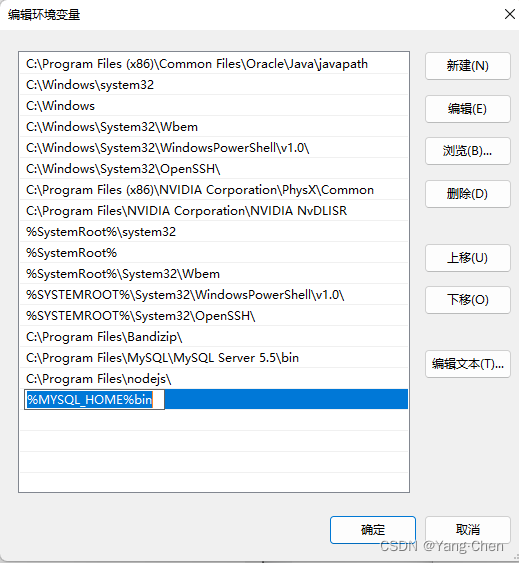
Third, run cmd as an administrator and perform the following operations:
(1) Switch to the bin directory of mysql:
===========================================================After opening cmd, the default is: C:Users8690>If the previously decompressed files are placed in the D drive, first enter: d: to jump to the D driveOn input: cd:filepathGo to the bin directory cd C:Program FilesMySQLmysql-8.0.29-winx64inC:Program FilesMySQLmysql-8.0.29-winx64in>That's it!============================================================
(2) Execute the mysqld --initialize command. At this time, a new directory data will be generated in the same level directory of bin. Click data to view the .err file, and you can see the random password generated by the root user;
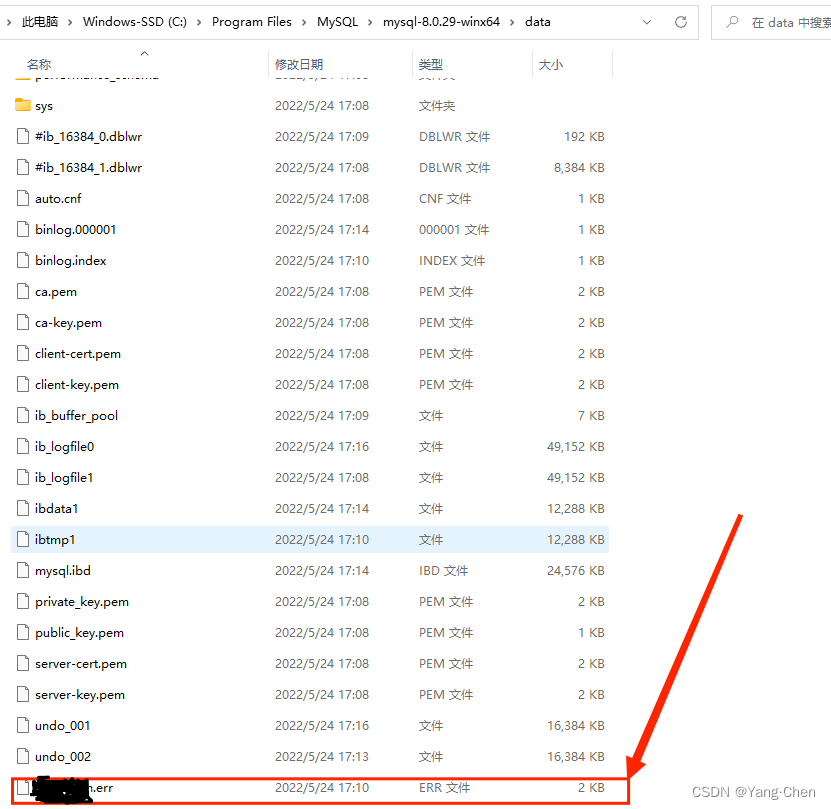
If you can't edit it directly, you can copy and drag it to the desktop to view it. The target box is: the random password generated by the root user

(3) Execute the mysqld --install command to install the mysqld service:
mysqld --install(4) Execute the net start mysql command to start the mysql service:
net start mysql(5) Execute the mysql -u root -p command, connect to the mysql database, and enter the above randomly generated password (the password here can only be "knocked by hand"):
mysql -u root -p(6) Execute sql reset root password operation:
mysql> alter user 'root'@'localhost' identified with mysql_native_password by 'new password';tips:
- mysqld --initialize-insecure automatically generates a passwordless root user;
- mysqld --initialize automatically generates a root user with a random password;
- mysqld -remove removes its own mysqld service;
- net stop mysql command, stop mysql service
- If an error is reported, please delete the data folder and perform the above operations again
Let me introduce myself first. The editor graduated from Shanghai Jiaotong University in 2013. I worked in a small company and went to big factories such as Huawei and OPPO. I joined Alibaba in 2018, until now.I know that most junior and intermediate java engineers want to upgrade their skills, they often need to explore their own growth or sign up to study, but for training institutions, the tuition fee is nearly 10,000 yuan, which is really stressful.Self-learning that is not systematic is very inefficient and lengthy, and it is easy to hit the ceiling and the technology stops.Therefore, I collected a "full set of learning materials for java development" for everyone. The original intention is also very simple. I hope to help friends who want to learn by themselves but don't know where to start, and at the same time reduce everyone's burden.Add the business card below to get a full set of learning materials
边栏推荐
- Google Earth Engine ——
- Qt 同时生成动态库和静态库
- 3分钟带你了解微信小程序开发
- DPW-SDNet: Dual Pixel-Wavelet Domain Deep CNNs for Soft Decoding of JPEG-Compressed Images
- JUC原子类详解
- mysql创建表
- 史上最全的Redis基础+进阶项目实战总结笔记
- Solve the problem of centos8 MySQL password ERROR 1820 (HY000) You must reset your password using the ALTER USER
- LeetCode·Daily Question·952. Calculate Maximum Component Size by Common Factor·Union Check
- IDEA2018.3.5 cancel double-click Shift shortcut
猜你喜欢
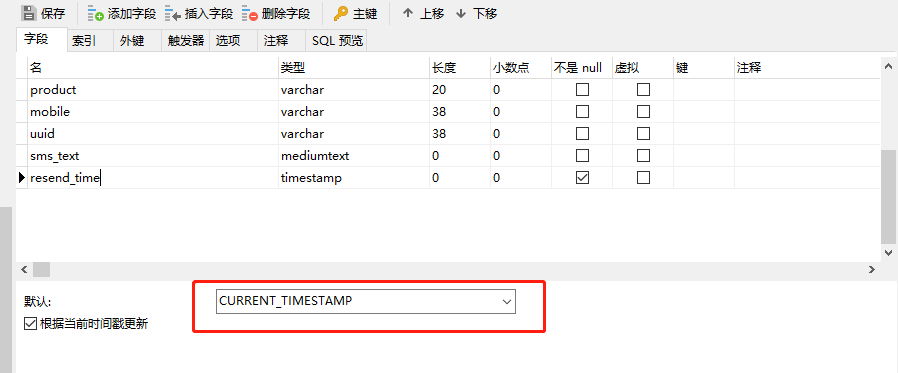
The mysql time field is set to the current time by default
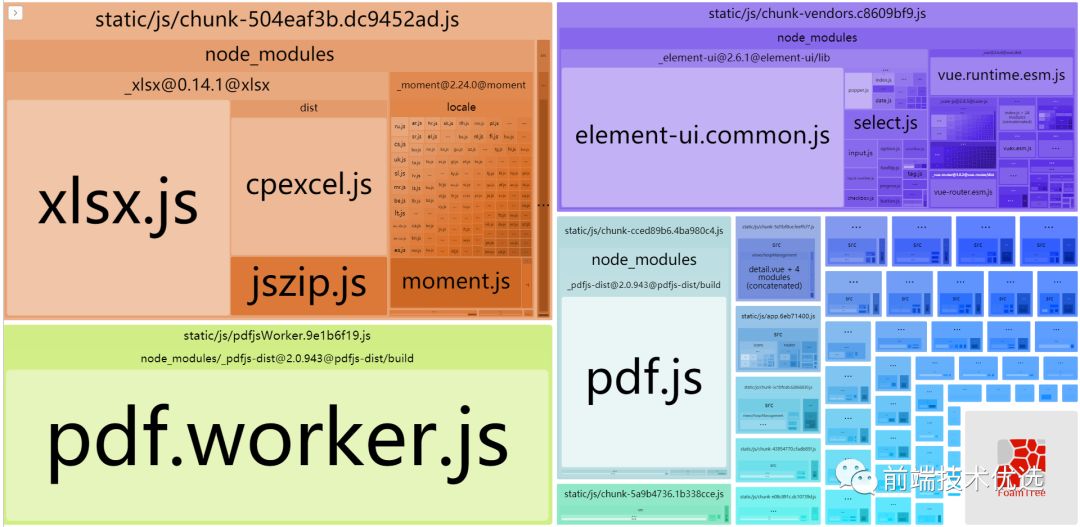
我是如何让公司后台管理系统焕然一新的(上) -性能优化

navicat连接MySQL报错:1045 - Access denied for user ‘root‘@‘localhost‘ (using password YES)

Advanced c language: pointers (5)

Navicat连接MySQL时弹出:1045:Access denied for user ‘root’@’localhost’

IDEA2018.3.5 cancel double-click Shift shortcut

【网络安全专栏目录】--企鹅专栏导航

Teach you how to build a permanently running personal server
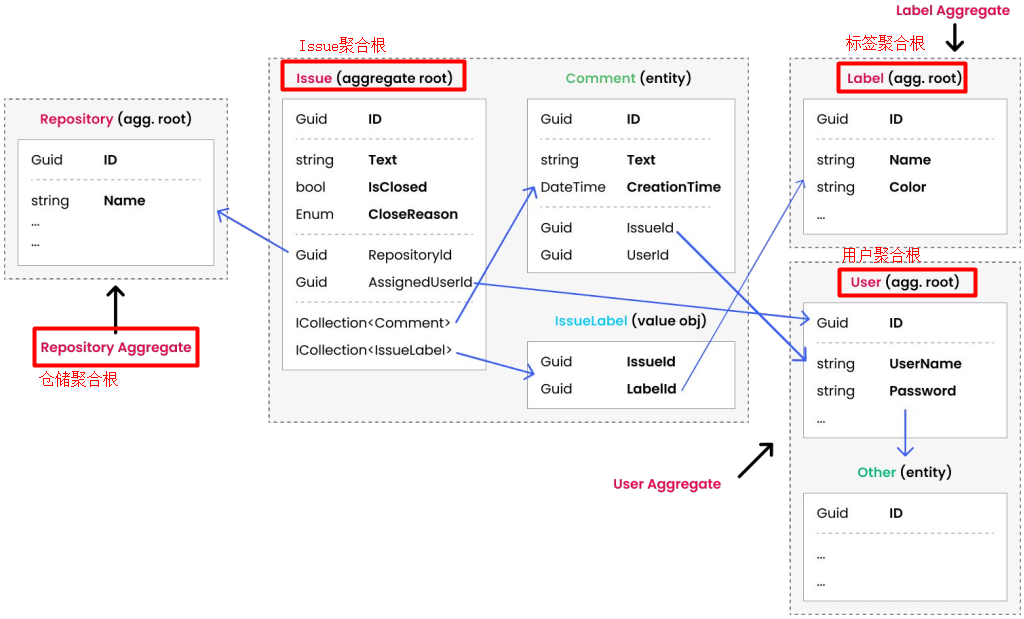
基于ABP实现DDD--仓储实践

Google Earth Engine ——ee.List.sequence函数的使用
随机推荐
微信公众号授权登录后报redirect_uri参数错误的问题
cnpm安装步骤
系统结构考点之PM2I单级网络
MySQL 游标
MySQL压缩包方式安装,傻瓜式教学
Deep Kalman Filter Network for Video Compression Artifact Removal
【机器学习】梯度下降背后的数学之美
手把手教你搭建一台永久运行的个人服务器
mysql deadlock
类似 MS Project 的项目管理工具有哪些
DistSQL in-depth analysis: creating a dynamic distributed database
Why do so many people who teach themselves software testing give up later...
navicat无法连接mysql超详细处理方法
mysql创建表
qt使用动态库(DLL)
The reason for not using bs4 is that the name is too long?Crawl lottery lottery information
LeetCode·23.合并K个升序链表·递归·迭代
TransGAN代码复现—九天毕昇平台
Union, the difference between union and structure, the knowledge of enumeration of C language corners
(7/29) Basic board minimum spanning tree prim+kruskal