当前位置:网站首页>Modifying universal render data at runtime
Modifying universal render data at runtime
2022-06-25 02:33:00 【ttod】
ScriptableRenderPipeline The object contains UniversalRenderData object , Can be set at run time UniversalRenderData Object to get a specific display result .
using UnityEngine;
using UnityEngine.Rendering.Universal;

public class SetUniversalRenderData : MonoBehaviour
{
	[SerializeField]
	UniversalRendererData renderData;

	void Update()
	{
		if (Input.GetKeyDown(KeyCode.Alpha0))
		{
			renderData.opaqueLayerMask = 0;
            // Set up renderData The opaque layer of is “Nothing”
		}

		if (Input.GetKeyDown(KeyCode.Alpha1))
		{
			renderData.opaqueLayerMask = ~0;
            // Set up renderData The opaque layer of is “Everything”
		}

		if (Input.GetKeyDown(KeyCode.Alpha2))
		{
			ScreenSpaceOutlines screenSpaceOutlines = renderData.rendererFeatures[0] as ScreenSpaceOutlines;
			if (screenSpaceOutlines != null)screenSpaceOutlines.SetColor(Color.blue);
            // By executing the first render feature Provided SetColor Method to modify the display effect .
		}

		if (Input.GetKeyDown(KeyCode.Alpha3))
		{
			ScreenSpaceOutlines screenSpaceOutlines = renderData.rendererFeatures[0] as ScreenSpaceOutlines;
			if (screenSpaceOutlines != null) screenSpaceOutlines.SetColor(Color.yellow);
            // By executing the first render feature Provided SetColor Method to modify the display effect .
		}

		if (Input.GetKeyDown(KeyCode.Alpha4))
		{
			renderData.rendererFeatures[0].SetActive(false);
            // Set up a render feature Is inactive
		}

		if (Input.GetKeyDown(KeyCode.Alpha5))
		{
			renderData.rendererFeatures[0].SetActive(true);
            // Set up a render feature Is active
		}
	}
}
The above code demonstrates how to switch by keyboard numbers RenderData attribute , perform RenderFeature Methods and changes RenderFeature state .
The following code snippet posts the above mentioned RenderFeature The content of , You can see what it contains SetColor Method .
using System.Collections.Generic;
using UnityEngine;
using UnityEngine.Rendering;
using UnityEngine.Rendering.Universal;

public class ScreenSpaceOutlines : ScriptableRendererFeature
{
	class ViewSpaceNormalsTexturePass : ScriptableRenderPass
	{
		readonly Material normalsMaterials;
		readonly List<ShaderTagId> shaderTagIdList;
		FilteringSettings filteringSettings;
		readonly RenderTargetHandle normals;
		public RenderTargetIdentifier identifier { get { return normals.Identifier(); } }
		LayerMask outlineLayerMask;
		int msaaSamples;

		public ViewSpaceNormalsTexturePass(LayerMask outlineLayerMask, int msaaSamples)
		{
			normalsMaterials = new Material(Shader.Find("Hidden/ViewSpaceNormals"));
			shaderTagIdList = new List<ShaderTagId>
			{
				new ShaderTagId("UniversalForward"),
				new ShaderTagId("UniversalForwardOnly"),
				new ShaderTagId("LightWeightForward"),
				new ShaderTagId("SRPDefaultUnlit")
			};

			renderPassEvent = RenderPassEvent.AfterRenderingSkybox;
			this.outlineLayerMask = outlineLayerMask;
			this.msaaSamples = msaaSamples;
			normals.Init("_SceneViewSpaceNormals");
		}

		public override void Configure(CommandBuffer cmd, RenderTextureDescriptor cameraTextureDescriptor)
		{
			RenderTextureDescriptor renderTextureDescriptor = cameraTextureDescriptor;
			renderTextureDescriptor.msaaSamples = msaaSamples;
			cmd.GetTemporaryRT(normals.id, renderTextureDescriptor, FilterMode.Point);
			ConfigureTarget(identifier);
			ConfigureClear(ClearFlag.All, Color.clear);
		}

		public override void Execute(ScriptableRenderContext context, ref RenderingData renderingData)
		{
			if (!normalsMaterials) return;
			DrawingSettings drawSettings = CreateDrawingSettings(shaderTagIdList, ref renderingData, renderingData.cameraData.defaultOpaqueSortFlags);
			drawSettings.overrideMaterial = normalsMaterials;
			filteringSettings = new FilteringSettings(RenderQueueRange.opaque, outlineLayerMask);
			context.DrawRenderers(renderingData.cullResults, ref drawSettings, ref filteringSettings);
		}
	}

	class ScreenSpaceOutlinePass : ScriptableRenderPass
	{
		Material screenSpaceOutlineMaterial;
		RenderTargetIdentifier cameraColorTarget;
		readonly RenderTargetIdentifier normalsIdentifier;

		Material CreateMaterial() { screenSpaceOutlineMaterial = new Material(Shader.Find("Hidden/ViewSpaceOutline")); return screenSpaceOutlineMaterial; }
		public void SetColor(Color color)
		{
			if (!screenSpaceOutlineMaterial) screenSpaceOutlineMaterial = CreateMaterial();
			screenSpaceOutlineMaterial.SetColor("_Color", color);
			screenSpaceOutlineMaterial.SetFloat("_Intensity", color.a);
		}

		public ScreenSpaceOutlinePass(RenderTargetIdentifier normalsIdentifier, Color color)
		{
			renderPassEvent = RenderPassEvent.AfterRenderingSkybox;
			this.normalsIdentifier = normalsIdentifier;
			screenSpaceOutlineMaterial = new Material(Shader.Find("Hidden/ViewSpaceOutline"));
			SetColor(color);
		}

		public override void OnCameraSetup(CommandBuffer cmd, ref RenderingData renderingData)
		{
			cameraColorTarget = renderingData.cameraData.renderer.cameraColorTarget;
		}

		public override void Execute(ScriptableRenderContext context, ref RenderingData renderingData)
		{
			if (!screenSpaceOutlineMaterial) return;
			CommandBuffer cmd = CommandBufferPool.Get();
			Blit(cmd, normalsIdentifier, cameraColorTarget, screenSpaceOutlineMaterial, 0);
			context.ExecuteCommandBuffer(cmd);
			CommandBufferPool.Release(cmd);
		}
	}

	ViewSpaceNormalsTexturePass viewSpaceNormalsTexturePass;
	ScreenSpaceOutlinePass screenSpaceOutlinePass;

	public override void Create()
	{
		viewSpaceNormalsTexturePass = new ViewSpaceNormalsTexturePass(outlineLayerMask, msaaSamples);
		screenSpaceOutlinePass = new ScreenSpaceOutlinePass(viewSpaceNormalsTexturePass.identifier, color);
	}

	public override void AddRenderPasses(ScriptableRenderer renderer, ref RenderingData renderingData)
	{
		renderer.EnqueuePass(viewSpaceNormalsTexturePass);
		renderer.EnqueuePass(screenSpaceOutlinePass);
	}

	[SerializeField]
	LayerMask outlineLayerMask;
	[SerializeField]
	Color color = Color.yellow;
	[SerializeField]
	[Range(1, 16)]
	int msaaSamples = 2;

	public void SetColor(Color color)
	{
		if (screenSpaceOutlinePass != null) screenSpaceOutlinePass.SetColor(color);
	}

	public void SetMsaaSamples(int msaaSamples)
	{
		this.msaaSamples = Mathf.Clamp(msaaSamples, 1, 16);
	}

	public void SetLayerMask(LayerMask outlineLayerMask)
	{
		this.outlineLayerMask = outlineLayerMask;
	}
}边栏推荐
- Dirvish Chinese document of vim
- Distributed transaction solutions and code implementation
- 业务与技术双向结合构建银行数据安全管理体系
- 【直播回顾】战码先锋第七期:三方应用开发者如何为开源做贡献
- Redis
- I've been doing software testing for two years. I'd like to give some advice to girls who are still hesitating
- Migrate Oracle database from windows system to Linux Oracle RAC cluster environment (3) -- set the database to archive mode
- After reciting the eight part essay, I won the hemp in June
- Using qdomdocument to manipulate XML files in QT
- The ecosystem of the yuan universe
猜你喜欢

1-6搭建Win7虚拟机环境
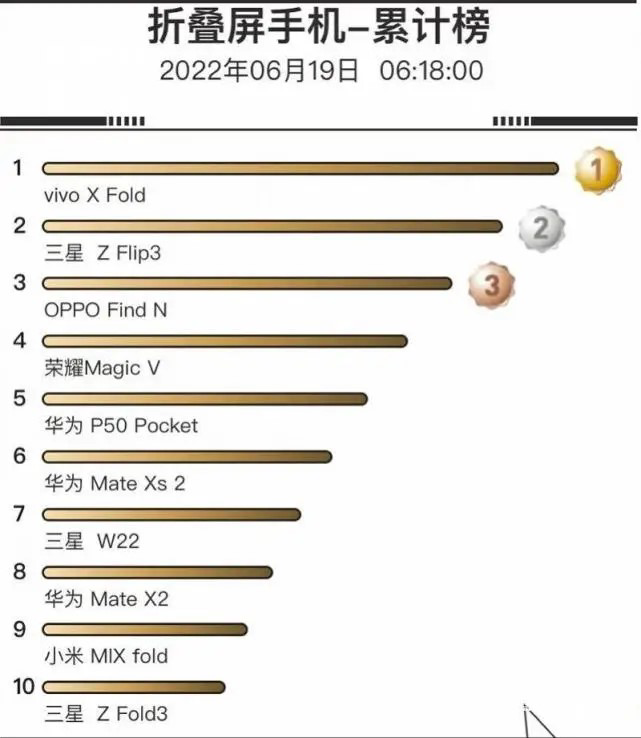
Folding screen will become an important weapon for domestic mobile phones to share the apple market

计网 | 【四 网络层】知识点及例题

When they are in private, they have a sense of propriety
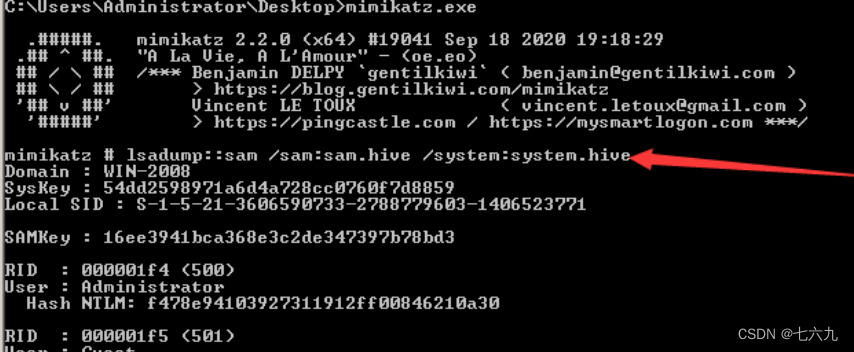
Intranet learning notes (5)

Please run IDA with elevated permissons for local debugging.

【Proteus仿真】Arduino UNO+数码管显示4x4键盘矩阵按键

The role of software security testing, how to find a software security testing company to issue a report?
Planification du réseau | [quatre couches de réseau] points de connaissance et exemples

Intranet learning notes (7)
随机推荐
Dirvish Chinese document of vim
How do the TMUX color palette work?
当他们在私域里,掌握了分寸感
Planification du réseau | [quatre couches de réseau] points de connaissance et exemples
调用系统函数安全方案
Pit entry machine learning: I. Introduction
js正则匹配数字、大小写字母、下划线、中线和点[通俗易懂]
产业互联网的概念里有「互联网」字眼,但却是一个和互联网并不关联的存在
如何卸载cuda
转行软件测试2年了,给还在犹豫的女生一点建议
What are the reasons for the abnormal playback of the online channel of the channel accessed by easycvr national standard protocol?
ProcessOn制作ER过程(自定义)
計網 | 【四 網絡層】知識點及例題
进入阿里做测试员遥不可及?这里或许有你想要的答案
qt打包exe文件,解决“无法定位程序输入点_ZdaPvj于动态链接库Qt5Cored.dll”
【STL源码剖析】STL六大组件功能与运用(目录)
NPM package publishing tutorial
[I.MX6UL] U-Boot移植(六) 网络驱动修改 LAN8720A
PSQL column to row
对进程内存的实践和思考