当前位置:网站首页>Nuscenes data set summary
Nuscenes data set summary
2022-07-25 02:37:00 【Times & Beliefs】
One . brief introduction
nuScenes Data sets are created by Motional( Formerly known as nuTonomy) Self driving public large-scale data set developed by the team . Collected in Boston and Singapore 1000 A driving scene .
nuScenes Data sets are inspired by groundbreaking KITTI Data sets .nuScenes It is the first to provide a complete sensor kit from autonomous vehicle (6 A camera 、1 A lidar 、5 A radar 、GPS、IMU) A large data set of data . And KITTI comparison ,nuScenes contain 7 Object annotation more than times .
Two . Data collection
1. Scenario Planning
About... Were collected in Boston and Singapore 15 Hourly driving data . For complete nuScenes Data sets , Released from Boston harbor and Singapore One North、 Data of Queenstown and Dutch village .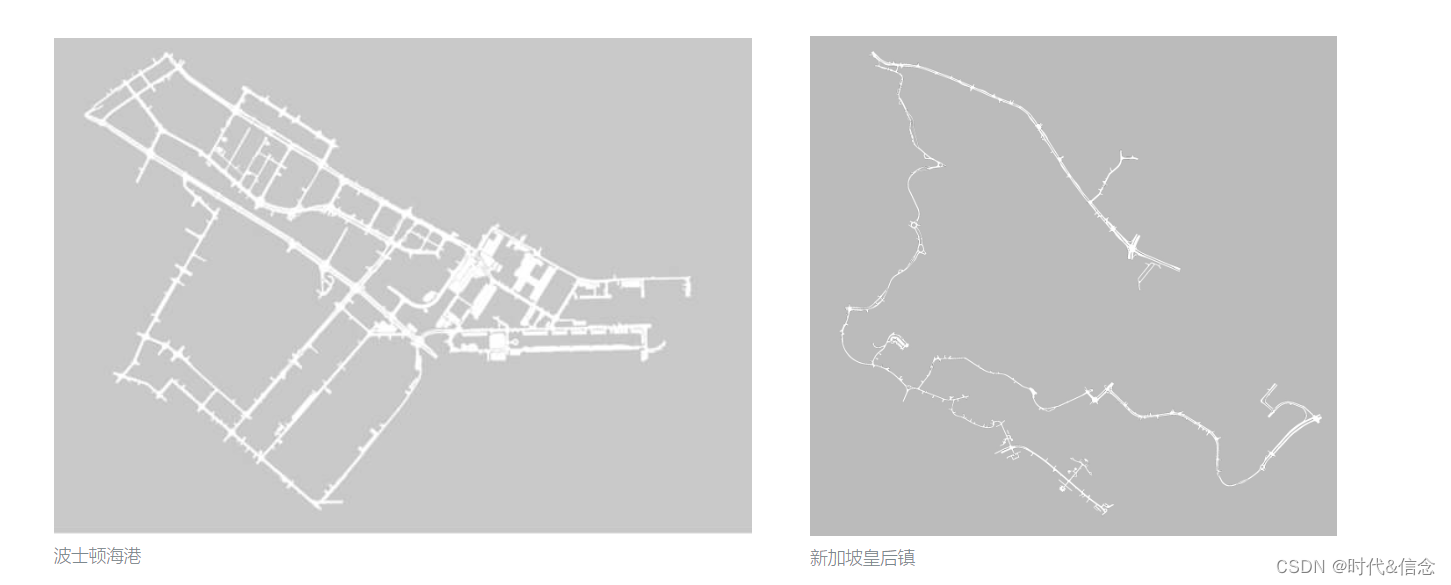

2. Car settings
Use two Renault vehicles with the same sensor layout Zoe Cars drive in Boston and Singapore . Data is collected from research platforms .
The camera (CAM) There are six , Separately distributed in the front (Front)、 Right front (Front Right)、 Left front (Front Left)、 The rear (Back)、 Right rear (Back Right)、 Rear left (Back Left); Laser radar (LIDAR) Yes 1 individual , Place on the roof (TOP); Millimeter wave radar has five , Place them separately in front (Front)、 Right front (Front Right)、 Left front (Front Left)、 Right rear (Back Right)、 Rear left (Back Left).
3、 ... and . Data set download
1. To Nuscenes Download the dataset on the official website , Download address Poke it here
2. If you don't have an account, you can register , Because downloading data sets requires an account , Then choose this mini Version is OK

Four . Use of data sets
1. Import nuscenes-devkit library
pip install nuscenes-devkit
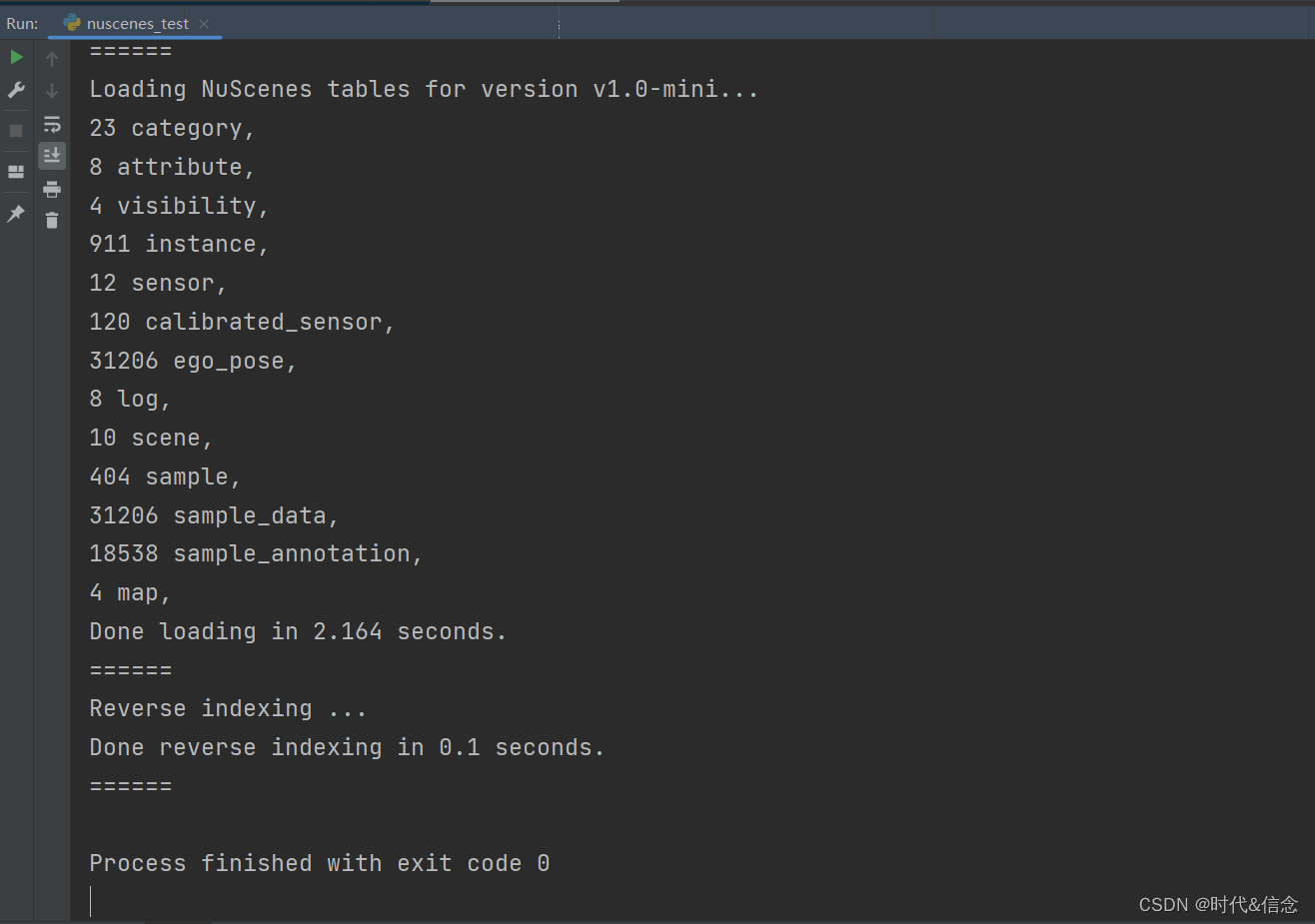
2. Load dataset information
from nuscenes.nuscenes import NuScenes
nusc = NuScenes(version='v1.0-mini', dataroot=' The specific path of the dataset ', verbose=True)
3. scene scene
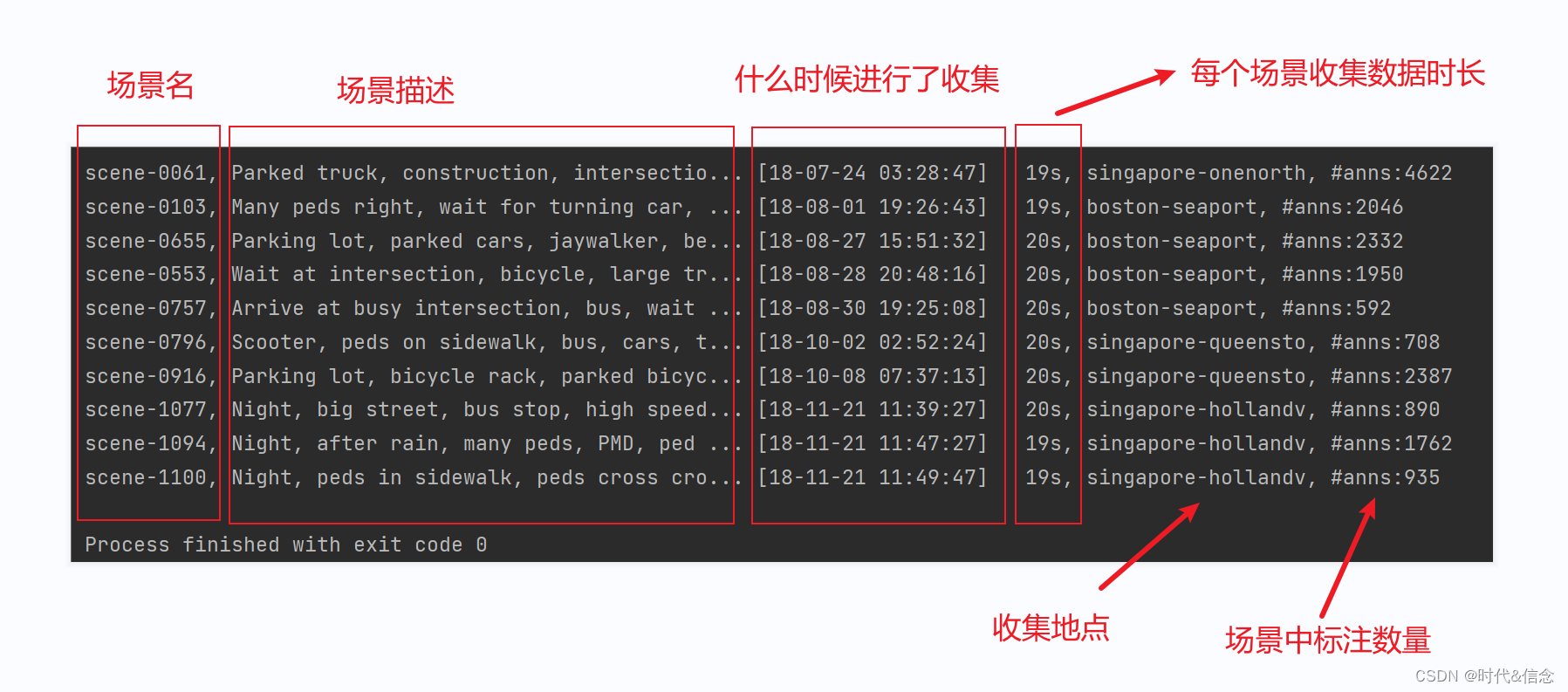
Use the following code , View all scenarios in the current dataset
nusc.list_scenes()
Use the following code to view the information of a specific scenario
my_scene = nusc.scene[0]
print(my_scene)

4. sample sample
Every scene It lasts about 20s, that sample It's every 0.5 One sample per second . Or another way to think about it sample and scene,sence amount to 20s In the video ,sample It's every 0.5s Take a frame of image .
Use the following code , Get a specific one of the specific scenes sample Of token value
first_sample_token = my_scene['first_sample_token']  # Get the first one sample Of token value
print(first_sample_token)

Use the following code , adopt sample Of token Values obtained sample Specific information
my_sample = nusc.get('sample', first_sample_token)
print(my_sample)

5. Sample data sample_data
Visualize the millimeter wave radar sensor in front
Through the following code , obtain sample Of data data
print(my_sample['data'])

(1) Get specific sample Information of specific sensors in
sensor_radar = 'RADAR_FRONT'  # The sensor selected here is the front millimeter wave radar sensor
radar_front_data = nusc.get('sample_data',my_sample['data'][sensor_radar])
print(radar_front_data)
(2) Through sensor information token Value for visualization
nusc.render_sample_data(radar_front_data['token'])

Visualize the camera in front
#  Visualize the camera in front
sensor_CAM_FRONT = 'CAM_FRONT'  # The sensor selected here is the front millimeter wave radar sensor
CAM_FRONT_data = nusc.get('sample_data', my_sample['data'][sensor_CAM_FRONT])
print(CAM_FRONT_data)
nusc.render_sample_data(CAM_FRONT_data['token'])

Visual top lidar
#  Visual top lidar
sensor_LIDAR_TOP = 'LIDAR_TOP'  # The sensor selected here is the front millimeter wave radar sensor
LIDAR_TOP_data = nusc.get('sample_data', my_sample['data'][sensor_LIDAR_TOP])
print(LIDAR_TOP_data)
nusc.render_sample_data(LIDAR_TOP_data['token'])

Visualize other sensors in the same way !!!
6. Sample mark sample_annotation
stay sample_data The information collected by the sensor has been shown in , This section will show the information marked on the sample , The method is similar to that before .
(1) obtain sample The label data of , And then output relevant information
my_annotation_token = my_sample['anns'][18]
my_annotation_metadata = nusc.get('sample_annotation',my_annotation_token)
my_annotation_metadata
(2) adopt sample Labeling information token value , Visualizing
#  Get specific sample Label information for
my_annotation_token = my_sample['anns'][18]
my_annotation_metadata = nusc.get('sample_annotation', my_annotation_token)
print(my_annotation_metadata)
#  visualization
nusc.render_annotation(my_annotation_metadata['token'])
time.sleep(3)

7. example instance
adopt nusc.instance[0] Get specific instances ,instance Represents an instance object , For example, a car
#  Get an instance object , And output its information
my_instance = nusc.instance[5]
print(my_instance)
#  By way of example token value , Visualizing
instance_token = my_instance['token']
nusc.render_instance(instance_token)
time.sleep(3)

8. Category categories
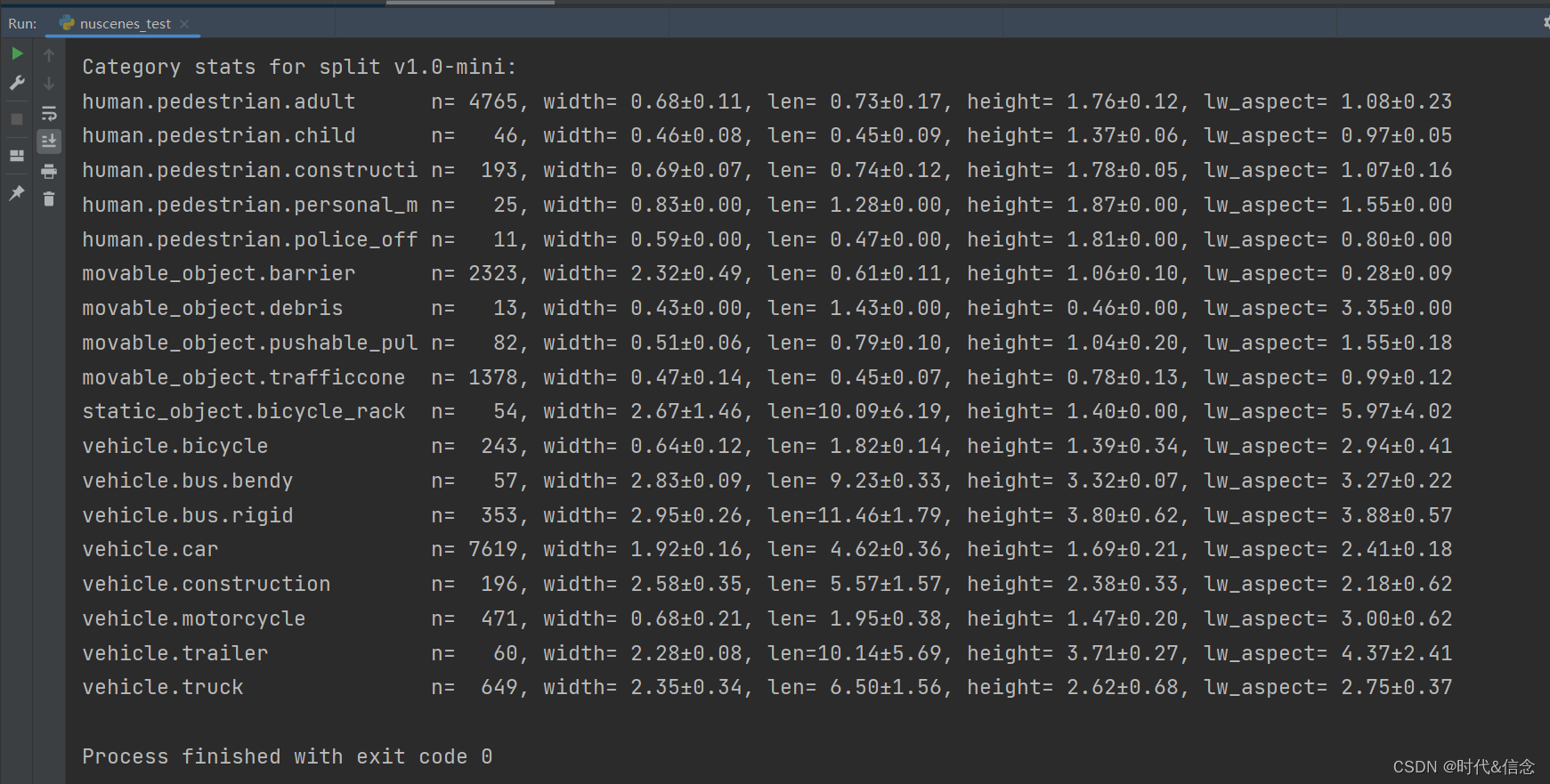
Use the following code to show all kinds in the dataset
nusc.list_categories()
9. attribute attributes
Show the specific attributes of the data set through the following code
nusc.list_attributes()

10. visualization visibility
#  Select the current sample One of the annotation information token value
anntoken = my_sample['anns'][9]
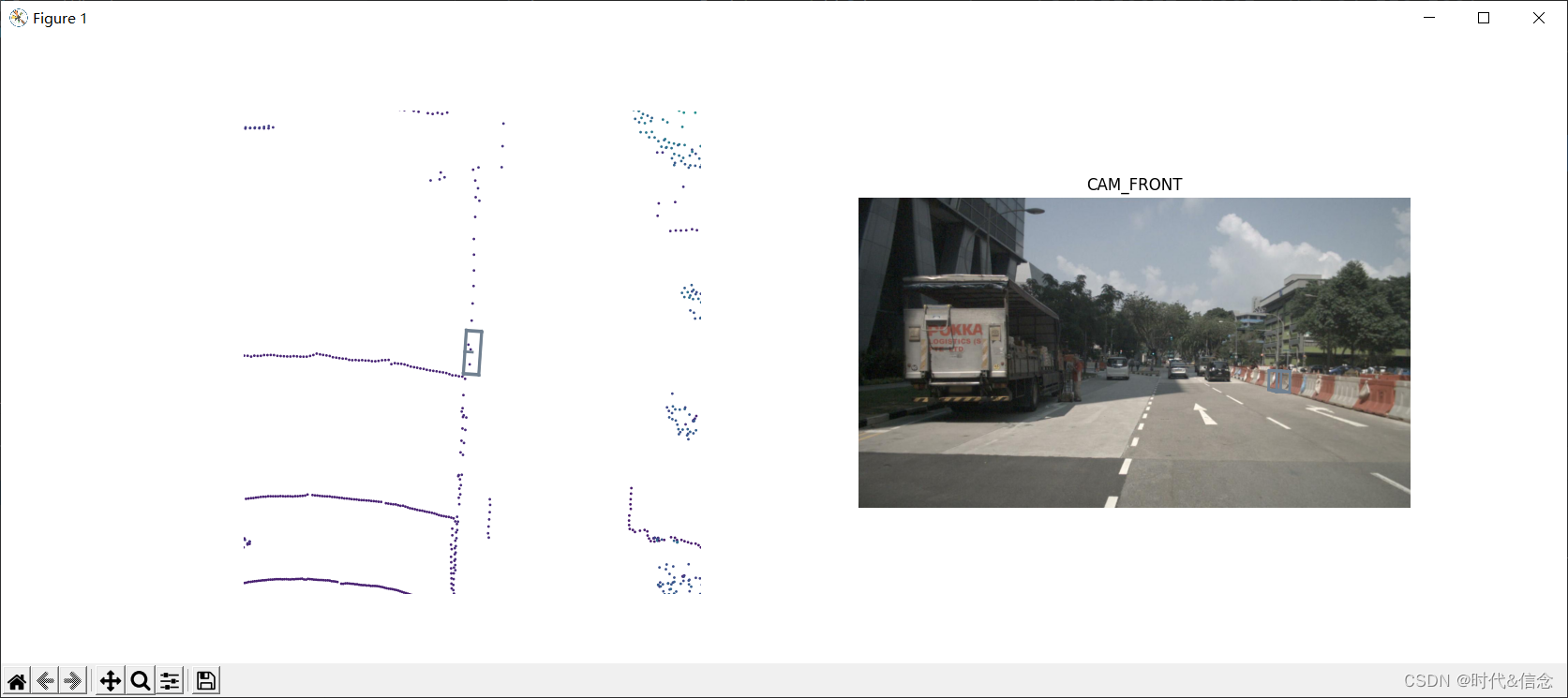
nusc.render_annotation(anntoken)
time.sleep(3)
11. sensor sensor
The following code shows the sensor information in the data set
print(nusc.sensor)

12. Calibrate the sensor calibrated_sensor
Obtain the calibration information of the sensor through the following code
#  Show the calibration information of the sensor
sensor_token = nusc.calibrated_sensor[0]
print(sensor_token)

13. Vehicle attitude ego_pose
Get the vehicle attitude information through the following code
#  Vehicle attitude ego_pose Information
print(nusc.ego_pose[0])

14. journal log
Get the log information through the following code
#  Log information
print(nusc.log[0])

15. Map map
#  Map information
print(nusc.map[0])

The conclusion is over , Scatter flowers …
边栏推荐
- Keepalivetime=0 description of ThreadPoolExecutor
- It7259q-13, it7259ex-24 feature wearable devices
- BGP introduction
- Automatically create partition tables by time and month in PostgreSQL
- Server performance monitoring
- Class notes (4) (2) -- 572. Compete
- QT realizes calendar beautification
- String class
- [pyGame practice] nostalgic classic - do you remember the name of this chess game for children? (must collect)
- See you in Suzhou! "Cloud Intelligence Technology Forum - industry special" will be held soon
猜你喜欢

Permanently mount the image steps

Explorer TSSD 2019 software installation package download and installation tutorial

6-10 vulnerability exploitation SMTP experimental environment construction

Details of C language compilation preprocessing and comparison of macros and functions
![[pyGame practice] nostalgic classic - do you remember the name of this chess game for children? (must collect)](/img/b3/075ad2d555118272efede5a9969319.png)
[pyGame practice] nostalgic classic - do you remember the name of this chess game for children? (must collect)

Ogg data extraction delay is large

Redux best practices "Redux toolkit"

Focus on improving women's and children's sense of gain, happiness and security! In the next ten years, Guangzhou Women's and children's undertakings will make such efforts
Industrial control safety PLC firmware reverse II

Industrial control safety PLC firmware reverse III
随机推荐
After upgrading v2.1.0, the synchronization failed
Rolling division, Young's matrix and three-step flip
Full analysis of new functions of report design tool FastReport online designer v2022.1
Redis tutorial
Tp5.1 login configuration method of whether to login public functions (complete login case)
CSRF attack principle scenario
Digital business cloud: how to realize the application value of supplier SRM management system?
[C language] program compilation (preprocessing)
After six years of precipitation, new consumption has found a digital transformation paradigm
Text reading end judgment
Using ODBC to consume SAP ABAP CDs view in Excel
6-11 vulnerability exploitation - use the built environment to send emails
What are the basic skills of engineers? How to practice? -- Learning experience sharing "suggestions collection"
"Ask the sky" is in place! Yu Jingchuan's "China Space Station" in 2013 is about to set sail in the sea of stars
Mp4 package analysis
Creating elements of DOM series
Easy to master SSO single sign on, see this article
My creation anniversary (3rd Anniversary)
xts performance auto fix script
Computing network, AI first, shengteng AI helps operators' Digital Transformation -- work together to win-win Computing Era