当前位置:网站首页>STM8L_库函数-模板搭建
STM8L_库函数-模板搭建
2022-07-30 08:35:00 【叶子丶de花】
先创建一个文件夹,用来存放模板Demo
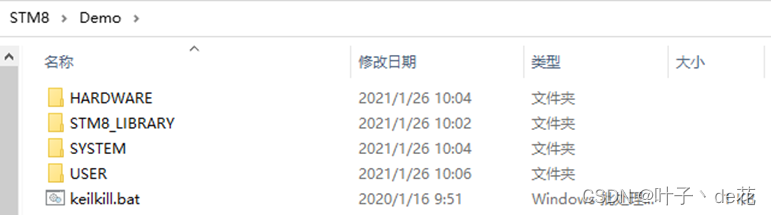
下载STM8的官方固件库 ,工具与软件 – 嵌入式软件 – STM8微控制器软件

选择STM8L_TOUCH_LIB

点击获取软件,同意许可协议

 完成后,解压,并运行


选择文件下载到的位置

获得如下文件
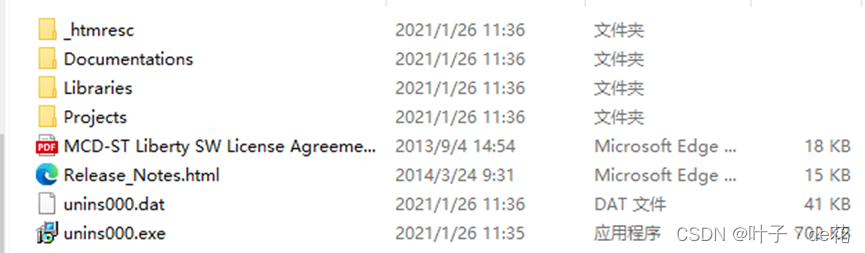
添加STM8L的固件库,L051,L052,L151,L152都可以使用这个库函数

复制上述文件到如下路径

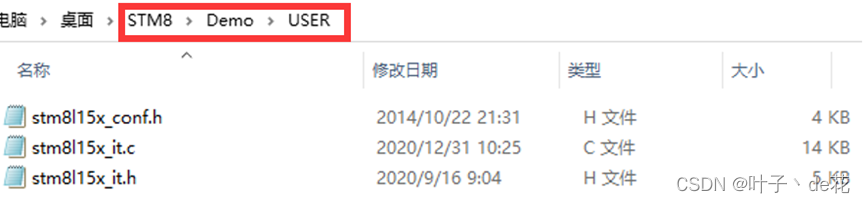
添加STM8l15x_config.h ,以及STM8l15x_it.c ,STM8l15x_it.h


复制上述文件到如下路径
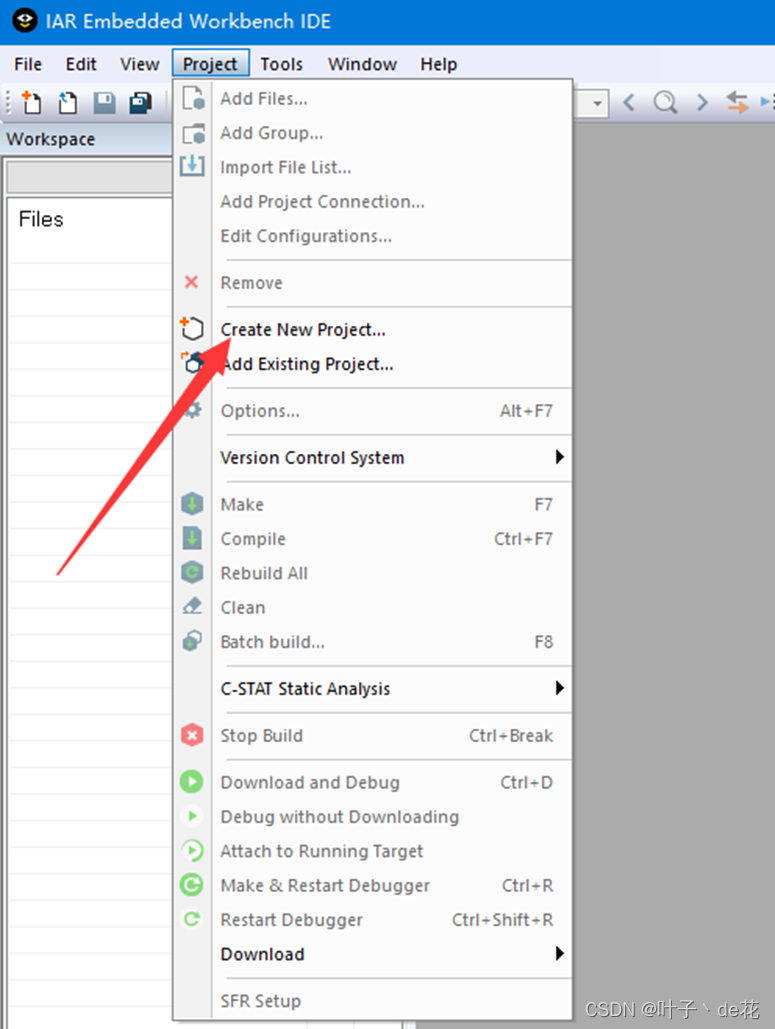
打开IAR FOR STM8

点击创建一个新工程
选择STM8 ,选择 C语言

选择刚才创建的文件夹的USER位置,保存工程
 再次点击保存,保存工作空间

右击工程名字,选择增加Add – Add Group..

分别将创建的四个文件名都添加进去


将main.c 拖拉进USER 文件夹内

右击STM8_LIBRARY – Add – Add Files..
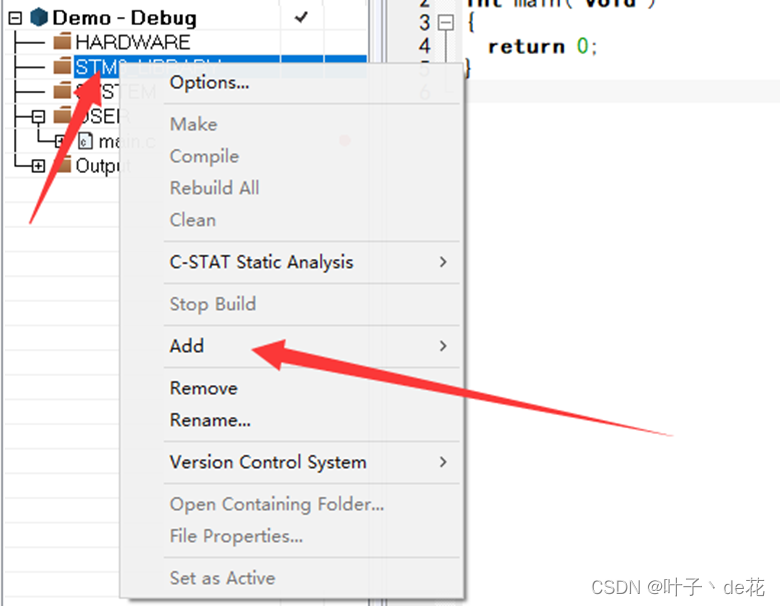 按住Shift 全选文件,添加所有文件

右击 USER – Add – Add Files..

添加STM8l15x_config.h ,以及STM8l15x_it.c ,STM8l15x_it.h
 HARDWARE 和 SYSTEM没有添加文件

右击工程名字,选择Options..

选择 STM8L052R8,根据自己的芯片型号选择对应的芯片

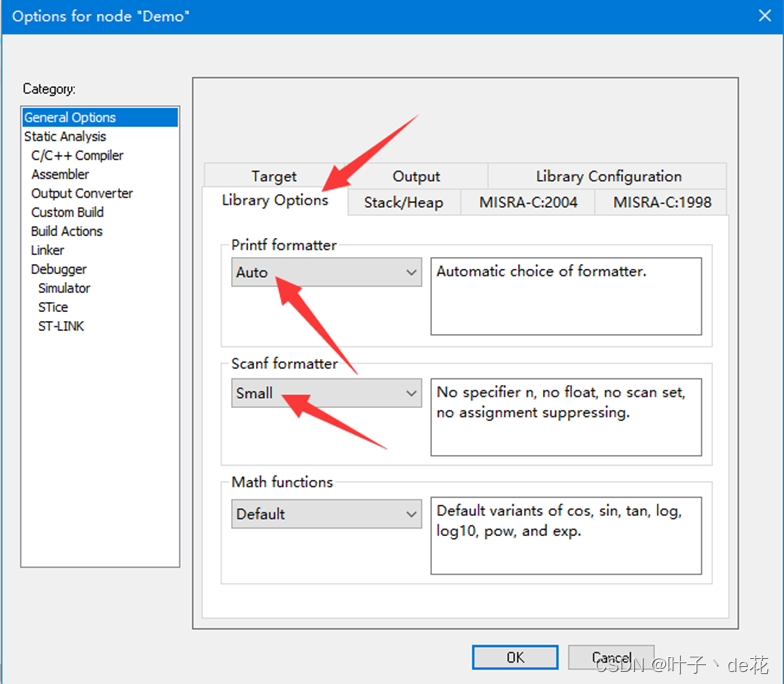
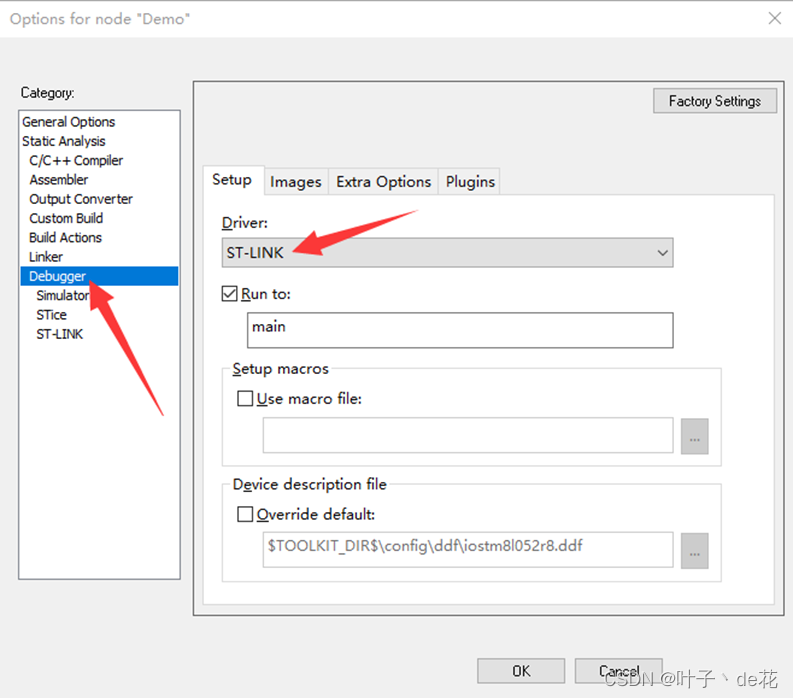
Debugger 选择 ST-LINK
设置输出.hex文件
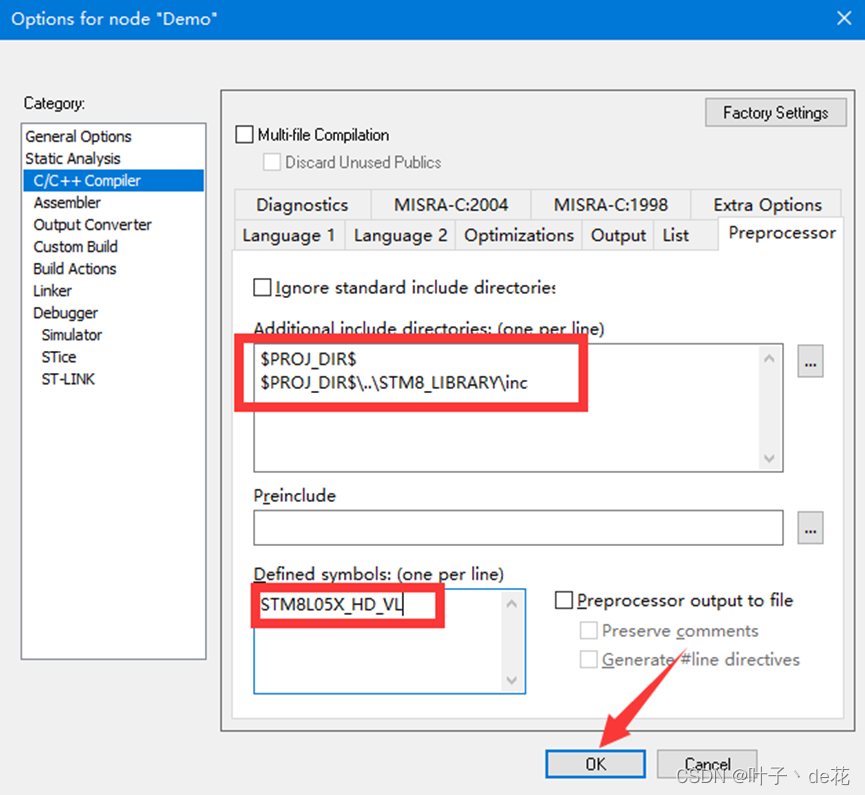
 添加文件路径和定义


一定要下拉选择第二个,才可以

添加完成,点击确定
修改main.c
#include "stm8l15x.h"

///****************************************************************************************** //
///时钟初始化
static void CLK_Config(void)
{
    /* Select HSI as system clock source */
    CLK_SYSCLKSourceSwitchCmd(ENABLE);
    CLK_SYSCLKSourceConfig(CLK_SYSCLKSource_HSI);
    /* system clock prescaler: 1*/
    CLK_SYSCLKDivConfig(CLK_SYSCLKDiv_1);
    while (CLK_GetSYSCLKSource() != CLK_SYSCLKSource_HSI){}
}
///****************************************************************************************** //
///LED初始化
void LED_Init(void)
{
    GPIO_Init(GPIOB,GPIO_Pin_6,GPIO_Mode_Out_PP_High_Fast);  //设置PB6为 推挽输出 高速 高电平
    GPIO_Init(GPIOB,GPIO_Pin_7,GPIO_Mode_Out_PP_High_Fast);  //设置PB7为 推挽输出 高速 高电平
}
///****************************************************************************************** //
///延时函数
void delay_ms(unsigned int ms)
{
  unsigned int x,y;
  for(x=ms;x>0;x--)
    for(y=3000;y>0;y--);
}
///****************************************************************************************** //
///主函数
void main(void)
{
  CLK_Config();       //时钟初始化
  LED_Init();         //LED初始化
  while(1)
  {
    GPIO_ToggleBits(GPIOB,GPIO_Pin_6);
    GPIO_ToggleBits(GPIOB,GPIO_Pin_7);
    delay_ms(1000);
  };
}

#ifdef USE_FULL_ASSERT

void assert_failed(uint8_t* file, uint32_t line)
{
  /* User can add his own implementation to report the file name and line number,
     ex: printf("Wrong parameters value: file %s on line %d\r\n", file, line) */

  /* Infinite loop */
  while (1){}
}
#endif
先Clean 然后 Rebuild All

删除此包含文件

取消stm8l15x_conf.h中所有注释

删除某些不存在的函数体
存在一个警告,忽略这个警告

官方也明确表示忽略这个警告

点击下载,即可看到 PB6-PB7 两个LED灯闪烁

个人见解,感谢阅读。
边栏推荐
猜你喜欢

Concise Notes on Integrals - Types of Curve Integrals of the Second Kind

DDR、GDDR、QDR的区别
Apache DolphinScheduler's new generation of distributed workflow task scheduling platform in practice - Part 1

电源完整性基础知识

基于SSM开发实现校园疫情防控管理系统

One article to understand twenty kinds of switching power supply topologies

PyTorch安装及环境配置(Win10)

如何避免CMDB沦为数据孤岛?

Excel xlsx file not supported两种解决办法【杭州多测师】【杭州多测师_王sir】

hicp第六天
随机推荐
最右的一道面试算法题,--特殊基因
基于SSM实现高校后勤报修系统
How to use Jmeter to carry out high concurrency in scenarios such as panic buying and seckill?
Detailed description of iperf3 parameter options
[Mini Program Column] Summarize the development specifications of uniapp to develop small programs
电路分析:运放和三极管组成的恒流源电路
test111
Explain the problem of change exchange in simple terms - the shell of the backpack problem
【Flask框架①】——Flask介绍
hicp第六天
DDR、GDDR、QDR的区别
负电压电路(原理分析)
ant-design form form verification upload component (with personal packaged upload component)
【Flask框架②】——第一个Flask项目
Windows 下安装 MySQL
qsort 函数的使用及其模拟实现
浅论各种调试接口(JTAG、SWD、RDI、Jlink、Ulink、STlink)的区别
Unity性能分析 Unity Profile性能分析工具
公共Jar包的版本管理
The FPGA based protocol 2: the I2C read and write E squared PROM