当前位置:网站首页>RestTemplate下载文件的另一种方式
RestTemplate下载文件的另一种方式
2022-07-29 14:43:00 【华为云】
使用RestTemplate下载文件最长用的方式是:
ResponseEntity<byte[]> rsp = restTemplate.getForEntity(url, byte[].class);
除了这种方式,还有另一种方式可以实现下载;
使用ResponseExtractor接口
ResponseExtractorj响应提取器:从Response中提取数据。RestTemplate请求完成后,都是通过它来从ClientHttpResponse提取出指定内容(比如请求头、请求Body体等)
ResponseExtractorj接口只有一个方法,当客户端和服务器端连接建立之后,会调用这个方法;
使用ResponseExtractor下载文件也有多种方式:
将文件下载到内存
继承接口ResponseExtractor,重写extractData方法
@Override public byte[] extractData(ClientHttpResponse response) throws IOException { long length = response.getHeaders().getContentLength(); InputStream in = response.getBody(); int byteRead; for( byte[] b = new byte[4096]; (byteRead = in.read(b)) != -1){ byteArrayOutputStream.write(b,0,byteRead); } byteArrayOutputStream.flush(); return byteArrayOutputStream.toByteArray(); }}下载到本地
public class SmallFileResponseExtractor extends ResponseExtractor<File>{ private long downloadLength; private String filePath; public SmallFileResponseExtractor(String filePath){ this.filePath = filePath; } @Override File extractData(ClientHttpResponse response) throws IOException { InputStream in = response.getBody(); File file = new File(filePath); FileOutputStream out = new FileOutputStream(file); int byteRead; for( byte[] b = new byte[4096]; (byteRead = in.read(b)) != -1;downloadLength += byteRead){ out.write(b,0,byteRead); } out.flush(); out.close(); return file; }}调用方式:
使用StopWatch计算耗时时间
import java.io.File;import java.io.IOException;import java.nio.file.Files;import java.nio.file.Paths;import java.util.Objects;public class FileDownloader { RestTemplate restTemplate = new RestTemplateBuilder().build(); public void downloadFileToMem(String file_url,String file_path) throws IOException { StopWatch stopWatch = new StopWatch("下载"); stopWatch.start(); byte[] body = restTemplate.execute(file_url, HttpMethod.GET, null, new ByteArrayResponseExtractor()); Files.write(Paths.get(file_path), Objects.requireNonNull(body)); stopWatch.stop(); double total = stopWatch.getTotalTimeSeconds(); System.out.println("下载总耗时:" + total ); } public void downloadFile(String file_url,String file_path) throws IOException { StopWatch stopWatch = new StopWatch("下载"); stopWatch.start(); File file = restTemplate.execute(file_url, HttpMethod.GET, null, new SmallFileResponseExtractor(file_path)); stopWatch.stop(); double total = stopWatch.getTotalTimeSeconds(); System.out.println(file.getAbsolutePath() +"下载总耗时:" + total ); }}以上方法,适合于小文件下载,对应大文件,还需一个多线程的方法下载,如果要考虑下载速度的话;
多线程下载
使用CompletableFuture
ExecutorService executorService = Executors.newFixedThreadPool(threadNum); long step = contentLength / threadNum; List<CompletableFuture<File>> futures = new ArrayList<>(); for (int index = 0; index < threadNum; index++) { String start = step * index + ""; String end = index == threadNum - 1 ? "" : (step * (index + 1) - 1) + ""; String tempFilePath = dir + File.separator + "." + fileName + "." + index; SmallFileResponseExtractorextractor = new SmallFileResponseExtractor(tempFilePath); CompletableFuture<File> future = CompletableFuture.supplyAsync(() -> { RequestCallback callback = request -> { //设置HTTP请求头Range信息,开始下载到临时文件 request.getHeaders().add(HttpHeaders.RANGE, "bytes=" + start + "-" + end); }; return restTemplate.execute(fileURL, HttpMethod.GET, callback, extractor); }, executorService).exceptionally(e -> { e.printStackTrace(); return null; }); futures.add(future); } //创建最终文件 String tmpFilePath = dir + File.separator + fileName + ".temp"; File file = new File(tmpFilePath); FileChannel outChannel = new FileOutputStream(file).getChannel(); futures.forEach(future -> { try { File tmpFile = future.get(); FileChannel tmpIn = new FileInputStream(tmpFile).getChannel(); //合并每个临时文件 outChannel.transferFrom(tmpIn, outChannel.size(), tmpIn.size()); tmpIn.close(); tmpFile.delete(); //合并完成后删除临时文件 } catch (Exception e) { e.printStackTrace(); } }); outChannel.close(); executorService.shutdown(); file.renameTo(new File(dir + File.separator + fileName));边栏推荐
猜你喜欢

AOP implementation enterprise API access interface monitoring (via Google Guava cache data)

AQS源码阅读与强软弱虚4种引用以及ThreadLocal原理与源码

【ArcGIS微课1000例】0030:ArcGIS利用MXD doctor工具分析并修复mxd地图文档

Why does APP use the JSON protocol to interact with the server: serialization related knowledge
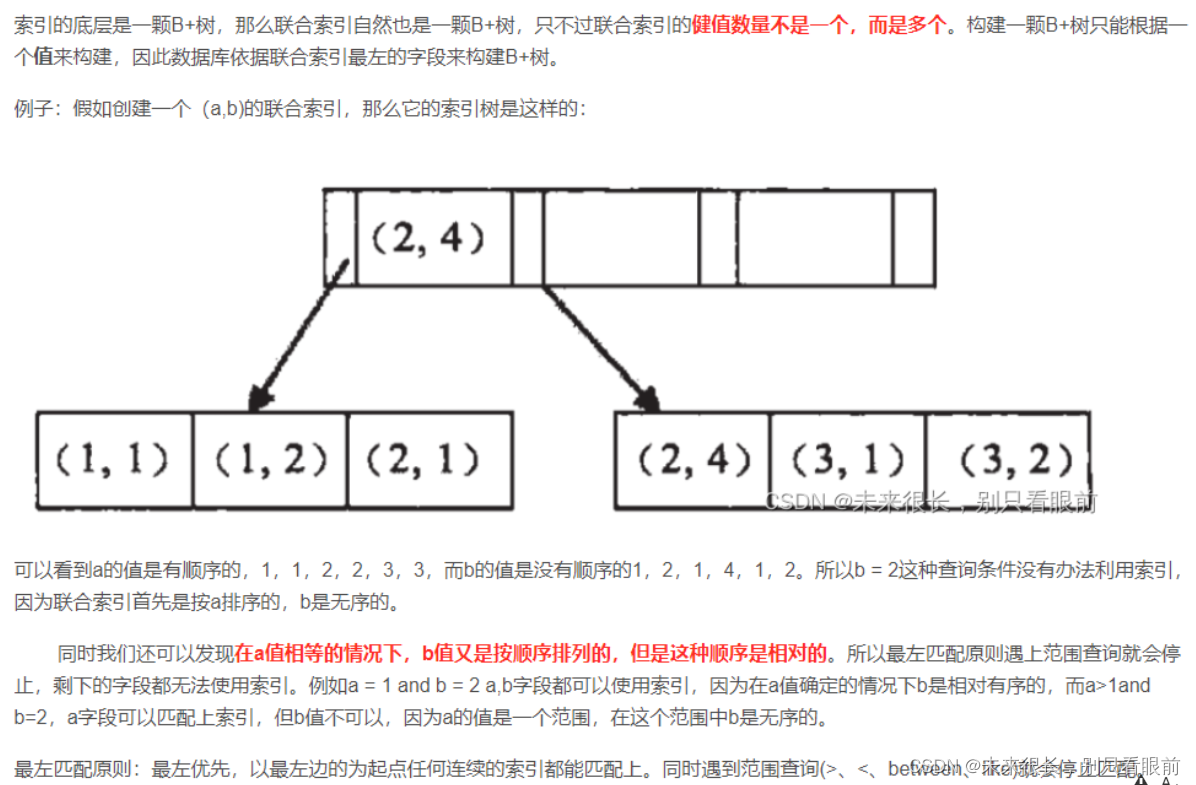
MySQL索引常见面试题(2022版)

文本处理之xml

疫情之下的裁员浪潮,7点建议帮你斩获心仪offer

WOLFLAB一方老师为什么要写网络虚拟化《VMware NSX-T卷2》路由架构-2

【IIC通信】Chap.2 (I2C)IIC协议的特点;为什么IIC需要开漏输出、上拉电阻?
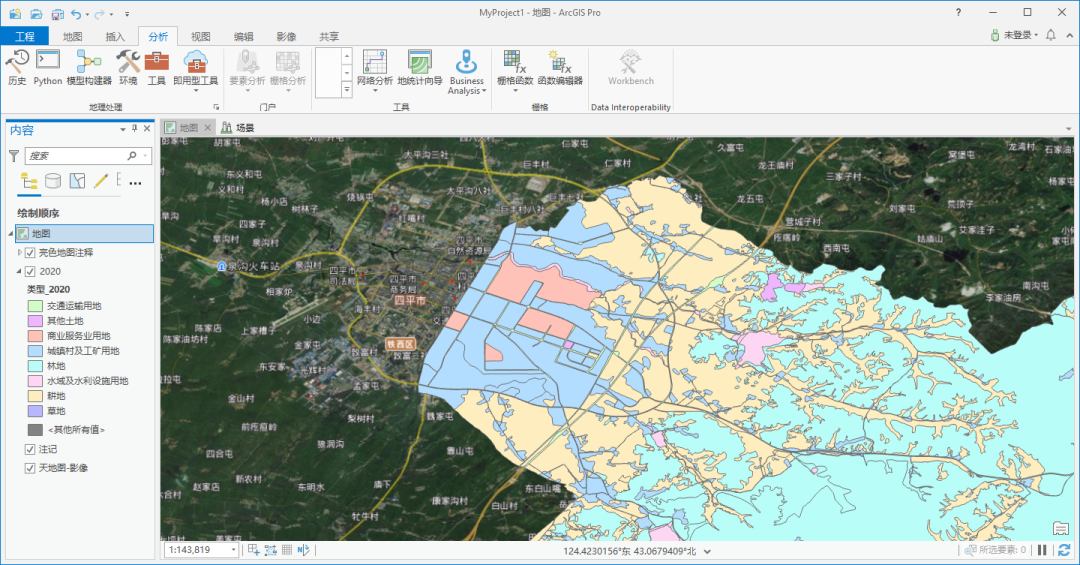
ArcGIS Pro与ArcGis区别
随机推荐
AOP实现企业级API访问接口监控(通过Google Guava缓存数据)
深陷盈利困境,“寒冬”中也要二次递表,北森上市迫切
hyperbench:plugin.Open(“./fabric“): plugin was built with a different version of package golang.
基于C语言实现的LL(1)分析
基于SSM实现在线聊天系统
Learning Policies for Adaptive Tracking with Deep Feature Cascades全文翻译
ST表(动态规划倍增思路离线维护区间极值问题)
【 LeetCode 】 88. Merging two orderly array
带你搞懂 Redis 中的两个策略
立足本土,链接全球 | 施耐德电气“工业SI同盟”携手伙伴共赴未来工业
Numpy
你会看 MySQL 的执行计划(EXPLAIN)吗?
自定义fingerprint特征
疫情之下的裁员浪潮,7点建议帮你斩获心仪offer
数据分析(一)
【 LeetCode 】 217. Duplicate elements
【C语言】AI三子棋的成长之路
【 LeetCode 】 121. The best time to buy stocks
关于数字化转型 你需要知道的八项指导原则
【LeetCode】88. 合并两个有序数组