当前位置:网站首页>Use the transparent [x] cross button image in the dialog
Use the transparent [x] cross button image in the dialog
2022-06-24 20:33:00 【Rannki】
java:
//  load xml Layout file
View view = LayoutInflater.from(getContext()).inflate(R.layout.main_share_dialog_layout3, null ,false);
//  Parameters here 2, It has to be this 【R.style.AlertDialogStyle】, Otherwise, it's just 【X】 The picture is a transparent picture , Nor is it transparent , There will be a white background .
Dialog dialog = new Dialog(getContext(), R.style.AlertDialogStyle);
dialog.setContentView(view);
Window window = dialog.getWindow();
//  Here, set the left and right spacing to be 90, Otherwise, the whole width will be directly occupied .
window.getDecorView().setPadding(90, 0, 90, 0);
dialog.show();
xml:
<?xml version="1.0" encoding="utf-8"?>
<LinearLayout xmlns:android="http://schemas.android.com/apk/res/android"
    android:background="@drawable/bg_share_radius"
    android:orientation="vertical"
    android:layout_width="match_parent"
    android:layout_height="wrap_content">


    <ImageView
        android:layout_width="match_parent"
        android:layout_height="0dp"
        android:layout_weight="1"
        android:scaleType="fitXY"
        android:src="@mipmap/ic_skirt" />

    <RelativeLayout
        android:paddingTop="10dp"
        android:background="#FF8913"
        android:layout_width="match_parent"
        android:layout_height="wrap_content">

        <TextView
            android:id="@+id/tv_receive"
            android:layout_width="match_parent"
            android:layout_height="wrap_content"
            android:layout_marginStart="30dp"
            android:text=" Accumulated bonus amount of bonus pool :"
            android:textColor="@color/white"
            android:textSize="16sp" />

        <TextView
            android:id="@+id/tv_prize"
            android:layout_below="@+id/tv_receive"
            android:background="#FF8913"
            android:drawableStart="@mipmap/ic_share_money"
            android:textSize="30sp"
            android:paddingStart="60dp"
            android:textStyle="bold"
            android:textColor="#FFFFDE56"
            android:layout_width="match_parent"
            android:layout_height="wrap_content"
            android:text="100984.00" />

        <TextView
            android:id="@+id/tv_distance"
            android:layout_below="@+id/tv_prize"
            android:background="#FF8913"
            android:layout_width="match_parent"
            android:layout_height="wrap_content"
            android:paddingStart="30dp"
            android:text=" Dividend time left :"
            android:textColor="@color/white"
            android:textSize="16sp" />

        <LinearLayout
            android:layout_below="@+id/tv_distance"
            android:paddingTop="5dp"
            android:background="#FF8913"
            android:id="@+id/bottom_layout"
            android:layout_width="match_parent"
            android:layout_height="wrap_content"
            android:paddingStart="60dp"
            android:gravity="center_vertical">

            <TextView
                android:padding="2dp"
                android:background="@drawable/bg_share_time_radius"
                android:id="@+id/tv_day"
                android:layout_width="wrap_content"
                android:layout_height="wrap_content"
                android:gravity="center"
                android:text="10"
                android:textColor="@color/white"
                android:textSize="16sp" />

            <TextView
                android:id="@+id/tv_day_word"
                android:layout_width="wrap_content"
                android:layout_height="wrap_content"
                android:layout_centerVertical="true"
                android:layout_marginLeft="4dp"
                android:layout_toRightOf="@+id/tv_day"
                android:text=" God "
                android:textColor="@color/white"
                android:textSize="12sp"
                android:textStyle="bold" />

            <TextView
                android:padding="2dp"
                android:background="@drawable/bg_share_time_radius"
                android:id="@+id/tv_hour"
                android:layout_width="wrap_content"
                android:layout_height="wrap_content"
                android:layout_marginLeft="4dp"
                android:gravity="center"
                android:text="10"
                android:textColor="@color/white"
                android:textSize="16sp" />

            <TextView
                android:layout_width="wrap_content"
                android:layout_height="wrap_content"
                android:layout_marginLeft="4dp"
                android:text=":"
                android:textColor="@color/white"
                android:textSize="12sp" />

            <ImageView
                android:id="@+id/iv_bg_1"
                android:layout_width="wrap_content"
                android:layout_height="22dp"
                android:layout_centerVertical="true"
                android:layout_marginLeft="3dp"
                android:layout_toRightOf="@+id/tv_hour"
                android:background="@drawable/ic_time_one2"
                android:visibility="gone" />

            <TextView
                android:padding="2dp"
                android:background="@drawable/bg_share_time_radius"
                android:id="@+id/tv_minute"
                android:layout_width="wrap_content"
                android:layout_height="wrap_content"
                android:layout_marginLeft="4dp"
                android:layout_toRightOf="@+id/iv_bg_1"
                android:gravity="center"
                android:text="10"
                android:textColor="@color/white"
                android:textSize="16sp" />

            <TextView
                android:layout_width="wrap_content"
                android:layout_height="wrap_content"
                android:layout_marginLeft="4dp"
                android:text=":"
                android:textColor="@color/white"
                android:textSize="12sp" />

            <ImageView
                android:id="@+id/iv_bg_2"
                android:layout_width="wrap_content"
                android:layout_height="22dp"
                android:layout_centerVertical="true"
                android:layout_marginLeft="3dp"
                android:layout_toRightOf="@+id/tv_minute"
                android:background="@drawable/ic_time_one2"
                android:visibility="gone" />

            <TextView
                android:padding="2dp"
                android:background="@drawable/bg_share_time_radius"
                android:id="@+id/tv_second"
                android:layout_width="wrap_content"
                android:layout_height="wrap_content"
                android:layout_marginLeft="4dp"
                android:gravity="center"
                android:text="10"
                android:textColor="@color/white"
                android:textSize="16sp" />

        </LinearLayout>

        <ImageView
            android:layout_width="20dp"
            android:layout_height="20dp"
            android:layout_alignParentEnd="true"
            android:layout_marginEnd="15dp"
            android:scaleType="fitXY"
            android:src="@mipmap/ic_task_center" />

        <ImageView
            android:alpha="0.2"
            android:layout_width="130dp"
            android:layout_height="125dp"
            android:layout_alignParentEnd="true"
            android:layout_marginEnd="30dp"
            android:layout_centerVertical="true"
            android:scaleType="fitXY"
            android:src="@mipmap/ic_dd" />
    </RelativeLayout>

    <LinearLayout
        android:layout_width="match_parent"
        android:layout_height="1.5dp"
        android:orientation="horizontal"
        android:background="#FFFFEE56"/>

    <RelativeLayout
        android:paddingBottom="15dp"
        android:paddingTop="8dp"
        android:background="#FF8913"
        android:layout_width="match_parent"
        android:layout_height="wrap_content">
        <TextView
            android:id="@+id/tv_integral"
            android:textStyle="bold|italic"
            android:layout_width="match_parent"
            android:layout_height="wrap_content"
            android:paddingStart="30dp"
            android:text=" Bonus points are always available "
            android:textColor="#FFFFEE56"
            android:textSize="20sp" />

        <TextView
            android:id="@+id/tv_share_integral"
            android:layout_width="match_parent"
            android:layout_height="wrap_content"
            android:layout_below="@+id/tv_integral"
            android:paddingStart="30dp"
            android:paddingTop="5dp"
            android:text=" Share shopping points "
            android:textColor="@color/white"
            android:textSize="14sp" />

        <TextView
            android:background="@drawable/share_money"
            android:layout_marginEnd="20dp"
            android:gravity="center"
            android:layout_width="100dp"
            android:layout_height="40dp"
            android:text=" Share to make money "
            android:textColor="@color/white"
            android:textSize="16sp"
            android:layout_alignParentEnd="true"
            android:layout_centerVertical="true" />
    </RelativeLayout>
<!-- The picture here is a transparent picture 【X】-->
    <ImageView
        android:layout_marginTop="10dp"
        android:id="@+id/share_x_image"
        android:layout_width="match_parent"
        android:layout_height="50dp"
        android:src="@mipmap/ic_share_back" />
</LinearLayout>

 Finished drawings :

边栏推荐
- Huawei cloud modelarts has ranked first in China's machine learning public cloud service market for the fourth time!
- JVM tuning
- 大一女生废话编程爆火!懂不懂编程的看完都拴Q了
- First understand redis' data structure - string
- 基于QT+MySQL的相机租赁管理系统
- Basic properties and ergodicity of binary tree
- 建立自己的网站(14)
- VMware virtual machine setting static IP
- 网络安全审查办公室对知网启动网络安全审查,称其“掌握大量重要数据及敏感信息”
- [performance tuning basics] performance tuning strategy
猜你喜欢

Bytebase加入阿里云PolarDB开源数据库社区
![[普通物理] 光栅衍射](/img/f3/965ff7cd3bb76b4f71b69b9d12ece3.png)
[普通物理] 光栅衍射

图的基本概念以及相关定义

Berkeley, MIT, Cambridge, deepmind et d'autres grandes conférences en ligne: vers une IA sûre, fiable et contrôlable

Implement the redis simple client customized based on socket

物联网?快来看 Arduino 上云啦

Map跟object 的区别
伯克利、MIT、劍橋、DeepMind等業內大佬線上講座:邁向安全可靠可控的AI
![[performance tuning basics] performance tuning strategy](/img/83/be41a6a0c5c186d3fb3a120043c53f.jpg)
[performance tuning basics] performance tuning strategy
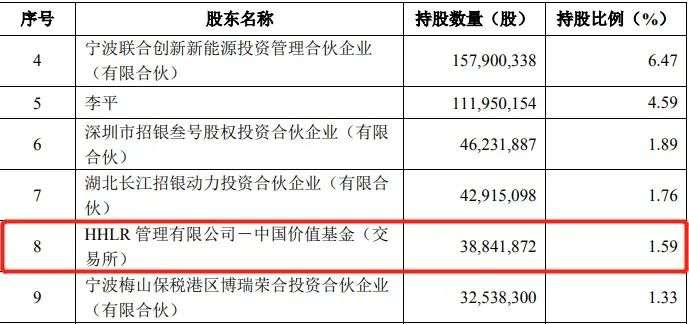
"Ningwang" was sold and bought at the same time, and Hillhouse capital has cashed in billions by "selling high and absorbing low"
随机推荐
苹果、微软、谷歌不再掐架,今年要合力干一件大事
伯克利、MIT、剑桥、DeepMind等业内大佬线上讲座:迈向安全可靠可控的AI
对“宁王”边卖边买,高瓴资本“高抛低吸”已套现数十亿
科技抗疫: 运营商网络洞察和实践白皮书 | 云享书库NO.20推荐
VXLAN 与 MPLS:从数据中心到城域以太网
2022年最新四川建筑八大员(电气施工员)模拟题库及答案
CVPR 2022 remembers Sun Jian! Tongji and Ali won the best student thesis award, and hekaiming was shortlisted
Where are Xiaomi mobile phone's favorite SMS and how to delete them
苹果不差钱,但做内容“没底气”
Bytebase 加入阿裏雲 PolarDB 開源數據庫社區
微信小程序自定义tabBar
[普通物理] 光栅衍射
What about the Golden Angel of thunder one? Golden Angel mission details
C語言實現掃雷(簡易版)
【建议收藏】时间序列预测应用、paper汇总
You can capture fingerprints with a mobile camera?! Accuracy comparable to signature and monogram, expert: you are aggravating discrimination
The AI for emotion recognition was "harbouring evil intentions", and Microsoft decided to block it!
Some ideas about chaos Engineering
Bytebase joins Alibaba cloud polardb open source database community
Otaku can't save yuan universe