当前位置:网站首页>Detailed explanation of MySQL database configuration information viewing and modification methods
Detailed explanation of MySQL database configuration information viewing and modification methods
2022-06-23 22:54:00 【1024 Q】
Abstract
see
View the basic information of the data
Inquire about sql_mode
View the variables defined in the configuration file
see MySQL The current runtime variables of the service
see MySQL Default authentication method
modify MySQL The system variable of
According to how the variable is modified
According to the effective range of the variable
summary
AbstractWhen used across teams MySQL Database time , It is best to ensure that the configuration information of the database is consistent , Otherwise, there will be different development colleagues SQL The norms are different , Cause some unnecessary SQL problem ;
This blog , It mainly records how to view data configuration information , And related explanations .
see View the basic information of the dataView version
View version select version(); Displays all available character sets ;SHOW CHARACTER SET; Show only include utf8 Character set for ;SHOW CHARACTER SET LIKE '%utf8%'; Show all proofing rules ;SHOW COLLATION; Show only include utf8 The rules of proofreading ;SHOW COLLATION LIKE '%utf8%'; Inquire about sql_modeselect @@global.sql_mode;select @@sql_mode;Make sure there's consistency , Otherwise, it's easy to have problems ;
View the variables defined in the configuration filemysqld --help --verbose see MySQL The current runtime variables of the service SHOW [{GLOBAL|SESSION}] VARIABLES [LIKE ''];SELECT @@{GLOBAL|SESSION}.VARIABLE_NAME;SELECT * FROM INFORMATION_SCHEMA.GLOBAL_VARIABLES WHERE VARIABLE_NAME='VARIABLE_NAME';SELECT * FROM INFORMATION_SCHEMA.SESSION_VARIABLES WHERE VARIABLE_NAME='VARIABLE_NAME';Show MySQL All system variables
SHOW VARIABLES;Common query
Check individual information , adopt like Filter :
show variables like '%datadir%';show variables like '%basedir%';SHOW VARIABLES LIKE 'character%';SHOW VARIABLES LIKE 'collation_%';Case sensitive or not
show Variables like '%table_names';lower_case_table_names=0 Case sensitive
lower_case_table_names=1 Indicates case insensitive
How to modify ?
Be careful :
mysql 8.0 before , Can pass , First stop mysql service , Then modify the configuration file ( Such as lower_case_table_names=1), Restart again mysql Service ;
mysql8.0 Ask us not to be in initialize Change it later lower_case_table_names Value , in other words , And then by changing my.cnf Files don't work . So you need to delete all the original data , My data directory is in /user/local/mysql/data/, Enter the directory to delete , The default path is :/var/lib/mysql Delete all files under this path
see MySQL Default authentication methodshow global variables like '%default_auth%';It also supports modifying . See the revised section below for details .
give an example , Here are the static modifications :
# vi /etc/my.cnf[mysqld]default_authentication_plugin = mysql_native_password modify MySQL The system variable of According to how the variable is modified Dynamic variables : Can be in MySQL Adjust its fingers at runtime , With immediate effect ;
for example :
set global sort_buffer_size=valueStatic variables : It needs to be modified in the configuration file , Effective after service restart ; for example :/etc/my.cnf
According to the effective range of the variable Global variables : Service level setting , Effective for the entire service , All replies , Those already connected at that time do not take effect , Reconnection takes effect ;
for example :
set global sort_buffer_size=valueSession variables : Only valid for the current session , Other conversations and new conversations are not affected ; The end of session value is destroyed ;
for example :
set session sort_buffer_size=value summary This is about MySQL This is the end of the article on viewing and modifying database configuration information , More about MySQL Please search the previous articles of the software development network or continue to browse the relevant articles below. I hope you can support the software development network in the future !
边栏推荐
- Start learning simple JS
- [tcapulusdb knowledge base] [generic table] read data interface description
- The old CVM of Tencent cloud is migrated to the new CVM, and the IP remains unchanged
- Detailed explanation of bitmap optimization
- Installation and use of qingscan scanner
- API gateway monitoring function the importance of API gateway
- Application practice | Apache Doris integrates iceberg + Flink CDC to build a real-time federated query and analysis architecture integrating lake and warehouse
- Production of labels for table products
- How to create a virtual server through a fortress machine? What are the functions of the fortress machine?
- Operation and maintenance failure experience sharing
猜你喜欢
![[technical dry goods] the technical construction route and characteristics of zero trust in ant Office](/img/d1/ce999b9f72bbb8f692c4298b4042aa.png)
[technical dry goods] the technical construction route and characteristics of zero trust in ant Office

Why is only one value displayed on your data graph?

Ant won the finqa competition champion and made a breakthrough in AI technology of long text numerical reasoning
游戏安全丨喊话CALL分析-写代码

专业“搬砖”老司机总结的 12 条 SQL 优化方案,非常实用!
Game security - call analysis - write code
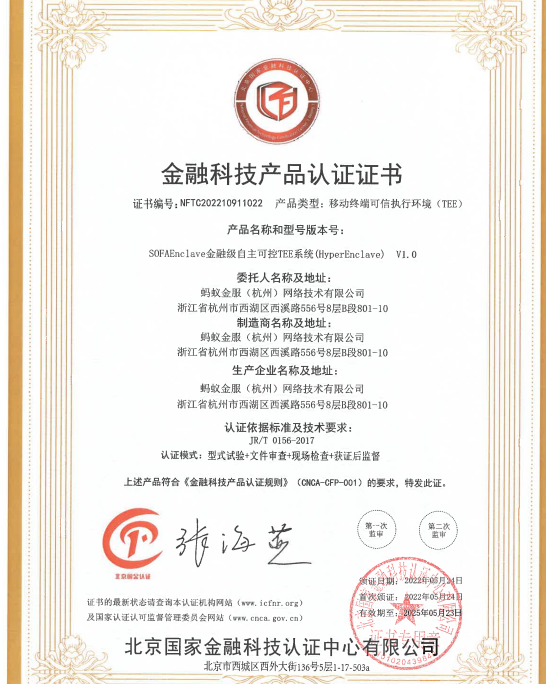
Ant group's self-developed tee technology has passed the national financial technology product certification

应用实践 | Apache Doris 整合 Iceberg + Flink CDC 构建实时湖仓一体的联邦查询分析架构

Opengauss Developer Day 2022 was officially launched to build an open source database root community with developers
PostgreSQL怎么创建分区表详解

随机推荐
How do new investors open accounts by speculation? Is online account opening safe?
How to shut down the server in the fortress machine? What other operations can the fortress machine perform?
How to set the text style as PG in website construction
Notes to nodejs (II)
Low code helps live e-commerce bring goods into the manufacturing industry, impacting the traditional supply chain model of the factory
Chaos engineering, learn about it
How to set up links for website construction how to build a website
How to build a business analysis system
Micro build low code tutorial - variable definition
Service API version design and Practice
How can manufacturing enterprises go to the cloud?
游戏安全丨喊话CALL分析-写代码
2022年性价比高的商业养老保险产品排名
新股民怎样炒股票开户?在线开户安全么?
Website construction column setting form which website construction company is better
sql server常用sql
PHP时间戳
Go deep: the evolution of garbage collection
Virtual machine performance monitoring and fault handling commands on the console
API gateway monitoring function the importance of API gateway