当前位置:网站首页>Simple but modern server dashboard dashdot
Simple but modern server dashboard dashdot
2022-07-01 20:01:00 【Yangpu Laosu】

The express rack at the door of the community was dismantled early in the morning , Courier 、 The waiter can now enter the community .
The normalized nucleic acid and the weekly nucleic acid screening of the whole region are still in progress , The plan to sleep in on the weekend has failed again .
What is? Dashdot ?
dash. ( perhapsdashdot) Is a modern server dashboard , Mainly used in smallVPSAnd private servers , It is a relatively simple method to monitor the server .
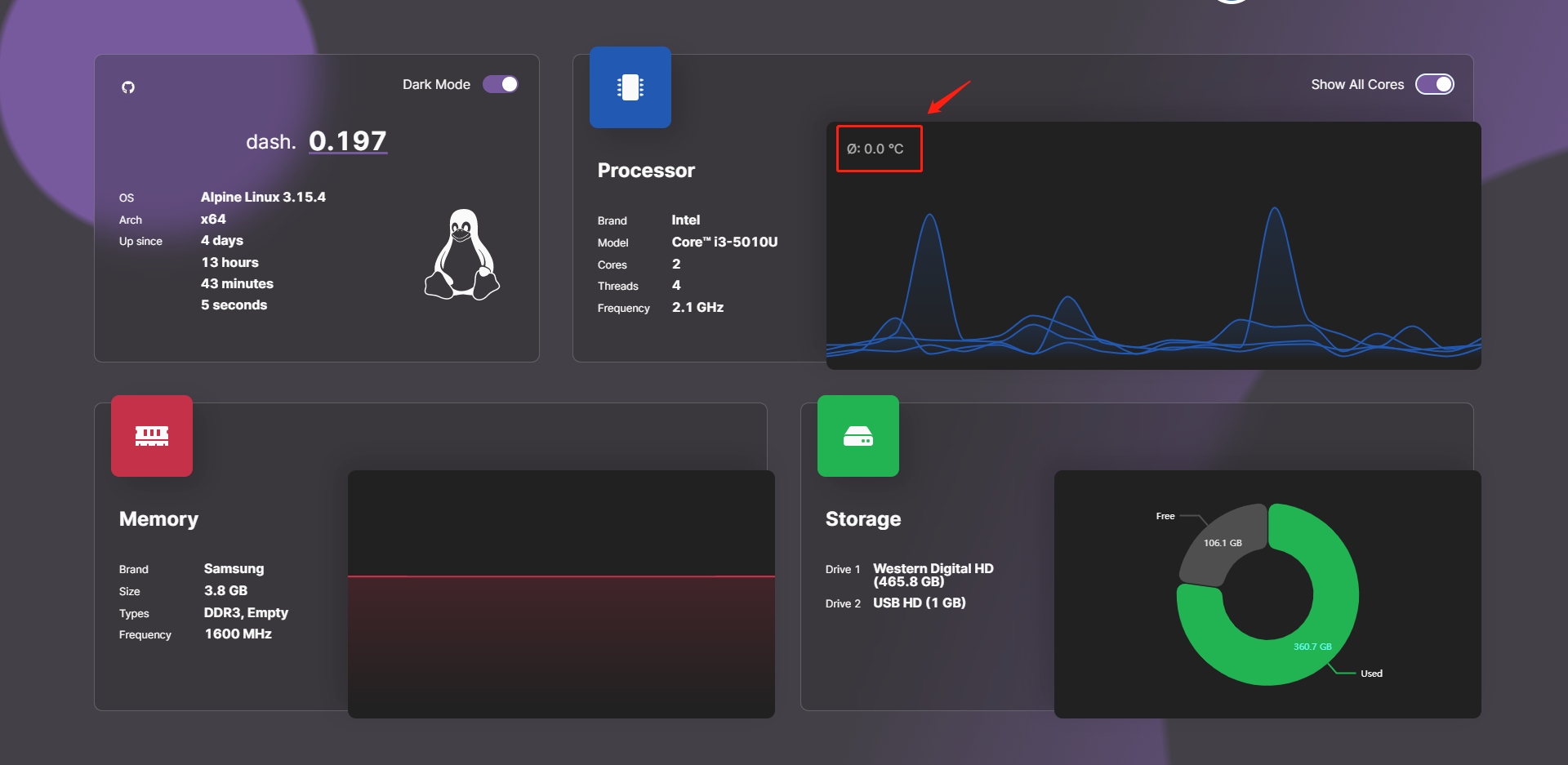
The current version iterates quickly , When I started writing (5 end of the month ) It should still be v 1.x, By the time of publication (7 At the beginning of ) It's already v 3.9.x Version of the , New versions are released almost every day .
- Before upgrading
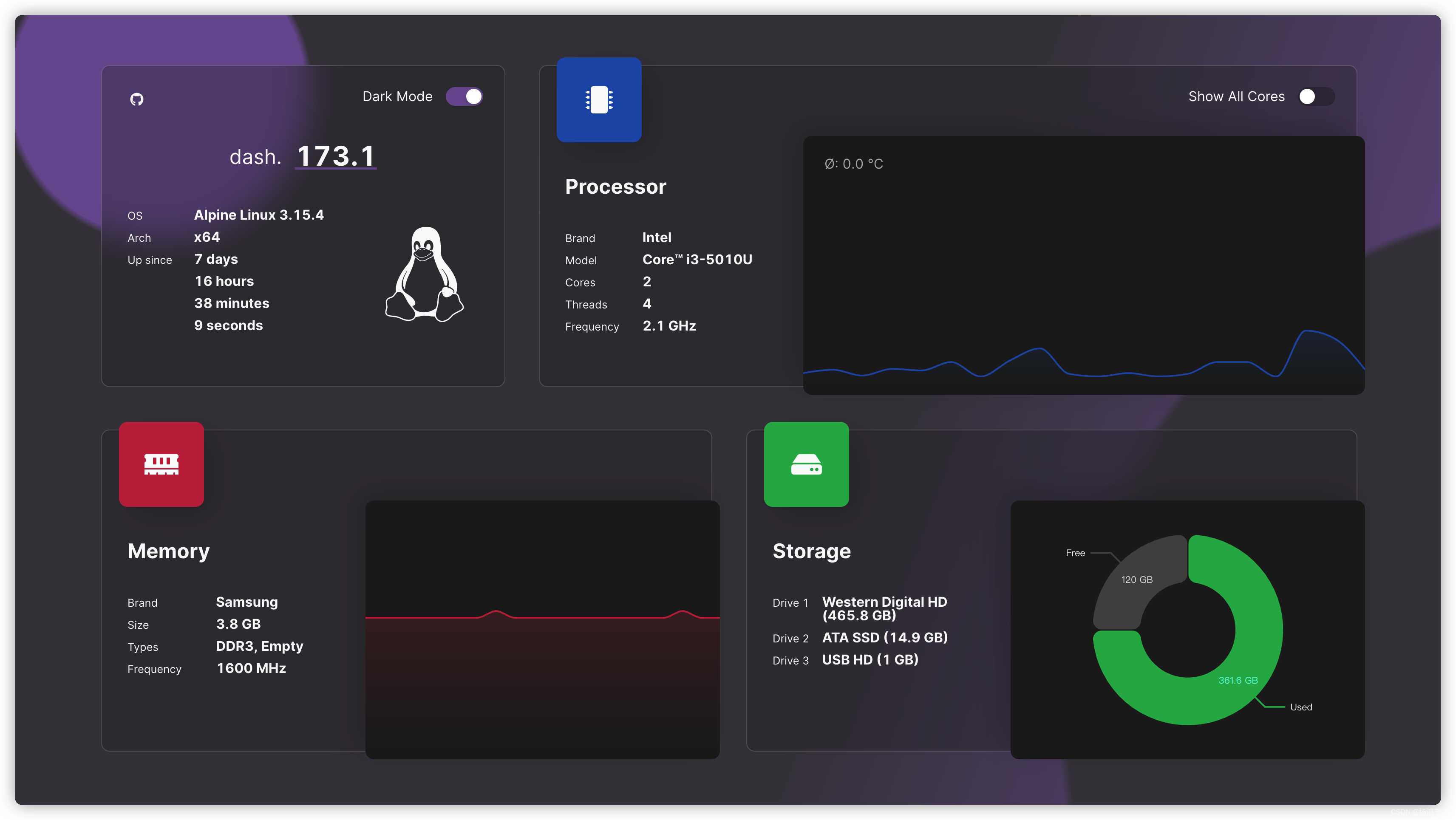
- After upgrading

install
On the group light with Docker Way to install .
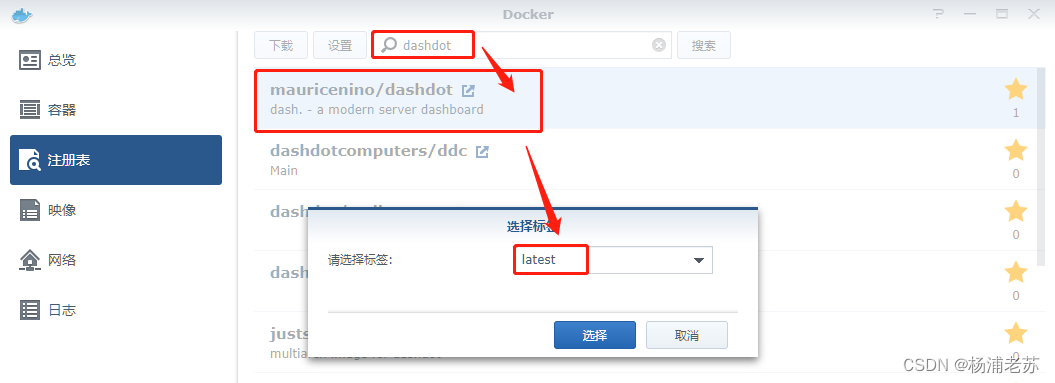
Search the registry for dashdot , Select first mauricenino/dashdot, Version selection latest.
volume
If not Qunhui , Please use the official script to install , Need to mount 4 Volumes to get more detailed system information , But it cannot be mounted on the image interface , Just skip it , Finally, the system information of the container is displayed
mount
/etc/os-release:/etc/os-release:roIt's to makeDashdotDisplays the operating system version of the host , instead ofdockerContainers ( stayAlpine LinuxUp operation ) Operating system of . If you cannot use this mount , Can be passed withDASHDOT_OVERRIDE_OSLogo's custom operating system .mount
/proc/1/ns/net:/host_ns_net:roTo correctly determine the network information . If you cannot use this mount , You need to go back to--net host, Otherwise, you will only get the network statistics of the container, not the host .mount
/media:/mnt/host_media:roand/mnt:/mnt/host_mnt:roYou need to read the usage statistics of all drives . If your drive is installed elsewhere , You need to pass the drive path in the following format :-v /{path}:/mnt/host_{path}:ro
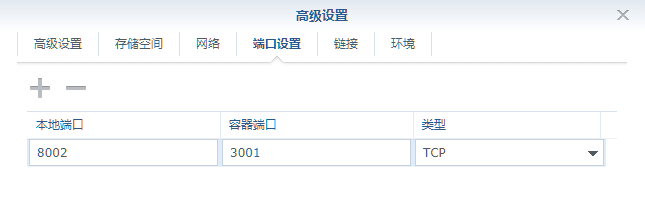
port
The local port does not conflict , If you're not sure, you can use the command to check
#  Check port usage
netstat -tunlp | grep  Port number
| Local port | Container port |
|---|---|
8002 | 3001 |
Environmental Science
Environment variables are optional and unnecessary , Lao Su tested the temperature
| variable | value |
|---|---|
DASHDOT_ENABLE_CPU_TEMPS | The default is false, Do not display temperature , Need to be set to true |
DASHDOT_OVERRIDE_OS | Used to display customized operating system |

The official provides parameter descriptions , If you want to know, you can go to the document :https://getdashdot.com/docs/config
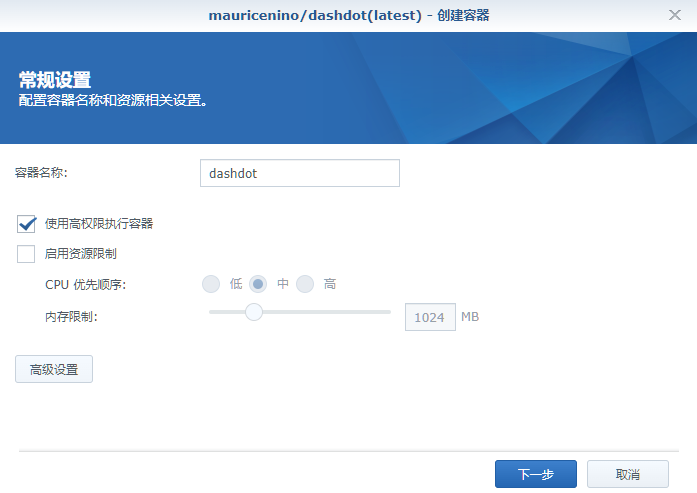
General settings
Remember to check Use the high privilege execution container
Command line run
If you are familiar with the command line , Possible docker cli It will be faster
need
--privilegedFlag to correctly determine memory and storage information
#  Run container ( Same as image interface installation )
docker run -d \
   --restart unless-stopped \
   --privileged \
   --name dashdot \
   -p 8002:3001 \
   mauricenino/dashdot:latest

#  Run container ( It can accurately display the network )
docker run -d \
   --restart unless-stopped \
   --privileged \
   --name dashdot \
   -p 8002:3001 \
   -v /proc/1/ns/net:/mnt/host_ns_net:ro \
   -e DASHDOT_ENABLE_CPU_TEMPS=true \
   -e DASHDOT_OVERRIDE_OS=synology \
   mauricenino/dashdot:latest
It can also be used. docker-compose install , Save the following as docker-compose.yml file
version: "3"
services:
  dozzle:
    container_name: dashdot
    image: mauricenino/dashdot:latest
    ports:
      - '8002:3001'
    environment:
      - DASHDOT_ENABLE_CPU_TEMPS=true
      - DASHDOT_OVERRIDE_OS=synology
    restart: unless-stopped
    privileged: true
    volumes:
      - /proc/1/ns/net:/mnt/host_ns_net:ro
Then execute the following command , stay portainer It is also possible to execute in
#  New folder  dashdot
mkdir -p /volume2/docker/dashdot

#  Get into  dashdot  Catalog
cd /volume2/docker/dashdot

#  take  docker-compose.yml  Put in the current directory

#  One button start
docker-compose up -d
function
Enter... In the browser http:// Synology IP:8002 You can see the main interface , Is it a little amazing at first glance ?
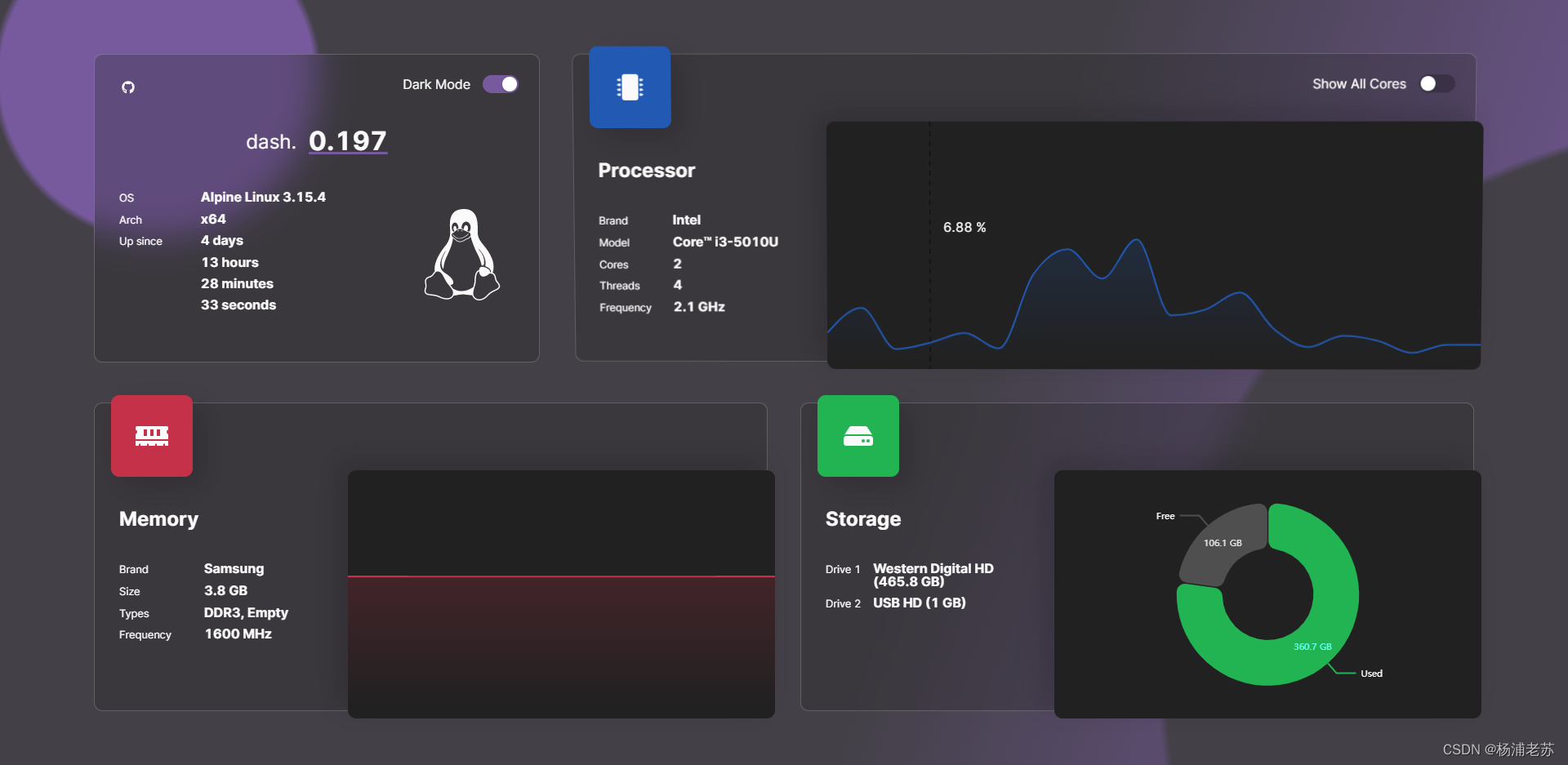
This is with temperature display , But actually v 1.x No value was obtained , The latest version is ok
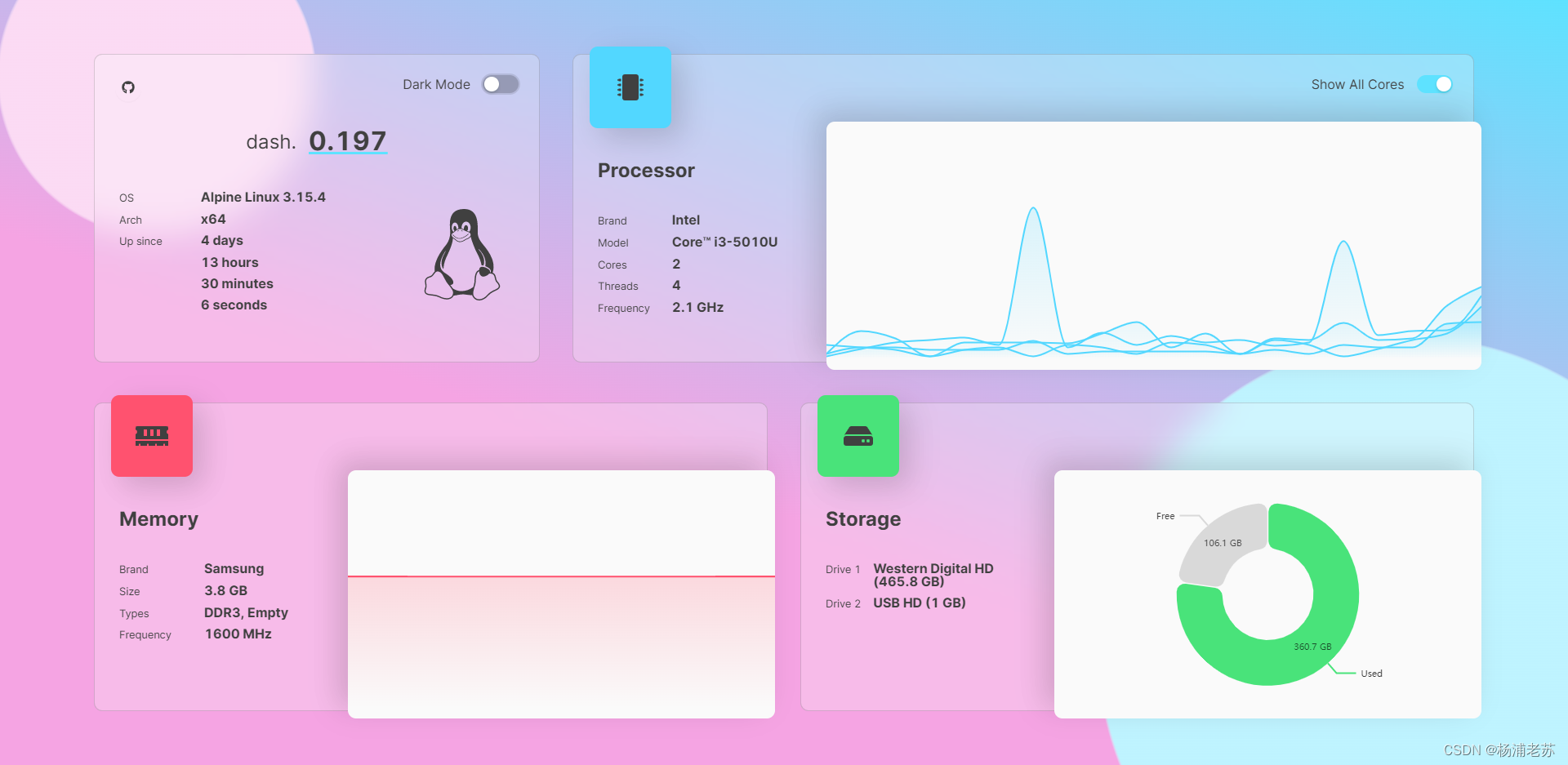
sign out Dark Mode
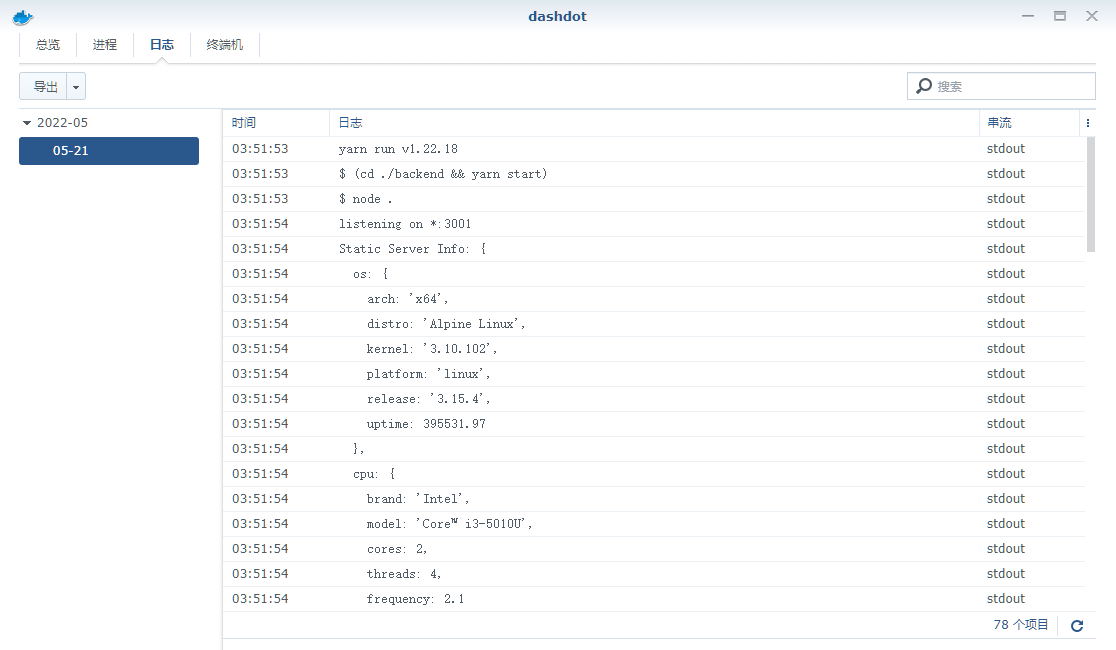
Hardware information is in the log
Reference documents
MauriceNino/dashdot: A simple, modern server dashboard, primarily used by smaller private servers
Address :https://github.com/MauriceNino/dashdot
Home | dash.
Address :https://getdashdot.com/
Installation | dash.
Address :https://getdashdot.com/docs/install
边栏推荐
- 想得到股票开户的优惠链接,如何得知?在线开户是安全么?
- [research materials] national second-hand housing market monthly report January 2022 - Download attached
- math_ Use differentiation to calculate approximate value
- Related concepts of cookies and sessions
- Win11怎么关闭开机自启动软件
- [untitled]
- The large list set is divided into multiple small list sets in equal proportion
- Interview questions shared in today's group
- 今日群里分享的面试题
- fastDFS入门
猜你喜欢






随机推荐
毕业季 | 华为专家亲授面试秘诀:如何拿到大厂高薪offer?
Cookie和Session的相关概念
[research data] observation on the differences of health preservation concepts among people in 2022 - Download attached
Win11暂停更新点不了怎么办?Win11暂停更新是灰色的如何解决?
Servlet knowledge points
EURA欧瑞E1000系列变频器使用PID实现恒压供水功能的相关参数设置及接线
HLS4ML/vivado HLS 报错解决方案
使用 Kibana Timelion 进行时间序列分析
JVM memory model
fastDFS入门
运动捕捉系统原理
PHP获取微信小程序和小程序商店外链地址
Graduation season | Huawei experts teach the interview secret: how to get a high paying offer from a large factory?
Hls4ml/vivado HLS error reporting solution
Easycvr accesses the equipment through the national standard gb28181 protocol. What is the reason for the automatic streaming of the equipment?
【多线程】锁策略
较真儿学源码系列-InheritableThreadLocal(逐行源码带你分析作者思路)
振弦采集模块测量振弦传感器的流程步骤
Install redis under Linux and configure the environment