当前位置:网站首页>分享 10 个 JS 闭包面试题(图解),进来看看你能答对多少
分享 10 个 JS 闭包面试题(图解),进来看看你能答对多少
2022-07-02 22:07:00 【前端达人】

英文 | https://betterprogramming.pub/10-javascript-closure-challenges-explained-with-diagrams-c964110805e7
翻译 | 杨小爱
闭包是函数式编程中的核心概念之一,是每个 JavaScript 开发人员必备的知识。在这里,我准备了 10 个关于闭包的面试挑战题,这些基本都是面试中经常被问到的。
你准备好了吗?我们现在要开始了。
每个题目都有一个代码片段,你需要说出这段代码的输出是什么。
1、范围
在说闭包之前,我们必须了解作用域的概念,它是理解闭包的基石。
此代码段的输出是什么?
var a = 10


function foo(){
    console.log(a)
}


foo()
这很简单,相信所有人都知道输出结果是10。
默认情况下,有一个全局范围。
本地作用域由函数或代码块创建。
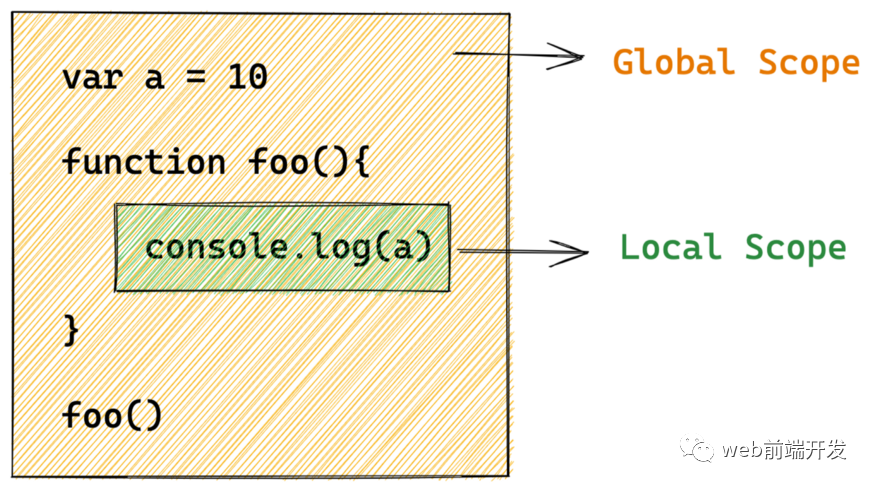
当执行 console.log(a) 时,JavaScript 引擎将首先在函数 foo 创建的本地范围内查找 a。当 JavaScript 引擎找不到 a 时,它会尝试在其外部作用域(即全局作用域)中查找 a。然后事实证明a的值为10。
2、 局部作用域
var a = 10


function foo(){
    var a = 20
    console.log(a)
}


a = 30


foo()
在这段代码中,变量 a 也存在于 foo 的范围内。所以当执行 console.log(a) 时,JavaScript 引擎可以直接从本地作用域获取 a 的值。

所以输出是 20 。
记住:当 JavaScript 引擎需要查询一个变量的值时,它会首先在本地范围内查找,如果没有找到该变量,它会继续在上层范围内查找。
3、词法作用域
var a = 10
function foo(){
    console.log(a)
}


function bar() {
    var a = 20
    foo()
}


bar()
这个问题容易出错,也是面试中经常出现的问题,你可以考虑一下。
简单地说,JavaScript 实现了一种名为词法作用域(或静态作用域)的作用域机制。它被称为词法(或静态),因为引擎仅通过查看 JavaScript 源代码来确定范围的嵌套,无论它在哪里调用。
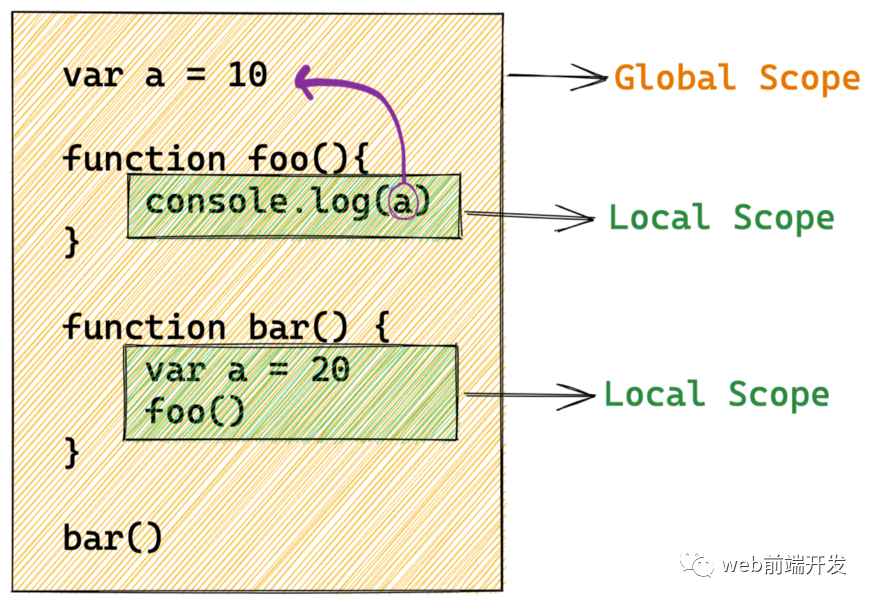
所以输出是 10 :
4、修改词法作用域
如果我们将代码片段更改为:
var a = 10


function bar() {
  var a = 20


  function foo(){
    console.log(a)
  }


  foo()
}


bar()
输出是什么?
foo 范围成为 bar 范围的子范围:
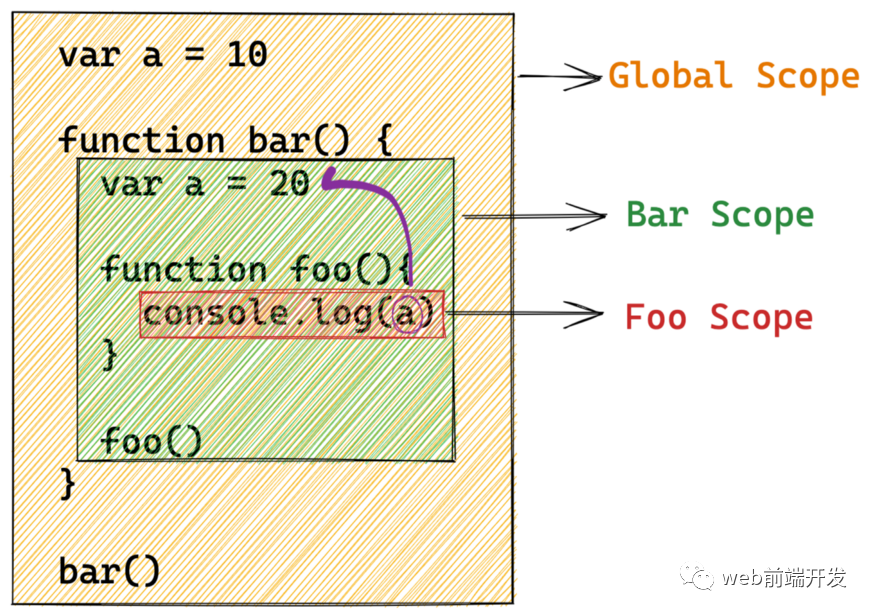
当 JavaScript 引擎在 Foo 作用域中没有找到 a 时,它会首先从 Foo 作用域的父作用域,也就是 Bar 作用域中寻找 a,它确实找到了 a。
所以输出是 20:
好了,以上就是关于范围的一些基本挑战,相信你能顺利通过。现在我们开始进入闭包的部分。
5、 闭包
function outerFunc() {
  let a = 10;


  function innerFunc() {
    console.log(a);
  }
  return innerFunc;
}


let innerFunc = outerFunc();
innerFunc()
输出是什么?这段代码会抛出异常吗?
在词法范围内,innerFunc 仍然可以访问 a,即使在其词法范围之外执行。
换句话说,innerFunc 从其词法范围中记住(或关闭)变量 a。
换句话说,innerFunc 是一个闭包,因为它在变量 a 的词法范围内关闭。

因此,这段代码不会抛出异常,而是输出 10。
6、 IIFE
(function(a) {
  return (function(b) {
    console.log(a);
  })(1);
})(0);
此代码片段使用 JavaScript 立即调用函数表达式 (IIFE)。
我们可以简单地将这段代码翻译成这样:
function foo(a){
  function bar(b){
    console.log(a)
  }
  return bar(1)
}


foo(0)
所以输出是 0 。
闭包的一个经典应用是隐藏变量。
比如现在要写一个计数器,基本的写法是这样的:
let i = 0
function increase(){
  i++
  console.log(`courrent counter is ${i}`)
  return i
}


increase()
increase()
increase()
可以这样写,但是在全局范围内会多出一个变量i,这样就不好了。
这时候,我们可以使用闭包来隐藏这个变量。
let increase = (function(){
  let i = 0
  return function(){
    i++
    console.log(`courrent counter is ${i}`)
    return i
  }
})()


increase()
increase()
increase()
这样,变量 i 就隐藏在局部范围内,不会污染全局环境。
7、多重声明和使用
let count = 0;


(function() {
  if (count === 0) {
    let count = 1;
    console.log(count);
  }
  console.log(count);
})();
在这个代码片段中,有两个 count 的声明和三个 count 的用法。这是一个难题,你应该仔细考虑。
首先,我们要知道if代码块也创建了一个局部作用域,上面的作用域大致是这样的。
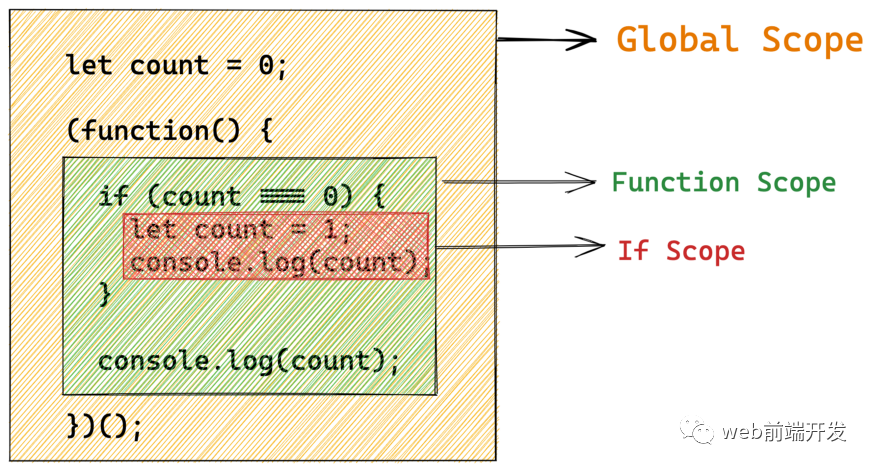
Function Scope 没有声明自己的计数,所以我们在这个作用域中使用的计数是全局作用域的计数。
If Scope 声明了自己的计数,所以我们在这个作用域中使用的计数就是当前作用域的计数。

或在此图中:
所以输出是 1 , 0 :
8、调用多个闭包
function cr
eateCounter(){
let i = 0
return function(){
    i++
return i
  }
}
let increase1 = createCounter()
let increase2 = createCounter()
console.log(increase1())
console.log(increase1())
console.log(increase2())
console.log(increase2())
这里需要注意的是,increase1和increase2是通过不同的函数调用createCounter创建的,它们不共享内存,它们的i是独立的,不同的。
所以输出是 1 , 2 , 1 , 2 。
9、返回函数
function createCounter() {
  let count = 0;
  function increase() {
    count++;
  }
  let message = `Count is ${count}`;


  function log() {
    console.log(message);
  }


  return [increase, log];
}
const [increase, log] = createCounter();
increase();
increase();
increase();
log();
这段代码很容易理解,但是有个陷阱:message其实是一个静态字符串,它的值固定为Count为0,当我们调用increase或者log时不会改变。
所以每次调用 log 函数,输出结果总是 Count is 0 。
如果您希望 log 函数及时检查 count 的值,请将 message 移入 log :
function createCounter() {
  let count = 0;
  function increase() {
    count++;
  }
-  let message = `Count is ${count}`;


  function log() {
+  let message = `Count is ${count}`;
    console.log(message);
  }


  return [increase, log];
}
const [increase, log] = createCounter();
increase();
increase();
increase();
log();
10、异步闭包
for (var i = 0; i < 5; i++) {
  setTimeout(function () {
    console.log(i);
  }, 0)
}
输出是什么?
上面的代码等价于:
var i = 0;
setTimeout(function(){
  console.log(i);
},0)
i = 1;
setTimeout(function(){
  console.log(i);
},0)
i = 2;
setTimeout(function(){
  console.log(i);
},0)
i = 3;
setTimeout(function(){
  console.log(i);
},0)
i = 4;
setTimeout(function(){
  console.log(i);
},0)
i = 5
而且我们知道JavaScript会先执行同步代码,然后再执行异步代码。所以每次执行console.log(i)时,i的值已经变成了5。
所以输出是 5 , 5 , 5 , 5 , 5 。
如果我们想要代码输出 0 , 1 , 2 , 3 , 4 ,需要怎么操作?
使用闭包的解决方案是:
for ( var i = 0 ; i < 5 ; ++i ) {
  (function(cacheI){
      setTimeout(function(){
          console.log(cacheI);
      },0)
  })(i)
}  ;
上面的代码等价于:
var i = 0;
(function(cacheI){setTimeout(function(){
  console.log(cacheI);
},0)})(i)


i = 1;
(function(cacheI){setTimeout(function(){
  console.log(cacheI);
},0)})(i)


i = 2;
(function(cacheI){setTimeout(function(){
  console.log(cacheI);
},0)})(i)


i = 3;
(function(cacheI){setTimeout(function(){
  console.log(cacheI);
},0)})(i)


i = 4;
(function(cacheI){setTimeout(function(){
  console.log(cacheI);
},0)})(i)
我们通过 JavaScript 立即调用的函数表达式创建函数范围。i 的值是通过闭包保存的。
恭喜你,到这里,你已经学会了这些面试挑战题。
希望在开发面试中,闭包相关的问题不会再困扰你了。
最后,感谢你的阅读,如果你觉得有用的话,请点赞我,关注我,并将其分享给你的身边做开发的朋友,也许能够帮助到他。
学习更多技能
请点击下方公众号

边栏推荐
- 位的高阶运算
- 开发者分享 | HLS, 巧用AXI_master总线接口指令的定制并提升数据带宽-面积换速度...
- 对象与对象变量
- 《乔布斯传》英文原著重点词汇笔记(十一)【 chapter nine】
- 存储单位换算
- Market Research - current market situation and future development trend of aircraft audio control panel system
- How can I use knockout's $parent/$root pseudovariables from inside a . computed() observable?
- 【外刊】睡眠与减肥
- Promise optimized callback hell
- 540. Single element in ordered array
猜你喜欢

Simpleitk use - 4 Strange question

Oracle cursor
#include errors detected. Please update your includePath.
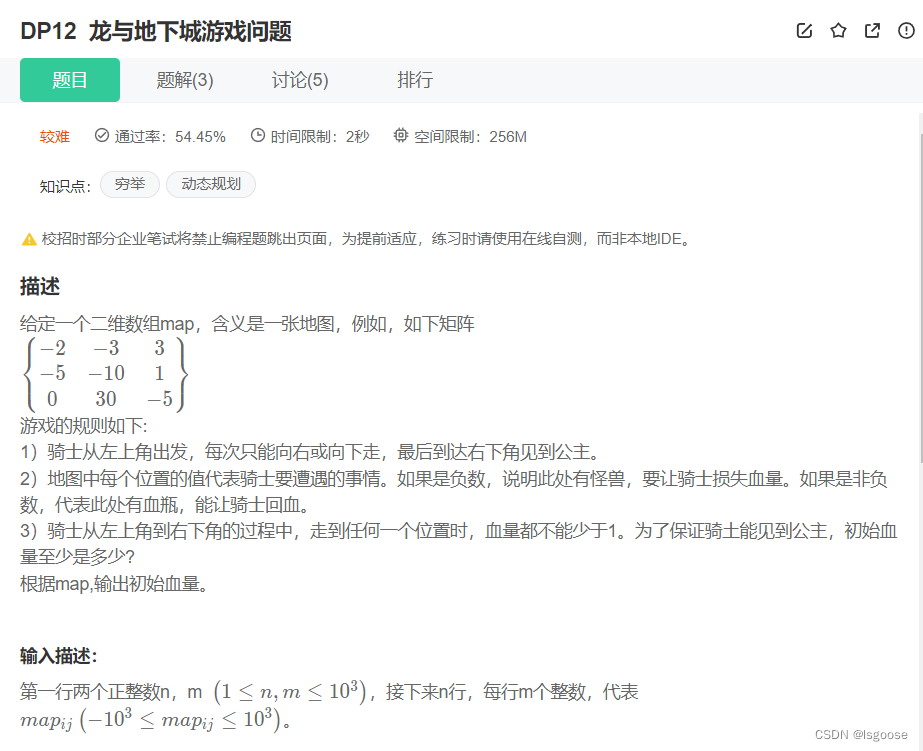
Niuke: Dragon and dungeon games
![NC24325 [USACO 2012 Mar S]Flowerpot](/img/cf/86acbcb524b3af0999ce887c877781.png)
NC24325 [USACO 2012 Mar S]Flowerpot

数学建模——图与网络模型及方法(一)

附加:【登录信息存储】与【登录状态校验】;(包括:总结了到目前为止,有关【登录信息存储】与【登录状态校验】的所有内容;)
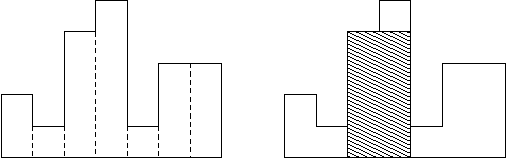
NC50965 Largest Rectangle in a Histogram
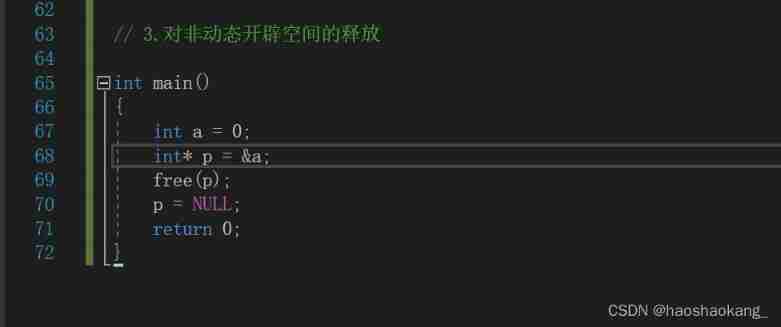
Dynamic memory allocation (malloc calloc realloc free)
![[foreign journal] sleep and weight loss](/img/81/42dcfae19e72a0bc761cb7a40fe5d5.jpg)
[foreign journal] sleep and weight loss
随机推荐
SimpleITK使用——3. 常见操作
Market Research - current situation and future development trend of anterior cruciate ligament (ACL) reconstruction Market
Oracle cursor
Market Research - current market situation and future development trend of intravenous injection (IV) bottles
原生js添加样式的方法
U++ learning note pile
数组进阶提高
杰理之快速触摸不响应问题【篇】
[error record] the flutter reports an error (could not read script 'xxx\flutter\u tools\gradle\app\u plugin\u loader.gradle')
U++ 学习笔记 堆
NC50965 Largest Rectangle in a Histogram
It's not easy to say I love you | use the minimum web API to upload files (swagger support) # yyds dry inventory #
Unity publishes a method of webgl playing sound
PHP wechat red packet grabbing algorithm
Developers share | HLS and skillfully use Axi_ Customize the master bus interface instructions and improve the data bandwidth - area exchange speed
【ODX Studio编辑PDX】-0.1-如何快速查看各Variant变体间的支持的诊断信息差异(服务,Sub-Function...)
[shutter] shutter gesture interaction (small ball following the movement of fingers)
Pointer array parameter passing, pointer parameter passing
[LeetCode] 数组中的第K个最大元素【215】
[QT] Q multithreaded development - Analysis of multithreaded application examples (Mandelbrot)