当前位置:网站首页>Vue+mysql login registration case
Vue+mysql login registration case
2022-06-27 22:34:00 【Meow meow more】
Vue+MySQL Implement login and registration cases
1. newly build vue Project and connect to the database
Please refer to vue Connect mysql database
2. New login page 、 Registration page and home page
stay src/views Under the folder , newly build login.vue( The login page )、register.vue( Registration page ) and home.vue( home page )
Build a page according to your own preferences ( I use here elementUI The components of ,cv Install before elementUI middleware )
npm i element-ui -S
The login page


4. Page routing configuration
stay src/router/index.js Route corresponding to the configuration page in
import Vue from 'vue'
import VueRouter from 'vue-router'

Vue.use(VueRouter)

const home = () => import("../views/home.vue")    // Lazy loading
const login = () => import("../views/login.vue")
const register = () => import("../views/register.vue")

const routes = [
  {
    path: '',
    redirect: '/login'   // Redirect
  },
  {
    path: '/login',
    name: 'login',
    component: login
  },
  {
    path: '/register',
    name: 'register',
    component: register
  },
  {
    path: '/home',
    name: 'home',
    component: home,
  }
]

const router = new VueRouter({
  mode: 'history',
  base: process.env.BASE_URL,
  routes
})

// Solve the same path jump error reporting problem
// Use push Methods
const RouterPush = VueRouter.prototype.push
VueRouter.prototype.push = function push (to) {
  return RouterPush.call(this, to).catch(err => err)
}

// Use replace Methods
const RouterReplace = VueRouter.prototype.replace
VueRouter.prototype.replace = function replace (to) {
  return RouterReplace.call(this, to).catch(err => err)
}

export default router
4. newly build /server/API/login.js
receive req.query / req.bosy The parameters passed in , Query the corresponding data through the query statement and put back the results
let db = require('../db/index')

exports.login = (req, res) => {
  var sql = 'select * from user where name = ? and password = ?'
  db.query(sql, [req.query.name, req.query.password], (err, data) => {
      if(err) {
          return res.send({
            status: 400,
            message: " Login failed "
          })
      }

      if(data.length > 0) {
        res.send({
          status: 200,
          message: " Login successful "
        })
      }else{
        res.send({
          status: 202,
          message: ' Wrong user name or password '
        })
      }
  })
}

exports.register = (req, res) => {
  const sql1 = 'select * from user where name = ?'
  const sql2 = 'insert into user (name, password) value (?, ?)'
  db.query(sql1, [req.body.params.name], (err, data) => {
    if(err) {
      return res.send({
        status: 400,
        message: " operation failed "
      })
    }
    if(data.length > 0) {
      return res.send({
        status: 202,
        message: ' User name already exists '
      })
    }else{
      db.query(sql2, [req.body.params.name, req.body.params.password], (err, data) => {
        if(err) {
            return res.send({
              status: 400,
              message: " Registration failed "
            })
        }
        res.send({
          status: 200,
          message: " Registered successfully "
        })
      })
    }
  })
}
5. stay /server/router.js Configure the corresponding route in
let express = require('express')
let router = express.Router()
let login = require('./API/login')

router.get('/login', login.login)
router.post('/register', login.register)

module.exports = router
6. stay /views/login.vue、/views/register.vue and /views/home.vue Write corresponding methods in
<template>
  <div class="bg">
    <div id="login">
        <h2> The login page </h2>
        <el-form ref="form" :model="form" label-width="20%">
        <el-form-item label=" user name :">
            <el-input v-model="form.username"></el-input>
        </el-form-item>
        <el-form-item label=" The secret    code :">
            <el-input v-model="form.password" type="password"></el-input>
        </el-form-item>
        </el-form>
        <el-button type="primary" round @click="login" class="btn"> Sign in </el-button>
    </div>
  </div>
</template>

<script>
import axios from "axios"
export default {
  data () {
    return {
      form: {
        username: '',
        password: ''
      }
    };
  },

  methods: {
    login() {
      if(this.form.username == '') {
        this.$message.error(' The username cannot be empty ');
      }else if(this.form.password == '') {
        this.$message.error(' The password cannot be empty ');
      }else{
        axios.get('http://127.0.0.1/login', {
          params: {
            name: this.form.username,
            password: this.form.password
          }
        }).then(res=>{
          if(res.data.status == 200) {
            this.$router.push({
              path: '/home',
              query: {
                name: this.form.username
              }
            })
          }else{
            this.$alert(' Wrong user name or password ', ' Login failed ', {
              confirmButtonText: ' determine ',
              callback: action => {
                this.form.username = '',
                this.form.password = ''
              }
            });
          }
        }).catch(err=>{
            console.log(" Login failed " + err);
        })
      }
    },
    register() {
      this.$router.push('/register')
    }
  }
}
</script>


<template>
  <div class="bg">
    <div id="register">
        <h2> Registration page </h2>
        <el-form ref="form" :model="form" label-width="20%">
        <el-form-item label=" user name :">
            <el-input v-model="form.username"></el-input>
        </el-form-item>
        <el-form-item label=" The secret    code :">
            <el-input v-model="form.password" type="password"></el-input>
        </el-form-item>
        </el-form>
        <el-button type="primary" round @click="register" class="btn"> register </el-button>
    </div>
  </div>
</template>

<script>
import axios from "axios"
export default {
  data () {
    return {
      form: {
        username: '',
        password: ''
      },
      isnull: false
    };
  },

  methods: {
    register() {
      if(this.form.username == '') {
        this.$message.error(' The username cannot be empty ');
      }else if(this.form.password == '') {
        this.$message.error(' The password cannot be empty ');
      }else{
        axios.post('http://127.0.0.1/register', {
          params: {
            name: this.form.username,
            password: this.form.password
          }
        }).then(res => {
          // console.log(res.data.message);
          if(res.data.status == 200) {
            this.$alert(' Whether to return to the login page ', ' Registered successfully ', {
              confirmButtonText: ' determine ',
              callback: action => {
                this.$router.push('/login')
              }
            })
          }else if(res.data.status == 202) {
            this.$alert(' User name already exists ', ' Registration failed ', {
              confirmButtonText: ' determine ',
              callback: action => {
                this.form.username = '',
                this.form.password = ''
              }
            })
          }else{
            console.log(res.message);
          }
        }).catch(err => {
          console.log(' operation failed ' + err);
        })
      }
    }
  }
}
</script>


<template>
  <div id="main">
    <el-container>
      <el-header>
        <div class="logo" >
          <img src="../assets/img/logo.png">  <!--  Please prepare the pictures here in advance  -->
        </div>
        <div class="user">
          {
   {username}}
        </div>
      </el-header>
      <el-main>main</el-main>
      <el-footer>Footer</el-footer>
    </el-container>
  </div>
</template>
<script>
  export default {
    name: 'Main',
    data() {
      return{
        username: ''
      }
    },
    created() {  // When creating a page , Assign the user name passed from the route to data Medium username, In this way, the user name can be displayed on the page ( See the top right corner of the home page for the effect )
      this.username = this.$route.query.name;
    }
  }
</script>
Effect display
Log in to register demo
git Source code address :https://gitee.com/xie-xiaochun/login-registration-demo
Be careful : The resource does not contain a database , You need to create your own database , And modify the relevant information of the database in the source code .
边栏推荐
- Deep learning has a new pit! The University of Sydney proposed a new cross modal task, using text to guide image matting
- 从学生到工程师的蜕变之路
- The "business and Application Security Development Forum" held by the ICT Institute was re recognized for the security capability of Tianyi cloud
- AQS SOS AQS with me
- 7 jours d'apprentissage de la programmation simultanée go 7 jours de programmation simultanée go Language Atomic Atomic Atomic actual Operation contains ABA Problems
- Start the start php
- 正则表达式
- Gbase 8A OLAP analysis function cume_ Example of dist
- Day8 - cloud information project introduction and creation
- Management system itclub (Part 1)
猜你喜欢
CUDA error:out of memory caused by insufficient video memory of 6G graphics card

Infiltration learning - problems encountered during SQL injection - explanation of sort=left (version(), 1) - understanding of order by followed by string

登录凭证(cookie+session和Token令牌)

《7天學會Go並發編程》第7天 go語言並發編程Atomic原子實戰操作含ABA問題

爬虫笔记(3)-selenium和requests
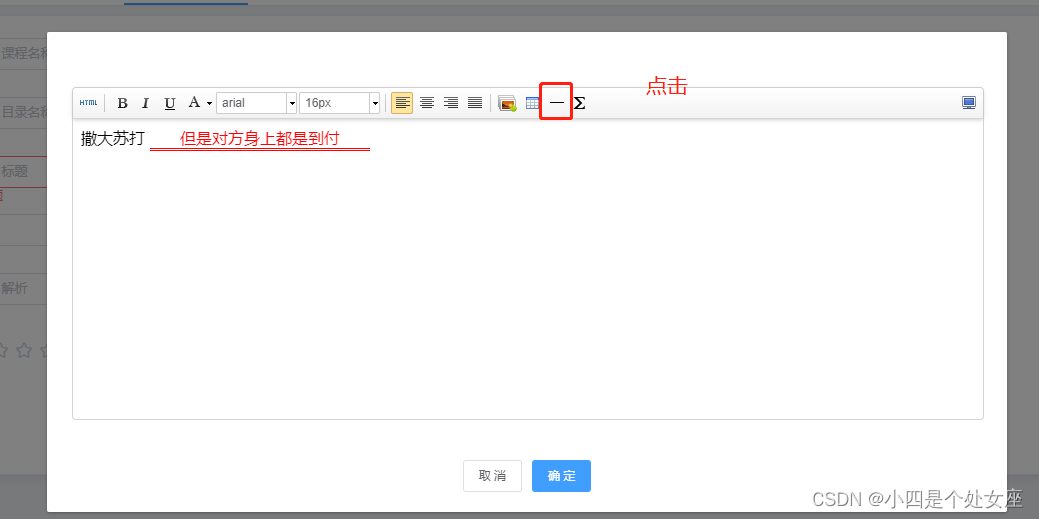
Fill in the blank of rich text test

About the SQL injection of davwa, errors are reported: analysis and verification of the causes of legal mix of settlements for operation 'Union'
![\w和[A-Za-z0-9_],\d和[0-9]等价吗?](/img/96/2649c9cf95b06887b57fd8af2d41c2.png)
\w和[A-Za-z0-9_],\d和[0-9]等价吗?

九九乘法表——C语言

Common problems encountered by burp Suite
随机推荐
Test automatique de Test logiciel - test d'interface de l'introduction à la maîtrise, apprendre un peu chaque jour
How to open an account for agricultural futures? How much is the handling charge for opening an account for futures? Who can give you a preferential handling charge?
The problem of minimum modification cost in two-dimensional array [conversion question + shortest path] (dijkstra+01bfs)
Contest 2050 and Codeforces Round #718 (Div. 1 + Div. 2)
Vue+MySQL实现登录注册案例
软件测试自动化测试之——接口测试从入门到精通,每天学习一点点
读写分离-Mysql的主从复制
真香,自从用了Charles,Fiddler已经被我彻底卸载了
Oracle obtains the beginning and end of the month time, and obtains the beginning and end of the previous month time
管理系统-ITclub(中)
Read write separation master-slave replication of MySQL
VMware virtual machine PE startup
AQS SOS AQS with me
Structured machine learning project (I) - machine learning strategy
Is it safe to open a stock account through the account opening link given by the CICC securities manager? I want to open an account
CDH集群之YARN性能调优
年薪50W+的测试大鸟都在用这个:Jmeter 脚本开发之——扩展函数
单元测试界的高富帅,Pytest框架,手把手教学,以后测试报告就这么做~
Crawler notes (3) -selenium and requests
渗透学习-sql注入过程中遇到的问题-针对sort=left(version(),1)的解释-对order by后接字符串的理解