当前位置:网站首页>动画(animation)
动画(animation)
2022-07-28 02:47:00 【shuo277】
简介:
在APP中添加上一些动画,会让我们的应用变得 很炫,比如最简单的关开Activity,当然自定义控件动画肯定必不可少啦~而Android中的动画 分为三大类,逐帧动画(Frame)以及补间动画(Tween),还有Android 3.0以后引入的属性动画(Property)
1.帧动画 帧动画的资源文件,放在drawable文件夹下
创建项目
导入资源, 将图片资源放入 mipmap 文件夹下
编写资源文件cat_gif.xml 在drawable文件夹下
<?xml version="1.0" encoding="utf-8"?>
<animation-list xmlns:android="http://schemas.android.com/apk/res/android">
    <item android:drawable="@mipmap/img_miao1"
        android:duration="80"/>
    <item android:drawable="@mipmap/img_miao2"
        android:duration="80"/>
    <item android:drawable="@mipmap/img_miao3"
        android:duration="80"/>
    <item android:drawable="@mipmap/img_miao4"
        android:duration="80"/>
	。。。

</animation-list>
4.在xml页面,添加<Imageview> 并设置其background
<ImageView
    android:id="@+id/im_cat"
    android:layout_width="340dp"
    android:layout_height="340dp"
    android:background="@drawable/cat_gif"/>
5.在java文件中,获取imageview,并对其background进行动画设置
public class MainActivity extends AppCompatActivity {

    private ImageView im_cat;
    private AnimationDrawable anim;

    @Override
    protected void onCreate(Bundle savedInstanceState) {
        super.onCreate(savedInstanceState);
        setContentView(R.layout.activity_main);

        im_cat = findViewById(R.id.im_cat);

        anim = (AnimationDrawable) im_cat.getBackground();

    }
}
6.开启动画
public class MainActivity extends AppCompatActivity {

    private ImageView im_cat;
    private AnimationDrawable anim;

    @Override
    protected void onCreate(Bundle savedInstanceState) {
        super.onCreate(savedInstanceState);
        setContentView(R.layout.activity_main);

        im_cat = findViewById(R.id.im_cat);

        anim = (AnimationDrawable) im_cat.getBackground();

        anim.start();
    }
}
2.补间动画 补间动画的资源文件,放在 anim文件夹下
2.1补间动画有几种?
1.AlphaAnimation(透明度渐变)
anim_alpha.xml:
<alpha xmlns:android="http://schemas.android.com/apk/res/android"
    android:interpolator="@android:anim/accelerate_decelerate_interpolator"
    android:fromAlpha="1.0"
    android:toAlpha="0.1"
    android:duration="2000"/>
属性解释:
fromAlpha :起始透明度
toAlpha:结束透明度
透明度的范围为:0-1,完全透明-完全不透明
2 .ScaleAnimation(缩放渐变)
anim_scale.xml:
<scale xmlns:android="http://schemas.android.com/apk/res/android"
    android:interpolator="@android:anim/accelerate_interpolator"
    android:fromXScale="0.2"
    android:toXScale="1.5"
    android:fromYScale="0.2"
    android:toYScale="1.5"
    android:pivotX="50%"
    android:pivotY="50%"
    android:duration="2000"/>
属性解释:
fromXScale/fromYScale:沿着X轴/Y轴缩放的起始比例
toXScale/toYScale:沿着X轴/Y轴缩放的结束比例
pivotX/pivotY:缩放的中轴点X/Y坐标,即距离自身左边缘的位置,比如50%就是以图像的 中心为中轴点
3.TranslateAnimation(位移渐变)
anim_translate.xm :
<translate xmlns:android="http://schemas.android.com/apk/res/android"
    android:interpolator="@android:anim/accelerate_decelerate_interpolator"
    android:fromXDelta="0"
    android:toXDelta="320"
    android:fromYDelta="0"
    android:toYDelta="0"
    android:duration="2000"/>
fromXDelta/fromYDelta:动画起始位置的X/Y坐标
toXDelta/toYDelta:动画结束位置的X/Y坐标
4. RotateAnimation(旋转渐变)
anim_rotate.xml:
<rotate xmlns:android="http://schemas.android.com/apk/res/android"
    android:interpolator="@android:anim/accelerate_decelerate_interpolator"
    android:fromDegrees="0"
    android:toDegrees="360"
    android:duration="1000"
    android:repeatCount="1"
    android:repeatMode="reverse"/>
属性解释:
fromDegrees/toDegrees:旋转的起始/结束角度
repeatCount:旋转的次数,默认值为0,代表一次,假如是其他值,比如3,则旋转4次 另外,值为-1或者infinite时,表示动画永不停止
repeatMode:设置重复模式,默认restart,但只有当repeatCount大于0或者infinite或-1时 才有效。还可以设置成reverse,表示偶数次显示动画时会做方向相反的运动!
5. AnimationSet(组合渐变)
非常简单,就是前面几个动画组合到一起而已~
anim_set.xml:
<set xmlns:android="http://schemas.android.com/apk/res/android"
    android:interpolator="@android:anim/decelerate_interpolator"
    android:shareInterpolator="true" >

    <scale
        android:duration="2000"
        android:fromXScale="0.2"
        android:fromYScale="0.2"
        android:pivotX="50%"
        android:pivotY="50%"
        android:toXScale="1.5"
        android:toYScale="1.5" />

    <rotate
        android:duration="1000"
        android:fromDegrees="0"
        android:repeatCount="1"
        android:repeatMode="reverse"
        android:toDegrees="360" />

    <translate
        android:duration="2000"
        android:fromXDelta="0"
        android:fromYDelta="0"
        android:toXDelta="320"
        android:toYDelta="0" />

    <alpha
        android:duration="2000"
        android:fromAlpha="1.0"
        android:toAlpha="0.1" />

</set>
总结:
补间动画使用的流程:
1. 选择使用何种补间动画
2.在anim下创建资源文件
3.使用AnimationUtils加载效果
4.启动动画
边栏推荐
- STM32之IO模拟串口篇
- Web server
- 基于JSP&Servlet实现的众筹平台系统
- [download file] uniapp develops small programs, downloads files and saves them locally
- 【Codeforces Round #806 (Div. 4)(A~F)】
- redis网络模型解析
- Redis实现分布式锁
- Pytoch correlation gradient echo
- When a dialog box pops up, the following form is not available
- Unexpected harvest of epic distributed resources, from basic to advanced are full of dry goods, big guys are strong!
猜你喜欢

Stm32f407 ------- DSP learning

每日刷题巩固知识

My approval & signature function of conference OA project

Redis5种数据结构解析

“讳疾忌医”的开源走不远

CAD creation group is not combined?
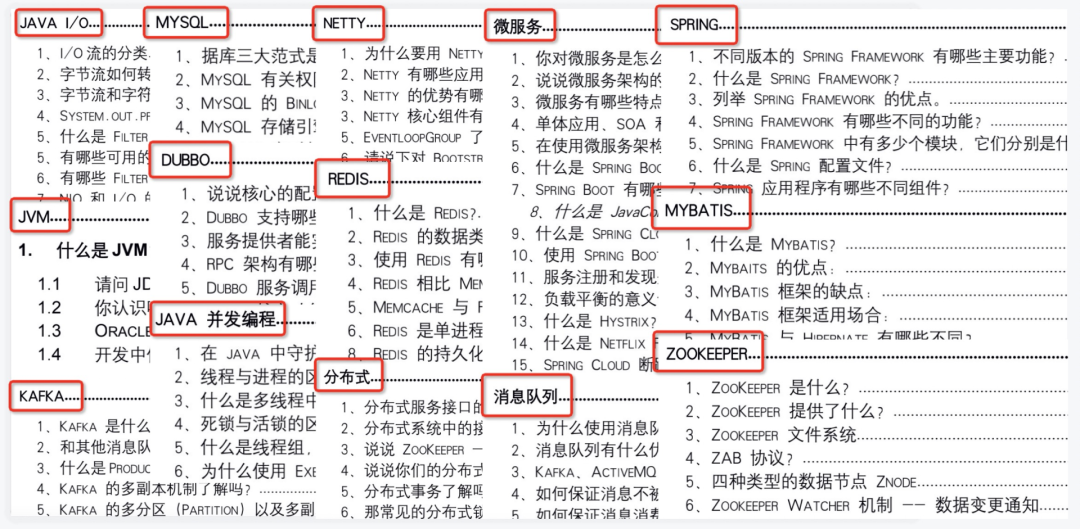
More than 50 interviews have been summarized, and notes and detailed explanations have been taken from April to June (including core test sites and 6 large factories)

工程地质实习-工程地质 题集

Win11怎么显示固定应用?

The test post changes jobs repeatedly, jumping and jumping, and then it disappears
随机推荐
Qt官方示例:Fridge Magnets Example(冰箱贴)
Stop paging with offset and limit. The performance is too poor!
mysql存储过程 使用游标实现两张表数据同步数据
Uniapp - make phone calls and send text messages
满满干货赶紧进来!!!轻松掌握C语言中的函数
Blue Bridge Cup: the ninth - "lantern controller"
Pytoch correlation gradient echo
Uniapp——拨打电话、发送短信
QML使用Layout布局时出现大量<Unknown File>: QML QQuickLayoutAttached: Binding loop detected for property循环绑定警告
ThreadLocal使用场景
【2022 牛客第二场J题 Link with Arithmetic Progression】三分套三分/三分极值/线性方程拟合最小二乘法
Engineering Geology Practice - engineering geology problem set
关于权重衰退和丢弃法
Interview experience: first tier cities move bricks and face software testing posts. 5000 is enough
谈一谈百度 科大讯飞 云知声的语音合成功能
汇总了50多场面试,4-6月面经笔记和详解(含核心考点及6家大厂)
Brush questions every day to consolidate knowledge
【下载文件】uniapp开发小程序,下载文件并保存到本地
[acwing 327. corn field] shaped pressure DP
Design of the multi live architecture in different places of the king glory mall