当前位置:网站首页>Nacos注册中心
Nacos注册中心
2022-06-25 22:36:00 【自由梦想程序员】
Nacos注册中心

springcloud的alibab版本的注册中心
nacso官网
nacos.io

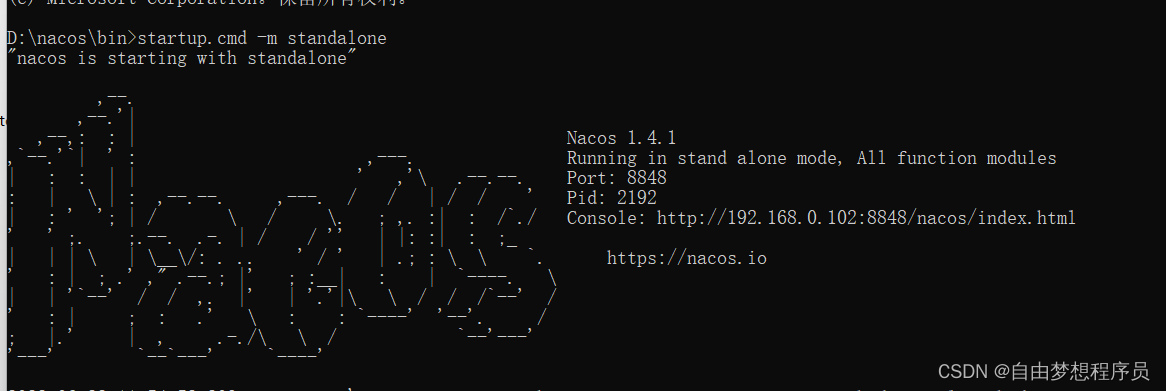
端口8848,复制console的网址访问nacos页面
默认账号密码就是nacos
快速入门

去父工程添加依赖
<!--nacos的管理依赖-->
            <dependency>
                <groupId>com.alibaba.cloud</groupId>
                <artifactId>spring-cloud-alibaba-dependencies</artifactId>
                <version>2.2.5.RELEASE</version>
                <type>pom</type>
                <scope>import</scope>
            </dependency>
在user-service模块中添加nacos依赖,注释掉eureka依赖(只需要添加客户端依赖)
<!--nacos客户端依赖包 -->
        <dependency>
            <groupId>com.alibaba.cloud</groupId>
            <artifactId>spring-cloud-starter-alibaba-nacos-discovery</artifactId>
        </dependency>
修改配置环境
order-service进行一样的操作
返回到nacos页面,刷新下,点击服务管理

服务分级存储模型


我复制了几个user-service模块,便于理解集群
修改user-service模块的环境配置

然后运行8083和8081端口的user-service模块(先把所有运行的模块停止运行)
在修改user-service模块的环境配置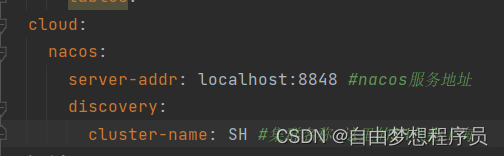
运行8082端口的user-service模块(如果集群数显示的是三个,就重启下nacos)
点击详情

NacosRule负载均衡
把order-service模块按照上述进行配置(集群改为HZ)
这时候调用order-service模块,多调用几次就发现所有集群都有调用的情况
修改order-service模块的环境配置
userserive: #要做配置的微服务的名称
    ribbon:
      NFLoadBalancerRuleClassName: com.alibaba.cloud.nacos.ribbon.NacosRule  #负载均衡原理
这下就可以走本机集群
服务实例的权重配置


权重越高,服务请求越频繁
环境隔离


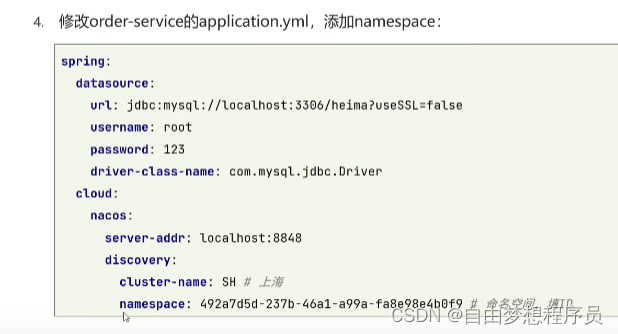

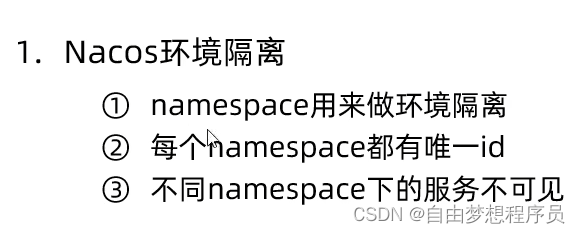
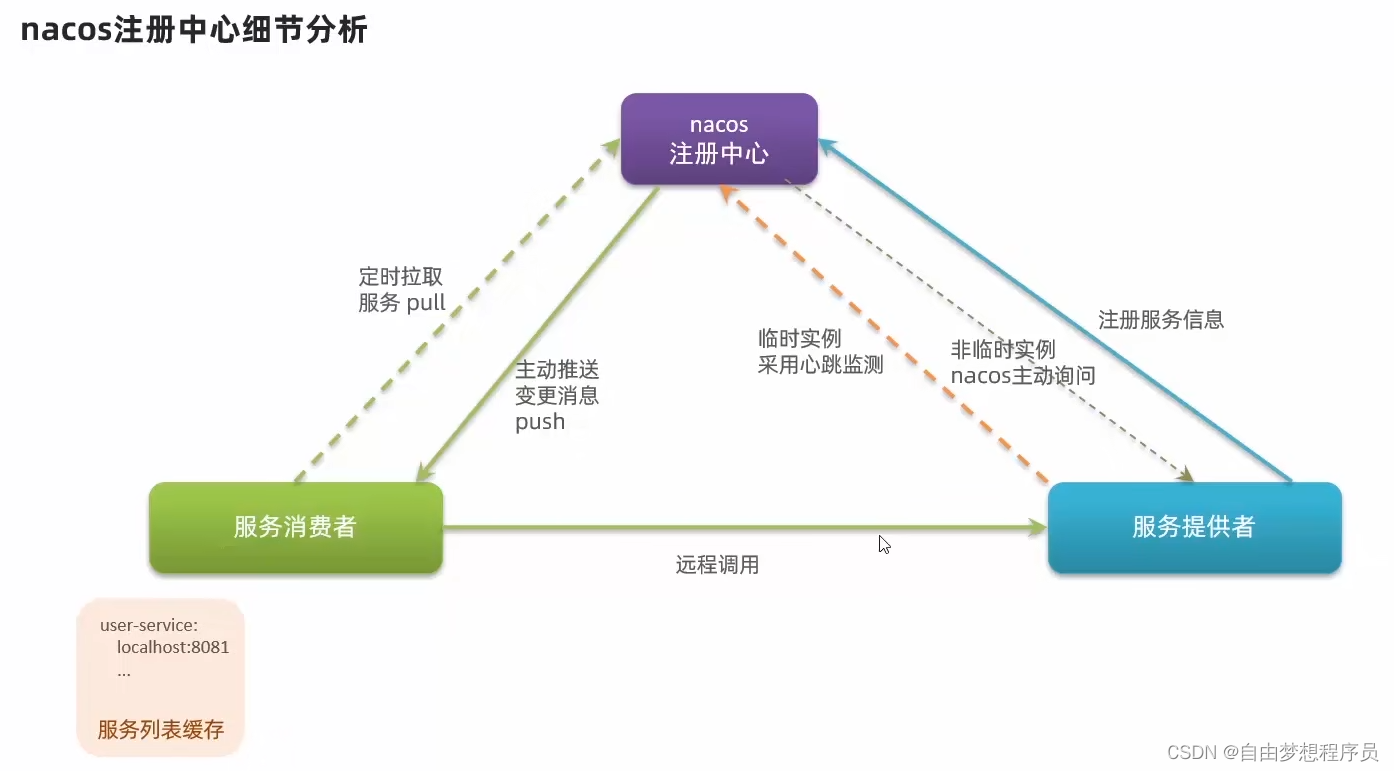
Nacos和Eureka对比

在order-service修改配置环境
重启order-service模块
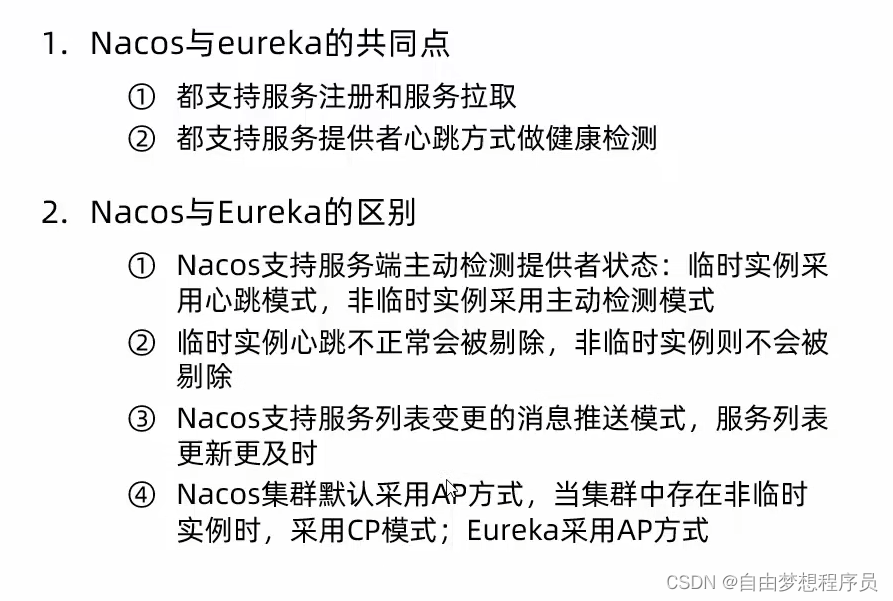
Nacos配置管理
已经创建的配置前忘截图了,也就是本来就没有配置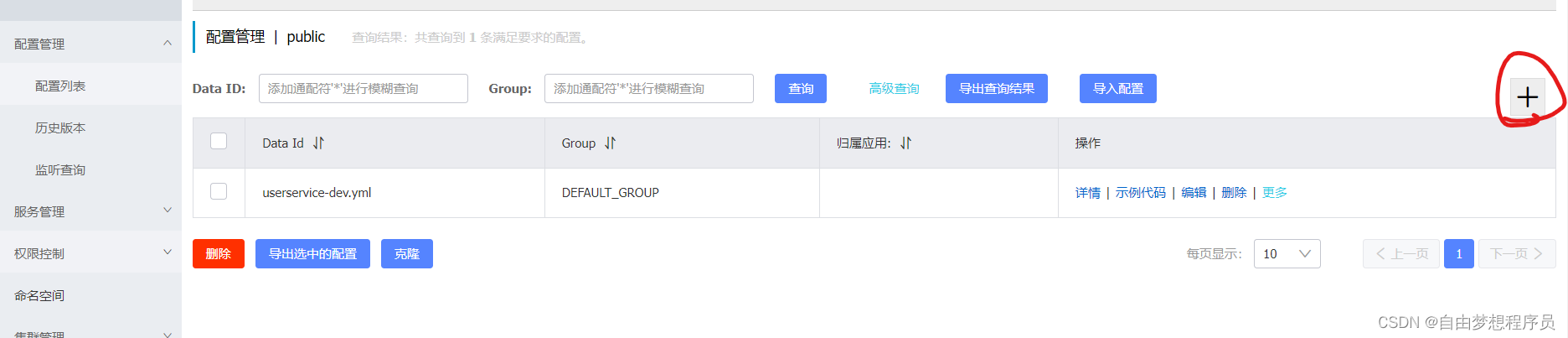


微服务配置的拉取
之前是这样的
现在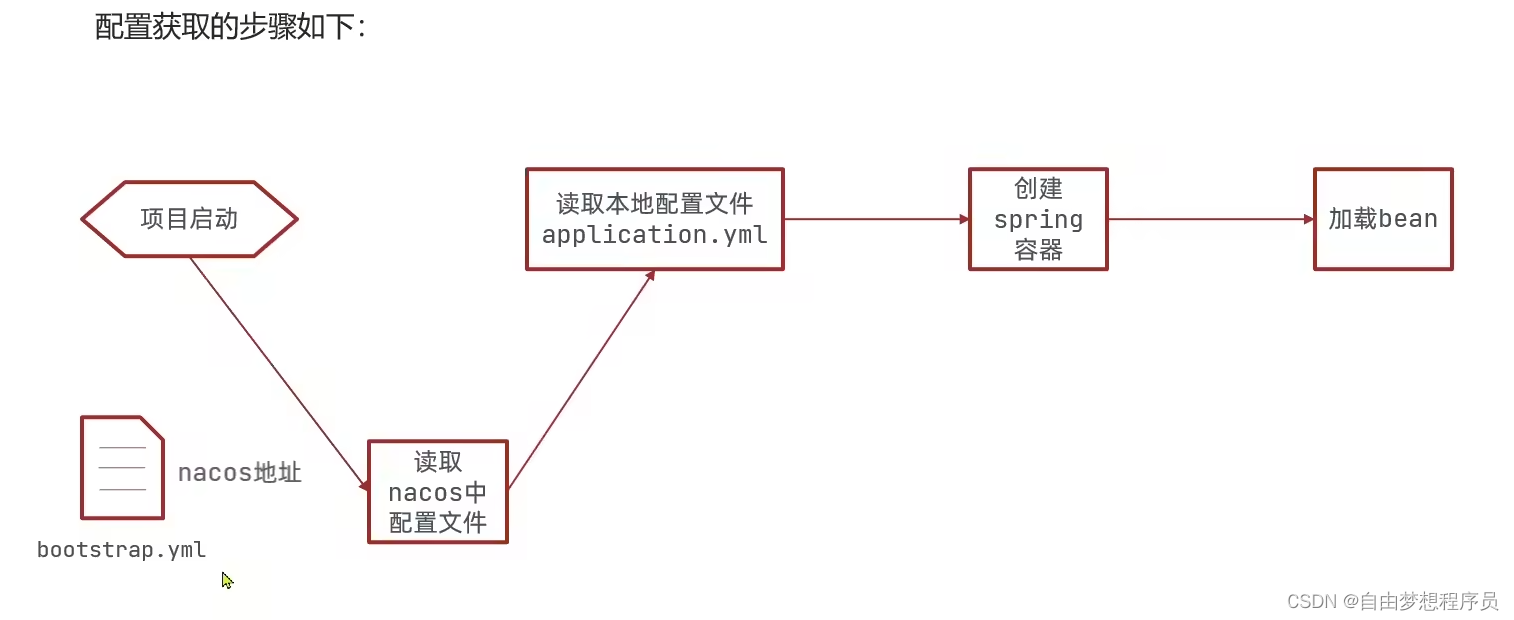

去user-service添加客户端管理依赖
在resources包下创建新的配置文件bootstarp.yml
spring:
  application:
    name: userservice
  profiles:
    active: dev # 环境
  cloud:
    nacos:
      server-addr: nacos:8848 # nacos地址
      config:
        file-extension: yaml # 文件后缀名


配置刷新

改配置环境格式,直接刷新打开页面


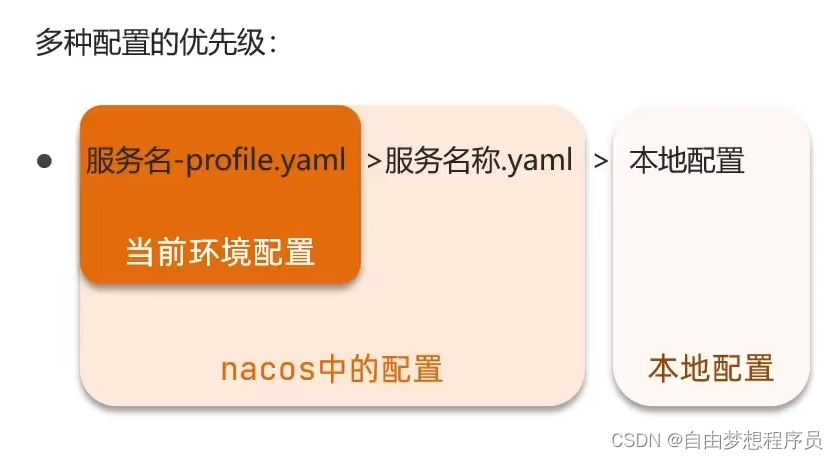
多环境配置共享



边栏推荐
- Use js to obtain the last quarter based on the current quarter
- 每日刷题记录 (四)
- 论文中英文大小写、数字与标点的正确撰写方式
- Web学习之TypeScript
- Graduation season | fitting the best self in continuous exploration
- Wireshark's analysis of IMAP packet capturing
- “Method Not Allowed“,405问题分析及解决
- 10.2.2、Kylin_ Kylin installation, uploading and decompressing, verifying environment variables, starting and accessing
- Mysql5.7.31 user defined installation details
- Reentrant functions must be used within signal processing functions
猜你喜欢

Openresty chapter 01 introduction and installation configuration

1-10Vmware构建自定义的网络架构
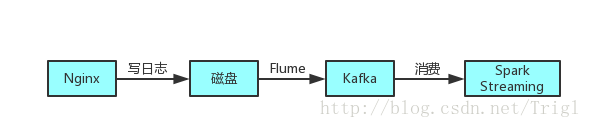
Stream data

"Seamless" deployment of paddlenlp model based on openvinotm development kit

leetcode. 14 --- longest public prefix

Installation and configuration of gradle environment

C IO stream (II) extension class_ Packer
1-10vmware builds customized network architecture
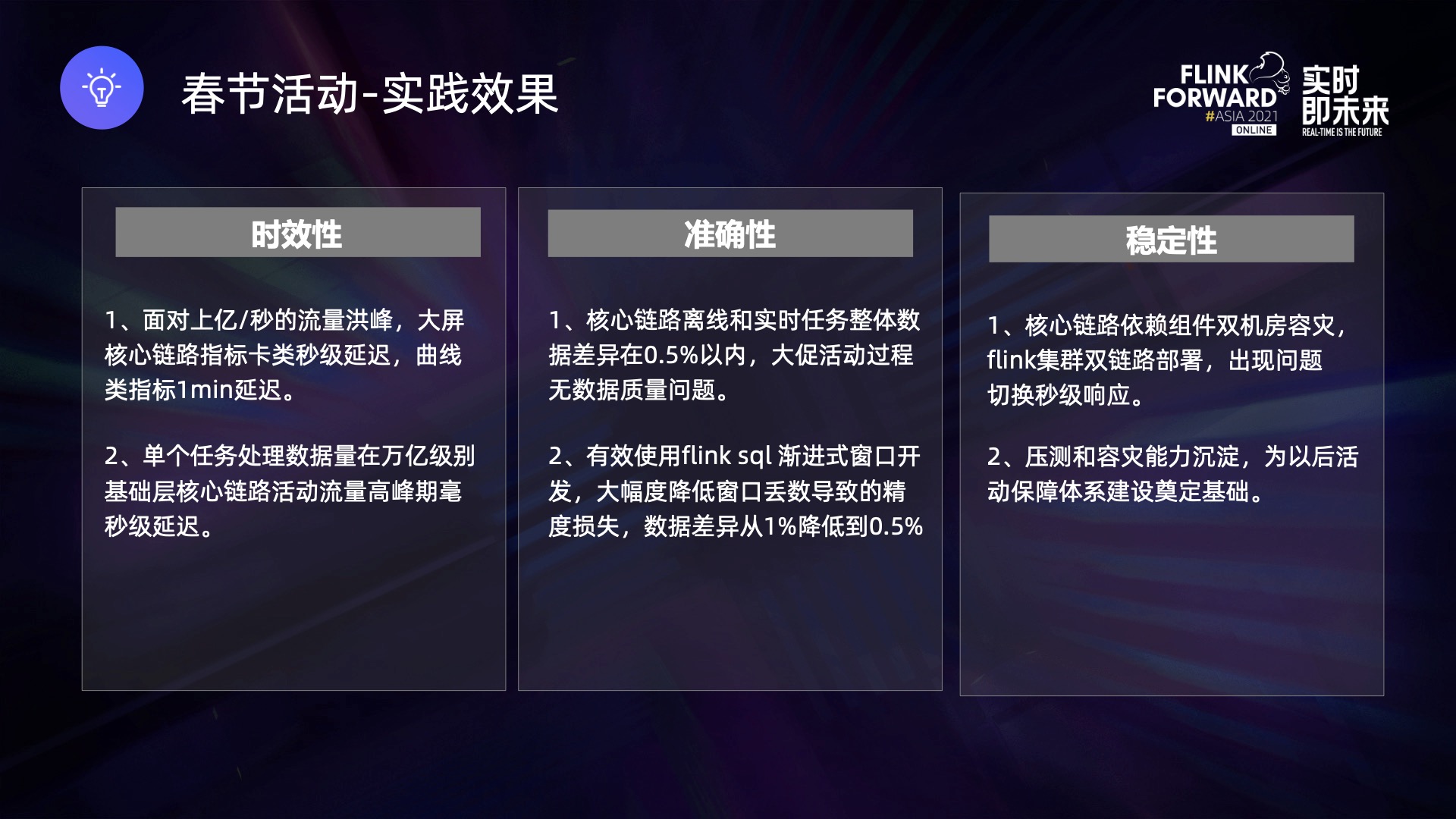
Research and development practice of Kwai real-time data warehouse support system
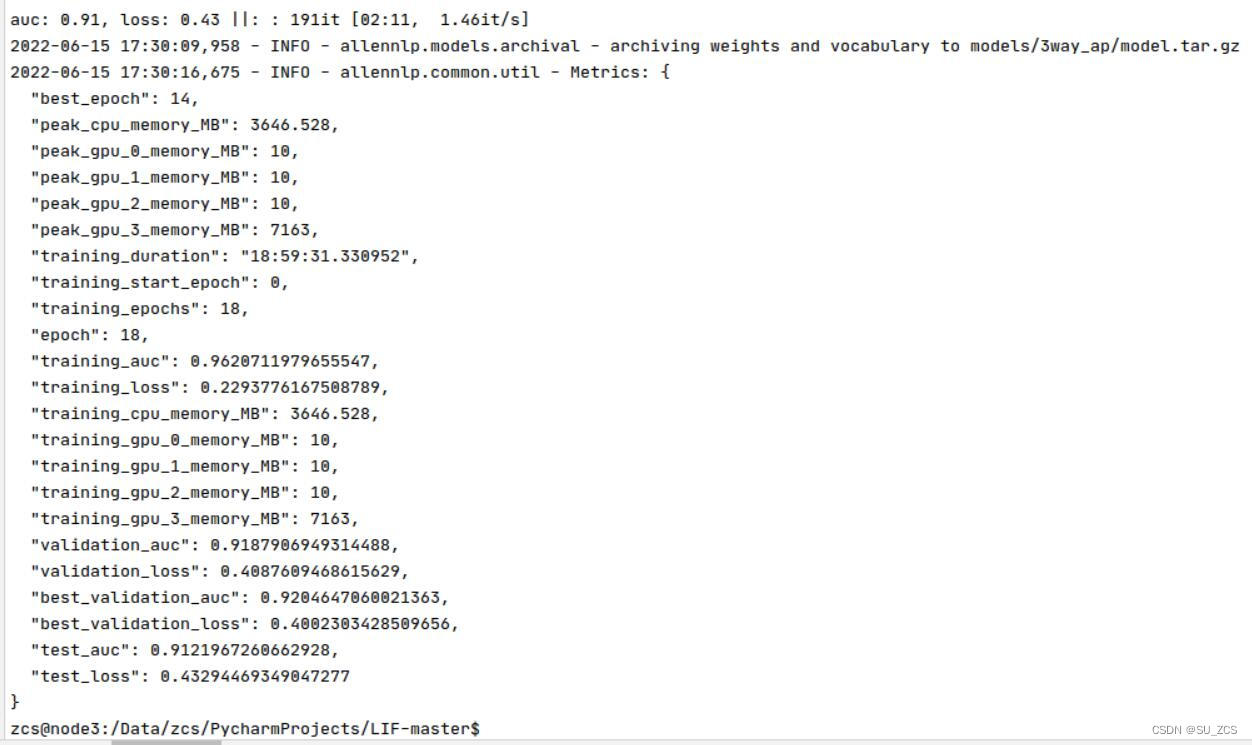
Learn to identify follow-up questions in dialogue Q & A
随机推荐
Qt优秀开源项目之九:qTox
Redux workflow + complete code of small examples
事物/现象/事情/东西/情况/表象
渲云携手英特尔,共创云渲染“芯”时代
Types of feeder and how to work
Atlas200dk刷机
After being trapped by the sequelae of the new crown for 15 months, Stanford Xueba was forced to miss the graduation ceremony. Now he still needs to stay in bed for 16 hours every day: I should have e
Openresty chapter 01 introduction and installation configuration
Understanding of prototypes and prototype chains
Flink reports error: a JNI error has occurred, please check your installation and try again
Camkiia et gcamp6f sont - ils les mêmes?
WordPress
Simulink求解器综合介绍
ciscn_2019_en_2
毕业季 | 在不断探索中拟合最好的自己
1-9network configuration in VMWare
debezium
实现异步的方法
Idea set the template of mapper mapping file
【超能云终端创领先机】如何在48小时内交付一座方舱医院?