当前位置:网站首页>Download and install mysql5.7 for windows 10
Download and install mysql5.7 for windows 10
2022-06-28 10:58:00 【Hua Weiyun】
MySQL Databases are used very frequently in daily life , Whether it's online or offline . Now I'll share my installation MySQL5.7 A step-by-step tutorial , This tutorial is only for windows edition .
download
Download address :https://downloads.mysql.com/archives/community/
This is a mysql Download address of official website , It is OK to choose the official website 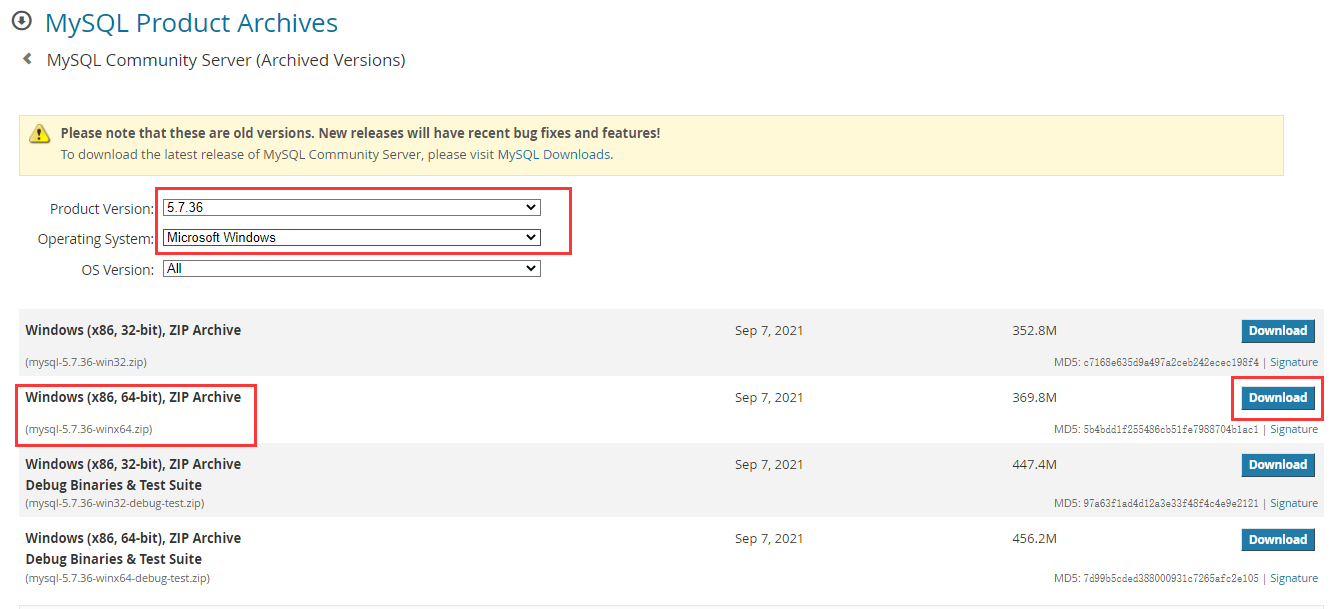
Select the corresponding system and version and click download
decompression
Decompress after downloading , The unzipped directory here is as follows :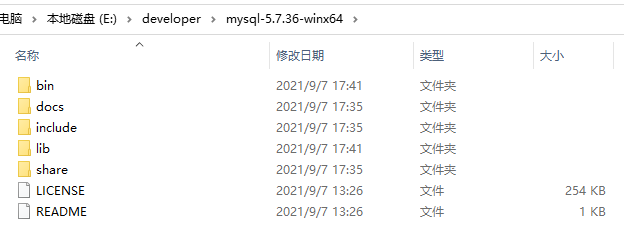
Configure environment variables
Open environment variable , As shown in the red picture 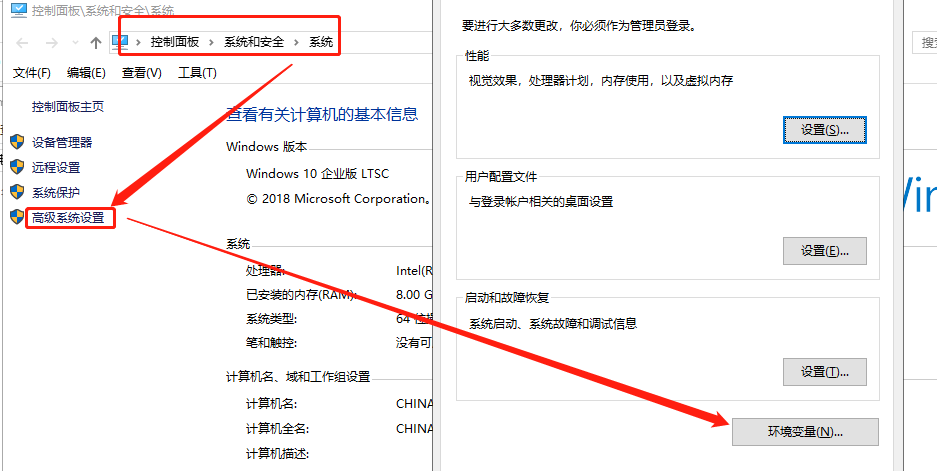
Set the environment variable :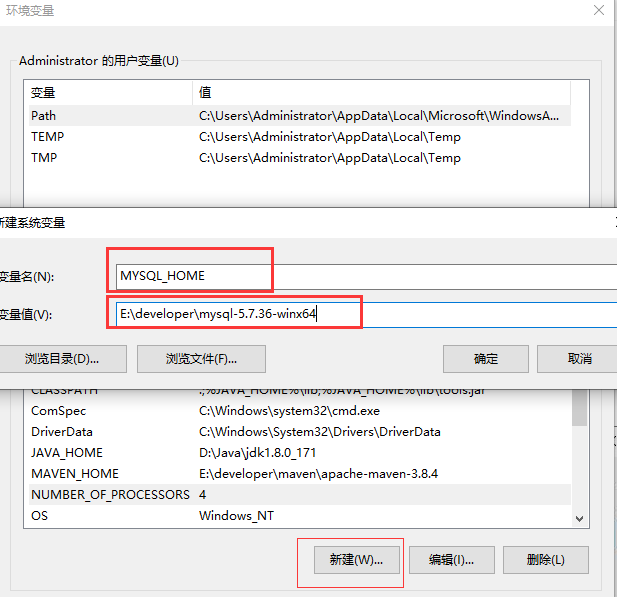
Variable names MYSQL_HOME, The variable value is the directory just entered after decompression , Then click OK .
stay Path In system variable , add to MySQL To configure .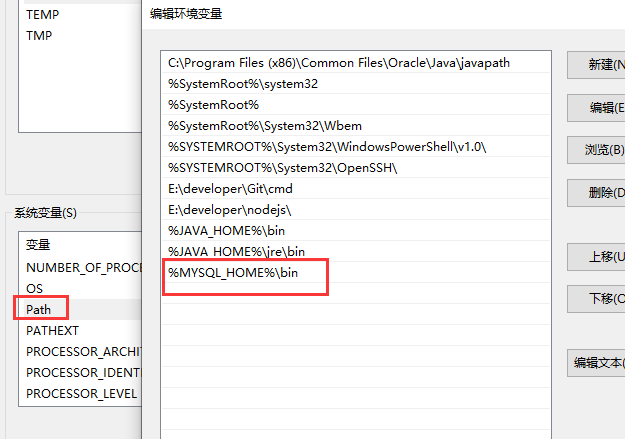
newly build data Contents and my.ini file
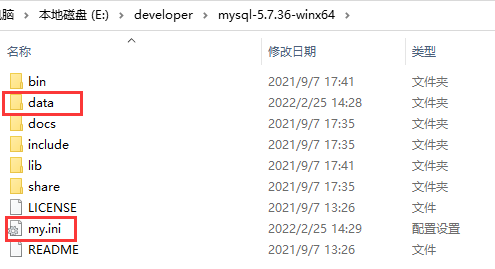
my.ini The contents of the document are as follows :
[client]port=3306default-character-set=utf8[mysqld]# Set it to itself MYSQL Installation directory basedir=E:\\developer\\mysql-5.7.36-winx64# Set to MYSQL Data directory for datadir=E:\\developer\\mysql-5.7.36-winx64\\datamax_connections=150port=3306character_set_server=utf8# Database type inndb Support transactions default-storage-engine=INNODBsql_mode=STRICT_TRANS_TABLES,NO_ENGINE_SUBSTITUTIONevent_scheduler=ON# Turn on query cache explicit_defaults_for_timestamp=trueskip-grant-tablesregister MySQL service
Get into MySQL Installation directory bin Catalog ,cmd Execute the following command to install MySQL service .
mysqld -install If you make a mistake :Install/Remove of the Service Denied! You need to execute... Through the administrator .
And then you'll see Service successfully installed.
Execute the following command initialization data Catalog
mysqld --initialize After executing the above command, it will be in MySQL Generated in the installation directory of data Catalog and create root user 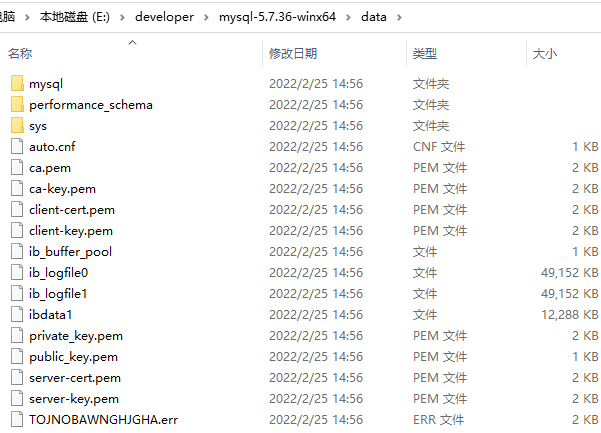
Start the service
Execute the following command to start MySQL
net start mysql
Log in and reset your password
because my.ini Added skip-grant-tables To configure , So you can use it directly mysql -u root -p Enter any password to log in 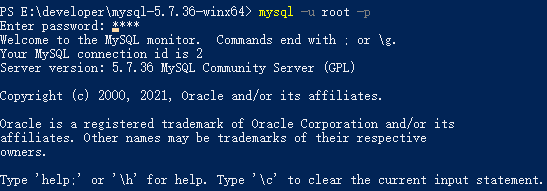
And then through SQL Statement modification root User's password ;
# Switch the database to mysql library mysql>use mysql; # Change Password mysql> update user set authentication_string=PASSWORD('root') where user='root'; # Refresh MySQL Permission related tables mysql> flush privileges; mysql> exit; After changing the password , hold my.ini Medium #skip-grant-tables Comment it out and net stop mysql and net start mysql restart mysql service , Then you can mysql -uroot -proot Log on to the
If you log in and execute **show databases ** Report errors ERROR 1820 (HY000): You must reset your password using ALTER USER statement before executing this statement.
Need to use alter user user() identified by “root”; Change the password again
Wu Lala Lala If you like, please praise the collection or pay attention to it
边栏推荐
- Ble Bluetooth module nrf518/nrf281/nrf528/nrf284 chip scheme comparison
- Katalon框架测试web(二十)自定义关键字以及上传弹窗操作
- Threads and thread pools
- Remote connection of raspberry pie in VNC viewer mode without display
- Guangzhou Customs supports the stable supply of food, agricultural products, traditional Chinese medicine and other civilian and biological resources to Hong Kong
- Katalon global variable is referenced in testobject
- 【功能建议】多个工作空间启动时选择某个空间
- JS基础1-JS引入与运算符
- 【SemiDrive源码分析】【X9芯片启动流程】32 - DisPlay模块分析 - RTOS侧
- Installing MySQL database (CentOS) in Linux source code
猜你喜欢
![[practice] 1364- implement a perfect waterfall flow component on the mobile terminal (with source code)](/img/e8/21d8d81a3d7b544687d6adc06ad4b1.png)
[practice] 1364- implement a perfect waterfall flow component on the mobile terminal (with source code)

Ble Bluetooth module nrf518/nrf281/nrf528/nrf284 chip scheme comparison

动态库(共享库)的制作和使用

fastposter v2.8.4 发布 电商海报生成器

Mysql database overview and installation process

MarkDown——基本使用语法

How to use output in katalon

Katalon框架测试web(二十)自定义关键字以及上传弹窗操作

Spatial-Temporal时间序列预测建模方法汇总

JS foundation 3
随机推荐
移动命令
Markdown -- basic usage syntax
JS foundation 5
还在用 SimpleDateFormat 做时间格式化?小心项目崩掉!
JS基础1-JS引入与运算符
metersphere使用js刷新当前页面
Katalon当中的output使用方法
Word、PDF、TXT文件实现全文内容检索需要用什么方法?
Makefile简介
Guangzhou Customs supports the stable supply of food, agricultural products, traditional Chinese medicine and other civilian and biological resources to Hong Kong
Mysql通用二进制安装方式
Metersphere实现UI自动化元素不可点击(部分遮挡)
sentinel
Katalon当中的使用循环for、while和if...else、break、continue
第2章 还记得点、线、面吗(二)
Does flink1.15 support MySQL views? I configured the view name at the table name to save, but the table could not be found. Think
Wealth management for programmers
Katalon当中的debug调试
GEE:基于 MCD64A1 的 GlobFire 日常火灾数据集
获取系统当前日期