当前位置:网站首页>The second day of QML study
The second day of QML study
2022-06-12 11:54:00 【Boya_ Hancock】
Catalog
Rectangle centered with parent control :
Set the edge control of the rectangle border:
Rectangle fillet radian radius:
qml Import the outer rectangle , In the other one qml As defined in
Then yesterday . I'm learning something QML Space .
Rectangle Control :
The first space today is Rectangle( rectangular ), This control has nothing to say , Just draw a rectangle ,
    Rectangle{
        x: 100
        y: 100
        z:1
        width: 100
        height: 50
        color:"black"
    }
    Rectangle{
        x: 120
        y: 120
        width: 100
        height: 50
        color:"blue"
    }
What if two matrices coincide , There is actually a third coordinate z, Default z yes 0, If you set z by 1, Namely z The big one is on the .

focus attribute :
This property is used to get the current focus .
    Rectangle{
        x: 100
        y: 100
        z:11
        width: 100
        height: 50
        color:"black"
        focus:true
        //activeFocus:

        MouseArea{
             anchors.fill:parent
             onClicked:{
                console.log("on clicked")
             }
        }
        Keys.onReturnPressed:{
            console.log("on clicked")
        }
    }
When put focus This property is set to true You can get the focus of the rectangular control . If you click this rectangle, it will trigger printing on clicked, Here's the code .
        MouseArea{
             anchors.fill:parent
             onClicked:{
                console.log("on clicked")
             }
When the keyboard gets the focus of the rectangle, pressing enter will also trigger Print on clicked
The following code :
        Keys.onReturnPressed:{
            console.log("on clicked")
        }
When focus Set to false Or if you don't, you won't get the focus , The above two operations will be eliminated .
Anchor point :
    Rectangle
    {
        id:rect1
        width: 100
        height: 50
        color: "black"
    }
    Rectangle
    {
        x:rect1.width + 20
        id:rect2
        width: 100
        height: 50
        color: "black"
    }
result :

Through the anchor point :
    Rectangle
    {
        id:rect1
        width: 100
        height: 50
        color: "black"
    }
    Rectangle
    {
        id:rect2
        width: 100
        height: 50
        color: "black"
        anchors.left: rect1.right
        anchors.leftMargin: 20
    }
//    Re
anchors.left: rect1.right rect2 The left side of is equal to rect1 To the right of
anchors.leftMargin: 20 Left margin 20

Rectangle centered with parent control :
    Rectangle
    {
        id:rect2
        width: 100
        height: 50
        color: "black"
        anchors.centerIn: parent
    }
Of course, both horizontal and vertical .
Rotation properties rotation:
rotate 30 degree
    Rectangle
    {
        id:rect2
        width: 100
        height: 50
        color: "black"
        rotation: 30
    }

Zoom attribute scale:
    Rectangle
    {
        id:rect2
        x:100
        y:100
        width: 100
        height: 50
        color: "black"
        rotation: 30
        scale: 2
    }
Set the edge control of the rectangle border:
    Rectangle
    {
        id:rect2
        x:100
        y:100
        width: 100
        height: 50
        color: "black"
        rotation: 30
        scale: 2
        border.width: 2
        border.color:"red"
    }
Rectangle fillet radian radius:
    Rectangle
    {
        id:rect2
        x:100
        y:100
        width: 100
        height: 50
        color: "black"
        rotation: 30
        scale: 2
        border.width: 2
        border.color:"red"
        radius: 15
    }

qml Import the outer rectangle , In the other one qml As defined in
边栏推荐
- 多普勒效应的基本原理
- Ficusjs series (I) introduction to ficusjs
- Deep learning and CV tutorial (14) | image segmentation (FCN, segnet, u-net, pspnet, deeplab, refinenet)
- Jump instruction of arm instruction set
- Architecture training module 7
- Byte order - how to judge the big end and the small end
- PIP install in the CONDA environment cannot be installed into the specified CONDA environment (the default PIP installation location of the CONDA environment)
- Multiplication instruction of arm instruction set
- Google Earth Engine(GEE)——Kmeans聚类快速进行土地分类(双for循环快速调参)
- LeetCode 890. 查找和替换模式(模拟+双哈希表)
猜你喜欢

TinyMCE realizes automatic uploading of pasted pictures
Deep learning and CV tutorial (14) | image segmentation (FCN, segnet, u-net, pspnet, deeplab, refinenet)
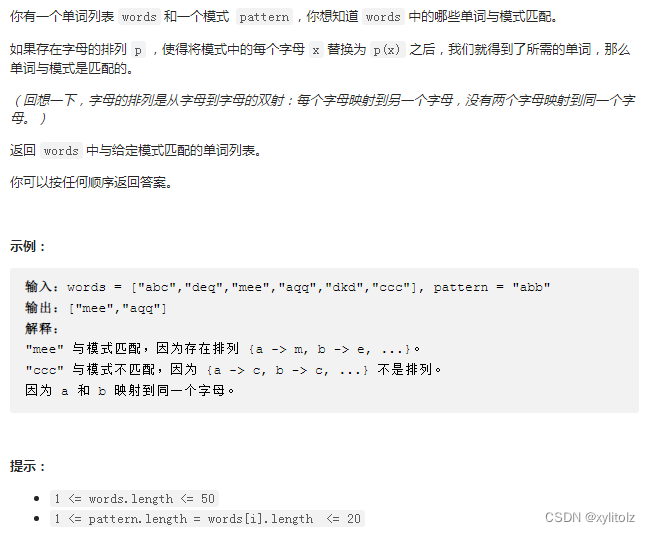
LeetCode 890. 查找和替换模式(模拟+双哈希表)
![[Blue Bridge Cup SCM 11th National race]](/img/da/3c8a9efd5b28f67816f239531a0339.png)
[Blue Bridge Cup SCM 11th National race]

ARM processor mode and register

First understand the onion model, analyze the implementation process of middleware, and analyze the source code of KOA Middleware
【藍橋杯單片機 國賽 第十一届】

Design of secure chat tool based on C #

UML系列文章(31)体系结构建模---部署图

Network topology
随机推荐
第六章 数据类型(五)
6.6 separate convolution
6.6 分离卷积
影响店铺权重的三十一条,快来看看中招了吗
Miscellaneous instructions of arm instruction set
邻居子系统之ARP协议数据处理过程
Naming specification / annotation specification / logical specification
Spark common encapsulation classes
Windows10 install mysql-8.0.28-winx64
5G NR協議學習--TS38.211下行通道
淘宝新改版商家如何操作,需要注意的点有哪些
Getting started with NVIDIA Jetson nano Developer Kit
机器学习之决策树
UML系列文章(31)体系结构建模---部署图
字节序(网络/主机)转换
标品和非标品如何选品,选品的重要性,店铺怎样布局
M-arch (fanwai 10) gd32l233 evaluation -spi drive DS1302
Logrotate log rotation method create and copyruncate principles
A.前缀极差
字节序 - 如何判断大端小端