当前位置:网站首页>ECS deployment web project
ECS deployment web project
2022-06-30 05:41:00 【Pink Chi Ming】
One : build Java Deployment environment
I said before yum This is the order , yes " Package manager ", It can be understood that he is like " The app store ", We need to install JDK,Tomcat, also Mysql, Of course , We need to download yum install, You must use administrator privileges (root)
yum list | grep [ Package keywords ]function : View the package listyum install [ Package name ]function : Install package ( Administrator privileges required )yum remove [ Package name ]function : Uninstall package ( Administrator privileges required )
1: install JDK
First , Let's search , have a look yum on jdk Is there any , And the name , We can go through yum list Orders can be listed The names of all software packages on the corresponding server ( Of course, don't just knock , This knock will list everything , There will be a lot of , We match grep To use :yum list | grep gdk), Search only jdk Of :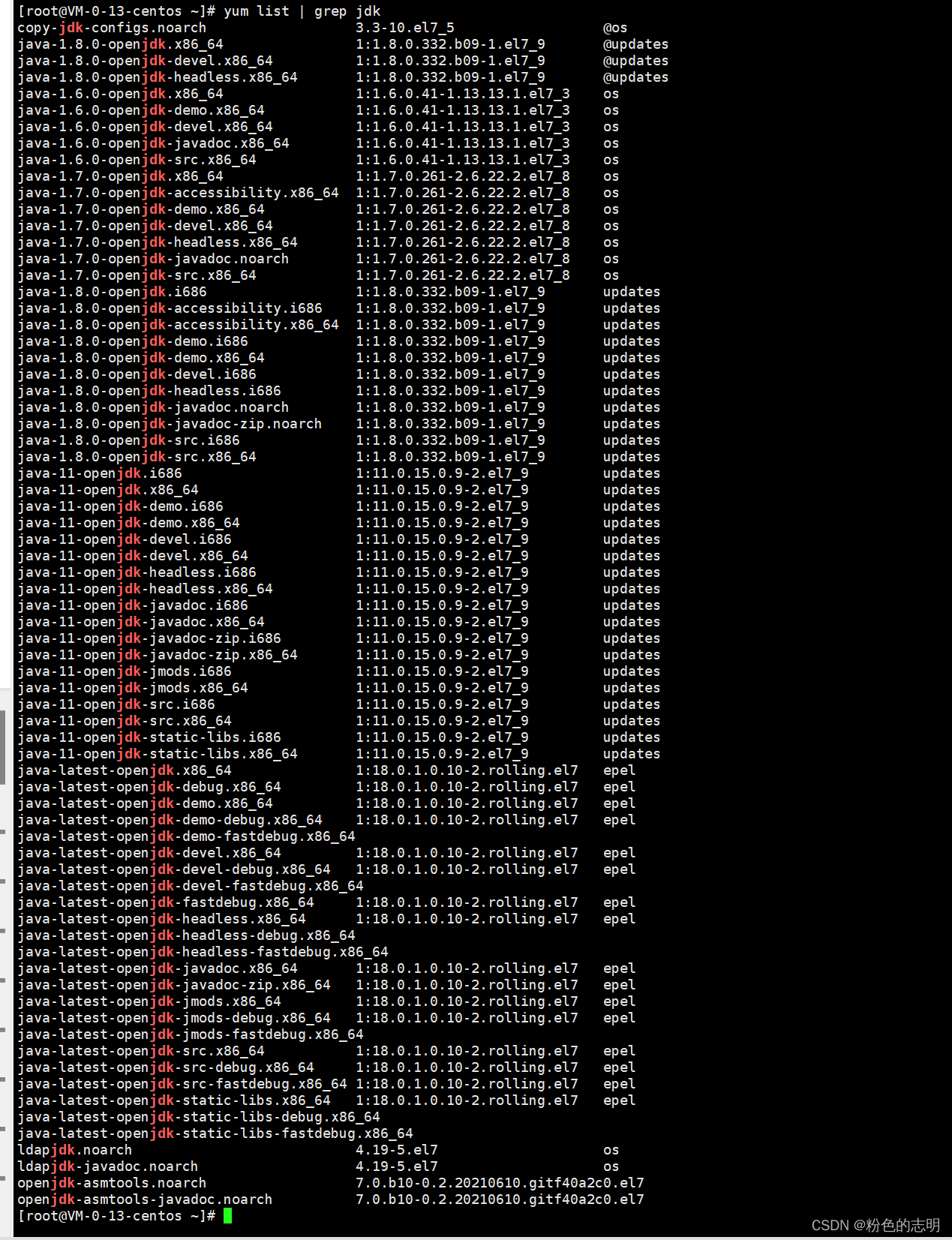
These versions are different , So there are many , We must recognize this sign :
devel( Represents the development kit , That is to say jdk), Everything is the most complete ,x86_64 This software package is applicable to cpu yes 64 Bit x86 cpu( We now use the server cpu Mainly x86 64 position ),
The above is a.i686Yes. 32 Bit , The difference is very big


Let's take the one above 64 Copy of bits (
ctrl+insert)yum install java-1.8.0-openjdk-devel.x86_64I installed , Remember to press... For the first time
y
Verify that the installation was successful , Inputjavacsee

Be carefulHere we install jdk yes OpenJDK , And we learned before Java With JDK Not yet a , We were in windows Installed on JDK yes Oracle Official JDK,OpenJDK yes Open source organization developed another JDK, Although not the same , But it's not a big problem , It's all the same JVM Hostspot.( The overall difference is very small , So there is no need to install Oracle JDK)
2: install Tomcat
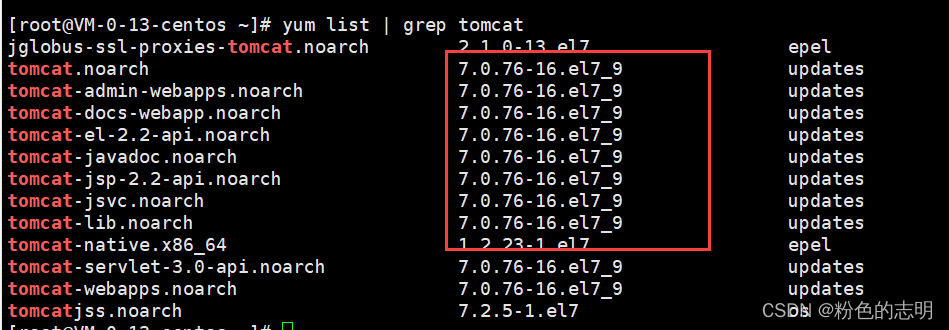
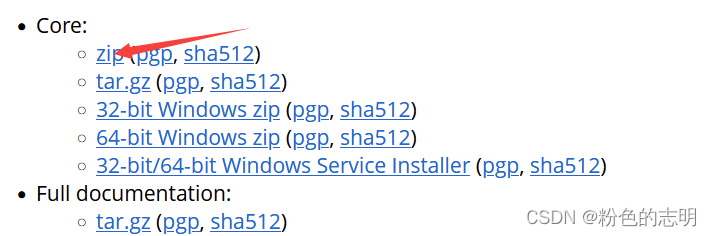
We found that yum Although there is tomcat, But the version is older , yes 7.0 Series of , What I usually use is 8.5 Series of , Because we also know tomcat,JDK,Servlet,mysql This version must match to be stable , So we need to get into tomcat Download on the official website :https://tomcat.apache.org/

Some dragging may not succeed , Because dragging and uploading depends on rz command , It needs to be done first yum install lrzsz To install dependent commands , To upload ,rz hold windows File on Pass to Linux The server ,sz hold Linux Send the file on to Windows
And then we need to deal with This file is decompressed :unzip [ Compressed files ]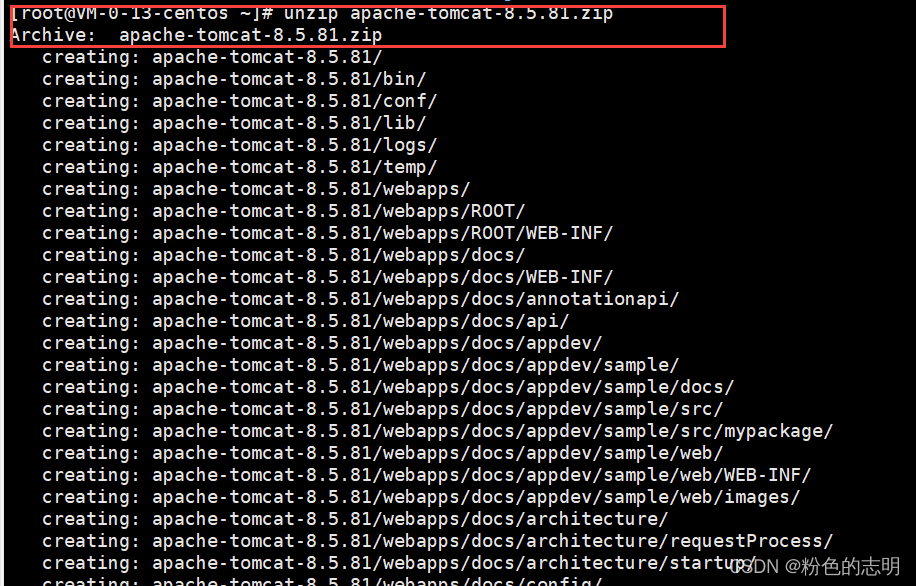

Get into Folder view :
The next step is to start tomcat 了 :
To start tomcat, Need to use
startup Script, among.batIt's for windows The use of ,.shIt's for Linux The use of …
For the first time, we need to give all
.shFile settings Executable rights
Firstcd To binUnder the table of contents , And then executechmod+x *.sh( To all in the directory .sh Suffixed files are added with executable permissions ), After adding , There is no need to add it later
In the input :sh startup.shThe startup script


summary
1: First download it on the official website .zip package
2: hold zip to linux On , Just drag it in , No, I can'tyum install lrzszCommand to download first
3: UseunzipCommand to decompress , You may also need to download it first
4: Switch to bin Directory to all.shPlus executable rights :chmod+x *.sh
5:sh startup.shstart-up romcat
( The first four steps need to be done for the first time , There is no need for , And then execute the command in the relevant directory )
How to validate tomcat Startup successful ?
1: see tomcat process :ps aux | grep tomcat,ps commandamount to windows Task manager on , All processes of the current host will be printed ,grep tomcataccording to tomcat Keyword to match

2: see tomcat The port of , The default is 8080
Check whether the port number is bound :netstat -anp | grep 8080This is the successful startup
If the port number is occupied , You can modify it yourself :
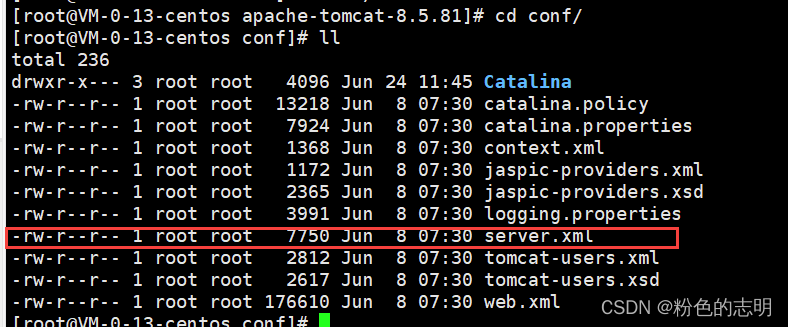
findconfOf this catalogserver.xmlvim server.xmlEnter editor
Find these two ports , Just change it


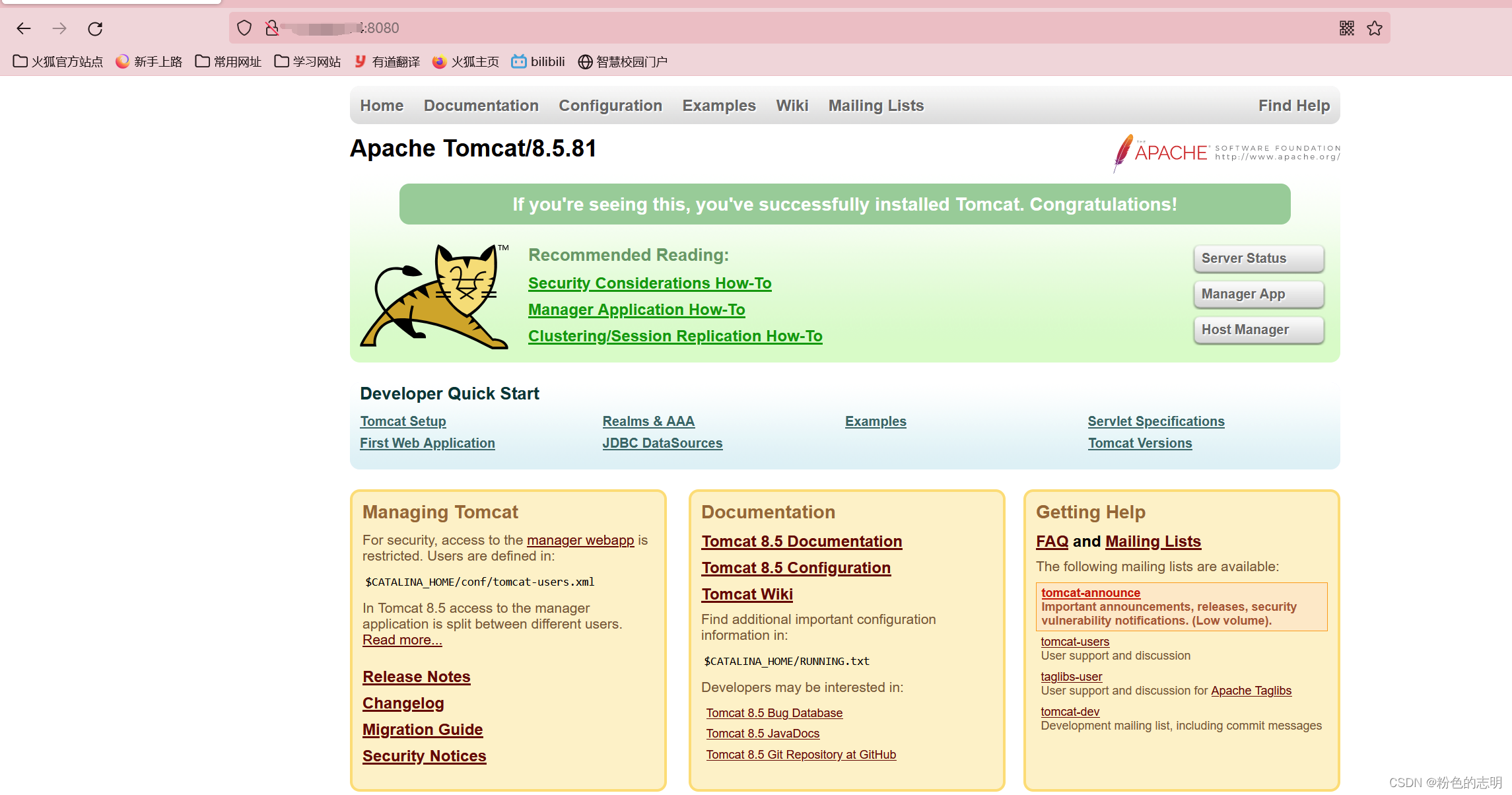
3: You can also verify whether you can access tomcat Welcome page of
If you can visit , It starts successfullyExtranet IP+8080( Set your own port number )That's it
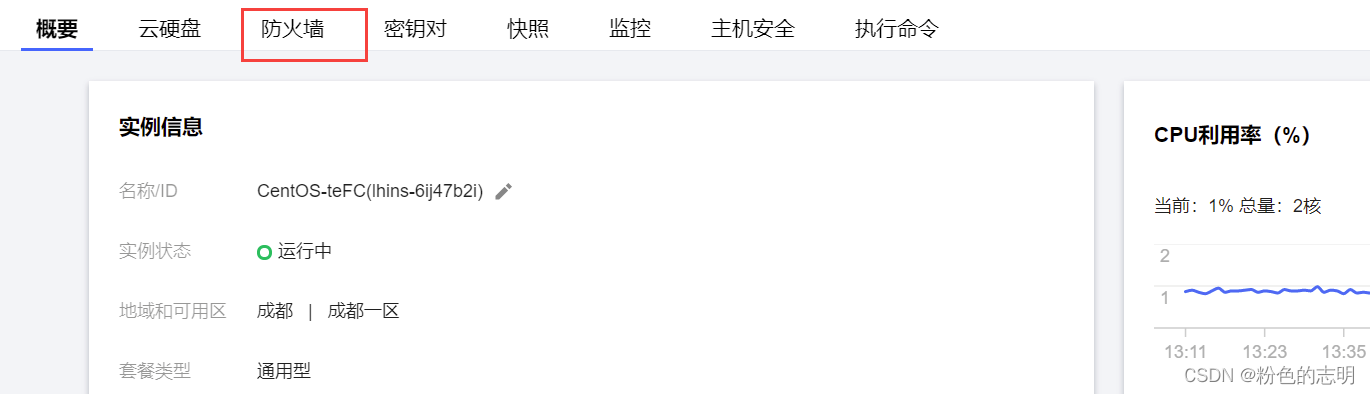
Maybe some people bought servers , Not shown , Because the cloud server manufacturer , To protect our servers from hackers , There are strict restrictions on which ports can be accessed externally , Most ports are by default , Not accessible through the Internet , This requires us to go to the official website to open
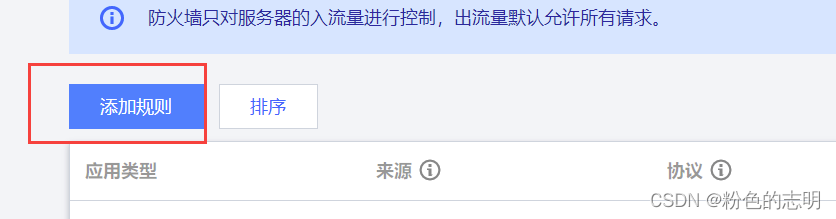
A firewall / Security group, Configure in the background page , Which one is allowed / Which ports can be accessed externally , Make sure The server can only be accessed if it is accessible
Just add this to it :


3: install MySQL
Our own computers and Linux The server is two machines , therefore , Want the program to run on the server , We're going to install... On the server MySQL, Here I refer to the following installation tutorial :https://zhuanlan.zhihu.com/p/49046496
Here we have installed MySQL The twin brothers ,MariaDB, These two API Are compatible , The effect is the same . At the same time, they are installed with root user operational .
Specific steps :
(1): In turn, installation
install mariadb service :
yum install -y mariadb-server
install mariadb Command line client :yum install -y mariadb
install mariadb C library:yum install -y mariadb-libs
install mariadb Development kit :yum install -y mariadb-devel
(2): Change configuration
adopt
vimPress downiEnter insert mode to change the following configuration , Operate carefully , Finally pressescPress down:wqSave and exit
- change :
/etc/my.cnf.d/client.cnffile
[client] Add a line to configuredefault-character-set=utf8
vim /etc/my.cnf.d/client.cnf
effect :

- change
/etc/my.cnf.d/mysql-clients.cnffile
[mysql] Add a line to configuredefault-character-set=utf8
vim /etc/my.cnf.d/mysql-clients.cnf
effect :
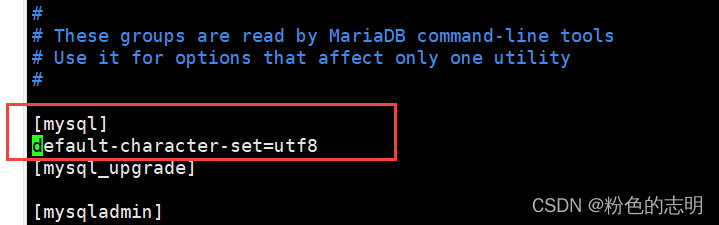
- change
/etc/my.cnf.d/server.cnfTo configure
[mysqld] Add configuration belowcollation-server = utf8_general_ciinit-connect='SET NAMES utf8'character-set-server = utf8sql-mode = TRADITIONAL
vim /etc/my.cnf.d/server.cnf
effect :
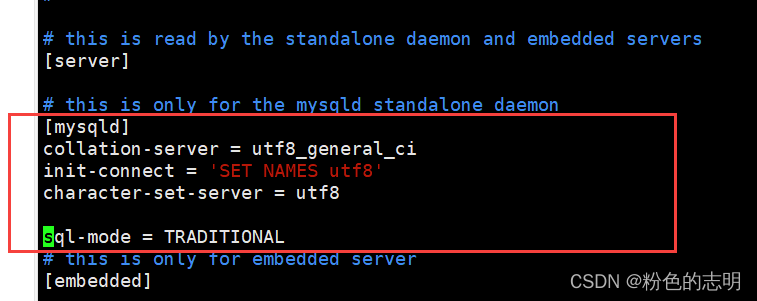
(3): start-up
Start the service :
systemctl start mariadb
Set the service to start automatically :systemctl enable mariadb
View service status :systemctl status mariadb
be aware Active Status asactive (running)

(4): Test connection
Try connecting... Using the command line client :mysql -uroot 
see mariadb Version number :select version();
View the character set configuration :show variables like '%char%';
Okay , It's done here
Be careful : I don't have a password to log in directly , Because my database has nothing valuable , I am not afraid of others' trouble , Just don't bother to set up
Two : Deploy web project
1: Prepare the dependent data for the server
The previous database has nothing to do with the database here , We need to copy the previous data 

Successful import !!
2: Fine tune our Java Code
We were writing java Code time , There is a password to access the database , The passwords of the databases on the ECS are different , There is no password set on our ECs , yes An empty string 
3: REPACK
Here we will use our original packaging process , Need to be based on maven Of package Operation to generate war package ! The first is to start with pom.xml Inside set as war package , The name is set to blogSystem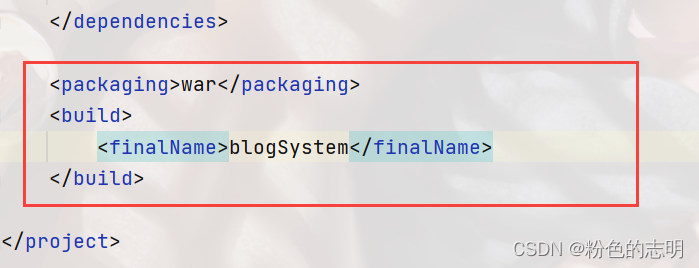


And then on the left target There are generated war package 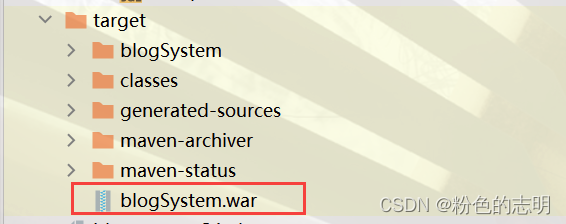

4: Upload to server
One word : drag ! Put the just war The package is dragged to our ECS webapps Under the table of contents ,tomcat If it's running , And it will automatically war Decompress 
5: verification
Log in to check whether it is successful : The blog system ( user name :lisi password :123)
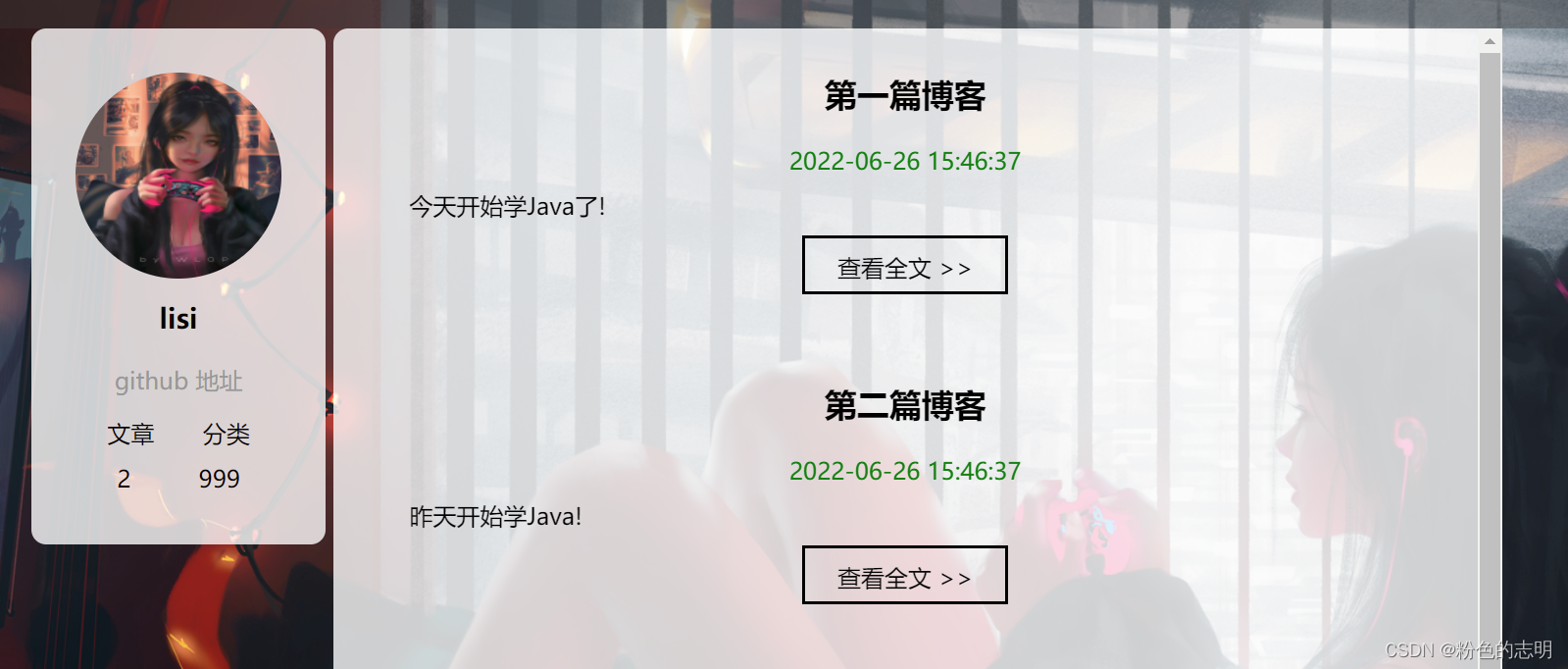
Come here ,web The project is deployed !!!( Because the background picture is a little big , Maybe the load is a little slow , It's normal )
Don't be afraid when we encounter problems. First, we can check the cause of the problem by grabbing the bag , And get used to watching logs Log file search problem , Find the latest file date when an error occurs , It's better to see all of them …
边栏推荐
- Database SQL language 04 subquery and grouping function
- Xi'an Jiaotong 21st autumn "computerized accounting" online homework answer sheet (I) [standard answer]
- VFPBS在IIS下调用EXCEL遇到的Access is denied
- Access is denied encountered when vfpbs calls excel under IIS
- How to write a thesis
- Uboot reads the DDR memory size by sending 'R' characters through the terminal
- Attempt to redefine 'timeout' at line 2 solution
- Word frequency statistics (string, list)
- Is it safe to open an account and trade with a compass?
- Do you know how to show the health code in only 2 steps
猜你喜欢

Responding with flow layout

Vfpbs uploads excel and saves MSSQL to the database

Use of OpenCL thread algebra library viennacl

Summary of common loss functions in pytorch

86. separate linked list

抓取手机端变体组合思路设想

Sound net, debout dans le "sol" de l'IOT

Why can transformer break into the CV world and kill CNN?

Installation and getting started with pytoch

Switch to software testing and report to the training class for 3 months. It's a high paying job. Is it reliable?
随机推荐
How to automatically renew a token after it expires?
Sword finger offer 18 Delete the node of the linked list
Virtual and pure virtual destructions
Shopping list--
I have been working as a software testing engineer for 5 years, but I was replaced by an intern. How can I improve myself?
如何写论文
VFPBS上传EXCEL并保存MSSQL到数据库中
What do you think of the deleted chat records? How to restore the deleted chat records on wechat?
PyGame. Why can't I exit when I click X in the window? I can only exit when I return idle
2021-10-31
Unity shader flat shadow
[Motrix] download Baidu cloud files using Motrix
【LeetCode】Easy | 225. Using queue to realize stack (pure C manual tearing queue)
East Tower attack and defense world - XSS bypasses the safety dog
Unity gets the resolution of the game view
The definition of strain was originally from stretch_ Ratio started
声网,站在物联网的“土壤”里
Solidity - Security - reentrancy attack
Delete the repeating elements in the sorting list (simple questions)
Installation and getting started with pytoch