当前位置:网站首页>Neo4j: basic introduction (I) installation and use
Neo4j: basic introduction (I) installation and use
2022-06-27 12:35:00 【stay_ foolish12】
Link to the original text :https://blog.csdn.net/sinat_36226553/article/details/108541370
# Graph database

link : What is primordial (Native) Graph database
Generally considered to have “ No index adjacency ” Feature graph databases are called native graph databases
link : Common graph databases
Graph storage can be divided into attribute graphs 、 Triple storage and hybrid system [ source ]
- Property Graphs

- Triple Stores and Semantic Databases
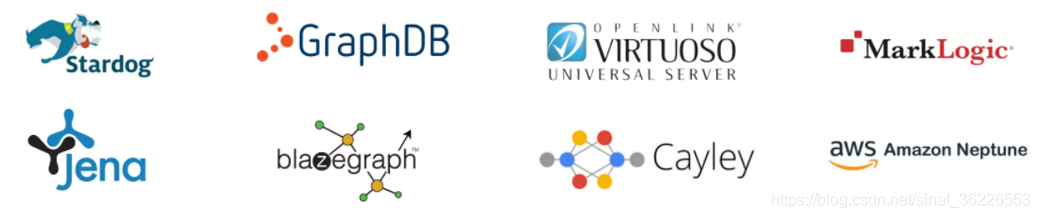
Hybrid and Exotic Systems

# Neo4j Introduce
Neo4j Is a high-performance NOSQL Graphic database , It stores structured data on the network instead of tables .Neo4j It can also be seen as a high-performance graph engine , The engine has all the features of a mature database .
There are two basic data types in a graph :Nodes( node ) and Relationships( Relationship ).Nodes and Relationships contain key/value Properties of form .Nodes adopt Relationships The relationships defined are connected , Form a relational network structure . Its form is as follows :

be based on neo4j This storage feature of , Often use it to store owl、rdf file .
Neo4j It's open source. , A lot of programming languages , Such as Node.js、Python、PHP、Ruby、.NET And so on Neo4j Support for . Such as Node.js It can be done by command “ npm install neo4j-driver ” stay Node.js Install in Neo4j Driver;python Can pass " pip install py2neo " Install dependency packages .
# install
Win10 install Neo4j
1、 Prerequisite needs
install JAVA SE Of JDK(cmd Input java -version Check that it is installed
Be careful :jdk and neo4j Version matching is required [ link ] ( Because of my jdk yes 1.8, Choose install... Here neo4j-3.5.3,neo4j 4.x The above version requires java11

2、 Version difference
Community Edition (Community Edition): Basic 、 High performance graphic database with complete functions .
Enterprise Edition (Enterprise Edition): Compared with the community version, the enterprise version has added many typical enterprise functions , Like clusters 、 Advanced monitoring 、 Advanced caching 、 Online backup, etc
notes :Neo4j Most users start to develop applications from the community version , Then use the enterprise edition in the production environment .Neo4j The enterprise edition is charged , Only enterprise edition can use distributed installation , And it can provide load balancing, high availability configuration and other functions . The Community Edition can only be used on a stand-alone computer , Up to billions of nodes can be used 、 Relationships and attributes .
《 Knowledge map : Method 、 Practice and Application 》:Neo4j The disadvantage of is that the community version is a stand-alone system , although Neo4j The enterprise edition supports high availability (High availability) colony , But its biggest difference from the distributed graph storage system is that the complete copy of the graph database is stored on each node ( Replica cluster similar to relational database mirroring ), Instead of dividing graph data into subgraphs for distributed storage , It is not a real distributed database system . If the graph data exceeds a certain scale , System performance will be affected by disk 、 Memory and other restrictions
3、 The installation process
Official website address :https://neo4j.com/download-center ( Up to now, the latest version is 4.1.1

Domestic mirror :http://doc.we-yun.com:1008/neo4j

Unzip to custom Directory , As I am W:\Neo4j\neo4j-community-3.5.3
Neo4j The application has the following main directory structure :
- bin Catalog : Used to store Neo4j Executable program of ;
- conf Catalog : Used to control the Neo4j Boot profile ;
- data Catalog : Used to store core database files ;
- plugins Catalog : Used to store Neo4j Plug in for ;
Configure environment variables NEO4J_HOME, And in Path Add %NEO4J_HOME%\bin

open cmd Command line , Enter the command :neo4j console ( Sometimes the command is not recognized , Open in administrator mode instead cmd
notes : stop it neo4j The server cmd type CTRL+C that will do

In the browser. http://localhost:7474 View in Neo4j database ( default host yes bolt://localhost:7687, The default user is neo4j, The default password is :neo4j, First successful login to Neo4j After the server , Password reset required
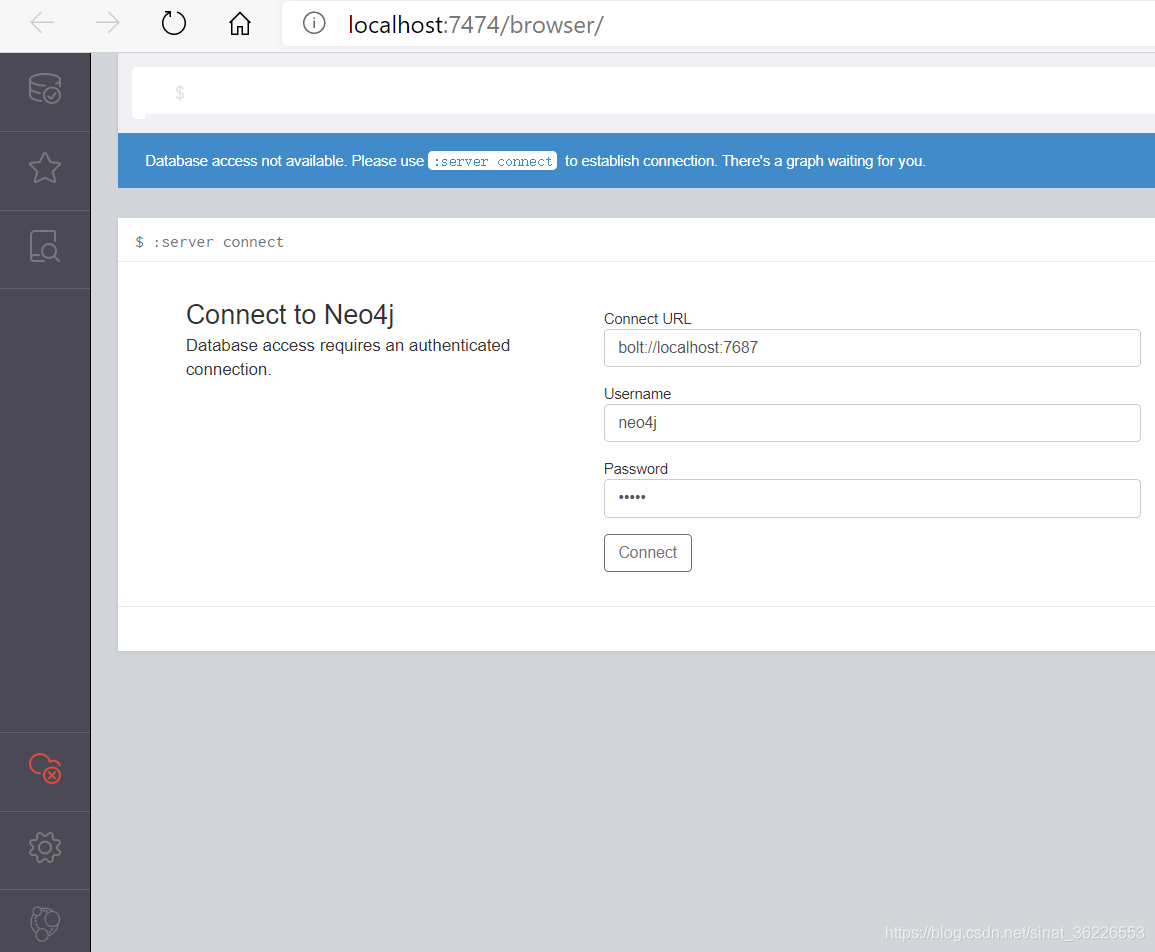
If you forget the password , The solution is to stop the service , Get into /data/dbms Catalog , Delete auth file
The other way : Use exe Files installed Neo4j
Linux install Neo4j
Use Linux System , The minimum requirement is to use EXT4 file system ( Or similar ). Recommended EXT4、ZFS Equal file system .CentOS 6.5 It uses EXT4 file system ,CentOS 7 It uses XFS file system .XFS It's a ratio. EXT4 More advanced file systems , therefore CentOS 6.5 The above versions meet the requirements . namely Linux The operating system can use Ubuntu、Debian or CentOS 6.5 And above .
CentOS 6.9 course :https://blog.csdn.net/sinat_36226553/article/details/108583059
Chinese version Neo4j
Cloud clustering ( Beijing ) Ltd. independently researched and developed Neo4j Simplified Chinese version . This version provides Neo4j Simplified Chinese interface , It also provides a set of extended functions that are especially suitable for Chinese users .

Neo4j Simplified Chinese version Download address :http://we-yun.com/index.php/blog/release-56.html ( At present, we support Windows、Linux
import wizard : A support will Excel、MySQL and Oracle Such data can be easily imported into Neo4j Tools for
import wizard Download address :http://we-yun.com:8000/ToNeo4j/
# Neo4j To configure
The configuration document is stored in conf Under the table of contents ,Neo4j Through the configuration file neo4j.conf Control the work of the server . By default , No arbitrary configuration is required , You can start the server .
Neo4j Figure detailed explanation of database configuration file
1. Location of the core data file
for example , Where the core data files are stored , The default is in data/graph.db Directory , To change the default storage directory , Configuration options can be updated :
# The name of the database to mount
#dbms.active_database=graph.db
2. Security verification , Enabled by default
# Whether requests to Neo4j are authenticated.
# To disable authentication, uncomment this line
#dbms.security.auth_enabled=false
Cancel the comment , The console will no longer output the warning shown in the following figure

3. To configure JAVA The size of heap memory
If there's not enough memory , Will report a mistake :Neo4j bulk import “neo4j-admin import” OutOfMemoryError: Java heap space and OutOfMemoryError: GC overhead limit exceeded
4. Configure access
Neo4j The default configuration of only supports local access , To enable it to support remote access , Relevant configurations can be modified .
Neo4j Three different connection modes are supported :Bolt、HTTP、HTTPS.Neo4j Of Web The client uses HTTP How to connect , Generally, it can be used in program development HTTP and Bolt How to connect .HTTPS Security certificate support is required , If you want to make the database open for access in the Internet , You can use this connection .
5. Load balancing
When using graph database clustering , We should consider the load balancing of the cluster , This maximizes throughput and reduces latency .Neo4j It has no load balancing function , It depends on the load balancing capability of the network infrastructure .
# Cypher
image Oracle Database has query language SQL,Neo4j have Cypher As a query language .
Cypher Is a declarative pattern matching query language , Make diagram database management easy to understand 、 Easy to operate , Even less skilled users can use Cypher Easy operation diagram database .
neo4j Of Cypher Command box ( To wrap a line, press Shift + Enter、Cypher use // Annotate

grammar
If we want to use it Cypher To express Romeo love Juliet , that Cypher The grammar is as follows :
(romeo:Person{name:"Romeo"}) - [:LOVES] -> (juliet:Person{name:"Juliet"})
namely
(NODE1) - [:RELATION] -> (NODE2)
Grammatical conventions
Nodes are humped in lowercase ; The label is in capital letters ; The relation is capitalized in serpentine form ( similar IS_A); Attribute names are in lowercase humps ; All keywords are capitalized .
About case
Case sensitive : Node labels 、 Type of relationship 、 Property name / key
Case insensitive :Cypher keyword
Create data (CREATE)
stay neo4j Create the node and its relationships . We created a node romeo, It has Person Label and a character type name attribute , The property value is Romeo. Then I created a new one called LOVES Is connected to another node juliet
CREATE (romeo:Person{name:"Romeo"}) - [:LOVES] - > (juliet:Person{name:"Juliet"})
Reading data (READ)
-
MATCH (n:Person)
- [:LOVES]
- ()
-
WHERE toLower(n.name)
="juliet"
-
RETURN n
ORDER
BY n.age
ASC
-
SKIP
2 LIMIT
5;
-
-
#
asc From small to large , No, age The node of the attribute will be placed at the end of the list
-
#
SKIP and LIMIT Used to page the results
Query a node according to a certain attribute

Query all attributes of the node

Query all keys of the node

Update data (UPDATE)
-
MATCH (n:Person)
-
SET n.age
=n.age
+
1
-
RETURN n;
Delete data (DELETE)
-
MATCH (r:Person{name:
'romeo'})
-
DELETE r;
MERGE
MERGE More like MATCH and CREATE Mixing . If MERGE The pattern described in the statement already exists in the diagram , The identifier described by the statement will be bound to the existing data , This is like comparison. MATCH; If the schema it describes does not exist in the diagram , that MERGE It will be created first , This is like comparison. CREATE.
understand CQL For more commands, click [ link ]
Dr. yufanghua's series of tutorials
Neo4j Cypher Figure database query language quick reference - 【1】 Basic grammar : PDF
Neo4j Cypher Figure database query language quick reference - 【2】 Create and delete nodes 、 Relationships and attributes :PDF
Neo4j Cypher Figure database query language quick reference - 【3】 Indexes and restrictions :PDF
# Figure database and relational database
Native graph storage and native graph processing are not necessarily better or worse than other methods —— This is just a typical engineering trade-off . In addition to adopting specific storage and processing methods , The graph database also uses a specific data model . Several different graph data models are commonly used , Including attribute maps 、 Hypergraphs and triples .
The benefits of native graph storage are , Its stack is specifically designed and built for performance and scalability . But the relative , Non native graph storage is usually built on a very mature non graph back end ( Such as MySQL) above , The O & M team is familiar with their features . Native map processing ( Index free adjacency ) Although the performance advantage of traversal query is great , But the cost is that some queries that do not use traversal will be more difficult , And it takes up a lot of memory .
although E-R A graph is a graph , But we can immediately see the weakness of relational models in modeling complex domains . Although it can name contacts like a graph database ( Relational databases don't have this feature ), But between two entities ,E-R The graph only allows us to create one 、 Undirected named connections . In this respect , The connections between real-world entities are colorful 、 A wide variety , The relational model is not suitable for representing .
# series
Neo4j: Fundamentals of entry ( One ) Installation and use of
Neo4j: Fundamentals of entry ( Two ) The introduction of CSV file
Neo4j: Fundamentals of entry ( 3、 ... and ) And APOC plug-in unit
Neo4j: Fundamentals of entry ( Four ) And Java API
Neo4j: Fundamentals of entry ( 5、 ... and ) And SDN
Neo4j: Fundamentals of entry ( 6、 ... and ) From MySQL Import data
Neo4j: Fundamentals of entry ( 7、 ... and ) And Algo plug-in unit
Neo4j: Fundamentals of entry ( 8、 ... and ) And Traversal API
# Reference resources
边栏推荐
- 秒云荣获《2022爱分析 · IT运维厂商全景报告》智能运维AIOps市场代表厂商
- Deep understanding of happens before principle
- 本地可视化工具连接阿里云centOS服务器的redis
- 关于枚举类的两种用法
- How to modify a node_ Files in modules
- Dynamic programming [III] (interval DP) stone merging
- 【面试高频题】难度 1.5/5,LCS 模板题
- 【粉丝福利】今天给大家介绍一个白捡钱的方法-可转债,本人亲自验证,每年每人能获利1500元
- 对象序列化
- Sword finger offer 04 Find in 2D array
猜你喜欢








随机推荐
号称史上最难618,淘宝数据盘点你做对了吗?
uni-app 使用escook/request-miniprogram插件发请求说明
Detailed configuration of log4j
浅谈珂朵莉树
How to modify a node_ Files in modules
Mathematical knowledge -- ideas and examples of game theory (bash game, Nim game, wizov game)
Uni app sends request instructions using the escook / request miniprogram plug-in
Talk about go language and cloud native technology
uni-app开发微信小程序动态渲染页面,动态改变页面组件模块顺序
TiDB 6.0:让 TSO 更高效丨TiDB Book Rush
动态规划【四】(计数类dp)例题:整数划分
How histrix works
Getting started with go web programming: validators
Sorting out XXL job learning
MySQL高阶语句(一)
Interview shock 60: what will cause MySQL index invalidation?
树莓派 3b+ 学习
Histrix工作原理
和动态规划的第一次相遇
. Net6 access skywalking link tracking complete process