1、 demand
When you need to write more code , The code can go through gitee、github And so on , When the database is not in the cloud , I hope I can access the same database anywhere
2、 Get ready
- natapp- Intranet penetration tool ( Create two tunnels for free )
- Use navicat Connect
- stay java Connect... In code
3、 step
1、 Use natapp Create a free intranet penetration tunnel
- visit natapp Register an account on the official website and authenticate with your real name
Click buy tunnel to enter the free tunnel

Set the protocol and port :Web Used for front and rear end joint commissioning and other scenarios , Database connection is based on TCP, So here we choose TCP agreement , The port number is the database port number
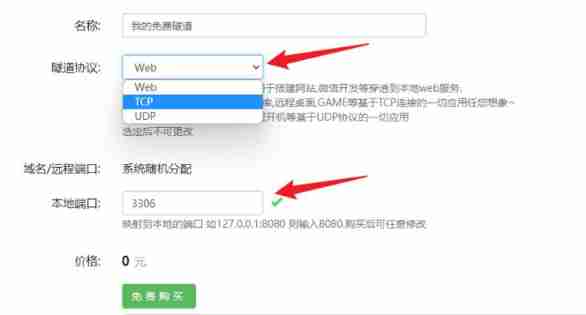
- Click free purchase to see this tunnel in my tunnel

- Download the official client and start it according to the tutorial natapp,tcp:// The following address is the access address connected to the local database
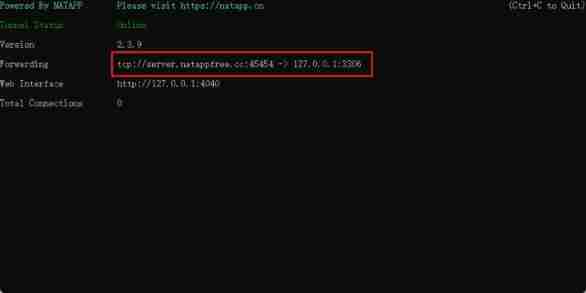
2、 Use navicat Connect
- Create a new one mysql Connect , The host is obtained from the top tcp:// After the address , The port is the port after the address , User name and password fill in the account secret of the target database

- Click test connection , Success will determine
3、 stay java Connect... In code
- Use the... Obtained above at the database configuration tcp:// The address after ,user Name the database






![[cloud native database] what to do when encountering slow SQL (Part 1)?](/img/ac/a59189aba1901e769beec1ec7e6d32.png)