当前位置:网站首页>YOLO7 口罩识别实战
YOLO7 口罩识别实战
2022-07-23 21:54:00 【maerdym】
1. 制作数据集
1.1 安装数据集制作工具
执行如下命令安装数据集制作工具labelimg
pip install labelimg
1.2 运行数据集制作工具
执行命令labelimg,运行数据集制作工具
labelimg工具界面如下:
1.3 制作数据集
点击Open Dir按钮,打开待制作的图片文件(尽量将图片放置在images目录下,方便后面分割数据集)

点击左侧的模式切换按钮,将数据模式从PascalVOC切换到YOLO模式

绘制box框,并指明标签
点击createBox按钮,绘制矩形边框,并设置标签文本(无口罩)。
点击Save按钮,保存样本标签信息(尽量将标签文件放置在labels文件夹下,方便后面进行数据分割)

点击Next Image按钮,对下一幅图像进行处理(有口罩)
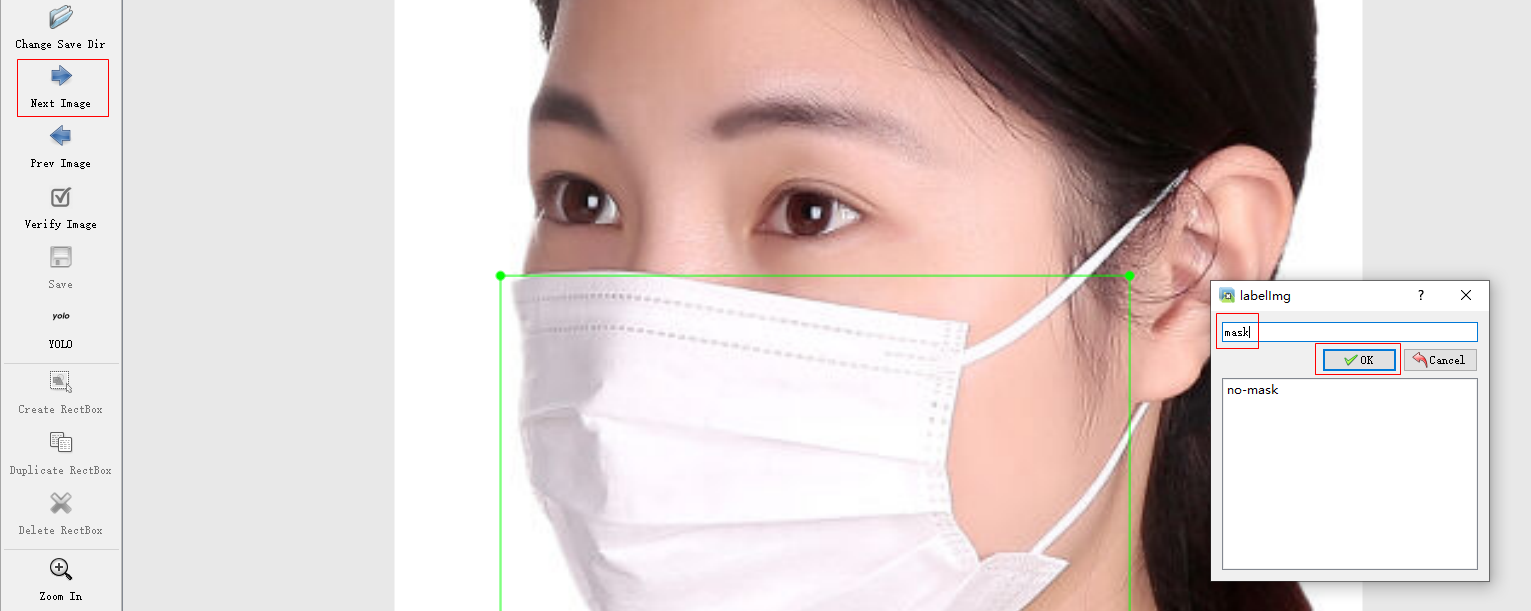
之后点击save按钮,保存样本标签信息(标签信息尽量保存在labels文件夹下)逐一图片进行处理,即可完成数据集制作
2. 使用数据集
2.1 下载口罩数据集
如果不想制作数据集,可以下载口罩数据集(点击下载,密码:sv74),并将数据集解压到项目根目录下(mask为数据集目录)。
2.2 分割数据集
下载数据集分割代码(点击下载),将其放在mask目录下,执行data_split.py,将数据集分割成训练数据集和验证数据集。分割后,数据集目录结构如下:
可以调整data_split.py中的TRAIN_RATIO = 80,来指明训练数据集和验证数据比例。
2.3 数据集配置
复制data目录下的coco.yaml,另存为mask.yaml,并修改其内容。修改后内容如下:
train: ./mask/train.txt
val: ./mask/val.txt

nc: 2

names: [ 'no-mask', 'mask' ]

3. 训练模型
3.1 下载预训练模型
下载预训练模型(点击下载),将其放置在项目根目录中。
3.2 修改训练代码
复制一份train.py,并重命名为train_mask.py.
打开train_mask.py,修改如下几项配置:
- 预训练模型名称
parser.add_argument(‘–weights’, type=str, default=‘yolov7_training.pt’, help=‘initial weights path’)
- 数据集路径
parser.add_argument(‘–data’, type=str, default=‘data/mask.yaml’, help=‘data.yaml path’)
- 训练轮数(默认300,时间比较久,可能需要数小时甚至数天)
parser.add_argument(‘–epochs’, type=int, default=100)
- 修改模型输出路径
parser.add_argument(‘–project’, default=‘runs/train/mask’, help=‘save to project/name’)
- 调整每批处理的图片数量(如果显卡内存较小,建议将值修改为2或者4)
parser.add_argument(‘–batch-size’, type=int, default=2, help=‘total batch size for all GPUs’)
3.3 训练模型
运行train_mask.py,进行模型训练。大概到20轮左右,模型识别精度能达到95%以上。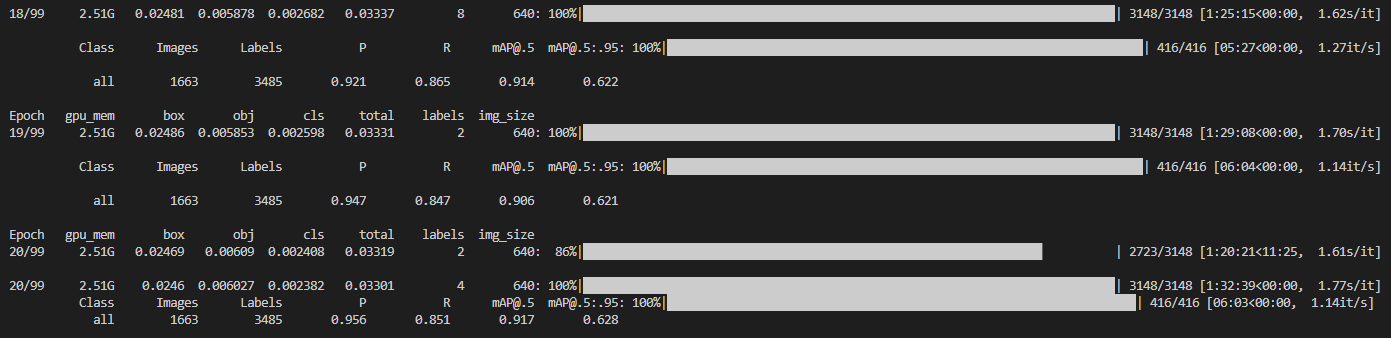
runs\train\mask\exp11\weights\best.pt即为最佳模型参数。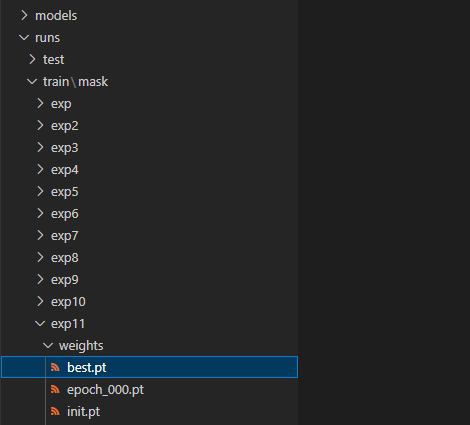
可以将best.pt拷贝到项目根目录中,并重命名为yolov7_mask.pt,方便之后使用.
4. 模型测试
4.1 拷贝测试代码
复制测试代码文件test.py,并重命名为test_mask.py
4.2 修改测试代码
修改模型参数文件
parser.add_argument(‘–weights’, nargs=‘+’, type=str, default=‘yolov7_mask.pt’, help=‘model.pt path(s)’)
修改数据集路径
parser.add_argument(‘–data’, type=str, default=‘data/mask.yaml’, help=‘*.data path’)
修改测试项目名称
parser.add_argument(‘–project’, default=‘runs/test/mask’, help=‘save to project/name’)
4.3 运行测试代码
运行代码test_mask.py,运行日志如下:
运行结果如下(在runs/test/mask/exp目录下):
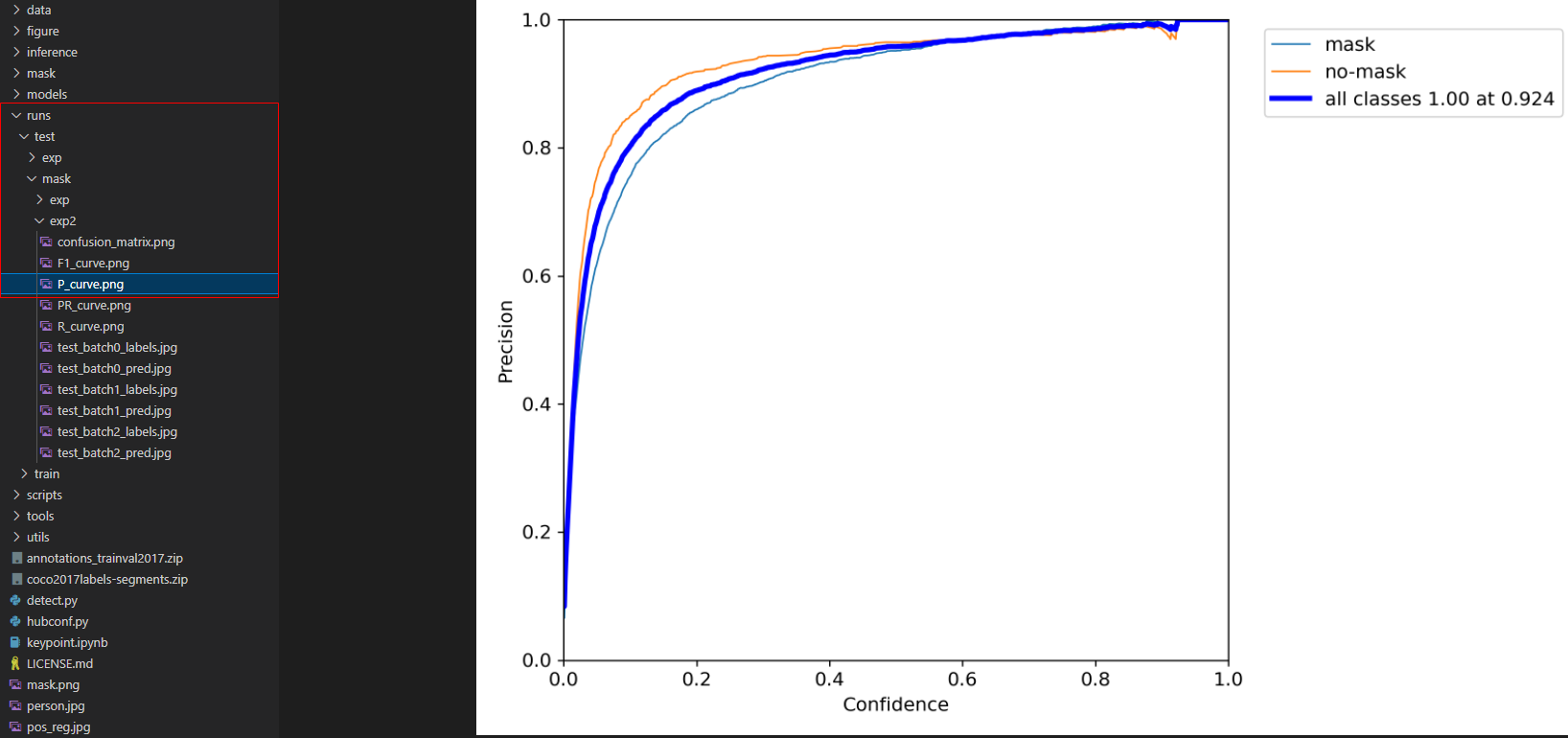
5. 问题
5.1 错误:FileNotFoundError: [Errno 2] No such file or directory
如果pip install 安装软件时,提示FileNotFoundError: [Errno 2] No such file or directory错误,需要执行以下命令更新pip和安装工具。
pip install --upgrade setuptools
python -m pip install --upgrade pip
5.2 错误:ModuleNotFoundError: No module named ‘tensorboard’
如果出现错误:ModuleNotFoundError: No module named ‘tensorboard’,则执行pip install tensorboard安装该类库即可。
5.3 错误:If reserved memory is >> allocated memory
如果出现内存不足,调整batch-size即可,调整方法详见3.2节。
边栏推荐
- Still have 1 requests outstanding when connection from slaveX/X.X.X.X:33202 is closed
- 软件体系结构期末复习六十题
- Mysql database index
- Basic principle of synchronized lock
- Introduction to database system fifth edition after class exercises - Chapter 1 Introduction
- Redis common commands correspond to redisson object operations
- Apprentissage Lambda (utilisation du comparateur après tri, regroupement après collecte avec collectors.groupingby)
- DBSCAN点云聚类
- User manual of boost filesystem
- University database creation and query practice -- database table design
猜你喜欢

Improving performance with explicit rendering

Ali onedate's layered thought

U++ 事件

The total ranking of blogs is 918

DBSCAN点云聚类

Taobao assistant is disabled. What is the reason for using the big Taoying import data package to upload the baby prompt "the main image is required and cannot be empty"? How to solve it?
【HiFlow】腾讯云新一代自动化助手,我用它完成了企业疫情提示(无代码)

Apprentissage Lambda (utilisation du comparateur après tri, regroupement après collecte avec collectors.groupingby)

VLAN comprehensive experiment
DBSCAN point cloud clustering
随机推荐
存储结构和管理盘。有点像装win98要先分区格式化硬盘
Uncertainty of distributed energy - wind speed test (realized by matlab code)
Interval DP chain stone merging
How does MySQL prepare SQL (solve the problem that in query SQL preprocessing can only query one record)
Use code to set activity to transparent
DBSCAN point cloud clustering
Openlayers instance animated GIF GIF animation
Construction and application progress of ten billion level knowledge map of meituan brain
启牛是什么?请问一下手机开户股票开户安全吗?
如何在 pyqt 中实现桌面歌词
CMake的学习
Practice data Lake iceberg lesson 37 kakfa write the enfour, not enfour test of iceberg's icberg table
Kuberntes cloud native combat VI uses rook to build CEPH cluster
实时监控Mysql数据库变化_进行数据同步_了解Canal_---Canal工作笔记001
数据库系统概论第五版课后习题——第一章 绪论
Basic character axis binding and mapping binding of u++ learning notes
U++ events
Neo4j应用
为了一劳永逸而写的数独
[complex overloaded operator]