当前位置:网站首页>Yarn quick reference manual
Yarn quick reference manual
2022-07-25 10:09:00 【A cabbage~】
Take a brief note of yarn Some of the content of
yarn sketch
Apache Hadoop YARN (Yet Another Resource Negotiator, Yet Another Resource Negotiator ) It's a new one Hadoop Explorer , It is a general resource management system , It can provide unified resource management and scheduling for upper applications , It's introduced as a cluster in utilization 、 Unified resource management and data sharing have brought great benefits .
yarn yes facebook It's a replacement for npm Package management tools .
yarn– characteristic
- Fast :Yarn Cache every downloaded package , So you don't have to download it again when you use it again . At the same time, parallel downloads are used to maximize resource utilization , Therefore, the installation is fast .
- Safe and reliable : Before executing the code ,Yarn The integrity of each installation package will be checked by algorithm .yarn Use details 、 Simple lock file format and clear installation algorithm ,Yarn It can ensure that there is no difference in working on different systems .
yarn– install
- Downloaded nodejs And then use npm Installation :
npm install -g yarn yarn --version // View version - download node.js Then download yarn Installation procedure — Provide a .msi File to boot the installation at run time Yarn
- Yarn Taobao source installation , Copy and paste the following code to the black window to run :
	yarn config set registry https://registry.npm.taobao.org -g

	yarn config set sass_binary_site http://cdn.npm.taobao.org/dist/node-sass -g
Yarn– Common commands
- Initialize project :
yarn init // Same as npm init, It will be generated after execution package.json file - Configuration item :
yarn config list // Show all configuration items yarn config get <key> // Display a configuration item yarn config delete <key> // Delete a configuration item yarn config set <key> <value> [-g|--global] // Setting configuration items - Installation package :
yarn install // install package.json All the bags in the bag , And save the package, that is, all its dependencies, into yarn.lock yarn install --flat // Install a single version of a package yarn install --force // Force all packages to be downloaded again yarn install --production // Install only dependencies Bag in yarn install --no-lockfile // Do not read or generate yarn.lock yarn install --pure-lockfile // No generation yarn.lock - Add package ( Will update package.json and yarn.lock):
yarn add [package] // Add a dependency package to the current project , Will automatically update to package.json and yarn.lock In file yarn add [package]@[version] // Install the specified version , This refers to the main version , If you need to be accurate to a small version , Use -E Parameters yarn add [package]@[tag] // Install a tag ( such as beta,next perhaps latest) - Do not specify a dependency type. Install to by default dependencies in , You can specify the dependency type :
yarn add --dev/-D // Add to devDependencies yarn add --peer/-P // Add to peerDependencies yarn add --optional /-O // Add to optionalDependencies - The latest version of the main version of the default installation package , The following two commands can specify the version :
yarn add --exact /-E // Exact version of the installation package . for example : yarn add [email protected] Will accept 1.9.1 edition , however yarn add [email protected] --exact Direct said 1.2.3 edition yarn add --title /-T // The latest version of the minor version of the installation package . for example :yarn add [email protected] --title Will accept 1.2.9, But don't accept 1.3.0 - Release package :
yarn publish - Delete package :
yarn remove [packageName] // Remove a package , It will update automatically package.json and yarn.lock - Update dependency :
yarn upgrade // Used to update the package to the latest version of the basic specification - function :
yarn run // Used to perform the package.json in scripts Property - Show package information :
yarn info <packageName> // It can be used to view the latest version information of a module - cache :
	yarn cache list   // List each package that has been cached
	yarn cache dir   // return   Global cache location
	yarn cache clean   // Clear cache
npm And yarn Command comparison :
| npm | yarn | Command specification |
|---|---|---|
| npm init | yarn init | Initialize project |
| npm install/link | yarn install/link | The default installation depends on the operation |
| npm install xxx --save | yarn add xxx | Install a dependency , And saved to by default package |
| npm uninstall xxx --save | yarn remove xxx | Remove a dependency |
| npm install xxx --save-dev | yarn add xxx --dev | Installing a development time dependent project |
| npm update xxx --save | yarn upgrade xxx | Update a dependent project |
| npm install xxx --global | yarn global add xxx | Install a global dependency project |
| npm publish/login/logout | yarn publish/login/logout | Release / Sign in / Log out , A series of NPM Registry operation |
| npm run/test | yarn run/test | Run a command |
npm And yarn Related issues are relatively :
Module dependency history dependency
For example, your project module depends on :@1.2.1 Represents the version of this module . Before you install A You need to install dependency C and D, Many dependencies do not specify a version number , The latest version will be installed by default , In this way, problems will appear : For example, when installing modules today C and D It's a version , And then C、D When it's updated , Installing the module again will install C and D Latest version . If the new version is not compatible with your project , Your program may go wrong BUG, Can't even run . This is it. npm disadvantages , and yarn In order to solve this problem yarn.lock The mechanism of .
yarn Version upgrade and downgrade commands
yarn Upgrade to the latest version
npm install [email protected] -g
see yarn Version history
npm view yarn versions --json
yarn Upgrade the specified version ( example : Upgrade to 1.22.1 edition )
yarn upgrade v1.22.1
yarn Reduce to the specified version ( To uninstall first , Install again )
	npm uninstall yarn -g
	npm install -g [email protected]1.3.2
If yarn install In case of error . Repeatable install Or remove Re execution .
	yarn install --force
	yarn cache clean
边栏推荐
- nodejs链接mysql报错:ER_NOT_SUPPORTED_AUTH_MODEError: ER_NOT_SUPPORTED_AUTH_MODE
- JDBC总结
- ECO简介
- OC -- packaging class and processing object
- Swift creates weather app
- ¥ 1-1 SWUST OJ 941: implementation of consolidation operation of ordered sequence table
- 工程仪器振弦传感器无线采集仪的采集数据发送方式及在线监测系统
- ThreadLocal&Fork/Join
- CCF 201512-3 drawing
- ESP32定时中断实现单、双击、长按等功能的按键状态机Arduino代码
猜你喜欢

Mlx90640 infrared thermal imager temperature measurement module development notes (I)

¥ 1-2 example 2.2 put the union of two sets into the linear table

First knowledge of opencv4.x ---- mean filtering

¥ 1-1 SWUST OJ 941: implementation of consolidation operation of ordered sequence table

MLX90640 红外热成像传感器测温模块开发笔记(三)

Terminal definition and wiring of bsp3 power monitor (power monitor)

TM1637带秒点四位LED显示器模块ARDUINO驱动程序

阿里MQTT物联网平台“云产品流转”实战——两片ESP32通过物联网平台实现远程互操作
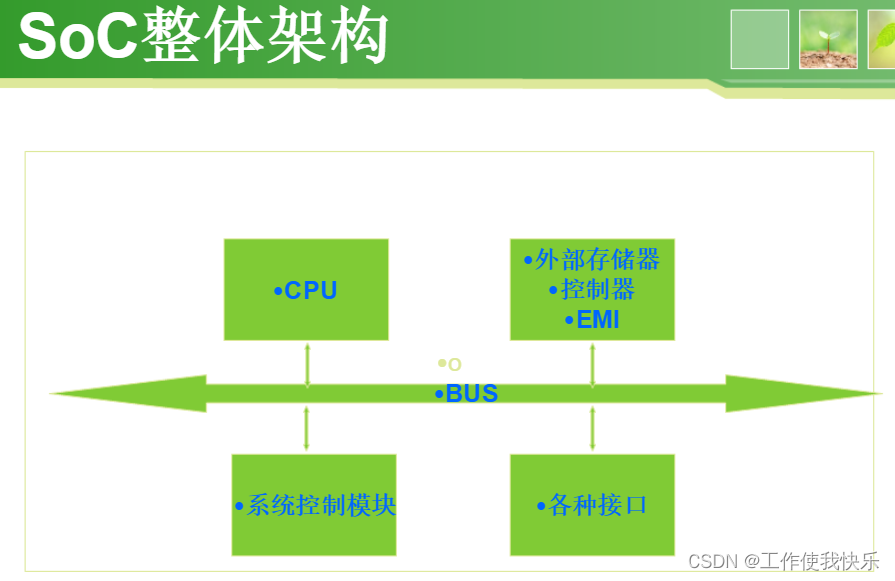
Internal structure of SOC chip

Visualization of sensor data based on raspberry pie 4B
随机推荐
cookie and session
CCF 201503-3 Festival
Nodejs初体验
Solve the Chinese garbled code error of qtcreator compiling with vs
framework打包合并脚本
车辆属性最近一次入库时间初始化生成sql脚本文件
工程监测无线中继采集仪和无线网络的优势
Connection and data reading of hand-held vibrating wire vh501tc collector sensor
TM1637带秒点四位LED显示器模块ARDUINO驱动程序
ESP32连接阿里云MQTT物联网平台
MLX90640 红外热成像仪测温模块开发笔记(一)
rospy Odometry天坑小计
yarn速查手册
Swift creates weather app
js利用requestAnimationFrame实时检测当前动画的FPS帧率
¥ 1-2 example 2.2 put the union of two sets into the linear table
无线振弦采集仪应用工程安全监测
Camera attitude estimation
TM1638 LED数码显示模块ARDUINO驱动代码
MLX90640 红外热成像传感器测温模块开发笔记(二)