当前位置:网站首页>CRTMP视频直播服务器部署及测试
CRTMP视频直播服务器部署及测试
2022-06-27 21:36:00 【全栈程序员站长】
大家好,又见面了,我是你们的朋友全栈君。
1、下载CRTMP服务器软件
svn co –username anonymous –password “” https://svn.rtmpd.com/crtmpserver/trunk crtmpserver
2、进入一下目录,运行cleanup.sh
cd crtmpserver/builders/cmak/ sh cleanup.sh
3、搭建编译环境
安装cmake、build-essential、libssl0.9.8、libssl-dev。
4、make
cmake .
make
5、运行服务器
./crtmpserver/crtmpserver ./crtmpserver/crtmpserver.lua(在crtmpserver/builders/cmak/ 目录下运行,其中crtmpserver.lua为配置文件)
二、测试播放器
6、直播测试
下载 http://www.longtailvideo.com/players/jw-flv-player/ 播放器
下载后有一个mediaplayer-5.6-viral压缩包,解压后,player.swf为播放器,video.mp4为测试视频,将player.swf\video.mp4\swfobject.js\jwplayer.js上传到web服务器上做测试
编辑一个简单的页面进行测试
<!DOCTYPE html PUBLIC “-//W3C//DTD XHTML 1.0 Transitional//EN” ” http://www.w3.org/TR/xhtml1/DTD/xhtml1-transitional.dtd“> <html xmlns=” http://www.w3.org/1999/xhtml“> <head> <meta http-equiv=”Content-Type” content=”text/html; charset=utf8″ /> <title>视频测试</title> </head>
<body style=”width:980px; background-color:#000000;”> <div style=”margin-left:300px;”> <embed id=”player” width=”480″ height=”380″ flashvars=”&streamer=start&type=http&autostart=true&logo=&plugins=none&file= http://192.168.3.108/test/video.mp4” wmode=”transparent” allowscriptaccess=”always” allowfullscreen=”true” quality=”high” name=”player” style=”” src=” http://192.168.3.108/test/player.swf” type=”application/x-shockwave-flash”> </div> </body> </html>
经测试,测试成功
发觉可以发布,但是没有用到两个js文件,后来发觉原来这个两个文件是用来javascrip的使用使用的。
三、流媒体直播
编辑一个直播页面
<!DOCTYPE html PUBLIC “-//W3C//DTD XHTML 1.0 Transitional//EN” ” http://www.w3.org/TR/xhtml1/DTD/xhtml1-transitional.dtd“> <html xmlns=” http://www.w3.org/1999/xhtml“> <head> <meta http-equiv=”Content-Type” content=”text/html”; charset=”utf8″ /> <script type=”text/javascript” src=”/test/jwplayer.js”></script> <script type=”text/javascript” src=”/test/swfobject.js”></script> <title>视频测试</title> </head>
<body style=”width:980px; background-color:#003000;”>
<div id=’mediaplayer’>The player will be placed here</div>
<script type=”text/javascript”> jwplayer(‘mediaplayer’).setup({ flashplayer: ” http://192.168.3.108/test/player.swf“, width: ‘1024’, height: ‘788’, provider: ‘rtmp’, streamer: ‘rtmp://192.168.3.68/flvplayback/’, file: ‘vod’ }); </script>
</div> </body> </html>
打开crtmpd服务器
./crtmpserver/crtmpserver ./crtmpserver/crtmpserver.lua
下载FlashMediaLiveEncoder用于直播机
下载e2eSoft VCam作为虚拟摄像机,作为直播的输入设备
发布者:全栈程序员栈长,转载请注明出处:https://javaforall.cn/133034.html原文链接:https://javaforall.cn
边栏推荐
- golang使用mongo-driver操作——查(数组相关)
- MySQL read / write separation configuration
- Golang uses Mongo driver operation - query (basic)
- How to quote Chinese documents when writing a foreign language?
- [VIM] tutorial, common commands, efficient use of vim editor
- mysql 字符集
- 零基础自学SQL课程 | IF函数
- [PCL self study: pclvisualizer] point cloud visualization tool pclvisualizer
- Google Earth engine (GEE) 03 vector data type
- [PCL self study: segmentation4] point cloud segmentation based on Min cut
猜你喜欢
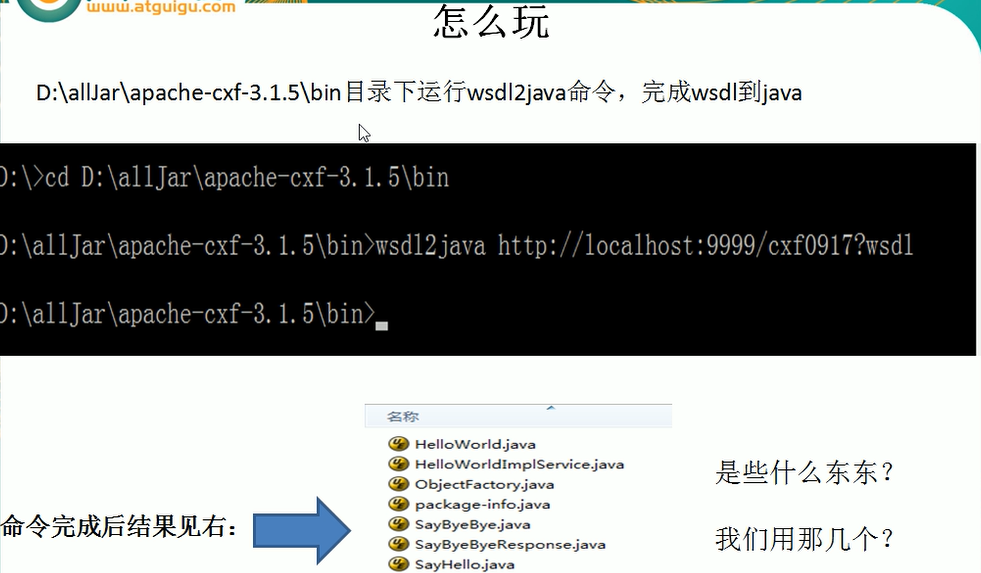
webService

What if Fiddler fails to listen to the interface
![Using two stacks to implement queues [two first in first out is first in first out]](/img/de/07297816f1a44d41389bb45d012c80.png)
Using two stacks to implement queues [two first in first out is first in first out]
Does the subscription of Siyuan notes stop deleting cloud data directly?

Sentinel
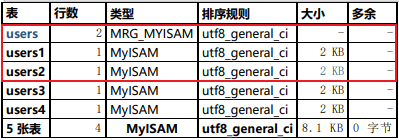
MySQL分表查询之Merge存储引擎实现

Stream + Nacos

表单form 和 表单元素(input、select、textarea等)

智慧风电 | 图扑软件数字孪生风机设备,3D 可视化智能运维
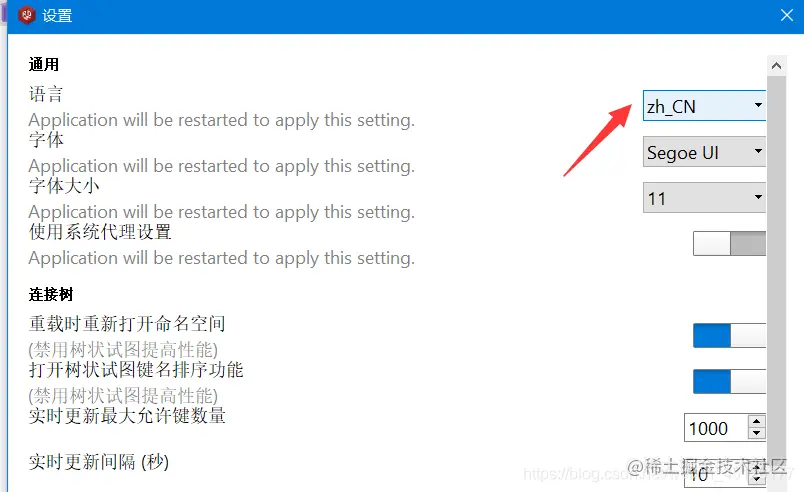
本地可视化工具连接阿里云centOS服务器的redis

随机推荐
Elk in Windows Environment - logstash+mysql (4)
C language - date formatting [easy to understand]
Feign implements path escape through custom annotations
零基础自学SQL课程 | SQL中的日期函数大全
Cornernet由浅入深理解
线程池实现:信号量也可以理解成小等待队列
An analysis of C language functions
Although the TCGA database has 33 cancers
At the beginning of reading English literature, I would like to ask you how you should read it in the first place?
解决新版chrome跨域问题:cookie丢失以及samesite属性问题「建议收藏」
Matlab基本函数 length函数
圖的存儲結構
Is not null and in SQL= Difference between null
Detailed explanation of MATLAB axis coordinate axis related settings
golang使用mongo-driver操作——查(数组相关)
Thread pool implementation: semaphores can also be understood as small waiting queues
ICML 2022: UFRGS |作为最优策略转移基础的乐观线性支持和后继特征
Pytorch Foundation (1)
【PCL自学:PCLVisualizer】点云可视化工具PCLVisualizer
What if Fiddler fails to listen to the interface