当前位置:网站首页>Use OpenCV to decompose the video into single frame pictures and synthesize the video with pictures
Use OpenCV to decompose the video into single frame pictures and synthesize the video with pictures
2022-06-21 14:30:00 【Modest learning and progress】
What this paper does is based on opencv Convert video frames to picture output , Because a video contains too many frames , Often we don't need all of its frames to be converted into pictures , So we want to be able to set how many frames to rotate the picture again ( This article is set to 30 frame ), If someone needs only the first few frames , You can also rewrite the code in a similar way .
Procedure 1 :
#include <iostream>
#include "cv.h"
#include "opencv2/opencv.hpp"

using namespace std;
using namespace cv;

//  describe : Convert video frames to picture output
void main()
{
	//  Get video files
	VideoCapture cap("J:\\CQH\\DLFR\\lab_face\\video\\DSC_0023.MOV");

	//  Get the total number of video frames
	long totalFrameNumber = cap.get(CV_CAP_PROP_FRAME_COUNT);
	cout << "total frames: " << totalFrameNumber << endl;

	Mat frame;
	bool flags = true;
	long currentFrame = 0;

	while (flags){
		//  Read every frame of video
		cap.read(frame);

		stringstream str;
		str << "cqh" << currentFrame << ".jpg";
		cout << " Under processing " << currentFrame << " frame " << endl;
		printf("\n");

		//  Set every 30 Frame get one frame
		if (currentFrame % 30 == 0){
			//  Convert frame to picture output
			imwrite("J:\\CQH\\DLFR\\lab_face\\videoToImages\\DSC_0023\\" + str.str(), frame);
		}
		//  The end condition
		if (currentFrame >= totalFrameNumber){
			flags = false;
		}
		currentFrame++;
	}

	system("pause");
}
Program 2( Read pictures in batch order )
#include<opencv2/opencv.hpp>

using namespace cv;

void main()
{
    // Batch reading of pictures ( Orderly )
    char filename[50];
    char winName[50];
    Mat srcImg;
    for (int i = 1; i < 100; i++)
    {
        sprintf(filename,"%d.bmp",i);
        sprintf(winName,"NO--%d",i);
        srcImg=imread(filename);
        if (srcImg.empty())
            break;
        imshow(winName,srcImg);
    }
    waitKey(0);
    destroyAllWindows();
}
Two 、 Decomposing video into pictures
Need to be ahead of time E Disk creation pic Folder , Picture naming by 1,2.... Such numbers are arranged
#include<opencv2/opencv.hpp>

using namespace cv;

void main()
{
    Mat frame;
    char outfile[50];
    VideoCapture cap("E:\\2.avi");
    if (!cap.isOpened())// Open the failure
        return;
    int totalFrame=cap.get(CV_CAP_PROP_FRAME_COUNT);// Get the total number of video frames
    for (int i = 1; i <=totalFrame; i++)
    {
        cap>>frame;
        if (frame.empty())
            break;
        sprintf(outfile,"E:\\pic\\%d.bmp",i);
        imwrite(outfile,frame);
        imshow("video",frame);
        waitKey(15);
    }
    cap.release();
    destroyAllWindows();
}
3、 ... and 、 Picture synthesis video
#include<opencv2/opencv.hpp>
#include<iostream>
using namespace cv;
using namespace std;

void main()
{
    VideoWriter writer("E:\\out.avi",CV_FOURCC('X','V','I','D'),20,Size(320,240),true);//Size Be consistent with the size of the picture
    char filename[50];
    Mat frame;
    for (int i = 1; i < 644; i++)
    {
        sprintf(filename,"E:\\pic\\%d.bmp",i);
        frame=imread(filename);
        if(frame.empty())   break;
        writer<<frame;
    }
    cout<<"write end!"<<endl;
    destroyAllWindows();
}
It turns out that E The root directory generates a out.avi Video file , This directory can be changed by itself , The image source path can also be changed
Reference resources :https://blog.csdn.net/mr_evanchen/article/details/77733978
边栏推荐
- LINQ extension methods - any() vs. where() vs. exists() - LINQ extension methods - any() vs. where() vs. exists()
- Nmap scan port tool
- Flex layout --- detailed explanation [Blue Bridge Cup classic dice layout]
- Two of my essays
- Reptile Foundation_ urllib
- JS interview question: regular expression, to be updated
- Teach you how to design interface automation test cases: extract interface information and analyze it
- [graduation project recommendation] - personnel management system
- 给网站添加SSL安全证书
- Explain the design idea and capacity expansion mechanism of ThreadLocal in detail
猜你喜欢

2021 the latest selenium truly bypasses webdriver detection

Qt-3-basic components
![[googolu] takeout rebate system - business domain name of KFC configuration applet](/img/54/d30b9c08e46760dac8c3405716941f.jpg)
[googolu] takeout rebate system - business domain name of KFC configuration applet

T32 add toolbar button

Chapter 4 - network layer
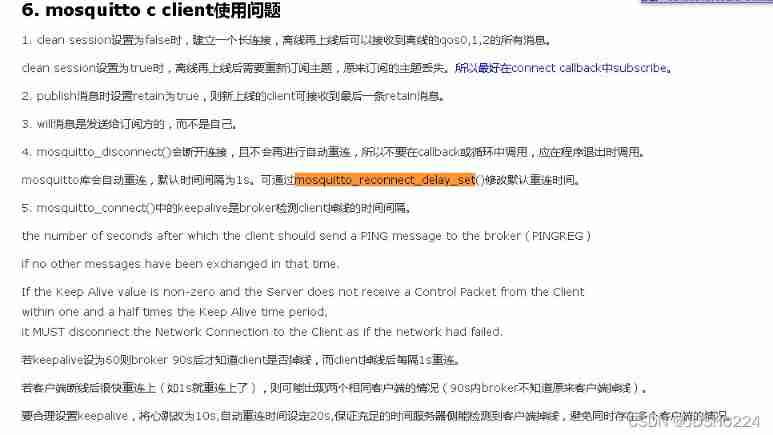
Mqtt keepalive and reconnect

USB message capture tcpdump

Record the troubleshooting process of excessive CPU usage

Detailed explanation of dictionary source code in C #

STM32F0-DAY1
随机推荐
Write a compile time annotation
Cmake upgrade
Cool background shadow effect [second with layered feeling] [picture hover style]
STM32F0-DAY1
Judge password strength - Optimization
NPM package management configuration file [package.json and node\u modules configuration details and how to develop their own packages and publish them on NPM]
Use Matplotlib to draw the first figure
MySQL failover and master-slave switchover based on MHA
Configuration of oracle19c under alicloud lightweight application server linux-centos7
How to guarantee the test coverage
[Goo Goo donkey takeout rebate system] customer service configuration tutorial of takeout CPS project - (attached with picture and text building tutorial)
Installation of oracle19c under alicloud lightweight application server linux-centos7
JS written test question: array
Mingw-w64 installation tutorial
JS interview question: regular expression, to be updated
Making my footprint map using API
Usage of SED (replacement, deletion of text content, etc.)
Use ant for running program with command line arguments
. Net synchronization mechanism and application examples
网上开户安全吗?新手可以开账户吗