当前位置:网站首页>Install Wireshark correctly
Install Wireshark correctly
2022-07-27 06:16:00 【feike_ three】
Deep use wireshark The engineer , I shouldn't just find one wireshark Install version , install wireshark There must also be a certain force , ha-ha , Now let's introduce .
List of articles
1. To, of course wireshark Get it on the official website wireshark
Official website https://www.wireshark.org/, After entering, it is very concise , In the third part of
- download Download software entry
- learn Learning entrance
- Go Beyond Cooperative development entrance

What we may use is mainly the former 2 An entrance :
- learn There are wireshark What to learn , An important part related to installation is release note, Each version has a corresponding release note.
- download There are mainly different versions for downloading wireshark
2. Download the appropriate version as needed
- Download Interface
Get into download:
The download interface is mainly displayed as above , A latest stable version , One old Stable version , A development version , Document and interface if there are other download requirements , If we need to download other versions ,click downloads page Get into :
Here are all versions :

- release note
from learn Get into , Here is the description of the corresponding version :
It mainly introduces the updated content of the new version compared with the old version , for example :
- new function
- bug fix
- Whether the new agreement is supported

3. install ,wireshark Multiple versions can be installed
Install it , Download an example 3.4.7 install :
What you don't write , All the way next Just go
- Note that you cannot open the existing wireshark

- Check... As needed tools, No special needs , Keep the default

- If you install multiple versions , You can customize a subdirectory here ,

I'm here “C:\Program Files\Wireshark” Directory installed 2 A version , Created again wireshark3.4.7 This directory , Now choose to install to this directory .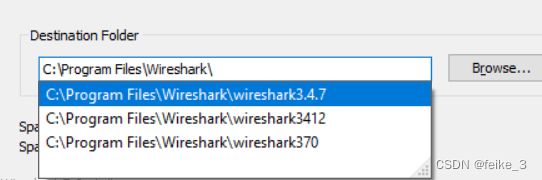
- Because it was installed before wireshark, existing Npcap( Caught tools ), There is no need to check install
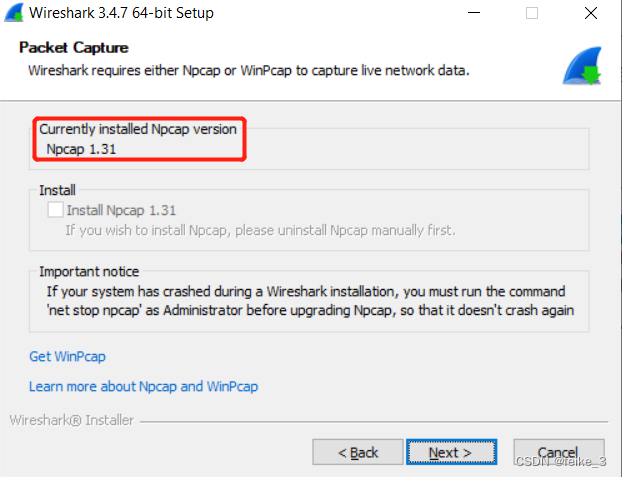
- I understand this should be catching USB traffic Of , Choose whether to install according to your needs , Not usually used

- Back point install Can be installed , Waiting for completion
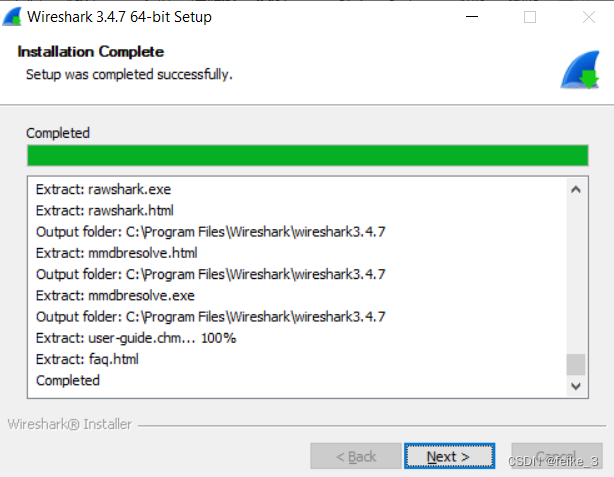
- How to choose multiple versions , Create a desktop shortcut , Just change your name to distinguish
- Uninstall a version wireshark, Click in the installation directory just now uninstall You can uninstall this version , Don't open it when uninstalling wireshark
边栏推荐
猜你喜欢

遥感影像识别-制作数据集

Unity hub login no response
哈希表的原理及哈希冲突的解决方法

Pzk learns data types, binary conversion, input and output, operators, branch statements, ifelse of C language
正确安装wireshark

线程安全问题详解
ROS话题名称设置
The principle of hash table and the solution of hash conflict

The problem that tqdm cannot display in a single line
wireshark图形界面抓包
随机推荐
力扣每日一题leetcode 513. 找树左下角的值
力扣题解 单调栈
力扣每日一题 剑指 Offer II 091. 粉刷房子
力扣160. 相交链表
Unity 菜单界面的简单介绍
力扣题解 动态规划(5)
Linear progression for face recognition
力扣 110. 平衡二叉树
Dynamic planning for solving problems (4)
Operate access database based on WinForm of C (at the end of MDB)
Leetcode每日一题30. 串联所有单词的子串
遥感影像识别-成像合成
Unity 桌面7.6 版本解读
1 semi automatic crawler
ROS分布式通信
Unity 窗口界面的简单介绍
Code implementation and introduction of all commonly used sorting
力扣题解 二叉树(8)
通信机制比较
多线程常见锁的策略