当前位置:网站首页>PHP builds a high-performance API architecture based on sw-x framework (III)
PHP builds a high-performance API architecture based on sw-x framework (III)
2022-06-12 01:21:00 【PHP beginner】
Preface
Official website address : SW-X frame - Focus on high-performance and convenient development PHP-SwooleX frame
I hope the big guys raise their little hands , Give my little brother a star: https://github.com/swoolex/swoolex
1、 What is? Restful Components
stay SW-X in ,Restful The component is right API Encapsulation support of return value structure .
\x\Restful Class supports defining the structure of the return value 、Code->Msg relation 、 The return value is strongly typed 、 Thrown data type conversion 、 The request header definition of the response ( Cross domain support ).
2、Restful Set up
API Use of return value , Mainly depends on /restful/ In the directory config.php Configuration items , The initialization default configuration is as follows :
return [
// return type Support json|xml
'type'
=>
'json',
// The default return value format
'default'
=> [
'force'
=>
true,
// Whether to force the return value int|double|null Type conversion
'status'
=>
'code',
// Status code field name
'tips'
=>
'msg',
// Description field name
'result'
=>
'data',
// Result set field name
'set'
=> [],
// Default result set
'headers'
=> [],
// Response head , Can be used for cross domain settings (v2.5.23 Pre version support )
],
]
- 1.
- 2.
- 3.
- 4.
- 5.
- 6.
- 7.
- 8.
- 9.
- 10.
- 11.
- 12.
- 13.
- 14.
among default Is the default data structure , When we don't use \x\Restful::make(' New subscript ') When specifying a new return value structure , This structure is used by default , If we need to set a new return value structure , Just copy default The array structure of , Change the subscript to a new value .
meanwhile ,/restful/ There is also a... In the directory default Catalog , This directory corresponds to default The default return value structure , To hold code Status codes and msg Status description .
If a new data structure is set , You need to copy default Catalog , And rename it to the corresponding subscript name .
So let's see default Two files in the directory :
Code Status code ,/restful/default/code.php:
// Status code management
return [
'ERROR'
=>
0,
// Default failure status code
'SUCCESS'
=>
1,
// Default success status code
];
- 1.
- 2.
- 3.
- 4.
- 5.
- 6.
In practice , We just need to pass \x\Restful:: Status code key name () To read the corresponding status code value , For example, using SUCCESS Use the status code of \x\Restful::SUCCESS().
Msg explain ,/restful/default/msg.php:
// Status description management
return [
// The default error status code corresponds to tips
'ERROR'
=> [
'default'
=>
' request was aborted ',
// The default value is
],
// The default success status code corresponds to tips
'SUCCESS'
=> [
'default'
=>
' The request is successful ',
// The default value is
'test'
=>
' test msg',
],
];
- 1.
- 2.
- 3.
- 4.
- 5.
- 6.
- 7.
- 8.
- 9.
- 10.
- 11.
- 12.
- 13.
The status code description is a two-dimensional array , One dimensional subscript needs the subscript corresponding to the status code , There must also be a named default Two dimensional subscript .
The original intention of this design is due to , in application , There may be multiple different descriptions for the same status code , In this way, the corresponding description can be read by specifying the subscript , When not specified , Read default Subscript .
for example :
       use x\Restful;


//  What it reads is SUCCESS['default'] explain , By default default


Restful::code(Restful::SUCCESS())->callback();


//  Appoint msg Subscript , What it reads is SUCCESS['test'] explain


Restful::code(Restful::SUCCESS())->msg('test')->callback();
- 1.
- 2.
- 3.
- 4.
- 5.
- 6.
- 7.
3、Restful More examples of components
       use x\Restful;


//  Customize msg Content


return Restful::code(Restful::SUCCESS())->setMsg(' Throw me out , Not used msg.php In the configuration of the ')->callback();


//  Custom throw type


return Restful::type('xml')->code(Restful::SUCCESS())->callback();


//  Set the data set thrown


return Restful::code(Restful::SUCCESS())->data([


  'user_id' => 1,


  'username' => 'SW-X',


])->callback();


//  Set up cross domain support


return Restful::code(Restful::SUCCESS())->header([


  //  Interface cross domain settings


  'origin' => '*',


  //  Interface data request type


  'type' => '',


  //  The type of request allowed by the interface across domains


  'methods' => 'POST,GET,OPTIONS,DELETE',


  //  Whether the interface allows sending  cookies


  'credentials' => 'true',


  //  The interface allows you to customize the fields of the request header


  'headers' => 'Content-Type,Content-Length,Accept-Encoding,X-Requested-with, Origin, api_key',


])->callback();
- 1.
- 2.
- 3.
- 4.
- 5.
- 6.
- 7.
- 8.
- 9.
- 10.
- 11.
- 12.
- 13.
- 14.
- 15.
- 16.
- 17.
- 18.
- 19.
- 20.
- 21.
- 22.
- 23.
- 24.
- 25.
- 26.
- 27.
4、 Used in the controller Restful Simple example
Back to the last article , We modify shop/select.php The controller code corresponding to the route :
namespace
app
\http
\v1_0_1
\controller
\shop;
use
x
\controller
\Http;
// introduce Restful Components
use
x
\Restful;
class
select
extends
Http
{
public
function
index() {
// Restful The component throws an interface response
return
Restful::
code(
Restful::
SUCCESS())
->
data([
'user_id'
=>
'1',
'username'
=>
'SW-X',
])
->
callback();
}
}
- 1.
- 2.
- 3.
- 4.
- 5.
- 6.
- 7.
- 8.
- 9.
- 10.
- 11.
- 12.
- 13.
- 14.
- 15.
- 16.
Output results :
       {


  "code": 1,


  "msg": " The request is successful ",


  "data": {


    "user_id": 1,


    "username": "SW-X"


  }


}
- 1.
- 2.
- 3.
- 4.
- 5.
- 6.
- 7.
- 8.
5、 enumeration
If you're not used to it Restful Component style management API If the interface returns a value ,SW-X And support Enum Enumeration defines the way .
Enumeration class must inherit to \design\Enum Base class , The official proposal is to unify the definition in /box/enum/ Under the table of contents , But not mandatory .
Now we are in this directory , Create a ShopEnum class , The code is as follows :
       <?php


namespace box\enum;


//  Must inherit enum base class


use design\Enum;


class ShopEnum extends Enum {


    /*


     *  Error exception


    */


    const ERROR = 500;


    /**


     *  Normal request


    */


    const SUCCESS = 200;


}
- 1.
- 2.
- 3.
- 4.
- 5.
- 6.
- 7.
- 8.
- 9.
- 10.
- 11.
- 12.
- 13.
- 14.
- 15.
Note the annotation style above , The content of its notes , That's what the status code corresponds to MSG Content .
6、 Use examples of enumeration classes
       use box\enum\ShopEnum;


//  Get the corresponding Msg Content


echo ShopEnum::get(ShopEnum::ERROR);


//  Assemble into code-msg-data The array structure of ( The 3 All field names are fixed by the system )


ShopEnum::get(ShopEnum::ERROR, [


    'data' => [


        'user_id' => 1


    ]


]);


 Result set :


array(3) {


  ["code"]=>


  int(500)


  ["msg"]=>


  string(12) " Error exception "


  ["data"]=>


  array(1) {


    ["user_id"]=>


    int(1)


  }


}


//  Custom data structure :


$ret = [


  'code' => ShopEnum::ERROR,


  'msg' => ShopEnum::get(ShopEnum::ERROR),


  'data => [],


];
- 1.
- 2.
- 3.
- 4.
- 5.
- 6.
- 7.
- 8.
- 9.
- 10.
- 11.
- 12.
- 13.
- 14.
- 15.
- 16.
- 17.
- 18.
- 19.
- 20.
- 21.
- 22.
- 23.
- 24.
- 25.
- 26.
- 27.
- 28.
- 29.
7、 A simple example of using enumeration in a controller
Back to the last article , We modify shop/select.php The controller code corresponding to the route :
namespace
app
\http
\v1_0_1
\controller
\shop;
use
x
\controller
\Http;
// Introduce custom enumeration class
use
box
\enum
\ShopEnum;
class
select
extends
Http
{
public
function
index() {
$array
=
ShopEnum::
get(
ShopEnum::
ERROR, [
'data'
=> [
'user_id'
=>
1
]
]);
return
$this
->
fetch(
dd(
$array));
}
}
- 1.
- 2.
- 3.
- 4.
- 5.
- 6.
- 7.
- 8.
- 9.
- 10.
- 11.
- 12.
- 13.
- 14.
- 15.
- 16.
- 17.
- 18.
Output results :
       array(3) {


  ["code"] => int(500)


  ["msg"] => string(12) " Error exception "


  ["data"] => array(1) {


    ["user_id"] => int(1)


  }


}
- 1.
- 2.
- 3.
- 4.
- 5.
- 6.
- 7.
边栏推荐
- Mise en œuvre de l'ombre de l'animation du Vertex de l'unit é
- Argodb 3.2 of star ring technology was officially released to comprehensively upgrade ease of use, performance and security
- Lambda intermediate operation limit
- 感知机从0到1
- MATLAB basic application 02 wind stock data introduction and use case:
- websocket服务器实战
- Before applying data warehouse ODBC, you need to understand these problems first
- Lambda intermediate operation filter
- 我在某大厂做软件测试工程师的《一天完整工作流程》
- The 14th five year plan and investment feasibility study report of global and Chinese hydraulic ester base oil industry 2022 ~ 2028
猜你喜欢

What is the digital twin of Yixin Huachen and what is its application value?
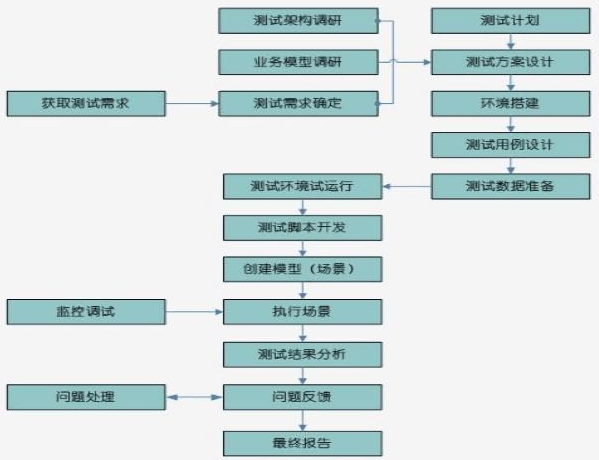
Given a project, how will you conduct performance testing?

中创专利|中国5G标准必要专利达1.8万项,尊重知识产权,共建知识产权强国
Zhongchuang patents | China has 18000 necessary patents for 5g standards, respects intellectual property rights and jointly builds a strong intellectual property country

一文get,最容易碰上的接口自动化测试问题汇总

Chapter V - Fund professional ethics

网狐游戏服务器-房间配置向导-组件属性与基本配置赋值

Data visualization big screen - big screen cloud minimalist user manual
A summary of the interface automation test problems most easily encountered
![[project training] wechat official account template message push](/img/1f/2fe272e2d2a5e3573299c063e870e5.png)
[project training] wechat official account template message push
随机推荐
Lambda intermediate operation map
Unity頂點動畫的陰影實現
The CSV used for JMeter performance test is bullshit
Article 5: Design of multi-functional intelligent trunk following control system | undergraduate graduation design - [learning of controller arduino+stm32]
[tools] spacing JS measurement spacing
Websocket server practice
Forecast report on market demand and future prospect of cvtf industry of China's continuously variable transmission oil
Analysis report on operation trends and development strategies of global and Chinese plastic adhesive industry 2022-2028
2022年重氮化工艺考试题库模拟考试平台操作
Flowable workflow
Global and Chinese medical styrene block copolymer industry prospect research and investment planning proposal report 2022-2028
Streaming data warehouse storage: requirements and architecture
New knowledge: monkey improved app crawler
博文推荐|BookKeeper - Apache Pulsar 高可用 / 强一致 / 低延迟的存储实现
Article 7: Design of multifunctional intelligent trunk following control system | undergraduate graduation project - [module device selection, list and data]
Jmeter接口测试之常用断言
Online Fox game server - room configuration wizard - component attribute and basic configuration assignment
Go out with a stream
jvm: 线程上下文类加载器(TheadContextClassLoader)
Intel trimbert: tailor Bert for trade-offs