当前位置:网站首页>One step forward is excellent, one step backward is ignorant
One step forward is excellent, one step backward is ignorant
2022-06-27 23:36:00 【Shengxin skill tree】
Our introductory course of student letter and online live data mining course have a history of more than three years , We have cultivated wave after wave of excellent students and students . Mentioned earlier R Super outline exercises in language teaching , The answers of two excellent students have been shared .
- System learning + Take the initiative to explore , It is the most comfortable way to get started !
- Super outline exercises
Let's continue to look at excellent students Dr.luka The share of :
R Language super outline exercises
( Students' skills are excellent Dr.luka)
- data mining (GEO,TCGA, unicellular )2022 year 6 Lunar field , Get a quick look at some bioinformatics Application Charts
- Introduction to student letters -2022 year 6 Lunar field , Your first bioinformatics lesson
* The best input is the output . This note refers to a lot of the students' sharing , And combined with their own ideas to modify and supplement . *
* Thank you very much. Jia Nan Sharing notes for System learning + Take the initiative to explore , It is the most comfortable way to get started ! Student Xuqian Sharing notes for Super outline exercises *
1. Read the file
exp <- read.csv('exp.csv') # Don't use... For the first time row.names=1, Prevent error reporting
soft <- read.table("soft.txt",sep = "\t",header = T)
exp Content display
soft Content display
2. Probe filtration
Due to the actual situation, there may be probes for annotation files (probe_id) The case that the expression matrix probe does not completely correspond to , So before the gene name conversion , The probe needs to be filtered , Leave a valid probe
table(exp$X %in% soft$ID) # If there is FALSE It indicates that there is a mismatch
dim(exp) # Number of probes before filtration
exp <- exp[exp$X %in% soft$ID,]
dim(exp) # Number of probes after filtration
3. Delete duplicate gene names , Organize expression matrix
Method 1. Direct deletion of duplicate genes , Keep the lowest subscript
#1. Merge probe information
colnames(exp)[1] <- 'ID'
exp_new <- merge(exp,soft,by = 'ID') # because soft$GeneName and exp$ID Same content , Can merge directly
#dplyr package inner_join() and base package merge() Similar usage

#2. Delete duplicate genes
exp_new <- exp_new[!duplicated(exp_new$GeneName),] # Direct deletion of duplicate genes
rownames(exp_new) <- exp_new$GeneName
exp_new <- exp_new[,paste0('S',1:6)] %>% as.matrix() # Extract the expression matrix

> head(exp_new)
                       S1        S2        S3        S4        S5        S6
LOC641522        6.536468  7.739101  4.407368 10.569904  9.306856  7.845223
RPL31           12.711015  5.611023  8.932942 11.769962 11.554846 12.940682
ENST00000292530  9.624848 10.393935 11.535562  8.479768  6.753438  6.582785
HARS2            5.921307  8.075039  8.010578  8.548929  5.495655  7.350851
KLK3             8.710169  6.204116 11.232571 10.322088  5.984473 12.062789
ADD1            13.510201 10.956088  7.861020  9.365741  4.412002  7.038853
Method 2. The expression amount of duplicate genes was averaged
> library(tibble)
> library(dplyr)

# 1. Merge probe information and sort
> colnames(exp)[1] <- 'ID'
> exp_new <- merge(exp,soft,by = 'ID')
> exp_new <- exp_new[,c('GeneName',paste0('S',1:6))]

# 2. Repeat gene expression was averaged
> dim(exp_new)
[1] 1000    7
> exp_mean <- aggregate(x = exp_new[,colnames(exp_new)!= 'GeneName'], # x Data to be analyzed
+                   by = list(exp_new$GeneName), # by Is the grouping of operations (list Form appears )
+                   FUN = mean) # FUN Is an arithmetic function
> dim(exp_mean)
[1] 946   7
> rownames(exp_mean) <- exp_mean$Group.1
> exp_mean$Group.1 <- NULL
> exp_mean[1:5,]
                S1       S2        S3       S4        S5        S6
15E1.2    5.826481 6.609382  6.807679 7.814539  8.950446  5.897408
AB016902  9.543493 9.385374  5.995681 8.729387 12.121148  9.337484
ABCA1     8.773911 8.026560  8.090828 7.892680  6.316645  6.701494
ABCC6     9.228167 9.337685  8.517037 6.703833 10.921183 10.143636
ACBD3    10.042010 8.634697 14.158641 8.164689 12.386997 11.999694
*
aggregate() See below for function details*
Method 3. The expression amount of duplicate genes is the maximum
> library(tibble)
> library(dplyr)
> colnames(exp)[1] <- 'ID'
> exp_new <- merge(exp,soft,by = 'ID')
> exp_new <- exp_new[,c('GeneName',paste0('S',1:6))]
> dim(exp_new)
[1] 1000    7

#  Method 1:aggregate()
> exp_max <- aggregate(x = exp_new[,colnames(exp_new)!= 'GeneName'],
+                   by = list(exp_new$GeneName),
+                   FUN = max) # FUN=max that will do
> dim(exp_max)
[1] 946   7
> rownames(exp_max) <- exp_max$Group.1
> exp_max$Group.1 <- NULL
> exp_max[1:5,]
                S1        S2        S3        S4        S5        S6
15E1.2    5.826481  6.609382  6.807679  7.814539  8.950446  5.897408
AB016902  9.543493  9.385374  5.995681  8.729387 12.121148  9.337484
ABCA1    12.187228 14.106784 10.329787 11.635219  9.869883 12.745335
ABCC6     9.228167  9.337685  8.517037  6.703833 10.921183 10.143636
ACBD3    10.042010  8.634697 14.158641  8.164689 12.386997 11.999694

#  Method 2: Take the maximum value after sorting the expression quantity
> exp_max2 <- exp_new
> index <- order(rowMeans(exp_max2[,-ncol(exp_max2)]),decreasing = T) # Take the average value of rows and sort them in descending order
> exp_max2 <- exp_max2[index,] # Sort the of the expression matrix by row average
> exp_max2 <- exp_max2[!duplicated(exp_max2$GeneName),] # Delete duplicate gene names , Keep the highest average expression
> rownames(exp_max2) <- exp_max2$GeneName
> exp_max2$GeneName <- NULL
> exp_max2[1:5,]
                S1        S2       S3        S4        S5        S6
DCUN1D1  14.131177  6.638108 15.62183 15.459357 13.845734 12.301768
JPH3     13.767640 13.188044 14.54098 12.387238 13.578091  8.735123
SLC25A37  7.319557 11.190795 14.07802  9.833991 14.866505 13.296882
KIF5A    11.617515 17.033012 12.34930  6.605227 11.582761  9.196236
PCNXL2   12.426430 14.238976 11.85402 13.616833  3.654022 12.426465

#  Method 3: Use dplyr package ( The idea is similar to the above )
exp_max3 <- exp %>%
  # Merge probe information
  inner_join(anno,by="ID") %>%
  # Remove superfluous information ,select Support to select by column name and column number at the same time
  select(c(GeneName,2:7)) %>%
  #· Add a row , The content is the average number of each line
  mutate(rowMean =rowMeans(.[,-1])) %>%
  # Rank the average value of expression quantity from the largest to the smallest
  arrange(desc(rowMean)) %>%
  #  duplicate removal ,GeneName Leave the first
  distinct(GeneName,.keep_all = T) %>%
  #GeneName Convert to row name
  column_to_rownames(var="GeneName") %>%
  # Reverse the selection of the column that removes the average
  select(-rowMean)

#  After the pipe symbol . It can represent the data passed in before the pipe symbol , If the tidyverse All functions of should be omitted ,
#  Default first parameter , If you call another function , use . Just replace it .
* Method 3 Reference resources : Super outline exercises *
【 Add 】aggregate() function
1. Basic grammar
aggregate(x = any_data, by = group_list, FUN = any_function)
# x:  The data that performs the operation
# by:  Grouping of operations ( With list form )
# FUN:  Functions that perform operations
2. Basic usage
data <- data.frame(x1 = 1:5,                                  # Create example data
                   x2 = 2:6,
                   x3 = 1,
                   group = c("A", "A", "B", "C", "C"))
data                                                          # Print data
#   x1 x2 x3 group
# 1  1  2  1     A
# 2  2  3  1     A
# 3  3  4  1     B
# 4  4  5  1     C
# 5  5  6  1     C
aggregate(x = data[ , colnames(data) != "group"],
# Mean by group
          by = list(data$group),
          FUN = mean)

#   Group.1  x1  x2 x3        # by The specified column will be cleared , Generate a new column (Group.1)
# 1       A 1.5 2.5  1
# 2       B 3.0 4.0  1
# 3       C 4.5 5.5  1
aggregate(x = data[ , colnames(data) != "group"],             # Sum by group
          by = list(data$group),
          FUN = sum)

#   Group.1 x1 x2 x3
# 1       A  3  5  2
# 2       B  3  4  1
# 3       C  9 11  2
3. If it contains NA value
data_NA <- data
# Create data containing NAs
data_NA$x1[2] <- NA
data_NA$x2[4] <- NA
data_NA

# Print data
#   x1 x2 x3 group
# 1  1  2  1     A
# 2 NA  3  1     A
# 3  3  4  1     B
# 4  4 NA  1     C
# 5  5  6  1     C
aggregate(x = data_NA[ , colnames(data_NA) != "group"],
# aggregate without na.rm
          by = list(data_NA$group),
          FUN = mean)

#   Group.1  x1  x2 x3
# 1       A  NA 2.5  1
# 2       B 3.0 4.0  1
# 3       C 4.5  NA  1
aggregate(x = data_NA[ , colnames(data_NA) != "group"],
# Using na.rm option
          by = list(data_NA$group),
          FUN = mean,
          na.rm = TRUE)

#   Group.1  x1  x2 x3
# 1       A 1.0 2.5  1
# 2       B 3.0 4.0  1
# 3       C 4.5 6.0  1
边栏推荐
- 良/恶性乳腺肿瘤预测(逻辑回归分类器)
- First principles (optimal solution theory)
- To build a "strong core" in Nansha, the first IC Nansha conference was held in Nansha
- [js]var, let,const 的区别
- UESTC (shenhengtao team) & JD AI (Mei Tao team) proposed a structured dual stream attention network for video Q & A, with performance SOTA! Better than the method based on dual video representation!
- fiddler 监听不到接口怎么办
- webserver流程图——搞懂webserver各模块间调用关系
- 【PCL自学:PCLPlotter】PCLPlotter绘制数据分析图
- golang - new和make的区别
- 通过中金证券经理的开户二维码开股票账户安全吗?还是去证券公司开户安全?
猜你喜欢

Applet referer

图的存储结构
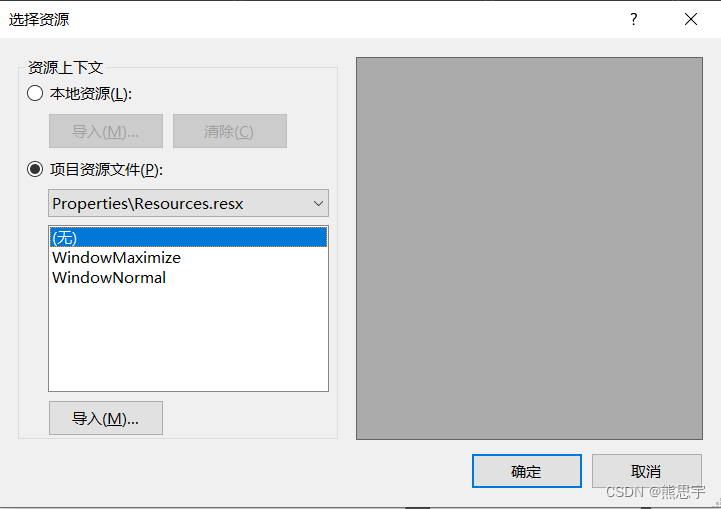
C# Winform 读取Resources图片

陈云pytorch学习笔记_用50行代码搭建ResNet
思源笔记订阅停止直接删云端数据嘛?

基于 ESXi 的黑群晖 DSM 7.0.1 安装 VMware Tools

官宣!Apache Doris 从 Apache 孵化器毕业,正式成为 Apache 顶级项目!
![[try to hack] kill evaluation](/img/93/e623e25dc4dec1f656227c7651577e.png)
[try to hack] kill evaluation

UESTC (shenhengtao team) & JD AI (Mei Tao team) proposed a structured dual stream attention network for video Q & A, with performance SOTA! Better than the method based on dual video representation!

Windows环境下的ELK——Logstash+Mysql(4)

随机推荐
UESTC (shenhengtao team) & JD AI (Mei Tao team) proposed a structured dual stream attention network for video Q & A, with performance SOTA! Better than the method based on dual video representation!
【PCL自学:PCLPlotter】PCLPlotter绘制数据分析图
Structure de stockage des graphiques
Realization of kaggle cat dog recognition by pytorch
[sword finger offer] 48 Longest substring without duplicate characters
CUDA error:out of memory caused by insufficient video memory of 6G graphics card
Netease cloud lost its "feelings" card
企业架构师面试的100个问题
mysql 字符集
上手了一个自然语言模型BLOOM
图的存储结构
vivado 如何添加时序约束
Vivado FFT IP的使用说明
Storage structure of graph
Stream + Nacos
【AI应用】Jetson Xavier NX的详情参数
Sentinel
vivado VIO IP的用法
Discuz taobaoke website template / Dean taobaoke shopping style commercial version template
ICML 2022:ufrgs | optimistic linear support and subsequent features as the basis for optimal strategy transfer