当前位置:网站首页>Liunx Foundation
Liunx Foundation
2022-06-12 05:49:00 【Python's path to becoming a God】
Linuxshell Interpreter
One 、 Basic commands ( To continue )
 1. cp copy  Copy  -copy files and directories
  	  copy source to destination
  	   Copy file :
  	   Single file :
  	  touch f.txt
  	  ls
  	  mkdir hunan
  	  cp f.txt hunan f.txt  Copy to current directory hunan in
	 Copying multiple files :
	cp lu.txt wu.txt zhang.txt hunan
	 command     Source file                     Destination
	cp *.txt sc  The use of wildcards

	 Using absolute paths
	cp /etc/hostname /lianxi/hunan
	ls hunan

	 Copy 、 Paste 、 rename
	cp f.txt feng.txt
	 Set the f.txt  Copy to the current directory and rename it feng.txt

	 Copy folder :
	-r recursive copy directories recursively
	cp hunan beijing -r  Recursive replication hunan Folder to Beijing folder
	 Copy multiple folders :
	cp /boot /var /lianxi/hunan -r

 skip cp  Override reminder :
1、 Remove alias , Don't use -i Options
unalias cp
cp /var /boot /lianxi/sc -r
2、 Use cp The absolute path of command
/usr/bin/cp /var /boot /linaxi/sc -r

mv  shear
1、 When the following folder exists , It's mobile.
2、 When the following file or folder does not exist , It's renaming
mv beijing/ changsha/ lu.txt guangdong/

 Move 、 Paste 、 rename
mv xiao.txt yue/xw.txt

which  Find out where the command is
which cp
/usr /bin/cp
Two 、 Basic concepts
 1. -usr unix system resource
  System resources
 2.bin binary  Binary system
 3.shell Interpreter :  It's a program , The user accepts user input , Then analyze the syntax of the command entered by the user , Know what commands are , What are the parameters , What are the options , Will tell us linux  The kernel starts related processes
 4、 What the kernel does :   The kernel is linux The core software inside
	1. Yes cpu Scheduling management
	2. Allocate memory
	3. Manage file systems
	4. Manage processes
	5. Manage other hardware
5.shell Script : scripts
	 A script is actually a file , There are a lot of linux command
	vi  yes linux Text editor in --》 Notepad
	vi yes linux Character interface Notepad , Used to write scripts , Modify the contents of the document

	[[email protected] lianxi]# vi  hello.sh  Script name
1. By letter i Get into vi The input mode of the editor   insert
2. Input content
3. Press ESC key , Leave input mode    escape
4. Input :wq   Enter last line mode , Exit and save   w write  q quit
cat  hello.sh     View the script hello.sh Contents of Li

mkdir  wujun
cd wujun

# Use for How many empty files are created in a circular batch
for i in {1..100}
do
        touch sc$i.txt
done

ls

# Output one hello world
echo "hello,wolrd"

# Judge sc200.txt Whether there is
if [ -f sc200.txt ]
then
        echo "create file sc200.txt ok"
else
        echo "no file sc200.txt"
fi
3、 ... and 、 practice
 Write a script sc_yourname.sh
 Realization function :
	1. stay / Directory create a new folder hunansc
	2. stay /hunansc New under the directory feng1 To feng200 Folder
	3. Output a paragraph , I'm learning shell Script
	4. Judge /hunansc Whether there is a folder under the directory feng80 This folder , If there is an output  feng80 dir is  exist
	 If there is no output  feng80 dir is not exist
	[ -d feng20 ]  Judge feng20 Whether there is
	5. Show all created feng1 To feng80 Effects of folders


mkdir  /hunansc
for i in {1..200}
do
        mkdir feng$i
done

echo "i am learning shell scripts!"

if [-d feng80]
then
        echo "feng80 dir  exists"
else
        echo "feng80 dir is not exist"
fi

ls
边栏推荐
- How Wireshark decrypts WiFi data packets
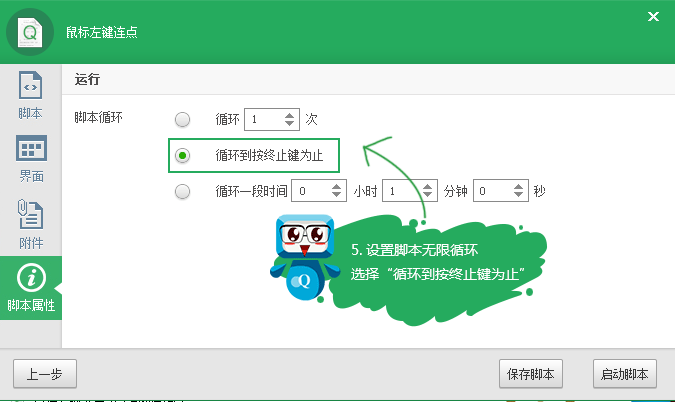
- Simple introduction to key Wizard
- Towards End-to-End Lane Detection: an Instance SegmentationApproach
- CCF noi2022 quota allocation scheme
- Available RTMP and RTSP test addresses of the public network (updated in March, 2021)
- CODIS stress test (PHP)
- Redis memory obsolescence strategy
- Database experiment I: data definition experiment guide
- China Aquatic Fitness equipment market trend report, technical innovation and market forecast
- nRF52832自定义服务与特性
猜你喜欢

FPGA语法的细节

Select gb28181, RTSP or RTMP for data push?

Go interface oriented programming practice

Tabulation skills and matrix processing skills

Available RTMP and RTSP test addresses of the public network (updated in March, 2021)
Simple introduction to key Wizard

GRP development: four communication modes of GRP

Redis cache data consistency and problems

基于tensorflow的校园绿植识别

Understanding of distributed transactions
随机推荐
从传统网络IO 到 IO多路复用
Go 面向接口编程实战
虚函数与纯虚函数的关系
【长时间序列预测】Aotoformer 代码详解之[4]自相关机制
Brief summary of software project architecture
项目开发流程简单介绍
Towards End-to-End Lane Detection: an Instance SegmentationApproach
Memory model, reference and function supplement of program
数据集成框架SeaTunnel学习笔记
Quickly master makefile file writing
March 22, 2021
Redis cluster cluster capacity expansion and data migration
Lldp protocol
nrf52832--官方例程ble_app_uart添加led特性,实现电脑uart和手机app控制开发板led开和关
数据库实验二:数据更新
Json-c common APIs
json-c常用API
论文阅读_图神经网络GIN
RTMP streaming +rtmp playback low delay solution in unity environment
Nrf52832 -- official routine ble_ app_ UART adds the LED feature to enable the computer UART and mobile app to control the LED on and off of the development board