当前位置:网站首页>js实现在可视区内,文字图片动画效果
js实现在可视区内,文字图片动画效果
2022-07-03 04:00:00 【jingde528】
利用wow.min.js, animate.css 用户滚动页面的时候展示 CSS 动画效果。
官网:Animate中文网 – Animate安装、Animate使用、Animate下载
下载地址:http://www.bootcdn.cn/wow/
案例演示:animate.css动画演示_dowebok
1、加入animate.css
<link href="http://www.bbsxiaomi.com/case/css/animate.min.css" rel="stylesheet">或
<link href="https://cdn.bootcdn.net/ajax/libs/animate.css/4.1.1/animate.compat.css" rel="stylesheet">
2、加入wow.js 。(无需引用jQuery)
<script src="http://www.bbsxiaomi.com/js/wow.min.js"></script>
注意new WOW().init();中的WOW要大写,否则就没效果了。
3、元素中加入class
<div class="wow animated tada">tada</div>
4、wow.js 使用了 querySelectorAll 方法,IE 低版本会报错。为了达到更好的兼容,最好加一个浏览器及版本判断。
<script src="http://www.bbsxiaomi.com/js/wow.min.js"></script>
<script>
if (!(/msie [6|7|8|9]/i.test(navigator.userAgent))){
new WOW().init();
};
 </script>
5、可以加入 data-wow-duration(动画持续时间)和 data-wow-delay(动画延迟时间)属性,如.(在css下方js上方写需要动画的元素(必须设置为块状或者行内块状!必须设置为块状或者行内块状!必须设置为块状或者行内块状!),并添加class类名。)
<div class="wow slideInLeft" data-wow-duration="2s" data-wow-delay="5s" data-wow-offset="10" data-wow-iteration="10"></div>类名前面的wow是每一个带动画的元素都要加的,slideInLeft就是说明动画样式。后面的data-wow-duration(动画持续时间)、data-wow-delay(动画延迟时间)、data-wow-offset(元素的位置露出后距离底部多少像素执行)和data-wow-iteration(动画执行次数)这四个属性可选可不选。 附上animated的各个动画class属性
fade: {
        title: '淡入淡出',
        fadeIn: '淡入',
        fadeInDown: '向下淡入',
        fadeInDownBig: '向下快速淡入',
        fadeInLeft: '向右淡入',
        fadeInLeftBig: '向右快速淡入',
        fadeInRight: '向左淡入',
        fadeInRightBig: '向左快速淡入',
        fadeInUp: '向上淡入',
        fadeInUpBig: '向上快速淡入',
        fadeOut: '淡出',
        fadeOutDown: '向下淡出',
        fadeOutDownBig: '向下快速淡出',
        fadeOutLeft: '向左淡出',
        fadeOutLeftBig: '向左快速淡出',
        adeOutRight: '向右淡出',
        fadeOutRightBig: '向右快速淡出',
        fadeOutUp: '向上淡出',
        fadeOutUpBig: '向上快速淡出'
      },
      bounce: {
        title: '弹跳类',
        bounceIn: '弹跳进入',
        bounceInDown: '向下弹跳进入',
        bounceInLeft: '向右弹跳进入',
        bounceInRight: '向左弹跳进入',
        bounceInUp: '向上弹跳进入',
        bounceOut: '弹跳退出',
        bounceOutDown: '向下弹跳退出',
        bounceOutLeft: '向左弹跳退出',
        bounceOutRight: '向右弹跳退出',
        bounceOutUp: '向上弹跳退出'
      },
      zoom: {
        title: '缩放类',
        zoomIn: '放大进入',
        zoomInDown: '向下放大进入',
        zoomInLeft: '向右放大进入',
        zoomInRight: '向左放大进入',
        zoomInUp: '向上放大进入',
        zoomOut: '缩小退出',
        zoomOutDown: '向下缩小退出',
        zoomOutLeft: '向左缩小退出',
        zoomOutRight: '向右缩小退出',
        zoomOutUp: '向上缩小退出'
      },
      rotate: {
        title: '旋转类',
        rotateIn: '顺时针旋转进入',
        rotateInDownLeft: '从左往下旋入',
        rotateInDownRight: '从右往下旋入',
        rotateInUpLeft: '从左往上旋入',
        rotateInUpRight: '从右往上旋入',
        rotateOut: '顺时针旋转退出',
        rotateOutDownLeft: '向左下旋出',
        rotateOutDownRight: '向右下旋出',
        rotateOutUpLeft: '向左上旋出',
        rotateOutUpRight: '向右上旋出'
      },
      flip: {
        title: '翻转类',
        flipInX: '水平翻转进入',
        flipInY: '垂直翻转进入',
        flipOutX: '水平翻转退出',
        flipOutY: '垂直翻转退出'
      },
      strong: {
        title: '强调类',
        bounce: '弹跳',
        flash: '闪烁',
        pulse: '脉冲',
        rubberBand: '橡皮筋',
        shake: '左右弱晃动',
        swing: '上下摆动',
        tada: '缩放摆动',
        wobble: '左右强晃动',
        jello: '拉伸抖动'
}
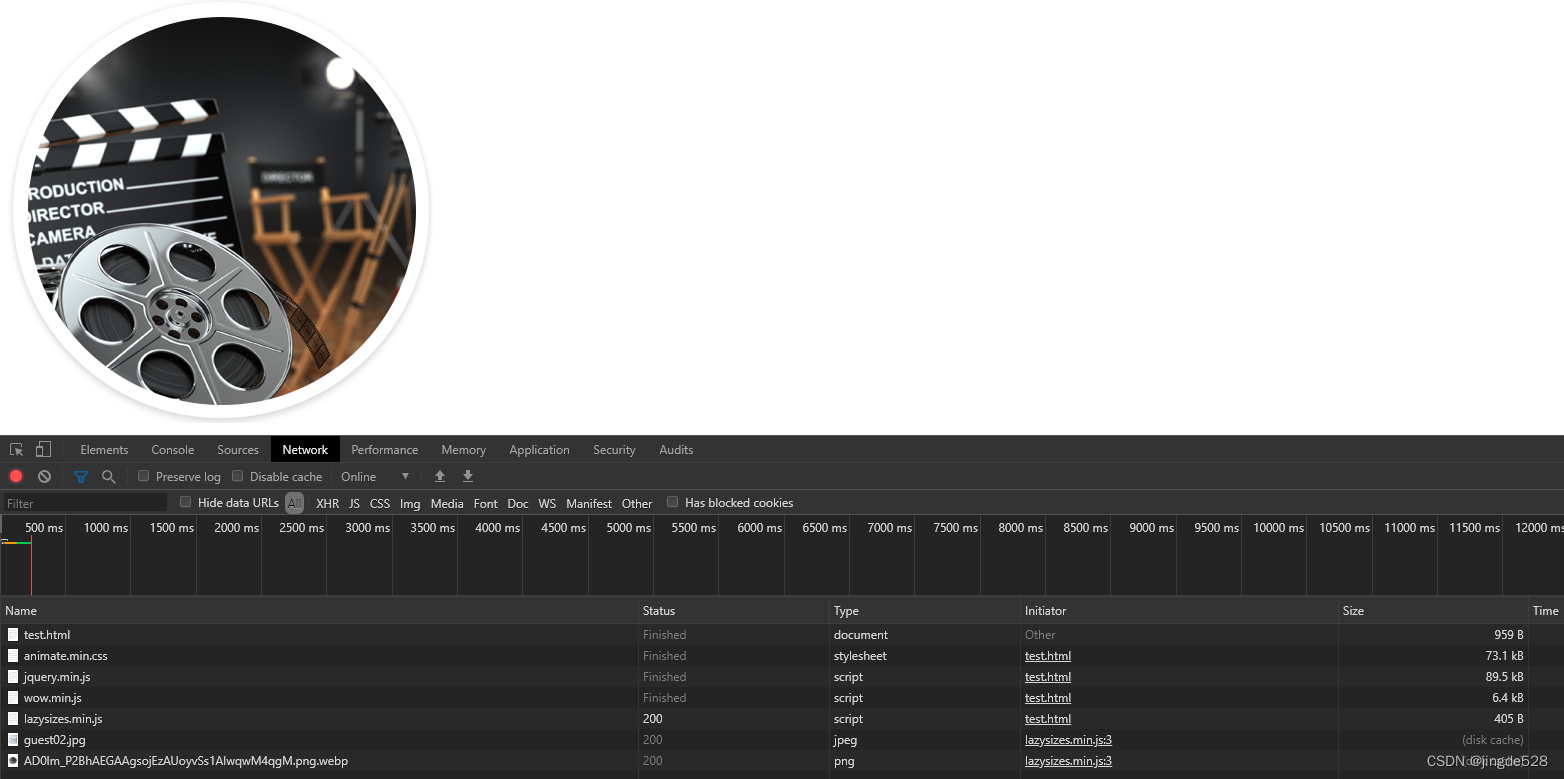
实例:以下是实现图片懒及动画效果
<!DOCTYPE html>
<html lang="en">
<head>
  <meta charset="UTF-8">
  <meta name="viewport" content="width=device-width, initial-scale=1.0">
	<link href="js/test/animate.min.css" rel="stylesheet">
	<script src="js/jquery.min.js"></script>
	<script src="js/test//wow.min.js"></script>
	<script src="http://afarkas.github.io/lazysizes/lazysizes.min.js"></script>
<script>
if (!(/msie [6|7|8|9]/i.test(navigator.userAgent))){

    new WOW().init();

};

</script>
  <title>懒加载及动画效果</title>

</head>
<body>
	<div style="height: 100rem"></div>

	<div class="img-wrap">
    <img  class="lazyload wow bounceInDown"  data-wow-duration="1s" data-src="imgsrc"    /><br>

<img  class="lazyload wow fadeInUpBig swing" data-wow-offset="50" data-src="imgsrc2"    />

  </div>


</body>
</html>
加载前
加载后
边栏推荐
- What can learning pytorch do?
- pytorch是什么?pytorch是一个软件吗?
- Arduino application development - LCD display GIF dynamic diagram
- 基于Pytorch和RDKit的QSAR模型建立脚本
- 2022 tea master (intermediate) examination questions and analysis and tea master (intermediate) practical examination video
- IPv6过渡技术-6to4手工隧道配置实验--尚文网络奎哥
- Wechat applet + Alibaba IOT platform + Hezhou air724ug build a serverless IOT system (III) -- wechat applet is directly connected to Alibaba IOT platform aliiot
- eth入门之简介
- 2022deepbrainchain biweekly report no. 104 (01.16-02.15)
- Is pytorch difficult to learn? How to learn pytorch well?
猜你喜欢
深潜Kotlin协程(十九):Flow 概述

Ffmpeg one / more pictures synthetic video
leetcode:动态规划模板
![[brush questions] connected with rainwater (one dimension)](/img/21/318fcb444b17be887562f4a9c1fac2.png)
[brush questions] connected with rainwater (one dimension)
leetcode:297. 二叉树的序列化与反序列化

中移物联网OneOS与OneNET入选《2021年物联网示范项目名单》
Makefile demo

Without sxid, suid & sgid will be in danger- Shangwen network xUP Nange

第十届中国云计算大会·中国站:展望未来十年科技走向
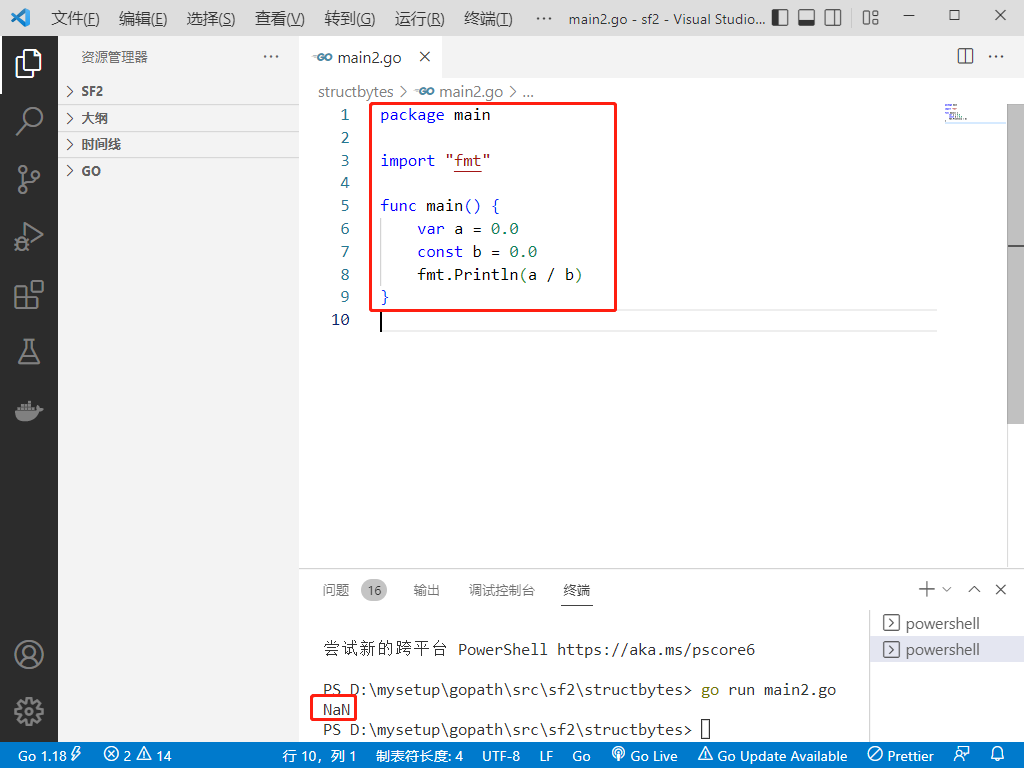
2022-07-02: what is the output of the following go language code? A: Compilation error; B:Panic; C:NaN。 package main import “fmt“ func main() { var a =
随机推荐
Nat. Comm. | 使用Tensor-cell2cell对细胞通讯进行环境感知去卷积
深潜Kotlin协程(十九):Flow 概述
redis在服务器linux下的启动的相关命令(安装和配置)
2.14 simulation summary
Without sxid, suid & sgid will be in danger- Shangwen network xUP Nange
Numpy warning visibledeprecationwarning: creating an ndarray from ragged needed sequences
记一次 .NET 差旅管理后台 CPU 爆高分析
JS native common knowledge
[brush questions] find the number pair distance with the smallest K
[embedded module] OLED display module
Reflection and planning of a sophomore majoring in electronic information engineering
Commands related to the startup of redis under Linux server (installation and configuration)
Arduino application development - LCD display GIF dynamic diagram
【学习笔记】seckill-秒杀项目--(11)项目总结
"Final review" 16/32-bit microprocessor (8086) basic register
『期末复习』16/32位微处理器(8086)基本寄存器
[brush questions] most elements (super water king problem)
CEPH Shangwen network xUP Nange that releases the power of data
2022-07-02: what is the output of the following go language code? A: Compilation error; B:Panic; C:NaN。 package main import “fmt“ func main() { var a =
js中#号的作用