当前位置:网站首页>InfluxDB2.x 基准测试工具 - influxdb-comparisons
InfluxDB2.x 基准测试工具 - influxdb-comparisons
2022-06-12 12:21:00 【Thai_】
一、前言
influxdb-comparisons 是 influxdata 官方提供的基准测试工具,支持 influxDB v1 与 v2 版本,支持以下数据库的基准测试:
- InfluxDB
- Elasticsearch (announcement blog here)
- Cassandra (InfluxDB Tops Cassandra in Time-Series Data & Metrics Benchmark)
- MongoDB (InfluxDB is 27x Faster vs MongoDB for Time-Series Workloads)
- OpenTSDB
- TimescaleDB
- Graphite
- Splunk
下面直接进入正题,直接开搞。
二、测试
测试环境:
操作系统: debian 10.12
CPU: Intel Core i5-10400 CPU @ 2.90GHz
内存: 2 GB
InfluxDB v2.2.0
注:由于写入数据与生成查询等操作是与 influxdb 在同一台机器上,结果或许有偏差,可以自行使用两天机器进行测试。
- 安装 go 环境
add-apt-repository ppa:longsleep/golang-backports
apt-get update
apt-get install golang-1.15-go

# 如 go 无环境变量,则手动设置
# vim ~/.bashrc
# 添加 export PATH=$PATH:/usr/lib/go-1.15/bin
# source ~/.bashrc


# 设置代理 Go 1.13 及以上
go env -w GO111MODULE=on
go env -w GOPROXY=https://goproxy.cn,direct
- 安装 influxdb-comparisons:
# 需要 go 语言环境,go version go1.15.9
go get github.com/influxdata/influxdb-comparisons/cmd/[email protected] github.com/influxdata/influxdb-comparisons/cmd/[email protected]

go get github.com/influxdata/influxdb-comparisons/cmd/[email protected] github.com/influxdata/influxdb-comparisons/cmd/[email protected]

# 需要将 /root/go/bin 加到环境变量,才能执行 bulk_data_gen、query_benchmarker_influxdb 等命令
# vim ~/.bashrc
# 添加 export PATH=$PATH:/root/go/bin
# source ~/.bashrc
- 生成数据
seconds_in_day = (24 hours in a day) * (60 minutes in an hour) * (60 seconds in a minute) = 86,400 seconds
epochs = seconds_in_day / 10 = 8,640
point_count = epochs * host_count * 9So, for one host we get 8,640 * 1 * 9 = 77,760 points, and for 1,000 hosts we get 8,640 * 1000 * 9 = 77,760,000 points. Each simulated host produces nine measurements.
# 注意填写时间
bulk_data_gen -timestamp-start '2016-09-10T00:00:00Z' \
-timestamp-end '2016-09-10T00:00:09Z' \
-use-case devops -scale-var 1000 -sampling-interval 9s \
| influx write --org zxb_org --bucket bucket_1
# 生成后可能会报错 Error: failed to write data: 400 Bad Request: unable to parse 'dataset-size:311053,720013': missing tag value 忽略即可;

# 注意:如果需要删除数据,执行以下命令
influx delete --bucket bucket_1 \
  --start '1970-01-01T00:00:00Z' \
  --stop '2023-01-01T00:00:00Z'
命令参数解析:
bulk_data_gen 数据生成命令:
-sampling-interval 模拟数据生成时间间隔,默认 10s
-timestamp-start 生成数据的开始时间
-timestamp-end 生成数据的结束时间
-use-case 生成什么类型的数据,默认 devops(choices: devops, iot)
-format 生成数据的格式,默认 “influx-bulk” (choices: influx-bulk, es-bulk, cassandra, mongo, opentsdb)
-scale-var 在不同案例中特殊变量的个数,例如 iot 中的 home_id 个数,默认 1
influx 该命令为 influxDB 的写入命令,不作多解释。
- 查询数据,使用的是 HTTP 的方式去执行查询
# 生成查询,并执行查询
bulk_query_gen -db bucket_1 -queries 5 -use-case iot \
-timestamp-start '2022-05-10T00:00:00Z' -timestamp-end '2022-05-14T00:00:01Z' \
-use-case iot -query-type '1-home-12-hours' \
-format influx-flux-http | \
query_benchmarker_influxdb -urls http://localhost:8086 \
-token bHgEVZOX3evOE3LAzDjEU8iLLdTcl042iTGHSTWLdQX4m5sDg3yN99GMDtdIxhWWWWWBV2_mFC8buZRpMjVzLg== \
-organization 'zxb_org' -workers 5
命令参数解析:
bulk_query_gen 查询生成命令:
-db 在 v1 版本中为数据库名称,v2 为 bucket 名称,默认查询 “benchmark_db”
-use-case、-query-type、-format 这三个参数可以执行
bulk_query_gen -h查看最下面的use case matrix对应填上去;例如以下图第一条为例子,-use-case 为 group-window-transpose-low-card,-query-type 为 last,-format 为 influx-flux-http
-queries 生成的查询数量,默认为 1000
-timestamp-start 生成数据的开始时间
-timestamp-end 生成数据的结束时间
query_benchmarker_influxdb 根据生成的查询,执行去查询,这样的基准测试才能更加轻量(免去了生成查询的时间)
- -urls influxDB 的地址
- -token 访问 token
- -organization 组织名称
- -workers 并发请求数量
写入测试:
| 数据发送速度(points/s) | 实际处理速度(points/s) | 平均 CPU 占用率(%) | 总耗时 |
|---|---|---|---|
| 1,000 | 1,000 | 1.5 | 4.716036ms |
| 3,000 | 3,000 | 12.5 | 474.297061ms |
| 5,000 | 5,000 | 19.0 | 854.339738ms |
| 8,000 | 6,006 | 29.0 | 1.332948435s |
| 10,000 | 5,714 | 38.75 | 1.752057124s |
| 20,000 | 4,435 | 48.5 | 4.511424584s |
| 5,0000 | 2,083 | 见下图 | 24.292371029s |
下图(阴影部分)为当数据插入为 5W 条时的 CPU 占用曲线图,可见出现速度缓慢的原因 CPU 并不是瓶颈:

三、总结
从测试结果可以知道,在单机的情况下,写入的速度还是可以接受的,CPU 占用率还未封顶,还可以有更好的写入速率。除了 influxdb-comparisons 工具外,还有 tsbs、influx-stress 可以进行测试,但它们并不支持 2.x,因此选择了 influxdb-comparisons 进行测试,中间也花了不少时间在看工具的介绍上面。
参考文档:
边栏推荐
- KDD2022 | 边信息增强图Transformer
- LeetCode_ Binary search_ Medium_ 162. looking for peaks
- 22年gdcpc广东省赛记录
- Conversion between ROS map picture pixels and map coordinate system coordinates
- LeetCode_ String_ Simple_ 344. reverse string
- B. Wall painting (C language)
- #ifndef#define#endif防止头文件重复包含, 你不是真的懂
- A short guide to SSH port forwarding
- JS method of exporting DOM as picture
- [译] QUIC Wire Layout Specification - Packet Types and Formats | QUIC协议标准中文翻译(2) 包类型和格式
猜你喜欢

Longest string without duplicate characters (leetcode 3)

Asynchronous path processing

Principle of master-slave replication of redis

Reprint --win10 open the task manager to solve the blue screen problem

LeetCode 497. Random points in non overlapping rectangles (prefix and + bisection)

你不会只会用console.log()吧?

Video speed doubling in PC browser

MySQL review

DOM+JS+轮播图+无时间
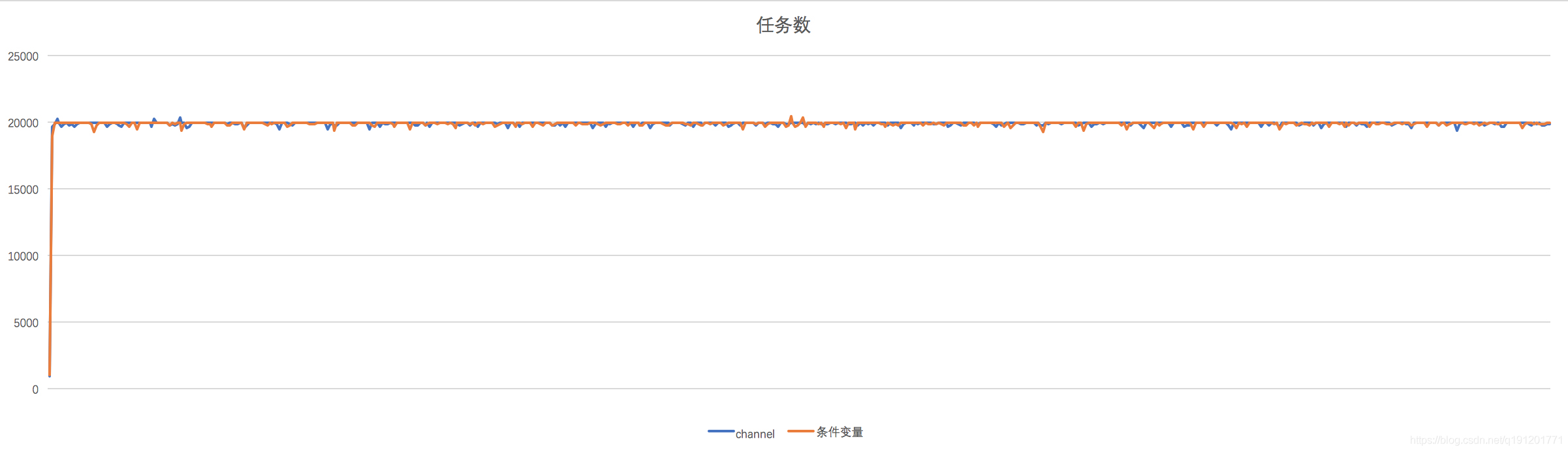
Performance comparison test of channel and condition variables of golang in single production and single consumption scenarios
随机推荐
Video speed doubling in PC browser
【Leetcode】199. Right view of binary tree
QML first day
Ros- resolve error "tf2\u buffer\was not declared in this scope"
object. Defineproperty basic usage
[转]placement new
服务端渲染与客户端渲染的区别(优缺点)
Shielding does not display vs warning
JS built in object
Beyondcompare 4 uses PJ
Decision tree of machine learning
Elk construction guide
AGCO AI frontier promotion (6.12)
無重複字符的最長字符串(LeetCode 3)
Click to generate 4-bit random number and verify code setting
The advantages of saving pointers when saving objects with vector and the use of reserve
Linear model of machine learning
Suggestions and skills for advanced version of go language test
Tron API wave field transfer query interface PHP version package based on thinkphp5 attached interface document 20220528 version
[译] QUIC Wire Layout Specification - Packet Types and Formats | QUIC协议标准中文翻译(2) 包类型和格式