当前位置:网站首页>[business security 03] password retrieval business security and interface parameter account modification examples (based on the metinfov4.0 platform)
[business security 03] password retrieval business security and interface parameter account modification examples (based on the metinfov4.0 platform)
2022-06-27 13:48:00 【Like the wind 9】
Catalog
- 1 Password retrieval security test
- 2 Interface parameter account modification instance — be based on metinfov4.0 platform
- 3 summary
1 Password retrieval security test
1.1 Verification code
1.1.1 Verification code client echo test
Business background : When the user logs in or the password is retrieved , You need to input the verification code according to a picture , Some web applications choose to echo the verification code back to the response , To determine whether the verification code entered by the user is consistent with the verification code in the response , If it is consistent, it will pass the verification .
The test method : In the password retrieval test, pay attention to whether the verification code will echo the response ( More refers to web page code ) in , If echoed in the response , Think there are loopholes .
harm : It may be used for blasting .
1.1.2 Captcha brute force crack
Business background : Password retrieval function module , There are usually user credentials ( Verification Code ) Send it to the mobile phone number or email that the user can see , As long as the user does not disclose it, it will not be exploited by attackers , However, some due programs are in the verification code sending function module The verification code digit And complexity Weak , It's not true Verification code number limit and As a result, the verification code can be brutally enumerated and any user password can be modified .
The test method : When testing whether the verification code can be enumerated violently , You can start with Send the verification code to your account several times , First observe whether the verification code is regular , Then observe whether there is a limit on the number of attempts of the verification code , If the password rule is simple and there is no limit on the number of times, it is easy to be exploded .
1.1.3 Verification code reuse
Business background : When the user logs in or the password is retrieved , You need to input the verification code according to a picture , In general , The client enters the account password verification code in the login interface and submits it , If successful, go to the next page , If it fails, refresh the page ( At this time, the verification code is refreshed due to refreshing the page ) Re input . That is, if the server does not automatically refresh the verification code after receiving the request , If the client does not refresh the page, the verification code will not be refreshed , At this time, there is a loophole of repeated utilization of verification code .
The test method : When testing whether the verification code can be reused , It can be used BurpSuite Grab the login request package , Send to Repeater Repeat sending request in module ( stay BurpSuite Sending a request in does not refresh the page ), See if there is an error in the verification code when sending the request the second time , To determine whether there is a logical vulnerability of repeated utilization of verification code .
harm : It may be used for blasting .
1.2 Cookie、Session、Token aspect
1.2.1 Session Cover
Business background : In the password retrieval business, uncontrollable parameters will also be encountered , For example, the user name to be modified or the bound mobile phone number cannot be modified when submitting parameters , Server through Read the current Session Session to determine the account to change the password , In this case, is it possible to Session Modify the contents of the to achieve the purpose of resetting any face ?
The password retrieval function in some websites , Business logic In this way :
- The user registers with the mobile number ;
- Then the server sends verification code SMS to the mobile phone ;
- Finally, after the user enters the verification code and submits , Enter the password reset page .
Session Coverage test steps as follows :
- You need to prepare your own account acceptance voucher ( SMS verification code );
- After the verification of the obtained voucher is successful, enter the password reset page ;
- Reopen the retrieve password page in the browser's new tab , Enter the target phone number ;( Target to be attacked )
- Get the target's SessionID, Return to the reset password page opened in step 2 , And will attack the target's SessionID Cover up your own SessionID, Then resetting the password may be resetting the password of the target .
- If you can successfully change the password in the second step, it indicates that there is a logic vulnerability ; If the pop-up request for entering the verification code indicates that the server will check the current Session Whether it has been verified and verified .
1.2.2 weak Token Design defect test
Business background : In the password retrieval function , Many websites send password page connections to users' mailboxes , Users only need to enter the mailbox , Open the link in the password retrieval email , You can enter the password reset page .
The link to retrieve the password will usually be added Calibration parameters To confirm the validity of the link , Judge whether the current link to retrieve the password is valid by checking whether the value of the parameter is consistent with the value generated by the database , such as http://www.xxx.com/findpwd?uid=xx-uu-sxx&token=xxxxxx. And if the Token Values are designed to be weak , We can also blast
1.3 Response State value modification test
summary :Response State value modification test , namely Modify the response result of the request to achieve the purpose of password reset , Websites or mobile phones with such vulnerabilities APP Often because The verification is not strict And lead to very dangerous password reset operation .
The test method : After the server sends a certificate request for password reset , A specific response value appears , such as true、1、ok、success And so on , The website will change the password after seeing that the echoed content is a specific value , Usually this kind of loophole Echo value verification is performed on the client , So just modify the echo .
1.4 The password retrieval process bypasses the test
The user needs to send a password modification request to the server to modify the password , After the server passes the verification, modify the corresponding password in the database . Password retrieval routine steps :
- The user enters the account to retrieve the password .
- Verification voucher : Send SMS verification code to users or retrieve password link , The user fills in the verification code or the stand-alone link to enter the password reset page , In this way, it is proved that the account owner in the current operation .
- The password is reset successfully .
In the above business logic steps , The second step is to verify the voucher . Not the account owner , The verification voucher cannot be received , Imagine if there are some ways to bypass the second step and go directly to the third step to reset the password ?
The user needs to send a password modification request to the server to modify the password , After the server passes the verification, modify the corresponding password in the database , So in the test , We will first collect the three-step request interfaces , The key point is to collect the interface of the last step to reset the password , In this way, we can skip the interface of credential verification and try to reset the password directly .
1.5 Interface parameter account modification
Business background : In the password retrieval function logic, there is often a pass in the user modifying the password interface submission parameters User account parameters , As a controllable variable, the user account parameter can be tampered with , As a result, the voucher for modifying the account password or the modified target account number is deviated , Eventually lead to the vulnerability of arbitrary account and password modification .
The interface parameter account modification test is to intercept the front-end request , By modifying the account number ID、 name or mailbox 、 cell-phone number Equal parameter , Send the modified password to the server for spoofing purposes .
Example : With metinfov4.0 For example
2 Interface parameter account modification instance — be based on metinfov4.0 platform
2.1 The experiment purpose
Deepen understanding of the importance of business data security ;
Master the password reset business , Test the method of password reset vulnerability caused by interface parameter modification .
2.2 Experimental environment
2.2.1 Experimental target
Experimental target —— virtual machine : The experimental range in this section is installed in the virtual machine win2008 And phpstudy, The installation process can refer to 《《【 Language environment 】WAMP Environment deployment and optimization — With win2008R2SP1 For the operating system 》》.
attack : Real machine . Note that the target and attacker are on the same LAN .
2.2.2 build metinfo4.0 shooting range
build metinfo4.0 The steps of the range are as follows :
(1) download metinfo4.0 edition . The download website is https://zhuanlan.zhihu.com/p/45722772.
(2) Unzip and copy the folder to the root directory of the website in the target . Different versions phpstudy The directories generated during software installation may be different , this paper metinfo4.0 Path as follows .
(3) Real machine browser input 172.16.1.1/metinfo4.0 visit metinfo, A warning pops up on the page , Don't care , Slide to the bottom and click agree license .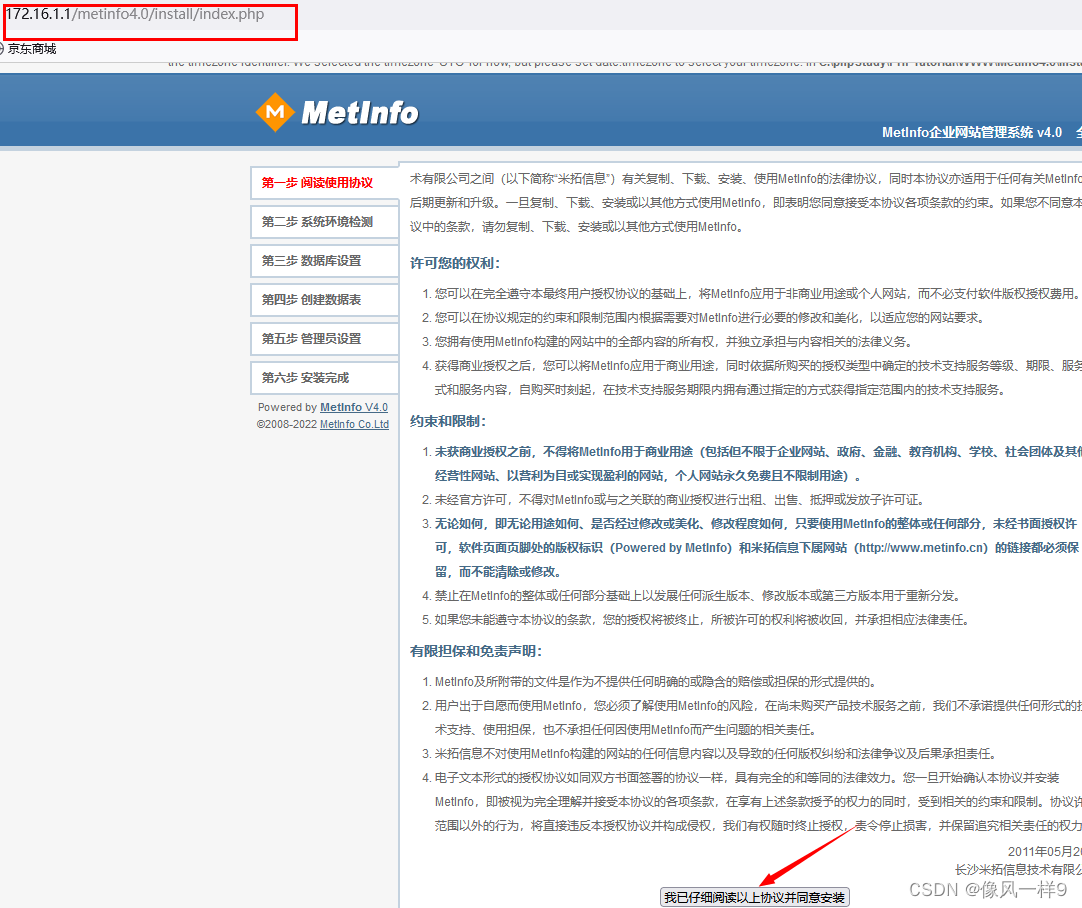
(4) Go to step two , All options are green , Click on the install .
(5) Set database information , And click continue .
(6) See all green , Click to enter the management settings .
(7) Set up an administrator account , Here is only for experiment , The account is set to admin, Password set to 123456, And click save .
(8) Installation successful , Click to enter the website .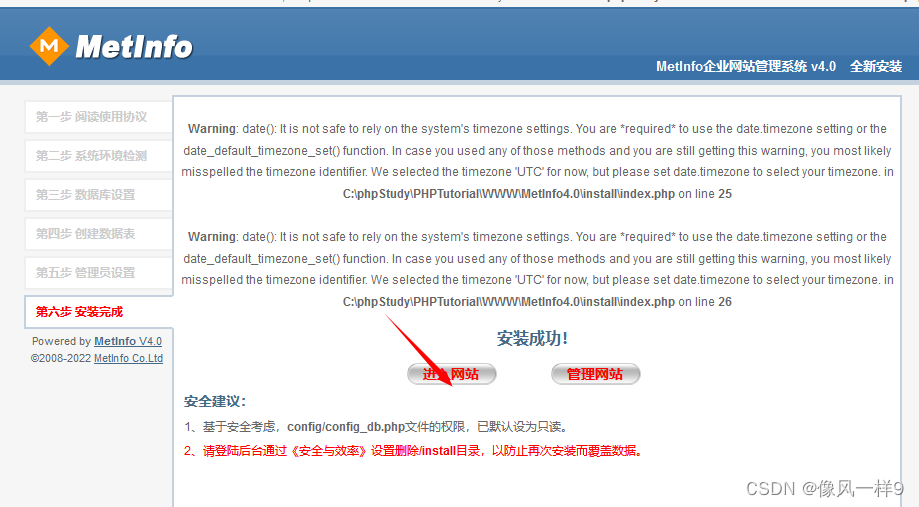
2.3 The experimental steps
(1) The real machine opens the Firefox browser , Visit the above website 172.16.1.1/metinfo4.0. Go to the member center at the bottom of the page .
(2) Registered account . Enter the registration page , Create a new account aaa、 All passwords are 111111, Click Register now .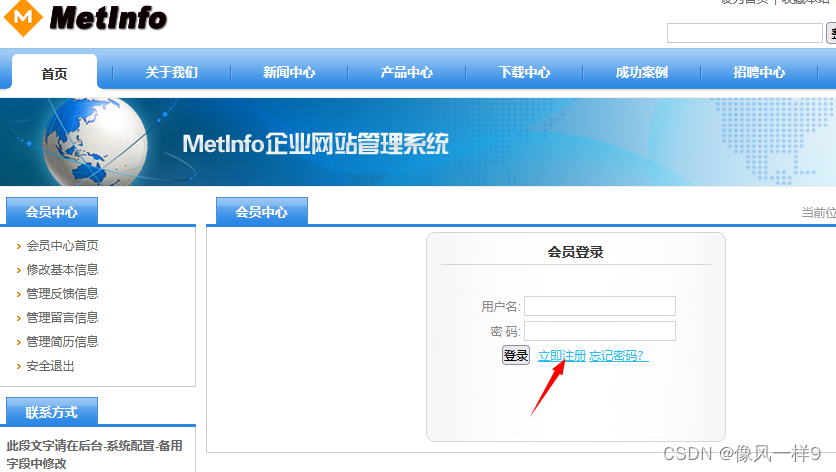

(3) Login account . Login account aaa, The page is as follows .
(4) Reset password . Click on the left to modify the basic information column , Change the password to 123456, Don't click submit for the time being .
(5) The real machine turns on BurpSuite, Get into proxy modular , take BurpSuite The proxy interception function of is turned on ; Back to browser , Open proxy mode , And then click on the above page “ Submission of information ”, You can read it BurpSuite The intercepted request is as follows , In this request, we see the account and the password to be changed .BurpSuite For details, please refer to 《【Burp Suite Tools -2】BurpSuite Working principle and menu bar introduction 》
(6) Modify the user aaa Password . Change the password in the request to 654321→ And click the forward.
(7) Validate users aaa Whether the password of has been successfully modified . Back in the browser , We see a pop-up window saying that the operation is successful , Click OK , Login again aaa, The password for 654321, Login successful , Explain the user aaa Your password has been modified successfully .

(8) Will the user aaa Replace the user name of with admin. Sign in aaa account number , Re enter the password change page and submit the request , And use BurpSuite Intercept the request , stay BurpSuite In the request useid Change the field to admin, Click on forward.

(9) Verify that admin Password .
1) Back in the browser , See that the operation is successful , But at this time aaa The account is not offline , Note that the modification is not aaa Password .


2) Browser access
http://172.16.1.1/metinfo4.0/adminEnter the administrator interface , Try using your original account admin password 123456, Sign in , Found login failed ; Try a new password login , user admin password 654321, Found successful login . Note that the modification in the above steps is admin Password . This is the vulnerability of password reset caused by tampering with interface parameters .
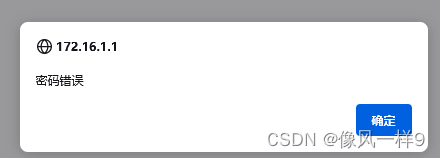

Be careful , While digging a hole , You can register two users , Make changes between two users .
3 summary
(1) Understand the business security risk points related to password retrieval ;
(2) Master the test methods of relevant risk points .
(3) Deepen the understanding of business logic vulnerabilities .
(4) Master the test method for the business logic vulnerability of password reset caused by tampering with interface data .
边栏推荐
- Learning records of numpy Library
- 【业务安全-02】业务数据安全测试及商品订购数量篡改实例
- 【每日3题(3)】盒子中小球的最大数量
- Pre training weekly issue 51: reconstruction pre training, zero sample automatic fine tuning, one click call opt
- 新华三的千亿企业梦,还得靠吃ICT老本来实现?
- IJCAI 2022 | greatly improve the effect of zero sample learning method with one line of code. Nanjing Institute of Technology & Oxford proposed the plug and play classifier module
- What is the difference between the FAT32 and NTFS formats on the USB flash disk
- 芯片供给过剩之际,进口最多的中国继续减少进口,美国芯片慌了
- Firewall foundation Huawei H3C firewall web page login
- Array related knowledge
猜你喜欢

ensp云朵配置

crane:字典项与关联数据处理的新思路

【业务安全-02】业务数据安全测试及商品订购数量篡改实例

打印输出数(递归方法解决)

重读经典:《The Craft of Research(1)》

Deeply convinced plan X - system foundation summary

Kyndryl partnered with Oracle and Veritas

Pytorch learning 1 (learning documents on the official website)

SFINAE

Completely solve the problem of Chinese garbled code in Web Engineering at one time
随机推荐
ensp云朵配置
《预训练周刊》第51期:重构预训练、零样本自动微调、一键调用OPT
CMOS level circuit analysis
JVM parameter setting and analysis
Firewall foundation Huawei H3C firewall web page login
Shake hands with life and make peace
Pytorch learning 1 (learning documents on the official website)
my.ini文件配置
With the advent of the era of Internet of everything, Ruijie released a scenario based wireless zero roaming scheme
Does Xinhua San still have to rely on ICT to realize its 100 billion enterprise dream?
剑指 Offer II 039. 直方图最大矩形面积 单调栈
美国芯片再遭重击,继Intel后又一家芯片企业将被中国芯片超越
Kyndryl partnered with Oracle and Veritas
SFINAE
Kyndryl与Oracle和Veritas达成合作
Implementation of recruitment website based on SSM
Deep understanding of bit operations
JVM performance tuning and monitoring tools -- JPS, jstack, jmap, jhat, jstat, hprof
NLP - monocleaner
NAACL 2022 | TAMT:通过下游任务无关掩码训练搜索可迁移的BERT子网络