当前位置:网站首页>使用JMeter对WebService进行压力测试
使用JMeter对WebService进行压力测试
2022-07-03 15:04:00 【星哥玩云】
现实项目中我们使用了JMeter对WebService进行了压力测试,ApacheJMeter是Apache组织开发的基于Java的压力测试工具。用于对软件做压力测试。
一、JMeter的作用
1.能够对HTTP和FTP服务器进行压力和性能测试, 也可以对任何数据库进行同样的测试(通过JDBC)。
2.完全的可移植性和100% 纯java。
3.完全 Swing 和轻量组件支持(预编译的JAR使用 javax.swing.*)包。
4.完全多线程 框架允许通过多个线程并发取样和 通过单独的线程组对不同的功能同时取样。
5.精心的GUI设计允许快速操作和更精确的计时。
6.缓存和离线分析/回放测试结果。
二、关于Jmeter的相关环境变量的配置类似于Java的配置,参考网上资料
三、Jmeter针对Http协议的webservice测试实例。
1:首先在测试计划中新建一个线程组
其中,线程属性中线程数和循环次数表示一次执行测试的时候真正运行的次数,也即访问webservice的次数.
2:线程组下面新建一个HTTP请求(关于访问接口服务的相关地址配置和一些参数的配置)和HTTP信息管理器(发送webservice服务时候的公共请求头),聚合报告(测试报告).
四、配置好一切之后,点击启动执行测试
=============we test webservice by http head start=========== name=clark =============we test webservice by http head end===========
备注====================================以下为关于webservice服务的配置集成到spring中
applicationContext_webservice.xml <?xml version="1.0" encoding="UTF-8"?> <beans xmlns="http://www.springframework.org/schema/beans" xmlns:xsi="http://www.w3.org/2001/XMLSchema-instance" xmlns:jaxrs="http://cxf.apache.org/jaxrs" xmlns:context="http://www.springframework.org/schema/context" xsi:schemaLocation=" http://www.springframework.org/schema/beans http://www.springframework.org/schema/beans/spring-beans-2.5.xsd http://cxf.apache.org/jaxrs http://cxf.apache.org/schemas/jaxrs.xsd http://www.springframework.org/schema/context http://www.springframework.org/schema/context/spring-context.xsd"> <context:annotation-config /> <import resource="classpath:META-INF/cxf/cxf.xml" />
<jaxrs:server id="restContainer" address="/"> <jaxrs:serviceBeans><!-- 这里配置你的webservice bean定义。参考 org.iboxpay.payment.merchant.ws.MerchantWebService --> <!-- <ref bean="orderWebService" /> <ref bean="merchantWebService" /> --> <ref bean="clearUserWebService" /> <ref bean="merchantWebService"/> <!-- <ref bean="balanceWebService" /> --> </jaxrs:serviceBeans> <jaxrs:extensionMappings> <entry key="json" value="application/json" /> <entry key="xml" value="application/xml" /> </jaxrs:extensionMappings> <jaxrs:providers> <!-- <ref bean="jsonExMapper" /> --> <ref bean="jaxbProvider" /> <ref bean="jsonProvider" /> </jaxrs:providers>
</jaxrs:server> <bean id="jaxbProvider" class="org.apache.cxf.jaxrs.provider.JAXBElementProvider" /> <!-- ********************使用jackson作为序列化器*********************** --> <bean id="jsonProvider" class="org.codehaus.jackson.jaxrs.JacksonJsonProvider" />
</beans>
web.xml文件中CXF插件配置webservice <servlet> <servlet-name>CXFServlet</servlet-name> <servlet-class>org.apache.cxf.transport.servlet.CXFServlet</servlet-class> <load-on-startup>2</load-on-startup> </servlet> <servlet-mapping> <servlet-name>CXFServlet</servlet-name> <url-pattern>/services/*</url-pattern> </servlet-mapping>
Java中web service服务的配置 package com.iboxpay.clear.webservice;
import javax.annotation.Resource; import javax.ws.rs.Consumes; import javax.ws.rs.POST; import javax.ws.rs.Path; import javax.ws.rs.Produces; import javax.ws.rs.core.MediaType;
import org.springframework.stereotype.Service;
import com.iboxpay.clear.service.SysResourceService;
@Path("/clearPro") @Service("clearUserWebService") public class ClearWebService { @Resource private SysResourceService sysResourceService; @Path("/dispath") @POST @Produces({ MediaType.APPLICATION_XML, MediaType.APPLICATION_JSON }) @Consumes({ MediaType.APPLICATION_XML, MediaType.APPLICATION_JSON }) public String dispath(String jsonStr) { System.out.println("=============we test webservice by http head start==========="); System.out.println(jsonStr); System.out.println("=============we test webservice by http head end==========="); return "can you"; }
}
如果需要查看执行测试之后在Jmeter中的返回结果,我们需要在线程组下面新建一个察看结果树(右键线程组>添加>监听器>察看结果树),在响应数据一栏即可以看到响应返回的结果
注意:在Jmeter发送JSON字符串的格式进行测试的时候,我们传递JSON参数的时候不能给参数名称,而应该直接给值既可以。否则传到后台的时候会包含一系列的非字符串样式--导致其乱码。无法正确解析为我们需要的对象。 {"name":"zhangsan","description":"its"}既可以,而无需jsonStr = {"name":"zhangsan","description":"its"}其传过来的json参数我们只需要解析为我们后台对应的对象即可。 /** * 将JSON字符串 转换为对象 * * @author weiyuanhua * @date 2010-11-18 下午02:52:13 * @param jsonStr * JSON字符串 * @param beanClass * 泛型对象 * @param field * 对象中需要忽略的属性 * @return */ public static Object jsonToObject(String jsonStr, Class<?> beanClass,String... field) { JsonConfig jsonConfig = getJSONConfig(field); JSONObject jsonObject = JSONObject.fromObject(jsonStr, jsonConfig); return JSONObject.toBean(jsonObject, beanClass); }
private static JsonConfig getJSONConfig(String... field) { JsonConfig jsonConfig = new JsonConfig(); if (field != null) { jsonConfig = new JsonConfig(); String[] exclu = new String[field.length]; for (int i = 0; i < field.length; i++) { exclu[i] = field[i]; } jsonConfig.setExcludes(exclu); } return jsonConfig; }
边栏推荐
- Troubleshooting method of CPU surge
- What is embedding (encoding an object into a low dimensional dense vector), NN in pytorch Principle and application of embedding
- Global and Chinese markets for ionization equipment 2022-2028: Research Report on technology, participants, trends, market size and share
- Global and Chinese markets for infrared solutions (for industrial, civil, national defense and security applications) 2022-2028: Research Report on technology, participants, trends, market size and sh
- Composite type (custom type)
- Série yolov5 (i) - - netron, un outil de visualisation de réseau
- CentOS7部署哨兵Redis(带架构图,清晰易懂)
- Simulation of LS -al command in C language
- Global and Chinese markets for flexible chips 2022-2028: Research Report on technology, participants, trends, market size and share
- Unity hierarchical bounding box AABB tree
猜你喜欢
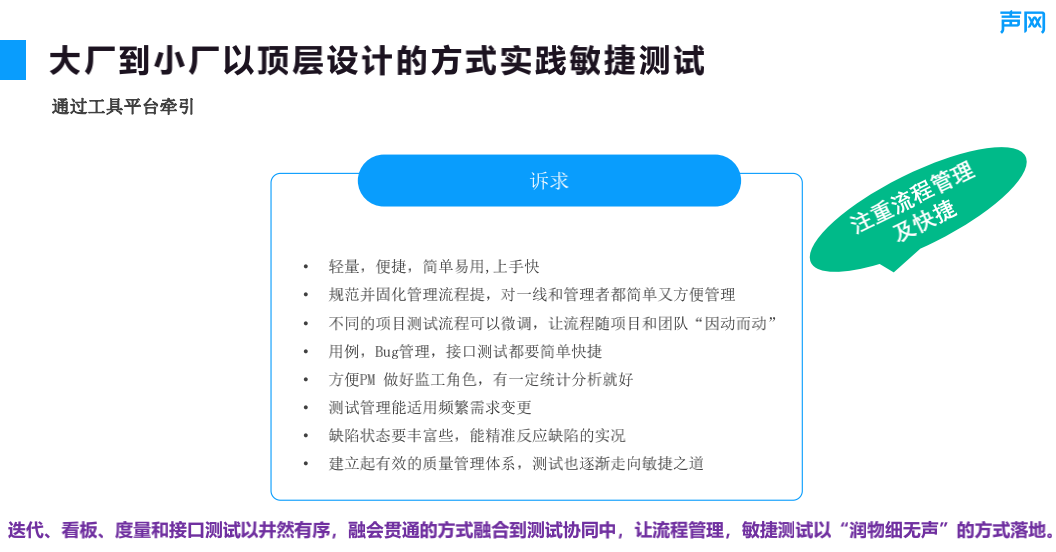
创业团队如何落地敏捷测试,提升质量效能?丨声网开发者创业讲堂 Vol.03
![[transform] [practice] use pytoch's torch nn. Multiheadattention to realize self attention](/img/94/a9c7010fe9f14454469609ac4dd871.png)
[transform] [practice] use pytoch's torch nn. Multiheadattention to realize self attention

Série yolov5 (i) - - netron, un outil de visualisation de réseau
【Transform】【实践】使用Pytorch的torch.nn.MultiheadAttention来实现self-attention
![[transform] [NLP] first proposed transformer. The 2017 paper](/img/33/f639ab527d5adedfdc39f8d8117c3e.png)
[transform] [NLP] first proposed transformer. The 2017 paper "attention is all you need" by Google brain team
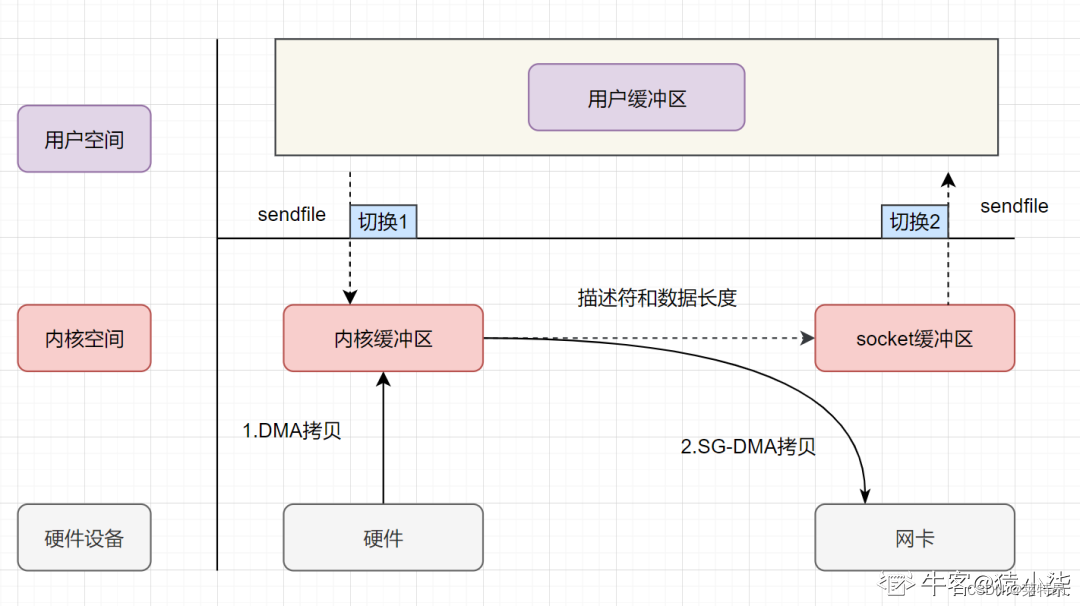
零拷贝底层剖析

To improve efficiency or increase costs, how should developers understand pair programming?

复合类型(自定义类型)
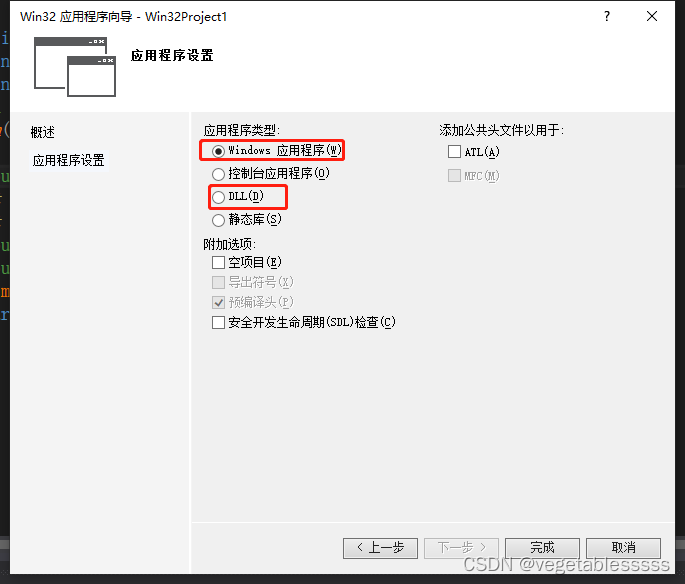
Dllexport and dllimport
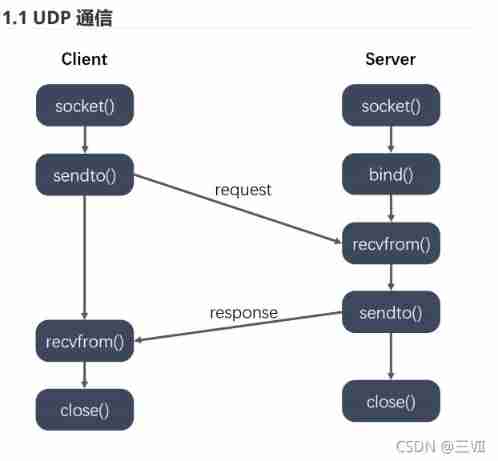
4-29——4.32
随机推荐
Zzuli:1056 lucky numbers
4-33--4-35
Center and drag linked global and Chinese markets 2022-2028: Research Report on technology, participants, trends, market size and share
Yolov5 series (I) -- network visualization tool netron
Global and Chinese markets for flexible chips 2022-2028: Research Report on technology, participants, trends, market size and share
Global and Chinese markets for indoor HDTV antennas 2022-2028: Research Report on technology, participants, trends, market size and share
C language STR function
[ue4] HISM large scale vegetation rendering solution
[combinatorics] permutation and combination (set combination, one-to-one correspondence model analysis example)
To improve efficiency or increase costs, how should developers understand pair programming?
Simulation of LS -al command in C language
C language DUP function
Zero copy underlying analysis
Troubleshooting method of CPU surge
Centos7 deployment sentry redis (with architecture diagram, clear and easy to understand)
Optical cat super account password and broadband account password acquisition
[engine development] in depth GPU and rendering optimization (basic)
Yolov5系列(一)——网络可视化工具netron
C language dup2 function
ASTC texture compression (adaptive scalable texture compression)