当前位置:网站首页>06_ UE4 advanced_ Set up a large map using the terrain tool
06_ UE4 advanced_ Set up a large map using the terrain tool
2022-07-26 00:06:00 【Ruthless reading machine】
Select the terrain in the mode .


The large grid consumes cpu resources , Small grid consumption GPU

This is a relatively balanced configuration strategy .
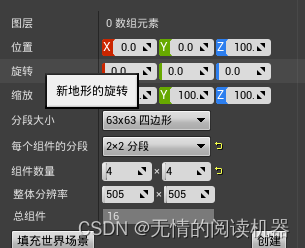
Click create custom terrain .

We can import the terrain from the file .
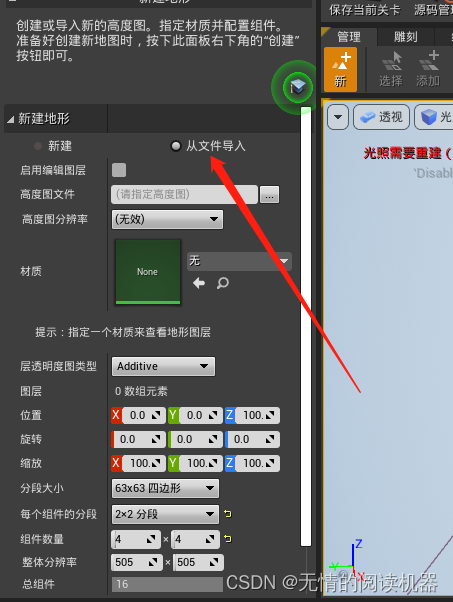
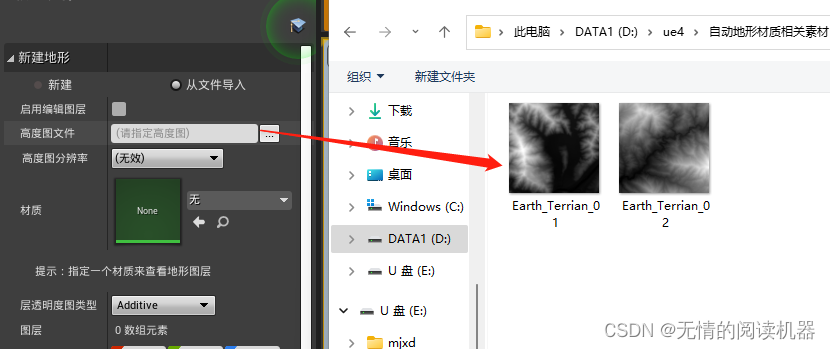


Generated effect


Now the house is hanging in midair , We can pull the map up .

It can also be set directly z Axis data , Finally, the house landed directly .
In order to save resources , From the perspective of lattice .
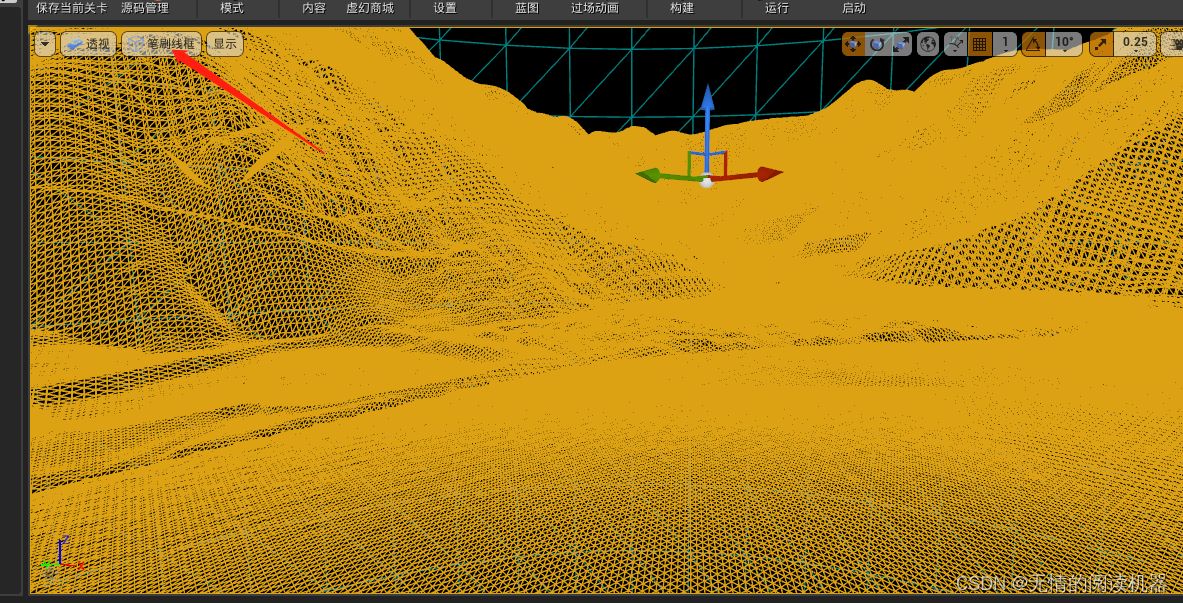
Choose this mountain
 find LOD Distribution , from 3 Transfer to 1

We saw the mountain lattice in the distance getting bigger .( The higher the value, the clearer the mountain in the distance )( In fact, I started from 3 It's on 2.5)

-------------------------------------------------------------------------------------------------------------------------------
Next, write materials for the mountain : Dynamic materials with different materials can be automatically added to the mountain .
Create folder

Import our material map

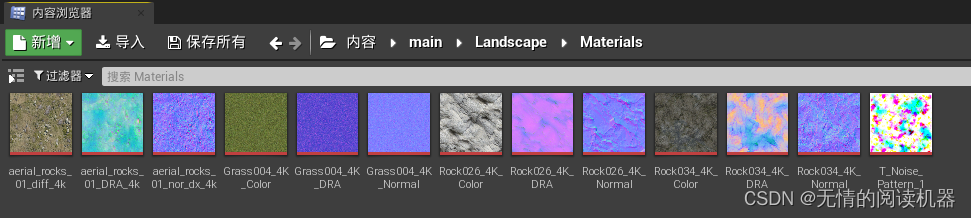
Select this picture , Then create a material

This material is created
Get into
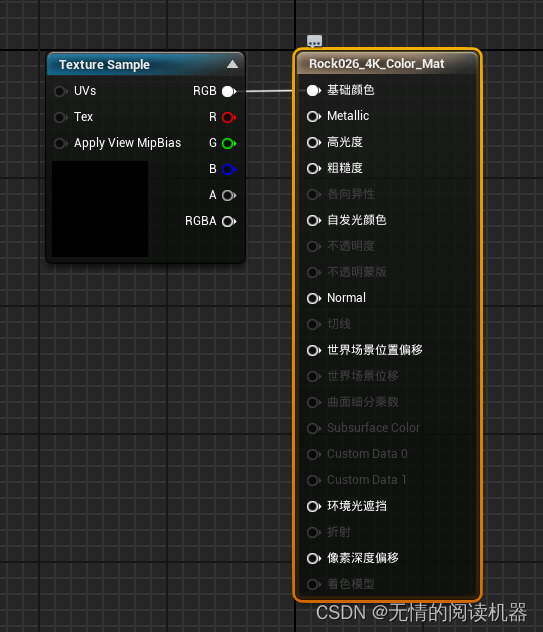
Drag in the other two pictures

attachment

Click Save to create our material
Then the material on the map .

I feel like laughing
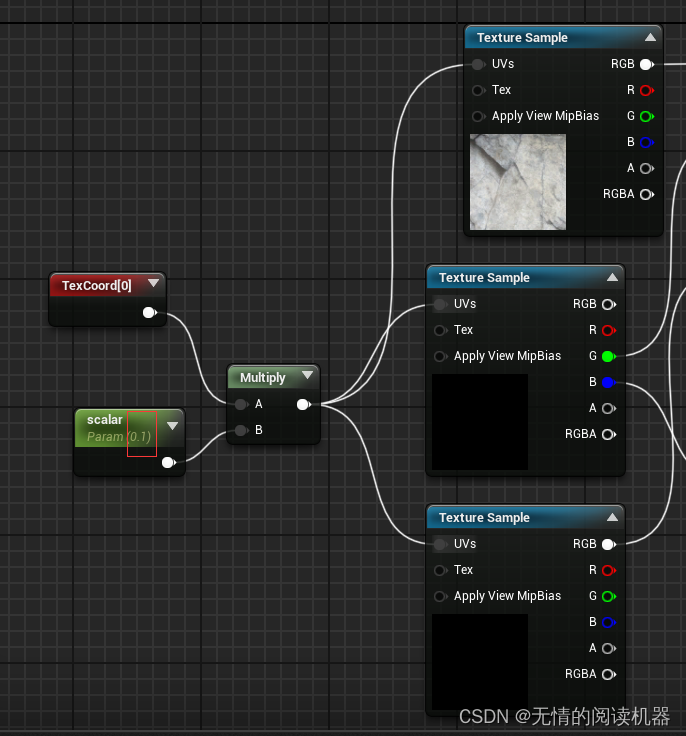
 next step , We modify this material scalar, To change the density of the material spread . Open material


The initial value of the constant is set to 0.1
Create material instances

Assign material instances to the map

Modify the parameter of the instance to 0.01

effect
 There is a problem with the current map, which is to repeat the map

We are in our own materials , Find a material , I'm looking for this
 Find this function module , Copy it into the material we created
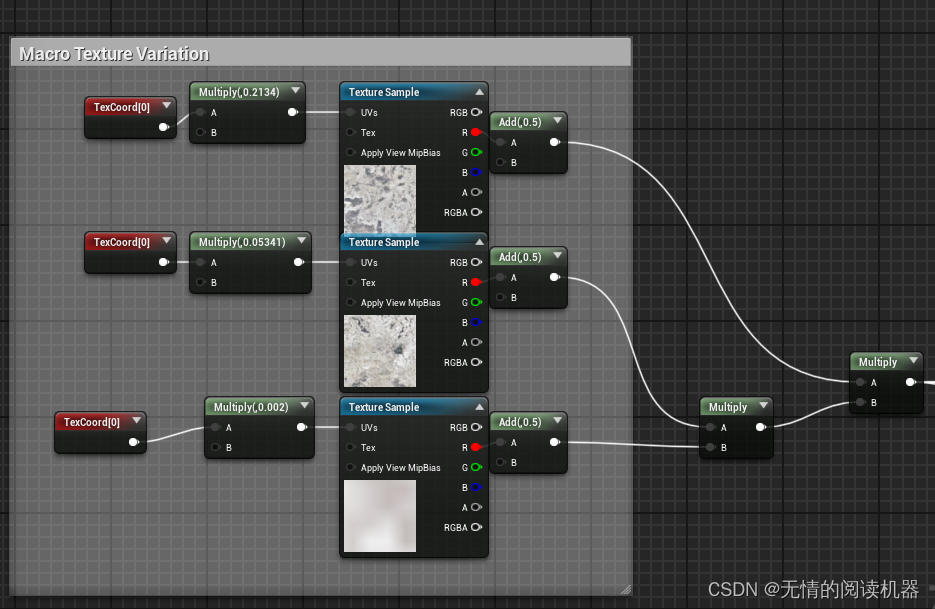
You will now 34 The picture of No. 1 stone is also put in our material

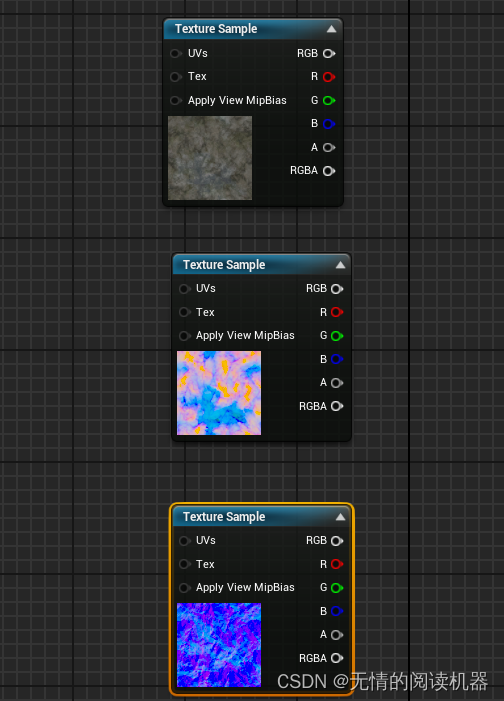
Then put it in the corresponding position

Use linear insertion nodes to mix pictures of two stones .

Alpha The parameter is the degree of mixing .

Put the noise picture into the material .

Start mixing pictures


Connect to the display board

take scalar Connected to the stone picture uv On .

Create a new variable , To control noise uv

Material re instantiation , Set parameters

effect

Add vertex normals vertexnormalws, Pixel normal node pixelnormalws.


Add a combined mask node

Only keep B passageway
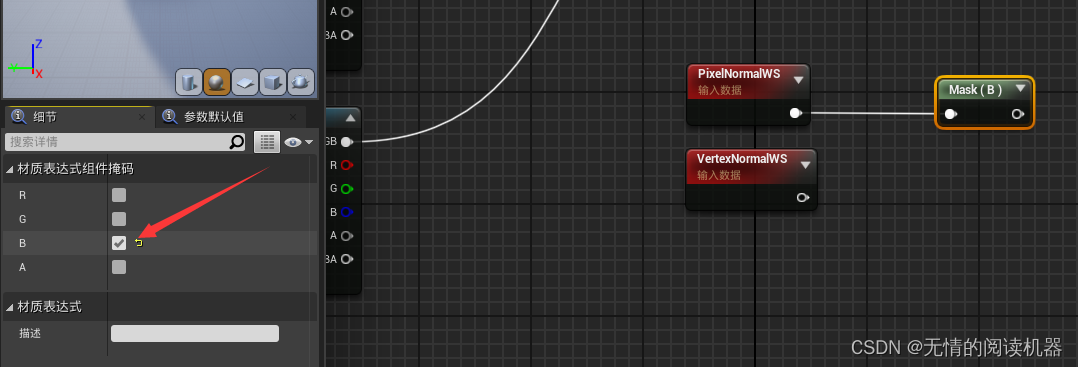
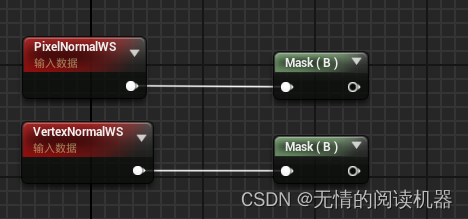
Ellipsis steps


Modify two places
 Material instantiation , Set parameters

effect
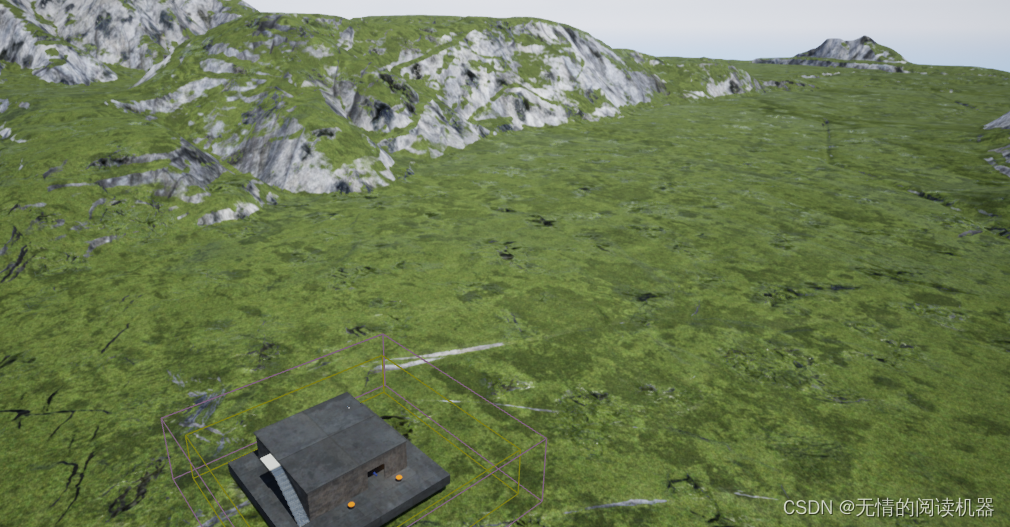
边栏推荐
- The items of listview will be displayed completely after expansion
- Pytoch learning record (I): introduction to pytoch
- Unexpected dubug tricks
- Prometheus 运维工具 Promtool (二) Query 功能
- Leetcode question brushing series -- 931. Minimum sum of descent path
- Prometheus operation and maintenance tool promtool (II) query function
- 二叉树——112. 路径总和
- 寻找链表的中间节点
- What is inode? It will help you understand inode and what help inode provides when creating and deleting files.
- 网站服务器停止响应是什么意思?
猜你喜欢

Detailed explanation of kubernetes network plug-ins - calico chapter - Overview

SQLZOO——Nobel Quiz

NVIDIA cuDNN学习

Practical experience of pair programming

Binary tree -- 257. All paths of binary tree

SIGIR‘22 推荐系统论文之图网络篇

二叉树——226. 翻转二叉树

Unity—欧拉角,四元数

What is inode? It will help you understand inode and what help inode provides when creating and deleting files.

Lua script Wireshark plug-in to resolve third-party private protocols
随机推荐
Stack and queue - 150. Inverse Polish expression evaluation
Leetcode200 - find detailed explanation of the number of islands
二叉树——654. 最大二叉树
NVIDIA cuDNN学习
Solve the problem of rapid index bar extrusion
C language actual combat guessing game
After entering www.baidu.com in the address bar
Backtracking - 77. combination
Vscode format JSON file
Sort fake contacts
Typescript TS basic knowledge and so on
注解@Autowired源码解析
初阶C语言 - 分支语句(if、switch)
What is parity? How to use C language?
行为型模式之责任链模式
Pytorch学习记录(一):Pytorch 简介
你还在用浏览器自带书签?这款书签插件超赞
Binary tree - 404. Sum of left leaves
Exercise (1) create a set C1 to store the elements "one", "two", "three"“
Key features and application trends of next generation terminal security management