当前位置:网站首页>How should programmers solve the problem of buying vegetables? Take you hand in hand to quickly order and grab vegetables by using the barrier free auxiliary function
How should programmers solve the problem of buying vegetables? Take you hand in hand to quickly order and grab vegetables by using the barrier free auxiliary function
2022-06-12 02:08:00 【Lost summer】
One 、 Preface
present situation :
At present, the epidemic is rampant , As a result, many people are forced to work from home . More people work from home , Natural use of all kinds of vegetables APP Buying vegetables becomes very difficult . The author himself is like this , Every day 6 spot ,8 spot ,8 Half past six ,10 Set various alarm clocks at , When time comes, crazy clicks , My hands are a little sour, but I still can't get it .
Solutions :
As a thinking programmer , I can't accept this situation , So I thought of using Android accessibility to help us click quickly , Assist us in the order process , So as to solve the problem that the click speed decreases due to frequent click on hand acid .
Project address :
Project address :GitHub - September26/MaiCaiPlugin
If you are a practical programmer , Then you are welcome to join the project , Work together to maintain this project .
If you just want to experience this feature , Then there's no problem at all , Download directly into the project release Under the apk File can .
Two 、 Demand analysis
2.1 Order process
1. The user enters the shopping cart page , Click to settle at this time , Jump to order confirmation page . It's usually normal at this time
2. On the order confirmation page, click pay now , Jump to order confirmation page . There are two problems with this page
First of all : When you enter the page, you will be prompted that the loading failed , Please try again . As shown in the figure below :

second : Click pay now , Prompt the crowd ahead , Please try again later , In a flash . Most of us are stuck in this step . As shown in the figure below :

3. Select the specific payment method on the payment selection page . Being able to enter this page basically means that the order is successful .
2.2 Demand process planning
1. To develop a APP, On the home page, guide the user to turn on the accessibility auxiliary function and the desktop floating window function .
2. Users leave APP after , Display a hover button on the desktop , Switch for controlling order grabbing function .
3. Users enter to buy vegetables APP in , Use accessibility to help monitor user pages . If you open the shopping cart page , Click... In the accessibility assistance function “ To settle accounts ”, Jump to order confirmation page .
4. Enter after order confirmation . There are three situations
One : Page load failed , At this time, you will be prompted that the loading failed , Please try the pop-up box again . At this time, we need to click “ Reload ” Button .
Two : After loading successfully . Click on “ Pay now ” Button . At this time, a high probability indicates that the front is crowded , Please try again later . At this time, we just wait for the pop-up box to disappear and continue to click “ Pay now ” button .
3、 ... and : Successful payment , Pop up the payment method selection pop-up box . This means that the order is successful .
5. Enter the payment selection page , It means that the order has been placed successfully . Then no operation is required .
3、 ... and 、 Demand fulfillment
3.1 Develop a shopping Demo Of APP
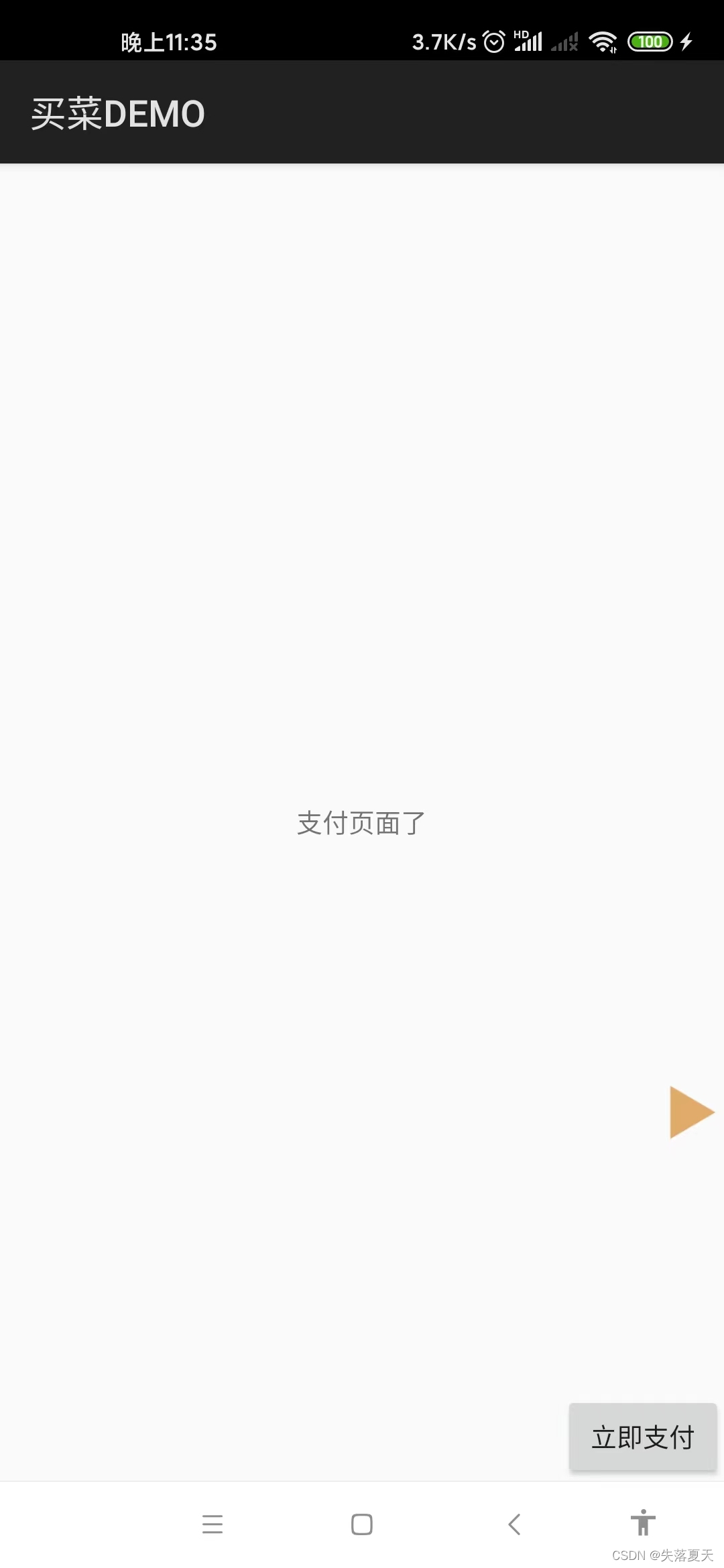
In order to avoid infringement and facilitate debugging , So we don't buy vegetables from major stores that have been on the shelves APP Demonstrated . We developed a simple shopping APP, There are only three core processes :
1. Shopping cart page . Click on “ To settle accounts ” Enter the order confirmation page .
2. Order confirmation page . After entering the order confirmation page , Yes 90% Failed to load the probability cartridge. Please try the cartridge again ,10% Probability of successful loading .
3. After loading successfully , Click on “ Pay now ” The probability indicates that there is a crowd ahead , Please try again later ; Small probability to enter the payment selection page .
4. Payment selection page . Prove that the order has been placed successfully , Click exit to exit the application completely .
Because the above functions are relatively simple , There is no explanation here , Interested friends can refer directly to github The code on the , In the project maicaidemo Under the folder .



3.2 Register for accessibility assistance Service
register OrderService, Inherited from AccessibilityService.
public class OrderService extends AccessibilityService {
    @Override
    public void onAccessibilityEvent(AccessibilityEvent event) {
    }

}
stay mainfest Register in :
 <service
            android:name="com.monkeytong.riz.services.OrderService"
            android:canPerformGestures="true"
            android:directBootAware="true"
            android:exported="true"
            android:permission="android.permission.BIND_ACCESSIBILITY_SERVICE">
            <intent-filter>
                <action android:name="android.accessibilityservice.AccessibilityService" />
            </intent-filter>
            <meta-data
                android:name="android.accessibilityservice"
                android:resource="@xml/accessible_service_config" />
        </service>
stay xml Register in accessible_service_config, Declare accessibility assistance .
<?xml version="1.0" encoding="utf-8"?>
<accessibility-service xmlns:android="http://schemas.android.com/apk/res/android"
    android:accessibilityEventTypes="typeWindowStateChanged|typeWindowContentChanged|typeNotificationStateChanged"
    android:accessibilityFeedbackType="feedbackAllMask"
    android:accessibilityFlags="flagDefault|flagRetrieveInteractiveWindows|flagIncludeNotImportantViews"
    android:canPerformGestures="true"
    android:canRetrieveWindowContent="true"
    android:description="@string/app_description"
    android:notificationTimeout="10"
    android:packageNames="com.tencent.mm,com.android.systemui,com.xt.client,com.yaya.zone,com.xt.maicai"
    android:settingsActivity="com.monkeytong.riz.activities.SettingsActivity" />
packageName It refers to what applications your barrier free assistance should run on , Add... To its corresponding package name , With , Division .
accessibilityFlags Represents the triggered scene , Be sure to list all , Otherwise, you will not get the current screen root node .
3.3 Guide the user to turn on accessibility assistance and desktop floating window permission
1. First judge whether you have the permission of desktop floating window , If not, apply for . Notice here , Need to be in manifest Apply for :
<uses-permission android:name="android.permission.SYSTEM_ALERT_WINDOW" />
Can only be .
2. If you have permission , Then directly jump to the system settings / Accessibility assistance page , Guide the user to turn on accessibility assistance .
 @TargetApi(Build.VERSION_CODES.M)
    public void openAccessibility(View view) {
        /**
         *  Open the suspension frame , Apply for permission to suspend the box
         */
        if (!Settings.canDrawOverlays(getApplicationContext())) {
            ToastUtil.showToast(this, " Please open the floating window permission first !");
            startActivityForResult(new Intent(Settings.ACTION_MANAGE_OVERLAY_PERMISSION, Uri.parse("package:" + getPackageName())), 5004);
            return;
        }
        try {
            Toast.makeText(this, " Click on " + getString(R.string.app_name) + pluginStatusText.getText(), Toast.LENGTH_SHORT).show();
            Intent accessibleIntent = new Intent(Settings.ACTION_ACCESSIBILITY_SETTINGS);
            startActivity(accessibleIntent);
        } catch (Exception e) {
            Toast.makeText(this, " Some problems , Please open the system settings manually > Accessibility services >" + getString(R.string.app_name), Toast.LENGTH_LONG).show();
            e.printStackTrace();
        }
    }
3.4 Accessibility assistance Service Create desktop suspended window and communication in
stay service Of onCreate In the method , obtain windowManager, And add a floating window and set the display position , And support drag effect .
ShowUtil.setViewTouchGrag() The method is to support drag effect .
@Override
    public void onCreate() {
        super.onCreate();
        LogUtil.logI(TAG, "OrderService onCreate()");
        // initialization WindowManager Objects and LayoutInflater object
        mWindowManager = (WindowManager) getApplicationContext().getSystemService(Context.WINDOW_SERVICE);
        showFloat();
    }

    private void showFloat() {
        floatView = LayoutInflater.from(getApplicationContext()).inflate(R.layout.showcar_login_btn, null);
        final View launcherButton = floatView.findViewById(R.id.bt_showcar_launcher);
        launcherButton.setOnClickListener(new View.OnClickListener() {
            @Override
            public void onClick(View view) {
                stateModel.isStart = !stateModel.isStart;
                launcherButton.setSelected(!launcherButton.isSelected());
                LogUtil.logI(TAG, "onClick");
            }
        });
        if (mWindowManager != null) {
            try {
                WindowManager.LayoutParams layoutParams = new WindowManager.LayoutParams();
                layoutParams.width = 100;
                layoutParams.height = 100;
                layoutParams.x = 0;
                layoutParams.y = 500;
                layoutParams.flags = WindowManager.LayoutParams.FLAG_NOT_FOCUSABLE | WindowManager.LayoutParams.FLAG_NOT_TOUCH_MODAL | WindowManager.LayoutParams.FLAG_LAYOUT_IN_SCREEN;
                // Set background transparency
//        mShowLogoutLayoutParams.format = PixelFormat.TRANSLUCENT;
                layoutParams.format = PixelFormat.RGBA_8888;
                layoutParams.gravity = Gravity.END | Gravity.BOTTOM;
                if (Build.VERSION.SDK_INT >= Build.VERSION_CODES.O) {
                    layoutParams.type = WindowManager.LayoutParams.TYPE_APPLICATION_OVERLAY;
                }
                ShowUtil.setViewTouchGrag(launcherButton, floatView, layoutParams, mWindowManager, false);
                mWindowManager.addView(floatView, layoutParams);
            } catch (Exception e) {
                Log.e(TAG, "showLauncherBtn: e =", e);
            }
        }
    }
When the user clicks the suspension window to turn on or off the automatic click function , To inform service. My solution here is relatively simple , Directly create a singleton object , The singleton object is set and obtained .
public class StateModel {

    /**
     *  Order grabbing mode
     */
    public int execType = 0;
    /**
     *  Whether to start order grabbing
     */
    public boolean isStart = false;


    /**
     *  page ID
     *  initialization =0
     *  Shopping cart page =1
     *  Confirm payment page =2
     */
    public int pageId = 0;

    public interface PAGEID {
        public int OTHER = 0;
        public int GET_ELEMENT = 1;
        public int TO_PAY = 2;
    }
}
service Use in :
private final StateModel stateModel = CacheUtil.getInstance().getStateModel();
3.5 Determine the package name and page of the current page Activity
When barrier free operation is performed , Will be called onAccessibilityEvent How to inform us . So the logical operation we want to do in this method .
First , We only care that the operation will be triggered when the user enters the specified page , Therefore, we should shield irrelevant applications and interfaces .
secondly , We need to get what the current interface is activity, For example, if we enter the shopping cart or order confirmation page, we need to trigger the operation .
Third , We also need to judge the switch state , If it's off , Then we don't need to operate .
public void onAccessibilityEvent(AccessibilityEvent event) {
        if (event.getEventType() != AccessibilityEvent.TYPE_WINDOW_STATE_CHANGED) {
            return;
        }
        // If the package name is not specified, it will not be processed
        if (!Constant.packageName.equals(event.getPackageName().toString())) {
            return;
        }
        currentActivityName = ShowUtil.getForegroundActivity(getApplicationContext(), event).second;
        LogUtil.logI("getCurrgetentActivityName,currentActivityName:" + currentActivityName);
        if (!stateModel.isStart) {
            return;
        }
        LogUtil.logI("currentActivityName:" + currentActivityName);
        ... Subsequent code , The next chapter will
    }
3.6 Auxiliary users click to settle , Pay now , Reload and other operations
Here I follow the principle of synergetics , Write a status bit mechanism . There are mainly the following status bits . Clicking will be triggered repeatedly in each state , Until the next state value is reached .
/**
     *  The order status
     *  initialization =0
     *  Shopping cart page =1
     *  When confirming the payment page , Failed to load shopping cart =2
     *  When confirming the payment page , Loading shopping cart succeeded =3
     *  When confirming the payment page , Order submitted successfully , The payment selection page pops up =4
     */
    public int currentState = 0;

    public interface OrderState {
        int INIT = 0;
        int GET_ELEMENT = 1;
        int LOAD_FAIL = 2;
        int TO_PAY = 3;
        int PAY_SUCESS = 4;
    }
1. If the user enters the shopping cart page , Then we use accessibility assistance to help users click “ To settle accounts ” Button (PS: Even if the page shows to settle (N), lookup “ To settle accounts ” It can also be found ).
2. If the user enters the order confirmation page . If you are prompted “ Loading failed , Please try again ”, Use accessibility aids to help users click “ Reload ” Button . Until the prompt is loaded successfully .
3. After loading successfully , We help users click “ Pay now ” Button . If you are prompted “ Crowded ahead , Please try again later ”, Click pay now after the pop-up box disappears . Until the prompt is successful .
4. If the user clicks pay now on the order confirmation page , Pop up load failed , Please try the button again , Then we use accessibility assistance to help users click “ Reload ” Button .
5. Finally, record the node status of the face-to-face page , And persist , It is convenient for subsequent troubleshooting .
@Override
    public void onAccessibilityEvent(AccessibilityEvent event) {
        ... The last chapter talked about
        LogUtil.logI("currentActivityName:" + currentActivityName);
        if (Constant.ShoppingCartActivity.equals(currentActivityName)) {
            stateModel.pageId = StateModel.PAGEID.GET_ELEMENT;
            // Crazy Click  " To settle accounts "
            clickDownTimer.startClick(" To settle accounts ");
            return;
        }
        if (Constant.ConfirmOrderActivity.equals(currentActivityName)) {
            stateModel.pageId = StateModel.PAGEID.TO_PAY;
            // If present, reload , Click reload , Otherwise, click pay now .

            /**
             *  There are two modes of operation
             * 1. Pay now crazy click
             * 2. Click back and forth between the shopping cart and the order confirmation page
             */
            clickDownTimer.startClick(" Pay now ");
            return;
        }
        if (stateModel.pageId != StateModel.PAGEID.TO_PAY) {
            stateModel.pageId = StateModel.PAGEID.OTHER;
            return;
        }
        AccessibilityNodeInfo rootInActiveWindow = getRootInActiveWindow();
        if (rootInActiveWindow == null) {
            return;
        }
        List<AccessibilityNodeInfo> reloadList = getRootInActiveWindow().findAccessibilityNodeInfosByText(" Reload ");
        if (reloadList.size() > 0) {
            clickDownTimer.startClick(" Reload ");
        }
        List<String> list = new ArrayList<>();
        list.add(rootInActiveWindow.toString());
        IOHelper.write2File(getApplicationContext(), list);
    }
among clickDownTimer.startClick("XXX"); It's my encapsulated method , Its function is to last for several times , every other 100ms Do it once , If it does not exist, continue the next query ; If it exists, click this button , Until it enters the next state .
class ClickDownTimer extends CountDownTimer {
        String text;

        ClickDownTimer(long millisInFuture, long countDownInterval) {
            super(millisInFuture, countDownInterval);
        }

        public void startClick(String text) {
            LogUtil.logI("click:" + text);
            this.text = text;
            start();
        }


        @Override
        public void onTick(long millisUntilFinished) {
            rootNodeInfo = getRootInActiveWindow();
            if (rootNodeInfo == null) {
                return;
            }
            List<AccessibilityNodeInfo> gettlement = rootNodeInfo.findAccessibilityNodeInfosByText(text);
            LogUtil.logI("find:" + text + ",result:" + gettlement.size());
            if (gettlement.size() > 0) {
                gettlement.get(0).performAction(AccessibilityNodeInfo.ACTION_CLICK);
                clickDownTimer.cancel();
            }
        }

        @Override
        public void onFinish() {

        }
    }
thus , The core functions have been developed .
Four 、 Usage flow
1. download APK And install , Or run github Upper app project .
2. Click the desktop icon , Enter the plug-in home page . Click to open the plug-in , First open the desktop floating window permission . After the return , Click again to open the plug-in , Enter the accessibility assistance setting page , Select the current app : Vegetable grabbing plug-in .
3. Different mobile phones have different ways to turn on accessibility assistance , It's at a distance of millet . Press and hold the volume at the same time + And volume - Turn on accessibility assistance in three seconds . At this point, the home page will change to the status of closing the plug-in . The desktop hover icon will also display . As shown in the figure below :

4. Enter to buy vegetables APP, Put what you want to buy in the shopping cart in advance .
5. Switch to another page or desktop . Click the hover button , Turn on auto click status .
6. Switch back to the shopping cart interface , At this time, the barrier free service function is turned on , It will automatically help you click the settlement button to enter the payment page
(PS: If there is a network problem on this page , You can manually click . Accessibility assistance does not affect normal click events ).
7. After entering the order confirmation page , Will automatically help click pay now . If the prompt fails , Will automatically help click the reload button . Until the order is submitted successfully, enter the payment selection page .
8. If you want to stop the auto click function , Then just click the suspended window button on the desktop to close .
5、 ... and 、 Statement
This article and the corresponding open source projects are only for technical learning , This project is prohibited from being used in all commercial projects , Downloaded test apk Please visit 24 Delete within hours .
In case of infringement or other business cooperation , Please pass csdn Contact the author .
边栏推荐
- matplotlib. pyplot. Bar chart (II)
- 广泛匹配修饰符符号已经被弃用,请勿使用
- 力扣解法汇总875-爱吃香蕉的珂珂
- How to locate keywords to make advertising accurate.
- Spiral matrix (skill)
- Summary of concrete (ground + wall) + Mountain crack data set (classification and target detection)
- php开发 博客系统的公告模块的建立和引入
- 力扣解法汇总933-最近的请求次数
- How to stop anti-virus software from blocking a web page? Take gdata as an example
- Leetcode 55 jump game
猜你喜欢
![[adjustment] notice on the opening of the 2022 pre adjustment system for postgraduate enrollment of Shanghai Second University of Technology](/img/16/2f9a235995cdd54ac9b85a68a7afcb.jpg)
[adjustment] notice on the opening of the 2022 pre adjustment system for postgraduate enrollment of Shanghai Second University of Technology

Summary of concrete (ground + wall) + Mountain crack data set (classification and target detection)

Spiral matrix (skill)

MySQL表常用操作思维导图

Ozzanation - système d'action basé sur sse

Bracket generation (backtracking)

Knowledge points of mall development

C language programming classic games - minesweeping

Basedexclassloader

初探性能优化!从2个月到4小时的性能提升!
随机推荐
Pagination writing of PHP security open 10 article list module
力扣解法汇总面试题 01.05. 一次编辑
ACL 2022 | 预训练语言模型和图文模型的强强联合
Leetcode 45 jump game II
Applets 111111
Glfwpollevents() program crash
xcall 集群脚本(查看jps命令)
Ozzanmation action system based on SSE
Graphical data analysis | business analysis and data mining
How can low code platforms improve cost effectiveness?
2022西式面点师(技师)复训题库及在线模拟考试
Installing MySQL version 5.5 database for Linux (centos6)
Linux (centos7) installer mysql - 5.7
The establishment and introduction of the announcement module of PHP development blog system
State owned assets into shares, has Jianye real estate stabilized?
How WPS inserts a directory and the operating steps for quickly inserting a directory
Ozzanation - système d'action basé sur sse
力扣解法汇总942-增减字符串匹配
UE4\UE5触摸屏touch事件:单指、双指
力扣解法汇总396-旋转函数