当前位置:网站首页>Basic knowledge points in js - events
Basic knowledge points in js - events
2022-08-03 15:32:00 【Matcha_ice_cream】
整理学习过程中的 js 知识点,防遗忘!!!
一、事件
1、事件流
1)事件冒泡
Event bubbling is the upward conduction of events,When the descendant element's event fires,祖先元素的相同事件也会被触发.
在开发过程中,Bubbling is useful in most cases,If you don't want to use event bubbling,可以通过使用 cancelBubble to cancel event bubbling.
Event bubbling code display:
<!DOCTYPE html>
<html lang="en">
<head>
  <meta charset="UTF-8">
  <meta http-equiv="X-UA-Compatible" content="IE=edge">
  <meta name="viewport" content="width=device-width, initial-scale=1.0">
  <title>事件冒泡</title>
</head>
<style> #f {
       width: 300px; height: 300px; background-color: skyblue; } #s {
       width: 150px; height: 150px; background-color: rosybrown; } </style>
<script> window.onload = function() {
       var f = document.getElementById("f"); var s = document.getElementById("s"); var b = document.body; f.onclick = function() {
       alert("您点击了f, 父元素"); } s.onclick = function() {
       alert("您点击了s, 子元素"); } b.onclick = function() {
       alert("您点击了body元素呀!!!"); } } </script>
<body>
  <div id="f">
    <div id="s"></div>
  </div>
</body>
</html>
效果展示:
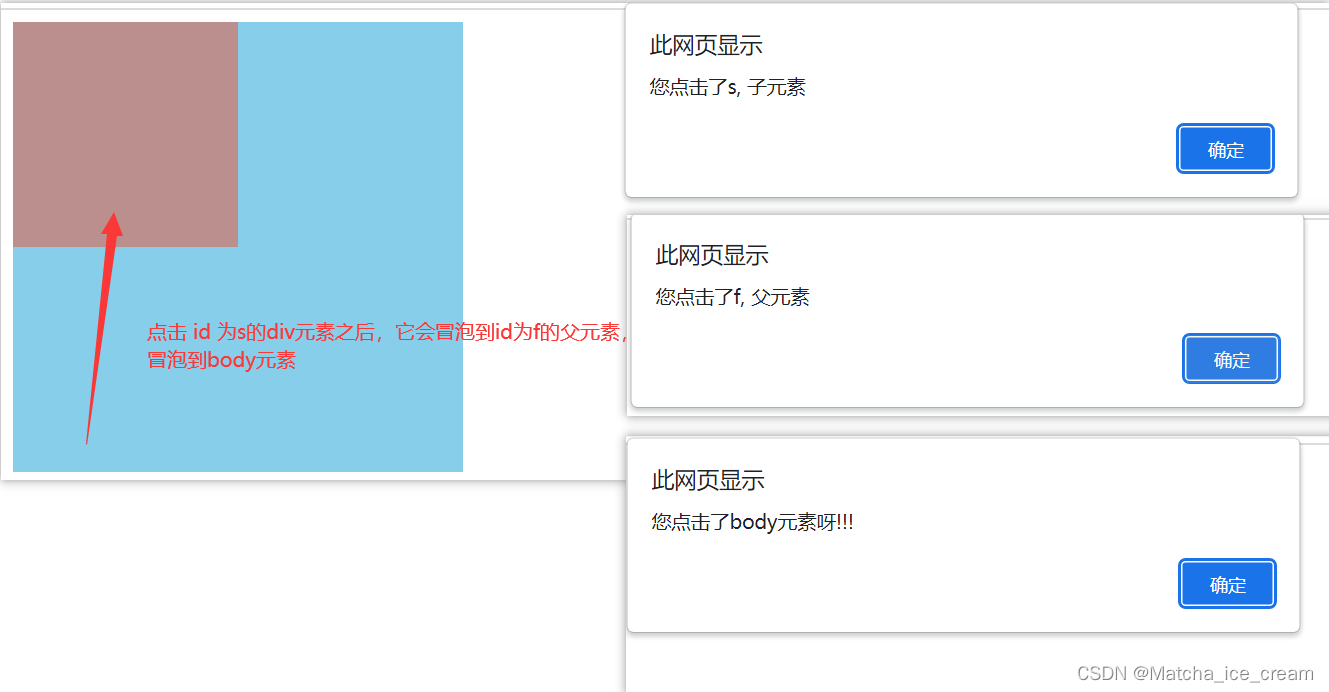
When the innermost is clickeddiv时,Events bubble up to ancestor elements with the same event.
取消事件冒泡:使用event.cancelBubble = true.
Cancel event bubbling code display:
<!DOCTYPE html>
<html lang="en">
<head>
  <meta charset="UTF-8">
  <meta http-equiv="X-UA-Compatible" content="IE=edge">
  <meta name="viewport" content="width=device-width, initial-scale=1.0">
  <title>事件冒泡</title>
</head>
<style> #f {
       width: 300px; height: 300px; background-color: skyblue; } #s {
       width: 150px; height: 150px; background-color: rosybrown; } </style>
<script> window.onload = function() {
       var f = document.getElementById("f"); var s = document.getElementById("s"); var b = document.body; f.onclick = function(event) {
       alert("您点击了f, 父元素"); event.cancelBubble = true; //取消事件冒泡 } s.onclick = function(event) {
       alert("您点击了s, 子元素"); event.cancelBubble = true; // 取消事件冒泡 } b.onclick = function() {
       alert("您点击了body元素呀!!!"); } } </script>
<body>
  <div id="f">
    <div id="s"></div>
  </div>
</body>
</html>
效果展示: Only show events for clicked elements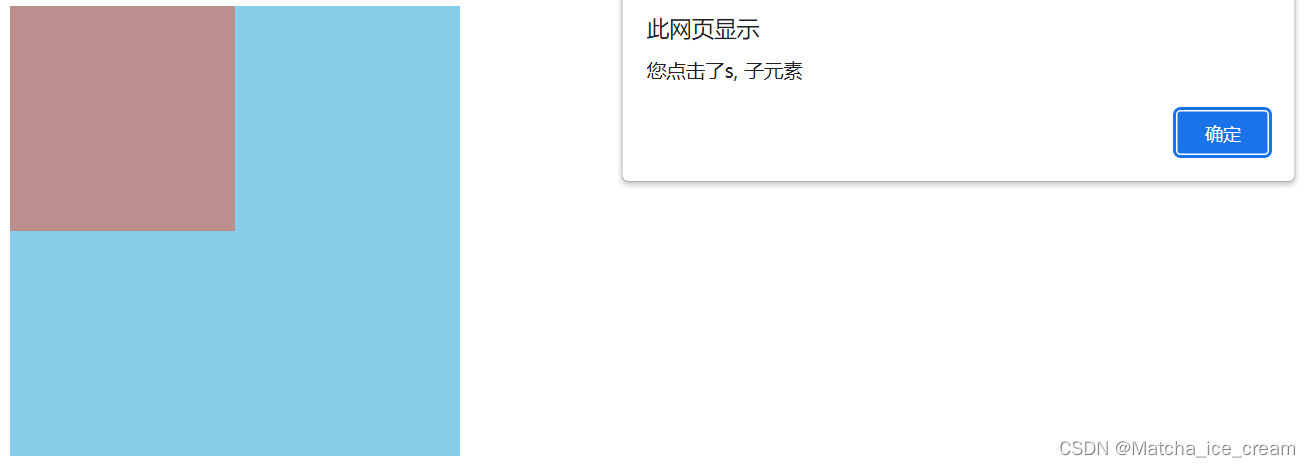
2)事件捕获
事件捕获:事件由外向内传播,When the current event fires,The events of the outermost ancestor element of the current element should be fired first,然后再向内传播给后代元素.
注意:The capture phase is generally not used
代码展示:
<!DOCTYPE html>
<html lang="en">
<head>
  <meta charset="UTF-8">
  <meta http-equiv="X-UA-Compatible" content="IE=edge">
  <meta name="viewport" content="width=device-width, initial-scale=1.0">
  <title>事件捕获</title>
</head>
<style> #box1 {
       width: 300px; height: 300px; background-color: rosybrown; } #box2 {
       width: 200px; height: 200px; background-color: skyblue; } #box3 {
       width: 100px; height: 100px; background-color: coral; } </style>
<script> window.onload = function() {
       var box1 = document.getElementById("box1"); var box2 = document.getElementById("box2"); var box3 = document.getElementById("box3"); box3.addEventListener("click", function(){
       alert("您点击了box3!!!"); }, true); //The event handler is called during the capture phase box2.addEventListener("click", function(){
       alert("您点击了box2!!!"); }, true); box1.addEventListener("click", function(){
       alert("您点击了box1!!!"); }, true) } </script>
<body>
  <div id="box1">box1
    <div id="box2">box2
      <div id="box3">box3</div>
    </div>
  </div>
</body>
</html>
显示效果:
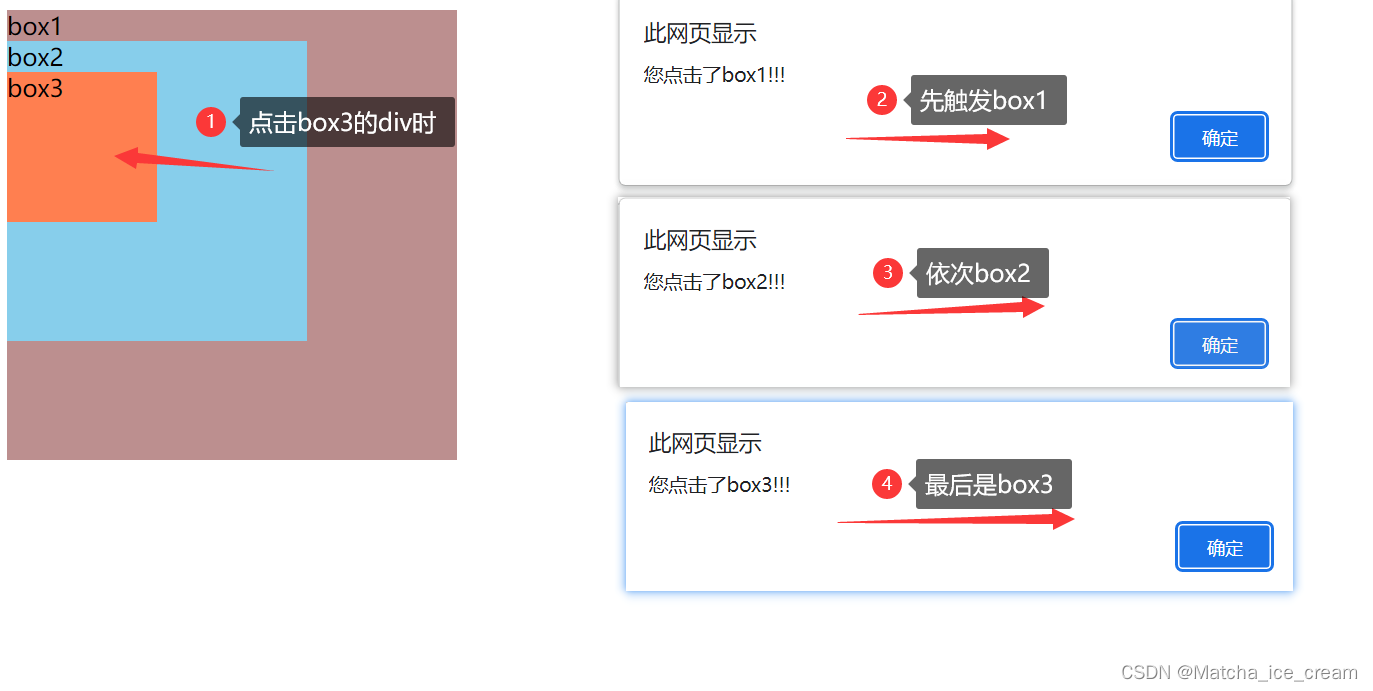
2、事件委派
Event delegation is also called事件委托.
事件委托:就是利用事件冒泡,Only use event handlers to manage one type of event
A simple example is used here to illustrate event delegation:Dynamically add hyperlinks
代码展示:
<!DOCTYPE html>
<html lang="en">
<head>
  <meta charset="UTF-8">
  <meta http-equiv="X-UA-Compatible" content="IE=edge">
  <meta name="viewport" content="width=device-width, initial-scale=1.0">
  <title>事件委派</title>
</head>
<style> #ul {
       background-color: cadetblue; } </style>
<script> window.onload = function() {
       var btn = document.getElementById("btn"); var ul = document.getElementById("ul"); btn.onclick = function() {
       var li = document.createElement("li"); //创建li元素 li.innerHTML = "<a href='javaScript:;' class='link'>Newly added hyperlinks</a>" ul.appendChild(li); //将创建的元素添加到 ul中 } ul.onclick = function(event) {
       //给父元素ul添加事件,Child elements bubble up onto parent elements,The parent element is handled uniformly event = event || window.event; //为了兼容性 if(event.target.className === "link") {
       //添加判断条件,只有点击了a链接,才会触发事件 alert("hello,You clicked on me!!!"); } } } </script>
<body>
  <button id="btn">添加超链接</button>
  <ul id="ul">
    <li><a href="javaScript:;" class="link">超链接1</a></li>
    <li><a href="javaScript:;" class="link">超链接2</a></li>
    <li><a href="javaScript:;" class="link">超链接3</a></li>
  </ul>
</body>
</html>
效果显示:
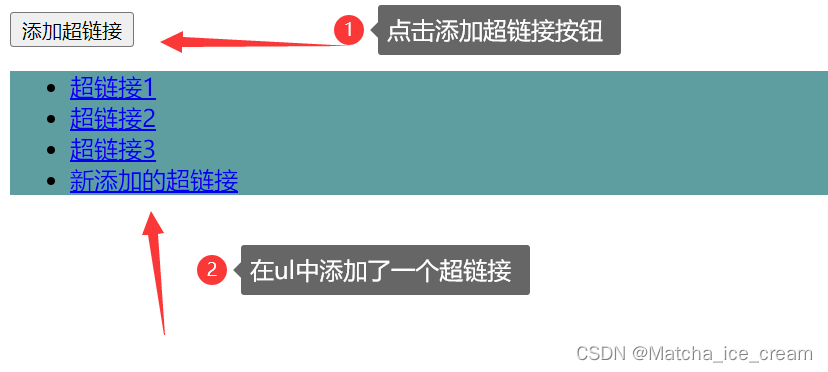
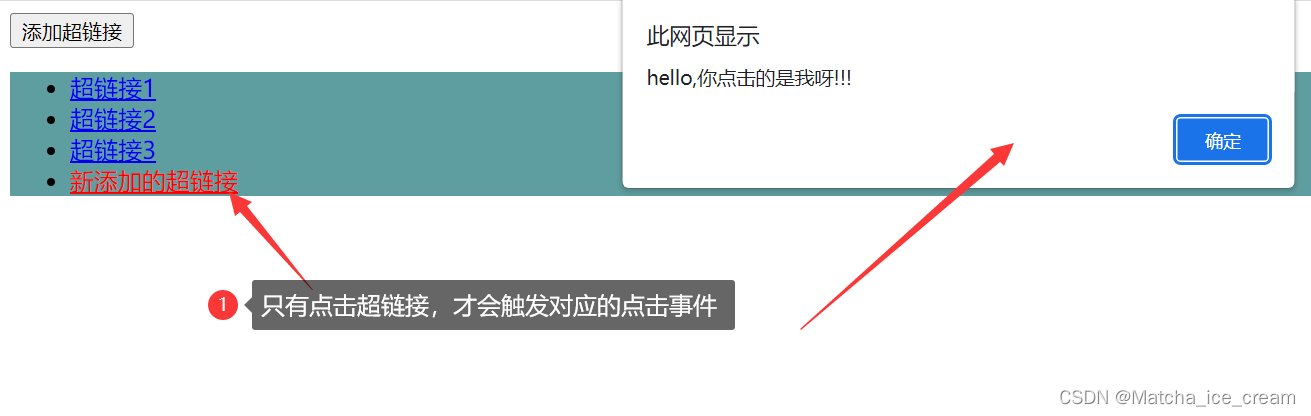
注意:Details to pay attention to in the small example.
给ul 绑定事件之后,整个ul Regions fire events,If you want the value of the specified area to trigger the click event,The target area when clicked can be obtained(通过event.target获取),加上判断条件,只有满足event.targetconditions will trigger the corresponding target event.
Don't give each one a / li The label is bound to the corresponding click event!!! The performance is really really bad,This is the case for event delegation.
3、事件处理程序
1)DOM0事件处理程序:onclick
DOM0The basic usage analogous form of an event handler is as follows:btn.onclick = function() {}
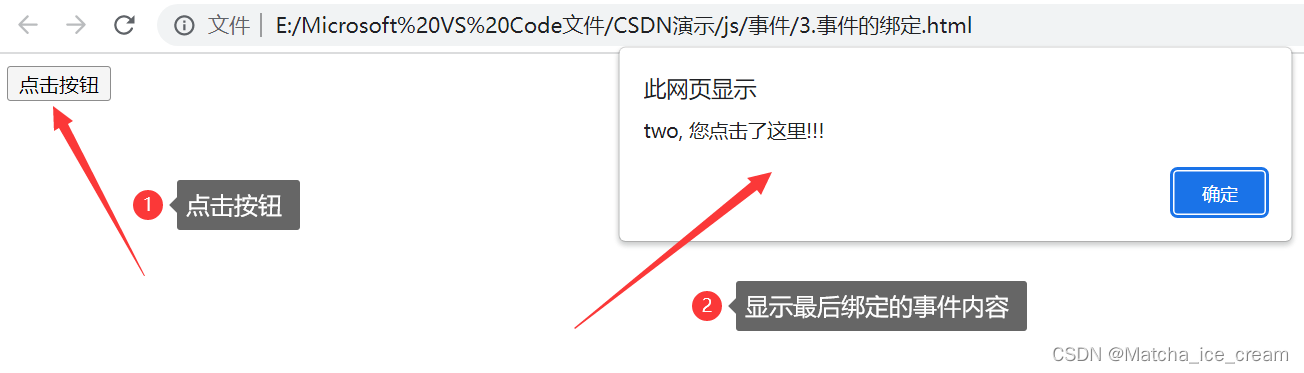
但是使用这种方式,只能绑定一个事件处理程序,The event bound later will overwrite the content of the previous event.
代码展示: 设置事件处理程序
<!DOCTYPE html>
<html lang="en">
<head>
  <meta charset="UTF-8">
  <meta http-equiv="X-UA-Compatible" content="IE=edge">
  <meta name="viewport" content="width=device-width, initial-scale=1.0">
  <title>DOM0事件处理程序</title>
</head>
<script> window.onload = function() {
       var btn = document.getElementById("btn"); btn.onclick = function() {
       alert("one, You clicked here!!!"); } btn.onclick = function() {
       alert("two, You clicked here!!!"); } } </script>
<body>
  <button id="btn">点击按钮</button>
</body>
</html>
显示效果:
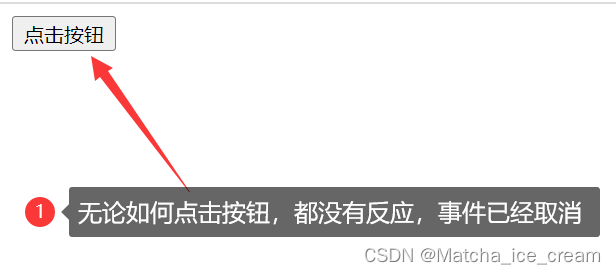
移除事件处理程序:The value of the corresponding event needs to be set tonull
eg: btn.onclick = null
代码展示:
<!DOCTYPE html>
<html lang="en">
<head>
  <meta charset="UTF-8">
  <meta http-equiv="X-UA-Compatible" content="IE=edge">
  <meta name="viewport" content="width=device-width, initial-scale=1.0">
  <title>DOM0事件处理程序</title>
</head>
<script> window.onload = function() {
       var btn = document.getElementById("btn"); btn.onclick = function() {
       alert("one, You clicked here!!!"); } btn.onclick = function() {
       alert("two, You clicked here!!!"); } btn.onclick = null; //移除事件处理程序 } </script>
<body>
  <button id="btn">点击按钮</button>
</body>
</html>
显示效果:
2)DOM2事件处理程序:addEventListener()
DOM2The basic usage analogous form of an event handler is as follows:addEventListener(事件名,事件处理函数,布尔值)
eg: btn.addEventListener(“click”, ()=>{}, false), btn.addEventListener(“click”, function(){}, false)
参数介绍:
事件名:事件的类型,例如,click,mousemove…,不要on,不要on,不要on!!!
事件处理函数:进行相应的事件处理
布尔值:true 表示在捕获阶段调用事件处理函数;falseIndicates that the event handler is called during the bubbling phase
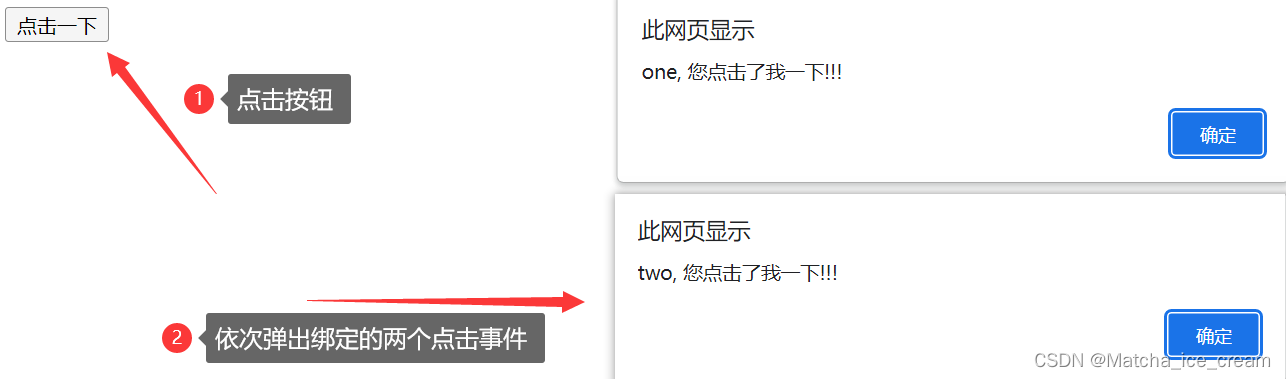
使用addEventListener(),可以绑定多个事件处理程序
代码展示:
<!DOCTYPE html>
<html lang="en">
<head>
  <meta charset="UTF-8">
  <meta http-equiv="X-UA-Compatible" content="IE=edge">
  <meta name="viewport" content="width=device-width, initial-scale=1.0">
  <title>DOM2事件绑定</title>
</head>
<script> window.onload = function() {
       var btn = document.getElementById("btn"); btn.addEventListener("click", function() {
       alert("one, You clicked on me!!!"); }, false) btn.addEventListener("click", function() {
       alert("two, You clicked on me!!!"); }, false) } </script>
<body>
  <button id="btn">点击一下</button>
</body>
</html>
显示效果:
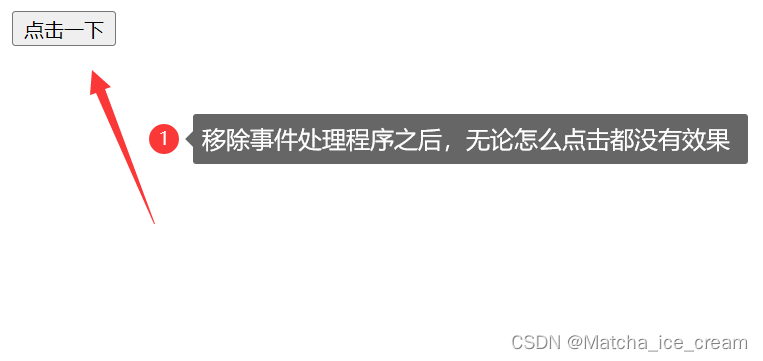
移除事件处理程序:使用removeEventListener(),and pass in the same parameters
eg:btn.removeEventListener(“click”, handler, false)
handler为事件处理函数.
<!DOCTYPE html>
<html lang="en">
<head>
  <meta charset="UTF-8">
  <meta http-equiv="X-UA-Compatible" content="IE=edge">
  <meta name="viewport" content="width=device-width, initial-scale=1.0">
  <title>DOM2事件绑定</title>
</head>
<script> window.onload = function() {
       var btn = document.getElementById("btn"); var handler = function() {
       alert("one, You clicked on me!!!"); } btn.addEventListener("click", handler, false); btn.removeEventListener("click", handler, false); //移除事件处理程序 // 其中,Make sure that the incoming and outgoing event handlers are the same } </script>
<body>
  <button id="btn">点击一下</button>
</body>
</html>
显示效果:
3)IE事件处理程序:attachEvent()
IEThe basic usage analogous form of an event handler is as follows:attachEvent(事件名,事件处理函数)
eg: btn.attachEvent(“onclick”, function(){})
参数介绍:
事件名:事件的类型,例如,onclick,onmousemove…,需要加on,需要加on,需要加on!!!
事件处理函数:进行相应的事件处理
attachEvent(),可以添加多个事件处理程序
代码展示:
<!DOCTYPE html>
<html lang="en">
<head>
  <meta charset="UTF-8">
  <meta http-equiv="X-UA-Compatible" content="IE=edge">
  <meta name="viewport" content="width=device-width, initial-scale=1.0">
  <title>IE事件处理程序</title>
</head>
<script> window.onload = function() {
       var btn = document.getElementById("btn"); //注意IE11不支持attachEvent btn.attachEvent("onclick", function(){
       alert("one, You click!!!"); }) btn.attachEvent("onclick", function(){
       alert("two, You click!!!"); }) } </script>
<body>
  <button id="btn">点击一下</button>
</body>
</html>
不同IE的显示效果:
IE11:不支持
IE9、IE10: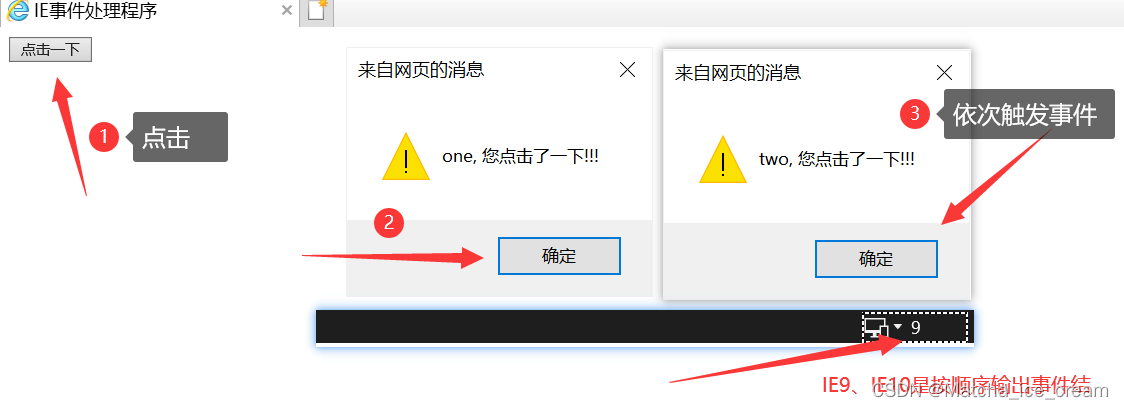
IE8以下: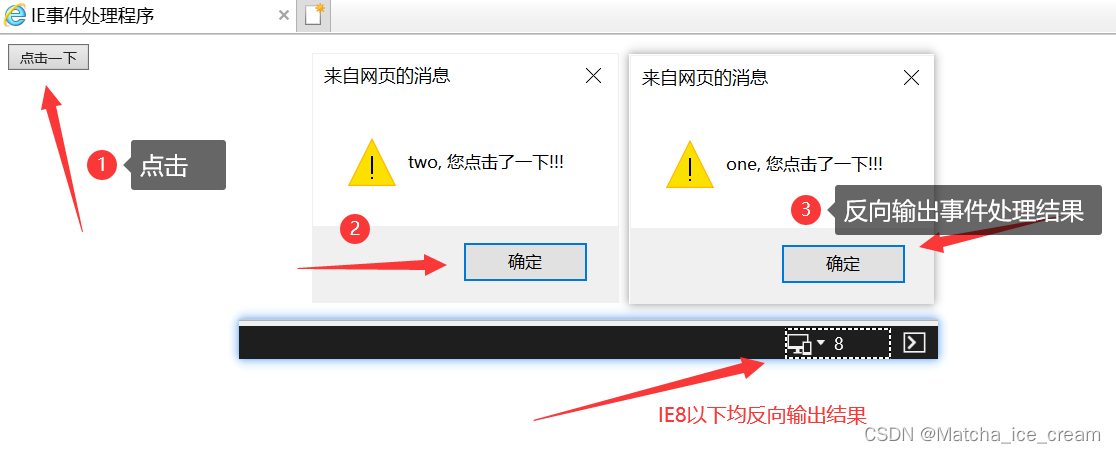
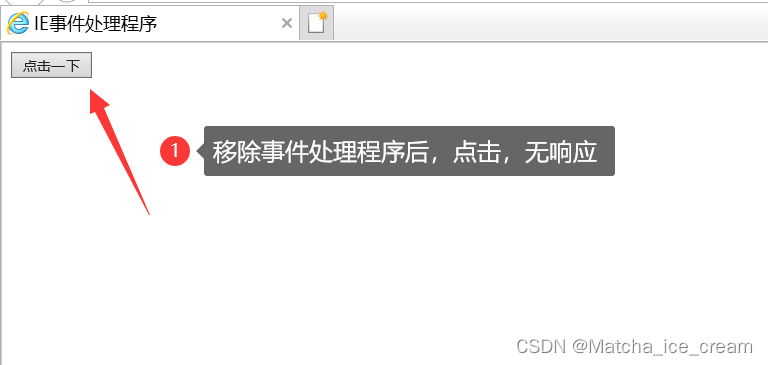
移除事件处理程序:使用detachEvent(),and pass in the same parameters
eg:btn.detachEvent(“onclick”, handler)
handler为事件处理函数
代码展示:
<!DOCTYPE html>
<html lang="en">
<head>
  <meta charset="UTF-8">
  <meta http-equiv="X-UA-Compatible" content="IE=edge">
  <meta name="viewport" content="width=device-width, initial-scale=1.0">
  <title>IE事件处理程序</title>
</head>
<script> window.onload = function() {
       var btn = document.getElementById("btn"); var handler = function() {
       alert("one, You click!!!"); } btn.attachEvent("onclick", handler); btn.detachEvent("onclick", handler); } </script>
<body>
  <button id="btn">点击一下</button>
</body>
</html>
显示效果:
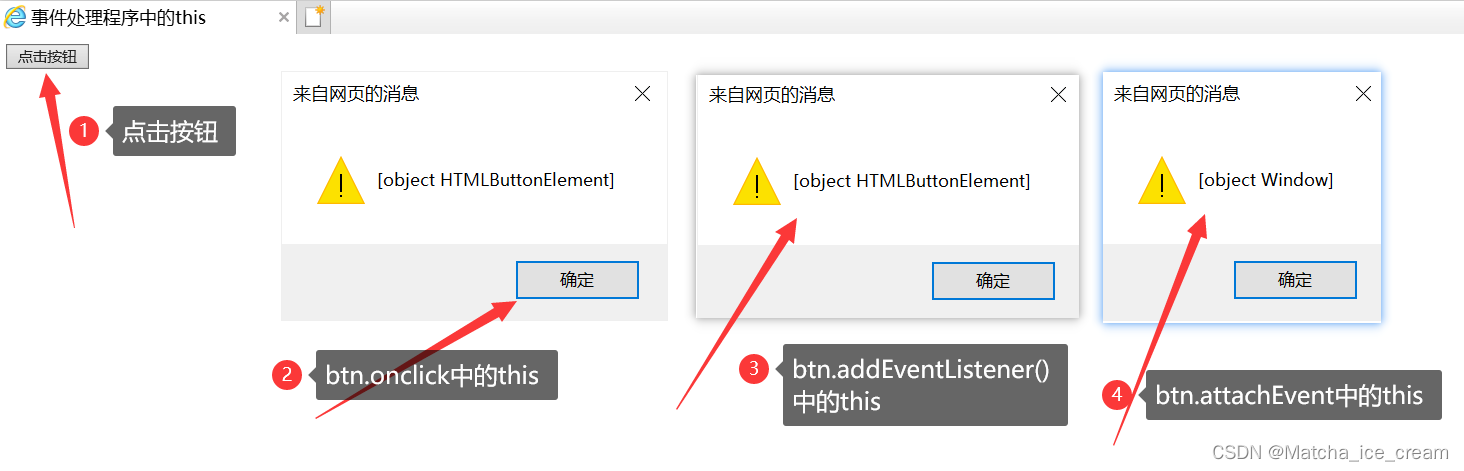
4)事件处理程序中的this
DOM0中的 this为(btn.onclick): 事件绑定的对象
DOM2中的 this为(btn.addEventListener()):事件绑定的对象
IE中的 this为(btn.attachEvent):window
代码展示:
<!DOCTYPE html>
<html lang="en">
<head>
  <meta charset="UTF-8">
  <meta http-equiv="X-UA-Compatible" content="IE=edge">
  <meta name="viewport" content="width=device-width, initial-scale=1.0">
  <title>事件处理程序中的this</title>
</head>
<script> window.onload = function() {
       var btn = document.getElementById("btn"); btn.onclick = function() {
       alert(this); //this为绑定事件的对象 } btn.addEventListener("click", function(){
       alert(this); }, false); btn.attachEvent("onclick", function() {
       alert(this); }) } </script>
<body>
  <button id="btn">点击按钮</button>
</body>
</html>
显示效果:
5)Summary of event handlers
Use simple examples to illustrate:
| 事件处理程序 | 添加事件 | 移除事件 | 事件处理程序中的this |
|---|---|---|---|
| DOM0 | btn.onclick = function(){} | btn.onclick = null | 绑定的事件对象 |
| DOM2 | btn.addEventListener(“click”, handler, false) | btn.removeEventListener(“click”, handler, false) | 绑定的事件对象 |
| IE | attachEvent(“onclick”, handler) | detachEvent(“onclick”, handler) | window |
6)跨浏览器的事件处理程序
For compatibility with event handlers of different browsers,You can write a function that wraps an event handler.
具体代码如下:
<!DOCTYPE html>
<html lang="en">
<head>
  <meta charset="UTF-8">
  <meta http-equiv="X-UA-Compatible" content="IE=edge">
  <meta name="viewport" content="width=device-width, initial-scale=1.0">
  <title>Compatible event handlers</title>
</head>
<script> window.onload = function () {
       //封装一个对象,Used to complete the role of adding event handlers and removing event handlers var eventUtil = {
       addHandler: function (element, type, handler) {
       if (element.addEventListener) {
       element.addEventListener(type, handler, false); } else if (element.attachEvent) {
       element.attachEvent("on" + type, handler); } else {
       element["on" + type] = handler; } }, removeHandler: function (element, type, handler) {
       if (element.removeEventListener) {
       element.removeEventListener(type, handler, false); } else if (element.detachEvent) {
       element.detachEvent("on" + type, handler); } else {
       element["on" + type] = null; } } }; var btn = document.getElementById("btn"); var handler = function() {
       alert("You clicked on me!!!"); } eventUtil.addHandler(btn, "click", handler); } </script>
<body>
  <button id="btn">点击一下</button>
</body>
</html>
显示效果: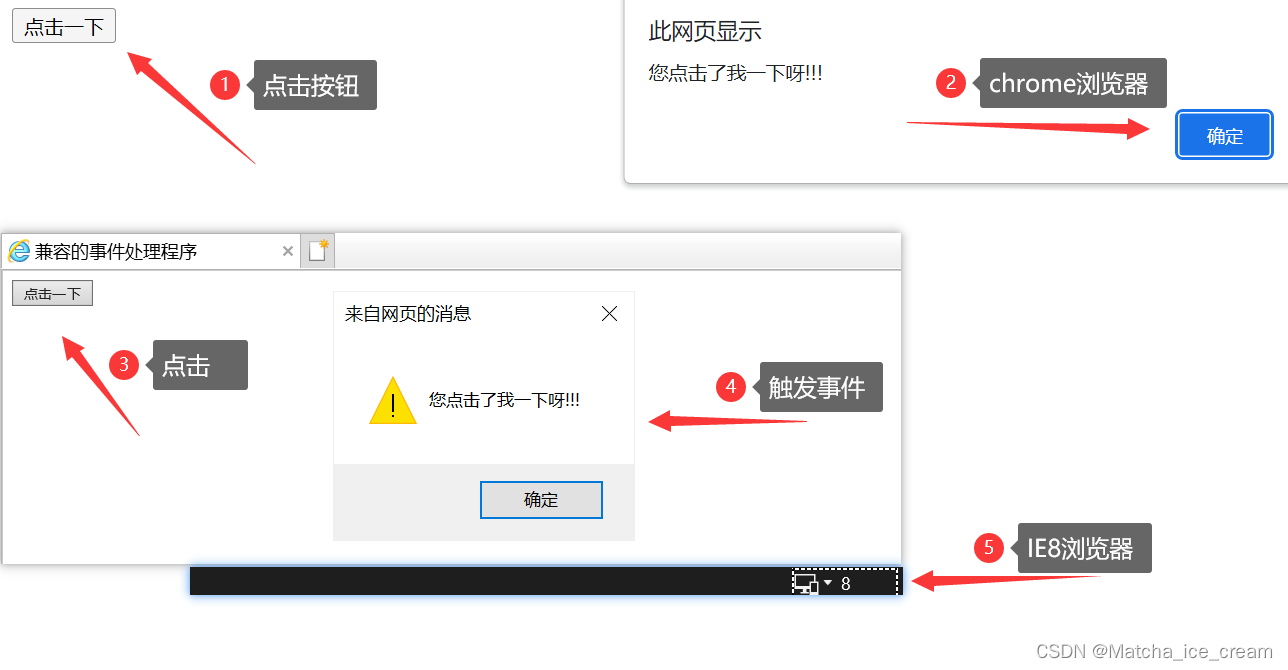
4、事件对象
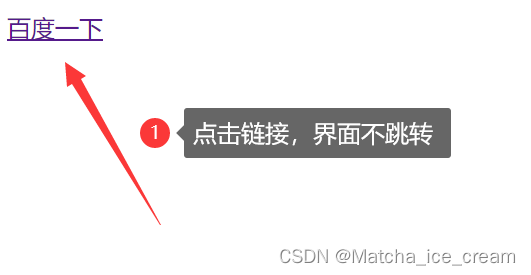
1)DOM事件对象:preventDefault()、stopPropagation
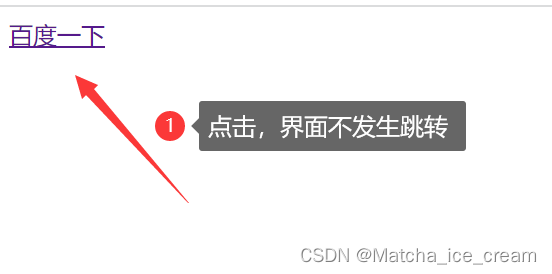
preventDefault()方法:只读,用于取消事件的默认行为.只有cancelable为true才可以调用这个方法.
eg:The default jump behavior of links can be canceled
代码展示:
<!DOCTYPE html>
<html lang="en">
<head>
  <meta charset="UTF-8">
  <meta http-equiv="X-UA-Compatible" content="IE=edge">
  <meta name="viewport" content="width=device-width, initial-scale=1.0">
  <title>DOM事件对象</title>
</head>
<script> window.onload = function() {
       let link = document.getElementById("link"); link.onclick = function(event) {
       event.preventDefault(); //Suppresses the default behavior of link jumping } } </script>
<body>
  <a href="https://www.baidu.com/" id="link">百度一下</a>
</body>
</html>
显示效果:
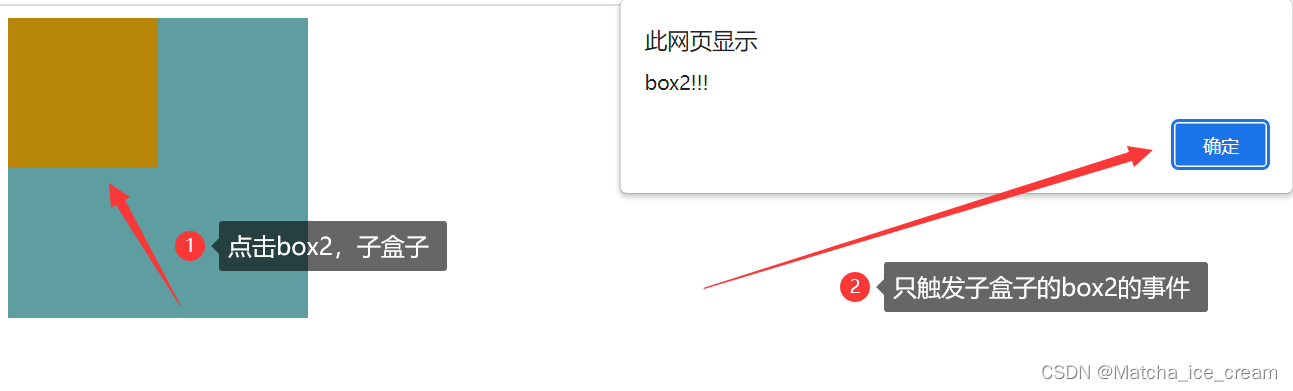
stopPropagation()方法:只读,Used to immediately organize the flow of eventsDOM结构中传播,用于取消所有后续事件捕获或事件冒泡.只有bubbles为true才可以调用这个方法.
代码展示:
<!DOCTYPE html>
<html lang="en">
<head>
  <meta charset="UTF-8">
  <meta http-equiv="X-UA-Compatible" content="IE=edge">
  <meta name="viewport" content="width=device-width, initial-scale=1.0">
  <title>DOM中的stopPropagation()</title>
</head>
<style> #box1 {
       width: 200px; height: 200px; background-color: cadetblue; } #box2 {
       width: 100px; height: 100px; background-color: darkgoldenrod; } </style>
<script> window.onload = function() {
       let box1 = document.getElementById("box1"); let box2 = document.getElementById("box2"); box1.onclick = function() {
       alert("box1!!!"); } box2.onclick = function(event) {
       alert("box2!!!"); event.stopPropagation(); //阻止事件冒泡 } } </script>
<body>
  <div id="box1">
    <div id="box2"></div>
  </div>
</body>
</html>
显示效果:
2)IE事件对象:returnValue、cancelBubble、srcElement
returnValue:布尔值,可读/写.默认设置为true,设置为falseThe default behavior of events can be overridden (与DOM中的preventDefault()方法相同)
代码展示:
<!DOCTYPE html>
<html lang="en">
<head>
  <meta charset="UTF-8">
  <meta http-equiv="X-UA-Compatible" content="IE=edge">
  <meta name="viewport" content="width=device-width, initial-scale=1.0">
  <title>IE中的returnValue属性</title>
</head>
<script> window.onload = function() {
       let link = document.getElementById("link"); link.onclick = function(event) {
       event = window.event; event.returnValue = false; //取消事件的默认行为 } } </script>
<body>
  <a href="https://www.baidu.com/" id="link">百度一下</a>
</body>
</html>
显示效果:
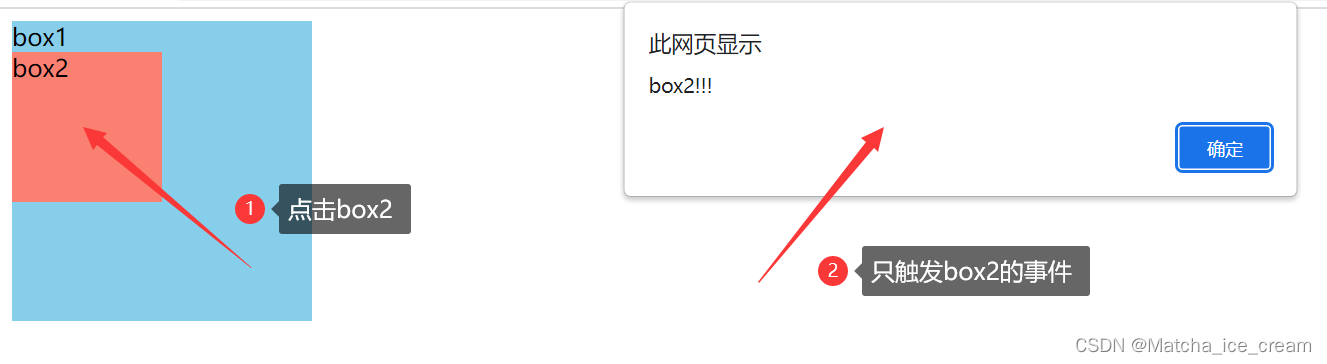
cancelBubble:布尔值,可读/写.默认值为false,设置为trueBubbling can be canceled(与DOM中的stopPropagation()方法相同)
代码展示:
<!DOCTYPE html>
<html lang="en">
<head>
  <meta charset="UTF-8">
  <meta http-equiv="X-UA-Compatible" content="IE=edge">
  <meta name="viewport" content="width=device-width, initial-scale=1.0">
  <title>IE中的cancelBubble属性</title>
</head>
<style> #box1 {
       width: 200px; height: 200px; background-color: skyblue; } #box2 {
       width: 100px; height: 100px; background-color: salmon; } </style>
<script> window.onload = function() {
       let box1 = document.getElementById("box1"); let box2 = document.getElementById("box2"); box1.onclick = function() {
       alert("box1!!!"); } box2.onclick = function(event) {
       event = window.event; alert("box2!!!"); event.cancelBubble = true; //设置cancelBubble属性为true,可以取消事件冒泡 } } </script>
<body>
  <div id="box1">box1
    <div id="box2">box2</div>
  </div>
</body>
</html>
展示效果:
srcElement:元素,只读.事件目标(与DOM中的target属性相同)
注意:IE中的this指向的是window,无法通过thisGet the current target object,可以通过srcElementproperty to get the current target object.
代码展示:
<!DOCTYPE html>
<html lang="en">
<head>
  <meta charset="UTF-8">
  <meta http-equiv="X-UA-Compatible" content="IE=edge">
  <meta name="viewport" content="width=device-width, initial-scale=1.0">
  <title>IE中的srcElement属性</title>
</head>
<script type="text/javaScript"> window.onload = function() {
       var btn = document.getElementById("btn"); btn.attachEvent("onclick", function(event) {
       alert(this); console.log(window.event.srcElement); //The target object of the event }); }; </script>
<body>
  <button id="btn">按钮</button>
</body>
</html>
显示效果: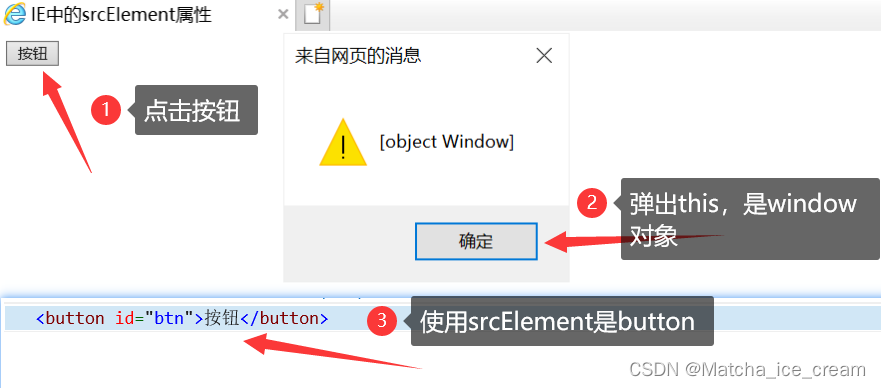
5、事件类型
1)滚轮事件:onmousewheel
滚轮事件:
onmousewheel:IE、chrome支持,firefox不支持(DOMMouseScroll)
onwhell:IE不支持,chrome、firefix支持
The following is an example to illustrate the scroll wheel event:
滚轮向下滚动,增大长度;滚轮向上滚动,减小长度.
代码展示:
<!DOCTYPE html>
<html lang="en">
<head>
  <meta charset="UTF-8">
  <meta http-equiv="X-UA-Compatible" content="IE=edge">
  <meta name="viewport" content="width=device-width, initial-scale=1.0">
  <title>滚轮事件</title>
</head>
<script> window.onload = function () {
       //封装一个对象,Used to complete the role of adding event handlers and removing event handlers var eventUtil = {
       addHandler: function (element, type, handler) {
       if (element.addEventListener) {
       element.addEventListener(type, handler, false); } else if (element.attachEvent) {
       element.attachEvent("on" + type, handler); } else {
       element["on" + type] = handler; } }, removeHandler: function (element, type, handler) {
       if (element.removeEventListener) {
       element.removeEventListener(type, handler, false); } else if (element.detachEvent) {
       element.detachEvent("on" + type, handler); } else {
       element["on" + type] = null; } } }; var box1 = document.getElementById("box1"); //onmousewheel:鼠标滚轮滚动的事件,会在滚轮滚动时触发,但是火狐不支持 box1.onmousewheel = function (event) {
       //判断滚轮滚动的方向 event = event || window.event; //event.wheelDelta可以获取滚轮滚动的方向,Scroll up is a positive value,Scroll down is a negative value //But it is not supported in Firefox,在火狐中使用event.detail,Scroll up is a negative value,Scroll down is a positive value /** * 当鼠标滚轮向下滚动时,box1变长,向上滚动时,box1变短 */ if(event.wheelDelta > 0 || event.detail < 0) {
       box1.style.height = box1.clientHeight - 10 + "px"; // alert("向上滚"); } else {
       // alert("向下滚"); box1.style.height = box1.clientHeight + 10 + "px"; } // alert(event.detail); return false; //取消浏览器的默认行为,鼠标滚动时,The scroll bar does not move } /**在火狐中需要使用 DOMMouseScroll 来绑定滚动事件 * 注意:该事件需要使用addEventListener()函数来绑定 */ //为火狐绑定滚轮事件 eventUtil.addHandler(box1, "DOMMouseScroll", box1.onmousewheel); } </script>
<style> #box1 {
       width: 100px; height: 100px; background-color: crimson; } </style>
<body>
  <div id="box1" style="height: 2000px;"></div>
</body>
</html>
展示效果:
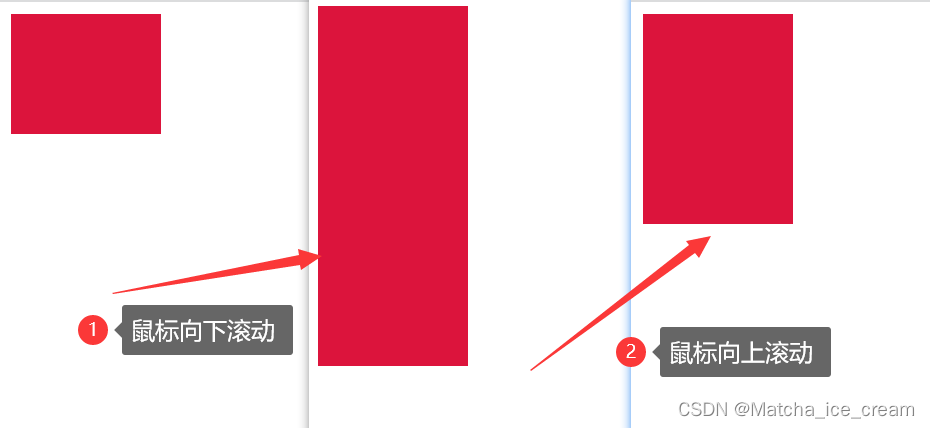
注意:In this case it is not possible to reduce the target element to when scrolling up0,Once done so,The target object cannot be obtained.
2)键盘事件:onkeyup、onkeydown、keyCode
Keyboard events are generally bound toAn object that can gain focus ordocument
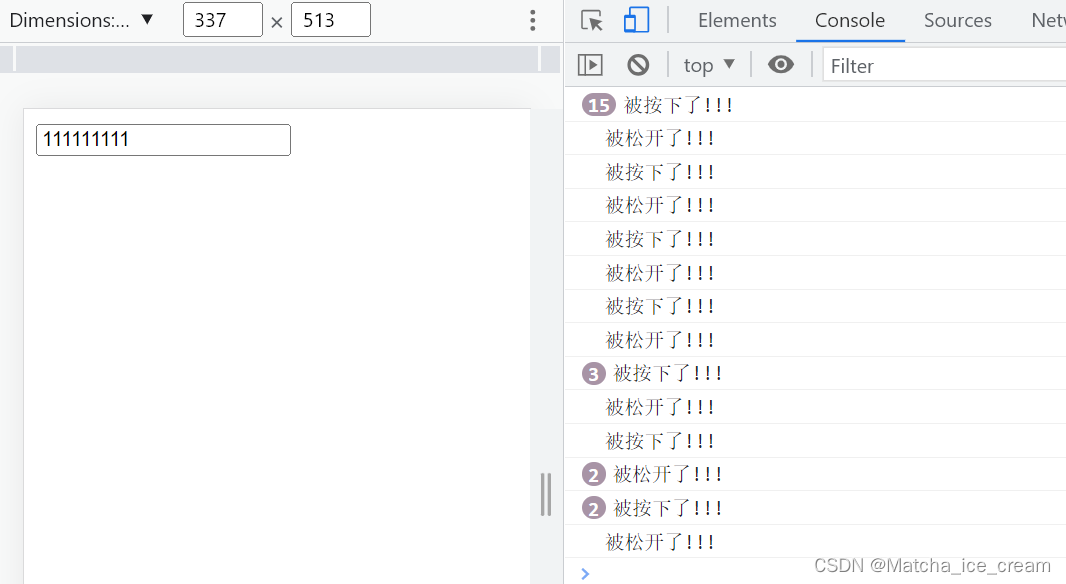
onkeydown:某个键盘按键被按下.如果一直按着某个按键不松手,则事件会一直触发;当连续触发时,The interval between the first and second will be slightly longer
onkeyup:某个键盘按键被松开
代码展示:
<!DOCTYPE html>
<html lang="en">
<head>
  <meta charset="UTF-8">
  <meta http-equiv="X-UA-Compatible" content="IE=edge">
  <meta name="viewport" content="width=device-width, initial-scale=1.0">
  <title>鼠标按键事件</title>
</head>
<script> window.onload = function() {
       document.onkeydown = function() {
       console.log("被按下了!!!"); } document.onkeyup = function() {
       console.log("been loosened!!!"); } } </script>
<body>
  <input type="text">
</body>
</html>
显示效果:
keyCode:键盘编码
ctrlKey:返回当事件被触发时,"ctrl"键是否被按下
此外,还有shiftKey、altKey等
代码展示:
<!DOCTYPE html>
<html lang="en">
<head>
  <meta charset="UTF-8">
  <meta http-equiv="X-UA-Compatible" content="IE=edge">
  <meta name="viewport" content="width=device-width, initial-scale=1.0">
  <title>鼠标按键事件</title>
</head>
<script> window.onload = function() {
       document.onkeydown = function(event) {
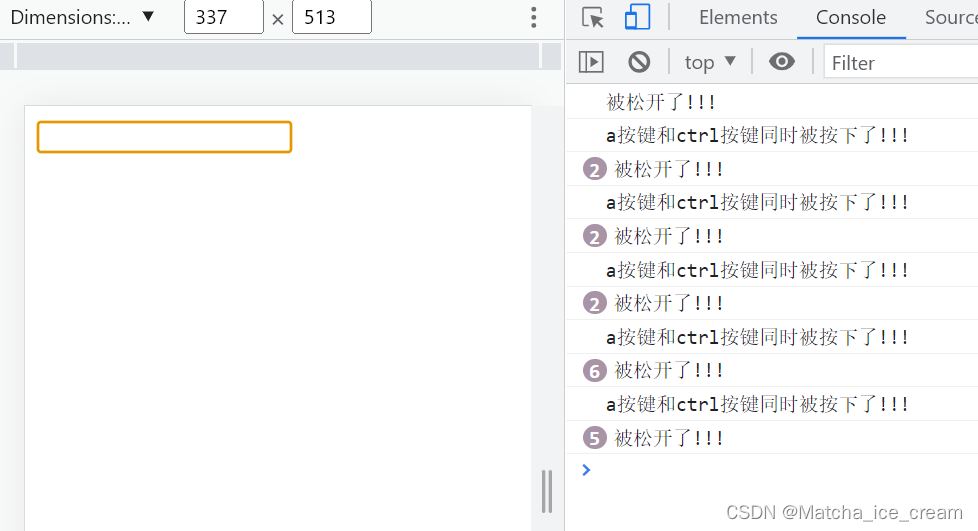
       if(event.keyCode == 65 && event.ctrlKey) {
       console.log("a按键和ctrlkeys were pressed simultaneously!!!"); } } document.onkeyup = function() {
       console.log("been loosened!!!"); } } </script>
<body>
  <input type="text">
</body>
</html>
效果展示:
小案例:Make sure the non-numeric content entered in the text box
代码展示:
<!DOCTYPE html>
<html lang="en">
<head>
  <meta charset="UTF-8">
  <meta http-equiv="X-UA-Compatible" content="IE=edge">
  <meta name="viewport" content="width=device-width, initial-scale=1.0">
  <title>Enter a non-numeric in the text box</title>
</head>
<script> window.onload = function(){
       var input = document.getElementById("input"); input.onkeydown = function(event){
       if(event.keyCode >= 48 && event.keyCode <= 57) {
       return false; //取消默认行为 } } } </script>
<body>
  <input type="text" id="input">
</body>
</html>
显示效果: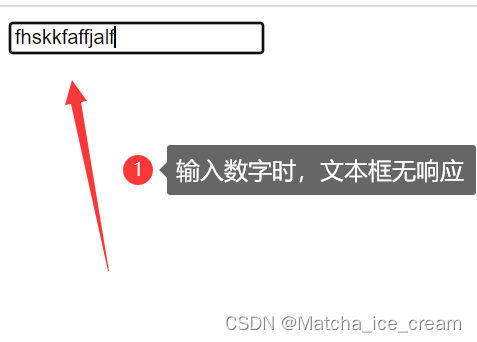
边栏推荐
猜你喜欢

cnpm 安装成功后提示不是内部和外部命令,也不是可运行的命令解决方案
ubiquant量化竞赛
leetcode:899. 有序队列【思维题】
随笔-UGUI中LayoutGroup来自适应长度图片长度
高压直流输电(HVDC)的最优潮流(OPF)(Matlab代码实现)
语音识别新一轮竞争打响,自然对话会是下一个制高点吗?
开源一夏 | 阿里云物联网平台之极速体验

With a single operation, I improved the SQL execution efficiency by 10,000,000 times!

上亿数据怎么玩深度分页?兼容MySQL + ES + MongoDB
How to play deep paging with hundreds of millions of data?Compatible with MySQL + ES + MongoDB
随机推荐
程序员面试必备PHP基础面试题 – 第二十天
The general trend, another key industry related to Sino-US competition, has reached a critical moment
C#.NET 国密数字信封
Js array method is summarized
CS免杀姿势
问题4:什么是缺陷?你们公司缺陷的优先级是怎样划分的?
冒烟测试冒烟测试
liunx服务器遇到SYN_SENT洪水攻击
身为售后工程师的我还是觉得软件测试香,转行成功定薪11.5K,特来分享下经验。
证实了,百度没有快照了
web漏洞之远程命令/代码执行
一通骚操作,我把SQL执行效率提高了10000000倍!
DC-DC 2C(40W/30W) JD6606SX2退功率应用
HDU 1029 Ignatius and the Princess IV
地球自转加快
问题1:get和post的区别
MySQL中的基数是啥?
一对多查询(分页)
2021年12月电子学会图形化二级编程题解析含答案:绘制多边形
Currency ATM: Solana Wallet Has Unknown Security Vulnerability, A Large Number Of Users' Digital Assets Are Stolen