当前位置:网站首页>综合案例、
综合案例、
2022-07-27 07:28:00 【白小筠】
综合案例:
环境准备好

pox.xml配置文件
<?xml version="1.0" encoding="UTF-8"?>
<project xmlns="http://maven.apache.org/POM/4.0.0" xmlns:xsi="http://www.w3.org/2001/XMLSchema-instance" xsi:schemaLocation="http://maven.apache.org/POM/4.0.0 http://maven.apache.org/xsd/maven-4.0.0.xsd">
    <modelVersion>4.0.0</modelVersion>

    <groupId>brand-case</groupId>
    <artifactId>brand-case</artifactId>
    <version>1.0-SNAPSHOT</version>
    <packaging>war</packaging>
    <dependencies>
        <!--mybatis-->
        <dependency>
            <groupId>org.mybatis</groupId>
            <artifactId>mybatis</artifactId>
            <version>3.5.6</version>
        </dependency>
        <dependency>
            <groupId>mysql</groupId>
            <artifactId>mysql-connector-java</artifactId>
            <version>5.1.46</version>
        </dependency>
        <!--servlet-->
        <dependency>
            <groupId>javax.servlet</groupId>
            <artifactId>javax.servlet-api</artifactId>
            <version>3.1.0</version>
            <scope>provided</scope>
        </dependency>
        <!--jsp-->
        <dependency>
            <groupId>javax.servlet.jsp</groupId>
            <artifactId>jsp-api</artifactId>
            <version>2.2</version>
            <scope>provided</scope>
        </dependency>
        <!--jstl-->
        <dependency>
            <groupId>jstl</groupId>
            <artifactId>jstl</artifactId>
            <version>1.2</version>
        </dependency>
        <dependency>
            <groupId>taglibs</groupId>
            <artifactId>standard</artifactId>
            <version>1.1.2</version>
        </dependency>

        <dependency>
            <groupId>junit</groupId>
            <artifactId>junit</artifactId>
            <version>4.13</version>
            <scope>test</scope>
        </dependency>

        <!--添加slf4j日志api-->
        <dependency>
            <groupId>org.slf4j</groupId>
            <artifactId>slf4j-api</artifactId>
            <version>1.7.20</version>
        </dependency>
        <!--添加logback-classic依赖-->
        <dependency>
            <groupId>ch.qos.logback</groupId>
            <artifactId>logback-classic</artifactId>
            <version>1.2.3</version>
        </dependency>
        <!--添加logback-core依赖-->

        <dependency>
            <groupId>ch.qos.logback</groupId>
            <artifactId>logback-core</artifactId>
            <version>1.2.3</version>
        </dependency>

        <dependency>
            <groupId>com.alibaba</groupId>
            <artifactId>fastjson</artifactId>
            <version>1.2.62</version>
        </dependency>

        <dependency>
            <groupId>com.alibaba</groupId>
            <artifactId>fastjson</artifactId>
            <version>1.2.62</version>
        </dependency>

    </dependencies>

    <build>
        <plugins>
            <!--tomcat 插件-->
            <plugin>
                <groupId>org.apache.tomcat.maven</groupId>
                <artifactId>tomcat7-maven-plugin</artifactId>
                <version>2.2</version>
            </plugin>
        </plugins>
    </build>

    <properties>
        <project.build.sourceEncoding>UTF-8</project.build.sourceEncoding>
        <maven.compiler.source>11</maven.compiler.source>
        <maven.compiler.target>11</maven.compiler.target>
    </properties>

</project>
Mabits核心配置文件
<?xml version="1.0" encoding="UTF-8" ?>
<!DOCTYPE configuration PUBLIC "-//mybatis.org//DTD Config 3.0//EN" "http://mybatis.org/dtd/mybatis-3-config.dtd">
<configuration>
    <!--起别名-->
    <typeAliases>
        <package name="com.aiit.pojo"/>
    </typeAliases>

    <environments default="development">
        <environment id="development">
            <transactionManager type="JDBC"/>
            <dataSource type="POOLED">
                <property name="driver" value="com.mysql.jdbc.Driver"/>
                <property name="url" value="jdbc:mysql:///db_1?useSSL=false"/>
                <property name="username" value="root"/>
                <property name="password" value="20020630"/>
            </dataSource>
        </environment>
    </environments>
    <mappers>
        <!--扫描mapper-->
        <package name="com.aiit.mapper"/>
    </mappers>
</configuration>
brand.html在上一张有
SqlSessionFactoryUtils工具类
public class SqlSessionFactoryUtils {


        private static SqlSessionFactory sqlSessionFactory;

        static {

            //静态代码块会随着类的加载而自动执行,且只执行一次

            try {

                String resource = "mybatis-config.xml";
                InputStream inputStream = Resources.getResourceAsStream(resource);
                sqlSessionFactory = new SqlSessionFactoryBuilder().build(inputStream);
            } catch (IOException e) {

                e.printStackTrace();
            }
        }


        public static SqlSessionFactory getSqlSessionFactory(){

            return sqlSessionFactory;
        }

    }
brand实体类
package com.aiit.pojo;

public class Brand {


    /** * 品牌实体类 */


    // id 主键
    private Integer id;
    // 品牌名称
    private String brandName;
    // 企业名称
    private String companyName;
    // 排序字段
    private Integer ordered;
    // 描述信息
    private String description;
    // 状态:0:禁用 1:启用
    private Integer status;


    public Brand() {

    }

    public Brand(Integer id, String brandName, String companyName, String description) {

        this.id = id;
        this.brandName = brandName;
        this.companyName = companyName;
        this.description = description;
    }

    public Brand(Integer id, String brandName, String companyName, Integer ordered, String description, Integer status) {

        this.id = id;
        this.brandName = brandName;
        this.companyName = companyName;
        this.ordered = ordered;
        this.description = description;
        this.status = status;
    }

    public Integer getId() {

        return id;
    }

    public void setId(Integer id) {

        this.id = id;
    }

    public String getBrandName() {

        return brandName;
    }

    public void setBrandName(String brandName) {

        this.brandName = brandName;
    }

    public String getCompanyName() {

        return companyName;
    }

    public void setCompanyName(String companyName) {

        this.companyName = companyName;
    }

    public Integer getOrdered() {

        return ordered;
    }

    public void setOrdered(Integer ordered) {

        this.ordered = ordered;
    }

    public String getDescription() {

        return description;
    }

    public void setDescription(String description) {

        this.description = description;
    }

    public Integer getStatus() {

        return status;
    }

    public void setStatus(Integer status) {

        this.status = status;
    }

    @Override
    public String toString() {

        return "Brand{" +
                "id=" + id +
                ", brandName='" + brandName + '\'' +
                ", companyName='" + companyName + '\'' +
                ", ordered=" + ordered +
                ", description='" + description + '\'' +
                ", status=" + status +
                '}';
    }


}
1.查询所有
1.在mapper包下建一个BrandMapper接口
创建一个查询所有的方法
public interface BrandMapper {

    //查询所有
    @Select("select * from tb_brand")
    @ResultMap("brandResultMap")
    List<Brand> selectAll();
}
完成ResultMapperd的映射文件
BrandMapper.xml
<?xml version="1.0" encoding="UTF-8" ?>
<!DOCTYPE mapper PUBLIC "-//mybatis.org//DTD Mapper 3.0//EN" "http://mybatis.org/dtd/mybatis-3-mapper.dtd">
<!--namespace:名称空间-->
<mapper namespace="com.aiit.mapper.BrandMapper">

    <resultMap id="brandResultMap" type="com.aiit.pojo.Brand">
        <result column="brand_name" property="brandName"></result>
        <result column="company_name" property="companyName"></result>
    </resultMap>
</mapper>
2、在service包下
创建一个接口BrandService
public interface BrandService {

    //查询所有
    List<Brand> selectAll();
}
创建一个实现类实现该接口
完成dao层数据的查询
public class BrandServiceImpl implements BrandService {


    //创建工厂
    SqlSessionFactory factory= SqlSessionFactoryUtils.getSqlSessionFactory();

    @Override
    public List<Brand> selectAll() {

        //获取SqlSession
        SqlSession sqlSession = factory.openSession();
        BrandMapper mapper = sqlSession.getMapper(BrandMapper.class);

        //调用方法
        List<Brand> brands = mapper.selectAll();

        //释放资源
        sqlSession.close();
        return brands;
    }
}
3、创建一个selectAllServlet
发送刚才查询的数据
@WebServlet("/selectAllServlet")
public class selectAllServlet extends HttpServlet {


    private BrandService brandService=new BrandServiceImpl();

    protected void doGet(HttpServletRequest request, HttpServletResponse response) throws ServletException, IOException {


        //调用service查询
        List<Brand> brands = brandService.selectAll();

        //转为JSON
        String s = JSON.toJSONString(brands);
        response.setContentType("text/json; charset=UTF-8");
        //写数据
        response.getWriter().write(s);

    }

    protected void doPost(HttpServletRequest request, HttpServletResponse response) throws ServletException, IOException {

        this.doGet(request, response);
    }
}
4.在brand.html中
导入AJAX
<script src="js/axios-0.18.0.js"></script>
获取respon发来的数据

效果:

2、新增品牌
1.完成dao层代码的编写
在BrandMapper中写入插入的sql语句
//添加数据
@Insert("insert into tb_brand values(null,#{brandName},#{companyName},#{ordered},#{description},#{status})")
void add(Brand brand);
更新BrandService中的代码
public interface BrandService {

    //查询所有
    List<Brand> selectAll();
    //
    void add(Brand brand);
}
重写方法
@Override
public void add(Brand brand) {

    SqlSession sqlSession = factory.openSession();
    BrandMapper mapper = sqlSession.getMapper(BrandMapper.class);

    mapper.add(brand);
    sqlSession.commit();//提交事务

    sqlSession.close();

}
写servlet层的代码
新建一个addServlet
public class addServlet extends HttpServlet {

    private BrandService brandService=new BrandServiceImpl();
    protected void doGet(HttpServletRequest request, HttpServletResponse response) throws ServletException, IOException {


        //接受数据
        BufferedReader reader = request.getReader();
        String params = reader.readLine();//json字符串
        //转换为Brand对象
        Brand brand = JSON.parseObject(params, Brand.class);

        //调用servie添加
        brandService.add(brand);
        //响应成功表示
        response.getWriter().write("success");

    }

    protected void doPost(HttpServletRequest request, HttpServletResponse response) throws ServletException, IOException {

        this.doGet(request, response);
    }
}
完成前端部分代码
当我们点击提交时发送AJAX异步请求发送数据

其中的selectAll()方法

3、Servlet代码优化
//替换HttpServlet,根据请求的最后一段路径来进行方法分发
public class BaseServlet  extends HttpServlet {

    @Override
    protected void service(HttpServletRequest req, HttpServletResponse resp) throws ServletException, IOException {

        //1.获取请求路径
        String requestURI = req.getRequestURI();


        //2.获取最后一段路径,方法名
        int index=requestURI.lastIndexOf("/");
        String methodName = requestURI.substring(index+1);

        //执行方法
        //1.获取字节码对象
        //this 谁调用我(this所在方法),我(this)就代表谁
        Class<? extends BaseServlet> cls = this.getClass();


        //获取方法Mentod对象
        try {

            Method method = cls.getMethod(methodName, HttpServletRequest.class, HttpServletResponse.class);
            //执行方法
          method.invoke(this,req,resp);


        } catch (NoSuchMethodException e) {

            e.printStackTrace();
        } catch (IllegalAccessException e) {

            e.printStackTrace();
        } catch (InvocationTargetException e) {

            e.printStackTrace();
        }


    }
}
@WebServlet("/brand/*")
public class BrandServlet extends  BaseServlet {

    private BrandService brandService=new BrandServiceImpl();
    public void selectAll(HttpServletRequest request, HttpServletResponse response) throws ServletException, IOException {


        //调用service查询
        List<Brand> brands = brandService.selectAll();

        //转为JSON
        String s = JSON.toJSONString(brands);
        response.setContentType("text/json; charset=UTF-8");
        //写数据
        response.getWriter().write(s);


    }
    public void add(HttpServletRequest request, HttpServletResponse response)throws ServletException, IOException {

        //接受数据
        BufferedReader reader = request.getReader();
        String params = reader.readLine();//json字符串
        //转换为Brand对象
        Brand brand = JSON.parseObject(params, Brand.class);

        //调用servie添加
        brandService.add(brand);
        //响应成功表示
        response.getWriter().write("success");

    }
}
4、批量删除
1.完成dao层代码的编写
//批量删除
  void deleteByIds(@Param("ids") int[]ids);
因为该查询语句相较复杂在BrandMapper.xml中写sql
 <delete id="deleteByIds">
   delete  from tb_brand where id in
    <foreach collection="ids" item="id" separator="," open="(" close=")" >#{id}</foreach>
</delete>
2.在BrandService接口中定义
//批量删除

void deleteByIds(int[]ids);
重写该方法
@Override
public void deleteByIds(int[] ids) {

    SqlSession sqlSession = factory.openSession();
    BrandMapper mapper = sqlSession.getMapper(BrandMapper.class);
    mapper.deleteByIds(ids);

    sqlSession.commit();

    sqlSession.close();
}
3.在BrandServlet写对应的Servlet
//批量删除
public void deleteByIds(HttpServletRequest request, HttpServletResponse response)throws ServletException, IOException {


    //接受数据
    BufferedReader reader = request.getReader();
    String params = reader.readLine();//json字符串

    int[] ids = JSON.parseObject(params, int[].class);
    brandService.deleteByIds(ids);

    //响应成功标识
    response.getWriter().write("success");

}
4.前端代码编写
复选框选中之后就会将对应选中的数据存储到multipleSelection集合中
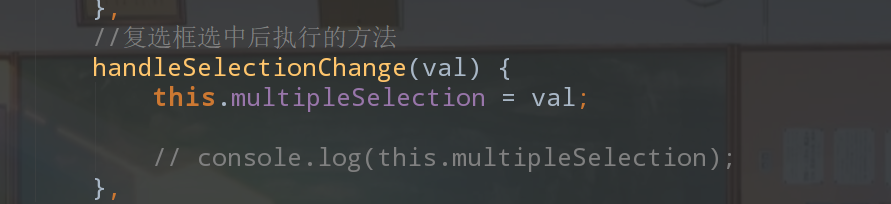

在data()中创建 一个存放被选中后的id的数组
//被选中的id数组
selectedIds:[]
遍历multipleSelection获取id存储到selectIds中
通过ajax异步发送该数据
//批量删除
deleteByIds(){

    //弹出确认提示框
    this.$confirm('此操作将永久删除该文件, 是否继续?', '提示', {
        confirmButtonText: '确定',
        cancelButtonText: '取消',
        type: 'warning'


    }).then(() => {

            //确认删除
            for (let i = 0; i <this.multipleSelection.length ; i++) {
            let selectionElement= this.multipleSelection[i];
            this.selectedIds[i]=selectionElement.id;
        }
        var _this=this;

        axios({
            method: "post",
            url:"http://localhost:8080/brand-case/brand/deleteByIds",
            data:_this.selectedIds
        }).then(function (resp) {
            if (resp.data=="success") {
                //添加成功

                //重新查询数据
                _this.selectAll();

                //添加成功提示框
                _this.$message({
                    message: '删除成功',
                    type: 'success'
                });

            }


        });
    }).catch(() => {
        this.$message({
            type: 'info',
            message: '已取消删除'
        });
    });


}
分页查询
– 分页查询LIMIT 参数1:开始索引,参数2:查询的条目数
select * from tb_brand LIMIT 0,5
– 页面传递的参数
– 当前页码
– 查询的条目数
– 开始索引=(当前页码-1)*每页显示的条数
– 查询的条目数=每页显示条数
后台给前端返回:1.当前页的数据
2.总记录数
1、创建一个pojo类
//分页查询的JavaBean
public class PageBean<T> {


    //总记录数
    private int totalCount;
    //当前页的数据
    private List<T> rows;


    public int getTotalCount() {

        return totalCount;
    }

    public void setTotalCount(int totalCount) {

        this.totalCount = totalCount;
    }

    public List<T> getRows() {

        return rows;
    }

    public void setRows(List<T> rows) {

        this.rows = rows;
    }
}
2、dao层的代码
BrandMapper中:
      //分页查询
      @Select("select * from tb_brand limit #{begin},#{size}")
      @ResultMap("brandResultMap")
      List<Brand> selectByPage(@Param("begin") int begin,@Param("size") int size);


//总记录数
    @Select("select count(*) from tb_brand ")
      int selectTotalCount();
3、BrandService中:
PageBean<Brand> selectByPage(int current,int pageSize);
在BrandServiceImp中写对应的sercvice
@Override
public PageBean<Brand> selectByPage(int current, int pageSize) {

    //获取SqlSession
    SqlSession sqlSession = factory.openSession();
    BrandMapper mapper = sqlSession.getMapper(BrandMapper.class);

    //计算开始索引
    int begin=(current-1)*pageSize;
    //
    int size=pageSize;

    List<Brand> rows = mapper.selectByPage(begin, size);
    //查询总记录数
    int totalCount= mapper.selectTotalCount();

    //封装为PageBean

    PageBean<Brand> pageBean=new PageBean<>();
    pageBean.setRows(rows);
    pageBean.setTotalCount(totalCount);

    sqlSession.close();

    return pageBean;


}
4、在BrandServlet中写对应的Servlet
//分页查询
public void selectByPage(HttpServletRequest request, HttpServletResponse response) throws ServletException, IOException {

    //1、接受参数 url?currentPage=1&pageSize=5

    String _currentPage = request.getParameter("currentPage");
    String _pageSize = request.getParameter("pageSize");

    int currentPage=Integer.parseInt(_currentPage);
    int pageSize=Integer.parseInt(_pageSize);


    PageBean<Brand> pageBean = brandService.selectByPage(currentPage, pageSize);
    //转为JSON
    String s = JSON.toJSONString(pageBean);
    response.setContentType("text/json; charset=UTF-8");
    //写数据
    response.getWriter().write(s);


}
5、前端代码
通过URL向后端发送当前页数和当前页展示的数据的总数
url:"http://localhost:8080/brand-case/brand/selectByPage?currentPage="+_this.currentPage+"&pageSize="+_this.pageSize
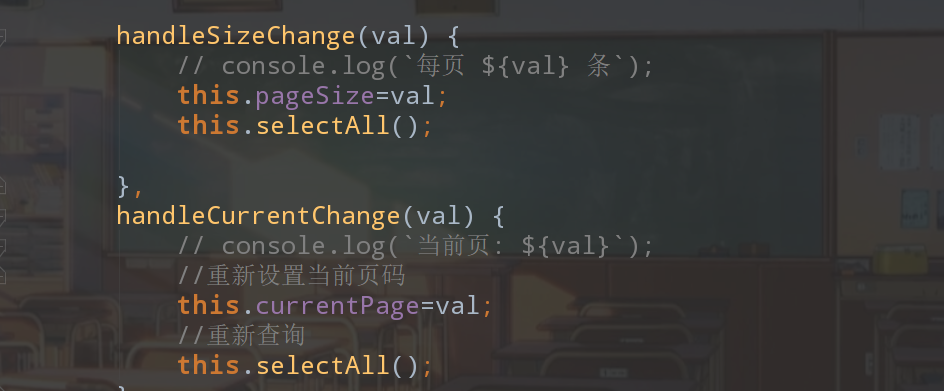
添加两个数据


重新设置,当页面尺寸改变和当前页码改变
条件查询
1.完成dao层代码的编写
BrandMapper中:
//分页加上条件查询

List<Brand> selectByPageAndConditon(@Param("begin") int begin,@Param("size") int size,@Param("brand") Brand brand);


//总记录数
int selectTotalCountByCondition(Brand brand);
sql语句
按照三个条件模糊查询,并且进行分页
<!--where brand_name=#{brand.brandName}-->
<select id="selectByPageAndConditon" resultMap="brandResultMap">
    select * from tb_brand

    <where>
        <if test="brand.brandName!=null and brand.brandName!='' ">
            and brand_name like #{brand.brandName}

        </if>
        <if test="brand.companyName!=null and brand.companyName!='' ">
            and company_name like #{brand.companyName}

        </if>
        <if test="brand.status!=null">
            and status=#{brand.status}

        </if>
    </where>
    limit #{begin},#{size}

</select>
<select id="selectTotalCountByCondition" resultType="java.lang.Integer">

    select count(*) from tb_brand

    <where>
        <if test="brandName!=null and brandName!='' ">
            and brand_name like #{brandName}

        </if>
        <if test="companyName!=null and companyName!='' ">
            and company_name like #{companyName}

        </if>
        <if test="status!=null">
            and status=#{status}

        </if>
    </where>

</select>
2.Service层代码的编写
在BrandService
//分页条件查询
PageBean<Brand> selectByPageAndCondition(int current,int pageSize,Brand brand);
在BrandServiceImp中
@Override
public PageBean<Brand> selectByPageAndCondition(int current, int pageSize, Brand brand) {

    //获取SqlSession
    SqlSession sqlSession = factory.openSession();
    BrandMapper mapper = sqlSession.getMapper(BrandMapper.class);

    //计算开始索引
    int begin=(current-1)*pageSize;
    //
    int size=pageSize;

    //处理brand条件 ,模糊表达式
   if ( brand.getBrandName()!=null&&brand.getBrandName().length()>0){

       brand.setBrandName("%"+brand.getBrandName()+"%");
   }

    if ( brand.getCompanyName()!=null&&brand.getCompanyName().length()>0){

        brand.setCompanyName("%"+brand.getCompanyName()+"%");
    }
    List<Brand> rows = mapper.selectByPageAndConditon(begin, size,brand);
    //查询总记录数
    int totalCount= mapper.selectTotalCountByCondition(brand);

    //封装为PageBean

    PageBean<Brand> pageBean=new PageBean<>();
    pageBean.setRows(rows);
    pageBean.setTotalCount(totalCount);


    sqlSession.close();

    return pageBean;
}
3.Servlet层代码的编写
//分页查询和条件查询
public void selectByPageAndConditon(HttpServletRequest request, HttpServletResponse response) throws ServletException, IOException {

    //1、接受参数 url?currentPage=1&pageSize=5

    String _currentPage = request.getParameter("currentPage");
    String _pageSize = request.getParameter("pageSize");

    int currentPage=Integer.parseInt(_currentPage);
    int pageSize=Integer.parseInt(_pageSize);
    //接受数据
    BufferedReader reader = request.getReader();
    String params = reader.readLine();//json字符串
    //转为Brand对象
    Brand brand = JSON.parseObject(params, Brand.class);


    PageBean<Brand> pageBean = brandService.selectByPageAndCondition(currentPage, pageSize,brand);
    //转为JSON
    String s = JSON.toJSONString(pageBean);
    response.setContentType("text/json; charset=UTF-8");
    //写数据
    response.getWriter().write(s);


}
4.前端代码的编写
绑定模型
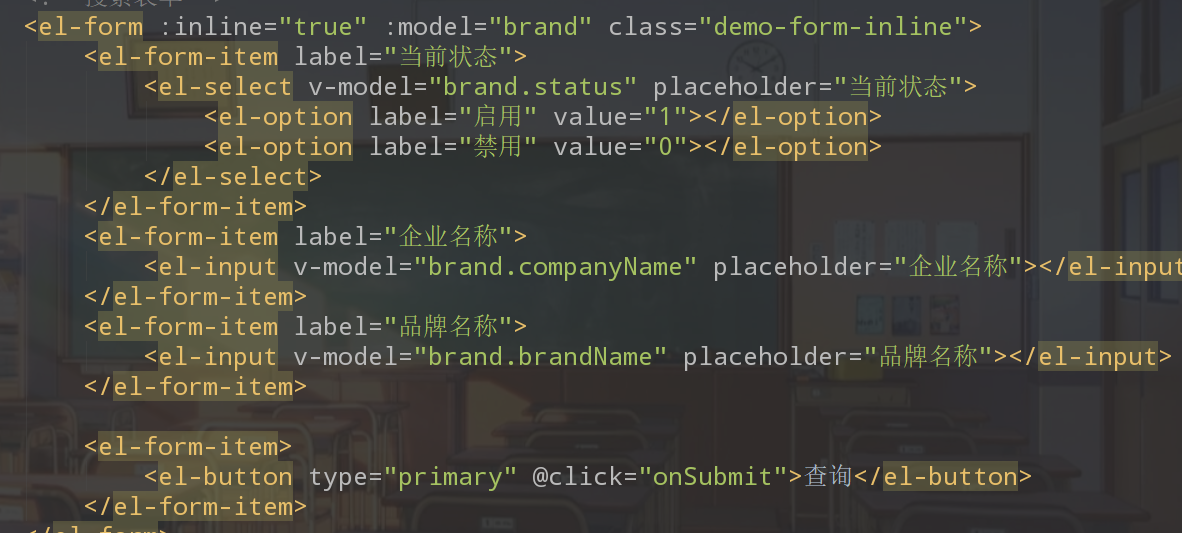
传递数据并修改url路径

点击查询触发事件
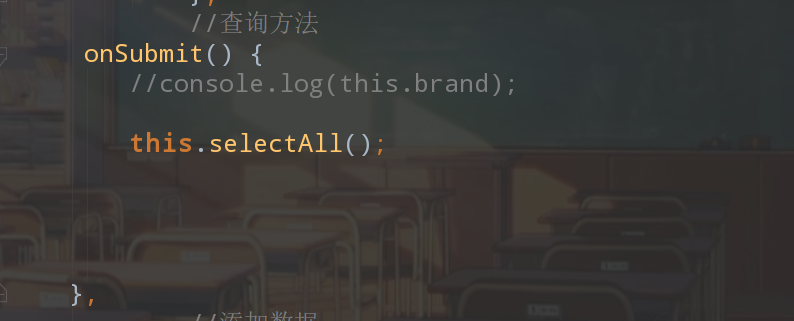
前端代码优化
使用箭头函数
axios({

            method:"post",
            url:"http://localhost:8080/brand-case/brand/selectByPageAndConditon?currentPage="+this.currentPage+"&pageSize="+this.pageSize,
            data:this.brand
        }).then(resp=>{

           this.tableData=resp.data.rows;//{rows:[],totalCount:100}
           this.totalCount=resp.data.totalCount;
})
边栏推荐
- Oracle cleans up the Database disk space of tables with referenced partitions
- Demonstrate the use of foreign keys with Oracle
- 模仿大佬制作的宿舍门禁系统(三)
- 如何在电脑端登陆多个微信
- 「翻译」SAP变式物料的采购如何玩转?看看这篇你就明白了
- 面试复盘五
- Clickhouse notes 1 | introduction, features | installation and use based on centos7 system | common data types | mergetree table engine | SQL operation
- Graylog 日志服务器单节点部署
- 电子量产项目框架--基本思想
- Prior Attention Enhanced Convolutional Neural Network Based Automatic Segmentation of Organs at Risk
猜你喜欢

Okaleido生态核心权益OKA,尽在聚变Mining模式

C winfrom common function integration-2

Comprehensive analysis of ADC noise-02-adc noise measurement method and related parameters
![[stonedb class] introductory lesson 1: popular science of database knowledge](/img/ec/4e3c0b91ac2ee164595c2891b23dfb.jpg)
[stonedb class] introductory lesson 1: popular science of database knowledge
![Multithreading [preliminary - Part 1]](/img/e6/5808bbdb8368bc780bde4c151e7cd7.png)
Multithreading [preliminary - Part 1]

Systematic explanation of unit testing: mockito

linux能不能安装sqlserver

ARP broadcasting practice cases

STM32_找到导致进入HardFault_Handler的函数
Top ten interview questions for software testing (with answers and analysis)
随机推荐
[golang learning notes 2.0] arrays and slices in golang
【小程序】如何获取微信小程序代码上传密钥?
次轮Okaleido Tiger即将登录Binance NFT,引发社区热议
为啥国内大厂都把云计算当成香饽饽,这个万亿市场你真的了解吗
Showdoc vulnerability learning - cnvd-2020-26585 (arbitrary file upload)
Okaleido ecological core equity Oka, all in fusion mining mode
什么是真正的HTAP?(一)背景篇
Shell awk related exercises
【StoneDB Class】入门第一课:数据库知识科普
Cadence (XI) silk screen printing adjustment and subsequent matters
【QT】capture. Obj:-1: error: lnk2019: unresolved external symbols__ imp_ Htons (solution)
基于Arduino的温度、湿度测量显示装置
Summary of several common ways to join dimension tables in Flink
Actual combat of flutter - Request encapsulation (I)
Multi condition query of when
Flynk de duplication (2) solve the hot issues in the process of flynk and flynk SQL de duplication
容器内使用sudo报错bash: sudo: command not found解决
Prior Attention Enhanced Convolutional Neural Network Based Automatic Segmentation of Organs at Risk
shell awk相关练习
SQL statement batch update time minus 1 day