当前位置:网站首页>Gtk+ programming example on page 115 - simplest progress bar 2 with steps to write GTK program using anjuta
Gtk+ programming example on page 115 - simplest progress bar 2 with steps to write GTK program using anjuta
2022-06-13 08:11:00 【sukida100】
following gtk+ Programming examples are from books 《 Practical technology : Development Linux application —— use GTK+ and GDK Development Linux Graphical user interface application 》 The first 115 The content of the page —— The simplest progress bar 2 Incidental use Anjuta Write gtk Procedure steps
Official tutorial website https://developer-old.gnome.org/gnome-devel-demos/3.38/progressbar.c.html.en
This is the simplest progress bar , Its writing methods and ideas are more concise and different , The code format is gtk3.0, It's worth learning ,antuja Is similar to Visual Studio and codeblocks Programming software , however antuja Only linux Version without windows Version of
stay gtk2.0 in window = gtk_window_new (GTK_WINDOW_TOPLEVEL); The close button in the upper right corner of the main window must be accompanied by the close mouse action g_signal_connect (G_OBJECT (window), “destroy”, G_CALLBACK (gtk_main_quit), NULL);
stay gtk3.0 in window = gtk_application_window_new (app); The close button in the upper right corner of the main window has a close function , There is no need to add mouse action
Use Anjuta Write gtk Procedure steps
Please refer to the following official website for introduction anjuta Write gtk Procedure steps
https://developer-old.gnome.org/gnome-devel-demos/3.38/image-viewer.c.html.en
Application—— Programming ——Anjuta
file —— newly build —— project —— Select project type as C Of GTK+( Simple )—— Advance in the upper right corner —— Project name :ProgressBar5—— Select the item and uncheck add internationalization , Do not check use GtkBuilder Make user interface —— Forward —— application
Click in the left column progressbar5 Triangle icon on the left —— double-click main.c——GtkSourceView Editor , Check remember this option —— determine
Open the following website
https://developer-old.gnome.org/gnome-devel-demos/3.38/progressbar.c.html.en
Copy and paste the source code of the progress to main.c And save
function —— perform —— The Configuration Item dialog box appears , Nothing has to be changed , Click execute directly —— It will automatically configure and make Then run the program at the new terminal
stay openSUSE-Leap-15.3-DVD-x86_64 Of gnome3.34.7 Run in a desktop environment Anjuta 3.28.0, The following is the source code , No modification , It is mainly explained in Chinese
#include <gtk/gtk.h>


static gboolean
fill (gpointer   user_data)
{

  GtkWidget *progress_bar = user_data;

  /*  Get the value of the current progress bar  */
  gdouble fraction;
  fraction = gtk_progress_bar_get_fraction (GTK_PROGRESS_BAR (progress_bar));

  /*  Every time this function is called , Add progress bar 10%, The standard way of writing is fraction = fraction + 0.1  Abbreviation for += 0.1*/
  fraction += 0.1;

  /*  according to fraction Sets the length of the progress bar display  */
  gtk_progress_bar_set_fraction (GTK_PROGRESS_BAR (progress_bar), fraction);

  /*  Make sure that the value of the progress bar stays at 1.0 following */
  if (fraction < 1.0)
    return TRUE;

  return FALSE;
}


static void
activate (GtkApplication *app,
          gpointer        user_data)
{

  GtkWidget *window;
  GtkWidget *progress_bar;

  gdouble fraction = 0.0;

  /*  Create a window with a title and a default size  */
  window = gtk_application_window_new (app);
  gtk_window_set_title (GTK_WINDOW (window), "ProgressBar Example");
  gtk_window_set_default_size (GTK_WINDOW (window), 220, 20);

  /*  Create a progress bar and add it to the window  */
  progress_bar = gtk_progress_bar_new ();
  gtk_container_add (GTK_CONTAINER (window), progress_bar);

  /*  according to fraction Sets the length of the progress bar display , The value of the progress bar must be between 0.0-1.0( contain 0.0-1.0) Between */
  gtk_progress_bar_set_fraction (GTK_PROGRESS_BAR (progress_bar), fraction);

  /*  every other 500 Run once in milliseconds fill function  */
  g_timeout_add (500, fill, GTK_PROGRESS_BAR (progress_bar));

  gtk_widget_show_all (window);
}


int
main (int argc, char **argv)
{

  GtkApplication *app;
  int status;

  app = gtk_application_new ("org.gtk.example", G_APPLICATION_FLAGS_NONE);
  g_signal_connect (app, "activate", G_CALLBACK (activate), NULL);
  status = g_application_run (G_APPLICATION (app), argc, argv);
  g_object_unref (app);

  return status;
}
The renderings are as follows 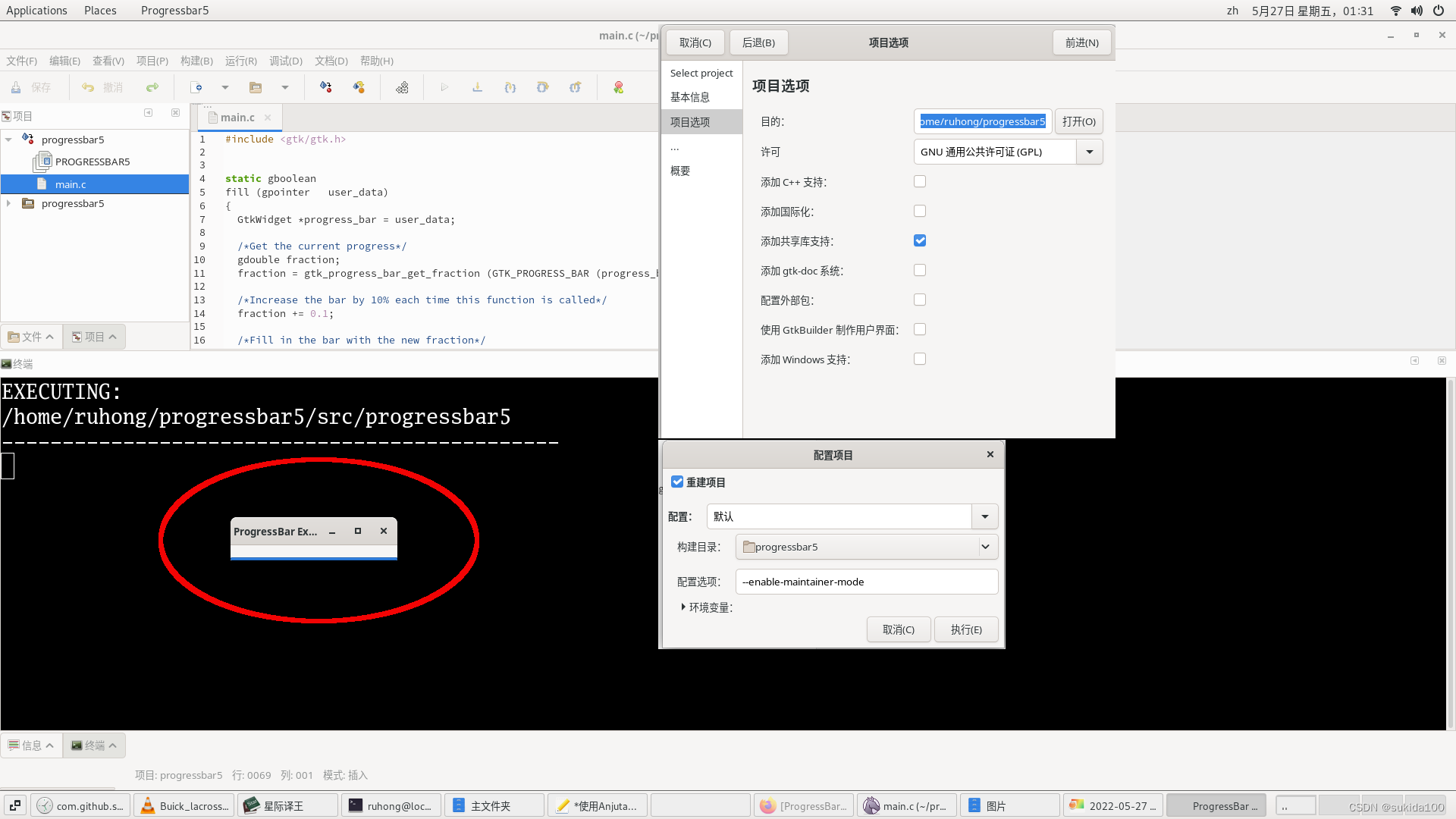
边栏推荐
- SolidWorks修改工程图中文字字体的方法
- Shell script Basics
- 18 | establish data path (middle): instruction + operation =cpu
- [MySQL] the most complete MySQL monitoring project
- 微服务项目搭建三:自动生成代码
- 赋予代码生命力--读代码整洁之道
- udf_ interval_ to_ Hourno() function
- Disk C is full? A few simple tips teach you to release and clean up tens of gigabytes of space on the C disk, the most effective way to clean up the C disk
- Go 接口实现原理【高阶篇】: type _interface struct
- 19 | establish data path (bottom): instruction + operation =cpu
猜你喜欢
![[problem record] taberror: inconsistent use of tabs and spaces in indentation](/img/dd/5ba456ac4201c8330d16f4b3bed81d.jpg)
[problem record] taberror: inconsistent use of tabs and spaces in indentation

ERP basic data Kingdee

微服务项目搭建三:自动生成代码

安装CUDA+CUSP环境,并创建第一个HelloWord入门工程

CCNP_ BT static routing

21 | pipeline oriented instruction design (Part 2): How did Pentium 4 fail?

Win10系统如何修改桌面路径

Structural analysis of hyperledger fabric (I)
Import the robot model built by SolidWorks into ROS

Differences between Merkle DAG and Merkle tree

随机推荐
【完全信息静态博弈-Nash均衡的特性】
批发商为什么要使用订单系统
Cosmos star application case
leetcode 咒语和药水的成功对数
[game theory complete information static game] Application of Nash equilibrium
名次的确定
Redis interview questions
Introduction to dfinity (ICP) -1
P7712 [Ynoi2077] hlcpq
6. fabric2.2 stop clustering and delete data (use the official demo)
Structural analysis of hyperledger fabric (I)
Clickhouse column basic data type description
【PYTORCH】RuntimeError: torch. cuda. FloatTensor is not enabled.
钉钉小程序 父子传参数对象 子组件页面不更新?
LeetCode-按奇偶排序数组
有什么好的管理软件来解决茶叶批发商面临的难题
2022年G3锅炉水处理操作证考试题库模拟考试平台操作
钉钉小程序如何隐藏tab
Dfinity (ICP) deployment and development-2
分布式系统之道:Lamport 逻辑时钟