当前位置:网站首页>[IVX junior engineer training course 10 papers] 02 numerical binding and adaptive website production
[IVX junior engineer training course 10 papers] 02 numerical binding and adaptive website production
2022-07-02 01:14:00 【1_ bit】
Catalog
【iVX Junior engineer training course 10 Textual evidence 】01 understand iVX Complete the New Year greeting card
【iVX Junior engineer training course 10 Textual evidence 】02 Numerical binding and adaptive website production
【iVX Junior engineer training course 10 Textual evidence 】03 Events and guessing numbers games
【iVX Junior engineer training course 10 Textual evidence 】04 Canvas and me iVX Group photo
【iVX Junior engineer training course 10 Textual evidence 】05 Canvas and aircraft war game production
【iVX Junior engineer training course 10 Textual evidence 】06 Database and services
【iVX Junior engineer training course 10 Textual evidence 】07 08 News page making
【iVX Junior engineer training course 10 Textual evidence 】09 Chat room production
For high score promotion, please check the column :
iVX Beginner to master
Big talk IVX From actual combat to mastery
One 、 Data binding
Data binding in iVX Means that the property value of a component is bound to other components , For example, in the following example , Click on this text , You will see a chain button in its property panel :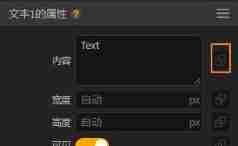
This chain indicates that the current corresponding attribute value can be bound with other values .
First , We can click on the text variable component , Create a variable to store text :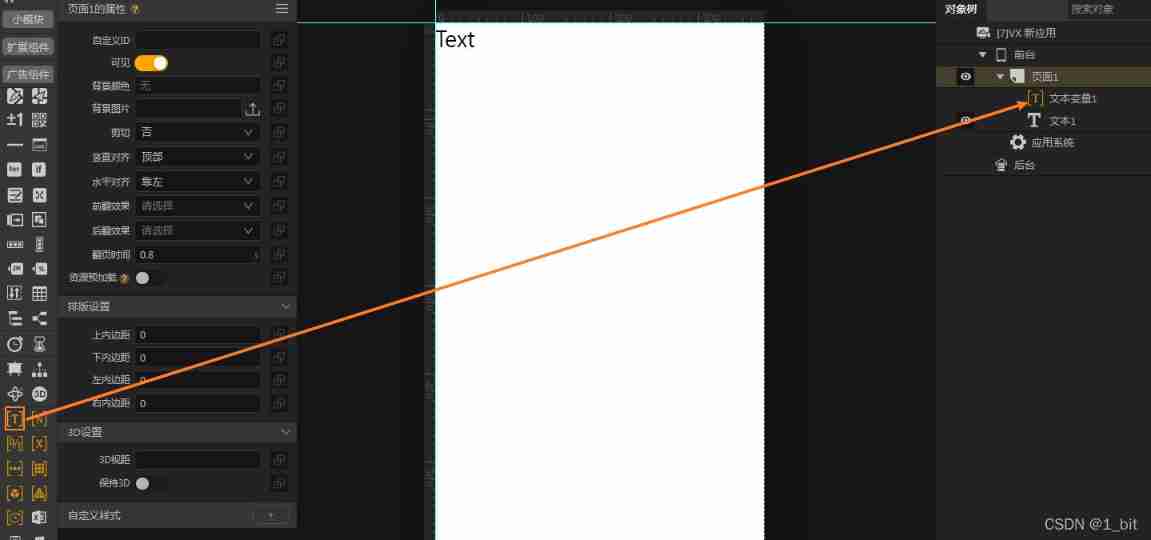
next , Click on the text variable , You can set the value of the current text variable in its properties , Of course, this text variable can also be bound to other values :
next , Let's click on the text , Click its data binding button :

We found that , There is an arrow in front of the value , The arrow can select the value of a component from the object tree :
After selecting a value , We can click the preview to find that the value of the text is automatically switched to the value of the text variable :
Two 、 Relative positioning
In the demonstration just now , The items we use are Relative positioning application , We can find , In absolute positioning, the color of the left component bar is blue , In the application of relative positioning, the color of our component bar is white , This is a visual highlight of different projects IDE Interface differences .
Relative positioning is based on the relative position of elements , We add components in relative positioning without drawing in the interface , Just select a component in the object tree ( page 、 The ranks of ), Then select the components to be added , Then you can directly click the component to be added to add .
Next we need to make a PC End-to-end adaptable website , At this time, you need to change the page size in the screen size area above the object tree :
2.1 The ranks of
next , Before making an adaptive website , We need to understand the concepts of rows and columns , In a website , Elements are either arranged vertically , Or it's arranged horizontally , The elements in the red box shown in the following picture are rows , Blue is vertical :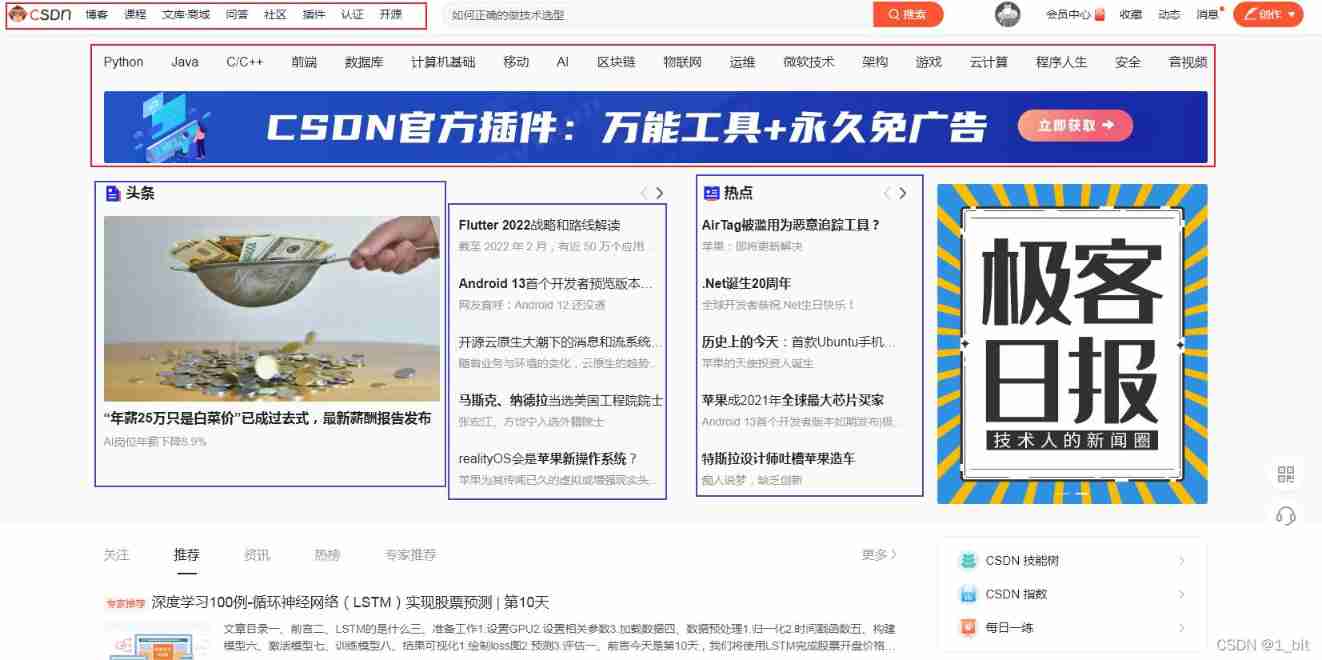
stay iVX The position layout of corresponding content elements can be carried out through rows and columns . Let's add a line to the project , Then click on the line to add some components inside it , Such as text component , The horizontal text will be found automatically , And when the text is larger than one line , The text will wrap automatically :
If you add content to the column , Then the elements in this column will be displayed vertically :
And here we need to pay attention to , Rows and columns are containers , They can nest with each other , be : A row can contain multiple rows , Multiple columns can be included in , And rows and columns can be included in each other .
3、 ... and 、 Simple site production
Now use iVX Imitation CSDN home page , And make its home page adaptive to the screen size .
First, let's add a line to the page , And set the height of the row to package :
The package is expressed as the height of the element in the current row , Then how high is the row , If there is no element , Then the line cannot be presented visually .
Then set the background color in the row to transparent , Set the horizontal alignment of rows to center :
Then I'm good at 1 Add a line to , Set the width to 80%,80% Indicates that the current row occupies the width of the parent container 80%:
Also set the height of this row to package , And set its background color to transparent ( I rename the line here to “ Inner master ” Easy to identify ):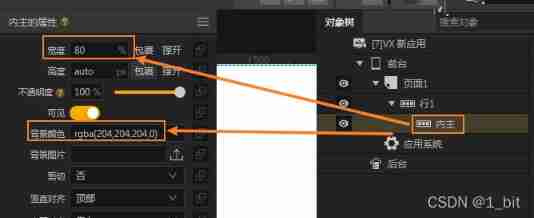
Then create a row in the inner main row , Name it the title , And set the height to package 、 The background color is transparent , This line will be used as the production of the title :
next , Add a text to the title , And set its text content to “ home page ”:
We can find that the text is automatically a distance to the left , This is because the width of the parent container row is only 80%, The outermost row is horizontally centered , Naturally, the rows inside will change in position with the parent container . We found this text too close to the top in this line , At this point, we only need to set the inner and outer margins of the title line ; The outer margin can be divided into upper and outer margins 、 The lower outer margin 、 Left outer margin 、 Right outer margin , These outer margins represent the distance between the current component and the element in the corresponding direction , Set to 10 Indicates the distance from the direction element 10 A unit of ; The outer margin is easy to cause the display disorder of the layout , Let's use the inner margin to realize the distance between the text and the top , Just click on the title line , Set the upper and inner margins of the title line , Then this line will have a transparent thickness , Then the text is naturally at a distance from the top :
Because the font is too large, it is not very beautiful , After setting the font size, the display results are as follows :
Then copy this text in this line , And paste it in the title line :
At this point, the two texts will be next to each other , In order to leave a certain gap , Let's set the left margin of the blog text to 6:
At this point, the page will be more beautiful :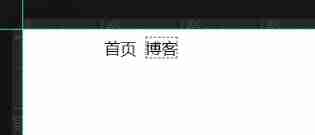
Then copy multiple text into the title line and change the text content , You will see the following effect :
Then let's create a line named advertising , And add a picture component inside it , To upload pictures :
We found that this picture is beyond the screen area , This is because the picture has no properties set , We need to set the property width of this picture to 100%, Then it will temporarily wrap the maximum width of its parent container :
After setting up, the page will look much better :
Let's go on to create 1 The first row is named content , And create... In this content line 3 Columns , And the background colors of these rows and columns are set to transparent , Set the height of the package to , Inside 3 Set the width of each content column to 33%, send 3 A column can occupy a row :
At this point, I created multiple text in the page :
Displayed on the page as follows :
The specific beauty is not beautiful. There are no requirements here , We can see that these texts wrap automatically , Is there any way to prevent them from automatic line feed ? The answer is yes , You also need to close the line feed in the text attribute :
However, when viewing the content after closing, it is found that the text content exceeds the maximum width :
At this point, you only need to give the text a width of 100% that will do :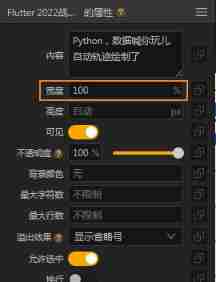
After setting, the excess content will be automatically omitted :
Four 、for Loop components
Through the content arrangement just now , We find that copying text directly is too cumbersome. Is there any function that can quickly complete the display of content ?
We can use for Recycle container , But in the use of for Before recycling containers, we have to learn a variable component —— Array component .
4.1 Array component
Click on the page , Create... In the page 3 An array container , And rename :
Array containers can add multiple values , You can create many types of content in it :
We add multiple values for each content array :
4.2 for Loop generated content
Next, just use for The loop component can generate multiple contents .
Each content column only needs to leave one text at this time , Delete other text :
next , Add a... To these columns for Loop components , And put the text in for Within the cycle assembly :
Then click on any for Loop components , You can see for There is a data source in the loop component properties , Click on the arrow , Select corresponding The value of the array As its data source :
In turn 3 individual for Loop creation for operation , Then click the data binding button in the text :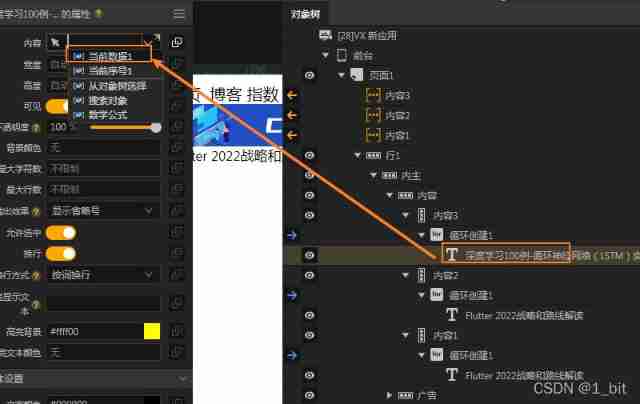
At this time, it is found that there is a current data value in the binding values of these texts , This value refers to the value of automatically traversing the array elements when the loop is created , The loop will start with the first value of the array , Keep repeating , If the value of the text is set to the current value , Then the loop creation will automatically create a text and bind the corresponding value to the text , At this time, all contents will be displayed in text .
After setting the text data as the current data , After preview, the text value appears automatically :
5、 ... and 、 Adaptive website production
Then proceed to the last step , Add adaptive features to this page .
We first determine which area of the page needs to be adaptive , We can learn that , Namely 3 A content column , When the page changes to a small screen, you only need to change the width of its parent container to 100% Adaptive control can be completed .
It's easy to implement , Let's choose... At the same time 3 An adaptive column , Find the environment width in the properties :
Set different widths under different screens , For example, set the small screen PC Wide for 100%, It means that changing the column on the small screen will directly occupy 100% Size, width , I set up here at the same time 3 A screen width that needs to be adaptive :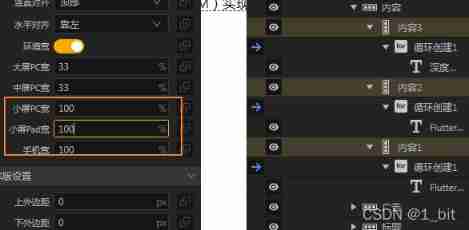
Finally, if you want the mobile phone screen, you can also realize this width adaptation , You also need to set the mobile end adaptation to the original size under the root node of the object tree :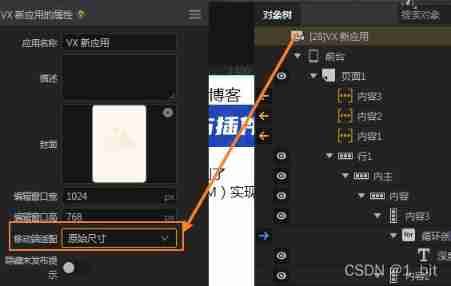
Finally preview , Drag the browser size to see different changes in the screen
边栏推荐
- AIX存储管理之卷组的创建(一)
- cookie、session、tooken
- [WesternCTF2018]shrine writeup
- 【疾病检测】基于BP神经网络实现肺癌检测系统含GUI界面
- Bubble Sort Graph
- Creation of volume group for AIX storage management (I)
- [Chongqing Guangdong education] Tianshui Normal University universe exploration reference
- 2022 safety officer-a certificate examination questions and online simulation examination
- Mathematics - feelings -20220215
- Basic usage of shell script
猜你喜欢

MySQL application day02

How does schedulerx help users solve the problem of distributed task scheduling?
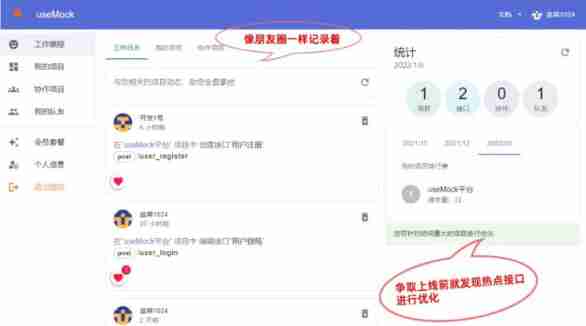
Recommend an online interface mock tool usemock
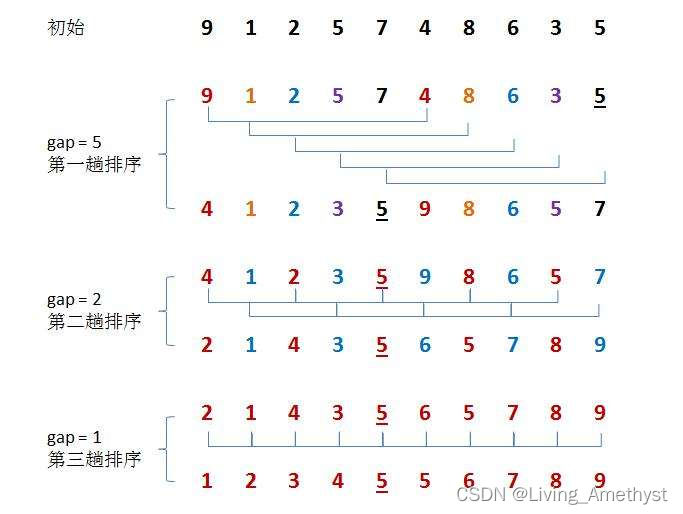
【八大排序①】插入排序(直接插入排序、希尔排序)

I'll teach you to visit Amazon RDS for a year and build a MySQL cloud database (only 10 minutes, really fragrant)

Output results of convolution operation with multiple tensors and multiple convolution kernels

Minimize the error
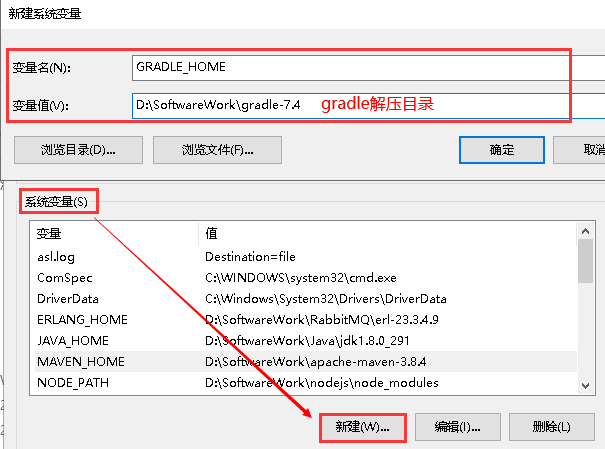
gradle
How does schedulerx help users solve the problem of distributed task scheduling?

Excel search and reference function
随机推荐
学习笔记24--多传感器后融合技术
Global and Chinese markets of edge AI software 2022-2028: Research Report on technology, participants, trends, market size and share
Minimize the error
[eight sorts ②] select sort (select sort, heap sort)
How to determine whether the current script is in the node environment or the browser environment?
2022 safety officer-a certificate examination questions and online simulation examination
[eight sorting ③] quick sorting (dynamic graph deduction Hoare method, digging method, front and back pointer method)
Leetcode 45 Jumping game II (2022.02.14)
I'll teach you to visit Amazon RDS for a year and build a MySQL cloud database (only 10 minutes, really fragrant)
Two TVs
【图像增强】基于Frangi滤波器实现血管图像增强附matlab代码
SAP ui5 beginner tutorial XXI - trial version of custom formatter of SAP ui5
Collection: comprehensive summary of storage knowledge
[dynamic planning] interval dp:p3205 Chorus
The first "mobile cloud Cup" empty publicity meeting, looking forward to working with developers to create a new world of computing!
Load and domcontentloaded in JS
Bilstm CRF code implementation
Mitsubishi PLC FX3U pulse axis jog function block (mc_jog)
SQL injection for Web Security (2)
[eight sorts ①] insert sort (direct insert sort, Hill sort)