当前位置:网站首页>PR 2021 quick start tutorial, how to create new projects and basic settings of preferences?
PR 2021 quick start tutorial, how to create new projects and basic settings of preferences?
2022-07-03 19:22:00 【mac1231】
PR2021 Quick start tutorial , After learning , Making tiktok videos ,vlog, Movie mix cut , Daily records, etc ! Zero basis , Welcome to the pit !
Content of this section
Section 1 we are right premiere pro The working interface of the working interface has a preliminary understanding , Next, we can create new projects and works , Of course , Before that, we need to do some basic settings for the software preferences , How do you do that ? I don't say much nonsense , Let's start !
open PR, Enter the welcome screen , Click new project .( It's like we use word Like writing text in a document, we write one file at a time , We all need to create a new text )

Click new project , We can name our project in this window , Select the location of the item stored on your hard disk , Of course, if you have other hard drives, you can also put them in your other hard drives

After selecting these , The rest can be defaulted ( About video rendering and playback , If your computer supports this GPU Speed up , Then you can turn on GPU Speed up )
After setting up , You can click ok , Enter the editing interface
Of course, the next thing we need to do is not editing, but a basic setting of our software , Let's run our software more efficiently in our future work
Open preferences .

Save settings automatically
It is suggested to shorten the interval of automatic saving , For example, five minutes , Because in the process of our work, if your computer suddenly loses power or the software suddenly crashes , And if you don't save your project, all the content you edited before will be in vain , So we adjust the automatic saving interval to a shorter time
About the maximum project version saved automatically , If you set it higher , It will take up more storage space on your computer , Here let it default to OK 了

Media cache settings
We will definitely produce a lot of cache files in the process of editing , Then if you are the default , They will be in your system disk , The cache file will become larger and larger , Then the space of your system disk will be smaller and smaller , After a long time, it will slow down the speed of your whole computer
ad locum , We can choose another disk or your commonly used external hard disk again , The cache database of this media is the same

Memory settings
So how much memory should we allocate for our editing software ? Of course, the more memory you allocate , Of course, the faster it runs , But your other applications also need memory when running
If you are 32G, You can set it larger , Then here I am 16G, By default, it is reserved for other software 5 individual G Memory is enough , Of course, performance is our priority here
After setting up , Click ok

So that's it , The basic setup of the software has been completed , Then we can officially edit it , That's all for today , See you next time !
pr Video editing software download address :Premiere Pro 2021 for Mac(pr 2021 Direct Edition )
边栏推荐
- 第一章:求同吗小数和s(d, n)
- Zhang Fei hardware 90 day learning notes - personal records on day 2, please see my personal profile / homepage for the complete
- EGO Planner代碼解析bspline_optimizer部分(1)
- Using the visualization results, click to appear the corresponding sentence
- Streaming media server (16) -- figure out the difference between live broadcast and on-demand
- [proteus simulation] a simple encrypted electronic password lock designed with 24C04 and 1602LCD
- Day10 ---- 强制登录, token刷新与jwt禁用
- TFs and SVN [closed] - TFs vs SVN [closed]
- [water quality prediction] water quality prediction based on MATLAB Fuzzy Neural Network [including Matlab source code 1923]
- Random numbers in a long range, is that right- Random number in long range, is this the way?
猜你喜欢

Think of new ways
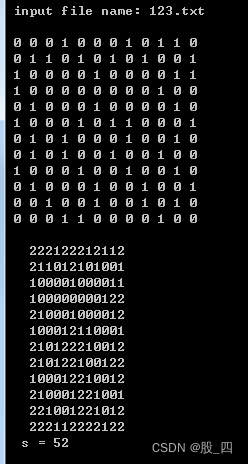
Chapter 1: sum of three factorials, graph point scanning

第二章:4位卡普雷卡数,搜索偶数位卡普雷卡数,搜索n位2段和平方数,m位不含0的巧妙平方数,指定数字组成没有重复数字的7位平方数,求指定区间内的勾股数组,求指定区间内的倒立勾股数组
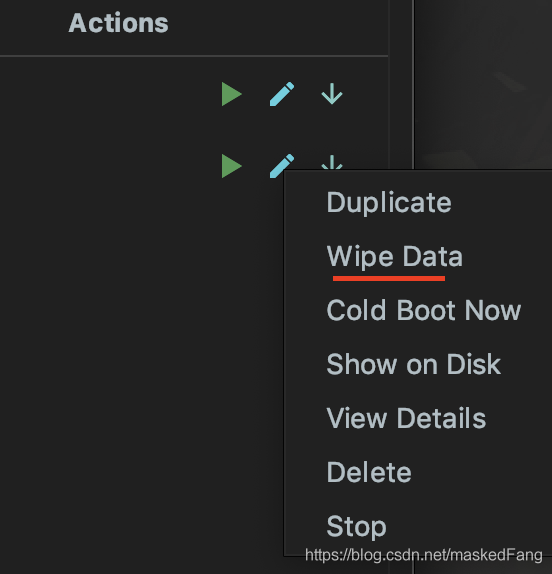
记录在模拟器中运行flutter时报的错
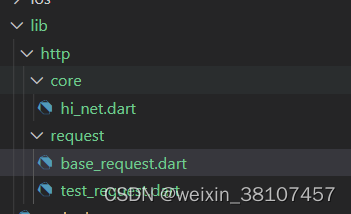
Flutter network and data storage framework construction-b1

Ctrip will implement a 3+2 work system in March, with 3 days on duty and 2 days at home every week

Detailed explanation of shuttle unity interworking principle
![Failed to start component [StandardEngine[Catalina]. StandardHost[localhost]. StandardContext](/img/56/ea61359dd149a49589ba7ad70812a0.jpg)
Failed to start component [StandardEngine[Catalina]. StandardHost[localhost]. StandardContext

Streaming media server (16) -- figure out the difference between live broadcast and on-demand
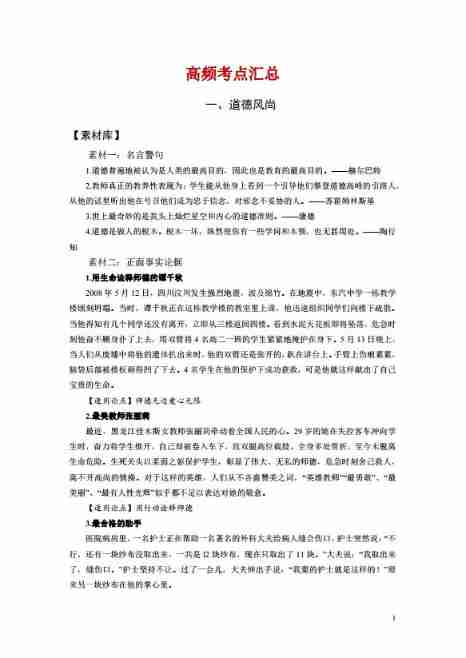
Summary of composition materials for 2020 high-frequency examination center of educational resources
随机推荐
[optics] vortex generation based on MATLAB [including Matlab source code 1927]
Common text labels
Record: install MySQL on ubuntu18.04
Day_ 18 IO stream system
05 -- QT OpenGL draw cube uniform
Day11 ---- 我的页面, 用户信息获取修改与频道接口
Zhang Fei hardware 90 day learning notes - personal records on day 4, please see my personal profile / homepage for the complete
EGO Planner代码解析bspline_optimizer部分(2)
EGO Planner代码解析bspline_optimizer部分(3)
Pecan - route
Nous avons fait une plateforme intelligente de règlement de détail
Redis master-slave synchronization, clustering, persistence
第一章:求奇因数代数和,求同吗小数和s(d, n),简化同码小数和s(d, n),拓广同码小数和s(d, n)
04 -- QT OpenGL two sets of shaders draw two triangles
[new year job hopping season] test the technical summary of interviewers' favorite questions (with video tutorials and interview questions)
Ctrip will implement a 3+2 work system in March, with 3 days on duty and 2 days at home every week
Summary of 90 day learning materials and notes of Zhang Fei's actual electronic hardware engineer
第一章: 舍罕王失算
东数西算拉动千亿产业,敢啃“硬骨头”的存储厂商才更有机会
TFs and SVN [closed] - TFs vs SVN [closed]