当前位置:网站首页>Homework 1-4 learning notes
Homework 1-4 learning notes
2022-07-27 01:49:00 【Study happily】
List of articles
No.1
Use a voucher to buy ECS
1. Accept shared image 
2. Use coupons
Click on the coupon to use it immediately —— Buy Elastic servers —— Buy on demand 
Image select shared image 

bandwidth 100
Set account password
Quick experience stay ECS Run up
establish secssion With root user With SSH Log in to ECS Switch to HwHIUser Compile under the user Run the application 
Use the public network here IP And then root user User name is root The other is myself Setting the name is useless
Switch HwHiUser user
Switch to this user In this folder 
Running example
Enter the code cloud warehouse 
according to readme To operate
Enter the model Directory Then turn the model 
No.2
Linux Basic operation
The principle of deep learning
AI Full stack architecture


No.3
Image classification application development
Model transformation
Model transformation tools ATC
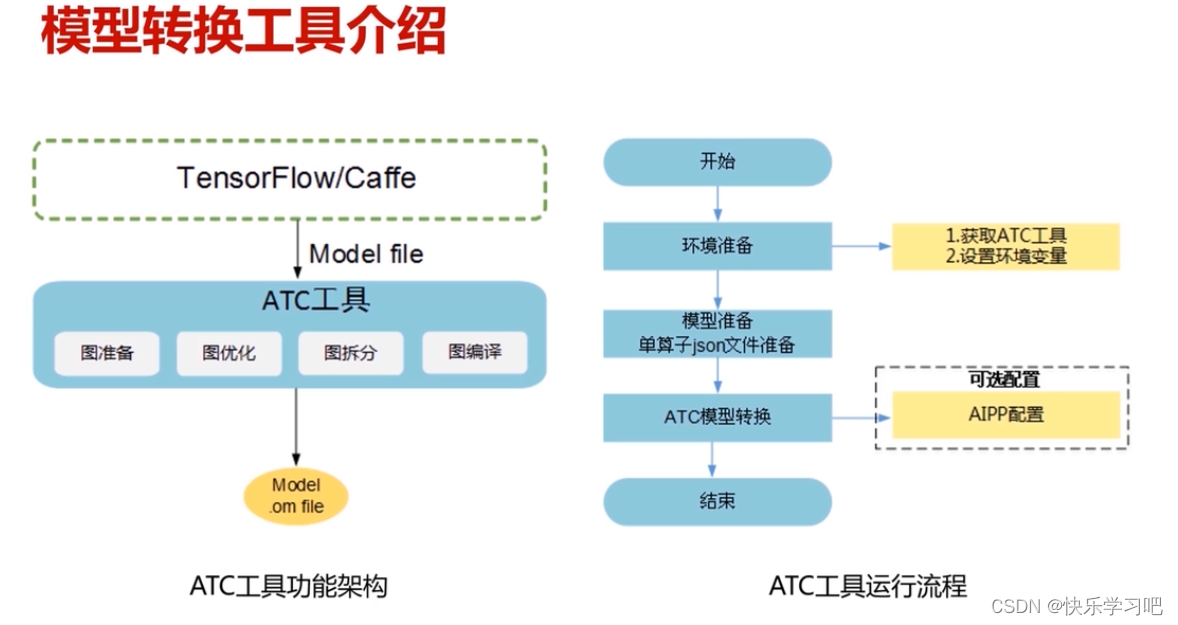
Original model :TensorFlow/Caffe
Single operator :json
Model transformation mode : Command line 、MindStudio
The resulting :om file 
op name: Operator name
There is a list of relevant supported operators in the document
Use of model transformation tools :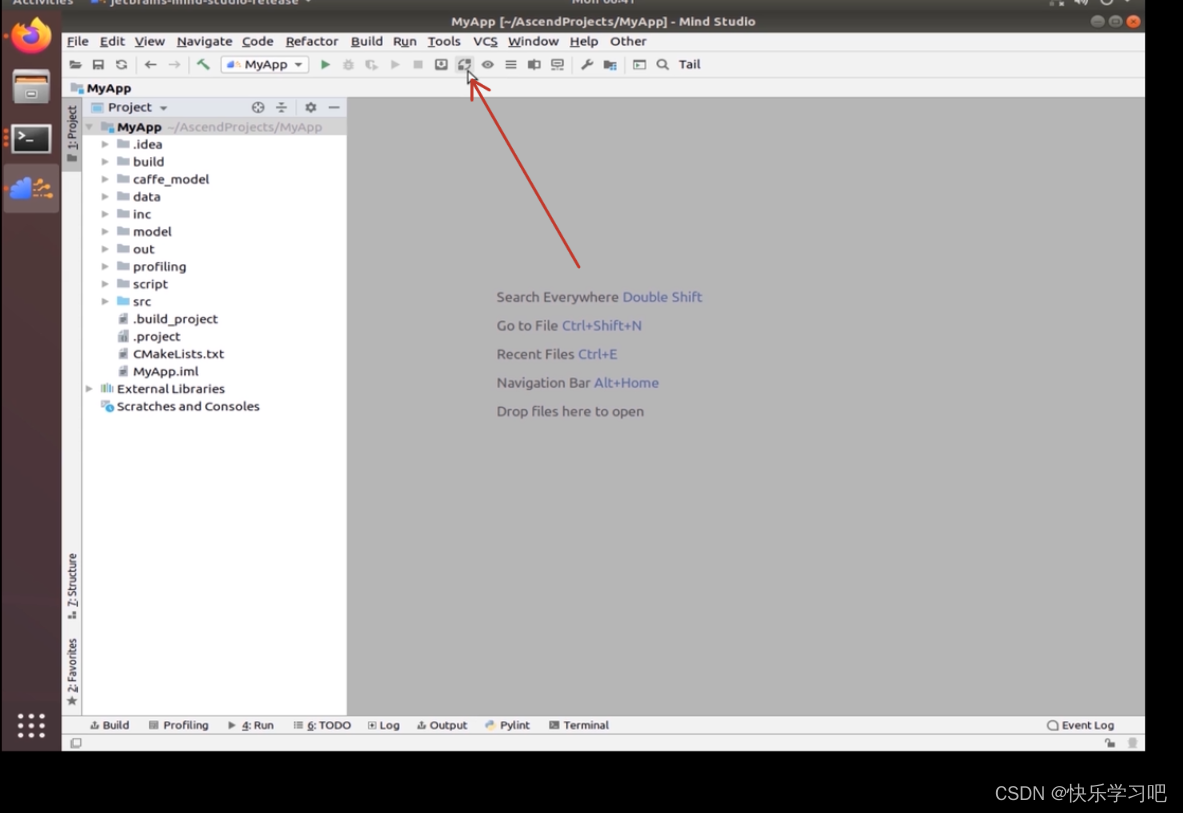
choice prototxt And caffemodel Model 
310: Reasoning chip 910: Training pictures
load configuration: Import the configuration file that was successfully converted last time
Eye picture : Model visualization tool Searchable correlation operators 
FP16: Semi precision floating point
select output node: Right click node choice Mark, You can output the specified operator
The size here is the image input required by the model 
end ,finish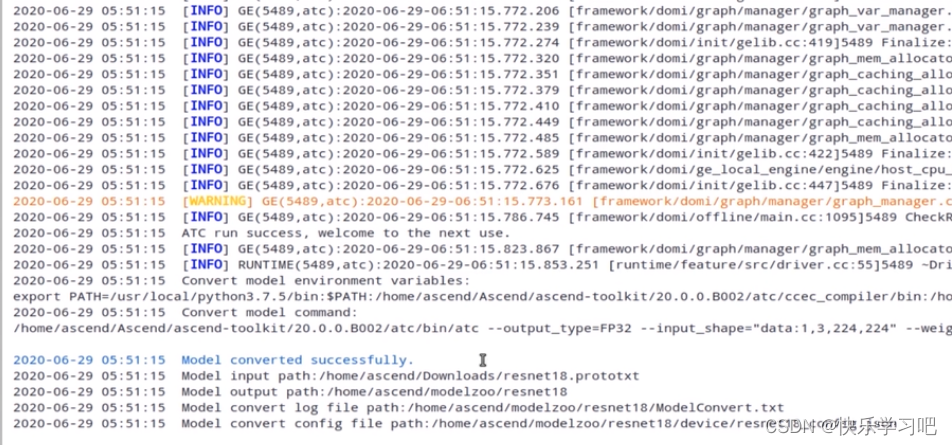

above json Files are related configuration files , You can import
To configure AIPP

AI pre-processing
Data preprocessing :AIPP( Model transformation phase configuration , Solidify into the model ) DVPP
BT.601: Standard video definition format
BT.609: Standard high definition format
The size here is AIPP Input the desired picture
AIPP Can achieve the function of image enhancement The alignment edge of the image is eliminated ( No basis , Don't understand, ), Color gamut conversion of pictures 、 Image cropping 、 Picture normalization : mean value 、 minimum value 、 variance
Single operator model file configuration
1. Model transformation :

2. Write profile 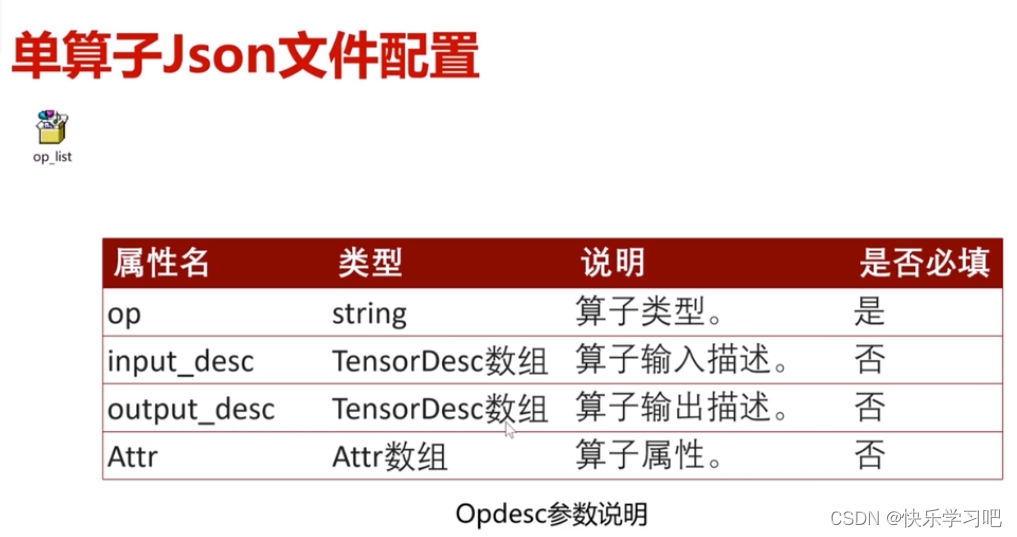
input output Parametric model :

Example :
ACL executive summary
ascend computing language Rising computing language
effect : Computational acceleration 


Implicitly create Implicitly release According to create Explicit release

Main interface calling process and practice
You should have such a process architecture in mind before you start 
ACL Of helloworld Code 
Configure the build file :
- Use cmake Method compilation
There are changes :( Other copy and paste )
// The source file you want to compile
// The path where the header file is placed
Introduction to the environment :
AI1 virtual machine
compile :


make compile 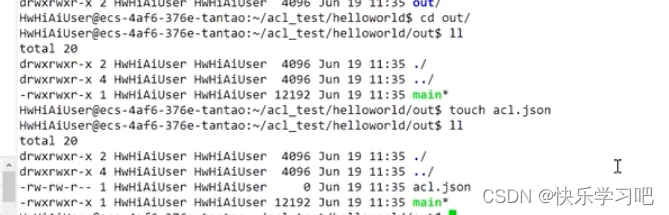
Get into out And create an empty file 
And then execute
see ACL Run log :
Environmental Science :
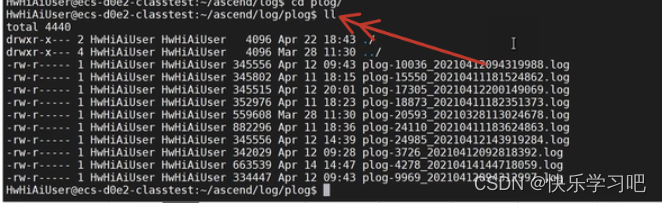
here host journal plog-10036( Process number )-2021…( Time stamp )
here device journal 
The level of logging Log printing unit Time stamp Source file Print the content
A. The level of logging B. Name of the module that generated the log C. Process name D. The file that triggers the log generation and the corresponding line number E. Specific log contents of each module
ACL Run resource management
It's mainly about Device、Context、Stream Conduct management  It is suggested to create three resources
The relationship between the three :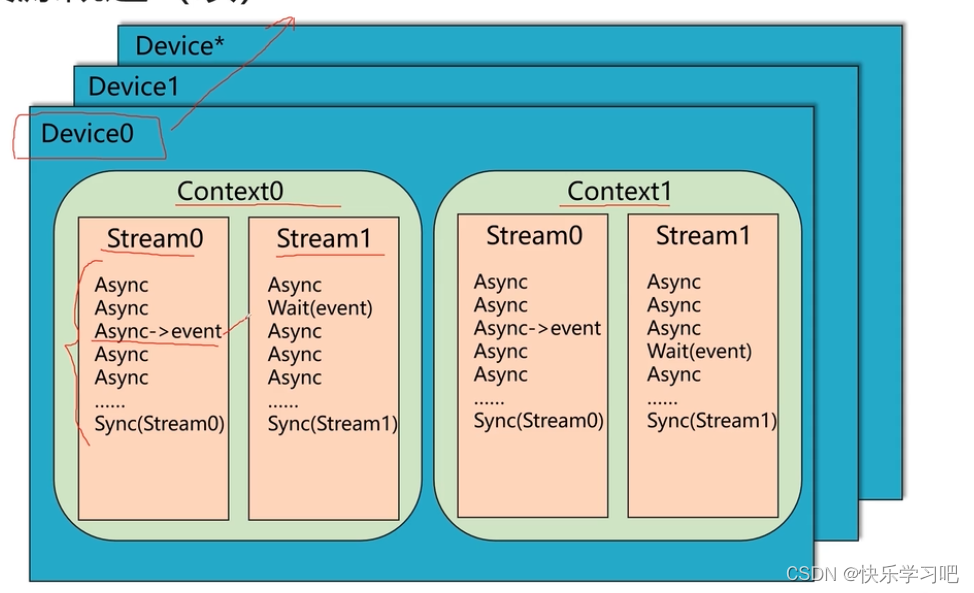

Device management


Pay attention to the release sequence :stream-context-device
Example :
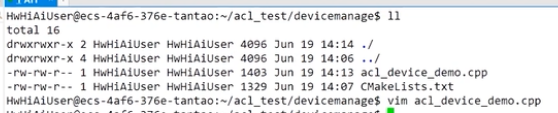
Compile and run :
:


Context management
establish :
The destruction :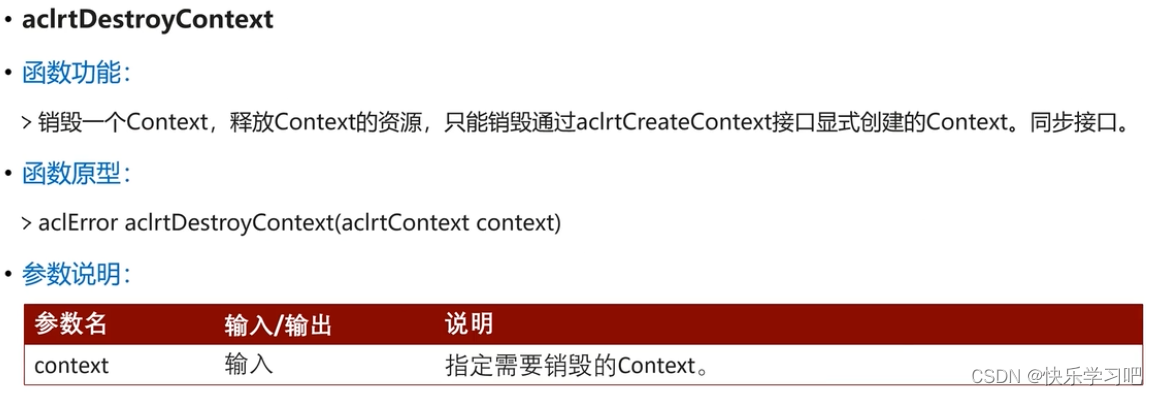


Example :


Stream management

establish :
The destruction :
Example :


No.5
Attention to big homework :
Replace the picture with the same name
边栏推荐
猜你喜欢
![[by pass] bypass method of WAF](/img/dd/7204b2401a9f18c02c8b9897258905.png)





随机推荐
PHP exit codes description
Shell(12)正则表达式
[by pass] bypass method of file upload
作业1-4学习笔记
Use of shell (11) brackets
Buuctf casual note, exec, easysql, secret file
c语言基础五子棋,十分的易懂理解,详细解释,容易上手
正则表达式之小工具系列
iptables
DNS
You can understand the detailed introduction and understanding of inheritance
mysql视图
Shell(10)数组和冒泡排序
Docter的安装和基础操作
Complete super detailed introduction to transactions in MySQL
Shell(7)case语句
Shell script - backup, update and rollback of files
系统动力学专拓考试重点总结
regular expression
Proxmox VE安装与初始化