当前位置:网站首页>Unity - use of API related to Pico development input system ---c
Unity - use of API related to Pico development input system ---c
2022-06-28 08:09:00 【Star_ MengMeng】
Unity It's using 2020.2.25
Pico SDK The version used is v2.0.5
Go straight to the code ,C# piece :
using System.Collections;
using System.Collections.Generic;
using Unity.XR.PXR;
using UnityEngine;
using UnityEngine.XR;
using UnityEngine.XR.Interaction.Toolkit;

public class PicoInputTest : MonoBehaviour
{
    // Handle controller
    private InputDevice leftController;
    private InputDevice rightController;
    private InputDevice headController;

    private bool isTriggerDown;
    private Vector2 axis;

    // Handle ray
    XRRayInteractor leftInteractor;
    XRRayInteractor rightInteractor;
    // Handle ray
    private XRInteractorLineVisual leftRayLine;
    private XRInteractorLineVisual rightRayLine;

    // ray
    RaycastHit leftRayInfo;

    public GameObject cube;
    public GameObject sphere;

    void Start()
    {
        InitDevice();
        InitData();
        SetRayLineVisual();
    }

    // Initialization equipment
    void InitDevice()
    {
        // Examples of equipment , Other necessary items can also be tested
        if (PXR_Input.IsControllerConnected(PXR_Input.Controller.LeftController))
        {
            leftController = InputDevices.GetDeviceAtXRNode(XRNode.LeftHand);
            rightController = InputDevices.GetDeviceAtXRNode(XRNode.RightHand);
            headController = InputDevices.GetDeviceAtXRNode(XRNode.Head);
        }

        // Note the path root node !
        leftInteractor = transform.Find("Camera Offset/LeftHand Controller").GetComponent<XRRayInteractor>();
        rightInteractor = transform.Find("Camera Offset/RightHand Controller").GetComponent<XRRayInteractor>();

        // Left and right hand rays
        leftRayLine = transform.Find("Camera Offset/LeftHand Controller").GetComponent<XRInteractorLineVisual>();
        rightRayLine = transform.Find("Camera Offset/LeftHand Controller").GetComponent<XRInteractorLineVisual>();
    }

    // Data initialization
    void InitData()
    {
        isTriggerDown = false;
        axis = Vector2.zero;
    }

    // Get a list of all devices
    private List<InputDevice> GetAllDevs()
    {
        List<InputDevice> deviceList = new List<InputDevice>();
        InputDevices.GetDevices(deviceList);
        return deviceList;
    }
    // Update is called once per frame
    void Update()
    {
        // Equipment input system detection
        DevicesInputUpdate();
        // Radiographic testing
        RayCheck();
    }

    // Set attributes such as ray color
    public void SetRayLineVisual()
    {
        Gradient g;
        g = new Gradient();
        GradientColorKey[] gck;
        gck= new GradientColorKey[2];
        GradientAlphaKey[] gak;
        gak = new GradientAlphaKey[2];

        gck[0].color=Color.blue;
        gck[0].time = 0.0f;
        gck[1].color=Color.red;
        gck[1].time = 1.0f;

        gak[0].alpha = 1.0f;
        gak[0].time = 0.0f;
        gak[1].alpha = 1.0f;
        gak[1].time = 1.0f;

        g.SetKeys(gck,gak);

        leftRayLine.lineWidth = 0.2f;
        leftRayLine.invalidColorGradient = g;// There is no interactive ray color in the default state
        //leftRayLine.validColorGradient = g2;// Define another color g2、 That is, the ray color when interaction is generated ;

    }
    // Device button detection
    private void DevicesInputUpdate()
    {
        // Trigger key detection , The same principle as other buttons , Look directly at API Just define it
        if (leftController.TryGetFeatureValue(CommonUsages.triggerButton,out isTriggerDown)&&isTriggerDown)
        {
            //TODO:
            cube.SetActive(false);
        }

        // Rocker detection , It can also be directly passed through 0——1 To judge
        if (leftController.TryGetFeatureValue(CommonUsages.primary2DAxis,out axis)&&!axis.Equals(Vector2.zero))
        {
            //TODO:
            float angle = VectorAngle(new Vector2(1, 0), axis);
            // On
            if (angle > 45 && angle < 135)
            {
             transform.Translate(Camera.main.transform.forward*5*Time.deltaTime);
            }
            // Next
            else if (angle < -45 && angle > -135)
            {
                transform.Translate(Camera.main.transform.forward*-5*Time.deltaTime);
            }
            // Left
            else if ((angle < 180 && angle > 135) || (angle < -135 && angle > -180))
            {
                transform.Rotate(Vector3.up*-30*Time.deltaTime);
            }
            // Right
            else if ((angle > 0 && angle < 45) || (angle > -45 && angle < 0))
            {
                transform.Rotate(Vector3.up*30*Time.deltaTime);
            }

        }


    }

    //update Handle radiographic testing
    // Right click  XR-UICanvas  establish Canvas Only here Canvas Under the UI Components can interact with handle rays normally
    private void RayCheck()
    {
        if (leftInteractor.GetCurrentRaycastHit(out leftRayInfo))
        {
            if (leftRayInfo.collider != null && leftRayInfo.collider.CompareTag("Player"))
            {
                //TODO:
                sphere.transform.localScale = Vector3.one * 5;
            }
            else
            {
                sphere.transform.localScale = Vector3.one * 1;
            }

            if (leftRayInfo.collider.gameObject.name == "look1Obj")
            {
                if (leftController.TryGetFeatureValue(CommonUsages.triggerButton, out isTriggerDown) && isTriggerDown)
                {
                    sphere.GetComponent<MeshRenderer>().material.color = Color.red;
                    //Ui3DTest._onVrCLick.Invoke("look1Obj");
                }
            }
            else
            {
                sphere.GetComponent<MeshRenderer>().material.color = Color.blue;
            }
        }
    }

    float VectorAngle(Vector2 from,Vector2 to)
    {
        float angle;
        Vector3 cross = Vector3.Cross(from, to);
        angle = Vector2.Angle(from, to);
        return cross.z > 0 ? angle : -angle;
    }

}
Enclosed Pico API Official documents :
边栏推荐
- 【学习笔记】线性基
- HJ base conversion
- Co process, asyncio, asynchronous programming
- Design of DSP image data stream
- [JS] - [DFS, BFS application] - learning notes
- 挖财注册开户靠谱吗?安全吗?
- Study notes 22/1/11
- Devops Basics: Jenkins deployment and use (I)
- 【js】-【节流、防抖函数】
- Ambari (VII) --- ambari integrated hue4.2 document (valid for personal test)
猜你喜欢

Prometheus + grafana + MySQL master-slave replication + host monitoring
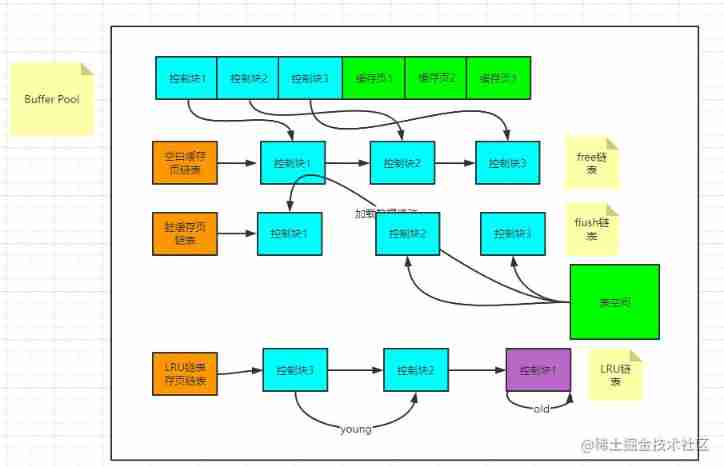
Buffer pool in MySQL

你了解TCP协议吗(一)?

sql分析(查询截取分析做sql优化)

微内核Zephyr获众多厂家支持!

22/02/15 study notes

At 19:00 on Tuesday evening, the 8th live broadcast of battle code Pioneer - how to participate in openharmony's open source contribution in multiple directions

redis02——一篇终结redis的五种数据类型操作命令(可学习、复习、面试、收藏备用)
![[shangpinhui] project notes](/img/aa/043dd16c20348f1f80ca5e9e4ad330.png)
[shangpinhui] project notes

Configuring multiple instances of MySQL under Linux
随机推荐
HJ prime factor
ZYNQ_ IIC read / write m24m01 record board status
Kubernetes理论基础
Introduction to kubernetes (I)
Explanation and application of instr() function in Oracle
Buffer pool in MySQL
SQL Master slave Replication Build
Eslint syntax monitoring off
Flex layout
Image translation /transformer:ittr: unpaired image to image translation with transformers
MySQL installation and environment variable configuration
js运算符的优先级
Es data export CSV file
Redis cerebral fissure
cuda和cudnn和tensorrt的理解
[shangpinhui] project notes
MySQL two table connection principle (understand join buf)
Software testing and quality final review
【学习笔记】搜索
设置网页的标题部分的图标